
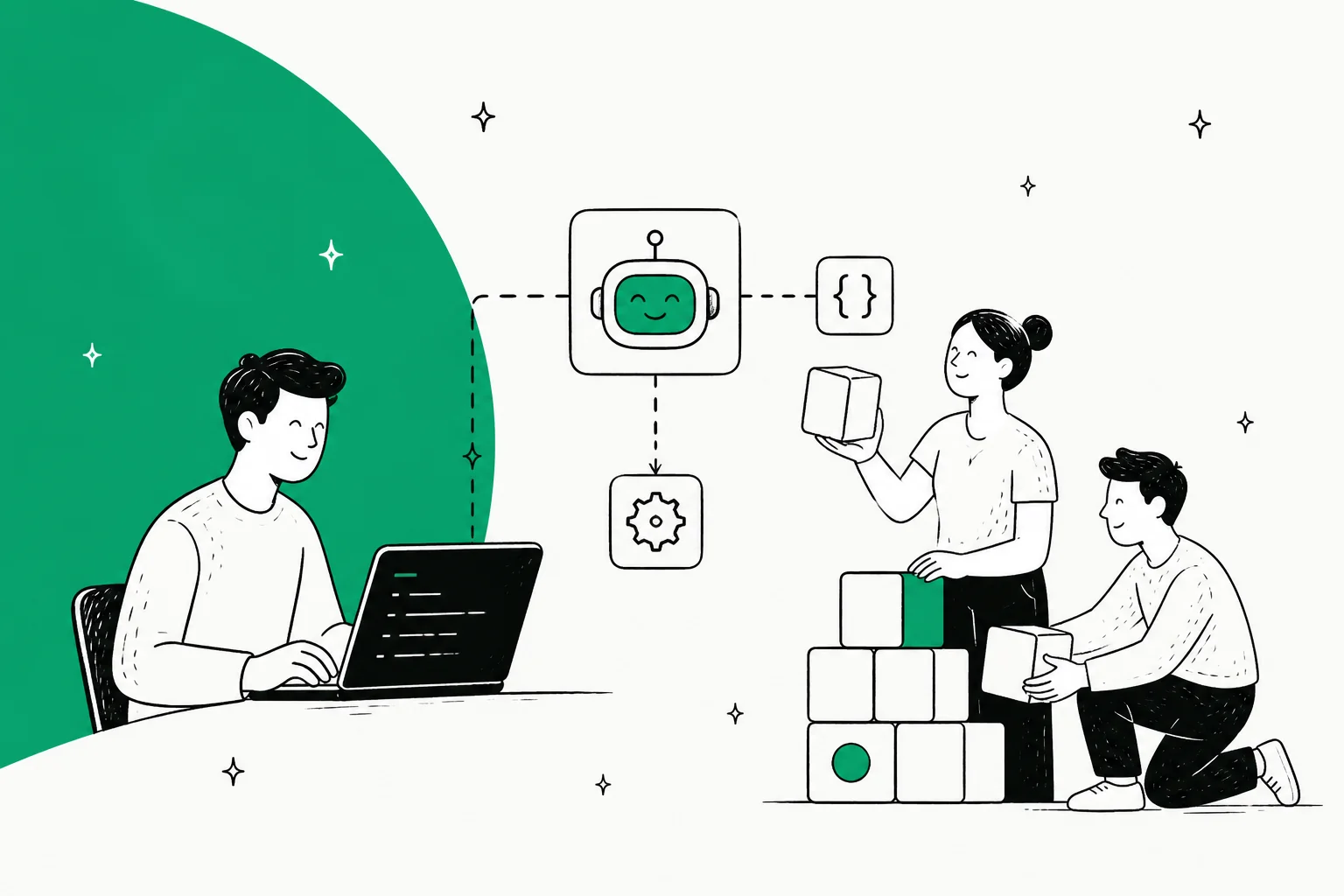
To build a customer support agent with an API, you wire together five things: a model API for the reasoning, a retrieval layer over your help docs, your helpdesk's API so the agent can read and write tickets, an orchestration layer for tools and guardrails, and logging so you can see what happened. The model call is the easy 10%. The integrations, the event handling, and the testing are the other 90%, and they don't stop needing attention after launch.
So there are really two paths. Build it yourself when a support agent is your core product or you need something no vendor sells. Hire a teammate that already exposes a programmable surface when you just want to resolve tickets in the helpdesk you already run. That second path is what eesel is: an AI helpdesk teammate that you can drive entirely from the terminal through a CLI, an MCP server, webhooks, and Network Access, so you get code-first control without owning the plumbing.
One honest note up front: eesel does not publish a versioned public REST API you call to CRUD agents. Its programmable surface is the CLI, MCP, webhooks, and Network Access. If a documented REST product is a hard requirement, that's worth knowing before you read on.
What "building a support agent with an API" actually means
I've spent the last few years shipping the code that connects AI agents to helpdesks, and the first thing I'll tell anyone starting a build is this: the API call to the model is never where the time goes. A support agent isn't one API. It's a small system, and "building with an API" really means assembling a handful of them so they behave like a single, reliable coworker.
Here's the stack you end up with, whether you plan for it or not.
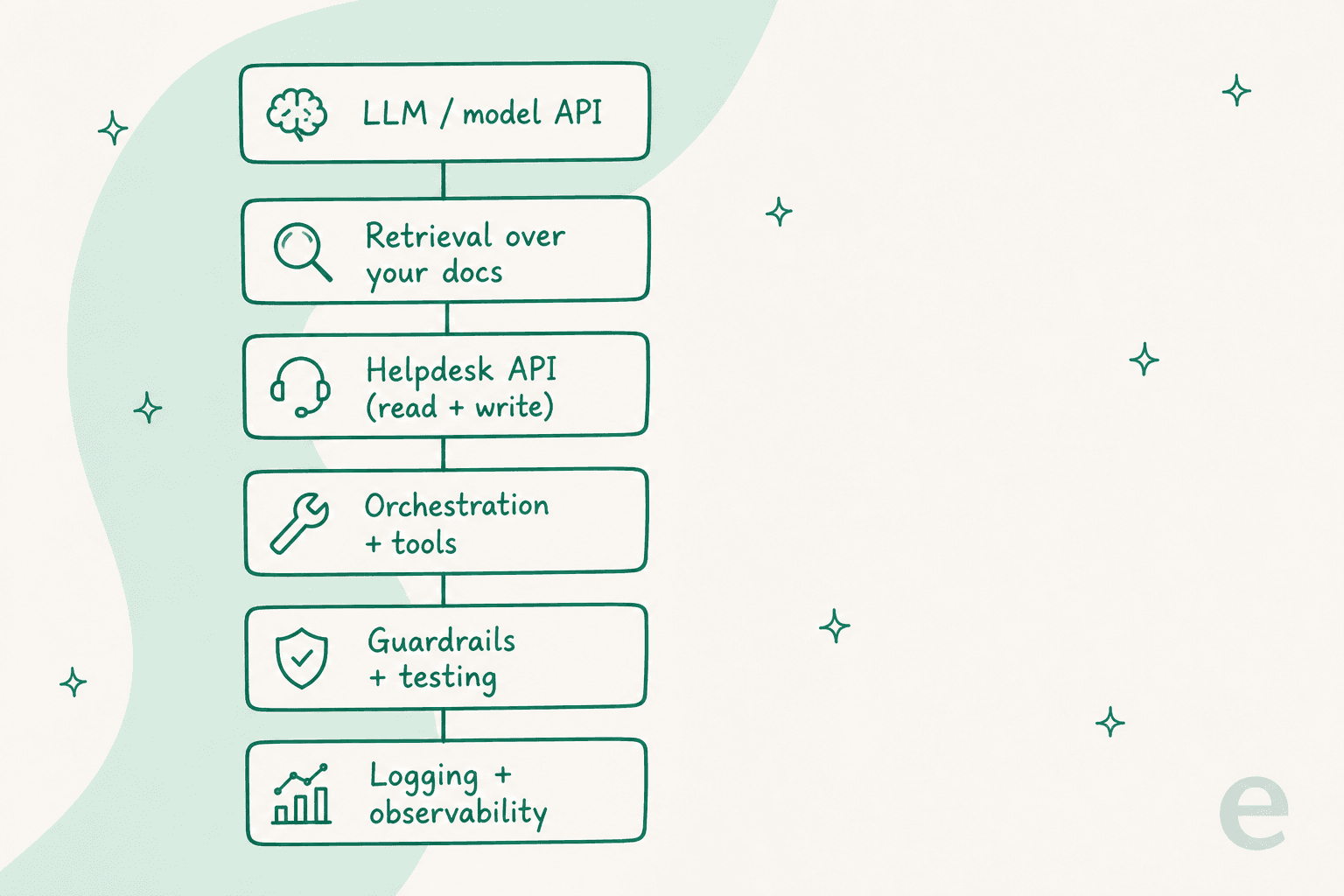
- A model API. The LLM that reads the ticket and decides what to say. This is the part everyone starts with and the part that matters least to your outcome, because every serious model is good enough now.
- Retrieval over your knowledge. Your help center, past tickets, and internal docs, chunked and indexed so the model answers from your reality instead of the open internet. Get this wrong and you have a confident agent that's confidently wrong.
- Your helpdesk's API. The read-and-write connection to Zendesk, Gorgias, Front, or wherever your tickets live. The agent needs to see the conversation and post a reply, tag, or escalate.
- Orchestration and tools. The glue that lets the agent look up an order, check a subscription, or hit an internal endpoint mid-conversation. A support agent that can only talk, not act, deflects the easy questions and drops the rest.
- Guardrails, testing, and logging. The unglamorous layer that keeps the whole thing from going sideways in production, and lets you prove it works before it answers a real customer.
If you want the conceptual version of this, we wrote a companion piece on the customer support agent API as a category. This post is the hands-on one: how you'd actually put it together, and where it bites.
Path 1: build it yourself from raw APIs
This is the right call in a specific set of cases: you're building a product where the agent is the thing you sell, you have a workflow no vendor covers, or you have engineers to spare and a reason to own every layer. If that's you, here's the honest shape of the work.
You start with a model API and a prompt, which takes an afternoon and feels like magic. Then you connect retrieval, and the demo gets genuinely useful. Then you connect your helpdesk, and the project changes character completely, because now you're not building a chatbot, you're building an integration.
The part that looks easy but isn't
Here's the thing outsiders always get wrong when they estimate one of these builds: they size it by the model and the REST surface. They look at the helpdesk's API docs, see clean endpoints for tickets and replies, and budget a week. Then the actual time disappears into the parts that aren't in the docs.
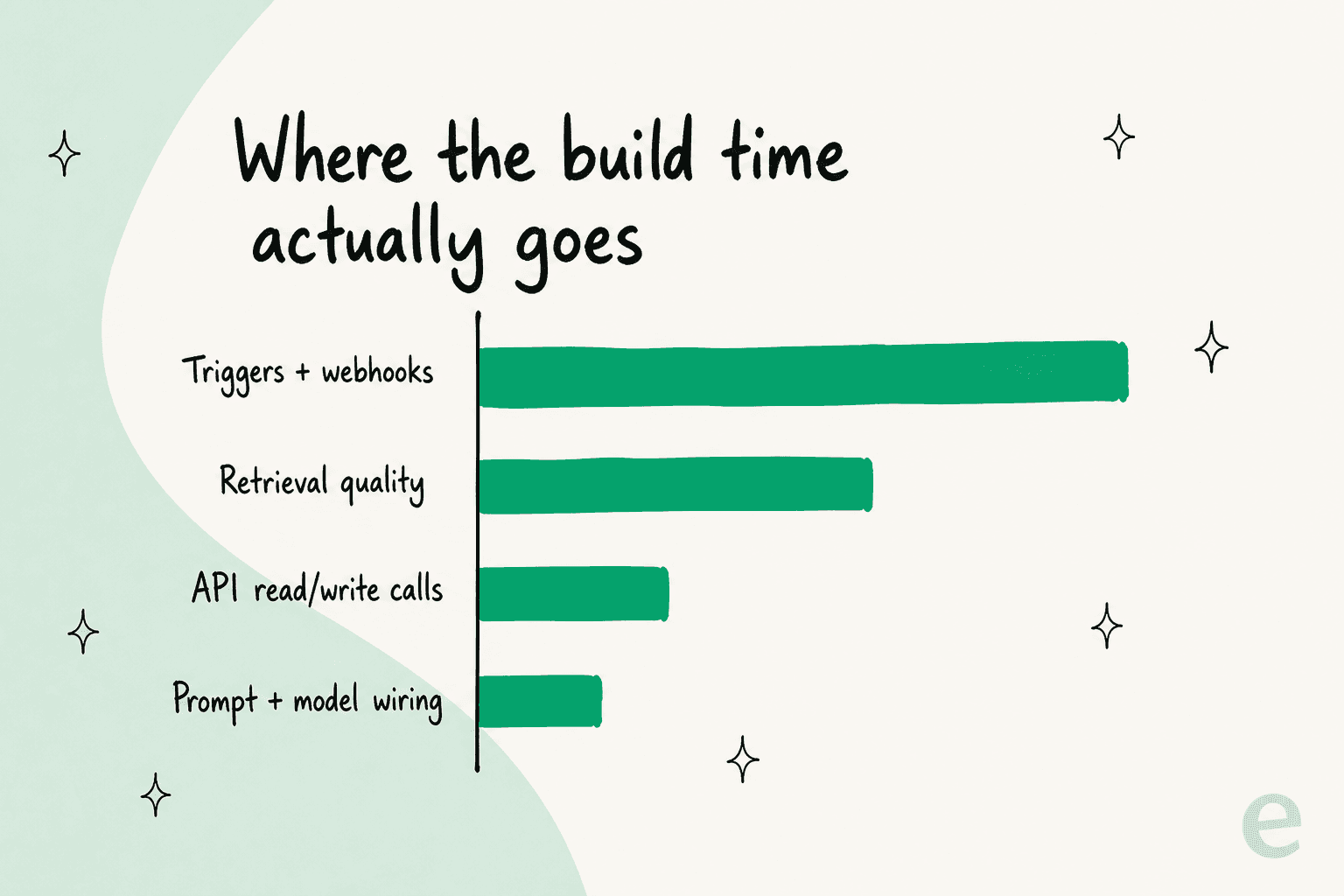
Triggers are roughly half the pain, not the API calls. Every platform decides when your agent wakes up differently: some fire real webhooks, some make you poll, some route everything through automation rules with their own quirks. You have to manage a webhook's whole lifecycle per customer so it never orphans, dedupe events that arrive twice, and learn each platform's hidden behavior the hard way. My favourite example: Freshdesk silently never fires its automation rules for agent-created tickets, which cost me hours before I understood it was working as designed. None of that is in the endpoint reference.
Retrieval quality is the next money pit. Indexing docs is easy; making the agent retrieve the right passage for a vague, misspelled, real-world question is an ongoing tuning job, not a one-time setup. And "multi-instance" will surprise you: connecting to Zendesk-the-platform is not the same as connecting to this customer's specific Zendesk, and if you conflate them you get bugs where enabling an action for one account changes behaviour for another.
For genuinely rare, one-off integrations, I've found the opposite of what you'd expect works best: hand the agent an API key, the docs, and a reference script, and let it call the endpoint directly. That beat a heavier vendor-abstraction approach in our own testing. Managed OAuth and pre-built connectors earn their keep on the hot paths you run constantly, not on the long tail.
None of this is a reason not to build. It's a reason to budget honestly. If you're going down this road, our write-up on headless customer support and service-to-service AI agents goes deeper on the architecture patterns that hold up.
Path 2: hire a teammate that's already programmable
Here's the path most teams actually want, and the one I'd reach for unless the agent is your core product: skip building the stack and hire an AI helpdesk teammate that arrives with the model, the retrieval, and the 1000+ integrations already wired, then drive it with code.
The usual objection from engineers is fair: bought agents are black boxes you configure through a dashboard, and dashboards don't fit into a pull request. That's the trap this path is built to avoid. eesel's docs literally say everything on the site can be done from the terminal, and the agent is told not to drive the dashboard in a browser. The dashboard is a view, not the source of truth.
Concretely, the programmable surface is four things:
- A real CLI.
npx @eesel/cligets you started without even making an account. You connect integrations, edit the agent's standing instructions, list and read past runs witheesel activity, and manage human approvals, all from the shell. Every command prints JSON, and--dry-runshows you the exact server call a write would make before you send it. That's the difference between a toy and something you'd put in CI. - An MCP server per workspace.
npx @eesel/cli mcp tokenhands you a URL and a token and a paste-ready command to add eesel to Claude or any MCP client. Your own agent can then read and act on the workspace through standard tools. - Webhooks. A unique URL that wakes the agent, so events from your systems can trigger a run without you writing a polling loop.
- Network Access. Allowlist a domain and an auth header, and the agent can call any REST API you point it at, GET through DELETE, with credentials stored as headers the model never sees.
That covers the "build support agents with an API" intent for most teams: you get the same code-first, terminal-driven control you'd build for yourself, minus the months of integration and maintenance work. If the terminal workflow is the whole reason you're here, we go deeper on it in managing AI agents from the terminal and automating support from the command line.
So: build or buy?
The two paths trade the same thing in opposite directions. Building buys you total control and costs you time and maintenance forever. A programmable teammate buys you speed and costs you some of the deepest customization. For most support use cases, the teammate wins, because "resolve tickets in our helpdesk" is a solved problem and reinventing it rarely pays off.
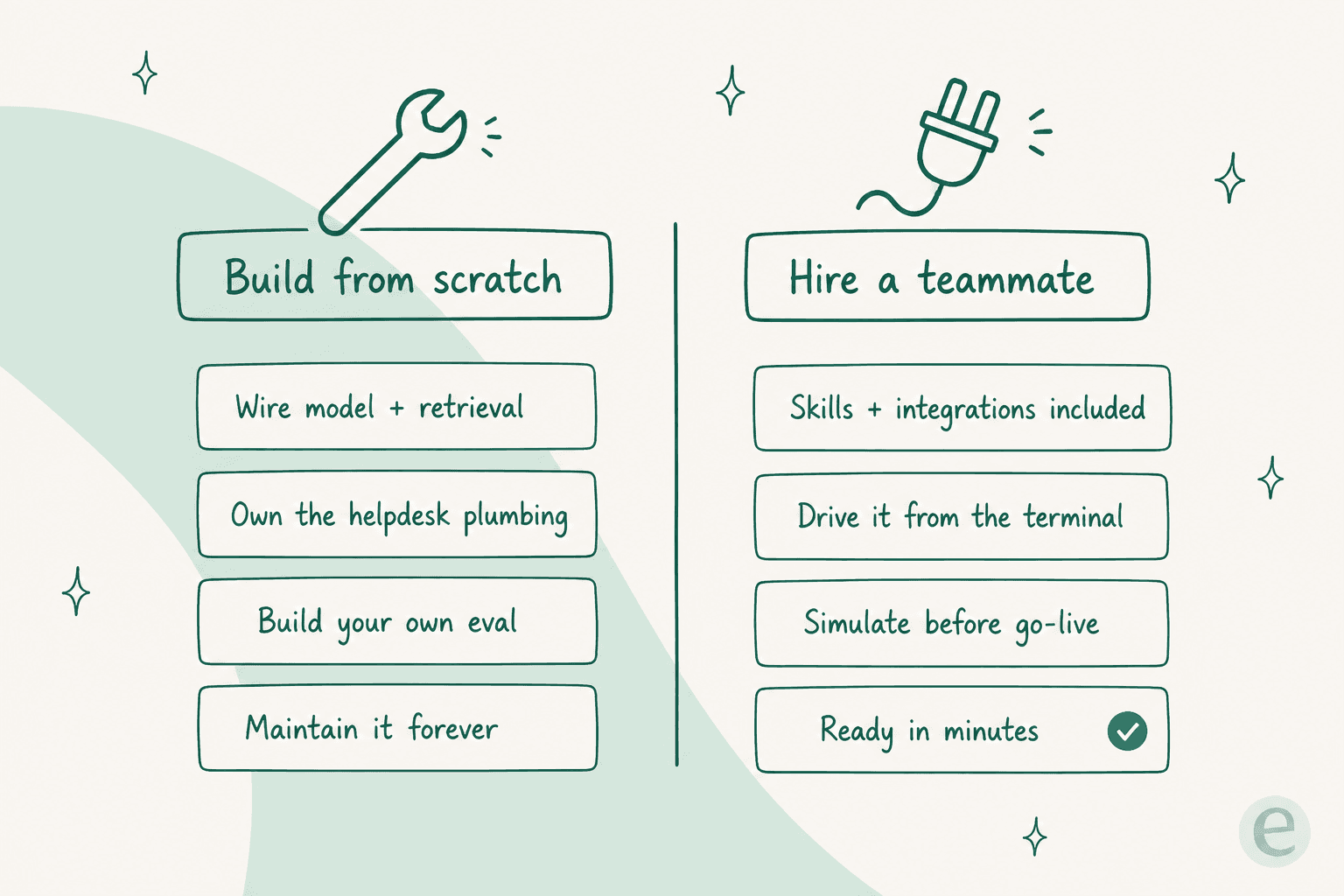
Use the quick check below to see which way your own situation leans.
The parts everyone underestimates
Whichever path you pick, three layers decide whether the agent is trustworthy or a liability. They're also the layers a rushed DIY build skips, so they're worth calling out.
Testing before go-live. The scariest thing about a support agent is that a plausible wrong answer looks exactly like a right one. You do not want to discover that in front of a customer. The gold standard is running the agent against your own historical tickets and seeing what it would have replied, before it goes live. Building that harness yourself is real work; it's also the single most important thing you'll build. eesel ships a simulation mode that does exactly this, which is the feature I'd least want to reimplement from scratch.
Human-in-the-loop approvals. Early on, you want the agent to draft and a human to approve, then loosen the leash as trust builds. If you build, that's a queue and a UI and a state machine. On the bought path it's eesel approvals list and eesel approvals approve <id> --always. Same idea, very different amount of code.
Observability. When an agent does something surprising, "why?" needs a real answer. That means every run is logged with its inputs, retrieved context, and actions, and you can read one back in detail. If you're building, wire this in from day one, not after the first incident. On eesel it's eesel activity, newest run first, drill into any one.
None of these are exotic. They're just the difference between a demo and something you'd trust with your queue, and they're exactly where the "we'll build it in a sprint" estimates fall apart.
Build support agents without building the plumbing
If your goal is a support agent that resolves tickets in the helpdesk you already run, eesel gives you the builder's workflow without the builder's maintenance bill. It's an AI helpdesk teammate that trains on your past tickets and help center, plugs into Zendesk, Gorgias, Front, and hundreds of other tools, and is driven entirely from a CLI, MCP, and webhooks if you'd rather not touch a dashboard.
The differentiator I'd point an engineer to first is the simulation: you run the agent over your historical tickets and see exactly how it would have handled them before a single customer is involved. You can start free, no credit card, and it's usage-priced per resolution, so you can weigh it against a real number rather than an open-ended build. See the pricing page for the current rate, and if the code-first angle is what sold you, Try eesel from the terminal with npx @eesel/cli.