


Dixa has no priority field on a conversation. Order comes from a queue priority number, agent or team priority inside the queue, last-agent offers and enqueue time, with SLA policies tracking the response times. I found no Dixa page saying AI sets any of them: intent detection, the beta Automation AI agent and an early-access sentiment score can feed Flow Builder rules, but a person still picks the queue. The trap is that queue priority is strict, so I would set a queue timeout from day one.
eesel has no Dixa connector, so I can't prioritize inside it. On Zendesk, Freshdesk, Gorgias, Front or Help Scout, the AI helpdesk teammate hands urgent tickets to people. With the eesel CLI, an AI coding agent can upload approved escalation rules as knowledge and ask test questions before anything goes live. Connecting a helpdesk still needs an admin to approve it.
Does Dixa have a priority field?
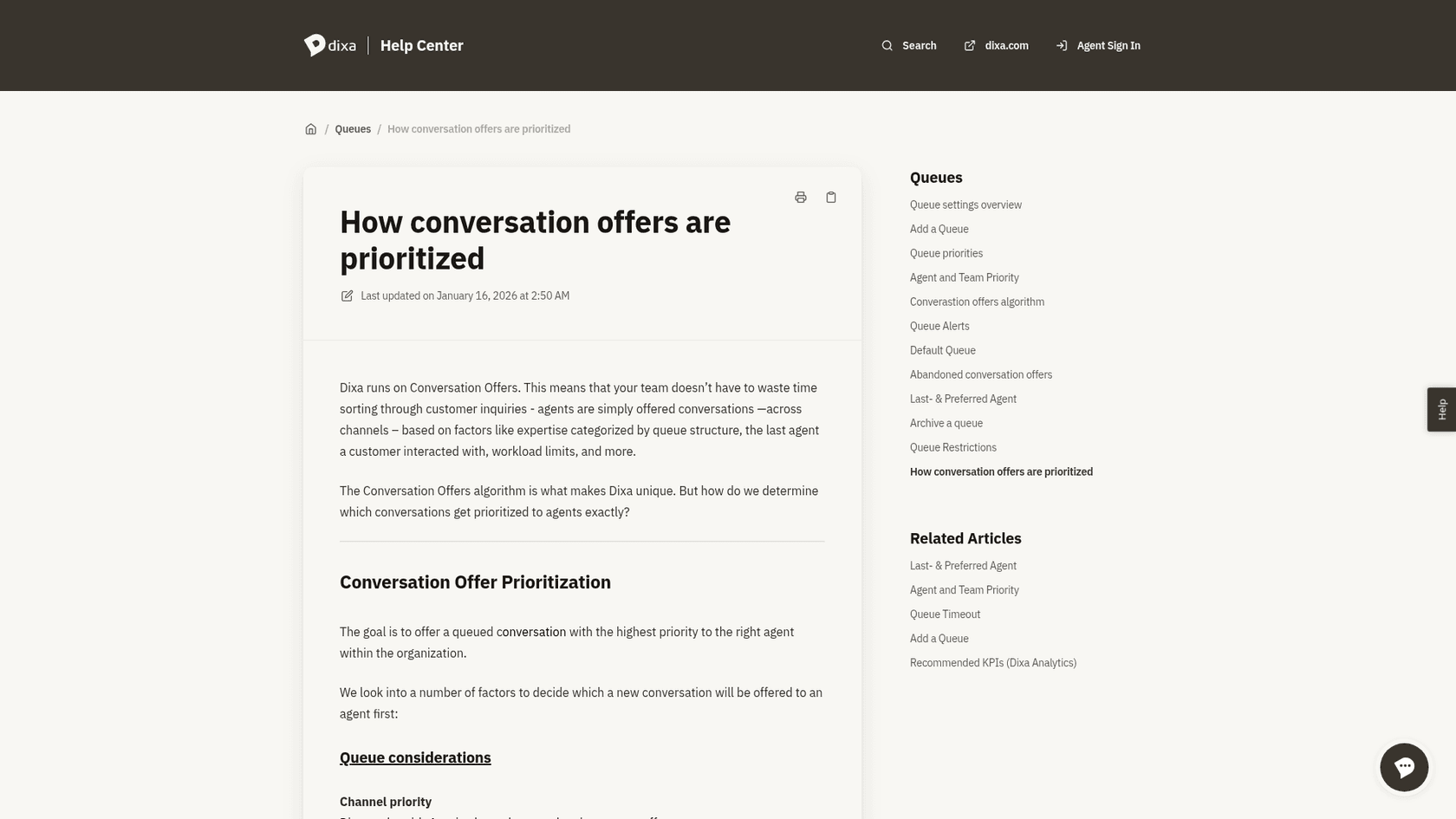
No, and that is the first thing to unlearn if you come from a ticket tool. In Zendesk or Freshdesk you mark a ticket Low, High or Urgent and sort a view by it. Dixa pushes conversations to agents as offers, and its help center article on how offers are prioritized describes a stack of factors instead of one field.
I build and run AI agents at eesel, so when I read a vendor's docs I look for two things: which setting decides the order, and who fills it in. For Dixa the answer is "a person, in queue settings." That is a design choice, not an omission, and it suits a team that wants routing to feel like staffing. It does mean you need to know which factor wins when two disagree.
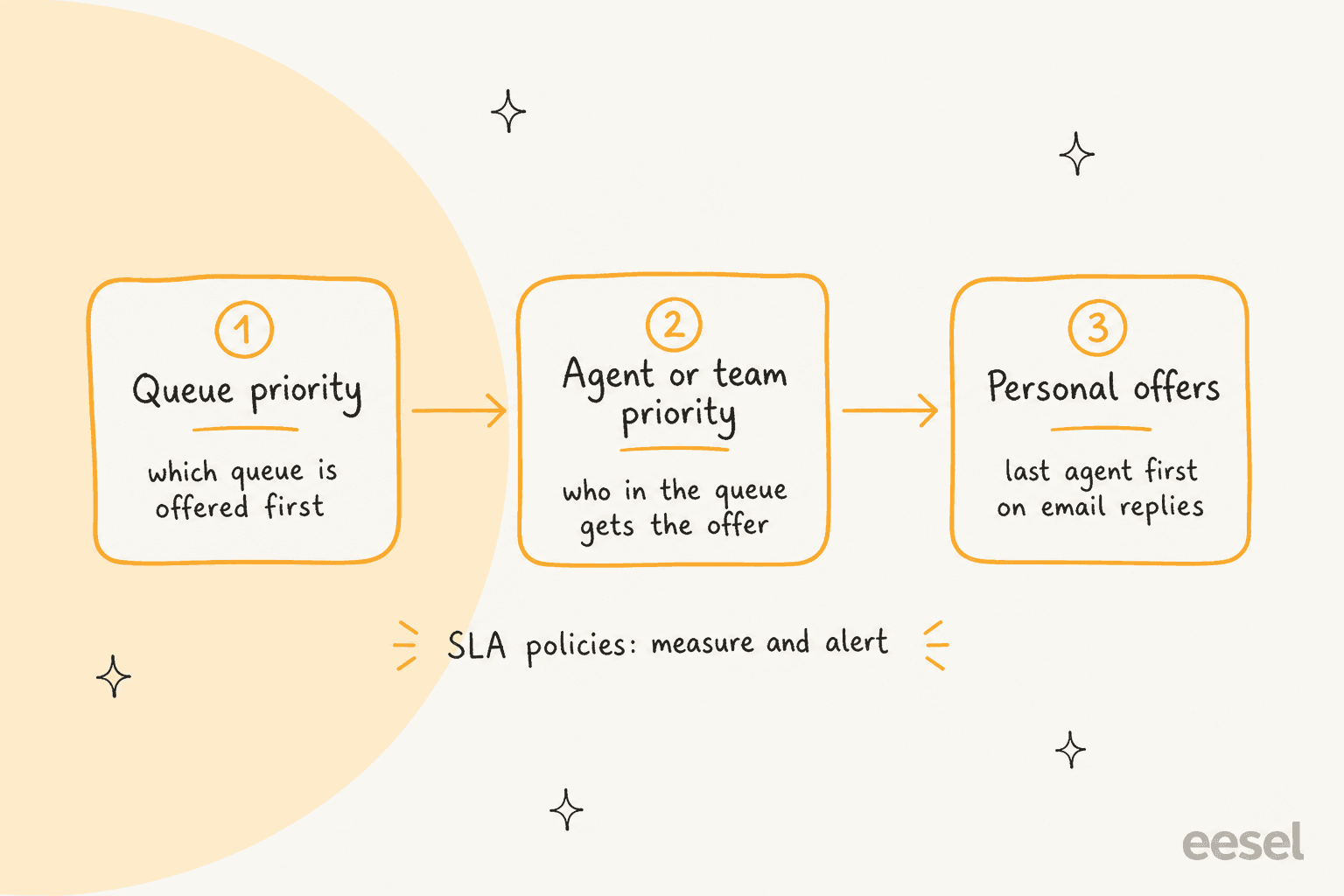
Dixa's article lists the factors in this order, and I would read it as the real rulebook:
| Factor | What Dixa says | Who sets it |
|---|---|---|
| Channel category | Voice, email, chat and messaging; no category has priority over another | Fixed |
| Queue priority | Smaller number wins; queues with no priority rank below those with one | You |
| Conversation liveness | Live conversations, such as a phone call where the customer stays connected, go before non-live ones inside a channel category | Fixed |
| Enqueued time | Earlier-enqueued conversations go first; a transfer back to the same queue resets it | Fixed |
| Queue timeout | Moves a conversation that nobody picked up to the next defined queue | You |
| Agent workload | Limits how many conversations of each channel an agent holds | You |
| Agent and team priority | Higher-priority agents or teams are offered first | You |
| Last and preferred agent | Offers go to the agent who worked with the customer last or most | You |
For the routing half of this story, see my Dixa AI conversation routing post. This one stays on one question: what makes a conversation get offered first.
How does queue priority work in Dixa?
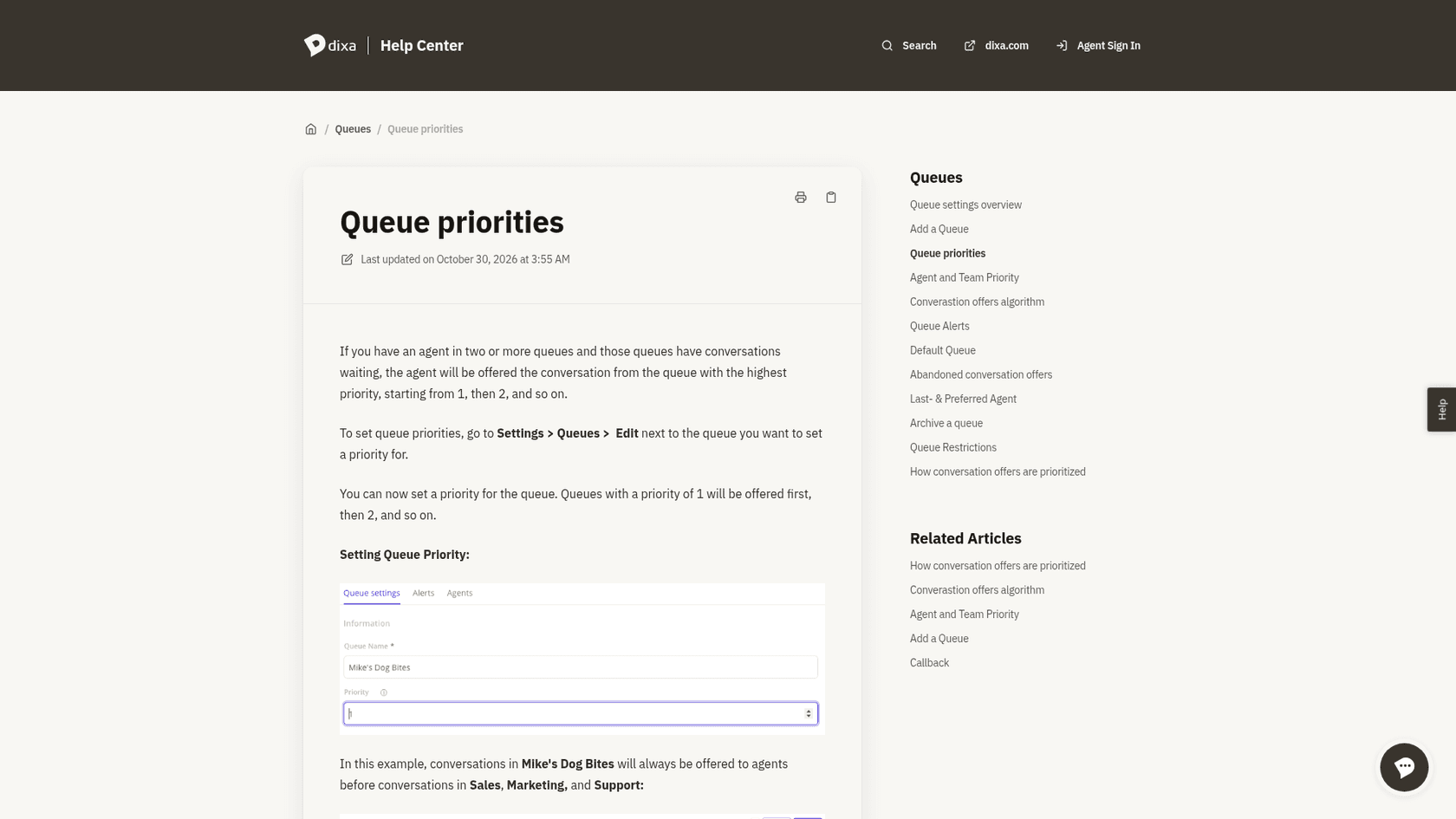
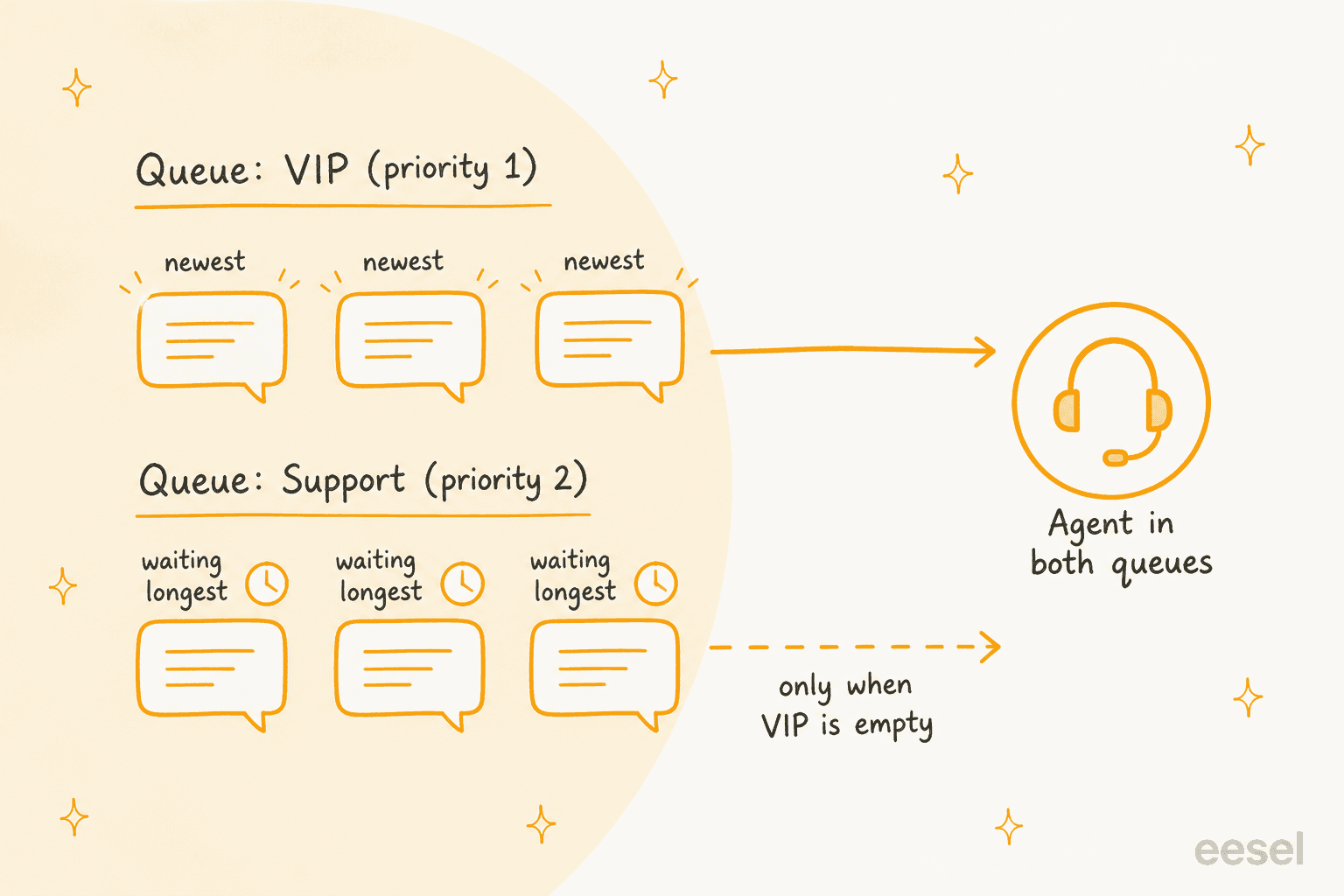
Each queue carries one number, and a priority 1 queue is offered before a priority 2 queue. Dixa's queue priorities article says that if an agent sits in two queues with conversations waiting, the agent is offered the one from the higher-priority queue. Set it under Settings, Queues, Edit.
Two details matter more than the number itself.
- It is strict. The same article says a higher-priority queue is offered first regardless of how long the conversations have waited in the lower ones. A busy VIP queue can hold back everything beneath it.
- It is per queue, not per channel. The offers article warns that a priority 1 queue that only receives email doesn't beat a priority 2 queue that only receives chat, because there is no priority between channel categories.
Here is the part I would tell a new Dixa admin first. The built-in escape hatch is queue timeout: per the offers article, a conversation nobody picks up within the timeframe moves to the next defined queue, and depending on the channel it may or may not keep its place. Setting it is how I would stop a low-priority queue from waiting forever. The support queue glossary entry and my shared support queue management guide cover the same starvation problem on any tool.
How do agent and team priority change who gets an offer?
Inside a queue, the offer algorithm decides who is asked first. Dixa's offer algorithm article lists six options: all at once, one at a time (random order) and longest idle, each with or without "according to agent priority."
| Option | How the offer goes out |
|---|---|
| All at once | To every available agent at the same moment; first to accept wins |
| One at a time | To one available agent at a time, in random order |
| Longest idle | To the agent who has waited longest since their last assignment |
| Each of the three, according to agent priority | Same logic, but priority 1 agents first, then priority 2 |
The agent and team priority article adds one subtlety that trips people up. Agent and team priorities are treated as one overall priority inside the queue, so an agent who is priority 2 on their own but belongs to a priority 1 team is still treated as priority 1. Dixa also notes that agents with simultaneous ring on can be offered calls while offline, which can put them ahead of online agents with lower priority.
Dixa's API reference shows a priority integer on both queues and queue members, so the numbers can be set by script as well as by hand. It doesn't explain what the integer means, so I would trust the help center for behaviour.
Do personal offers jump the line?
For returning customers, yes, and that is the closest thing Dixa has to a "this one matters" signal. The last and preferred agent article says you can offer new email replies to the agent who wrote the previous response, and offer expired follow-ups to the agent who marked them. A subsetting, prioritize ongoing email conversations and follow-ups, makes those get offered first.
There is a history here worth knowing. A February 2022 note on Dixa's roadmap portal said that incoming conversations were placed at the end of a queue whether new or a reply, and that Dixa was working on prioritizing personal offers. The current article describes that setting, but I couldn't confirm from the portal when it shipped. If a repeat customer waiting behind new ones is your problem, test it on a live queue.
What do SLA policies do?
They define targets and report on them, and in the pages I read they don't reorder the queue. Dixa's SLA article says policies live under Settings, SLA, match on queues, channels or both, and currently monitor one metric: response time. Each response time can breach a policy once, and an active policy runs 24/7 unless you attach business hours.
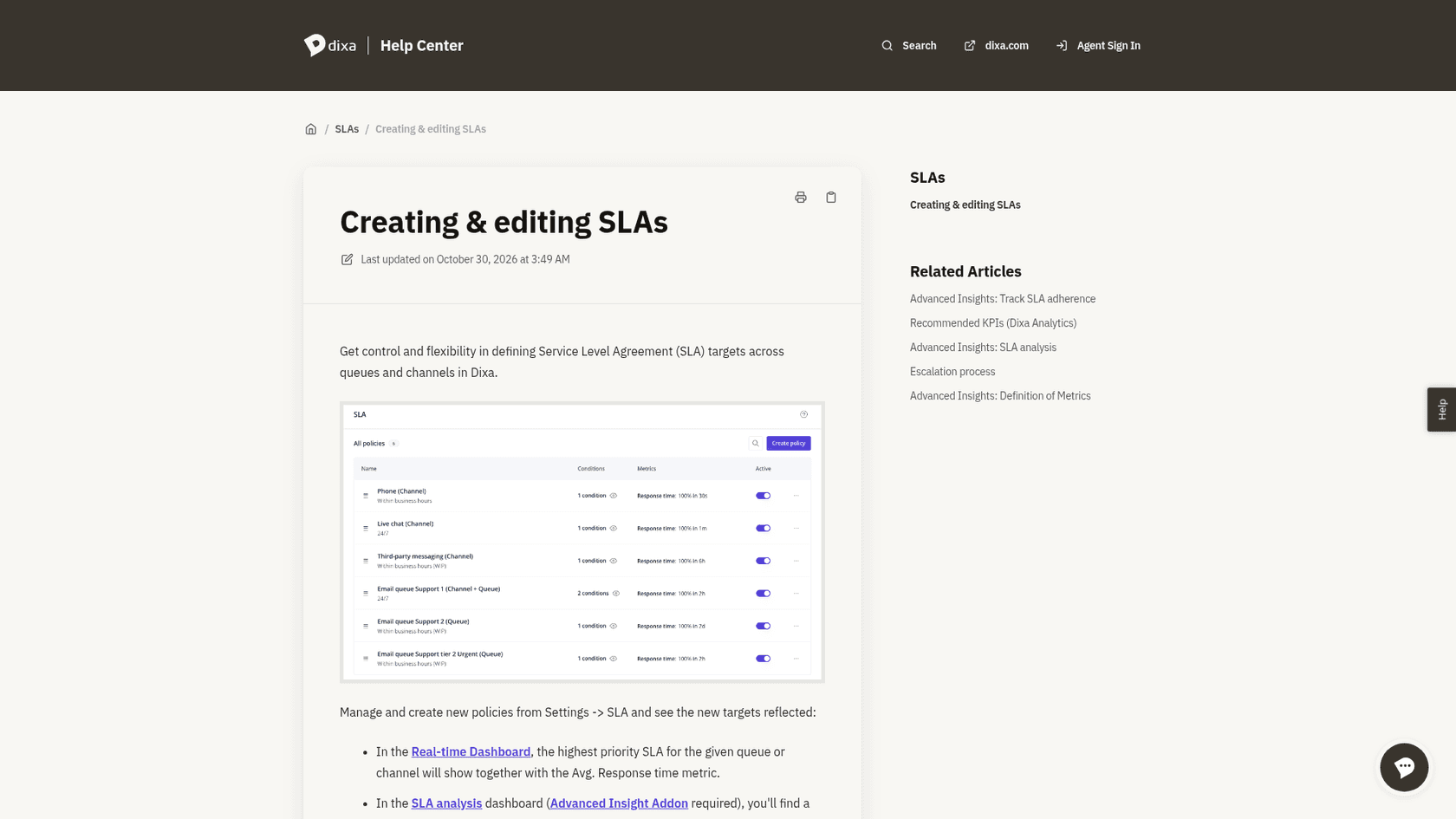
Where the order of policies matters is precedence: if a conversation matches several, the one higher in the list wins. Dixa recommends putting the stricter policy on top, for example a 10 minute email target for the VIP queue above a 2 hour target for email in general. Two more facts:
- The SLA analysis dashboard needs the Advanced Insights add-on.
- SLA tracking in automations and webhooks was generally available on Dixa's Q1 2026 roadmap, so a breach can trigger a rule. That is how an SLA turns into action: Dixa's Flow Builder page says to trigger actions when SLAs are about to breach.
For the general method, my AI support SLA management guide and the SLA entry help, and Zendesk escalation automations by SLA shows a mature version.
Which Dixa lever fits your situation?
I turned the above into a quick picker. Choose the problem you have and it names the lever and its catch.
Pick a situation to see the Dixa lever that fits and the catch to plan for.
Can Dixa AI set conversation priority?
I found no Dixa page that says it does. What exists is AI that enriches or classifies a conversation, which a rule can then act on. Here is how it stacks up against Dixa's own pages.
| AI feature | What Dixa says | Status | Sets priority? |
|---|---|---|---|
| Intent detection | Intent node for email flows; Standard on Professional, Advanced on Enterprise | Pricing page; extended to automations in early access on the Q3 roadmap | No, it labels intent |
| Automation AI agent | Triages, enriches and categorizes conversations, adds tags, attributes and routing | Beta on the Q2 roadmap | Routing, not a priority number |
| Smarter sentiment analytics | A per-conversation score that can trigger automations | Early access, Q2 roadmap | Can trigger a rule |
| Flow Builder escalation | Auto-escalate based on sentiment or keywords | Described on the Flow Builder page | Rule you build |
| Mim, the AI agent | Resolves first, hands over to people | EUR 0.40 per conversation | No, and handoff reasons are your design |
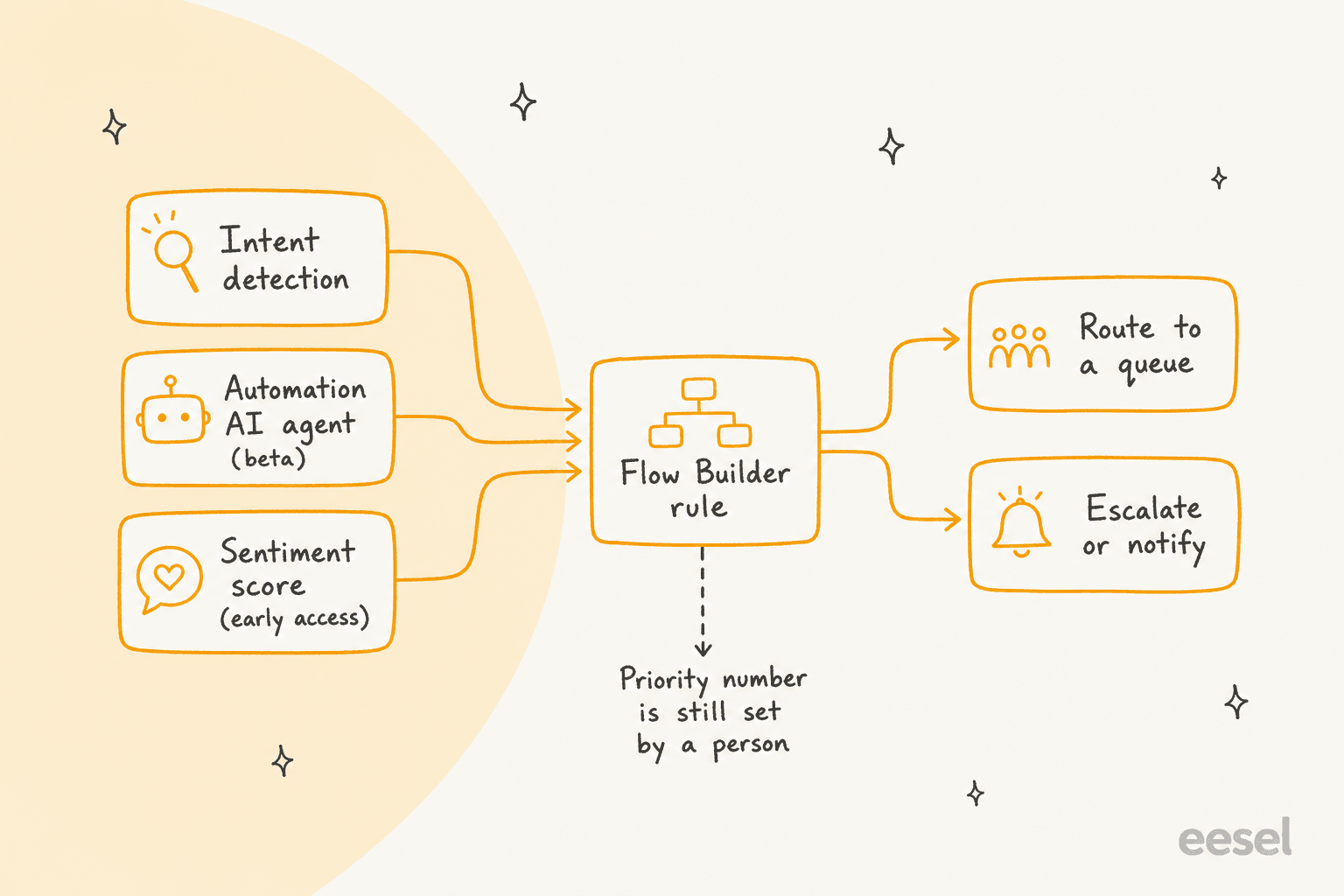
My read: in Dixa, AI proposes a label and a rule decides the queue. That is a reasonable split, since a mistaken AI label can only misroute, not silently reorder everything. It also means the quality of your prioritization is the quality of your rules. My notes on Dixa tagging, Dixa sentiment analysis and the Dixa AI agent each go deeper on one input, and intent detection and auto triage are the terms to know.
What do Dixa's customers say about it?
Dixa's product page carries one testimonial that touches this. Benedikt Peine of Celebrate Company says that during peak times up to four agents a day spent their full time tagging and assigning tickets, and that they no longer need any.
"Dixa automatically tags all conversations, regardless of channel, to categories so they get redirected into the right queue."
Benedikt Peine, Celebrate Company, on Dixa's product page
It is vendor-published, so I read it as a direction rather than a benchmark. The useful part is the chain: a tag becomes a queue, and the queue priority does the rest. I found no G2, Capterra or Reddit review that discusses Dixa prioritization, so there is no independent voice on how well it works. Reviewing AI conversations shows how to build that check from your own sample.
Which plan do you need?
Seats first, and then whichever add-on feeds the rule you want.
| Item | Price | What it matters for here |
|---|---|---|
| Team seat | EUR 49 per agent per month, billed annually | Mim included, billed per conversation |
| Professional seat | EUR 139 per agent per month, billed annually | Lists SLA Alerts, Routing with External Data, Advanced Automations, Standard AI Intent Detection |
| Enterprise seat | Custom | Advanced AI Intent Detection, Advanced Insights included |
| Advanced Insights | EUR 29 per agent per month, included in Enterprise | SLA analysis dashboard, contact reasons, sentiment |
| Co-Pilot | EUR 39 per agent per month | Drafts, summaries and suggested tags |
| Mim | EUR 0.40 per conversation | AI conversations on every plan |
All prices come from Dixa's pricing page. A 10-agent team on Professional pays EUR 139 x 10 = EUR 1,390 a month, and EUR 1,680 with Advanced Insights for the SLA dashboard. Dixa's feature grid lists queue priority and offer settings as routing features, but the plan ticks didn't come through when I read the page, so I can't say which seat tier gates which setting. Ask in a demo. My Dixa pricing and Dixa review posts have the rest.
What does Dixa not document about prioritization?
Six things, each of which decides how far you can lean on it.
- AI setting a priority. No Dixa page I read says it does.
- The queue priority range. The help center says 1, then 2, and so on. It doesn't give a maximum, and the API reference doesn't explain the integer.
- Reordering by SLA. Policies track response time; I found no statement that a breach reorders offers.
- Plan gating. Which seat tier includes queue priority, agent priority and the offer algorithms.
- Automation agent plan. It is beta on the roadmap, with no add-on or plan named.
- Aging. Whether a conversation gains priority the longer it waits, apart from queue timeout.
Dixa's main help center returned a server error when I tried it, so I relied on its support site, marketing, roadmap and API pages. A help article that settles any of the above beats my read.
How would I set up Dixa prioritization, in order?
Fewer queues beat more queues. Each extra queue is another number someone has to remember. This is the order I would use.
- Write down the three kinds of conversation you never want waiting, such as VIP, payment problems and chargebacks.
- Create one queue for each, give them priority 1, and keep everything else at 2.
- Set a queue timeout on every priority 2 queue so nothing waits forever.
- Choose an offer algorithm per queue: longest idle for fairness, "according to agent priority" if experts should get first refusal.
- Add SLA policies with the stricter one on top, then an automation on SLA status that tells a lead.
- Turn AI classification on for one queue only, so a person confirms the labels before a rule routes on them.
- Sample 20 conversations a week for a month and check the order.
My AI ticket prioritization guide shows how to score the sample, and ticket routing and skills-based routing define the terms. If you run a store, AI ticket routing for ecommerce and the ecommerce contact rate post help pick the first queues.
How do other helpdesks handle AI prioritization?
Mostly the same split between a field, rules and optional AI, with different gates. I checked several with the same question:
- Gladly. No priority field; channel tier, boosts and due date decide. See Gladly AI conversation prioritization.
- Kustomer. Priority comes from skills-based routing: see Kustomer AI ticket prioritization.
- Freshchat. Covered in Freshchat AI conversation prioritization.
- Help Scout and HubSpot. No native AI priority setting: Help Scout and HubSpot help desk.
On a field-based tool the same job looks different: Freshdesk VIP priority scenarios and Freshdesk skill-based routing show it, and Zendesk SLA policies are the benchmark. If prioritization is your main reason to shop, compare Reamaze vs Dixa, the best AI for Dixa and best Dixa alternatives, and weigh the helpdesk switch honestly.
Where does eesel fit if you use Dixa?
I'll be direct: eesel has no Dixa connector, so it can't read or reorder anything inside Dixa. Dixa has a public API with queue endpoints, but I won't promise a bridge that eesel doesn't ship. What I can describe is what eesel does on the helpdesks it supports, listed in its helpdesk integrations: Zendesk, Freshdesk, Gorgias, Front, Help Scout and HubSpot.
The useful part for this topic is the stopping rule. SamCart runs one eesel agent on Freshdesk tickets and another on its website chat. On tickets, the agent replies only while no person is assigned. When a seller asks for a person, or the question goes beyond the help center, the ticket is tagged for handoff and the agent stops. That is prioritization by design: the AI decides when to step back, and the queue decides who is next.
SE Ranking runs eesel on Zendesk for three products. In the month from 8 August to 8 September 2026 it handled about 4,650 conversations, 2,100 of them live chats answered first by eesel, and it handed about 1,260 chats to the team. Refunds, trial extensions and requests for a person go to people with the customer's name and email, and data quality, white label, audit and API questions become Tier 2 tickets with the evidence attached. At Luxedo the agent skips tickets tagged commercial, along with anything from a school, gym or municipality, and prepares a draft only for home customers.
In each case the tag or handoff decides what the AI does next, which is the same job a Dixa queue rule does. Before it touches live tickets, I would run any such agent against past conversations and keep a human in the loop. The handoff best practices, AI escalation management and agent permissions guides apply on any stack.
What would I ask Dixa before buying?
Six questions, in this order:
- Show me queue priority and queue timeout on three queues built from our real conversation mix.
- Which seat tier includes queue priority, agent priority and each offer algorithm?
- Is the Automation AI agent generally available today, and which plan or add-on includes it?
- Can a sentiment score or intent label route a conversation to a priority 1 queue today?
- Does a breached SLA ever change the offer order, or does it only alert?
- When a conversation moves to the next queue on timeout, does it keep its place on email and chat?
If the answers are specific, Dixa's prioritization is solid for a team that likes to configure it. If they are vague, treat anything AI-driven as a draft and keep your own rules for money and risk.
Try eesel for urgent tickets on your helpdesk
If you run Zendesk, Freshdesk or Gorgias rather than Dixa, eesel's AI helpdesk teammate works like a new hire who reads your help center, answers the routine tickets and hands urgent or sensitive ones to a person with context, so the queue stays yours. Try eesel free, from $299 a month for 500 credits, or book a demo to see it on your stack.