


Dixa tags conversations in four ways: Co-Pilot suggested tags (EUR 39 per agent per month), a beta Automation AI agent, Flow Builder rules and Mim's automatic tags on its own chats. I would trust the rules first, since you wrote them, and audit any AI tag on a weekly sample before routing on it. Dixa doesn't publish accuracy, language coverage or the plan for the Automation agent.
eesel has no Dixa connector, so I can't offer tagging inside Dixa. On Zendesk, Freshdesk, Gorgias, Front or Help Scout, the AI helpdesk teammate drafts replies and tags tickets by topic. With the eesel CLI, an AI coding agent can upload approved tag definitions and policies, then ask test questions before anything goes live. Helpdesk admin access is still needed to connect it.
How does AI conversation tagging work in Dixa?
Dixa puts a tag on a conversation from one of four sources, and the source decides who is accountable for the tag. A rule you built tags what you told it to. An AI suggestion waits for an agent. An AI agent tags in the background.
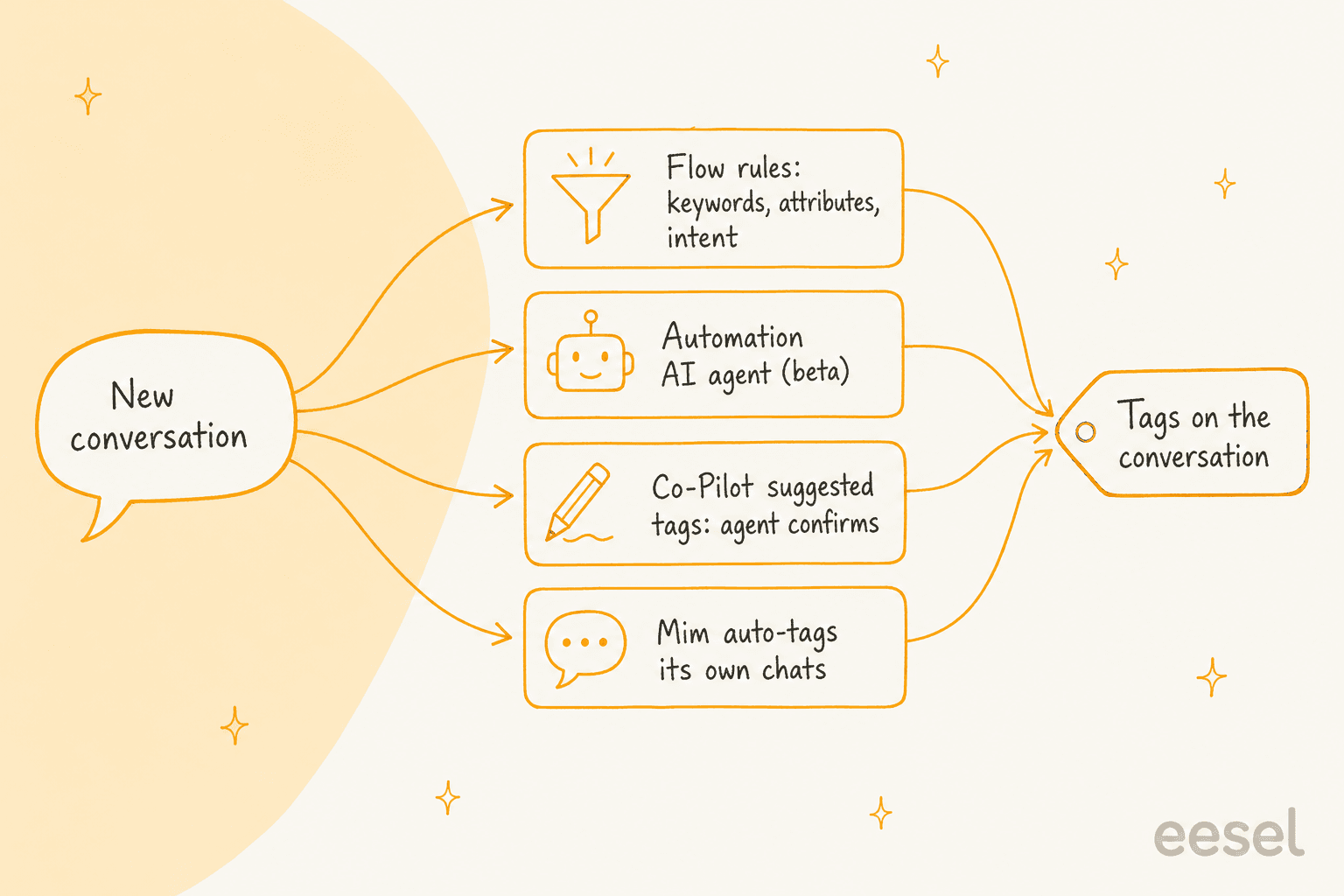
Dixa's own pages describe each one:
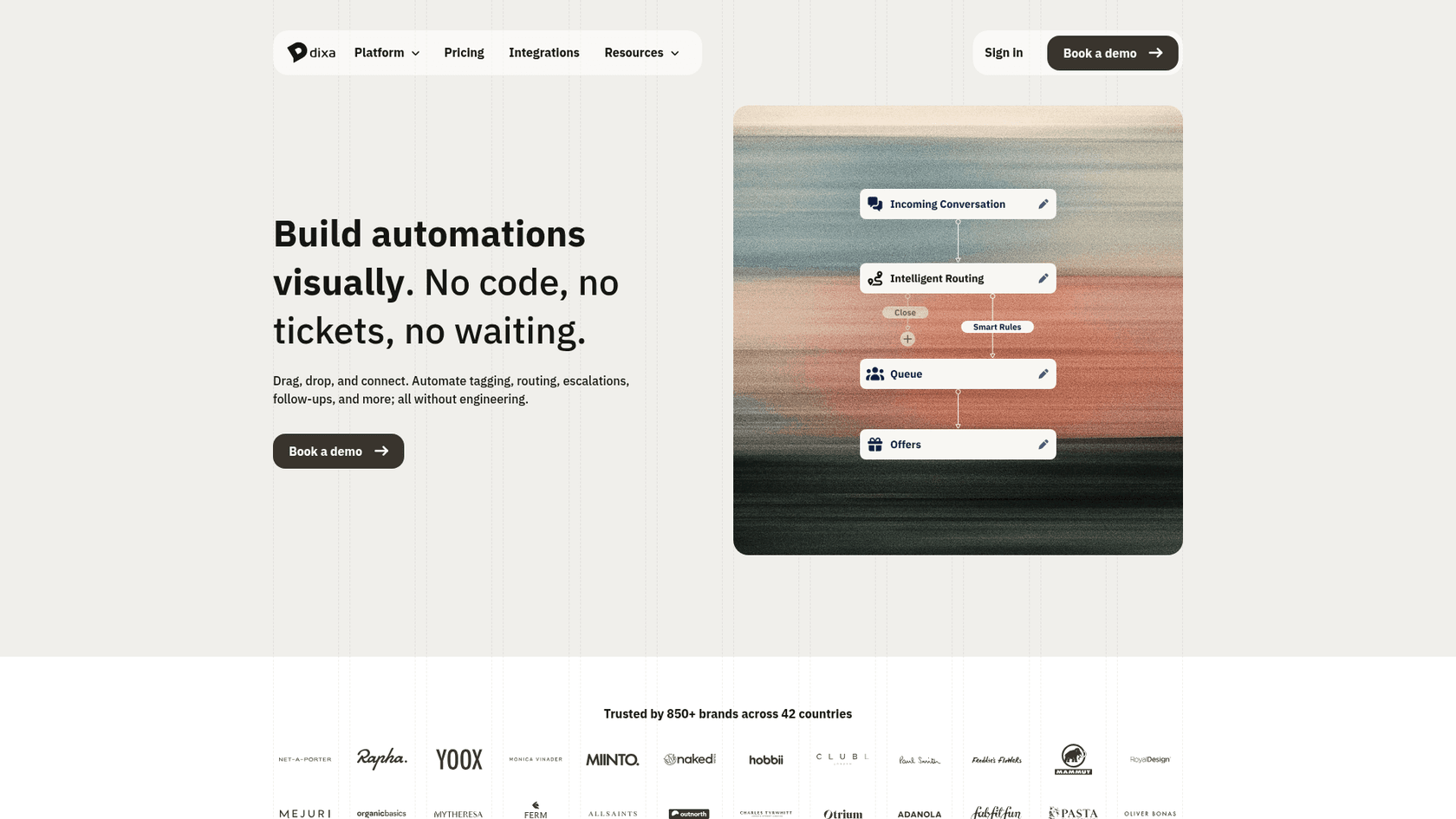
- Flow Builder rules. Dixa's Flow Builder page says you can automate "tagging, routing, escalations, follow-ups" without code, and its FAQ describes tagging conversations by topic or urgency. Rules act on tags, SLA status and events.
- The Automation AI agent. The same page says it analyses conversations as they come in, extracts details, categorises contact reasons and adds tags, so agents start with context.
- Co-Pilot suggested tags. Dixa's Co-Pilot page says AI recommends relevant tags from the conversation so agents tag consistently without the manual work.
- Mim's own tags. Dixa's Q1 2026 roadmap says every conversation Mim analyses gets an "AI promise resolved" or "AI promise pending review" tag.
If you want the neighbouring pieces, my posts on Dixa AI draft replies and Dixa AI conversation summaries cover what else Co-Pilot does.
Which Dixa features tag conversations, and are they live?
Status is where I found the most gaps, so here is the table I would take into a demo.
| Feature | What Dixa says it does | Status in Dixa's own pages | Source |
|---|---|---|---|
| Suggested tags (Co-Pilot) | AI-suggested tags based on similar conversations | Beta on the Q1 2026 roadmap; listed in Co-Pilot's feature list | Q1 roadmap |
| Automation agent | Enriches conversations with summaries, tags, attributes and routing | Beta on the Q2 2026 roadmap; not named in Q3 | Q2 roadmap |
| Suggested conversation attributes | Co-Pilot recommends custom attribute values for wrap-up | Beta on the Q2 2026 roadmap | Q2 roadmap |
| Auto-tagging of Mim conversations | Tags Mim's own chats | General availability, Q3 2026 roadmap | Q3 roadmap |
| Intent detection in automations | Intent node works in automations for automatic tags and attributes | Early access, Q3 2026 roadmap | Q3 roadmap |
| Contact reason categorisation | Advanced Insights groups contact reasons across channels | Described in present tense | Advanced Insights |
My read: Mim's tags are the only AI tags Dixa marks as generally available. The rest ranges from beta to early access, or has no stated status, and the marketing pages describe them in present tense. Ask which ones are on in your account.
What do Dixa's customers say about tagging?
Dixa's product page carries one tagging testimonial. Benedikt Peine of Celebrate Company says that during peak times up to four agents a day spent their full time tagging and assigning tickets, and that they no longer need any.
"Dixa automatically tags all conversations, regardless of channel."
Benedikt Peine, Celebrate Company, on Dixa's product page
It is a vendor-published quote, so I read it as a direction rather than a benchmark. It describes tagging to categories so conversations land in the right queue, which is the best use of a tag: a decision downstream. I found no G2, Capterra or Reddit review that discusses Dixa tagging, so I have no independent user voice on accuracy. My notes on reviewing AI conversations show how to build one yourself from a sample.
Which plan or add-on do you need?
Seats first, then Co-Pilot for suggested tags, and the plan decides what the rules can reach.
| Item | Price | Notes |
|---|---|---|
| Team seat | EUR 49 per agent per month, billed annually | Mim included, billed per conversation |
| Professional seat | EUR 139 per agent per month, billed annually | Standard AI Intent Detection |
| Enterprise seat | Custom | Advanced AI Intent Detection, Advanced Insights included |
| Co-Pilot | EUR 39 per agent per month | Page lists suggested tags; Dixa's pricing page says suggested tags are included |
| Advanced Insights | EUR 29 per agent per month, included in Enterprise | Contact reasons, sentiment, recurring issues |
| Auto QA | EUR 0.10 per review | Add-on on every plan |
| Mim | EUR 0.40 per conversation | On every plan |
All prices come from Dixa's pricing page. A 10-agent team on Team with Co-Pilot pays (EUR 49 + EUR 39) x 10 = EUR 880 a month. On Professional it is (EUR 139 + EUR 39) x 10 = EUR 1,780, and adding Advanced Insights makes it EUR 2,070. Dixa lists no separate price for the Automation agent or Flow Builder tagging, and it doesn't say whether Mim's auto-tags are part of the EUR 0.40. Older Dixa pricing coverage used different plan names, so read the live page, and my Dixa review covers the rest of the platform.
What does Dixa not document about tagging?
Six things, and each decides how far you can lean on the tags.
- Accuracy. No figure is published for suggested or automatic tags.
- The tag list. Dixa doesn't say whether the AI picks from tags you created or invents new ones. Dixa's API reference says tagging a conversation needs an active tag, while the bulk endpoint creates a tag if the name doesn't exist. That tells me the data model allows both, not what the AI does.
- Language coverage. Mim replies in the customer's language, but nothing I found covers languages for tag suggestions.
- Timing. Whether the AI tag lands at open, at handoff or at close isn't stated, and that decides whether a tag can route a live chat.
- Backfill. Whether history gets tagged when you switch a feature on is unclear.
- Plan for the Automation agent. Beta on Dixa's roadmap, with no add-on or plan named.
Dixa's help center at docs.dixa.help returned a server error on every attempt I made, so I relied on Dixa's marketing, roadmap and API pages. If a help article exists that settles these, it beats my read.
How do I set up Dixa tags the AI can use?
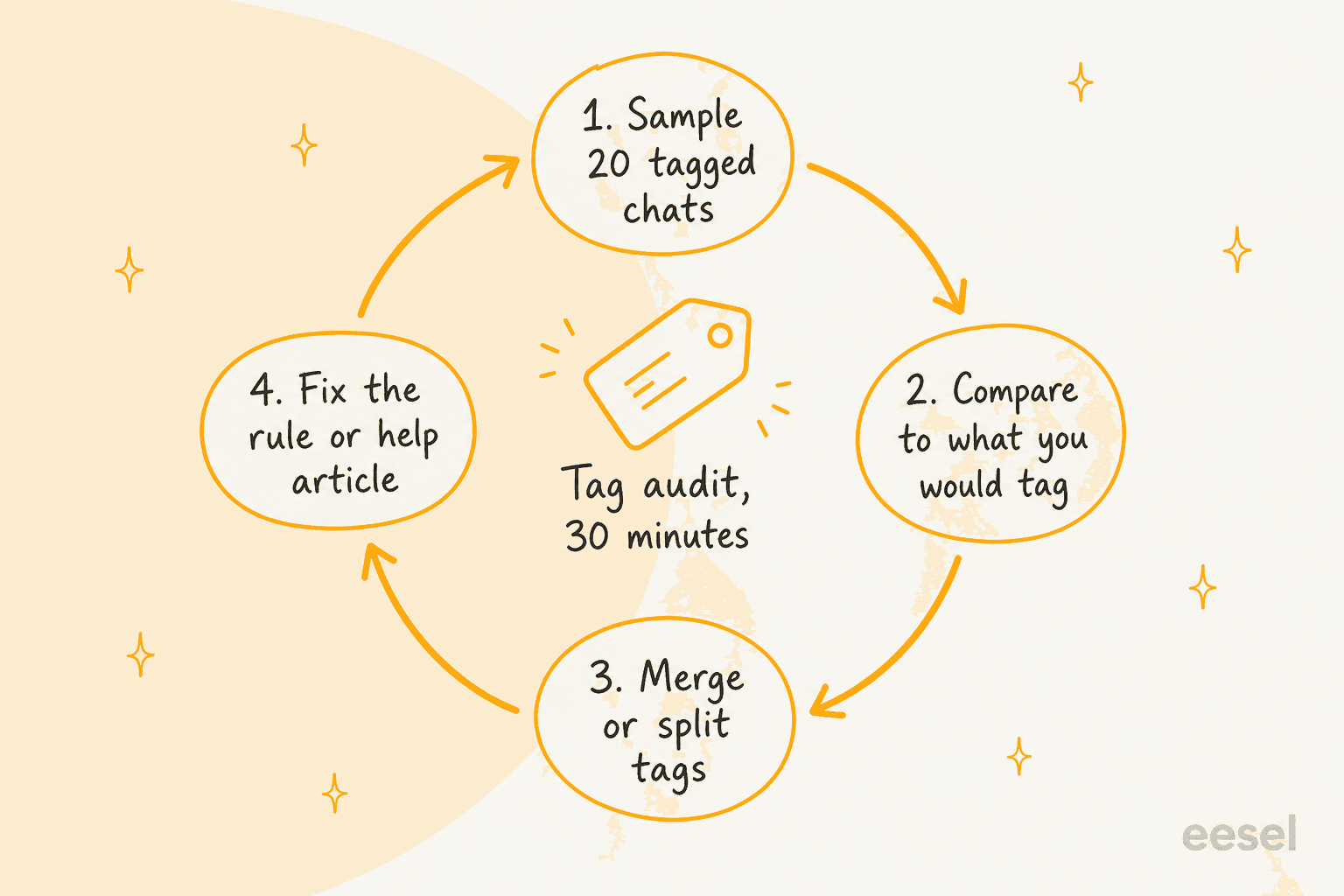
Fewer tags beat more tags. Every extra label is another decision the AI can get wrong and another bar in your report that is too small to read. A routine that has worked for me on any helpdesk:
- List 12 to 20 contact reasons your team already uses, such as "where is my order", "refund", "address change" and "product question".
- Give each a one-line definition and one example, and keep them in a shared note.
- Switch on AI suggestions for one queue, so agents confirm them and you can see the misses.
- Route on a tag only after a sample shows it is right most of the time. My ticket classification guide has a way to score that.
- Re-run the audit weekly for the first month, then monthly.
For a store, ticket tagging for ecommerce gives a starter list, and the ecommerce contact rate post helps you decide which reasons deserve their own tag. A ticket-tagging glossary entry defines the basics.
How do other helpdesks handle AI tagging?
Mostly the same split between rules and AI suggestions, with different gates. Help Scout documents Topics as a condition rather than an action, and HubSpot gates its category field to Enterprise.
Gorgias, Zoho Desk and Re:amaze each have their own version, covered in my posts on Gorgias tagging and Zoho Desk tagging. Zendesk ticket classification is the most mature of the lot.
Dixa's angle is that tagging is part of an agentic stack: tags feed routing, Mim hands over with context, and Advanced Insights reports on contact reasons. If tagging is your only reason to buy, my comparison of Reamaze vs Dixa and the best AI for Dixa round it out.
Where does eesel fit if you use Dixa?
I'll be direct: eesel has no Dixa connector, so it can't read or write tags inside Dixa. Dixa does have a public API with tag and untag endpoints, but I won't promise a bridge that eesel doesn't ship. What I can say is what eesel does on the helpdesks it supports: Zendesk, Freshdesk and Gorgias, plus Front, Help Scout and HubSpot.
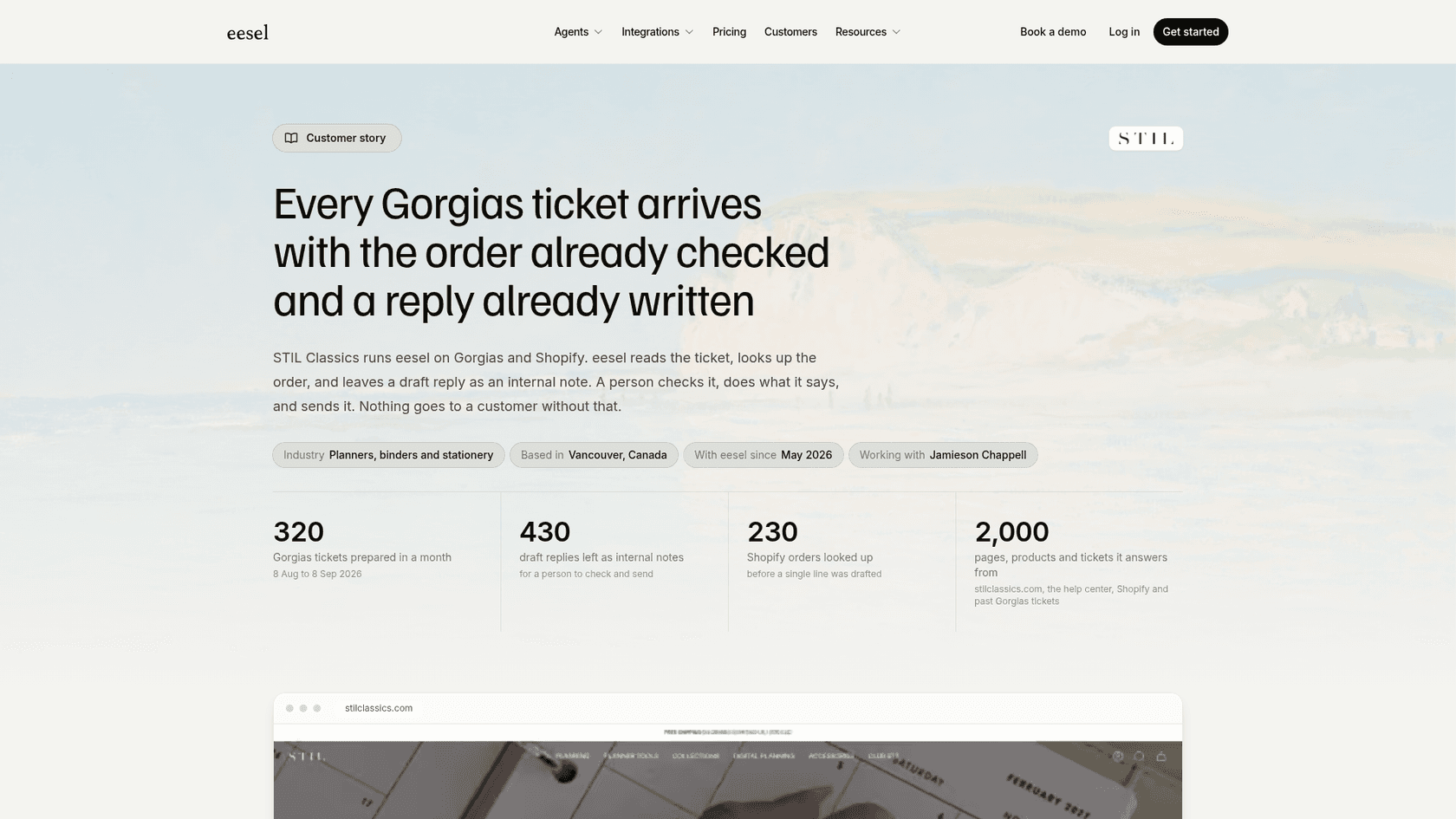
STIL Classics runs eesel on Gorgias and Shopify. In one month the agent prepared about 320 tickets, left about 430 internal notes, and tagged about 80 tickets by topic so the team could see what was coming in, with a person sending every reply. Tags can also steer the agent. At Luxedo, the agent skips tickets tagged commercial, along with anything from a school, gym or municipality, and prepares a draft only for home customers. That is the useful loop: a tag decides what the AI does next.
Before it touches live tickets, I would run any tagging agent against past conversations and keep a human in the loop. The handoff best practices apply on any stack, and my guide to agent permissions covers what to allow first.
What would I ask Dixa before buying?
Six questions, in this order:
- Show me suggested tags on three of our real conversations. Which are right, and which would an agent reject?
- Do the AI tags come from our tag list, or can they create new ones?
- Is the Automation agent generally available today, and which plan or add-on includes it?
- When is a tag set, at open or at close, and can a rule route a live chat on it?
- Are Mim's auto-tags part of the EUR 0.40 per conversation?
- Can I see the same tags in Advanced Insights, and are they the same as contact reasons?
If the answers are specific, Dixa's tagging is a real time saver. If they are vague, treat the tags as a draft and keep your own rules for anything that routes money or risk.
Try eesel for ticket tagging on your helpdesk
If you run Gorgias, Zendesk or Freshdesk, eesel's AI helpdesk teammate works like a new hire who reads your help center, drafts the reply and tags the ticket by topic, with your team approving what goes out. Try eesel free, from $299 a month for 500 credits, or book a demo to see it on your stack.