

There is no single "Shopify AI agent". Shopify's own agents are free but narrow: the Inbox agent answers product and order-status questions in your storefront chat, and Sidekick works for you in the admin and can't talk to customers at all. If you want an agent that works your support queue and can refund, cancel or fix an address, you need a third-party support agent, and the thing to judge it on is approvals, not chat. eesel is built that way: it reads live Shopify orders inside Gorgias, Zendesk or your chat bubble and holds money moves for your OK. With the eesel CLI, a coding agent can set refunds to ask-first and test answers before go-live.
What is a Shopify AI agent?
A Shopify AI agent is software that reads your store's data (products, orders, customers, policies) and does something with it on its own, instead of only replying from canned text. That "does something" is the whole point. A chatbot tells a customer your returns policy. An AI agent looks up their order, sees it shipped six days ago, and starts the return.
I build features and AI agents at eesel, and when a Shopify merchant asks me for "a Shopify AI agent", they usually mean one of four different things. The confusion is understandable, because Shopify itself now ships two agents, sells your products through other companies' agents, and lets third-party apps act on your orders. If you've read my Shopify AI chatbot roundup, this post is the step after it: what happens when the bot can change things. Each one sits somewhere different on two questions: who does it talk to, and can it change an order?
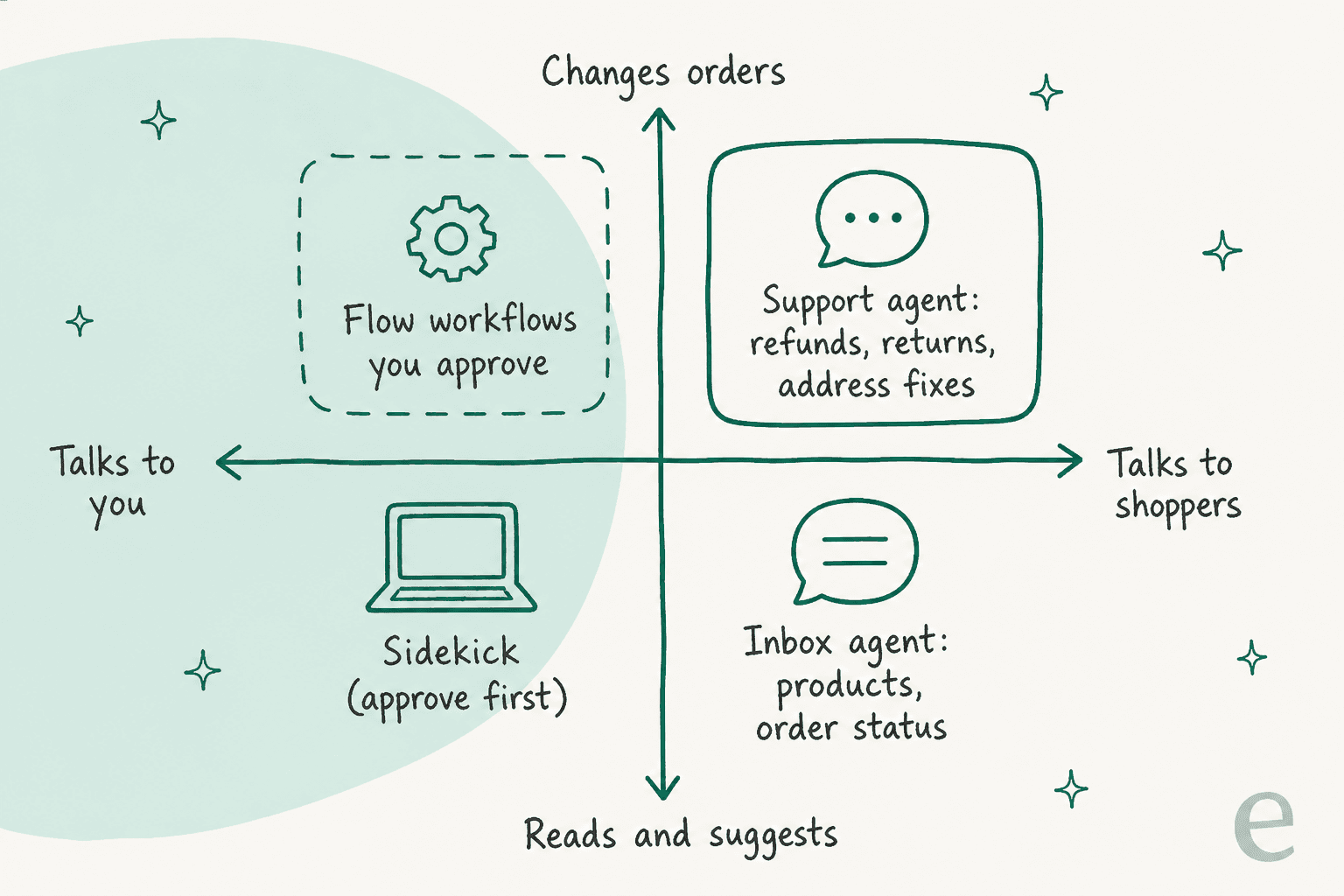
Here's the short version of the map:
| Type | Who it talks to | Can it change orders? | What it costs |
|---|---|---|---|
| Sidekick (Shopify) | You, in the admin | Yes, after you approve each change | Included with your Shopify plan |
| Inbox agent (Shopify) | Shoppers, in storefront chat only | No refunds, cancels or returns | Free app |
| AI shopping channels (ChatGPT, Gemini, Copilot, Meta AI) | Shoppers, on those platforms | No, they sell; you handle the after-sale | No fees today, per Shopify |
| Third-party support agent (eesel, Gorgias, Tidio, Richpanel) | Shoppers, in your helpdesk, email, chat | Yes, within the permissions you set | Per conversation or per resolution |
The rest of this post walks through each row, then gets into the part most guides skip: how to let an agent touch money without regretting it.
What can Shopify's own AI agents do?
Shopify has two agents of its own, and both are free. They're useful, but they were built for different jobs than "work my support queue", and Shopify is upfront about it.
Sidekick: an agent for you, not your customers
Sidekick is the purple-glasses assistant in your Shopify admin. Shopify calls it "an AI-powered commerce assistant", and it does a lot now. It can create and edit products, discounts, collections, draft orders and store policies, write and run code to analyse your sales, search the web, and build Shopify Flow workflows for you, including ones that cancel and refund high-risk orders. Shopify says daily Sidekick sessions have grown 4.2x year over year, per its Fall '26 Edition.

Every change waits for you. Multi-step edits sit in a "Store changes" card until you publish them, and an order edit only applies after you click Update order. That's a good default for an admin assistant.
What it won't do is support. Shopify's own Sidekick setup page is plain about it: "Sidekick can't talk to your customers or handle customer support conversations on your behalf." It can read your Inbox conversations, but it can't reply, assign or close them. Sidekick is free and included with your plan, with "features and usage limits" that vary by plan.
The Inbox agent: a storefront sales associate
The Shopify Inbox agent is the customer-facing one. Shopify's listing pitches it as "An AI sales associate for your online store", and that's an accurate description. It answers product questions (details, availability, price), recommends products, adds them to the cart, looks up order status, and replies in the shopper's language. The Fall '26 Edition added starting checkout from the chat.
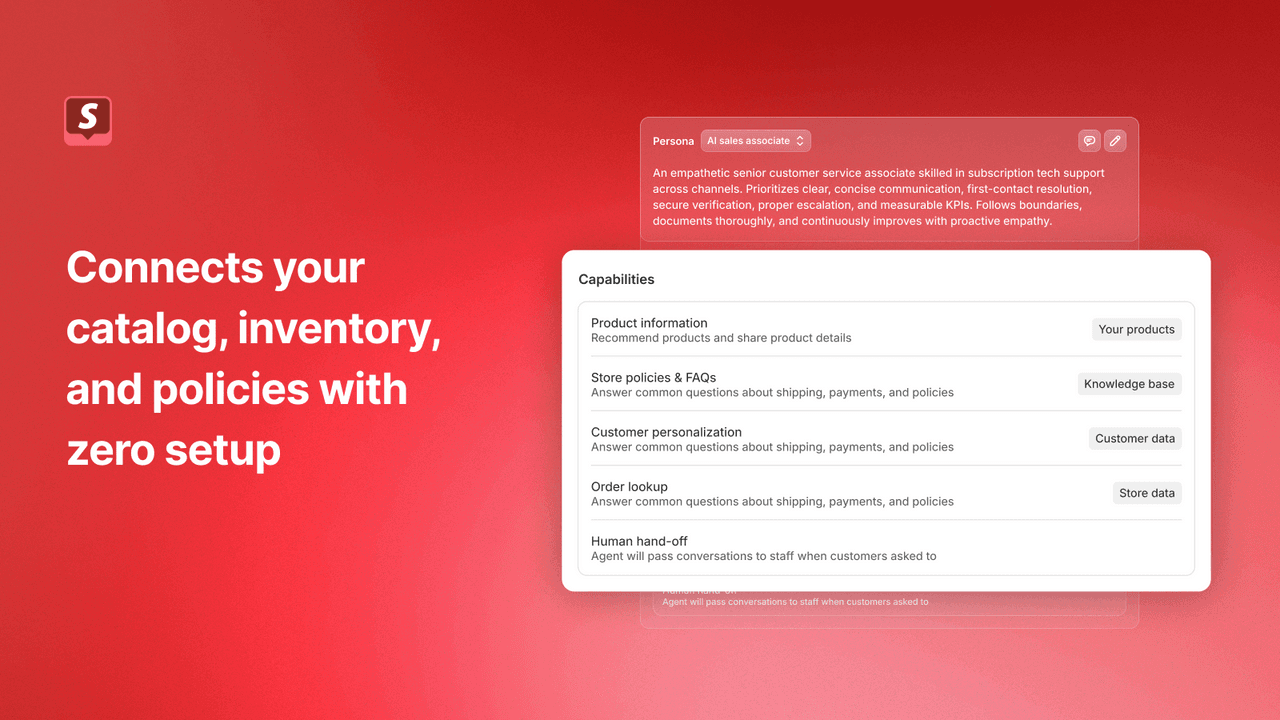
It's free, rated 4.5 stars from 5,821 reviews on the App Store, and it learns from your catalog, policies, published pages and the new admin knowledge base. For a small store that mostly gets "does this come in blue?" questions, it's a sensible place to start.
The limits are worth knowing before you count on it for support, all from Shopify's Inbox agent help page:
- One channel. "It only operates within your online store's chat widget." No email, Instagram, WhatsApp or helpdesk tickets.
- Order lookups need sign-in. "The customer is prompted to sign in before the Inbox agent shares order information."
- New customer accounts required. Stores still on legacy accounts keep their conversations with staff.
- No order changes. Refunds, cancels, returns and address changes aren't on its task list. Inbox labels those messages "Edit orders" or "Returns/Delivered orders" for your staff.
- No outbound email. "The Inbox agent can't send email on your behalf."
Merchant reviews show where that bites, especially around escalation to a person. The sharpest one I found is about accuracy, not features:
"Shopify Inbox has the potential to be a useful customer-service tool, but its AI agent provided inaccurate product information that contributed to a costly customer-order issue. [...] Because merchants remain responsible for the consequences of incorrect answers, I disabled the AI functionality."

That last line is the real lesson for any Shopify AI agent, Shopify's or anyone else's: the merchant owns the answer. Hold that thought for the setup section.
What about ChatGPT and Gemini selling your products?
This is the fourth meaning, and the newest. Through what Shopify calls agentic storefronts, your products can be found and bought inside ChatGPT, Google AI Mode and Gemini, Microsoft Copilot and Meta AI. It's "active by default for eligible stores", went live for ChatGPT on March 24, 2026 (see my Shopify ChatGPT checkout explainer), and Shopify's help center lists no fees for any of the four channels beyond normal payment processing. If you haven't looked at it, it's under Sales channels, then Agentic, in your admin. My guide to agentic commerce for ecommerce brands covers the selling side in depth.
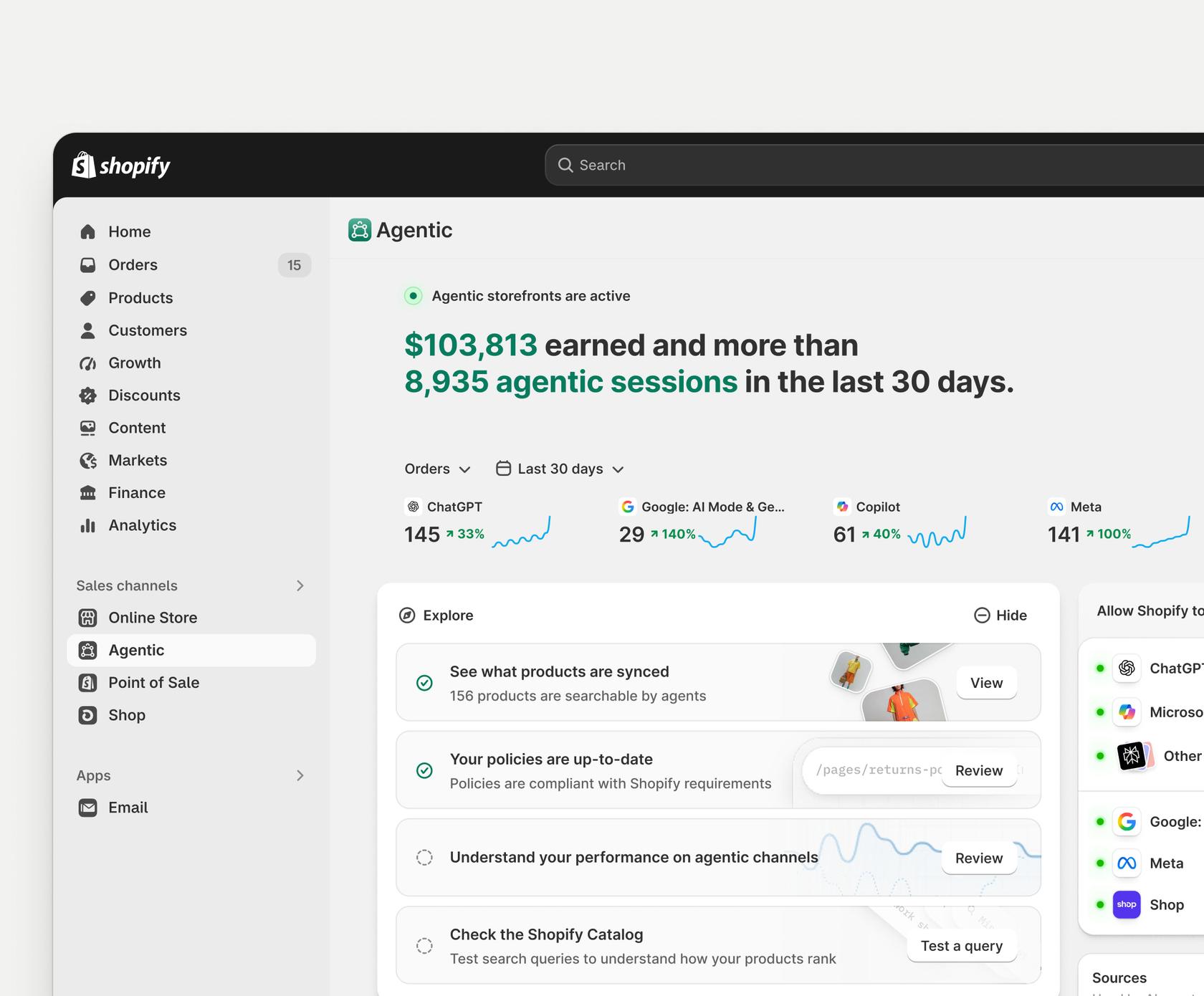
It's growing fast. Shopify reported in November that AI-driven traffic to Shopify stores grew 2.6x year over year last quarter, and orders from it grew 3.3x.
Here's the part that matters for support: those shopping agents sell, and then hand the customer back to you. Shopify's help center says that for AI-channel orders "you retain full ownership of the customer relationship and post-purchase experience", and that refunds for those orders "must be processed through your Shopify admin." The channels can show order status, but they only see that one order, not the shopper's history. Shopify's store Q&A tool for agents "doesn't change carts, place orders, or start returns."
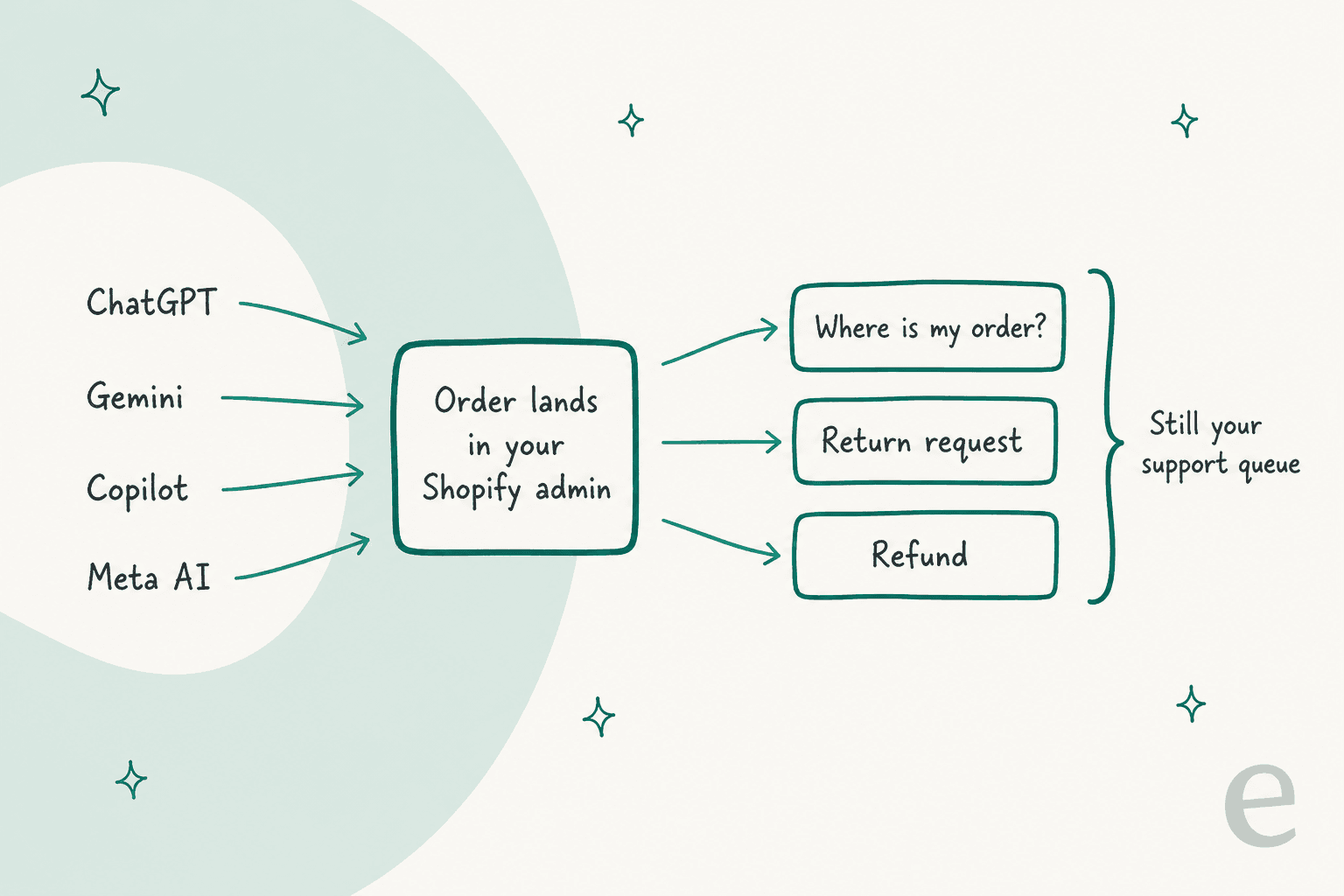
So more AI-channel sales means more where-is-my-order emails and return requests in your own queue, from shoppers you've never talked to before. My guides to order tracking support and returns management cover both. Agentic commerce is a reason to get support automation right, not a replacement for it.
What can a third-party Shopify AI agent do with your store?
Quite a lot, which is exactly why it needs care. A support agent from an app developer connects through Shopify's Admin API, and the permissions it asks for decide what it can touch. From Shopify's developer docs:
- One permission covers the risky stuff. The
write_ordersscope lets an app refund (refundCreate), cancel (orderCancel) and replace a shipping address (orderUpdate). A cancel can't be undone. - The API has no refund cap. Shopify won't stop a $900 refund on a $40 order. Any per-action limit has to be built into the agent itself, as AI guardrails.
- Returns can keep a person in the loop.
returnRequestcreates a return the merchant must approve;returnCreateassumes it's already approved. - Order history is limited by default. The order scopes cover the last 60 days; older orders need the
read_all_orderspermission. - Shopify withholds some customer fields. Name, email, phone and address are protected data that an app has to qualify for.
That's the honest picture: a Shopify AI agent's real power comes from one permission, and Shopify leaves the guardrails to the agent. When you compare tools, the question isn't "can it refund?" (most can). It's "how do I control when it refunds?" I've covered the mechanics in my guides to AI support agent permissions and refund guardrails.
Which Shopify AI agents are worth a look?
Below are the support agents Shopify merchants most often weigh, with facts from each vendor's own pages as of November 18, 2026. The billing units differ, which makes sticker prices misleading, so the last column prices one buyer: a store whose AI handles 1,000 conversations a month.
| Agent | Where it works | Shopify actions by the AI | Billing unit | Roughly 1,000 AI conversations/month |
|---|---|---|---|---|
| Shopify Inbox | Storefront chat only | None (lookups, cart only) | Free | $0 |
| eesel | Gorgias, Zendesk, Freshdesk, Help Scout, chat bubble, Slack | Refund, cancel (unfulfilled), return, address change, draft order; each On, Ask first or Off | Per ticket or chat handled | $499 (1,000 credits) |
| Gorgias AI Agent | Gorgias helpdesk | Refund, cancel, address update (not on Starter) | Per automated interaction | About $1,260 ($360 Pro helpdesk + $0.90 each) |
| Tidio Lyro | Tidio, or on top of Zendesk | Order status, address change, refund via actions you set up (Growth and up) | Per conversation Lyro replies in | $700 Lyro add-on, plus a Tidio plan if you use its inbox |
| Richpanel | Richpanel helpdesk | Address change, item swap, store credit, subscription pause | Per AI-resolved conversation + per seat | About $497 ($0.20 x 1,000 + 3 seats at $99) |
A few notes so the numbers stay fair. Gorgias and Richpanel only charge for conversations the AI resolves, while eesel and Tidio charge for every conversation the AI works on, so at a low resolution rate the per-resolution tools get cheaper. Gorgias also bundles 190 automated interactions into its $550 Pro plan, and Richpanel says setup takes "about 4 weeks" with a success lead. For deeper breakdowns, see my Gorgias AI Agent pricing, Tidio AI for Shopify and Richpanel pricing posts.
For tools beyond these five, see the wider list of Shopify customer service apps.
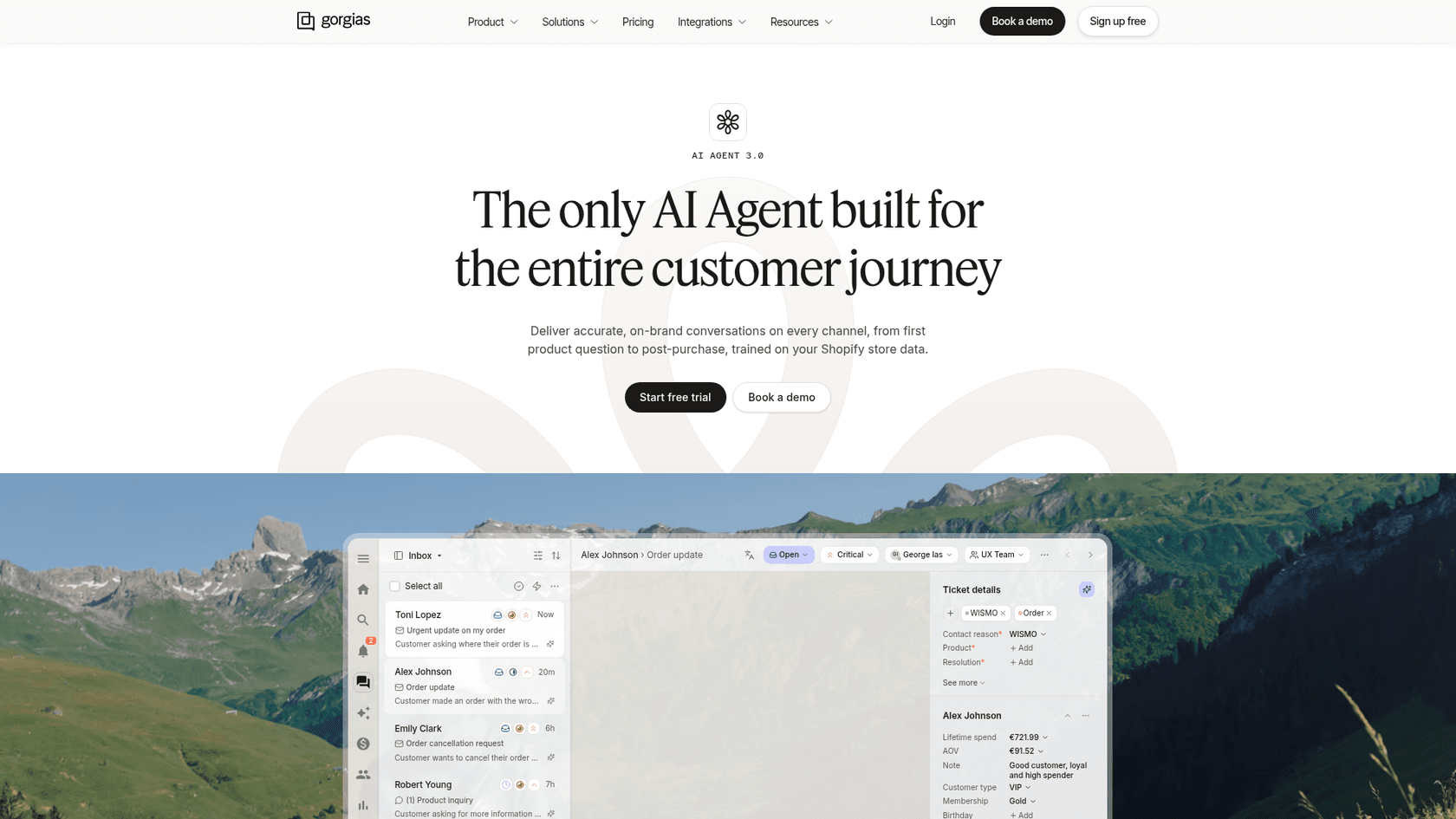
My take on choosing: pick the agent that works where your tickets already live. If you're happy on Gorgias for Shopify, its AI Agent is the least-friction option, and merchants on G2 rate it for after-hours coverage:
"The AI Agent and AI Shopping Assistant have been especially valuable for our business as we have limited business hours and AI is available 24/7 with solid customer service skills and actions."

If you'd rather keep your helpdesk and add an agent to it (or you run Zendesk, Freshdesk or Help Scout), that's where eesel fits; my AI helpdesk for Shopify list compares the helpdesks too. And if your support is just storefront chat, start with Inbox and upgrade when order changes start piling up for staff.
How do you let a Shopify AI agent touch money safely?
Every Shopify AI agent that can refund will eventually be asked to refund something it shouldn't. The fix isn't to avoid actions, it's to grant them in order, on evidence. Here's the ladder I use when I roll eesel out on Shopify stores.
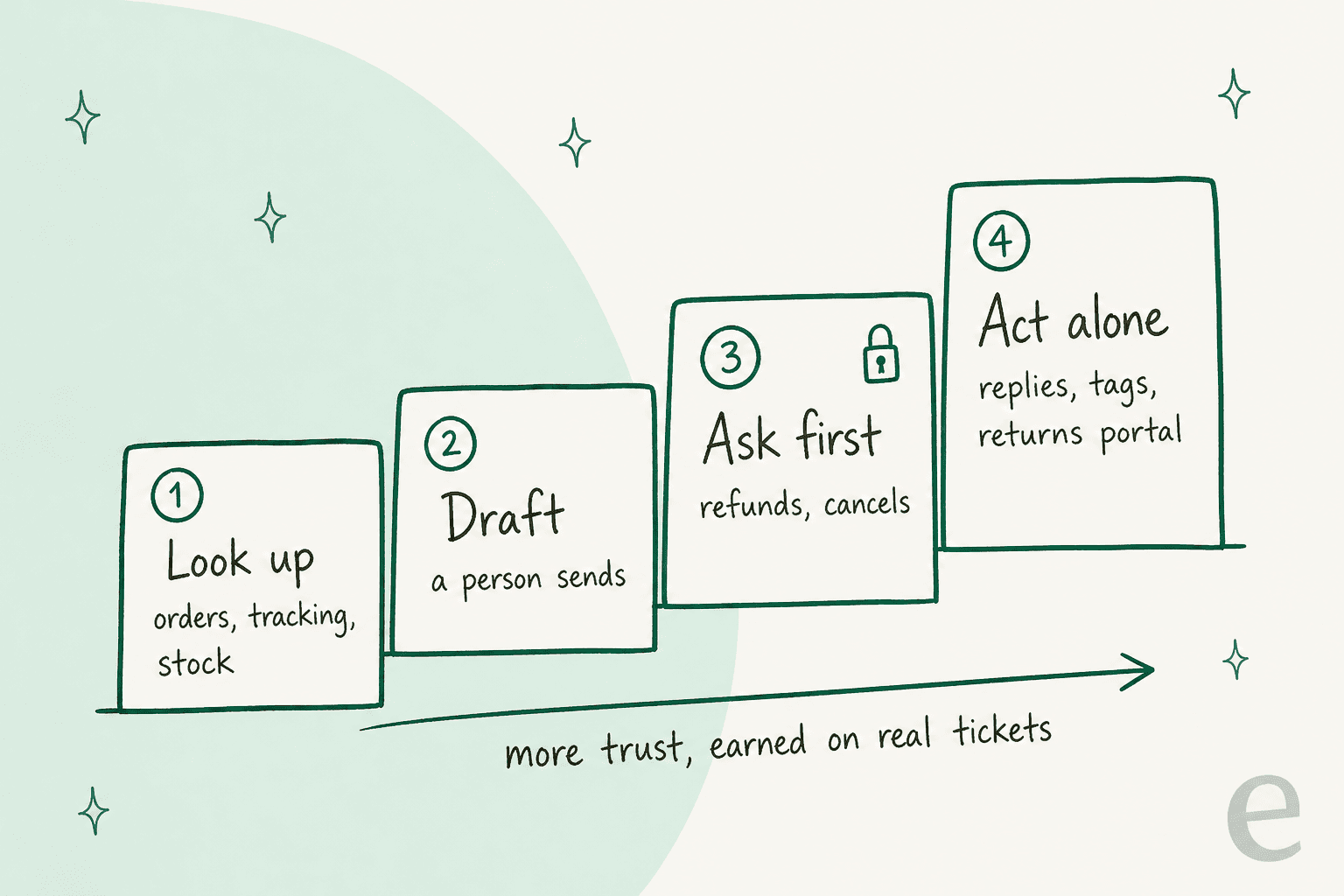
- Look up first. Give the agent read access to orders, tracking and stock. Most Shopify tickets are "where is my order?" and "is this in stock?", and those need lookups, not write permissions.
- Draft, and let a person send. Have the agent post its answer as an internal note, a human-in-the-loop setup. You'll see within a week whether it reads orders correctly.
- Ask first on money. Turn on refunds and cancels, but make every one wait for approval. In eesel, each action is set to On, Ask first or Off, and a held action expires after 72 hours rather than ever running on its own.
- Act alone where it's earned. Let it reply and handle ticket tagging on topics where its drafts were right, and keep money behind approvals as long as you like.
Real stores sit at every step of that ladder, and that's fine. eesel's customer stories show it:
- STIL Classics, a stationery brand on Gorgias and Shopify, keeps eesel on drafts only. In a month it looked up 230 Shopify orders and left 430 draft replies, and "eesel never sends and never changes an order."
- Rúngne, a Norwegian climbing apparel brand, runs three agents. One drafts with per-warehouse stock from Shopify, and one answers publicly only on chosen topics: 440 public replies and 580 drafts across 2,100 tickets a month, with cancellations and lost parcels handed to people.
- Question Beauty, a cosmetics brand, lets eesel answer order questions directly: 290 Shopify orders looked up and 280 tickets closed without a person in a month, while refunds, returns and chargebacks go to the team with a note on what it found.
- ClutchLoop, a phone accessories brand, has its agent reply to 180 of 230 Gorgias tickets on its own, pointing return requests to its returns portal and pulling live price and stock from Shopify.
Notice what none of them do: let the agent issue refunds unsupervised. That matches what I hear on sales calls. A CX lead at a DTC supplements brand on Gorgias and Shopify, running about 7,000 tickets a month, put it better than I can:
"I need an AI who is only handling the tickets that it's confident to handle and all the other ones, leave them alone."
That's the bar. An agent that answers 40% of tickets correctly and leaves the rest alone beats one that answers 90% and gets a few refunds wrong. If you want to check this before going live, my guide to AI support agent testing covers running an agent against past tickets.
How do you set up a Shopify AI agent?
The steps are similar across tools. Here's the version for eesel, since that's the one I know end to end, with the Shopify docs as the reference.
- Connect the store with order access. A quick start reads only your public storefront (products, pages, policies) and can't see orders. The full connection covers "orders, customers, products, tracking and refunds", and a store owner approves it on Shopify's install screen. There's no token to paste.
- Pick where it answers. Point it at your existing helpdesk (Gorgias, Zendesk, Freshdesk and others), add the website live chat bubble, or both.
- Set the action permissions. Leave lookups on. Set Refund Order, Cancel Order and Create Return to Ask first. You can also write it in plain words: "look things up on your own, but ask me before any refund."
- Test before it replies. Ask it the questions your team gets most, and check the answers against the real orders.
- Start on drafts, then widen. Move one topic at a time from drafts to sending, starting with order status.
If you prefer a terminal, the eesel CLI does the same from a script or a coding agent like Claude Code (the same idea as my Claude for Shopify guide): eesel integrations connect shopify starts the connection, eesel integrations shopify actions lists each action's setting so you can switch refunds to ask-first, and eesel chat lets you test answers. The store owner still has to approve the connection in Shopify, and held refunds still wait for a person with Owner or Editor access.
What are the common mistakes?
A few I see often, roughly in order of how much they cost:
- Expecting Shopify Inbox to cover email. It's storefront chat only. If most of your tickets arrive by email or Instagram, the Inbox agent won't see them. Check your channel mix in the helpdesk first, or read my ChatGPT for Shopify support post for the other routes.
- Granting
write_ordersand walking away. One permission covers refunds, cancels and address edits, and Shopify won't cap amounts. Put money actions on approval from day one. - Treating "nearly right" as fine. The Signastyle review above is what a single wrong product answer costs. Keep the agent quiet on topics where its drafts still need editing. More on that in my piece on AI hallucination.
- Forgetting the 60-day window. An agent on default order permissions can't see older orders, so "my order from March" fails quietly. Ask your vendor how it handles older orders, and how it uses its confidence score when data is missing.
- Ignoring AI-channel orders. Orders from ChatGPT or Gemini carry channel attribution in your admin. Make sure your agent and team can see them, because those shoppers have never been on your site.
Try eesel as your Shopify AI agent
If your support runs in Gorgias, Zendesk or email and you want an agent that reads live orders, eesel plugs into Shopify and your helpdesk in under 30 minutes and works like a new hire who already knows your catalog and policies. It looks up orders, tracking and per-location stock, answers in 80+ languages, and can start returns, fix addresses before shipping, refund or cancel, with each action set to On, Ask first or Off. Plans start at $299 a month for 500 tickets or chats, and you can try it free for 7 days.
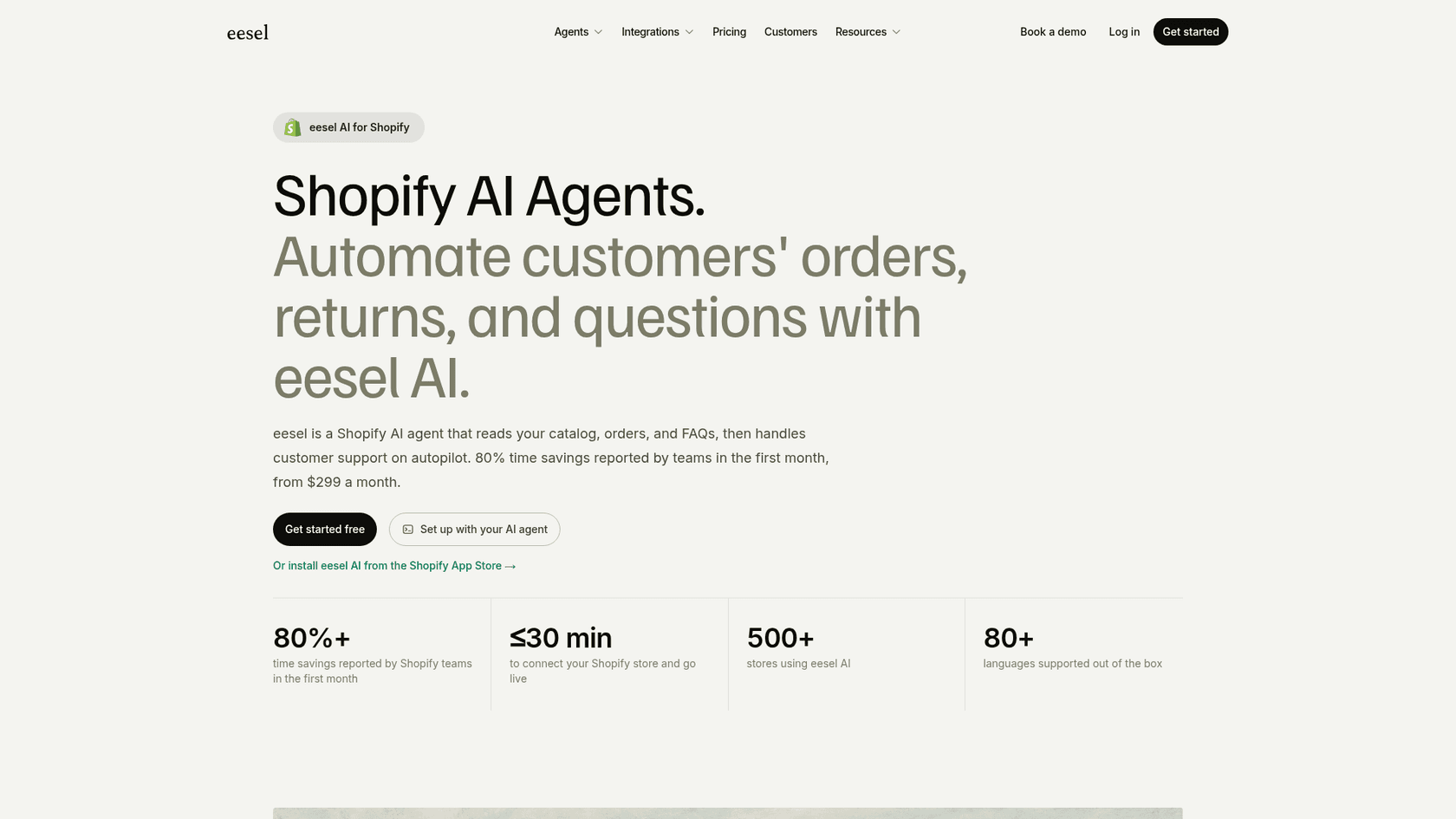
Try eesel on your own Shopify store and start it on drafts, so you see exactly what it would send before it sends anything.
Frequently Asked Questions
Does Shopify have its own AI agent?
Yes, two. The Shopify Inbox agent chats with shoppers on your storefront and answers product and order-status questions. Sidekick works for you inside the admin. Shopify's help center says Sidekick can't talk to customers or handle support conversations, so neither one is a full Shopify AI agent for support.
Is the Shopify Inbox AI agent free?
Yes. Shopify Inbox is a free app (4.5 stars from 5,821 reviews in November 2026) and the agent is included. It needs the new customer accounts, only works in your storefront chat widget, and asks shoppers to sign in before it shares order details. For email or helpdesk tickets you need a separate AI agent.
Can a Shopify AI agent process refunds?
A third-party one can. Shopify's Admin API lets an app with the write_orders permission refund, cancel and edit orders, and the API has no refund amount cap, so the limits have to live in the agent. Keep refunds behind an approval step, as covered in my refund guardrails guide.
What is the best Shopify AI agent for customer support?
It depends on where your tickets live. Shopify Inbox is fine for free storefront chat. If your queue is in Gorgias, Zendesk or email, pick an agent that works inside that helpdesk and reads live Shopify orders, like eesel for Shopify. My Shopify support roundup compares more options.
How much does a Shopify AI agent cost?
From free to roughly $1,260 a month for 1,000 AI-handled conversations, depending on how the vendor bills. eesel is $499 for 1,000 conversations, Tidio Lyro is $700 for 1,000, and Gorgias charges $0.90 per automated interaction on Pro on top of its helpdesk plan. See my Gorgias AI Agent pricing and Tidio AI pricing breakdowns.
Do ChatGPT and Gemini handle support for orders from my Shopify store?
No. Shopify's agentic storefronts let shoppers buy your products in ChatGPT, Google AI Mode and Gemini, Copilot and Meta AI, but Shopify says you keep the customer relationship and post-purchase experience, and refunds go through your admin. Where-is-my-order and returns still land in your queue, so plan for WISMO automation there.
What's the difference between a Shopify AI agent and a Shopify chatbot?
A chatbot answers from text. A Shopify AI agent reads live store data and can take actions, like looking up tracking, starting a return or changing an address before shipping. The gap matters most on order questions, as my AI agents vs chatbots guide explains, and it's why human-in-the-loop approvals matter.
How do I set up a Shopify AI agent safely?
Connect it with order access, start it on drafts that a person sends, keep refunds and cancels on ask-first, and test it against real past tickets before it replies alone. My guides on AI agent permissions and AI support agent testing walk through each step.