

Dixa AI draft replies come in three kinds, all inside the Copilot add-on at €39 per agent per month: Smart Conversation Replies turn one help article into a reply, Expand turns a few keywords you typed into a full answer, and AI drafts (still in early access) run a whole Mim agent (Dixa's AI agent) that searches every data source, can look up the order once you give it an action, and writes the email for an agent to edit. AI drafts are the strongest of the three and cost nothing beyond Copilot, but they work best with their own draft-only AI agent, because any handoff the agent decides on means no draft at all.
If your team is on Zendesk, Freshdesk, Gorgias or Help Scout instead, eesel's AI teammate can have a draft waiting before an agent opens the ticket; it doesn't connect to Dixa. With the eesel CLI, an AI coding agent can upload approved help articles and macros and ask test questions before anything goes live, though an admin still approves the helpdesk connection.
Pick what you want from a draft to see which Dixa feature does it, and the catch.
What does Dixa use to draft replies with AI?
Dixa uses Copilot, its AI copilot add-on for human agents, and inside it there are three tools that write reply text. I build eesel's integrations, so the first thing I check in any helpdesk's AI is what the model can actually see when it writes. In Dixa, the answer changes a lot between the three.
Dixa's Copilot bundle article lists a dozen tools. These three write the reply for you:
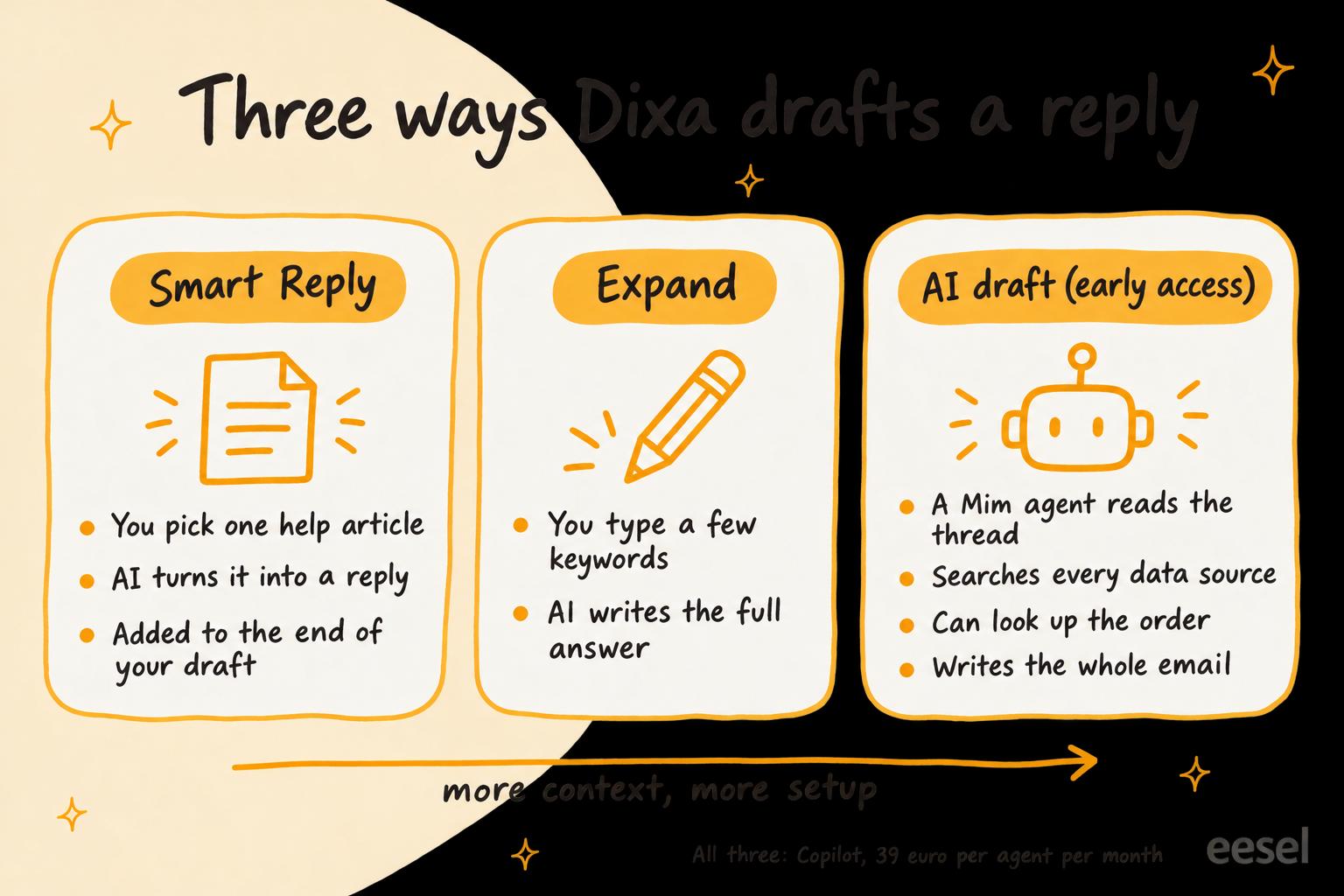
- Smart Conversation Replies "generate a full-fledged response from a Knowledge Base article". The agent picks the article.
- Expand reply, part of the writing assistant, starts "from a couple of keywords" and expands them "to a full-fledged answer to the customer's last message".
- AI drafts "leverage the full capabilities of an AI agent to generate an email reply": complex instructions and procedures, internal articles, and access to back-office systems.
The rest of the writing assistant (shorten, match tone, more formal, more friendly, fix spelling, a style guide check) edits a reply rather than writing one. So does translation. Copilot also does summaries and suggested tags, which are outside this post; Dixa's AI agent covers Mim answering customers by itself.
How much do Dixa's AI drafts cost?
All three come with Copilot, which Dixa's pricing page lists at €39 per agent per month as an add-on for Team, Professional and Enterprise (checked 21 November 2026). The plans themselves start at €49 per agent per month on Team, billed annually.
| What you pay | |
|---|---|
| Team plan | €49 per agent/month, billed annually |
| Professional plan | €139 per agent/month, billed annually |
| Copilot add-on | €39 per agent/month |
| AI drafts | Included in Copilot |
| Mim answering customers on its own | €0.40 per conversation |
For a 10-agent team on Team, that's €490 a month for the plan plus €390 for Copilot: €880 a month. AI drafts use Mim behind the scenes, but Dixa's AI drafts article answers the obvious worry directly: "using Mim via AI drafts is already included in Copilot, and no additional costs are involved." Only Mim answering customers directly is billed per conversation.
One wrinkle: Dixa's Smart Conversation Replies article says you need "at least the Professional plan" and your knowledge base managed with Dixa (on Elevio, Dixa's knowledge base product), while the pricing page sells Copilot on Team too. If Smart Replies matter to you on Team, ask Dixa before you buy. The full plan list is in Dixa pricing.
How do Smart Conversation Replies work?
A Smart Reply turns one knowledge base article into a reply, and the agent chooses the article. Per Dixa's help article, the agent opens the conversation, opens an article from the sidebar's suggestions (or searches for one), claims the conversation, and clicks the Smart Conversation button at the top right of the article. The generated text is added to the end of whatever is already in the reply box.
Three details decide whether it helps:
- Your knowledge base has to be on Elevio. "You will need to have your Knowledge Base hosted with Elevio, and connected to your Dixa account." Elevio is Dixa's own knowledge base product.
- One article, one answer. Dixa says the response "will be more or less the same each time you click the button for a given article". To answer two questions, open two articles and click twice; each answer is appended.
- English first. Dixa hasn't "done exhaustive testing with languages other than English just yet", though Dixa says its preliminary testing "has shown promise".
On data, Dixa says it sends the conversation and the article to Microsoft Azure's OpenAI service, and that the data is "not stored or used to train any models by the third party."
Smart Replies suit a team whose answers already live in good articles. The catch is that the AI never picks the article, so the draft is only as right as the agent's choice. If your articles are thin, fix those first; knowledge base quality is the limit for every option here.
How does Expand turn keywords into a reply?
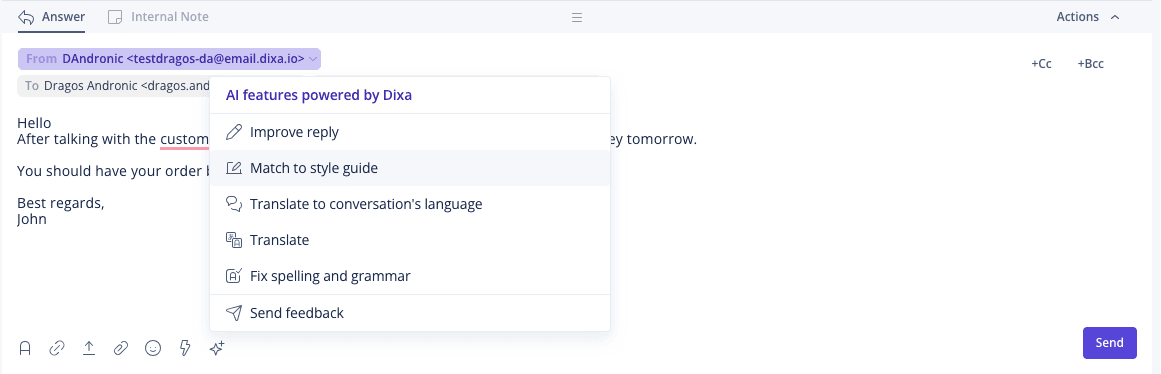
Expand writes a full answer to the customer's last message from a few words you type. It sits in the Improve reply dialog, the writing assistant inside Copilot, per Dixa's Improve reply article. The same dialog can shorten a reply, match the customer's tone, or make it more formal or more friendly, and a free-text box takes your own instruction, such as "change greeting to include the name".
Dixa's tip for that box is worth following: write it as an instruction and "add one instruction at a time (so avoid using 'and' and 'or' in your instruction)."
Expand is the fastest of the three when the agent already knows the answer, much like a canned response you write on the spot. Dixa describes it as working from your keywords and the customer's last message, with no knowledge base search or lookup, so it is a writing aid, not a researcher.
Keep drafts in your brand voice with a style guide
A writing style guide lets agents rewrite any reply to your house voice with Match to style guide. An admin adds one under Settings > Writing style guide and picks the channels it applies to, per Dixa's style guide article. The trap is in one line: "If you don't associate a channel with the style guide then it will not be enforced." Dixa suggests covering voice, tone of voice, style and structure, and gives four example guides to paste in. Our brand voice guide covers what to write in one.
How do Dixa AI drafts work?
An AI draft is a Mim agent writing a reply for your agent instead of for the customer. Dixa's AI drafts article says it:
- "will use all connected data sources - public, internal only, or information extracted from previous conversations"
- "supports the full actions array of Mim, meaning it can interact with your back-office systems and extract account and order information"
- "supports procedures and custom instructions for complex processes"
Dixa sums it up as "Smart Drafts + writing style guide + automations, in one package". This is the only one of the three that can check the order before it writes, which is why I'd start here if you have early access. The feature is in early access, which Dixa's release stages article describes as "polished but not final", possibly lacking "full support (eg, analytics/ localization)"; you ask for it at friends@dixa.com.
There are two ways to ask for one:
- Quick AI drafts use the default AI agent straight away. Dixa calls it "the most useful option": pin it to the toolbar or use the keyboard shortcut.
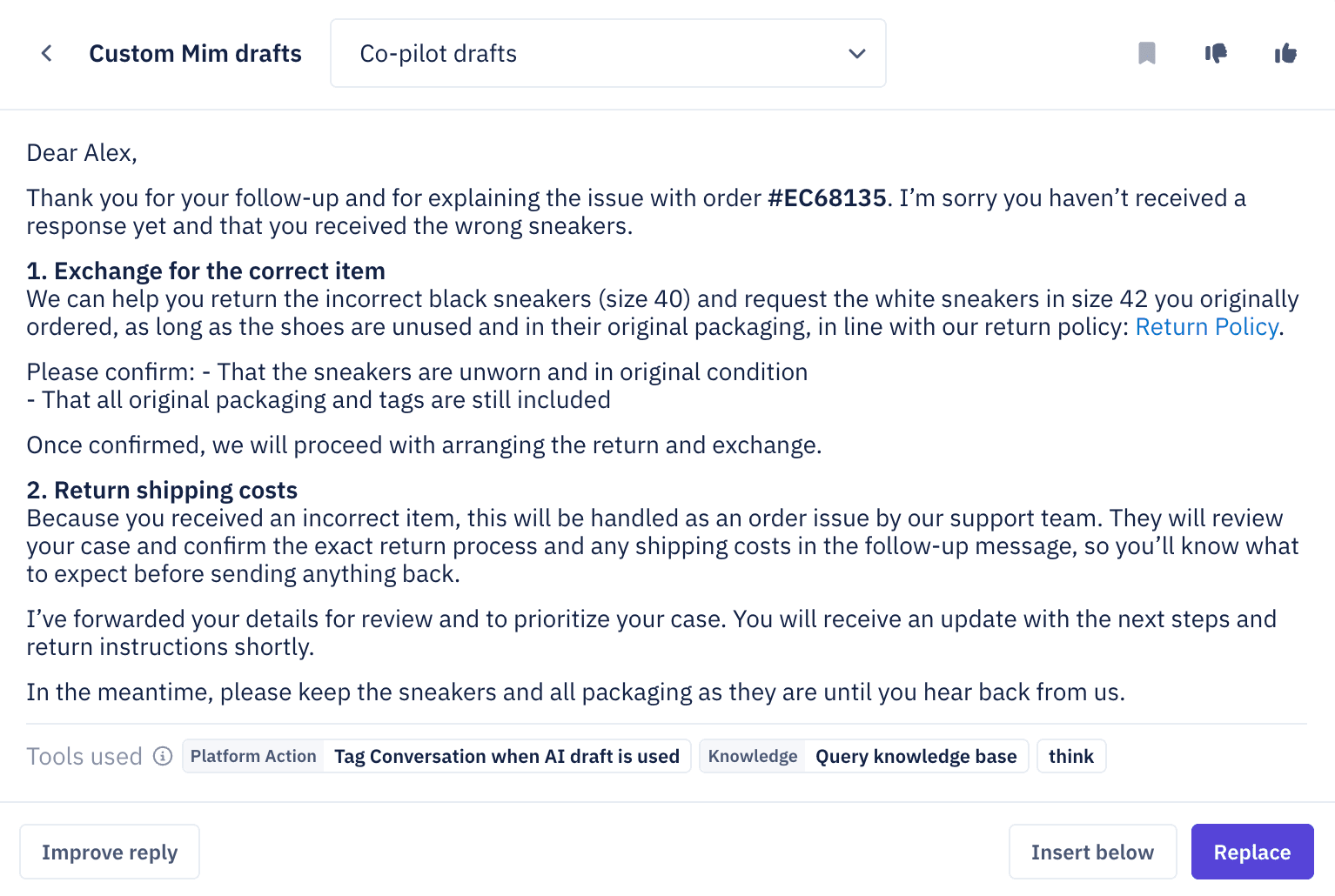
- Custom AI drafts open a modal where the agent picks which AI agent writes the draft, for example one per market or brand, and it shows the tools the draft used.
The agent then chooses Insert below or Replace, edits, and sends. Nothing goes out on its own; Dixa's Copilot page says "the agent picks, edits, or ignores" and "nothing goes to the customer without the agent reviewing it."
Once a draft is generated, the conversation's activity log shows the knowledge it pulled, the tools it called and its reasoning. That is how you fix a bad draft: change the agent's instructions, data sources, procedures or tools.
How do you set up the Dixa AI draft agent?
You build a Mim agent just for drafts, then make it the default. The setup is the same as any Mim agent; Dixa's short version from the AI drafts article:
- Create the agent. Click Create AI agent and name it. Dixa says "it is highly recommended that you create a new AI Agent that is only used for AI drafts, as any handoffs triggered will not compute a draft."
- Connect data sources. Dixa recommends "all your Elevio and Dixa Knowledge knowledge bases". Optionally add the Conversations data source so it can learn from past replies, and index your website.
- Turn off handoffs. Dixa lists this as optional, but I wouldn't skip it: disable the escalation and handoff tools and instructions, since this agent never talks to customers and a handoff means no draft.
- Add actions if you want order lookups. Each action is an HTTP call to your own system or a platform action (Dixa lists Shopify, Klaviyo, Yotpo and Ingrid).
- Make it the default. As an admin, go to Settings > AI agents, open the agent's menu and choose Set as default draft agent. Each person on your team can override that with their own default from the Custom AI drafts screen.
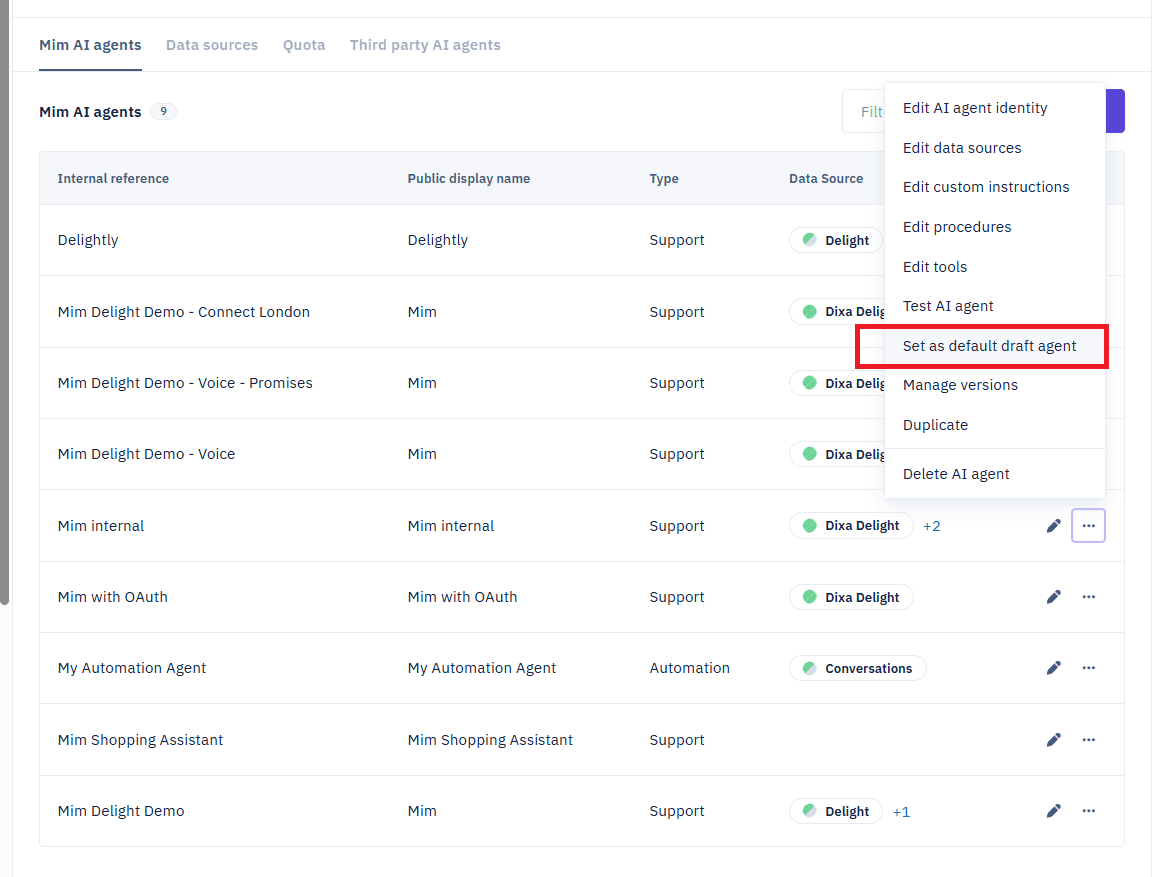
If you skip step 3, agents will see this instead of a draft:

Drafts that differ by country
If you sell in several countries, Dixa's market-specific drafts guide shows how one draft agent can use different sources per market, keyed on the conversation's queue. You create an API token, add an Action tool that calls GET https://dev.dixa.io/v1/conversations/{{system:conversationId}} and reads data.queue.id, add one Knowledge tool per market, and write a custom instruction mapping each queue ID to its market's tool. Dixa notes language can't be the market key, since one language can cover several countries.
The catch is in Dixa's own note: the draft agent "can see the previous tool calls". If an agent drafts, then notices the conversation is in the wrong market's queue and transfers it, "you can no longer use the draft feature, as the wrong data sources are called." Get routing right before anyone drafts; our Dixa routing guide covers that part.
Use AI drafts to rehearse Mim before it answers customers
The best use of AI drafts may be testing. Dixa suggests it in the same article: if you're "concerned about how Mim would answer if asked to autonomously answer a user's questions", let agents review Mim's candidate answers as drafts first, check the sources and tools in the activity log, and feed what they find back into Mim's setup before it goes live. Since drafts cost nothing beyond Copilot and Mim costs €0.40 a conversation, that is a cheap rehearsal.
Dixa's second suggestion is an internal-only Mim that reads internal procedures and past conversations, "never responds directly to the users", and helps agents through drafts. That suits material you'd never want quoted to a customer word for word. The general case for drafting before sending is in our agent assist guide, and agent assist tools compares products built for it.
Where do Dixa's AI drafts fall short?
- AI drafts are early access. Ask Dixa to switch them on, and expect changes.
- No usage dashboard. Dixa says "there is no dedicated Analytics dashboard for the usage and performance of an AI draft agent." Every triggered draft adds the tag draft-agent-auto, so filter on that.
- Email first. Dixa describes AI drafts as composing "an email reply"; check with Dixa before counting on it in chat.
- Smart Replies need Elevio and an article the agent picks, and they come out nearly the same every time for that article.
- Expand reads nothing but what you typed and the customer's last message.
- Drafts only start when asked. Every option waits for an agent to click, so the first minute of each conversation is still the agent's.
Other helpdesks split the same job differently:
- Gladly AI drafts: Team Assist writes on request and never sends.
- Freshchat AI drafts: Freddy AI Copilot finishes or rewrites what the agent starts.
- Help Scout AI drafts: AI Drafts learn from your past replies and Docs.
For Dixa as a whole, my colleagues' Dixa review is the next read, and the Dixa vs Re:amaze comparison sets it beside Re:amaze.
Where does eesel fit with Dixa drafts?
eesel is an AI teammate that joins the helpdesk and drafts before anyone asks, on Zendesk, Freshdesk, Gorgias or Help Scout. It doesn't connect to Dixa, so if you're staying on Dixa, set up the AI draft agent above and see best AI for Dixa for what else plugs in.
On those helpdesks, an automation starts it when a ticket arrives, it writes from your help center and past tickets, and each action, sending included, can run on its own, wait for a person's yes, or stay off (actions and approvals). In Help Scout, for example, its Leave draft reply action saves an unsent draft for a teammate to review. If you're weighing a move, Dixa alternatives is where I'd start.
Try eesel for drafts that are ready when your agent is
If your agents click for a draft at the start of every conversation, try having one waiting instead. eesel reads your help center and past tickets, and you can run it against closed tickets to read its drafts before it touches a live one. Plans start at $299 a month on eesel's pricing page.
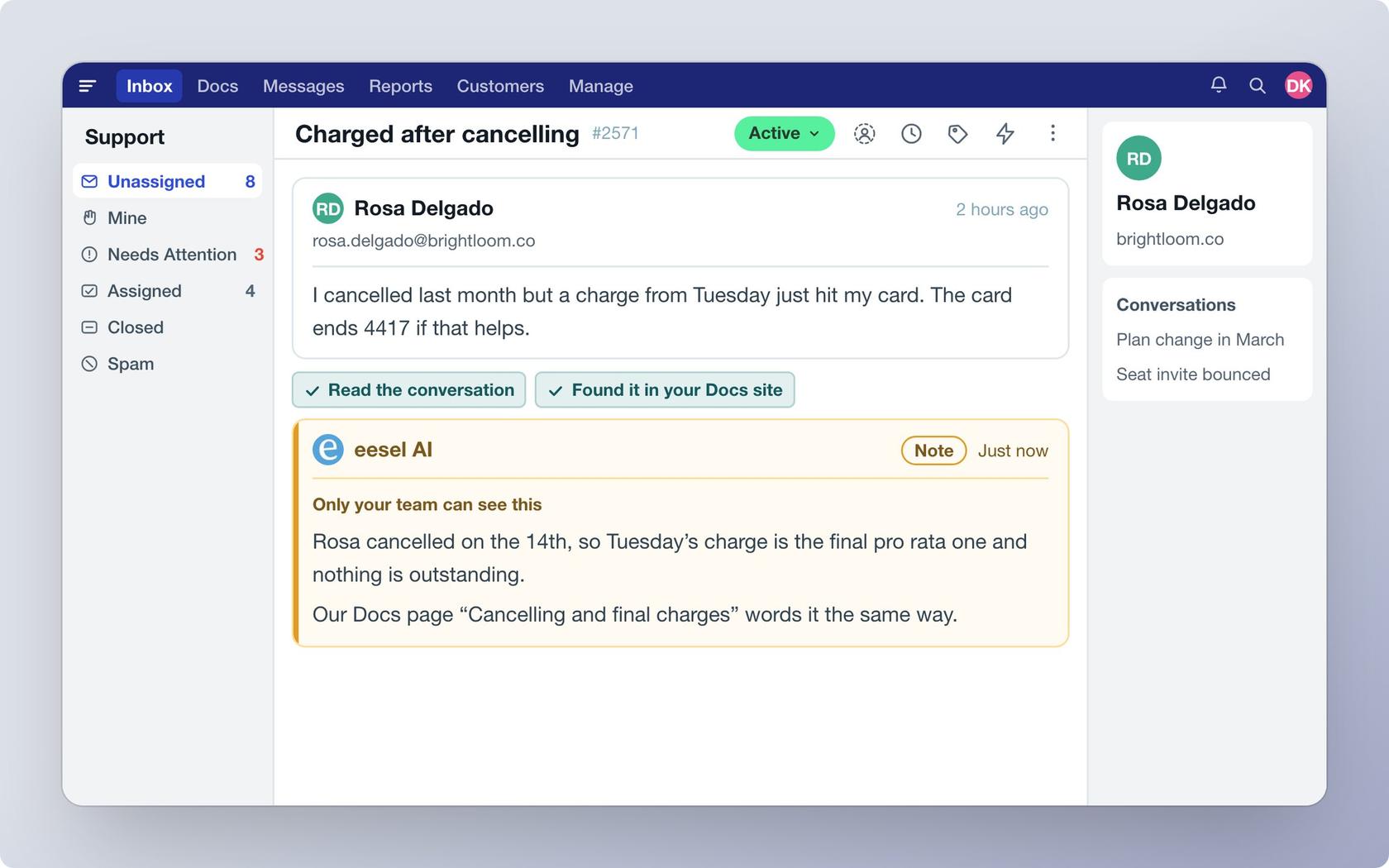
Try eesel free, and test it on your own past tickets first.