

Dixa's sentiment analysis lives in Advanced Insights, a EUR 29 per agent per month add-on (included in Enterprise), where Dixa describes an AI sentiment score for each conversation that feeds its dashboards. I would use it to find which contact reasons make customers unhappy, then read the threads behind a bad week. Dixa's public pages don't document the scale, languages, timing or accuracy, and the roadmap line that says the score can trigger automations has no matching help article I could find. Mim, Dixa's AI agent, is designed to escalate upset customers, but Dixa doesn't say it uses the same score.
eesel has no Dixa connector, so I can't offer tone checks inside Dixa. On Zendesk, Freshdesk, Gorgias, Front or Help Scout, the AI helpdesk teammate hands upset or risky conversations to your team with a note. With the eesel CLI, an AI coding agent can upload approved policies and ask test questions about angry-customer cases before anything goes live, though someone with helpdesk admin access still approves the connection.
What does Dixa's AI sentiment analysis do?
It gives each conversation a score for how the customer feels, so a manager can look at trends instead of reading threads one by one. Dixa's roadmap entry calls it an "agentic-AI-powered sentiment score" calculated per conversation and available across Advanced Insights dashboards. Dixa's Advanced Insights page adds that it detects sentiment shifts before they show up in CSAT, and that satisfaction insights need no surveys.
That last point is the useful one. CSAT only measures customers who answer a survey. A score on every conversation covers the silent majority, which is the reason to buy sentiment analysis at all. My guide to measuring customer sentiment explains the survey gap in more detail.
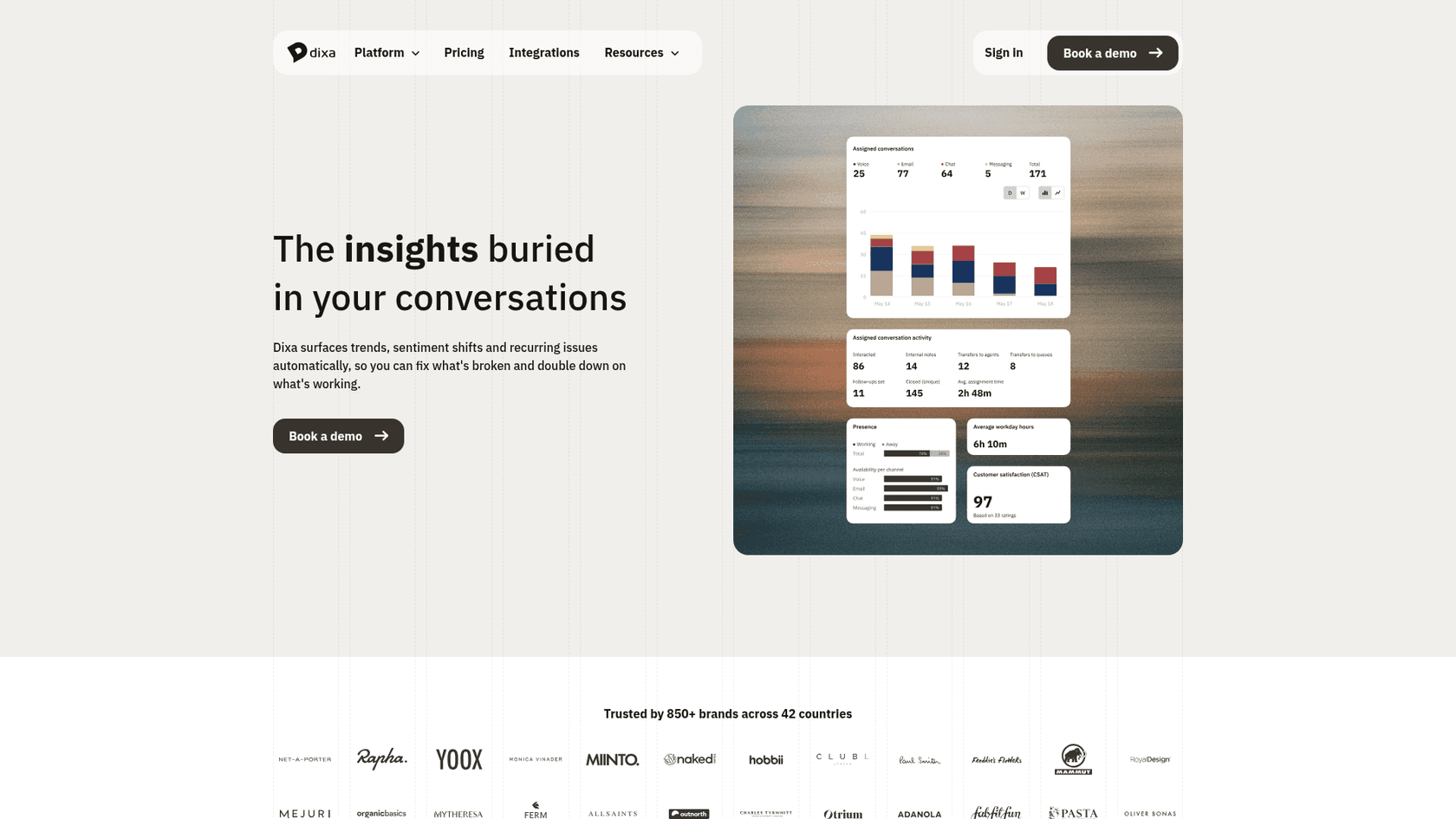
I looked closely at the dashboard in that image. It shows volumes, activity and CSAT, and no sentiment chart. It is a marketing mockup, so I wouldn't treat that as proof the score is missing, but it is a reason to ask Dixa to show a sentiment view on real data.
Is it live? What the roadmap says
Mixed signals, so here is exactly what I found.
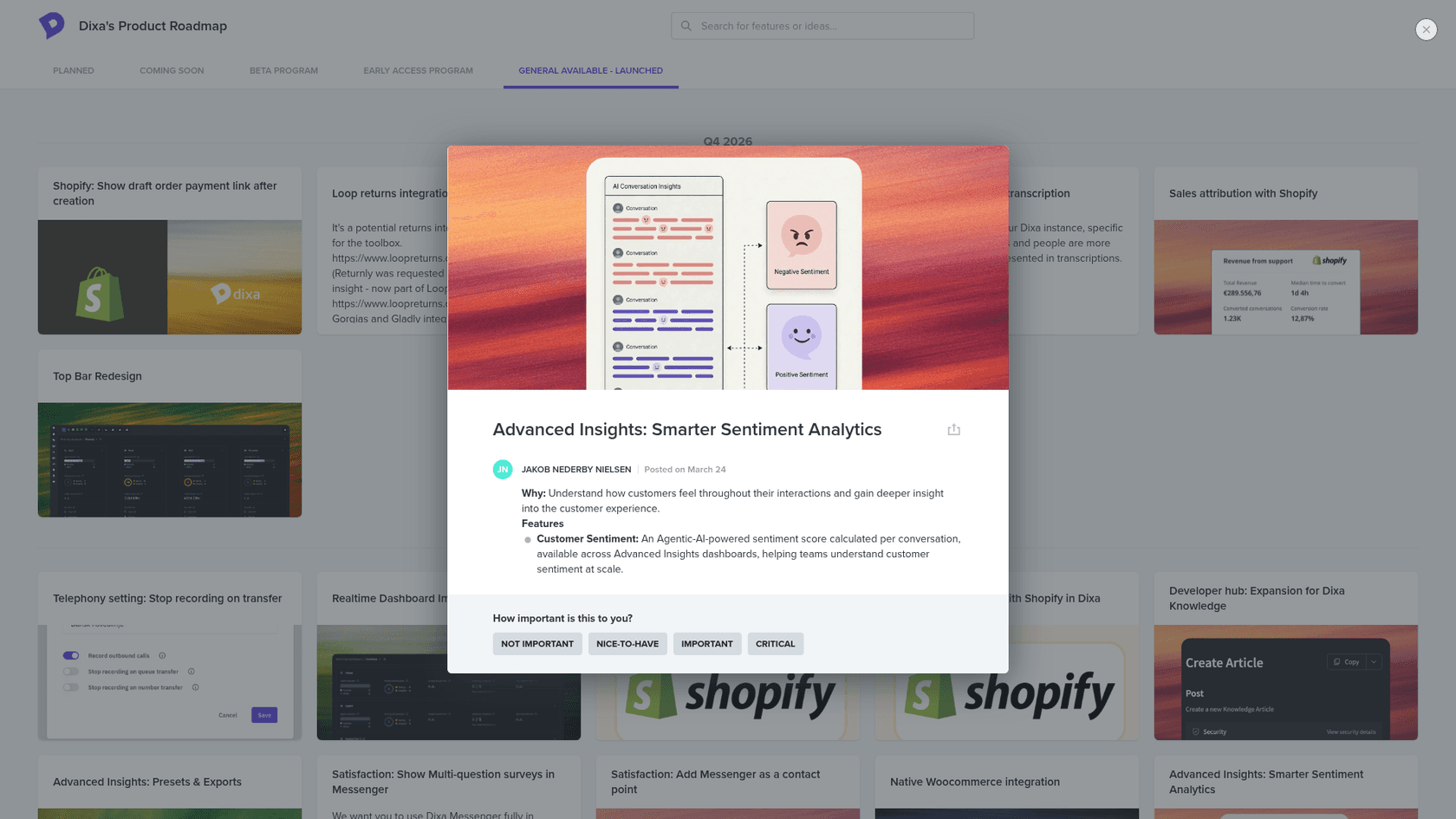
- The portal lists the entry in its General Available tab, posted on March 24, with one feature line: the per-conversation score on Advanced Insights dashboards.
- Dixa's Q2 2026 roadmap lists "Smarter sentiment analytics" as early access, describing a score that "enriches reporting and can trigger automations".
- Dixa's Q3 2026 roadmap doesn't mention sentiment, though it lists newer Advanced Insights metrics and Auto QA upgrades.
- Dixa's pricing page and Advanced Insights page describe sentiment in present tense.
My read: the score exists and sits on dashboards. Whether every customer has it, and whether the automation trigger is generally available, is not stated, so ask in a demo.
Where does sentiment show up in Dixa?
In three places, and only the first carries a score.
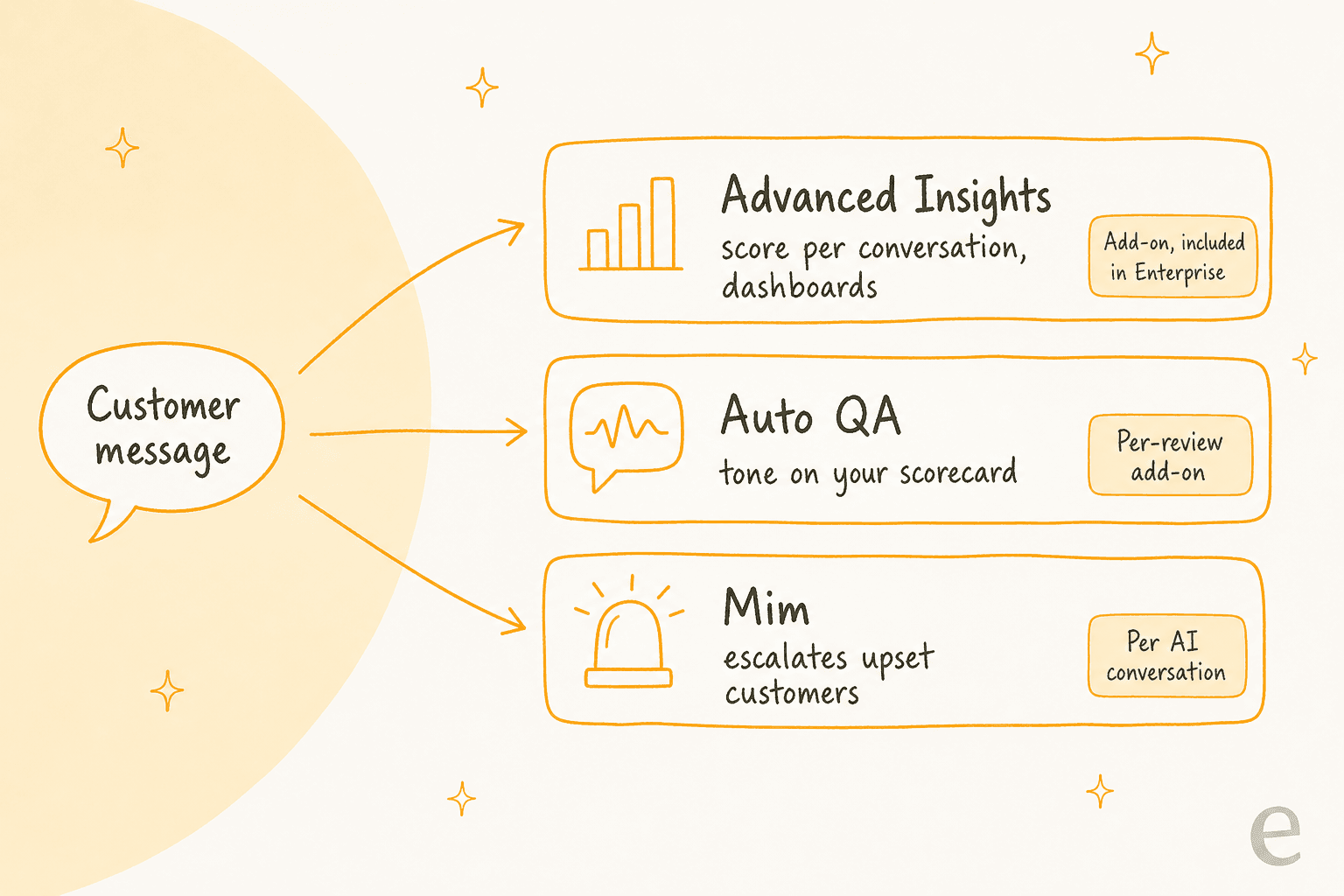
- Advanced Insights, for CX leaders. Dixa lists sentiment analysis next to contact reasons, emerging issue detection and satisfaction insights, and says it covers AI and human conversations in one view.
- Auto QA, for team leads. Auto QA scores 100% of conversations, human and Mim, against scorecards you define, and Dixa's examples include tone and empathy signals. That grades your team's writing, not the customer's mood.
- Mim, in the conversation. Dixa says Mim is designed to recognise upset customers and escalate instead of pushing on. Mim on Voice, in beta, is described as handling frustration and sensitive topics. Dixa doesn't document a score behind either behaviour.
One more label to know: Dixa's Co-Pilot page lists "Sentiment Detection" among its capabilities with no description, and its pricing page doesn't mention sentiment under Co-Pilot. I would not buy Co-Pilot for it. For the Co-Pilot side, see my posts on Dixa AI draft replies and Dixa AI conversation summaries.
Which plan or add-on do you need?
Advanced Insights, and the plan decides the price.
| Item | Price | Source |
|---|---|---|
| Team seat | EUR 49 per agent per month, billed annually | Pricing page |
| Professional seat | EUR 139 per agent per month, billed annually | Pricing page |
| Enterprise seat | Custom, includes Advanced Insights | Pricing page |
| Advanced Insights | EUR 29 per agent per month on Team and Professional | Pricing page |
| Auto QA | EUR 0.10 per review, add-on on every plan | Pricing page |
| Co-Pilot | EUR 39 per agent per month | Pricing page |
| Mim | EUR 0.40 per AI conversation | Pricing page |
A 10-agent team on Professional with Advanced Insights pays (EUR 139 + EUR 29) x 10 = EUR 1,680 a month. On Team it is (EUR 49 + EUR 29) x 10 = EUR 780. If Auto QA reviews 3,000 conversations a month and one conversation equals one review, add EUR 300. The pricing page doesn't say how a review is counted, so check that before you budget. Older Dixa pricing coverage used Growth, Ultimate and Prime plan names, so read the live page. My Dixa review covers the rest of the platform.
What can you do with the score?
Four jobs, from most to least documented.
- Reporting. Documented. Trend sentiment by contact reason and channel, and compare AI-handled with human-handled conversations.
- QA. Partly. Auto QA is separate, but the two views together show whether a low-sentiment conversation was also a low-quality reply. My guide to AI support QA explains scorecards.
- Automation. Claimed on the Q2 roadmap, not shown in a help article. If it works, it would be the way to flag escalation candidates.
- Prioritisation. Not documented. Dixa documents Intent Detection (Standard on Professional, Advanced on Enterprise) for routing. Intent says what a customer wants, sentiment says how they feel, and they are different signals. See ticket prioritization for how teams combine them.
What does Dixa not document?
Six things, and each decides how far you can trust the score.
- The scale. I found no public description of a number range, labels or thresholds.
- Timing. Whether the score is set when a conversation closes or updates as it goes isn't stated, which decides whether it could ever protect a live chat.
- Unit. Per conversation is documented. Per message, or per customer over time, isn't.
- Languages. Dixa says Mim replies in the customer's language. Nothing I found covers languages for the score.
- Accuracy. No figure is published. These models tend to struggle with sarcasm, very short messages and polite anger.
- Backfill. Whether past conversations get scored after you enable it isn't stated.
I found no G2 or Capterra review that discusses Dixa's sentiment feature, so I have no user quote to offer. A G2 and Capterra search I ran turned up general comments about analytics depth only. Ask Dixa for a reference customer who uses the score weekly.
How should a support team use it?
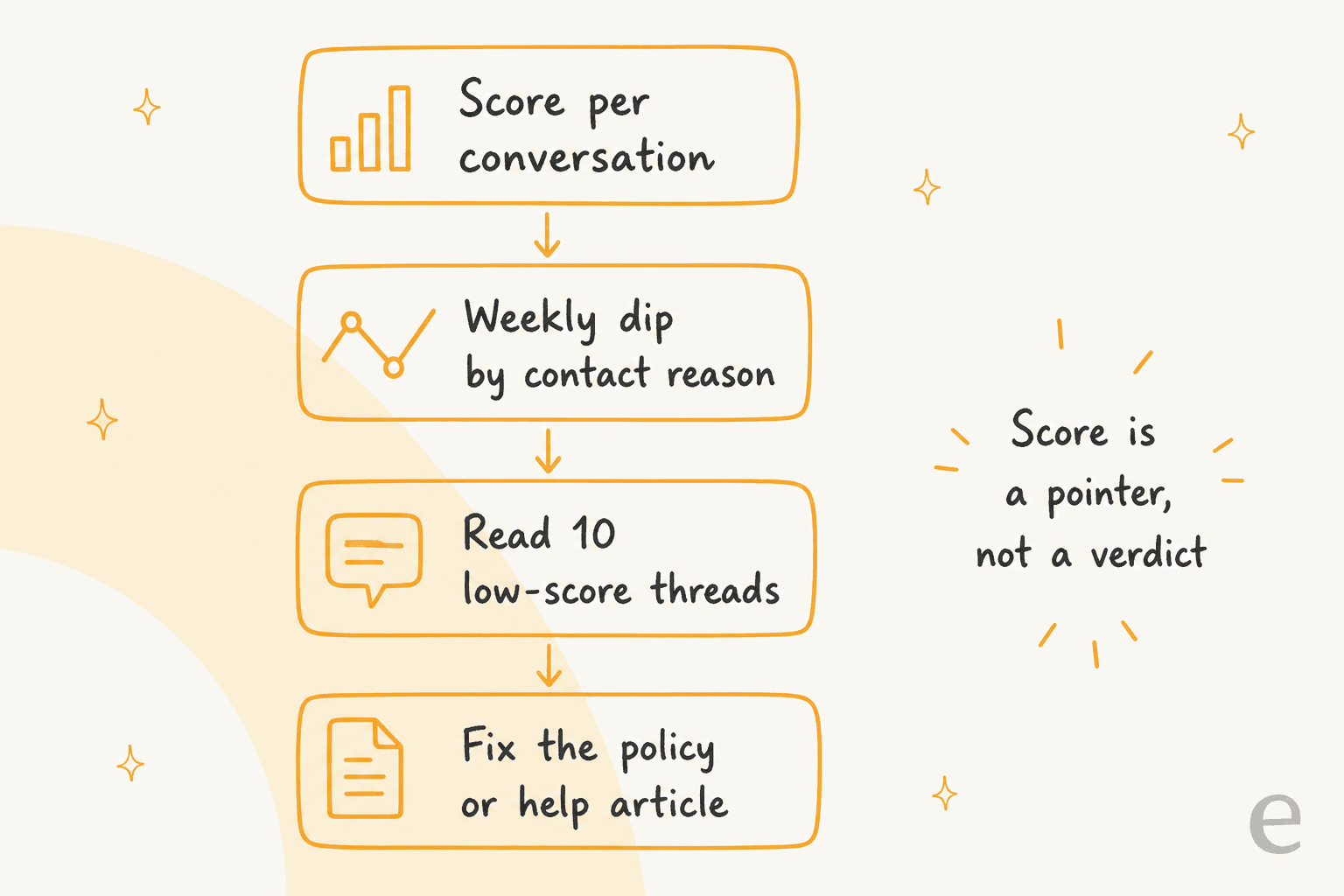
Treat it as a pointer. A routine I would run, in about 30 minutes a week:
- Open the weekly sentiment trend by contact reason. Look for the one reason that dipped.
- Read 10 low-score threads from that reason, and 5 high-score ones for contrast.
- Decide whether the cause is policy, a help center gap or a tone problem. Fix the first two at the source.
- If it is tone, check the same threads in Auto QA and coach with examples from my customer service tone guide and empathy in customer service.
- Keep a person on money, safety and complaints regardless of the score, using the steps in my ticket escalation process.
For the same check on a wider set of tools, my notes on reviewing AI conversations and handling angry customers with AI apply to any helpdesk.
How do other helpdesks handle sentiment?
Mostly as a field you can act on. Zendesk and Freshdesk document a trigger, Gorgias documents detection in its rules, and Freshdesk users can alert Slack when sentiment drops. Dixa's angle is different: sentiment is a reporting layer first, with automation described as the next step. If a live trigger is your main reason to buy, compare best Dixa alternatives, Reamaze vs Dixa and best AI for Dixa.
Where does eesel fit if you use Dixa?
I'll be direct: eesel has no Dixa connector, so it can't read or write tone inside Dixa. What it does well is the moment a score is meant to protect, a conversation that should reach a person. On Zendesk, Freshdesk, Gorgias, Front, Help Scout and HubSpot, the teammate answers from your knowledge base and macros, and when a customer is upset or the request is risky it stops and leaves a note.
Koffer.ch shows the careful version. On Freshdesk, eesel drafts every reply in German, French, English or Italian, and a person sends it. Damage claims get a draft asking for photos and order details, and the team decides. Cape Coffee Beans uses a different idea on Zendesk: each morning eesel sweeps the queue for tickets that slipped through and emails the founder a short list. Neither is sentiment scoring, and I won't pretend they are. Both are the handoff and prioritisation habits a sentiment score is supposed to support.
If you are testing before you switch tools, run the agent against past conversations, set permissions before it acts, and keep a human in the loop. The handoff best practices apply on any stack, and for an ecommerce store my Shopify AI agent guide shows where order data comes from. eesel starts at $299 a month for 500 credits.
What would I ask Dixa before buying?
Five questions, in this order:
- Show me the sentiment score on three real conversations. What is the scale?
- Is it set at close or updated live?
- Show me one automation built on it, end to end.
- Does Mim's escalation use the same score?
- Is the score included in the Advanced Insights add-on on Team and Professional, or is anything extra?
If the answers are vague, the score is a reporting aid, and that is still useful. Just don't promise your agents a live alert.