Support queue
A support queue is the ordered list of customer requests waiting to be picked up and worked by a support team.
What a support queue means
A support queue is the ordered list of customer requests waiting to be picked up and worked by a support team. Each request, usually a ticket, conversation, or chat, enters the queue when it arrives and leaves it when an agent or an automated system takes ownership and starts working it. The queue is essentially the team's to-do list, shared across everyone who handles incoming requests.
In customer support, the queue is where prioritization actually happens. It is rarely worked strictly in the order tickets arrive; instead, requests are sorted by urgency, channel, customer tier, or SLA deadline so the most time-sensitive ones surface first. How well a team manages its queue determines whether customers get fast, fair responses or wait behind less urgent tickets.
What makes a support queue different from a simple inbox
A queue is more than a pile of unread messages; it is a managed, prioritized workflow:
- It is ordered, not just collected. Tickets are ranked by rules (priority, due time, customer segment) so agents always know what to work next, rather than scrolling a flat inbox.
- It is shared and assignable. Multiple agents draw from the same queue, and ownership of each ticket is explicit, which prevents two people working the same request or a ticket falling through entirely.
- It is routable. Tickets can be split into specialized queues by topic, language, or skill so the right person sees the right work, often through skills-based routing.
- It is measurable. Queue depth, wait time, and age per ticket are tracked continuously, giving real-time visibility into whether the team is keeping pace.
- It enforces deadlines. SLA timers tied to each ticket push at-risk items up the queue automatically before they breach.
The ordering is the whole point, and you can see it most clearly by comparing arrival order against a prioritized queue:
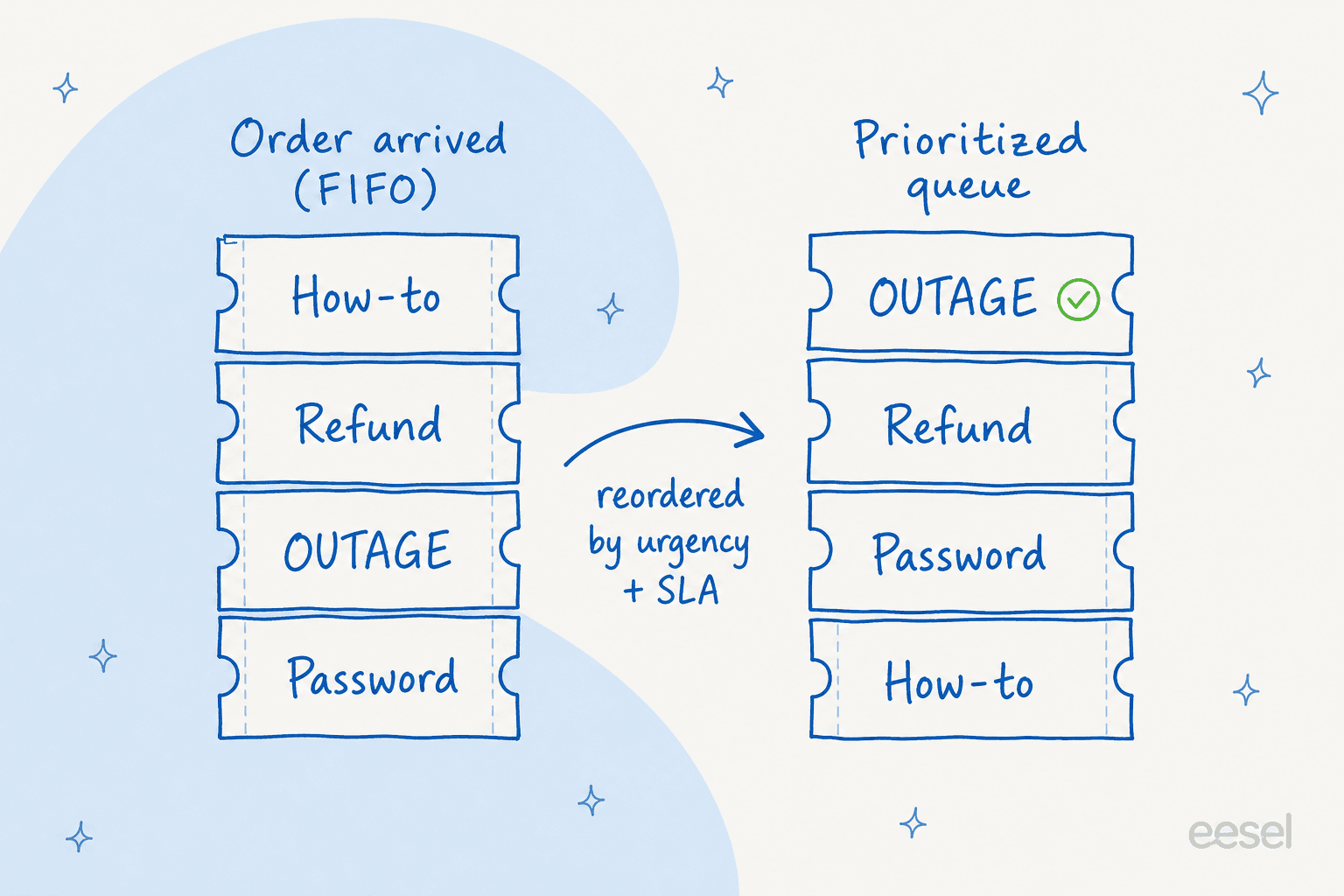
Worked strictly first-in-first-out, an outage can sit behind a how-to question that happened to land earlier. A prioritized queue reshuffles the same tickets by urgency, SLA deadline, and customer tier, so the request that hurts most gets worked first.
How a support queue works
A typical queue runs through a predictable cycle:
- Intake. A request arrives from any channel (email, chat, social, phone) and is created as a ticket on the queue.
- Triage. The ticket is categorized, tagged, and assigned a priority, so its place in the order is set.
- Routing. It is sent to the right queue or agent based on topic, skill, or workload.
- Work. An agent (or automation) takes ownership, resolves the request, or escalates it.
- Closure. The ticket is resolved and leaves the queue.
A support agent like eesel AI plugs into this cycle directly: it reads each ticket as it lands, answers the ones it can resolve from your help center and past tickets, and routes the rest to the right person with the context already attached. The repetitive tickets never reach the human queue at all, so agents spend their time on the requests that actually need judgment.
Support queue in practice
The healthiest queues are the ones where most agents rarely have to decide what to work next, because the ordering rules have already made that decision. When prioritization is left to each agent's discretion, the queue tends to be worked newest-first or easiest-first, and the truly urgent tickets age quietly. The teams that stay ahead invest in clear triage and routing rules up front, then let automation absorb the high-frequency, low-judgment tickets so the queue stays short enough for people to work it thoughtfully.
For a hands-on walkthrough, read our guide to ticket triage.
Take work off the support queue
eesel AI sits on your queue, resolves the tickets it can answer from your own knowledge, and routes the rest to the right person with context attached.