HubSpot help desk AI ticket prioritization: what it can and can't do

Riellvriany Indriawan

Katelin Teen
Last edited November 22, 2026

HubSpot's help desk has no AI setting that sets ticket priority. Its AI fills the Category property from a ticket's first message (Service Hub Enterprise, off by default), while Priority comes from a default value, a rep, or a workflow you build, usually with the Categorize record action and a Confidence filter. Priority is worth the trouble because SLA goals and the waitlist both read it. If you want it set from the whole conversation by rules written in plain words, an AI agent for HubSpot like eesel can change a ticket's priority directly.
With the eesel CLI, an AI coding agent can upload approved knowledge such as your escalation policy, then ask test tickets and check the answers before anything goes live. Connecting HubSpot still needs an admin to approve it.
Does HubSpot's help desk prioritize tickets with AI?
Not as far as I could find, and I looked in the places it would be documented. HubSpot's default ticket properties article defines Priority only as "the level of attention needed on the ticket". The AI behaviour on that page belongs to a different field: Category is "automatically set using AI by analyzing the first message of the ticket", and the article says a Service Hub Enterprise subscription is required for it.
I answer eesel's own support queue, so I read these docs the way a rep does: which field does the work, and who fills it in. Priority is the field that decides which ticket gets touched first, and in HubSpot it is the one AI leaves to you. My sibling post on HubSpot help desk AI ticket tagging covers Category and Topics in detail. This one is about what happens to priority.
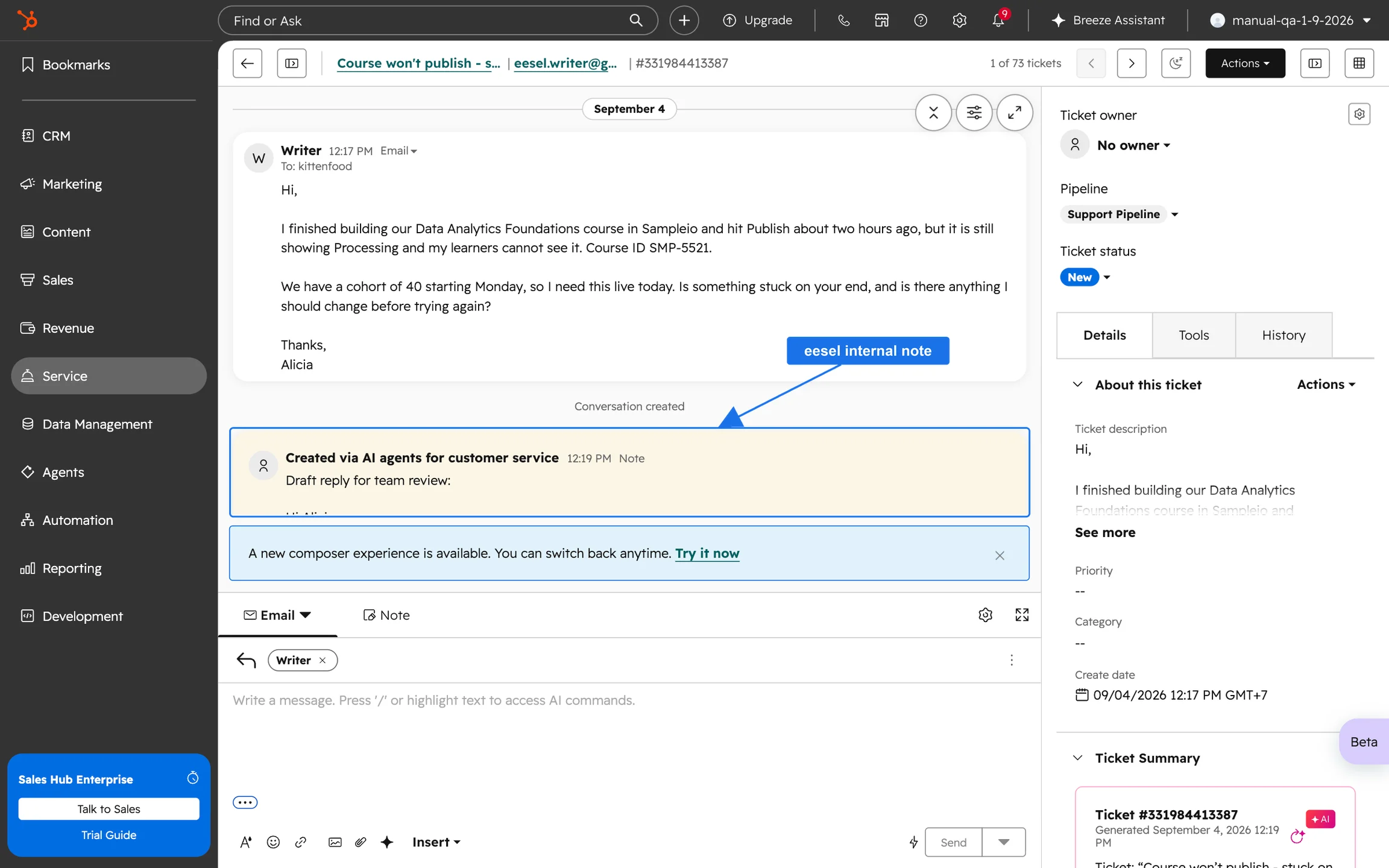
One more place deserves a mention. HubSpot's create and respond to tickets article says that when you create a ticket by sending an outgoing email, ticket properties such as pipeline, status and owner are generated, and that AI uses the message content to generate ticket details if the generative AI setting is on. The article doesn't mention priority in that list, so I wouldn't count on it.
Why does priority matter more than the other labels?
Because two HubSpot features act on it without a person in the loop.
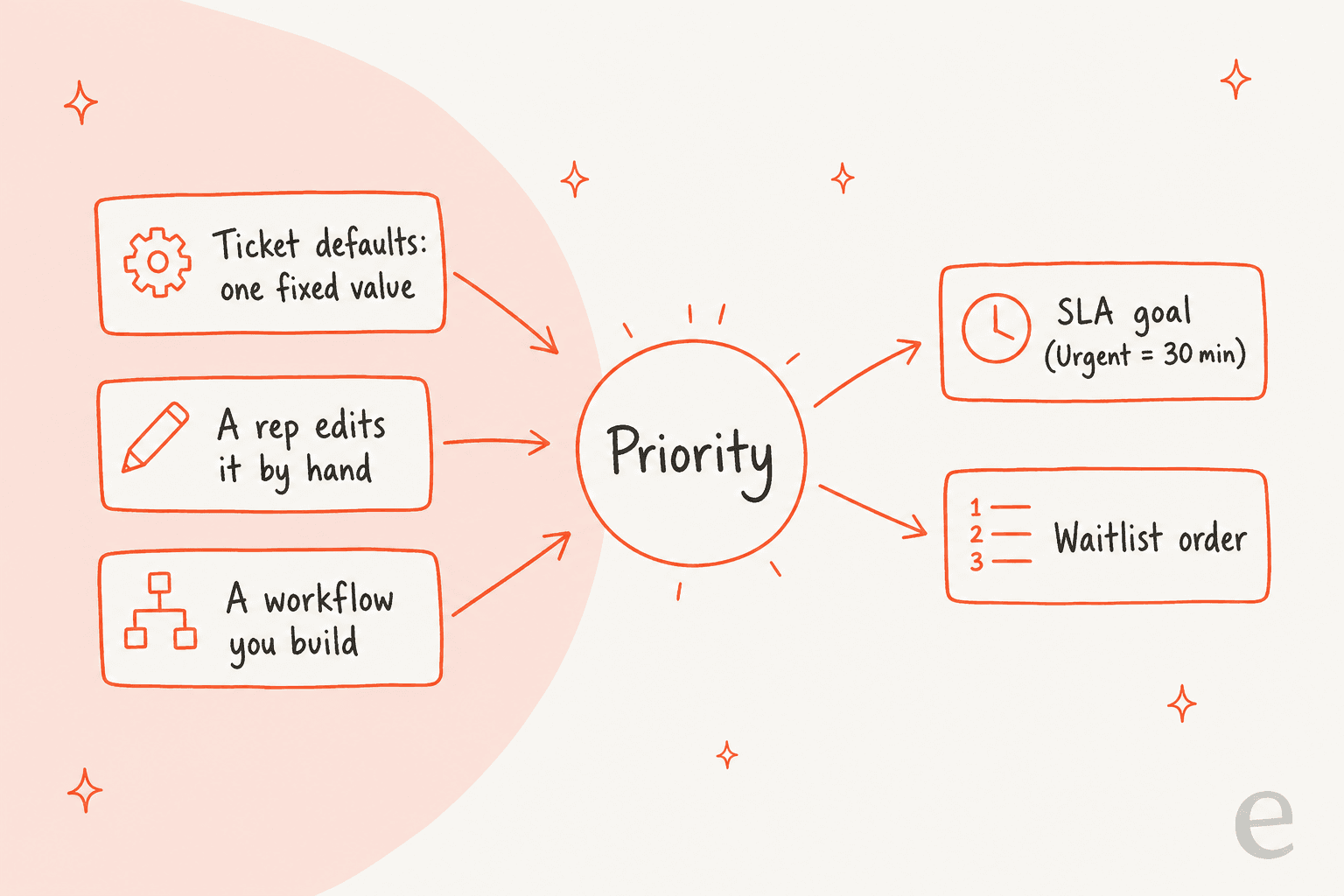
- SLA goals. HubSpot's SLA goals article lists "Priority is Urgent" as the example for a specific goal, such as a 30-minute response requirement for emergency cases. SLA goals are available on Service Hub Professional and Enterprise, and a Super Admin sets them. See HubSpot help desk SLA goals for the setup.
- The waitlist. When every eligible agent is at capacity, HubSpot's waitlist article says tickets queue in a Waitlist view ordered by priority, then go to the next available agent. Its feature list says "first by SLA, then by wait time", so an overdue SLA matters alongside the label.
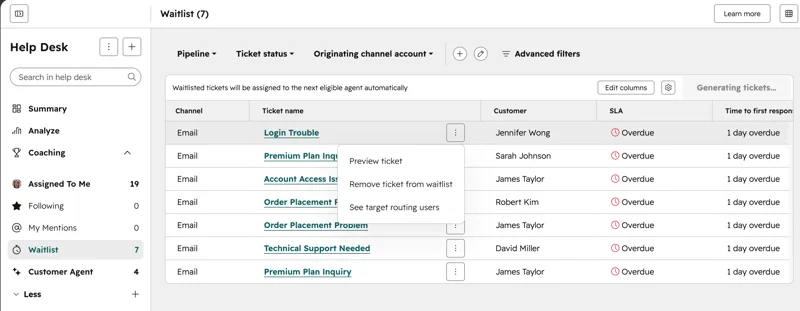
The consequence is easy to miss. If priority is wrong or blank, the SLA clock runs on the wrong goal and the waitlist orders tickets on the wrong signal, and nobody sees an error. That is why I treat priority as a field worth building a process around rather than something to leave on the default.
How do teams set HubSpot ticket priority today?
Four routes, in rising order of judgment. The first three are in HubSpot's own docs.
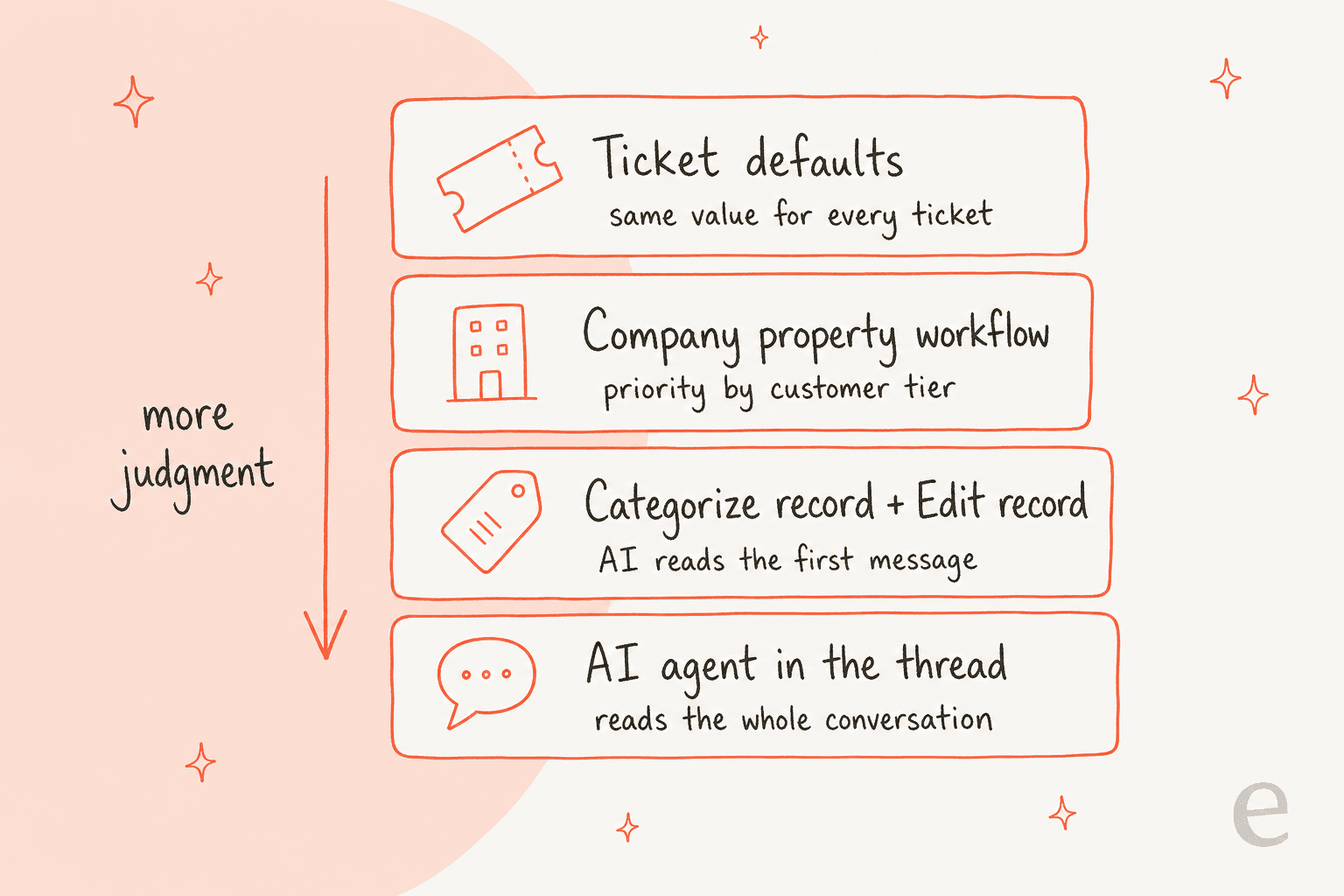
| Route | How it works | Plan in HubSpot's docs | What it reads |
|---|---|---|---|
| Ticket defaults | Help desk settings, Ticket defaults: pick a priority, applied to all new tickets unless a channel overrides it | Help desk settings | Nothing. Same value every time |
| Company property workflow | A workflow sets priority from a custom property, such as a support tier | Workflows | A property you maintain |
| Categorize record + Edit record | Beta action classifies the record, Confidence filters it, Edit record writes the result | Service Hub Professional, credits required | The record's text you pass in |
| AI agent in the thread | An agent reads the whole conversation and changes priority by your rules | Depends on the product | The full thread and the ticket |
Does the default priority setting help?
A little. HubSpot's help desk has a Ticket defaults section where you choose a pipeline, a status and a priority, and the defaults apply to every new ticket unless a channel's settings override them. That is useful for one thing: a channel that is always urgent, like a phone line. It cannot tell a billing dispute from a how-to question.
Can a workflow set priority from the customer?
Yes, and it is the pattern HubSpot Community points people to. When a member asked how to set priority by subscription package, a HubSpot partner answered:
"You'll need to store something in a company property that denotes their level of support/subscription. Then on the automation for new tickets, you could set the priority based off the new custom property."
It works well for "enterprise customers always get High". It does not read what the customer wrote, and it needs someone to keep the tier property current. Time-based rules are harder. One member trying to raise priority as a conversation aged hit the same wall:
"The problem is re-enrollment. How to make the workflow enroll when the conversation is of certain 'age'."
How do I use AI to set priority in a workflow?
With two documented building blocks, both needing HubSpot Credits.
Categorize record is a beta action. HubSpot's Categorize record article says you define categories by name and an optional description, and that you can use its Category output with an Edit record action "to update a ticket record's urgency". It also returns a Confidence output, and HubSpot recommends adding it as an extra AND filter, for example updating a record only when it is at least 0.85. The action is listed for Service Hub Professional.
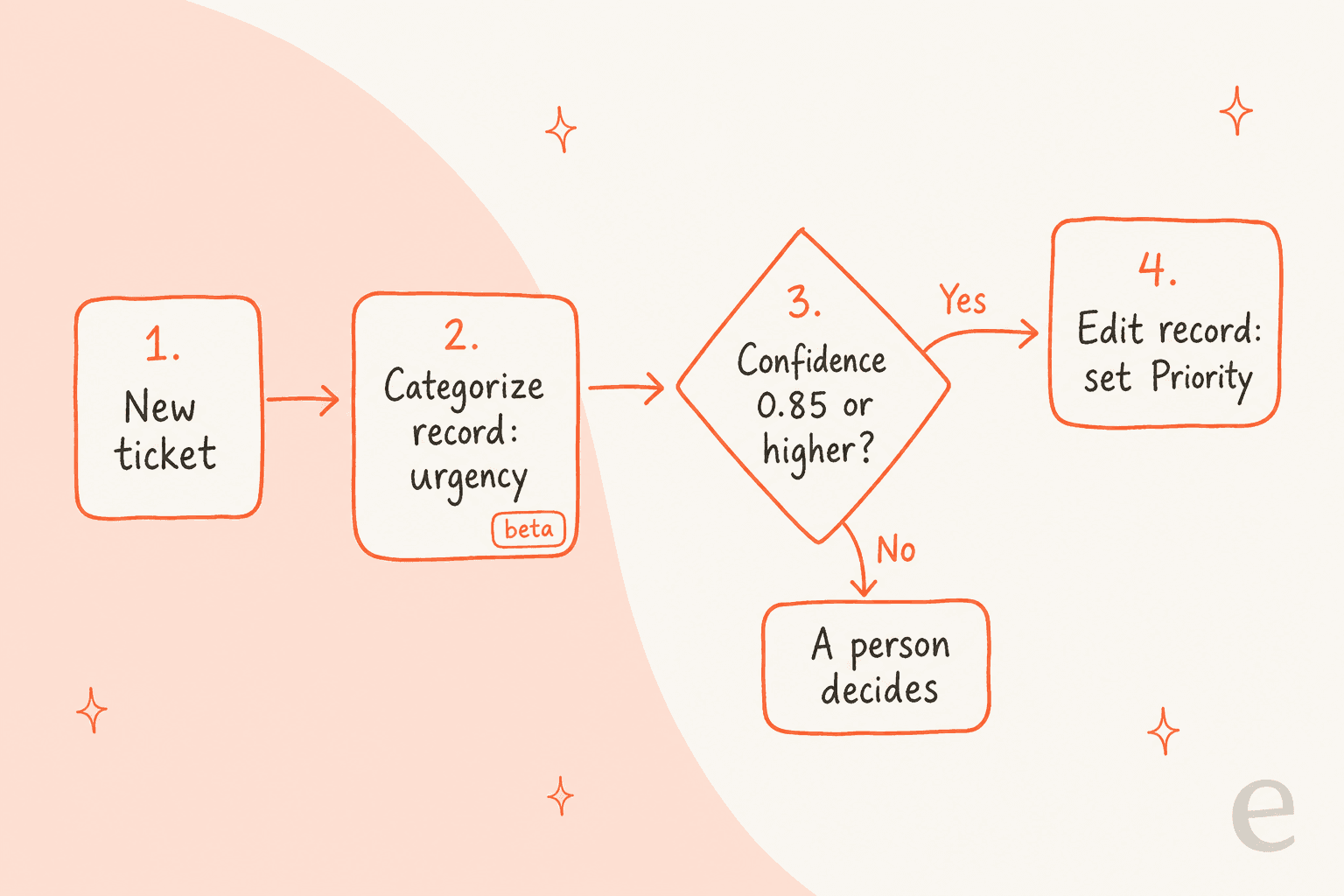
Data Agent: Custom prompt is the open-ended one. HubSpot's AI actions article says prompts are limited to 3,000 characters, the model sees only the data you put in the prompt (not the record's other properties or recent emails), and you can define an enumeration output so the answer is one of your values. If the account lacks credits, the action fails and populates null values, which is the failure I would test for first. My HubSpot Data Agent guide and prompted actions guide go further.
Two tips if you build this. Write each category as a short brief ("customer says they cannot log in and has a deadline today") rather than a label ("Urgent"), because the action matches on name and description. And route low-confidence tickets to a person, not to a default priority, since a wrong value that looks confident is harder to catch than a blank one.
What about an AI agent that reads the thread?
That is the fourth route. A workflow action classifies the text you hand it. An agent that lives in the ticket reads the conversation, the customer's record and your rules each time a message arrives. I cover it below, after the costs.
How much does HubSpot ticket prioritization cost?
HubSpot lists no separate price for any of this, so the cost is the plan that unlocks each piece. On the Service Hub pricing page, Professional is $90 per seat per month on annual billing ($100 pay monthly) with a one-time $1,500 onboarding fee, and Enterprise is $150 per seat per month with a $3,500 onboarding fee. The page lists 3,000 HubSpot Credits with Professional and 5,000 with Enterprise.
| 10-seat team | Monthly seats | One-time onboarding | Unlocks for priority |
|---|---|---|---|
| Professional | $900 (annual rate) | $1,500 | SLA goals, waitlist, Categorize record, Data Agent actions |
| Enterprise | $1,500 | $3,500 | Everything above, plus the AI Category property |
Credits are the part to budget separately. Both AI workflow actions say credits are required, and each ticket you classify spends some. HubSpot pricing and Service Hub AI's value walk through the rest of the bill.
Where does HubSpot's approach fall short for priority?
- Nothing is AI-set out of the box. Category is, and Priority isn't, so someone builds and maintains the workflow.
- Workflow actions read only what you pass in. The Data Agent sees the data in your prompt and nothing else, so a ticket's history and the customer's record have to be added by hand.
- Beta and credits. The best documented route is a beta action that spends credits, and a blank value on a credit shortfall can look like "no priority needed".
- One-shot, not ongoing. A workflow runs when its trigger fires. Category reads the first message only, so a ticket that turns into a cancellation in message three keeps its early label. HubSpot's own Category description says the AI learns when a user changes the value, but it does not say how quickly.
- No accuracy view that I found. Nothing in the articles shows how often an AI-set value was changed by a rep, so you would count corrections yourself.
None of this makes HubSpot a bad help desk. Its SLA and waitlist features are solid, they simply expect a priority value to arrive. The ticket automation review looks at the same gaps from the buyer's side.
Where does eesel fit?
eesel is an AI helpdesk teammate that works inside HubSpot Service Hub, one of the options in best AI for HubSpot. Each time a customer writes, it reads the conversation (up to the newest 100 messages) and the ticket's priority, category, owner and stage, as its HubSpot docs describe. It has a Change ticket priority action, so it can set the field that HubSpot's AI leaves empty.
The difference from a classifier is that the rule is yours, in plain words: "If the customer mentions cancelling, a chargeback or a lawyer, set priority to high and leave a note for the support lead. If it is a how-to the help center answers, leave it low and answer fast." That is auto-triage written the way you would brief a new hire, and it reads the whole thread each time, so a ticket that changes direction gets re-judged. The AI ticket prioritization guide, the classification guide and intent classification explain the approach.
You control how far it goes. Every HubSpot action can be set to On, Ask first or Off, so you can start with it leaving an internal note that says what priority it would set and why, compare that with your reps' choices for a week, and only then let it change the field. That mirrors how HubSpot suggests testing its own customer agent with batch testing.
MentorShow works entirely in HubSpot Service Hub and told us it gets 5,000 to 13,000 tickets a month. Between 8 August and 8 September 2026, eesel read about 1,200 of its HubSpot conversations and tickets and wrote 432 reply drafts, each with an analysis for the team. Its instructions skip nine kinds of ticket on purpose, such as PayPal notices and out-of-office replies, and flag refunds, billing checks and legal threats for a person straight away. I want to be exact here: MentorShow uses eesel for analysis and drafts, and its escalation rules decide which tickets need a human first. It isn't a story about eesel writing the Priority field, so I wouldn't read it as one.
On cost, eesel's pricing page starts at $299 a month for 500 credits, where one ticket is one credit however much the agent does inside it, including updating another tool.
Try eesel next to your HubSpot help desk
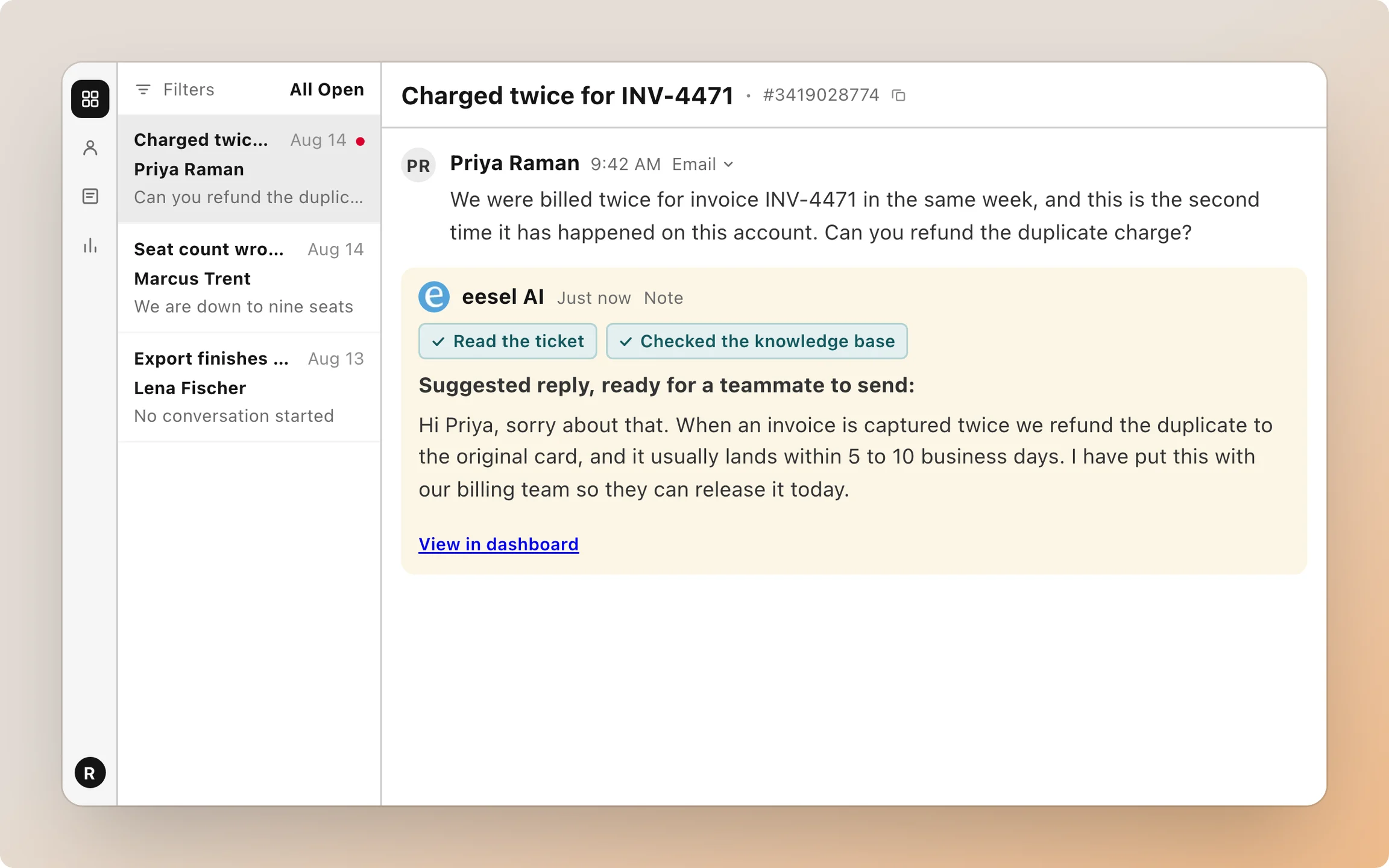
Keep HubSpot's SLA goals and waitlist, since they do the hard work of acting on priority. If priority is the label you cannot trust today, give the decision to something that reads the whole thread: eesel can set it in HubSpot by rules you write in plain words, starting with internal notes you can check. See also AI agent observability for how to audit it, and HubSpot help desk skill matching for sending the prioritized ticket to the right person.
Try eesel on a copy of your priority rules and see which tickets it would have ranked differently from your reps.