HubSpot help desk AI draft replies: what reply recommendations do, what they need, and where they stop

Rama Adi

Katelin Teen
Last edited November 21, 2026

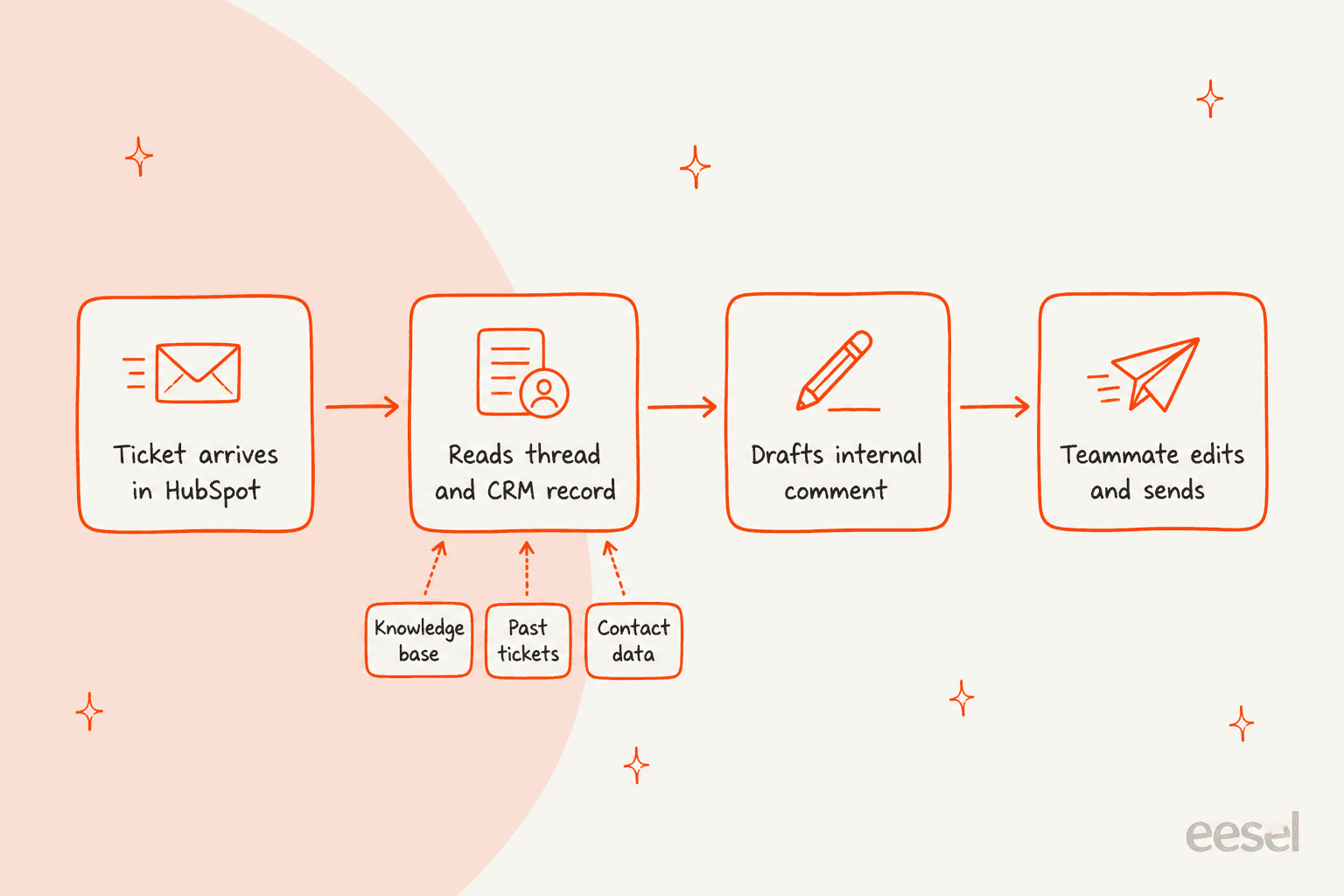
Yes. HubSpot's help desk drafts replies through reply recommendations, which need Service Hub Professional or Enterprise and an assigned Service seat. They are off by default, use no HubSpot Credits, and draw on the knowledge base articles, pages, files, and URLs you sync with the customer agent, not on past tickets. A draft appears only when a seat holder first opens a ticket where the customer asked an answerable question. eesel drafts from the thread, the contact's record, and closed tickets instead, as an internal note.
I build integrations at eesel, so I read how HubSpot's drafting works before I judge anything about it. With the eesel CLI, an AI coding agent can run the HubSpot connection steps and check a sample reply before drafts reach your team, though a person with HubSpot's App Marketplace Access permission still approves the connection in the browser.
What does HubSpot call its AI draft replies?
Reply recommendations. HubSpot's reply recommendations article, updated 19 November 2026, says the customer agent analyzes the conversation and your synced content, then generates a suggested response in the ticket thread. Reps can send it as-is, edit it, or dismiss it. A person stays responsible for what the customer reads.
I also read HubSpot's customer agent overview and its content sources article, plus the pricing page. I haven't run this in a live portal. What follows is what HubSpot documents, and I say where the docs go quiet. If you're new to the workspace itself, my HubSpot customer service software overview and the channel connections post cover how tickets get there.
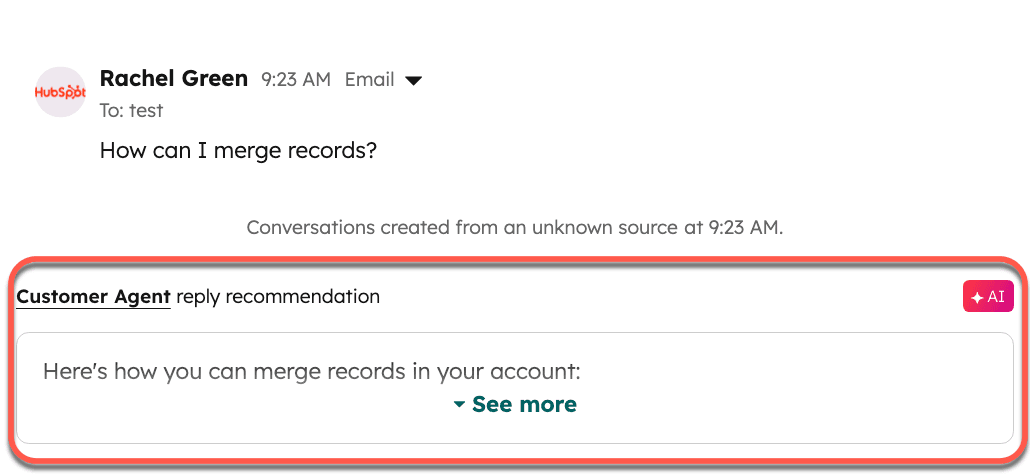
One naming detail matters for admins. HubSpot says reply recommendations moved into customer agent settings and left help desk settings on 10 March 2026. If you had them on and no customer agent, HubSpot created an agent called Reply Recommendations from your existing sources. It isn't deployed to live channels, and you can edit its name, personality, and content sources.
When does HubSpot actually show a draft?
Less often than you'd expect, because four conditions all have to hold. HubSpot's article says reply recommendations are generated only when:
- The ticket is assigned to a user with a Service seat who is viewing it for the first time.
- The customer agent has not already handed the conversation off.
- The customer's request is phrased as a question, such as How can I upgrade my account?
- The question can be answered from the conversation history or your selected content sources.
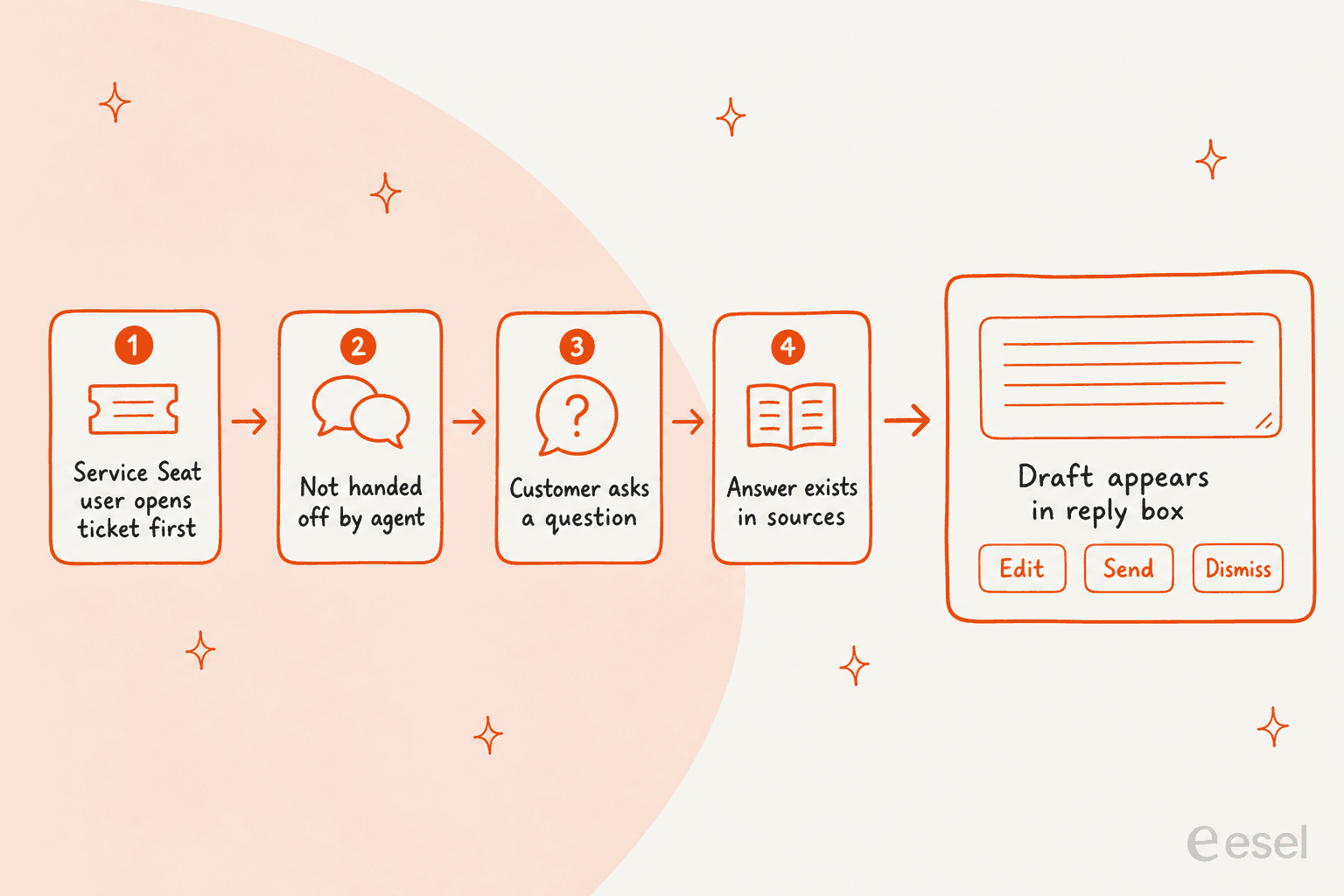
Two of these catch teams out. A statement such as "My invoice is wrong" isn't phrased as a question, and the docs list the question condition without saying how loosely HubSpot reads it, so I'd test a few real tickets before judging coverage. And if reply recommendations are on but you haven't synced anything, you only get recommended replies for greetings.
The first-view rule also means the draft is a one-time offer at the moment a seat holder opens the ticket. The docs add that dismissing a suggestion can lead to another being generated, but they don't say whether a draft is refreshed when the customer writes again. If your team routes by skill or capacity, the skill matching and capacity limits posts show who ends up being the first viewer.
What do the drafts learn from?
The content sources you sync with the customer agent, and nothing else the docs name. HubSpot lists knowledge base articles, website pages, landing pages, blogs, uploaded files, and public URLs you import. The content sources article also describes short answers, where you write a question and answer pair yourself.
- File types:
.docx,.pdf,.csv,.json,.md,.txt,.html, and several others, per the article's supported list. - Public URLs: with Import related URLs on, HubSpot crawls up to
5,000URLs in the domain, and you can include or exclude paths such as/support/. - Freshness: the agent re-syncs automatically when you edit a synced knowledge base article. Other sources re-sync weekly.
- Private content: private sources aren't cited, but their content can still appear in responses.
That last point is worth a pause. HubSpot's own note says content you add can be used to draft responses, so don't sync anything confidential. The same article's best practices say to use FAQs and knowledge base articles with clear headers and the phrases customers actually search. Weak sources give weak drafts, which is why I'd run a knowledge base audit before switching it on.
The docs don't list past tickets or contact properties as drafting inputs. That isn't proof they're unused, since the agent reads "conversation context", but I wouldn't plan around it. If you want the draft to use what your team already wrote in closed tickets, that's the gap I come back to below.
How do you turn reply recommendations on?
Three steps, and the toggle applies to everyone in the account. From HubSpot's article:
- Go to Service > Customer Agent, then Deploy > Reply recommendations, and switch on Enable reply recommendations.
- Go to Train > Knowledge, click Add content, and sync your sources.
- Open a ticket in Service > Help Desk. If the customer's question matches your sources, the recommendation shows in the thread.
Before that, check the prerequisites: Generative AI and Customer Conversation Data must be on in your AI settings, and managing the feature takes the Customer agent editor permission. HubSpot also says AI assistants give text guidance based on the language set in your account settings, so a multilingual team should test its second language early.
On a draft you can click See more, Edit, or Dismiss, and Sources to view or copy the source. Sources only show if the Show citations switch is on, and citations switch off automatically for private content.
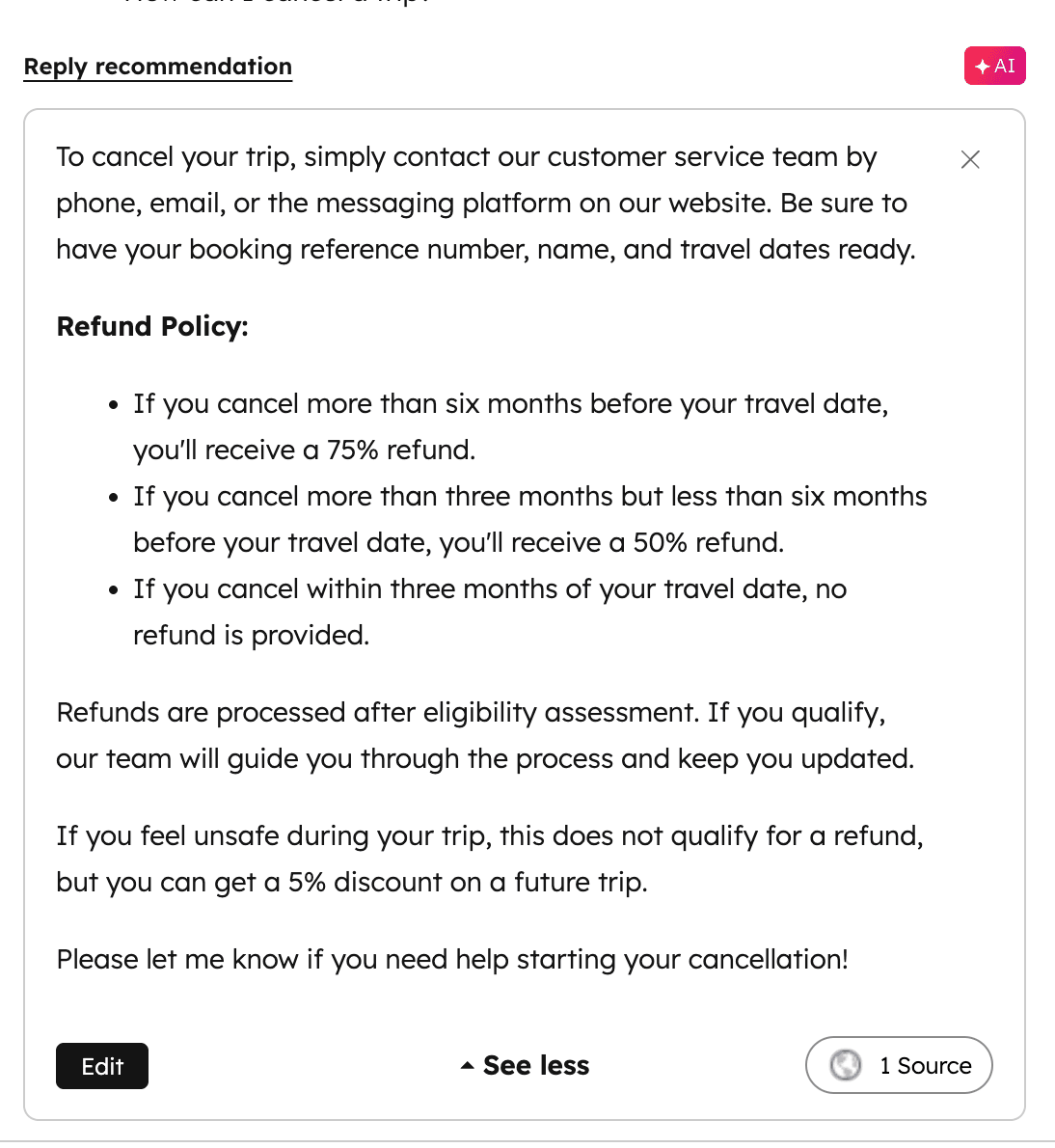
That source button is the feature I like most. A rep who can see which article produced a line can check it in seconds, which matters more than how polished the sentence reads. It's also the habit I'd teach first: open Sources before you press send.
Which plan, seat, and credits does it need?
Service Hub Professional or Enterprise, a Service seat, and no credits. The pricing is easy to misread, so here it is in one place, from the Service pricing page and the docs:
| What | What HubSpot says |
|---|---|
| Plan for reply recommendations | Service Hub Professional or Enterprise |
| Seat | An assigned Service seat |
| Permission to manage | Customer agent editor |
| Credits for reply recommendations | None consumed |
| Professional price | $90 per seat per month on annual billing, $100 pay monthly, plus required $1,500 onboarding |
| Enterprise price | $150 per seat per month, plus required $3,500 onboarding |
| Included credits | 3,000 on Professional, 5,000 on Enterprise |
| Deployed customer agent | 50 credits per resolved conversation, with 14 days of free access on first setup |
The 50 credits per resolution come from HubSpot's product and services catalog, as scraped on 5 October 2026, and the customer agent article confirms credits are charged per resolution. If you want the full credit arithmetic, my HubSpot pricing and HubSpot AI agent pricing posts do it by volume.
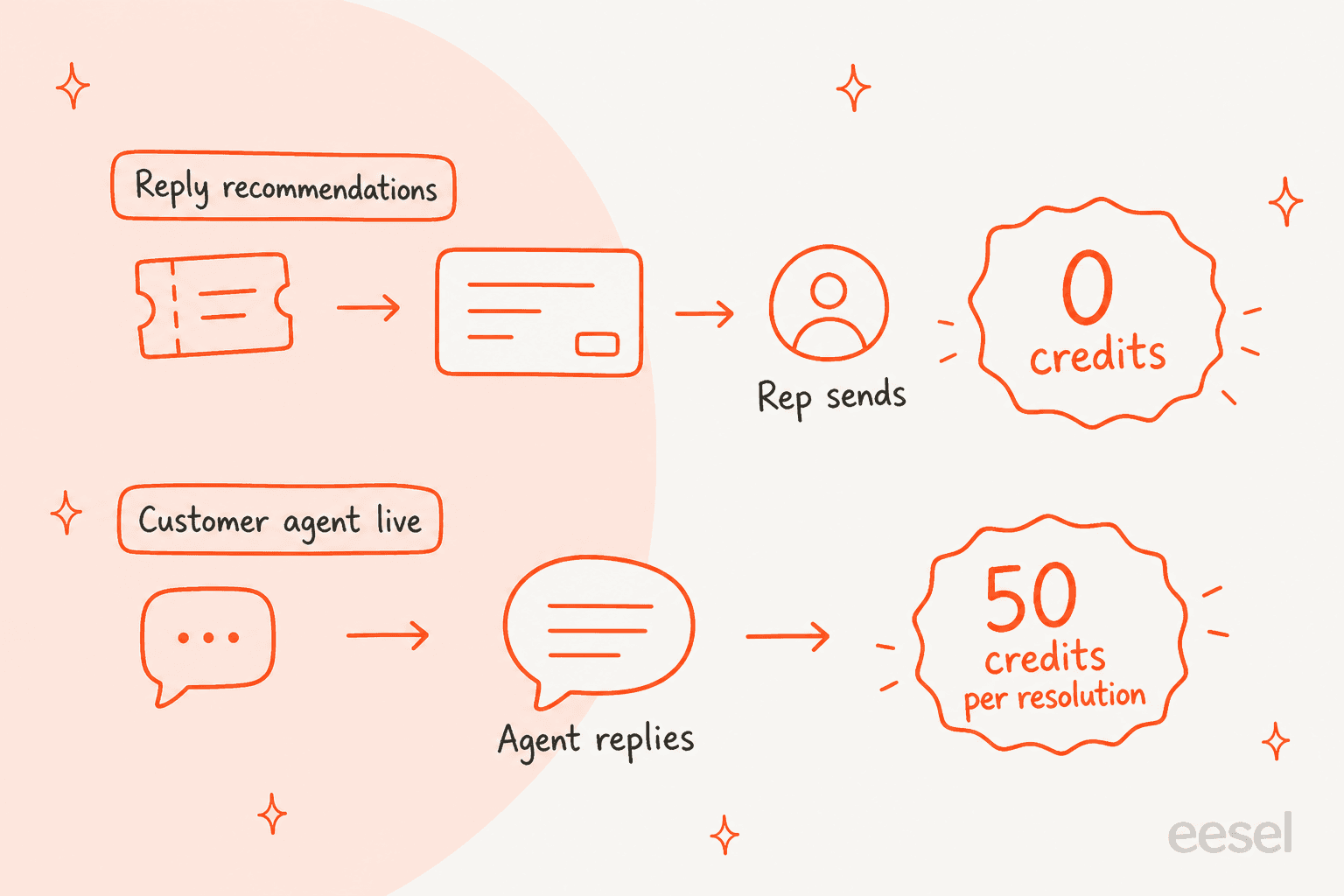
The practical read: drafting is the cheapest way to try HubSpot's AI on real tickets, because the meter only starts when the agent answers customers itself. The cost you can't skip is the seat, and the onboarding fee if you're not already on Professional. For a view of the seat side, my HubSpot review puts the plans in context.
Which HubSpot AI mode fits your team?
The widget below sorts the three jobs people mix up. Pick the one you want.
What do you want the AI to do?
Where do HubSpot's AI draft replies stop?
The docs draw the edges clearly, and a few are worth planning around. Here's what I'd flag from reading them:
- One offer per first view. The draft is tied to a seat holder opening the ticket for the first time.
- Questions only. A complaint or a statement can leave the reply box empty.
- Content you sync, not history. Past tickets and contact fields aren't named as inputs.
- No draft after a handoff. If the customer agent handed the conversation off, reply recommendations aren't generated.
- Help desk only. The article describes the help desk ticket thread. It doesn't say whether the same draft appears in the conversations inbox, so I'd test that.
- Tone controls are unclear. The docs say you can edit the agent's personality, but don't say how it shapes a draft.
None of these is a flaw so much as a scope. HubSpot built a careful, source-backed suggestion for repetitive questions, and it says so. The question is whether your tickets are that kind of ticket. If your queue is full of order-specific or account-specific questions, the answer lives in a record, not an article, and an article-only draft will keep coming back generic.
If you're weighing this against other helpdesks, I've written the same breakdown for Help Scout, Freshchat, and Re:amaze. The gates differ more than the buttons do.
How does eesel draft replies in HubSpot?
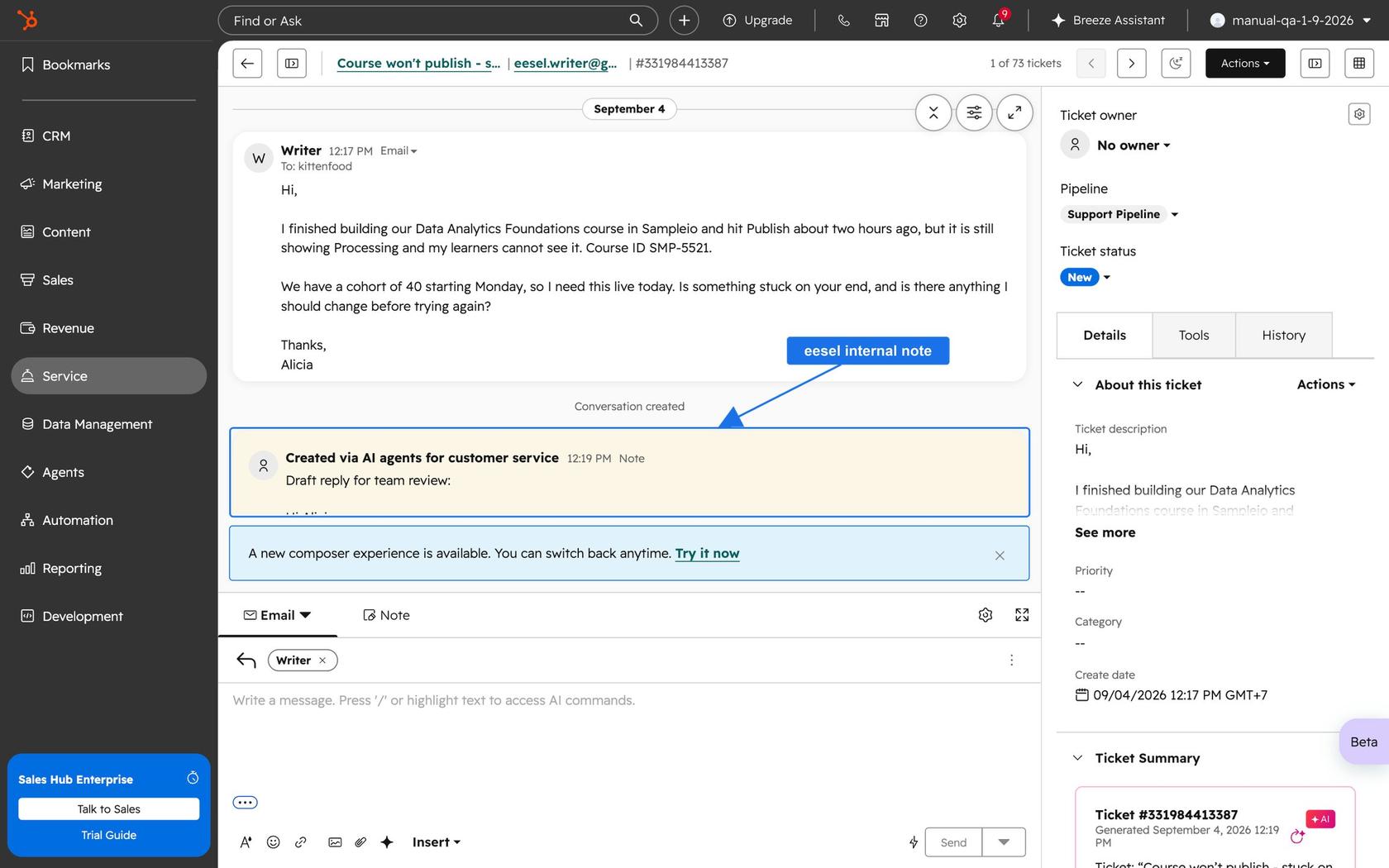
eesel works the ticket the way a new teammate would, reading the thread and the record behind it. From the eesel HubSpot docs, it starts with the ticket's fields and every conversation on it, up to the newest 100 messages each. It then reads contacts, companies, and deals when it needs them, and drafts as an internal comment on the ticket for a person to review.
Here's what that looks like on a real HubSpot ticket from eesel's docs: a customer email, with the draft reply sitting underneath as a note only the team sees.
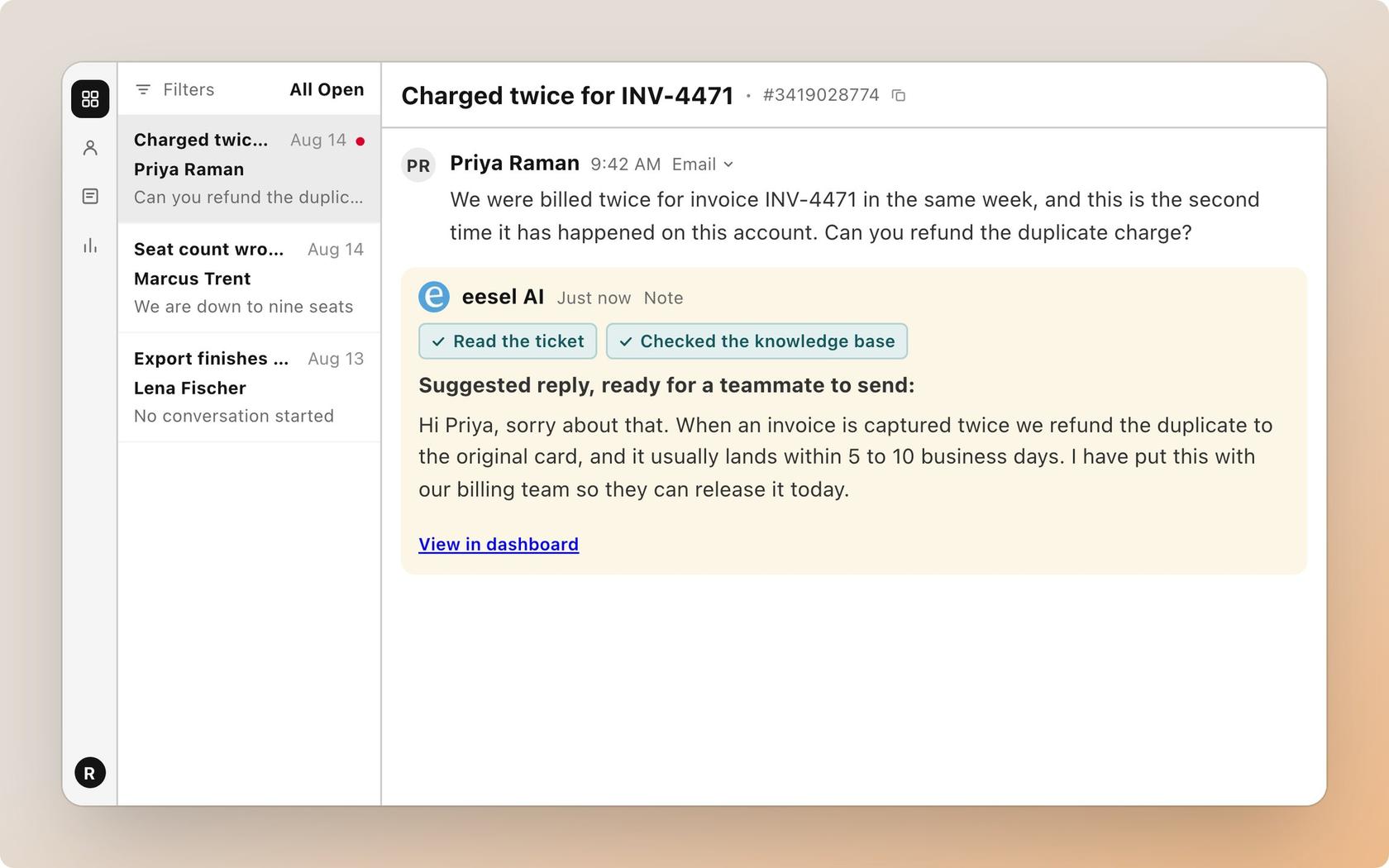
The sources are different from HubSpot's, and so are the limits:
- Sources: your public knowledge base, tickets closed in the last
30days, and contacts, companies and deals once you switch them on per agent. - Triggers: a customer message, a new ticket, or a teammate typing @eesel in an inbox comment.
- Actions: add an internal comment, reply to the customer, update the ticket, or change its priority. The docs suggest starting with the comment, where the agent drafts and a human sends.
- Limits: private knowledge base articles are skipped, message templates aren't synced, and the agent can't open attachments on a ticket.
The honest tradeoff is the bill. HubSpot's drafting costs no credits but needs Professional seats. eesel is a separate plan. Its pricing is fixed credit sizes, from $299 a month for 500 credits, where a ticket or chat is 1 credit however long it runs, and a free plan gives 100 credits for 7 days. Replies go out under a HubSpot user's name, usually whoever is assigned to the conversation.
I also want to be straight about how drafts get used. In one real-traffic trial on an e-commerce inbox, agents sent 12% of eesel's drafts unchanged and rewrote most of the rest for length and tone. About 65% of those rewrites were fixable by training on the team's own sent replies, which is why I weigh closed tickets so heavily. Expect to edit, and expect the edit rate to fall as the agent sees how your team writes.
What does a month of HubSpot drafts look like?
MentorShow, a French online learning platform, runs its whole support team inside HubSpot and told eesel it gets between 5,000 and 13,000 tickets a month. Between 8 August and 8 September 2026, eesel read about 1,200 of its HubSpot inbox conversations and tickets and wrote 432 reply drafts, in French, English, or Spanish, matching the member's language.
What I find useful there is what the agent was told to skip. Nine kinds of ticket are left alone on purpose, from PayPal notices and out-of-office replies to survey responses and Trustpilot reviews. Refunds, billing checks and account changes go straight to a person. The agent checks the member's subscription status and renewal date in the HubSpot record before it writes, so a login problem from someone with no active subscription isn't treated as a login problem.
That's the case for a draft that can read the record. A policy article can't tell you the member's renewal date. If your tickets turn on account state, my AI support agent permissions post covers what the agent should be allowed to touch, and AI support agent observability covers how to see what it did.
Which should you choose?
If you're already on Professional or Enterprise, switch on reply recommendations first. It costs no credits, takes three steps, and shows within a week whether your knowledge base is strong enough. Open the Sources link on every draft you review, and note how many get sent as-is.
Add something that reads tickets and records if the drafts feel generic, if answers depend on the customer's account, or if your best material is in closed tickets rather than articles. I'd test that before turning anything on: eesel can run against your past HubSpot tickets first, so you see where it's strong and where your docs have gaps. My batch testing and channel handoffs posts cover that for HubSpot's own agent, and HubSpot AI agents compared lays out the options.
The usual path I see teams take is drafts first, then automation on a few narrow topics. Treat the draft stage as measurement, not a delay. For queue hygiene while you do, the custom views, SLA goals, and send-from permissions posts cover the settings around it.
Want drafts that read your tickets and CRM record?
Try eesel on your HubSpot help desk. It reads each ticket with the contact's record and your closed tickets, then leaves a draft as an internal note, so your reps keep sending every reply. MentorShow runs it this way across French, English, and Spanish. You can connect HubSpot and see real drafts on the free plan before you pay.
If you're comparing options before you commit, my HubSpot alternatives and Breeze customer agent alternatives roundups sit next to this one, and adding AI to HubSpot walks through the steps.
Sources: HubSpot Knowledge Base (reply recommendations, customer agent, content sources), HubSpot Service pricing page, HubSpot product and services catalog, eesel HubSpot integration docs and pricing page, and eesel's customer story for MentorShow. Read and checked 21 November 2026.
Frequently Asked Questions
Does HubSpot help desk have AI draft replies?
How much does HubSpot help desk AI reply drafting cost?
$90 per seat per month on annual billing ($100 pay monthly) plus a required $1,500 onboarding fee, and Enterprise lists $150 with a $3,500 fee. My HubSpot pricing breakdown goes through the credit side.