The 8 best HubSpot alternatives for AI support in 2026

Kurnia Kharisma

Katelin Teen
Last edited October 14, 2026

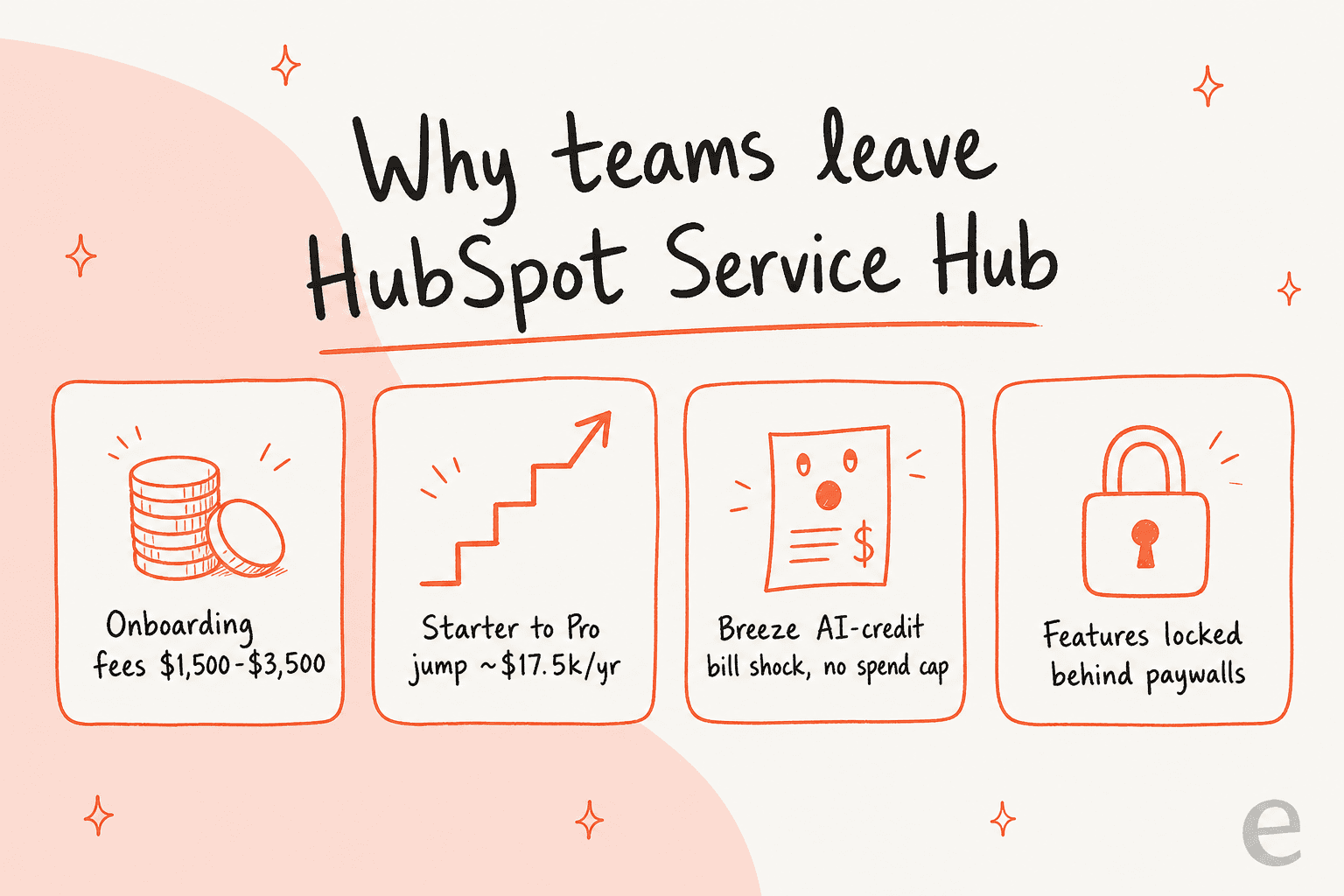
If you are shopping for a HubSpot alternative, you are almost always shopping for one of two things: a cheaper all-in-one helpdesk, or better AI without HubSpot's credit-metered bill. This guide covers both. HubSpot Service Hub is a genuinely good platform once you are inside its ecosystem, but the Starter-to-Professional jump has been quoted at $17,500 a year, Professional and Enterprise add $1,500 and $3,500 onboarding fees, and Breeze runs on AI credits that users repeatedly describe as "bill shock".
My short verdict after living in these tools: pick Zendesk or Freshdesk if you want a full replacement, Zoho Desk if price is the deciding factor, and Gorgias if you run Shopify. If the actual problem is the AI (not the helpdesk), you do not have to migrate at all. eesel layers an AI agent on top of the helpdesk you already have, HubSpot included, and bills per ticket instead of per seat plus credits.
The rest of this post breaks down all eight, with real pricing, the AI billing unit for each (they are not the same), and who each one is actually for.
Here is the banner version of the argument, the four things that push teams off Service Hub in the first place:
Why teams leave HubSpot Service Hub
I have spent the last couple of years watching what people type into search when they are unhappy with a tool, and "HubSpot alternatives" has a very specific shape to it. It is not people who hate the product. It is people who like the product and cannot make the numbers work anymore. That matters, because it tells you what a good alternative actually needs to fix.
At eesel we have run AI on live support queues for over three years, across thousands of real tickets and customer rollouts, so I read these threads through the lens of someone who has had to make an AI agent behave in production, not just demo well. And the pattern in the HubSpot complaints is remarkably consistent.
The first pain is raw cost, and it compounds as you grow:
"We've been with Hubspot for 10+ years and not sure if we can afford it anymore... And the more contacts we add, the more expensive it gets which is really counter intuitive since that is literally what we are both trying to do."

The second is the AI-credit model specifically. HubSpot moved Breeze Customer Agent to outcome-based billing in April 2026, which sounds fair until the credits start moving faster than you expected:
"Meanwhile, the system churns through credits and you cannot set a maximum number of credits below your recent utilization... they starting charging for those credits and asking for thousands of dollars a month. And it's for even AI features that we don't use in the first place. I find this very deceptive and unethical."
None of this means HubSpot is a bad product. Breeze's in-inbox ticket summaries and its knowledge-base feedback loop get real praise from Pro users, and if your whole company already lives in HubSpot's CRM, staying put is a defensible call. The question this post answers is narrower: if the cost or the AI billing has become the problem, where do you actually go?
One theme from those same threads is worth holding onto, because it shapes half the list below:
"This is why a lot of smaller teams are starting to split their stack: keep a lean CRM for the basics, then bolt on point solutions where pricing is fixed and transparent so you're not getting hit with mystery overages every quarter."
That "split the stack" instinct is exactly why the AI layer and the helpdesk are separate decisions now. You can replace the whole thing, or you can keep your system of record and change only the AI. I will flag which camp each tool falls into.
How I picked these HubSpot alternatives
I kept the bar simple and buyer-focused. Every tool here (1) is a real, current product with public traction, (2) has a genuine AI support capability, not a bolted-on FAQ bot, and (3) sourced its facts from the vendor's own pricing and docs plus real user reviews on G2, Reddit, and Capterra, never a content-mill roundup. I also noted the AI billing unit for each, because "AI included" hides a 30x range once you read the fine print, from about $0.05 to $1.00 per interaction.
Two things I deliberately weighed: the total cost at a realistic ticket volume (not the sticker seat price), and whether the tool replaces HubSpot or layers on top of it. Those two axes decide most of these purchases.
The best HubSpot alternatives at a glance
Here is the whole field in one screenshot-friendly table. Prices are entry paid tiers, billed annually, in USD.
| Tool | Best for | Starting price | AI billing unit | Free tier | Replaces or layers on HubSpot? |
|---|---|---|---|---|---|
| eesel | Adding AI to your existing helpdesk | From $299/mo for 500 credits, no seats | 1 credit per ticket or chat | 100 free credits, no card | Layers on top |
| Zendesk | Mid-market and enterprise scale | $55 / agent/mo (Suite) | Per automated resolution | 14-day trial | Replaces |
| Freshdesk | Best value all-in-one | $19 / agent/mo | $49 / 100 sessions | Free 1-2 agents, 6 mo | Replaces |
| Zoho Desk | Cheapest serious helpdesk | $14 / user/mo | Answer Bot from Standard | Free, 3 users | Replaces |
| Help Scout | Small relationship-driven teams | $25 / user/mo | $0.75 / resolution | Free, up to 5 users | Replaces |
| Gorgias | Shopify and ecommerce | $40 / mo (50 tickets) | $0.85 to $1.00 / interaction | 7-day trial | Replaces |
| Front | Complex, cross-team ops | $25 / seat/mo | $0.05 triage, $0.39 handoff, $0.89 resolution (Autopilot) | 14-day trial | Replaces |
| Kustomer | High-volume B2C / DTC | ~$89 / seat/mo (quote) | ~$0.60 / conversation | Demo only | Replaces |
Not sure which row is yours? Walk the quick picker below.
1. eesel: add AI to the helpdesk you already have

Best for: teams whose helpdesk is fine but whose AI (or AI bill) is not.
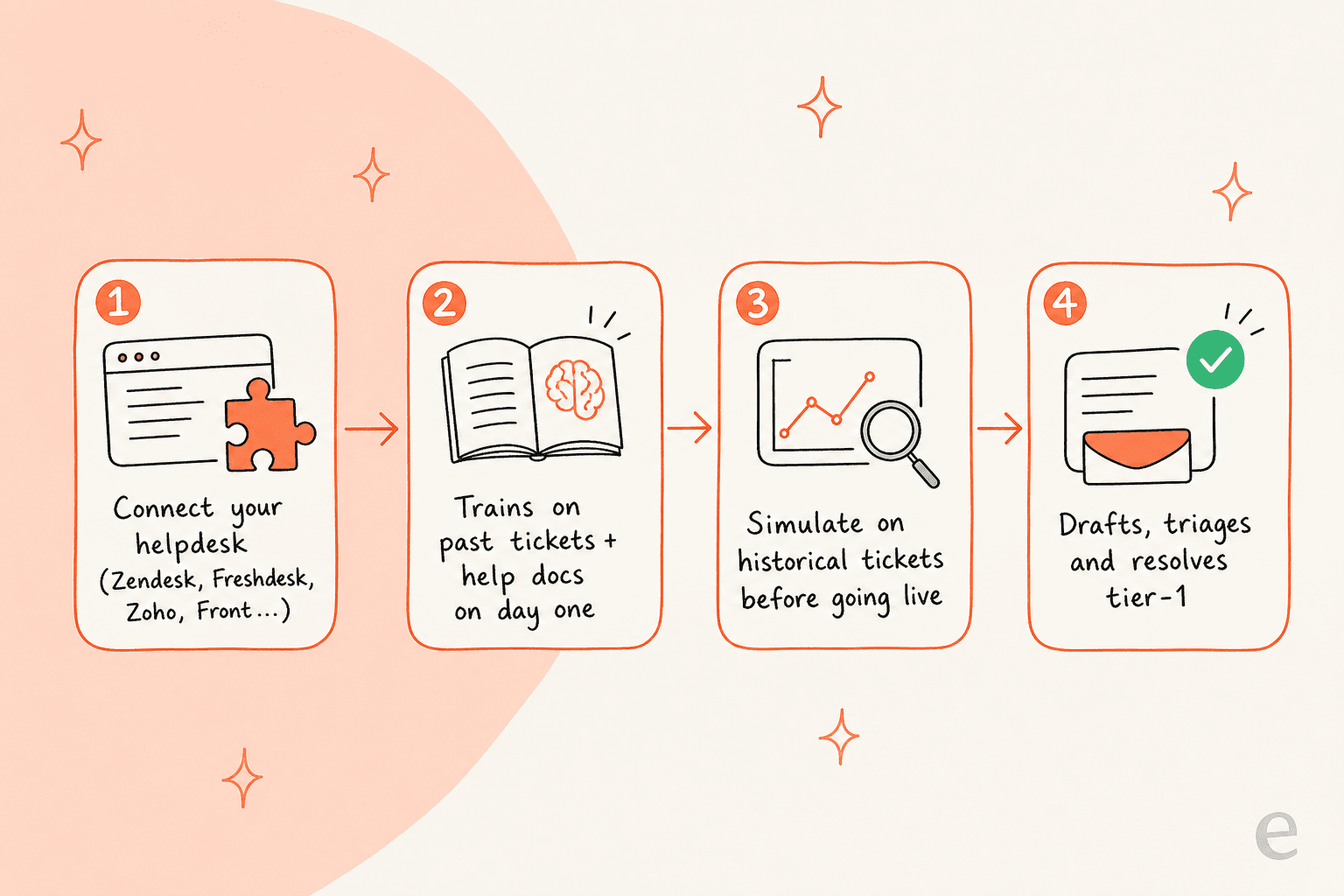
I will put our own tool first because it answers the question most of the switchers are actually asking. If the credit metering is what broke, you do not need a new helpdesk, you need a new AI layer. eesel connects to the helpdesk you already run, HubSpot, Zendesk, Freshdesk, Zoho, Front, and more, learns from your past tickets and help docs on day one, and starts drafting, triaging, and resolving tier-1 tickets on top of your existing setup.
The part I would flag hardest, from years of watching bots go wrong, is the simulation step. Before eesel replies to a single live customer, you run it against your historical tickets to see exactly what it would have said and what it would have resolved, by theme. We built that because we have watched confident-sounding bots quietly give wrong answers, and the only cure is testing on real history first.
Pros
- Layers on top of your current stack, so switching is additive, not a migration.
- Trains on solved tickets, not just help-center articles, so answers sound like your team.
- Simulation mode reports coverage before you go live, and confidence-based routing keeps low-confidence answers as drafts.
- Usage-based pricing with no per-seat fee and no minimum.
Cons
- It is an AI layer, not a full helpdesk, so you still need a helpdesk underneath (that is the point, but worth stating).
- SOC 2 is listed as in progress rather than certified, though EU data residency and signed DPAs are available.
Pricing: one fixed monthly price, from $299/month for 500 credits, with no seats and no platform fee. A dashboard question or lookup is mostly free, a ticket or chat counts as 1 credit however long it runs, and there is a free plan with 100 credits and no card. Pay a year upfront and you get two months free. The full pricing is public, which is half the point after HubSpot's credit maze.
Our take: if you like your helpdesk and only the AI (or its bill) has become the problem, this is the least disruptive fix on the list. Gridwise saw eesel resolve 73% of tier-1 requests in the first month, with results landing during a 7-day trial. If you specifically want to keep HubSpot, the HubSpot integration is the path.
2. Zendesk: the enterprise-scale replacement
Best for: mid-market and enterprise teams that need deep routing, analytics, and governance.
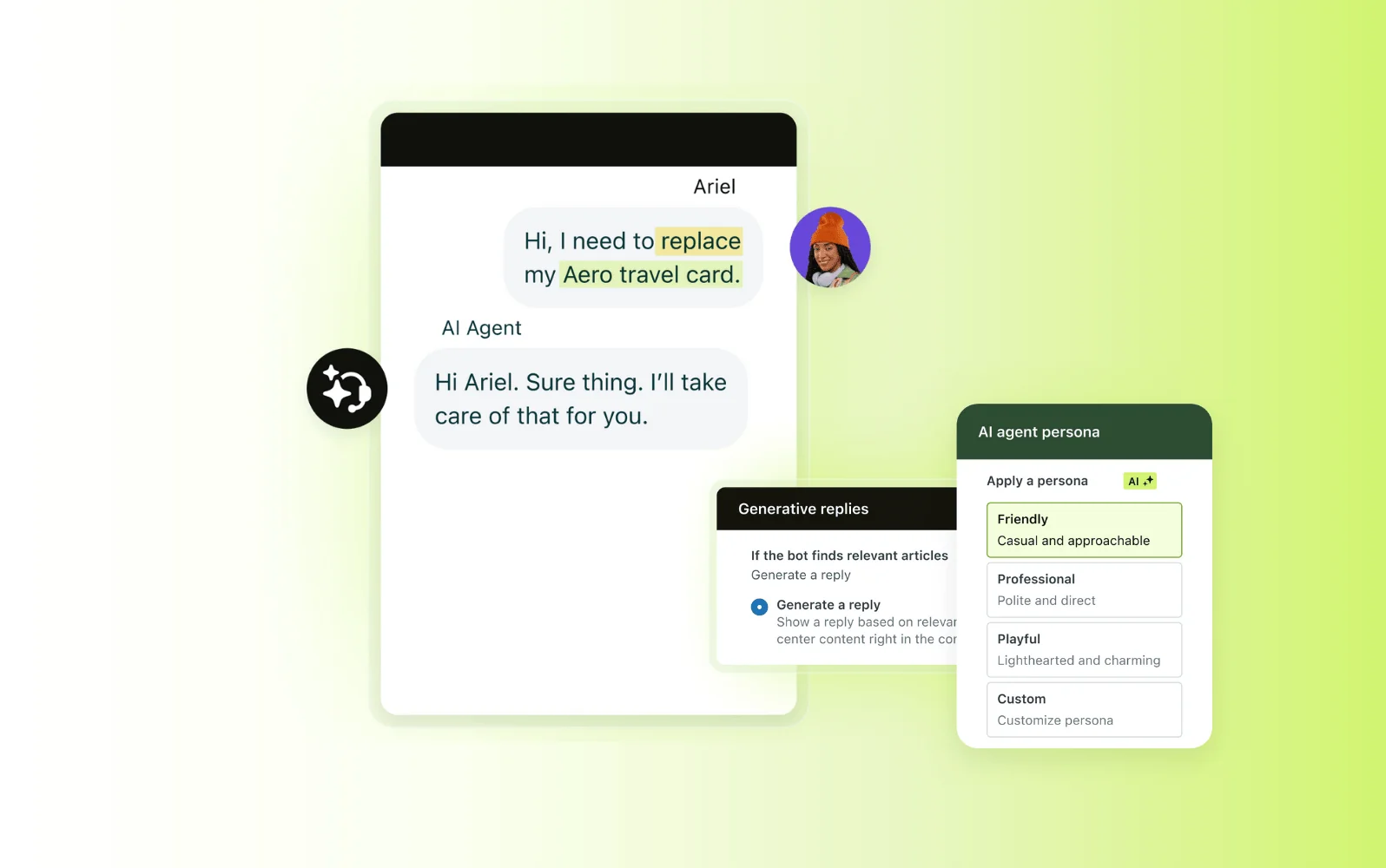
Zendesk is the obvious full replacement, and it earns it. It positions itself as the "#1 AI customer service solution", unifies chat, voice, email, and social in one workspace, and lists a marketplace of 1,700+ apps. If HubSpot felt limiting on routing depth or reporting, Zendesk is a clear step up.
The AI is real and deep, from AI agents to Intelligent Triage to Copilot for agents. The catch is the same shape as HubSpot's: AI agents are billed per automated resolution on top of seats, and the per-resolution figure is not published, so your true cost is sales-assisted.
Pros
- The most complete routing, analytics, and governance in the group.
- AI agents included on every Suite plan, deployable "in three clicks".
- Huge integration marketplace and mature multilingual support.
Cons
- Suite Team ($55) is the real starting line for messaging and AI; the $19 Support plan is bare.
- AI billed per resolution on top of seats, with the rate hidden behind sales.
- Top-tier AI (Auto Assist, generative voice) is Enterprise-only, custom-priced.
Pricing: Support Team $19, Suite Team $55, Suite Professional $115 per agent per month billed annually, with Enterprise on a quote. The Copilot add-on is $50 per agent.
Verdict: the strongest all-in-one replacement if you are scaling up and can absorb the per-resolution AI cost. If it is the AI pricing you are fleeing, note you would be trading one usage meter for another. Our Zendesk AI alternatives piece goes deeper.
3. Freshdesk: the best-value all-in-one

Best for: teams that want most of Zendesk's breadth at a friendlier price.
Freshdesk is Freshworks' helpdesk, and it is the value pick among the full replacements. It is trusted by 74,000+ businesses, centers everything in a "Command Center" workspace, and has pivoted hard into agentic AI with Freddy AI Agent and its 50+ prebuilt workflows. Freshworks claims up to 80% resolution with the Freddy AI Agent.
The free tier is the real hook for smaller teams: 1-2 agents free for six months, no card. That is a genuinely gentle on-ramp compared to HubSpot's paid Starter.

Pros
- Cheapest paid entry of the full helpdesks at $19 per agent.
- Genuinely free tier for 1-2 agents for six months.
- Strong agentic AI story with a no-code agent studio.
Cons
- Freddy AI Agent is consumption-priced ($49 per 100 sessions after the first 500), so high volume adds up.
- The pricier Freshdesk Omni is a separate SKU, which muddies comparison.
Pricing: Growth $19, Pro $55, Enterprise $89 per agent per month billed annually. Freddy AI Agent includes 500 sessions, then $49 per 100 sessions. See our Freshdesk pricing guide for the full grid.
Verdict: the best balance of breadth and price here, and the friendliest free tier. If you like it but want a lighter footprint, our best Freshdesk alternatives covers the rest, and HubSpot vs Freshdesk is the direct head-to-head.
4. Zoho Desk: the cheapest serious option
Best for: cost-conscious teams that want a real helpdesk without a real bill.
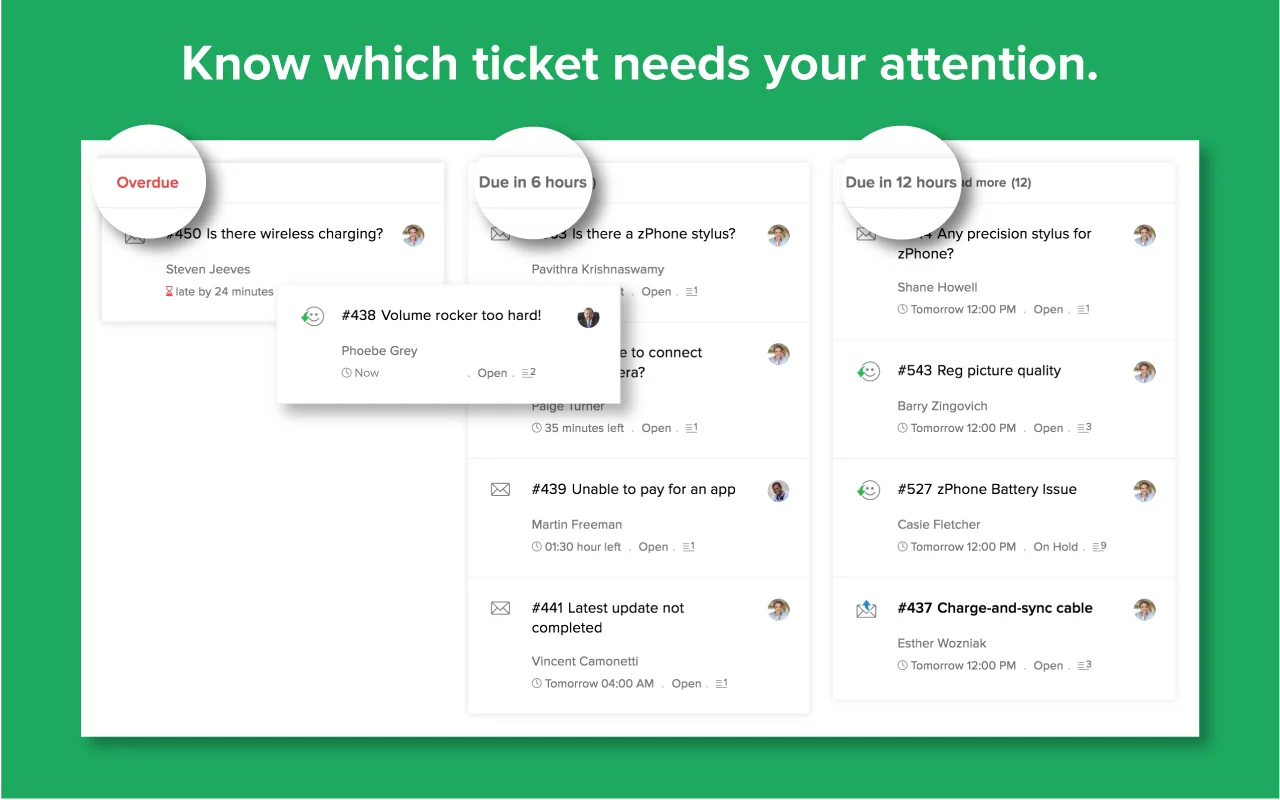
If price is the whole reason you are reading this, Zoho Desk is the answer. It claims 125,000+ companies run support on it, and it undercuts almost everyone: a free forever plan for three users, and paid tiers that start at $14. There is even a customer testimonial on Zoho's own page saying it "comes at a better price when compared to Zendesk".
The trade-off is that the good AI is gated high. Generative AI on Standard and below requires you to bring your own OpenAI API key (the native Zia model starts on Professional), and while Zoho's Answer Bot starts on Standard, the Answer Bot inside the ASAP widget and chatbots in Instant Messaging are Enterprise-only at $40 per user. So the cheap entry is real, but "cheap plus good native AI" costs more.
Pros
- Cheapest serious helpdesk here, with a genuine free tier for three users.
- Deep feature set (multi-brand help center, community, SEO-friendly KB) for the money.
- 15-day trial on every paid plan, no card.
Cons
- Answer Bot starts on Standard, but the ASAP-widget Answer Bot and pre-built Zia agents are Enterprise-only ($40/user); below Professional, generative AI needs your own OpenAI key.
- The ecosystem feel is best if you are already in other Zoho apps.
Pricing: Free (3 users), Express $7, Standard $14, Professional $23, Enterprise $40 per user per month billed annually.
Verdict: unbeatable on price for a full helpdesk, as long as you accept that the strongest AI sits at the top tier. Pair it with a dedicated AI layer if you want better automation than the Answer Bot without paying for Enterprise, and see the 8 best AI integrations for Zoho Desk.
5. Help Scout: the small, human-feeling inbox
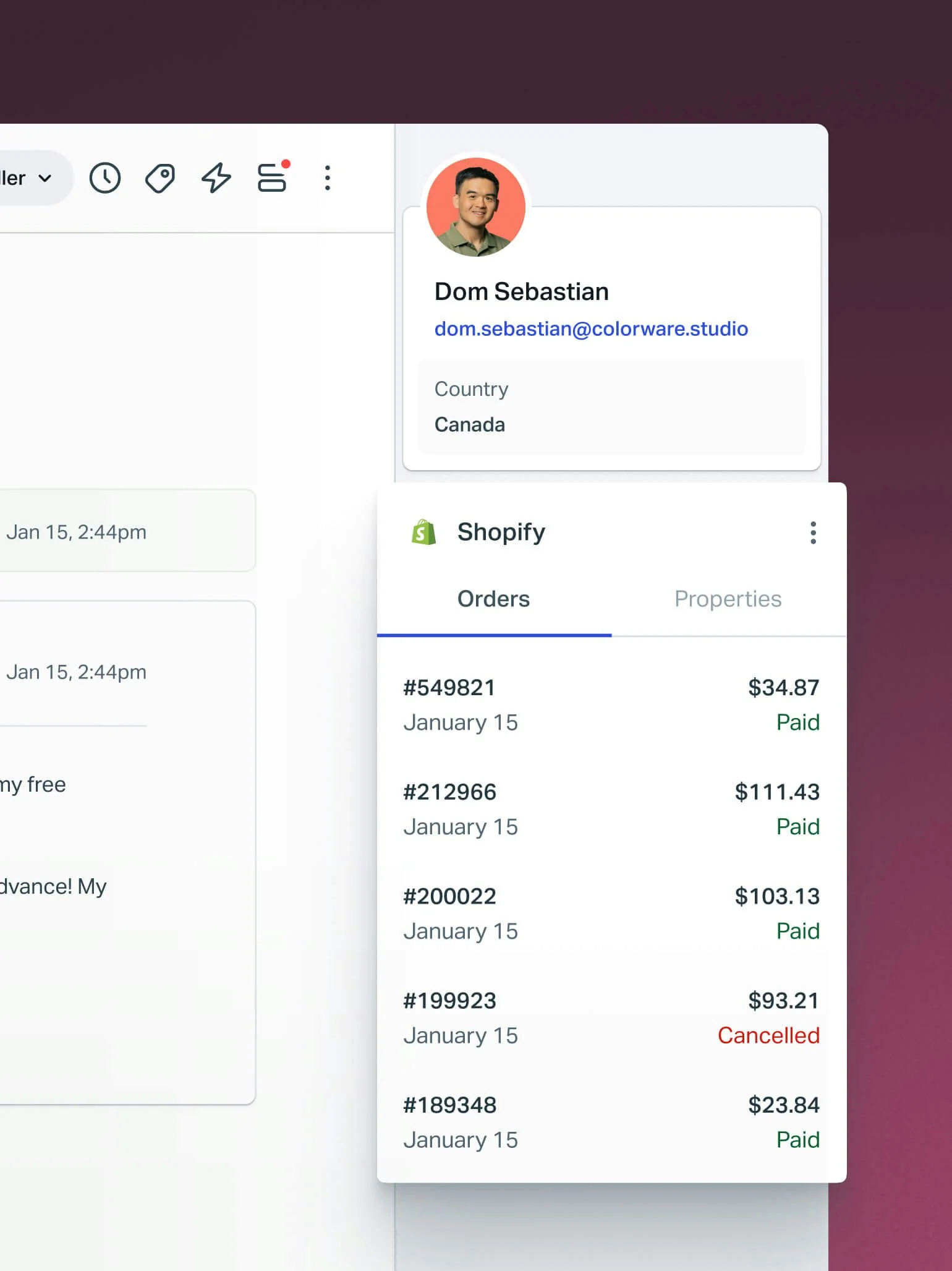
Best for: small, relationship-driven teams who want email plus chat plus KB in one intuitive place.
Help Scout is the anti-enterprise pick. It leads with "the most intuitive customer support platform", and its whole promise is that you learn it in under an hour. It bundles a shared inbox, knowledge base, the Beacon widget, live chat, and an AI layer that resolves about 73% of interactions on average. For a team coming off HubSpot's complexity, that simplicity is a feature.
Two honest cautions from user reviews. First, the AI Answers add-on is $0.75 per resolution on top of seats, which reviewers flag as a scaling cost (about +$750/month at 1,000 resolutions). Second, and more telling, Help Scout put its own users through pricing whiplash:
"HelpScout changed back to user-based pricing. Guess too many people cancelled including me... Helpscout lost all trust with this flip-flopping on pricing."
They switched from per-seat to per-interaction, triggered churn, then reverted, which is worth knowing if predictable billing is exactly what you are chasing.
Pros
- Genuinely fast to adopt; clean, email-like inbox.
- Free plan for up to 5 users; strong small-team fit.
- AI Answers resolves a solid share of tickets from your docs.
Cons
- AI Answers is $0.75 per resolution on top of seats.
- Thinner advanced features and reporting than Zendesk or Freshdesk.
- History of pricing-model changes.
Pricing: Free (up to 5 users), Standard $25, Plus $45, Pro $75 per user per month billed annually. AI Answers is $0.75 per resolution.
Verdict: the best pick for a small team that valued HubSpot's ease but not its bill. If it feels too light as you grow, our Help Scout alternatives has the next steps.
6. Gorgias: built for Shopify and ecommerce
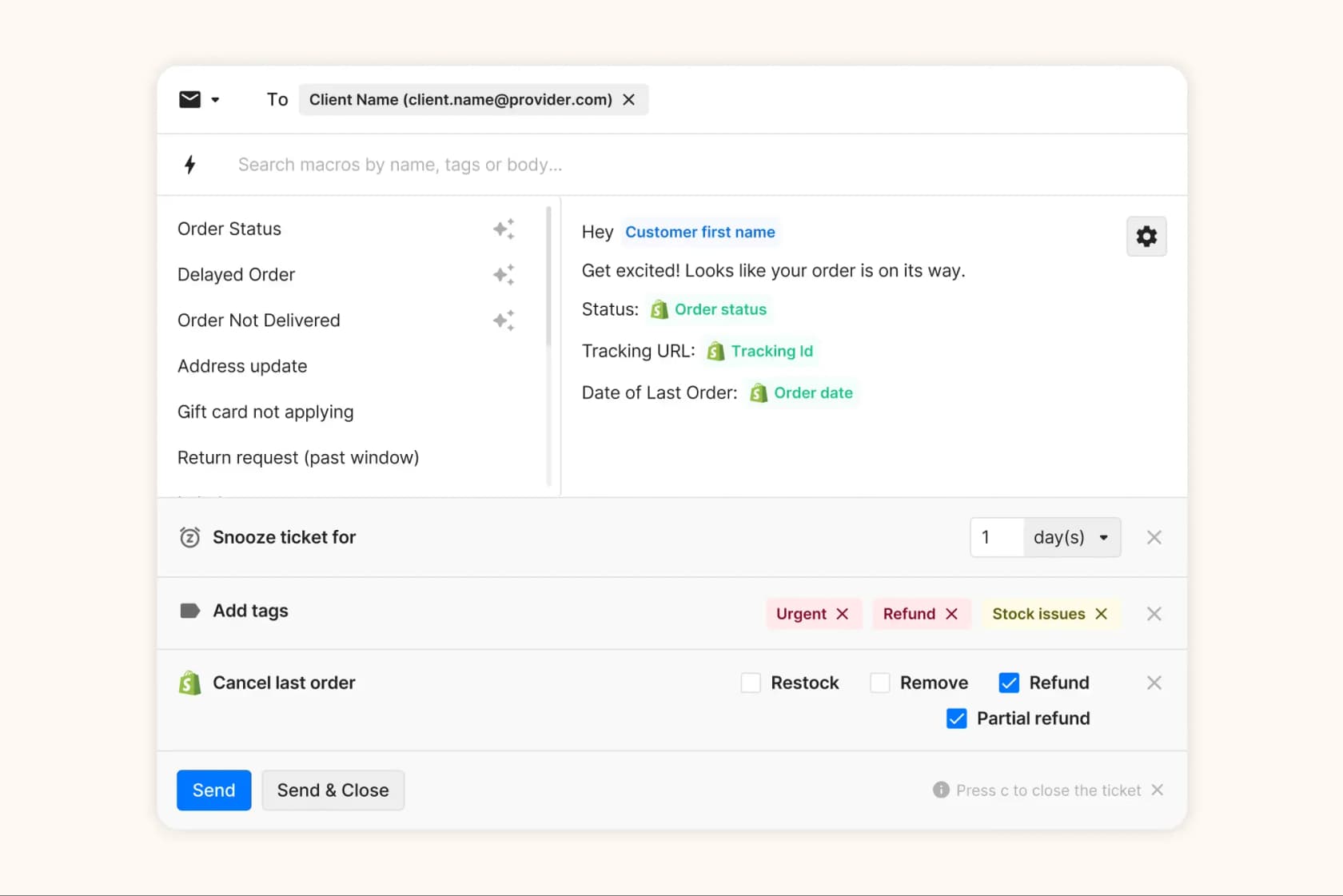
Best for: Shopify and ecommerce brands that want AI to take order actions, not just answer FAQs.
If you sell online, Gorgias is the specialist. It says it powers customer conversations for 40% of Shopify brands, and its AI Agent is genuinely ecommerce-native: it handles returns, order tracking, refunds, and subscription edits with no human in the loop, working from your catalog and policies from day one. Its "Helpdesk + AI Agent, one bill" packaging is cleaner than HubSpot's.
The thing to model carefully is the billing, because Gorgias prices by ticket volume, not per seat, and the AI meter is the steepest on this list. Past the interactions your plan includes, AI Agent runs $0.85 to $1.00 per automated interaction. At scale that is real money, so read the fine print before you commit.
Pros
- Purpose-built for Shopify, with native order actions in the AI Agent.
- Ticket-volume pricing suits stores whose seat count does not track ticket count.
- Live chat, WhatsApp, Instagram, and TikTok Shop on every plan.
Cons
- AI Agent bills $0.85 to $1.00 per automated interaction on top of the ticket plan.
- Starter is monthly-billing only, with just 50 tickets and 30 AI resolutions.
- Overkill if you are not in ecommerce.
Pricing: Starter $40/mo (50 tickets), Basic $77/mo annual (300 tickets), Pro $471/mo annual (2,000 tickets), Advanced $1,227/mo annual (5,000 tickets). AI Agent bills $1.00 per automated interaction on Starter, $0.90 on Basic and Pro, and $0.85 on Advanced.
Verdict: the clear winner for Shopify support, as long as you watch the AI overage. For the broader field, see best Gorgias alternatives and the best helpdesk software for ecommerce.
7. Front: for complex, cross-team operations

Best for: teams where several departments touch the same customer conversations.
Front makes a sharp pitch: "AI for simple support is everywhere. Complex customer operations demand Front." It is a collaborative shared inbox built for work that spans teams, with internal comments, shared drafts, and real assignment baked in. Front reports a 428% average ROI and says its AI, Front AI, can resolve up to 70% of requests, "not just the low-hanging fruit".
The AI is modular: Topics and Compose are included, but the autonomous Autopilot agent, Copilot, Smart QA, and Smart CSAT are add-ons on lower tiers and bundled only on Enterprise. That makes the entry price look lower than the "with real AI" price, so budget for the add-ons.
Pros
- Best-in-class collaboration for multi-team ops.
- Autopilot AI priced attractively, from $0.05 per conversation for triage up to $0.89 for a full resolution.
- 160+ integrations and flexible automation.
Cons
- Starter is single-channel; omnichannel starts at Professional.
- Meaningful AI (Copilot, Smart QA) is add-on or Enterprise-only.
Pricing: Starter $25, Professional $65, Enterprise $105 per seat per month billed annually. Autopilot from $0.05 per conversation; Copilot and Smart QA $20 per seat each.
Verdict: the right call when the problem is coordination, not just ticket volume. If Front's collaboration model appeals but the add-on math does not, our Front alternatives lays out the options.
8. Kustomer: for high-volume B2C

Best for: large consumer brands that want AI running on a full customer timeline.
Kustomer takes a different angle from everyone else here. Instead of a ticket-centric model, it is built around a customer-centric one: every interaction ties to a complete customer record, so its AI "runs on context, not guesswork". It skews to retail, DTC, and marketplaces (Turo, Skims, Rappi), and reports results like 70% of chat conversations fully automated at Vuori.
The friction is buying it. Pricing is quote-only, competitor teardowns peg it at roughly $89 to $139 per seat with an 8-seat minimum, and AI is metered separately on top (about $0.60 per engaged conversation plus a per-user agent-assist fee). One thing to keep honest: Kustomer's homepage advertises a "5.0 rating from 500+ G2 reviews", while its actual G2 aggregate is 4.4 from 555 reviews.
Pros
- Unified customer timeline gives AI genuinely rich context.
- Strong high-volume B2C track record.
- Modern AI suite (Concierge, Envoy, Architect) with MCP support.
Cons
- Quote-only pricing, 8-seat minimum, AI billed separately.
- Reviewers flag a buggy voice channel and a complex UI.
- The advertised 5.0 rating overstates the real 4.4 G2 score.
Pricing: quote-only. Competitor-sourced estimates: ~$89/seat (Enterprise) to ~$139/seat (Ultimate), annual, 8-seat minimum, with AI metered on top.
Verdict: a strong fit for large consumer brands that want context-rich AI and can handle enterprise procurement. For everyone else, the seat floor makes it a hard sell. Our Kustomer review for enterprise has the deeper look.
The AI pricing that actually decides this
Once you strip away the marketing, most of these tools bill AI usage the same way HubSpot does: per unit resolved. The trap is that the "unit" is different everywhere, and the prices vary widely. eesel is the exception, selling a fixed monthly batch of credits instead. Here is what each one charges, side by side.
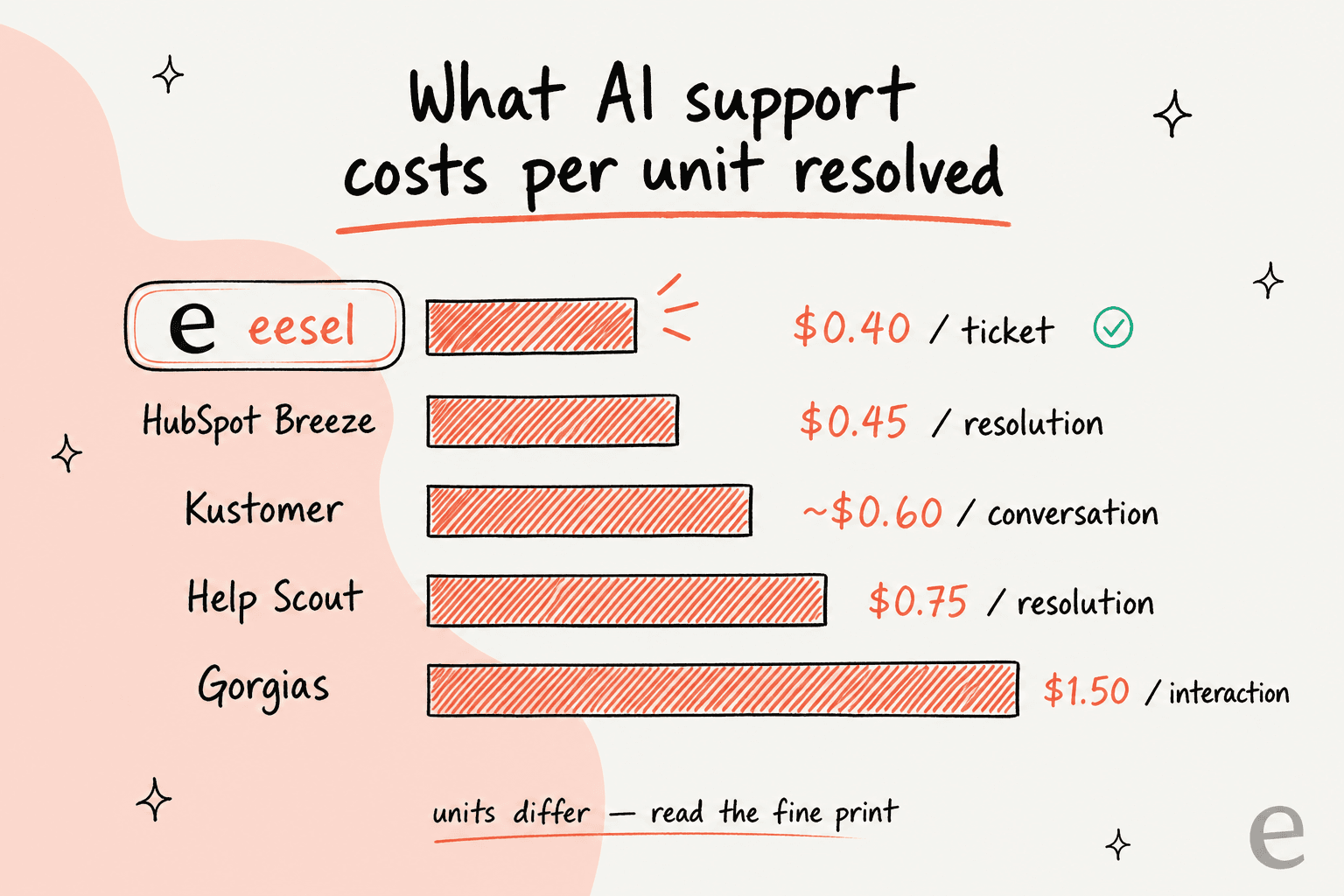
Two things to take from this. First, a low seat price can hide a high AI unit, and vice versa, so the only fair comparison is total cost at your real ticket volume. Second, "unit" definitions matter: a "resolution" you get billed for even when the customer was not actually helped is very different from one you only pay for on a clean resolve. This is exactly the AI pricing fine print that produced HubSpot's bill-shock threads, and it is worth reading closely for whichever tool you pick.
Try eesel

Here is the thing most of these comparisons miss: leaving HubSpot Service Hub and fixing your AI support are two different projects, and you usually only need the second one. eesel plugs into HubSpot (or whatever helpdesk you land on), trains on your real past tickets in minutes, and runs an AI agent that resolves tier-1 tickets, with a simulation on your own history before it ever talks to a customer. It runs on one fixed monthly price, not per seat plus credits, so there is no meter you are scared to turn on.
If your Service Hub setup works but Breeze's billing does not, connect eesel to HubSpot and keep everything else. It is free to try, with 100 free credits and no card. That is the whole pitch: change the AI, not your entire stack.