HubSpot help desk send-from permissions: who can reply from which address

Rama Adi

Katelin Teen
Last edited November 9, 2026

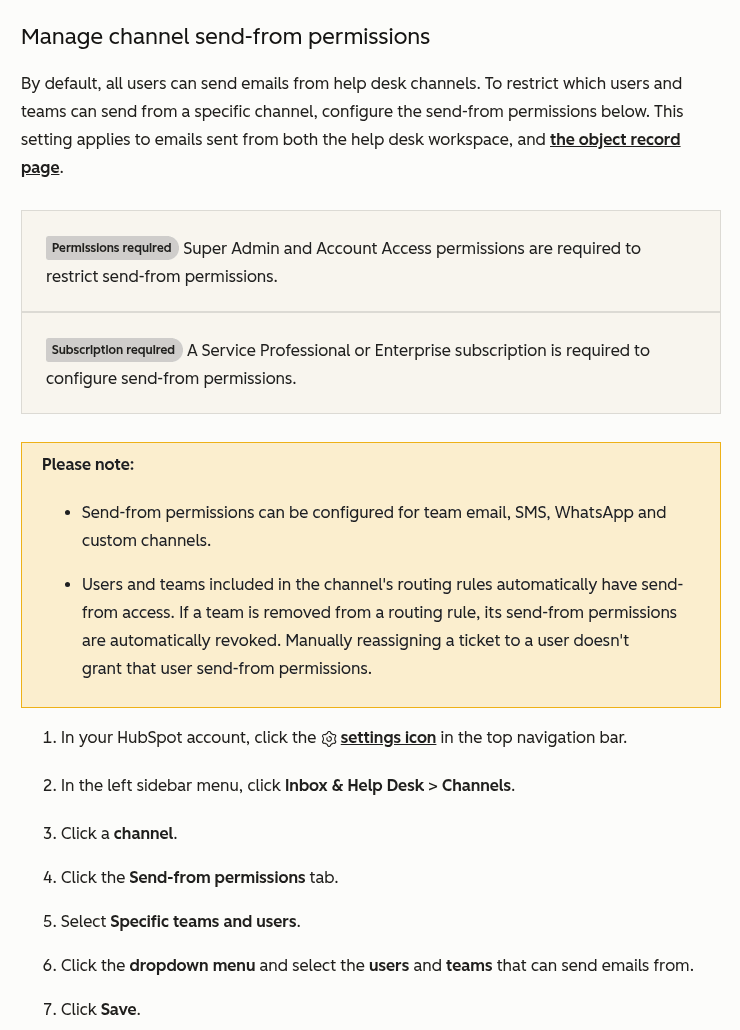
In HubSpot's help desk, every user can send from every help desk channel until an admin restricts it. To restrict one, open Inbox & Help Desk > Channels, pick the channel, and set the Send-from permissions tab to Specific teams and users. It needs Service Hub Professional or Enterprise plus Super Admin and Account Access permissions, and it covers team email, SMS, WhatsApp, and custom channels. Reassigning a ticket doesn't grant access. eesel drafts replies on those tickets as internal notes that a permitted teammate sends, and the eesel CLI lets an AI coding agent upload approved policies and test answers first, though connecting HubSpot needs admin approval.
What are HubSpot help desk send-from permissions?
They are a per-channel list of who may reply from an address, such as support@ or billing@. HubSpot lists "Channel settings and send-from permissions" in its October 2026 product updates as "a top-level page for all channels, plus controls for who can reply from each channel account." The post went up in the first week of November, and the channels article carries a last-updated date of 28 October 2026.
I read both on 9 November 2026, along with the team email, default address, ticket reply, and one-to-one email articles and the pricing page. I build the HubSpot integration side of eesel's AI helpdesk teammate, so I care about who can send because that decides who can put a reply in front of a customer. I haven't tested this in a live portal, so everything here is what HubSpot documents, and I say where the docs go quiet.
The idea itself isn't new to HubSpot's users. A May 2025 post in HubSpot's Ideas forum, tagged In Beta, describes the gap that this setting now answers:
"This permission feature isn’t in Help Desk so now everyone can send emails using our bigger email addresses."
If you're comparing how other tools handle the same question, my guides on Zendesk roles, Freshdesk roles, and Gorgias roles cover their permission models.
Who can send from a help desk address by default?
Everyone. HubSpot's channels article says it plainly: "By default, all users can send emails from help desk channels." The default applies to the help desk workspace and to one-to-one emails sent from record pages.
There is a floor under that, though. Replying to tickets in help desk needs Service or Sales Access, per HubSpot's ticket reply article, and sending from a help desk address on a record needs Service Access. HubSpot's May 2026 product updates, posted on 3 June, describe that record-page rule as "preventing reps from accidentally sending from support addresses."
So the default is "everyone with the right access can send from everything." For a small team on one inbox that's fine. For a company with support@, billing@, and a legal or accounts address, it means an agent can answer as the wrong department by picking the wrong entry in the From dropdown. A commenter in HubSpot's pipeline-restriction thread described exactly that:
"...we’ve already seen agents sending from the wrong email."
How do you restrict who can send from a channel?
Use the channel's own Send-from permissions tab. HubSpot's channels article gives these steps:
- Click the settings icon, then go to Inbox & Help Desk > Channels.
- Click a channel.
- Click the Send-from permissions tab.
- Select Specific teams and users.
- Open the dropdown menu and select the users and teams that can send.
- Click Save.
You can also set it at connection time. In the team email setup flow, one step asks you to choose Anyone or Specific teams and users for who can send from the address. The list is per channel, so five connected addresses means five lists to maintain.
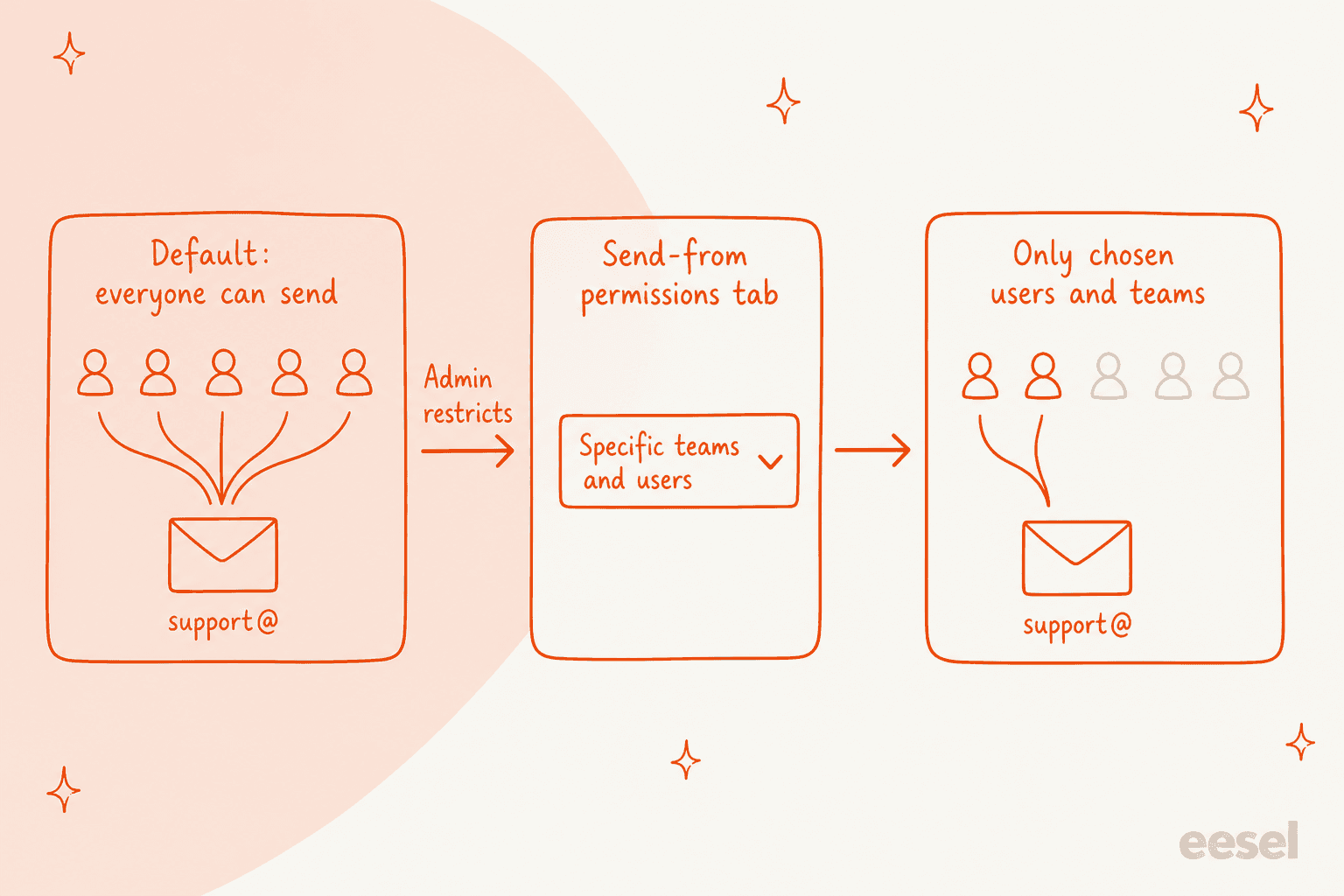
Two details from the article are easy to miss. First, restricting needs Super Admin and Account Access permissions, which is a higher bar than the Account Access permission alone that connecting a channel needs. Second, the setting is for four channel types only, which the next section covers.
Which channels does send-from cover?
Four: team email, SMS, WhatsApp, and custom channels. HubSpot's note says "Send-from permissions can be configured for team email, SMS, WhatsApp and custom channels." Live chat, forms, Facebook Messenger, and calling aren't in that sentence, and I found no other page that says whether they have a send-from list.
If a compliance review asks whether every outbound channel is gated, I can't give that answer from HubSpot's docs. My multi-channel help desk guide covers what each channel type usually needs, and the email ticketing system guide covers the shared-address side.
One related fact on team email: HubSpot says your individual work email can't be used as a help desk channel, and "if multiple users need to send from the same address, connect it as a shared team email instead." A shared address is the thing send-from permissions protect.
How do routing rules change who can send?
Routing rules grant send-from access automatically, and removing them takes it away. HubSpot's wording: "Users and teams included in the channel's routing rules automatically have send-from access. If a team is removed from a routing rule, its send-from permissions are automatically revoked. Manually reassigning a ticket to a user doesn't grant that user send-from permissions."
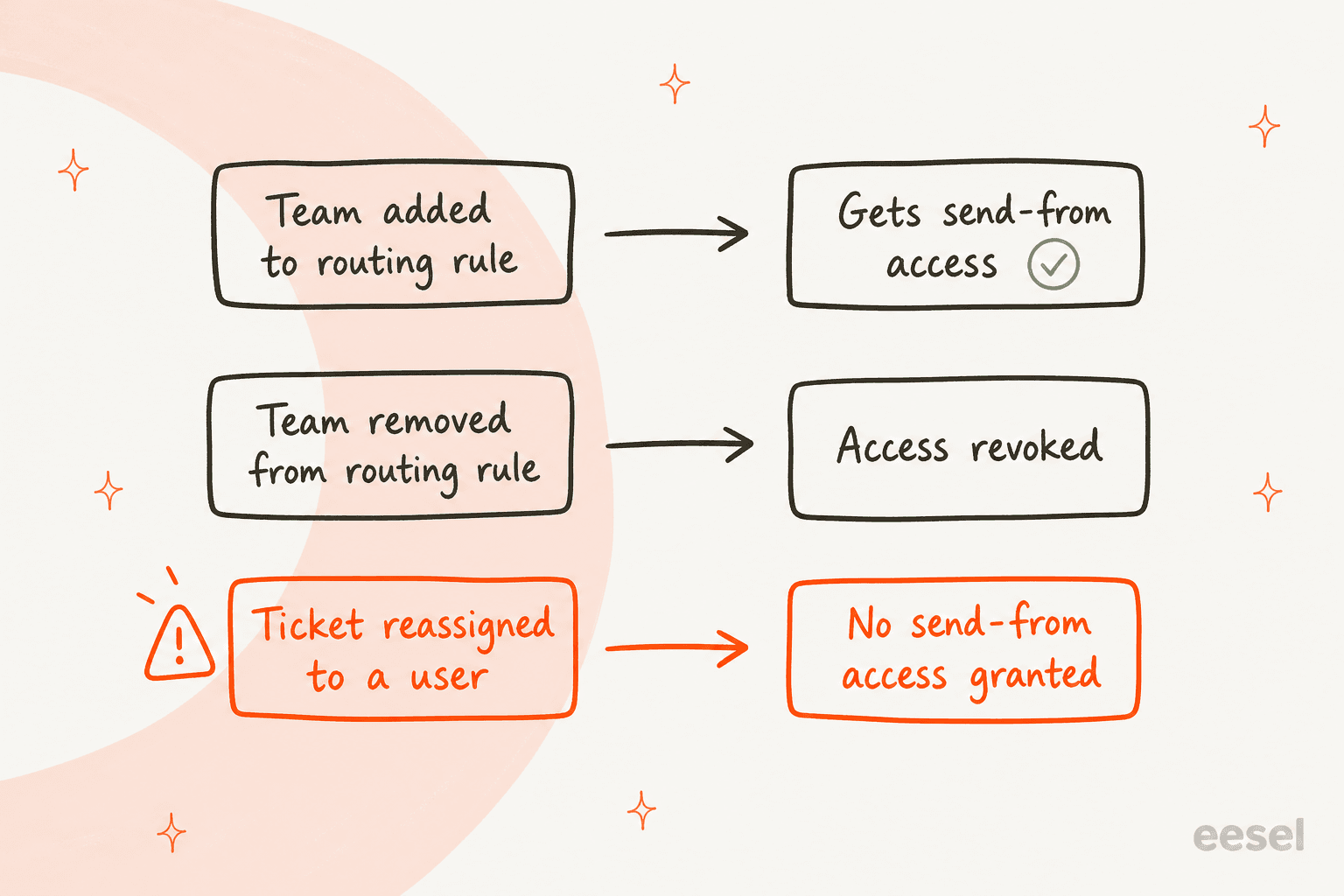
The third row is the one I'd put on a sticky note. If a supervisor hands a ticket to someone outside the channel's list, the new owner can open the ticket but, going by that sentence, isn't added to the send-from list by the reassignment. I'd test this once with a spare user before relying on it, because HubSpot doesn't say what the user sees. My Service Hub routing post covers the routing side, and the ticket merging and ticket splitting posts cover what happens to threads when tickets move.
Routing also has a seat condition. HubSpot says tickets can only be routed automatically to users with an assigned seat, so a user without a seat can't be in your rules at all.
What's the difference between send-from, default From, and Service Access?
Three separate settings that people often blur together. This is the table I wish HubSpot had put in one place:
| Setting | What it controls | Who sets it | Where it lives |
|---|---|---|---|
| Send-from permissions | Which users and teams may use an address | Super Admin and Account Access | Channel, Send-from permissions tab |
| Default reply address | Which address is pre-selected for a team | Super Admin or Account Access | Channel, Configuration tab |
| Service Access | Whether a user can pick help desk addresses on a record page | Permission set per user | User permissions |
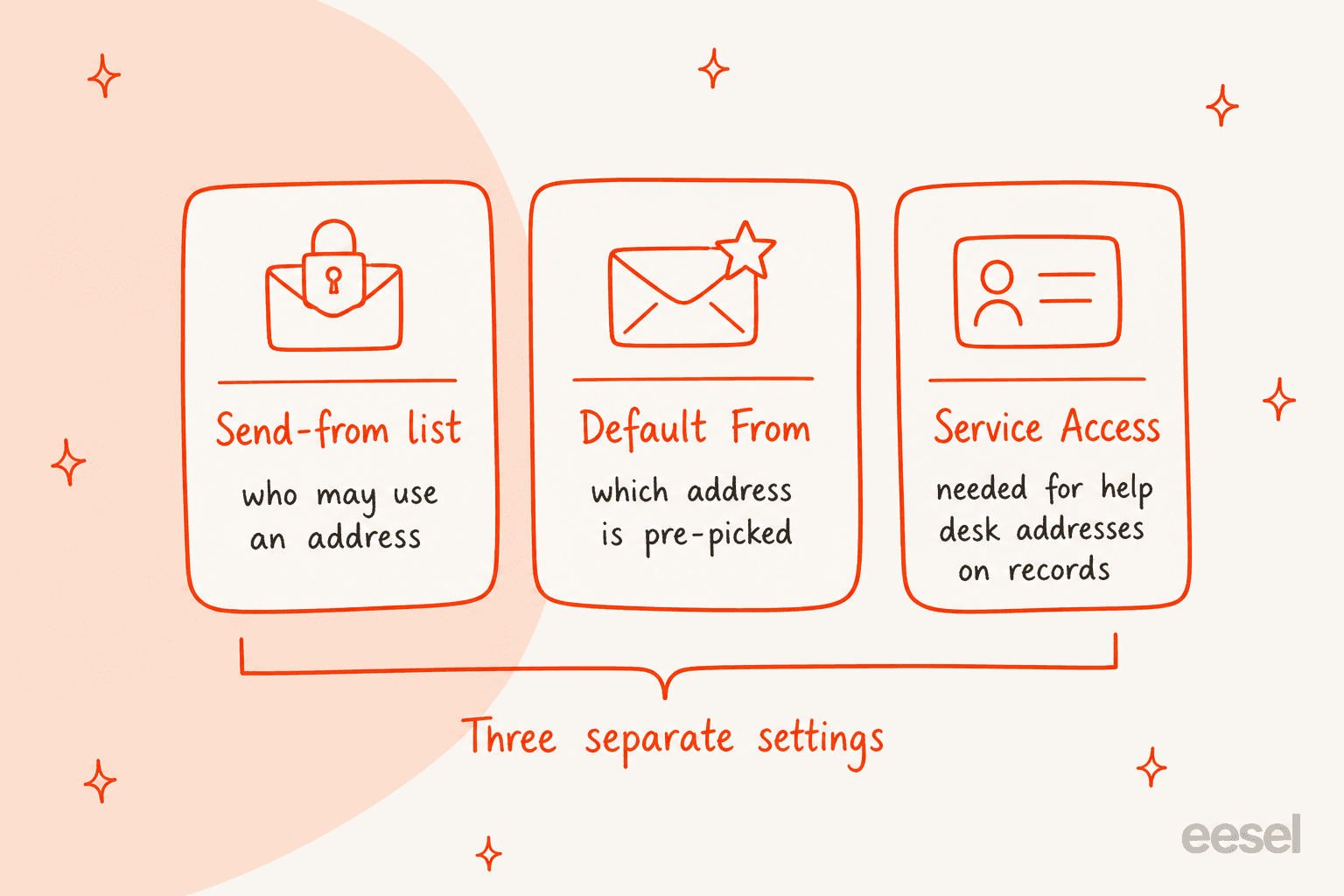
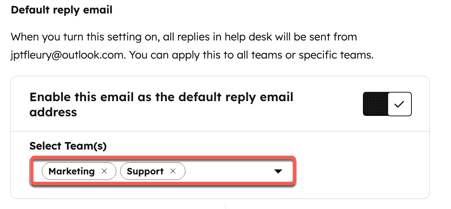
The default reply address is a convenience, not a restriction. HubSpot's default email article says "reps can still select a different address when necessary." It was announced in HubSpot's August 2025 product update, and the May 2026 update added nested teams to the team picker. It has several limits worth knowing:
- Existing threads win. When replying on an existing thread, the From address matches the original conversation, not the default.
- Drafts don't update. A draft keeps the address that was selected when it was written.
- Help desk only. It applies to emails sent from the help desk workspace, and one-to-one emails have their own default setting.
- HubSpot-hosted channels leak. On a HubSpot-hosted email channel, some email clients may still show a different underlying sending address. HubSpot suggests connecting a mailbox, such as Gmail or Office 365, to make emails fully match.
A rep who needs another address uses the dropdown arrow next to the From name in the reply editor, which HubSpot's ticket reply article says switches between "the From addresses of your connected team email channels."
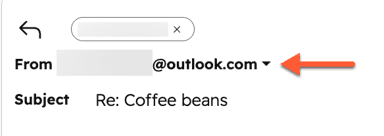
The docs don't say whether an address you aren't allowed to use is hidden from that dropdown or shown and blocked. That's the first thing I'd check in a sandbox.
Which plan and seats do you need?
Service Hub Professional or Enterprise. HubSpot's channels article says "A Service Professional or Enterprise subscription is required to configure send-from permissions", and the October post lists send-from permissions under Professional and Enterprise availability. The table puts it next to the price.
| Item | Professional | Enterprise |
|---|---|---|
| Starting price | $90 per seat per month, annual commitment | $150 per seat per month |
| Required onboarding | $1,500 one-time | $3,500 one-time |
| Send-from permissions | Yes, per HubSpot | Yes, per HubSpot |
Those prices come from HubSpot's Service Hub pricing page. For a five-agent team on Professional, that's roughly $450 a month plus the $1,500 onboarding fee, before any credits. My HubSpot pricing breakdown and the HubSpot credits guide cover the rest of the bill.
A seat question remains. HubSpot's docs name the permissions needed to configure the list but don't say whether a user on the list needs a Service seat to send. The ticket reply article lists an assigned Service seat for advanced features such as custom views and SLAs, and lists Service or Sales Access as the permission for replying, so I'd guess no seat is needed to send, and I'd still confirm it.
Which send-from problem are you having?
Most send-from problems fall into five cases. Pick yours, and the widget below shows what HubSpot's docs say to check.
What's going wrong?
What's still missing from HubSpot's docs?
Several things I'd want answered before a security review, and I couldn't find them:
- Dropdown behavior. Whether a restricted address disappears from the From dropdown or errors on send.
- Automated sends. Whether workflows, sequences, or API-created emails check the list.
- Channels outside the four. Whether chat, forms, Messenger, and calling have any send-from control.
- Audit trail. Whether changes to a send-from list are logged anywhere an admin can review.
- Limits. How many users or teams a list can hold.
- Pipelines. Per-pipeline restriction, which community members have asked for since May 2024.
Absence from the docs isn't proof of absence in the product, so a quick test with a throwaway user in a sandbox answers most of these. For governance that goes beyond one setting, my support approval workflows and team structure guides cover how teams divide authority.
How does an AI teammate fit with send-from permissions?
Send-from permissions decide which humans can reply, and an AI teammate should sit inside that line rather than around it. eesel's HubSpot docs describe two reply actions: Add internal comment, which the docs call the place to start ("the agent drafts, a human sends"), and Reply to customer, which "sends it on the inbox conversation, through whatever channel it came in on."
I found nothing in eesel's docs or HubSpot's about which From address an API reply uses, or whether a send-from list applies to it. So I'd start with internal notes. Then the person sending is a human on the channel's list, and the permission model you just set up still governs what reaches customers. My AI agent handoff guide and the agent assist roundup cover that draft-then-send pattern.
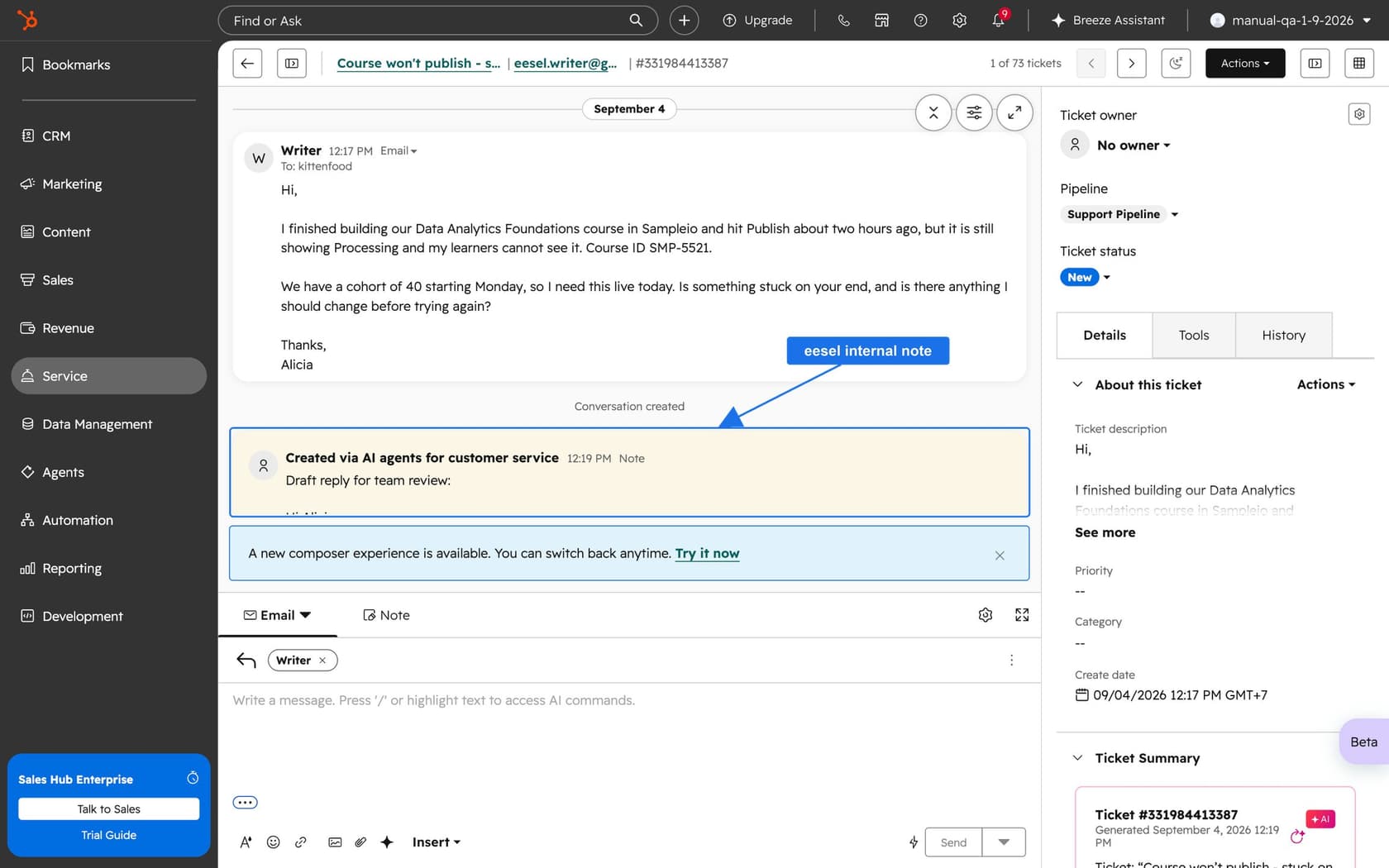
MentorShow, a French online learning platform, works entirely inside HubSpot. In one month, from 8 August to 8 September 2026, eesel read 1,200 HubSpot conversations and tickets and wrote 432 reply drafts for the team, in French, English, or Spanish depending on the member. The drafts carry no signature, "because HubSpot adds the team's own," and a person reads, edits, and sends.
HubSpot's own Breeze customer agent can be picked as a routing option, with its own handoff guardrails.
My eesel vs Breeze comparison covers the difference, and the best AI for HubSpot roundup lists the other options.
What would I do first?
Here's the order I'd follow on a help desk with more than one shared address:
- List your addresses. Write down every connected team email, SMS, WhatsApp, and custom channel, and who answers each.
- Confirm the plan. Professional or Enterprise, with a Super Admin who also has Account Access.
- Restrict the sensitive ones first. Billing, legal, and accounts usually matter more than general support@.
- Check your routing rules. Remember a team in a rule gets access automatically, so tidy the rules before the lists.
- Set a default From per team. It reduces wrong-address replies without blocking anyone.
- Test with a throwaway user. Try a reply, a reassignment, and a record-page email, and write down what the user sees.
- Re-read the docs in a month. The channels article was updated on 28 October 2026, and the product is moving.
For wider context, see my HubSpot customer service software review, the help desk with CRM guide, and custom views for building a queue per address.
Try eesel for your HubSpot help desk
If your send-from lists are set and the queue is still outrunning the people on them, eesel for HubSpot works like a new hire in Service Hub. It learns from your HubSpot knowledge base and past tickets, reads each ticket with its contact record, and drafts the reply as an internal note for a permitted teammate to review and send. It doesn't change your send-from settings, so set those first. Read more about AI teammates or the AI helpdesk agent.