HubSpot help desk AI quality assurance: what the QA score grades, and what it misses

Riellvriany Indriawan

Katelin Teen
Last edited November 21, 2026

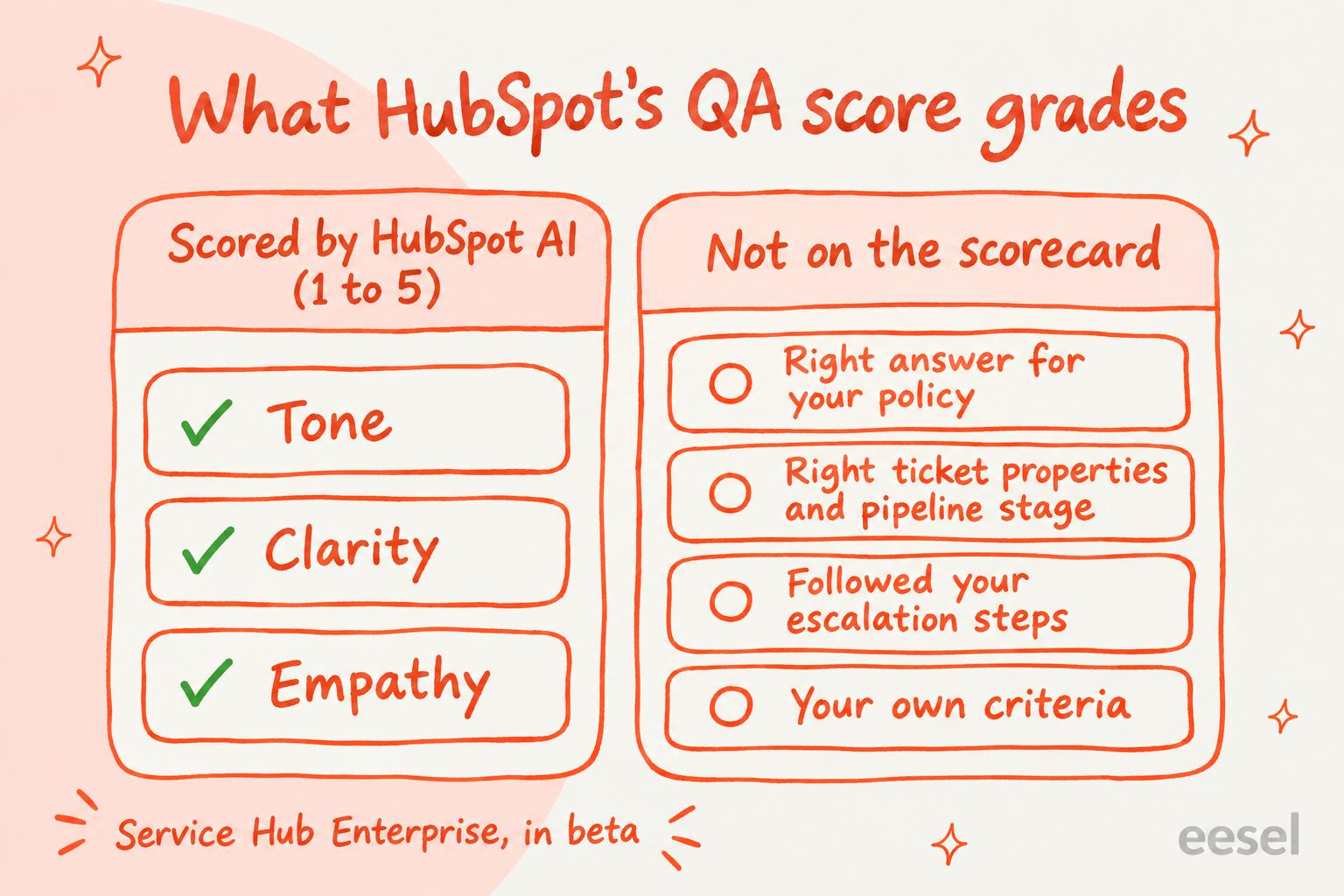
HubSpot's help desk AI quality assurance is the QA score: on Service Hub Enterprise, where it is still in beta, HubSpot's AI grades closed help desk tickets from one to five on Tone, Clarity and Empathy, explains each score, and rolls them into a rep scorecard under Help Desk, then Coaching. Those three criteria are the whole scorecard, so it tells you how a rep sounded, not whether the answer matched your refund policy or the ticket ended up in the right category and stage. Professional teams get the CX score instead (an AI rating of the customer's experience from 0 to 100) plus CSAT surveys, and HubSpot itself says not to use either score as the only basis for decisions about people. To score the rest, a lead can read a weekly sample, or an AI teammate like eesel can read every closed ticket against criteria you write, leave its reasons in an internal comment and write the result into a ticket property your HubSpot reports can use. A coding agent such as Claude Code can set that rubric and schedule up through the eesel CLI, though someone with HubSpot admin access still approves the connection.
Does HubSpot help desk have AI quality assurance?
Yes. HubSpot calls it the Quality Assurance score. I'm on eesel's support team, so I read a QA score the way a team lead would: what would I be comfortable coaching someone on, and what would I still have to check myself?
The QA score isn't HubSpot's only quality assurance signal. Here is everything a support lead gets, by plan:
| HubSpot feature | Plan | What it tells a QA lead | What it doesn't |
|---|---|---|---|
| QA score | Service Hub Enterprise (beta) | How each rep scored on Tone, Clarity and Empathy, with reasons | Whether the answer was right |
| CX score | Professional and Enterprise (beta) | How the customer's experience went, 0 to 100, with the signals behind it | Which part was the rep's doing |
| CSAT surveys | Professional and Enterprise | What customers who answer say, by email, chat or web page | Anything about customers who don't answer |
| Coaching opportunities | Professional and Enterprise, uses HubSpot Credits | Where the customer agent hit a gap, a failed action or a thumbs-down | Wrong answers nobody flagged |
| Agent insights | Starter, Professional and Enterprise, uses HubSpot Credits | Which sources the customer agent used on one reply | Scores nothing across the queue |
How does the HubSpot QA score work?
HubSpot's AI reads each closed help desk ticket's messages and gives it three scores from one to five, each with a written explanation:
- Tone: "the emotional quality and professionalism of the language the rep used".
- Clarity: how clearly the rep got the information across.
- Empathy: how well the rep acknowledged and responded to the customer's emotional state.
To read them, open Service, then Help Desk, click Coaching in the left sidebar, and on the Scorecard tab pick QA score from the Overall performance menu. The Reps view averages scores by team and by rep, and an Overall Communication Score shows the average of the three as a percentage.
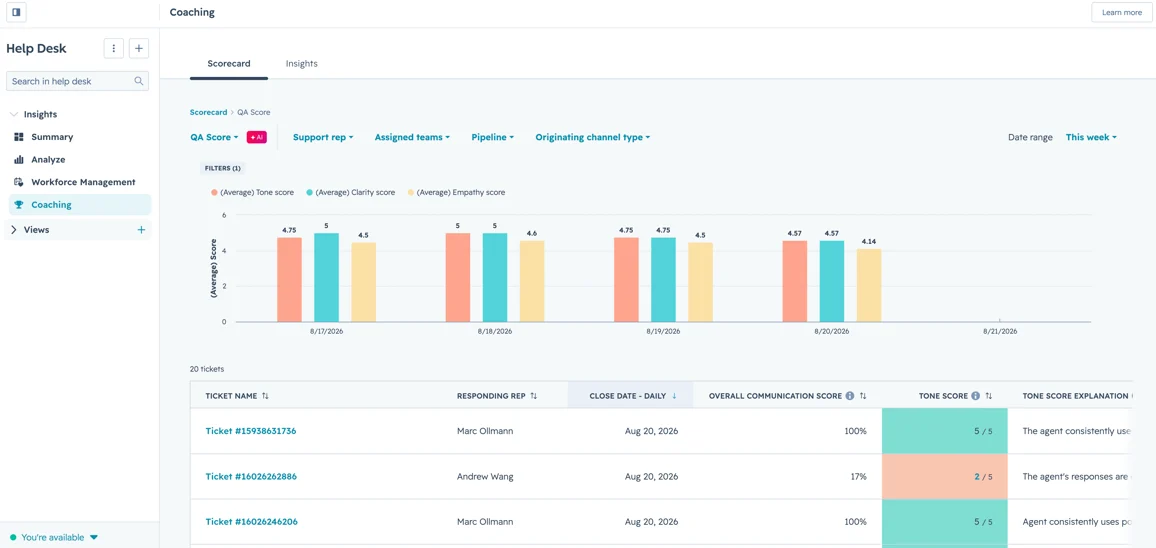
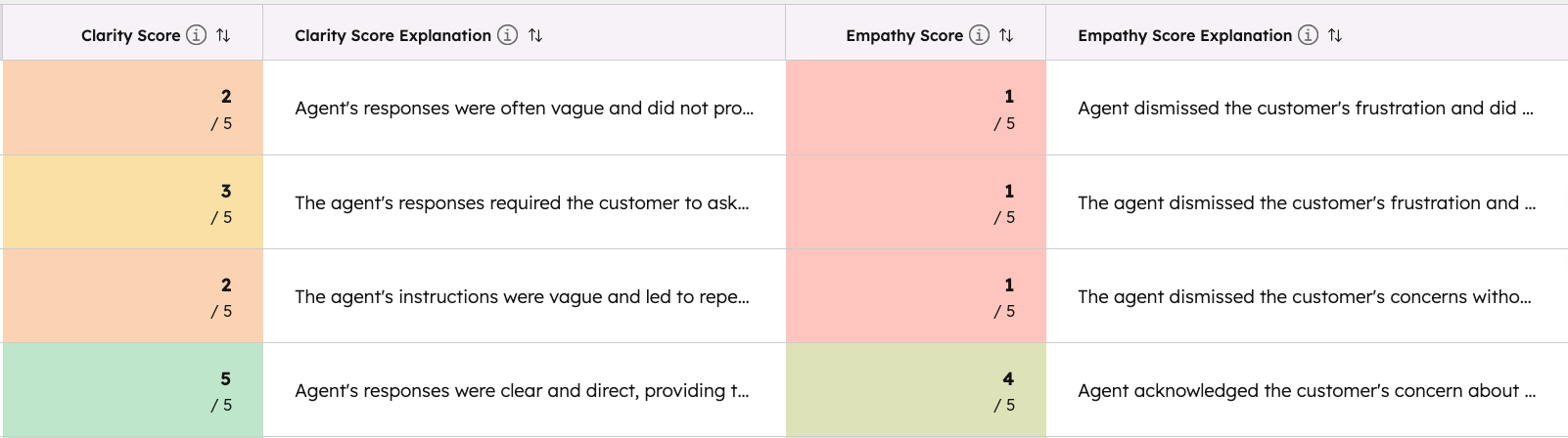
The explanations are the useful part, and they appear only in the Tickets view. HubSpot's own example of a Tone explanation: "The agent's tone was neutral and polite but lacked warmth or friendliness. Phrases like 'We do not control the carrier's tracking updates' could be perceived as somewhat curt." That is the kind of note a lead can take straight into a one-to-one.
The rules worth knowing before you trust the numbers:
- It's switched on in settings. Under Settings, Inbox & Help Desk, Help Desk, AI tools, one switch turns on both QA and CX scores. HubSpot's CX score article says scoring is on by default.
- Only some tickets get scored. A ticket needs an associated conversation or an agent response. Auto-replies and system notifications aren't analyzed, and text that is "unclear or difficult to understand" is left out.
- You can exclude tickets. Exclusion rules filter on ticket properties (spam, say), with the same rules for QA and CX scores or separate ones.
- Sensitive data accounts can't use it. QA and CX scores are off for accounts with sensitive data processing turned on.
- You can push back. A thumbs up or down on a ticket's score sends HubSpot feedback on the scores you pick.
What does the HubSpot QA score leave out?
It leaves out whether the rep was right. Tone, Clarity and Empathy are the whole scorecard, and HubSpot's article describes no way to add a criterion or change one. Look at HubSpot's own example again: the AI flagged "We do not control the carrier's tracking updates" as curt. Nothing in the score asks whether the rep should have opened a carrier trace, offered a refund under your late-delivery policy, or set the ticket's category so it shows up in your shipping report.
HubSpot customers notice the gap. One HubSpot Ideas post asks for a scorecard built around the company's own criteria:
"I envision a customizable QA Scorecard that managers could use to evaluate individual tickets or conversations. Companies could create their own scoring criteria based on what matters most to their customer experience."
Its wish list leads with "Accuracy of information provided" and includes "Process adherence", two staples of most QA scorecard criteria.
HubSpot is also clear about how far to trust the score. Its QA article says the scores "are AI-generated from customer and representative messages and may be inaccurate", and tells you not to use them "as the sole basis for coaching, performance management, compensation, promotion, discipline, termination" or other decisions about people. Treat the QA score as a pointer to which tickets to read, not as the review itself.
How does the CX score fit next to the QA score?
The CX score measures how the interaction turned out for the customer, where the QA score measures how the rep handled it. Every scored ticket starts at 50 and moves up or down with signals HubSpot detects, such as "Confirmed resolution with satisfaction" or "Policy confusion or broken promises", and lands in a band from Critical (0 to 30) to Exceptional (85 to 100). Unlike a CSAT survey, it doesn't wait for the customer to answer. It's on Professional as well as Enterprise, and a reopened ticket is scored again when it closes.
HubSpot's CX and QA article gives the one reading rule worth memorising: a low CX score with a high QA score means "the issue is likely outside the rep's control (e.g., product limitations, policies, delays)", and low on both means the handling was part of it. So the pair separates a coaching problem from a process problem. My post on HubSpot sentiment analysis covers the CX score and the sentiment fields in more depth.
How do you check HubSpot's customer agent?
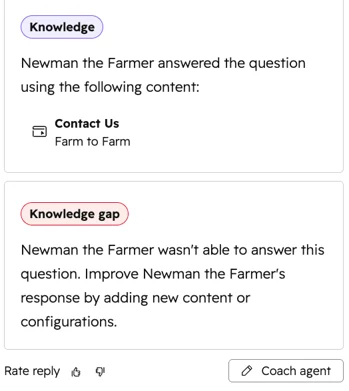
Through coaching opportunities, under Customer Agent, then Analyze. HubSpot's customer agent lists the conversations where it hit a knowledge gap, conflicting sources, a failed action or a handoff, plus replies a visitor gave a thumbs-down, replies a help desk rep flagged, and (in beta) conversations with a CX score of 45 or below. In the help desk itself, an agent insights panel on each of its replies shows which content it answered from.
The number to read carefully is the resolution rate. HubSpot counts a conversation as resolved when the agent shared a content source or ran an action and there was no visitor-initiated handoff within 72 hours of the visitor's last message. A manual reassignment doesn't count as a handoff, and the status doesn't change after it's set. Dan Moyle, Principal Onboarding Specialist at accelant, put the consequence plainly in a community thread on auditing the agent:
"So a customer who simply went quiet can look like a win. Transcript review is how you tell the difference."
So read a sample of resolved conversations as well as the flagged ones. Measuring AI containment and escalation goes into that trap, and HubSpot's batch testing is how you re-check the agent after a fix.
How much does QA in HubSpot cost?
The QA score needs Service Hub Enterprise; the CX score, CSAT surveys and customer agent reports start on Professional. From HubSpot's Service Hub pricing, checked 21 November 2026:
| Plan | Per seat a month | Included HubSpot Credits | One-time onboarding | What it adds for QA |
|---|---|---|---|---|
| Professional | From $90, paid annually | 3,000 | $1,500 | CX score (beta), CSAT surveys, customer agent coaching opportunities |
| Enterprise | From $150 | 5,000 | $3,500 | Everything in Professional, plus the QA score (beta) |
For a team of 10 on annual billing, Professional is $900 a month and Enterprise is $1,500, so the QA score arrives with a $600 a month step up and a $2,000 bigger onboarding fee. Enterprise brings more than QA (conditional SLAs, more transcription hours and 2,000 more credits among them), so that isn't the score's price alone, but it is what a Professional team pays to get it. The customer agent itself needs HubSpot Credits to run. eesel's HubSpot pricing breakdown has the rest.
What does a QA scorecard need that HubSpot leaves to you?
Most QA programs check three things the QA score doesn't: whether the answer was right for your policy, whether the rep followed your process (category, pipeline stage, escalation), and whether it sounded like your brand rather than generically polite. All three need a reviewer that has read your rules.
Pick what you want to check and see what covers it:
Pick a check to see what covers it in HubSpot, and what covers it if nothing does.
There are two ways to cover the rest.
Score a sample by hand
The cheapest route needs nothing new, and it's where most guides to support QA with AI start. Each week, a lead builds a help desk view of last week's closed tickets, reads ten or twenty (the lowest QA and CX scores first, if you have them), and scores each against a short rubric in a spreadsheet. Agree first on what each score means so two reviewers give the same ticket the same number: support QA calibration helps with that, and so do these QA feedback examples.
The limit is the obvious one: a person reads a sample, not every ticket, and the scores live outside HubSpot.
Have an AI teammate score against your rubric
The second route is an AI agent that runs the review on its own, against your rules, and writes the result back into HubSpot. This is what I'd do with eesel. eesel's HubSpot integration can search tickets by stage, date or any ticket property, read each one with all its conversations, leave an internal comment, and update the ticket's own properties.
Put that on a schedule and every morning it:
- Searches for the tickets moved to a closed stage since yesterday.
- Reads each one against the criteria you wrote in plain words ("a late-delivery refund must follow the policy in the returns doc", "billing questions get the Billing category", "never promise a ship date").
- Leaves the score and its reasons as an internal comment on the ticket.
- Writes the result into a ticket property you create, such as a QA result dropdown with Pass and Needs review, so a help desk view or a HubSpot report can show the misses.
- Sends the lead a summary of the day, in Slack or by email if you connect them.
You write the rubric, so policy accuracy, process and voice are just more lines in it, and you change them whenever your policies do. Two things to know before you start. HubSpot tickets have no tags, so eesel treats tagging as a property update: it lists your ticket fields first and copies the exact property name and option. And eesel can't open files attached to a ticket, so a screenshot the customer sent isn't part of what it scores. The same eesel agent can also draft replies as tickets arrive, and categorise them too, if you want it to.
Daily checks like this already run for eesel's customers. Cactus Club Cafe runs a second eesel agent on its Zendesk helpdesk that audits the daily finance extract every morning: it checks each store and either solves the ticket as balanced or leaves it open with the imbalance named. Between 8 August and 8 September 2026 it ran about 60 times. A QA review is the same shape: a daily check against written rules, with the result left on the ticket.
Is HubSpot's QA score enough?
Credit where it's due: HubSpot built more QA into the product than most helpdesks. The explanations quote the conversation, the CX and QA pairing separates product problems from coaching problems, and coaching opportunities point straight at the customer agent's knowledge gaps.
My take: on Enterprise, use the QA score as your list of which tickets to read first, and the CX score to decide whether a bad week is a rep problem or a policy problem. Don't treat either as a QA program. A rep can score 5 on Tone, Clarity and Empathy while confidently quoting the wrong refund window, and the score will never know. If you're on Professional, the QA score alone isn't a reason to upgrade: a reviewer that checks your own rules on every ticket covers more of what a scorecard is for. eesel's roundup of support QA tools covers the dedicated scorers too.
Try eesel next to your HubSpot help desk
Keep the QA and CX scores for what they do well. What eesel may do depends on who is asking: for your team, a customer or a visitor, you choose which of its actions run on their own, which ask first and which stay off. Let it read your closed HubSpot tickets against the rest of your rubric (your refund rules, your categories and stages, your voice), written in plain words and changed whenever your policies change. It leaves its reasons in an internal comment on each ticket, marks the ones a lead should read in a property your views can filter on, and takes changes to what it checks in plain language.

Try eesel on your HubSpot help desk, starting with yesterday's closed tickets.