


Kustomer has no AI that decides how urgent a conversation is. It has a Priority field (1 to 5, default 3) that an agent or a business rule sets, and a separate queue priority (1 to 100) that orders the queues. AI can add a label, such as an urgency class from a Conversation Intelligence classifier at $0.02 a run, but a rule you write turns the label into a priority. Kustomer's help article says the Priority field affects skills-based routing, which is ticked for Ultimate only.
If you want the ranking done by something that reads the whole ticket, eesel does that on Zendesk, Freshdesk and Gorgias, not on Kustomer, which it has no integration for. With the eesel CLI, an AI coding agent can upload your approved urgency rules and ask test tickets before anything goes live, though a helpdesk admin still approves the connection.
What does priority mean in Kustomer?
Kustomer has two priorities, and they run in opposite directions. The conversation priority is a value on the conversation: 5 is highest, 1 is lowest, and every conversation starts at 3. Queue priority is a value on a queue: 1 is first, 100 is last.
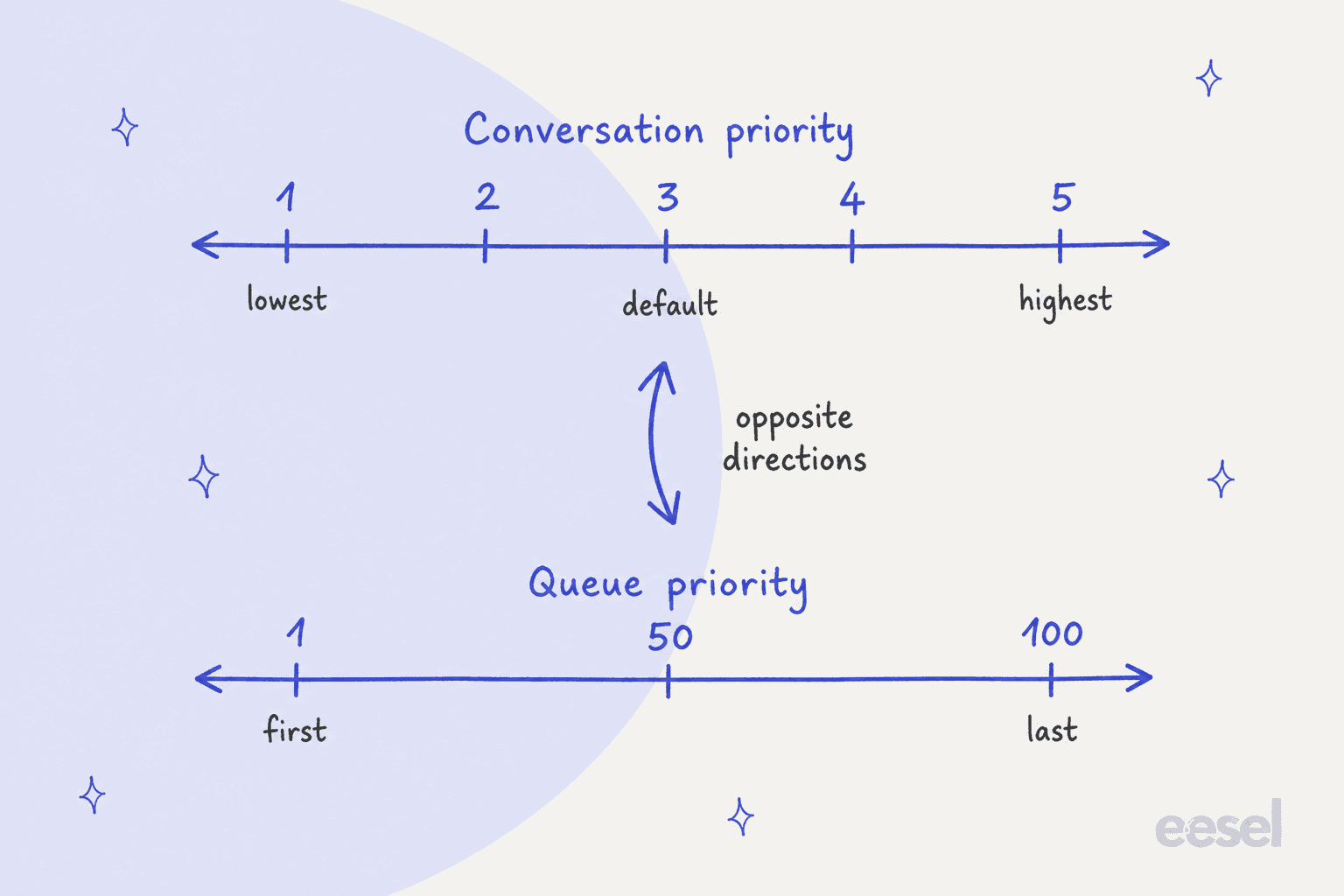
Kustomer flags this itself, and it is the first thing I would put on a sticky note for a new admin. A rule that sets "priority 1" on a queue means first in line. The same number on a conversation means last. Mixing them up is how a VIP rule quietly demotes the people it was written to help.
The two also act at different levels. Queue priority decides which queue the router serves first. Conversation priority decides which eligible conversation inside that flow is considered first, and if two are tied, the one that has waited longer goes first.
How do you set conversation priority automatically?
You set it by hand or by business rule. Agents change the Priority field in the conversation's insight details panel.
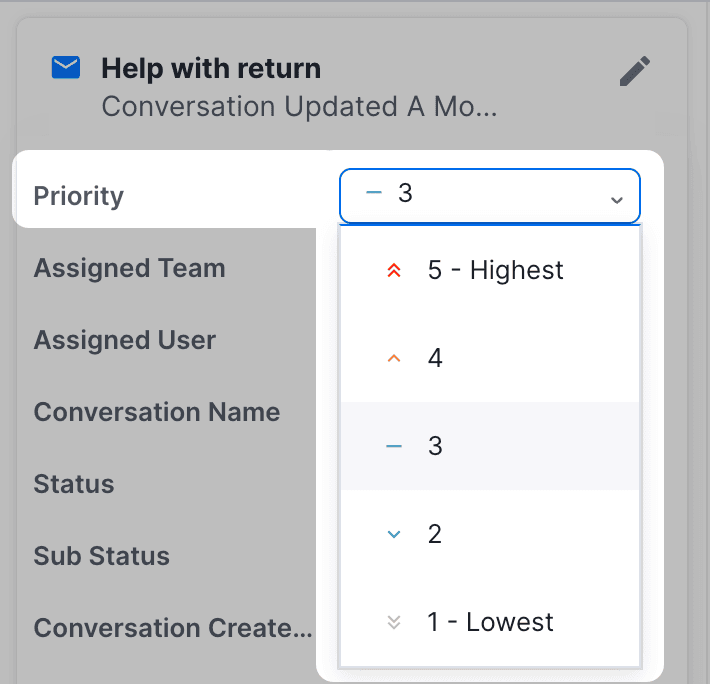
Admins build a rule under Settings > Platform > Business Rules: add the criteria, add an action that updates Conversation Priority, pick a value, save. Kustomer's own example changes priority to 4 when a VIP-tagged customer sends a chat message.
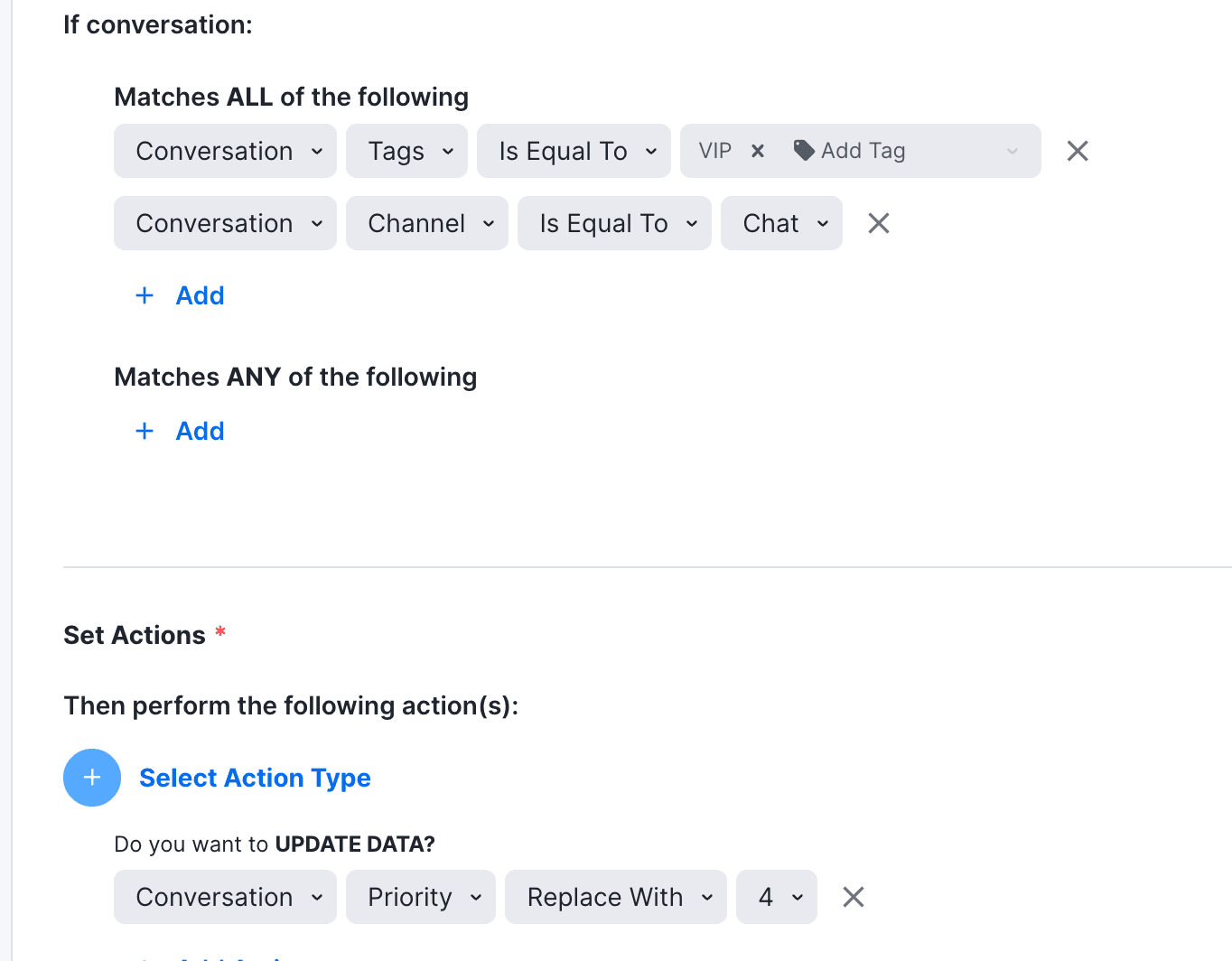
Notice what that rule reads: a tag and a channel. Nothing in it reads the message. It is the same rule-driven approach as Zendesk ticket priority or Freshdesk VIP priority, and it is only as smart as the tag someone put on the customer.
Plan limits matter here, because priority rules compete with everything else you automate. Kustomer's pricing details page (last updated 12 October 2026) lists 100 business rules and 100 custom workflows on Enterprise, and 200 of each on Ultimate.
Does priority actually change who is served first?
Less than the field suggests. This is the part I would verify before building anything. Kustomer's help article says conversation priority "affects conversations that are routed using skills-based routing", and that it does not change queue priority, agent capacity or whether a conversation is eligible for an agent. Its example: give VIP conversations a higher priority so they are considered earlier during skills-based routing.
Skills-based routing is ticked for Ultimate and blank for Enterprise in the current plans table of the pricing details page. The older usage-based plans table ticks it throughout, so ask Kustomer what your contract says. On a plan without it, I found no documented effect of the Priority field on routing order, though you can sort a search by the Priority column. What does reorder work on every plan is queue priority.
| What you set | Who sets it | What it reorders | Plan, per the pricing page |
|---|---|---|---|
| Queue priority (1 to 100) | An admin, per queue | Which queue the router serves first, until it is empty | Queue-based routing on Enterprise and Ultimate |
| Conversation priority (1 to 5) | An agent, a business rule or a workflow | Which eligible conversation goes first in skills-based routing; sorts search lists | Field on both; skills-based routing Ultimate only |
| SLA policy and alerts | An admin | Nothing by itself; sends in-app alerts about at-risk conversations | SLA Management on both |
| AI attribute label | A classifier you define | Nothing by itself; a rule or workflow has to read it | Conversation Intelligence add-on, $0.02 per execution |
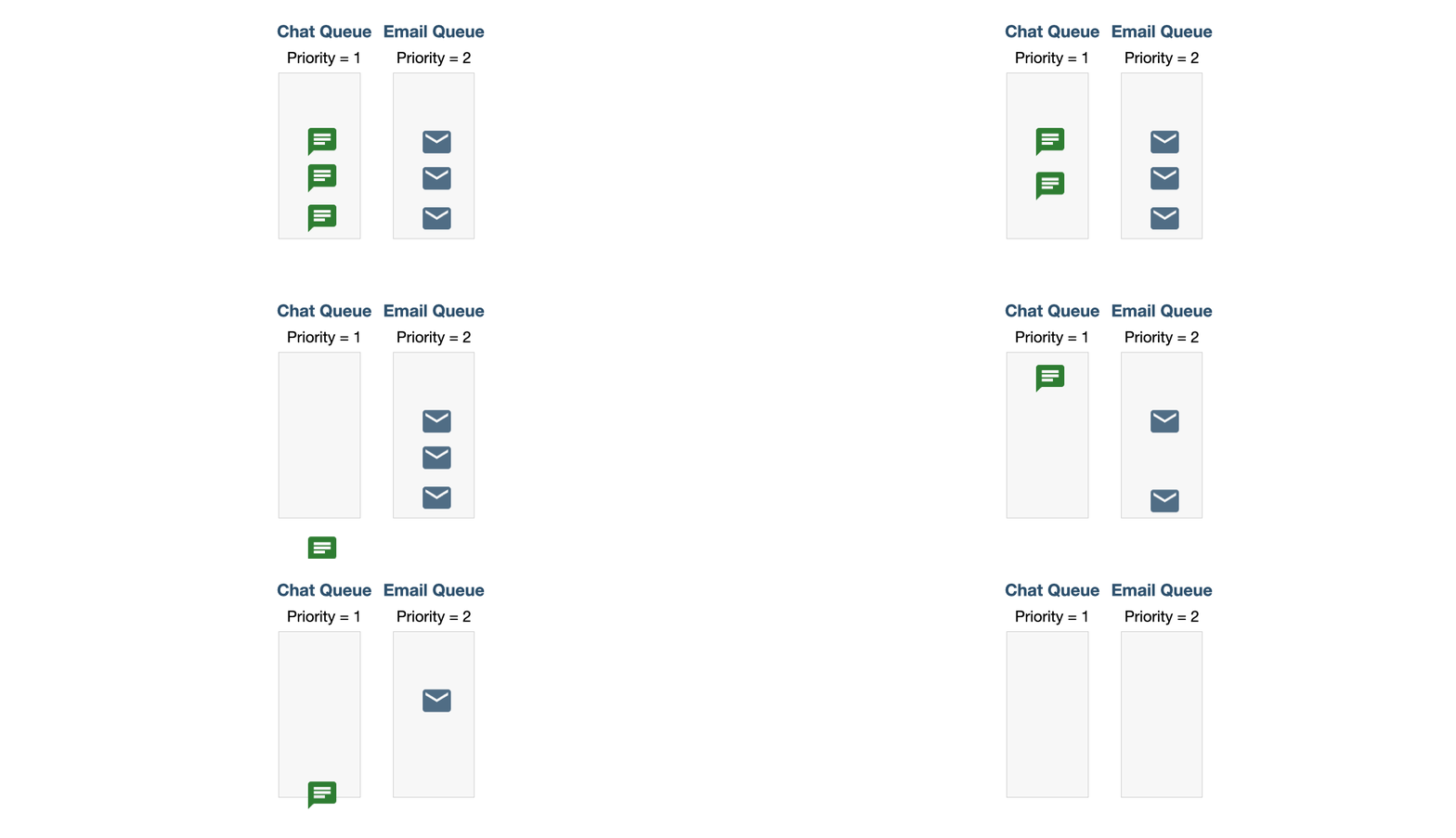
Two queue quirks catch teams out. Changing a queue's priority does not move conversations already in it, so they keep their old rank. And re-opened snoozed conversations rejoin by the time they re-open, so they go behind anything that entered the queue earlier, when the "requeue snoozed conversations" setting is on.
What do SLAs and sentiment add to prioritization?
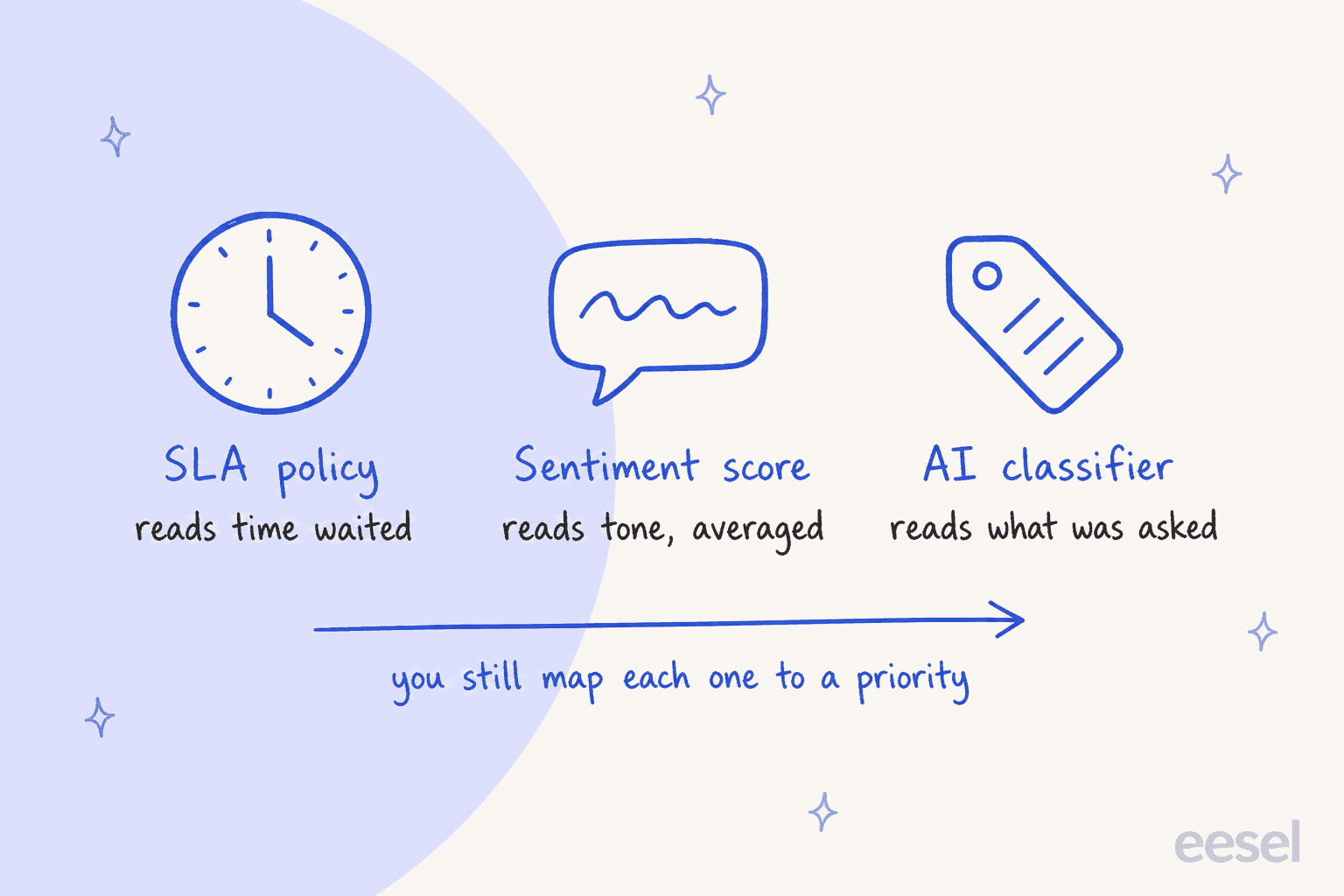
They add signals, not decisions. An SLA policy tracks time, a sentiment score tracks tone, and neither one changes the Priority field on its own.
SLA alerts send in-app notifications to up to 50 users or teams when a conversation is close to breaching a policy metric. You get up to 5 alerts per policy, check every 5 minutes at the fastest, and set the warning window between 1 minute and 7 days. The recipient clicks through to a search of at-risk conversations and re-prioritizes the workload by hand. The Next Reply Time metric starts a new timer every time the customer writes again, which suits a long-running chat. For the wider picture, my SLA management guide covers how to set targets.
Sentiment is scored per message, per Kustomer's sentiment scores article, which names Amazon Comprehend as the engine. Conversation and customer sentiment are averages of those message scores. An average smooths out the one furious message in a calm thread, which is the opposite of what a priority rule wants. A workflow action called Natural Language Processing returns a sentiment of -1, 0 or 1, per the workflow actions list, so a rule could act on it. For the other side of that score, see AI sentiment analysis for support. I found no documented walkthrough that does. Sentiment Tracking and Segmentation by Sentiment in reporting are on both plans.
Where does Kustomer's AI come in?
AI touches priority in three places, and in all three a person-written rule does the ranking.
AI attributes (Conversation Intelligence). Kustomer's AI attributes guide lists three types: a Classifier sorts conversations into labels you define, a Score applies a weighted rubric and returns 0 to 100 with a rationale, and an Extractor pulls out a value such as a product name. Each label option gets a name and a description, and Kustomer's sample classifier uses reasons like "Where is my order?" and "Cancel order". Kustomer's October 2026 release notes say results are saved in attributes so you can use them to route conversations and trigger workflows. That is the hook for urgency. It is $0.02 per execution on the pricing page, and an attribute can have up to 3 triggers, each creating an execution.
Conversation Classification (Kustomer IQ). The older machine-learning feature does intent classification and predicts an attribute such as contact reason from your history. Kustomer's classification and routing guide says it is no longer available to new customers (August 2023 update), and the setup needs two business rules, one to predict and one to clean up a temporary tag. A workflow action, Intent Identification Prediction, uses the same models.
Concierge Smart Routing. This one is about who answers, not who is first. Per Kustomer's engaged conversations page, Smart Routing reads the conversation's intent and decides whether your AI automation should handle it, and the conversation is billed at $0.75 only once it does. I found no priority setting on it. My Kustomer AI deflection and Kustomer AI auto-reply posts cover that side.
How would I build AI prioritization in Kustomer?
I would build it as a classifier feeding a business rule, then test it for a week before trusting it. This is my pattern assembled from the documented pieces above, not a walkthrough Kustomer publishes.
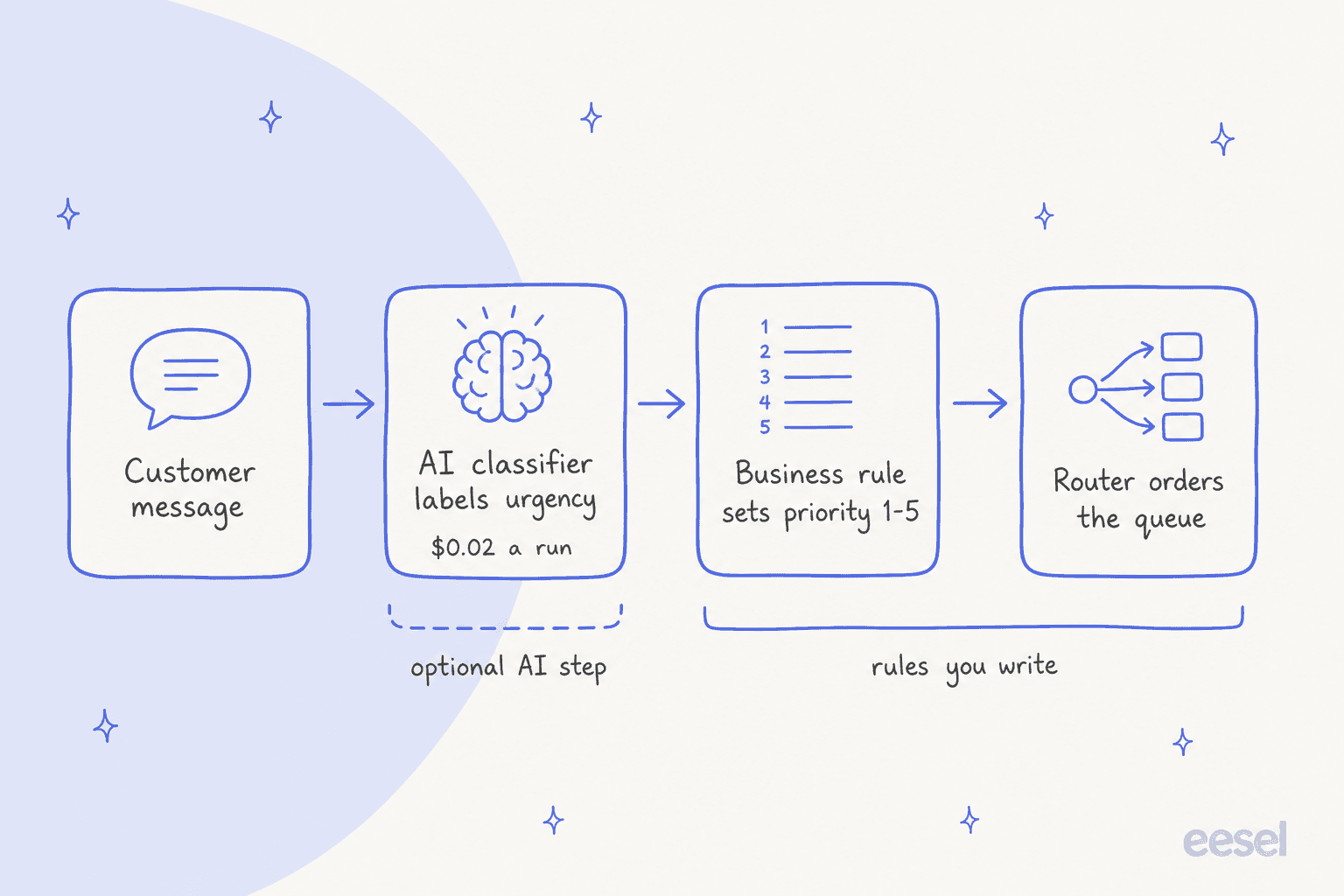
- Write the urgency list in words. Four labels is plenty: "Service down or blocked", "Payment or billing failure", "Delivery or order problem", "Everything else". Give each a one-line description, as Kustomer's examples do.
- Create a Classifier on the Kustomer AI page with those options and instructions that read the whole conversation, not keywords. Kustomer's sample says to weigh "the customer's main request", which is the behavior you want.
- Add a business rule per label that updates Conversation Priority (5 for down or blocked, 4 for payments, 3 for the rest) and, if you route by queue, moves the conversation to a queue with a lower queue number.
- Mind the timing. Queue rules are checked when a conversation is created, per Kustomer's queue rule timing page, so a label written a moment later can miss them. Kustomer's fix is a business rule on all updates that acts once the value appears. My Kustomer conversation routing post walks through it.
- On a plan without skills-based routing, pair the label with a queue move. The Priority field alone may only sort your search lists.
What will this cost? The unit is an execution. Here is the arithmetic for one classifier, using Kustomer's $0.02 rate, with one trigger and with the maximum of three.
Pick your monthly volume to see the cost of one urgency classifier at $0.02 per execution.
That is the cost of the label only. If you are weighing it against a switch, Gorgias vs Kustomer, Freshdesk vs Kustomer and Kustomer vs Gladly put the plans side by side. The business rules are part of the platform, and the pricing page also lists an "AI Attributes" row marked as available at an additional charge, so confirm the total with Kustomer.
What goes wrong with priority rules in Kustomer?
Most failures are about the rule, not the AI. These are the ones I would test for first.
- The scales get crossed. Priority 5 on a conversation is urgent. Priority 5 on a queue is nearly last in line.
- A tag-based rule is only as good as the tag. The VIP example only fires if the customer already carries the VIP tag. A customer who writes "our checkout is down" with no tag stays at 3.
- The label lands late. An attribute filled after creation can miss queue rules, as above.
- Queue changes are not retroactive. Raising a queue's priority leaves existing conversations at their old rank.
- A label is not a decision. A classifier that says "Payment or billing failure" has not changed anything until a rule maps it to a number. Check every label's rule fires by searching conversations sorted by the Priority column.
For ideas on what a good urgency rule contains, my guide to prioritizing support tickets with AI and the ticket triage overview cover the common tiers.
Can eesel prioritize Kustomer conversations?
No, not on Kustomer. eesel has no Kustomer integration, so I would not plan around one. If part of your support sits on a helpdesk eesel connects to, the same urgency rule can run there, and the eesel AI helpdesk teammate reads the whole ticket rather than a tag.
Here is what that looks like on live tickets. Rúngne, a Norwegian climbing apparel brand on Gorgias, runs a triage agent on every new ticket. Between 8 August and 8 September 2026 eesel handled about 2,100 of its tickets, and the triage agent set about 880 tags from a fixed list that includes VIP and a human_review_required flag. Cancellations, damaged items and anyone who asks for a person go to the team, the escalation path my guide to handling support escalations describes. The point is the same one as the classifier above: a fixed list of labels, then a rule on what each label does. The difference is that the reading and the acting happen in one step, with a reason left on the ticket.
Other helpdesks handle priority in their own way:
- Front has no priority field, so teams build one with tags.
- Gorgias and HubSpot each have their own rule and AI steps.
- Zoho Desk predicts priority with Zia.
If you are weighing a move, Kustomer alternatives covers it. For other Kustomer jobs, see Kustomer AI quality assurance and conversation tagging.
What would I do on each Kustomer plan?
- On Enterprise: use queue priority for the ordering that matters, and set the Priority field only for sorting and reporting. Add a classifier only if a rule will move the conversation to a higher-priority queue.
- On Ultimate: the Priority field earns its keep with skills-based routing, where VIP or urgent conversations are considered earlier. Pair it with a classifier for the cases a tag cannot catch.
- On either: set SLA alerts on First Response Time or Next Reply Time so a person gets a nudge before the breach. The alerts are a human prompt, not an automatic reorder.
Try eesel for priority on your other helpdesks
If your queue runs on Zendesk, Freshdesk or Gorgias, an eesel AI teammate can rank each new ticket by the rule you write in plain words, then tag, assign or flag it with its reason in a note. You choose what it may do alone and what waits for a yes. Try eesel on last week's tickets and see which ones it would have put first.