


Front has no priority field, so AI ticket prioritization in Front means building one: a tag, a dropdown custom field or a priority inbox, filled by a rule, and the only native AI that judges urgency is on Enterprise. That's the Branch with AI rule step ("Is this message an urgent matter?"), and Enterprise costs $105 a seat a month, billed annually. On Starter ($25) and Professional ($65) you prioritize with keyword rules, and Professional adds time goal rules, which flag a conversation because time is running out, not because of what it says. Even Outlook's own "high importance" flag doesn't carry over into Front without a Smart Rule. If you'd rather not change plans, eesel reads each new Front message with the whole thread, follows a priority rule you write in plain words, and tags, assigns or moves the conversation with its reason in a comment. With the eesel CLI, an AI coding agent can upload your priority policy as knowledge and ask test questions about sample messages before anything goes live, though a Front admin still approves the connection.
Does Front have a ticket priority field?
No. A Front conversation has an assignee, an inbox, tags, a status and custom fields, but nothing called priority. I build integrations at eesel, and this is the first thing I check on any helpdesk, because "set the priority" means a different thing everywhere: in Zendesk it's a built-in field with four values, and in Front it's whatever your team agrees it is.
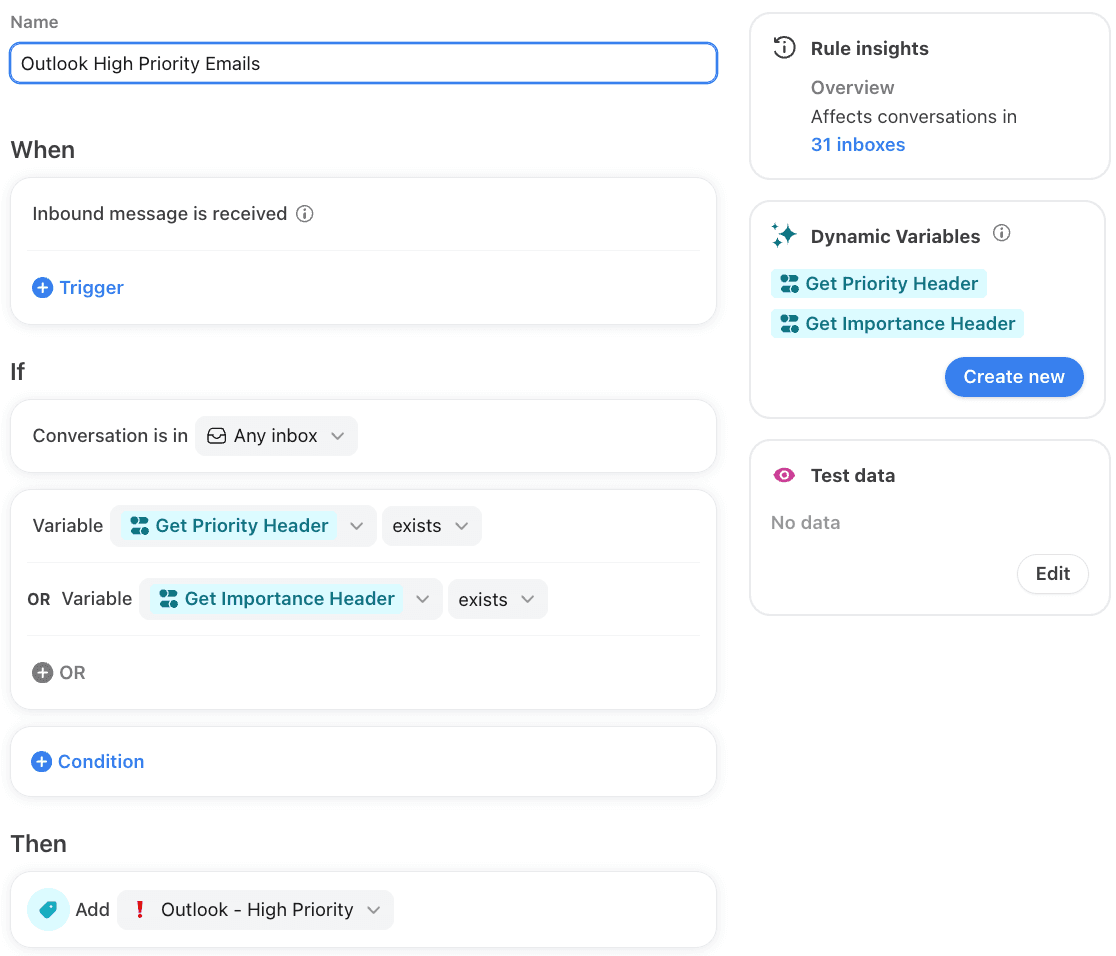
Front's own help center shows how much this is left to you. Its article on Outlook high-priority emails opens with: "When emails are marked as high priority or high importance in Outlook, this status is not automatically synced to Front." The fix it gives is a company tag plus a company rule with a dynamic variable that reads the email's priority and importance headers, and company rules are an Enterprise feature.
So in practice teams pick one of three places to keep priority:
| Where priority lives | Who sets it | What it's good for |
|---|---|---|
| A tag ("Urgent", "P1") | A teammate, a rule, or an app through the API | Views, rule conditions, filtering in analytics |
| A dropdown conversation custom field ("Priority: Urgent / High / Normal / Low") | A teammate, a rule's Update custom field value action, or the API | One value per conversation, so it can't be both Urgent and Low |
| A separate priority inbox | A rule that moves the conversation, the Front version of ticket routing | Its own assignment rules, so senior teammates get it |
A dropdown field is the cleanest because a conversation can only hold one value, while two tags ("Urgent" and "Low") can sit on the same conversation and nobody notices. One trap if you set it from a script: Front's update conversation endpoint replaces the whole custom fields object, and its docs warn that "if you send only the custom fields you want to update, the other custom fields will be erased." Read the existing fields first and send them all back.
Can Front's AI set priority for you?
Yes, on Enterprise, through a rule rather than a feature called prioritization. Front's rules with AI steps give Enterprise customers a Branch with AI step: you ask a yes or no question, or a multiple-choice one, in plain words, and the rule branches on the answer. Front's own example rule asks "Is this message an urgent matter?" and gets three branches back: TRUE, FALSE and No answer matched.
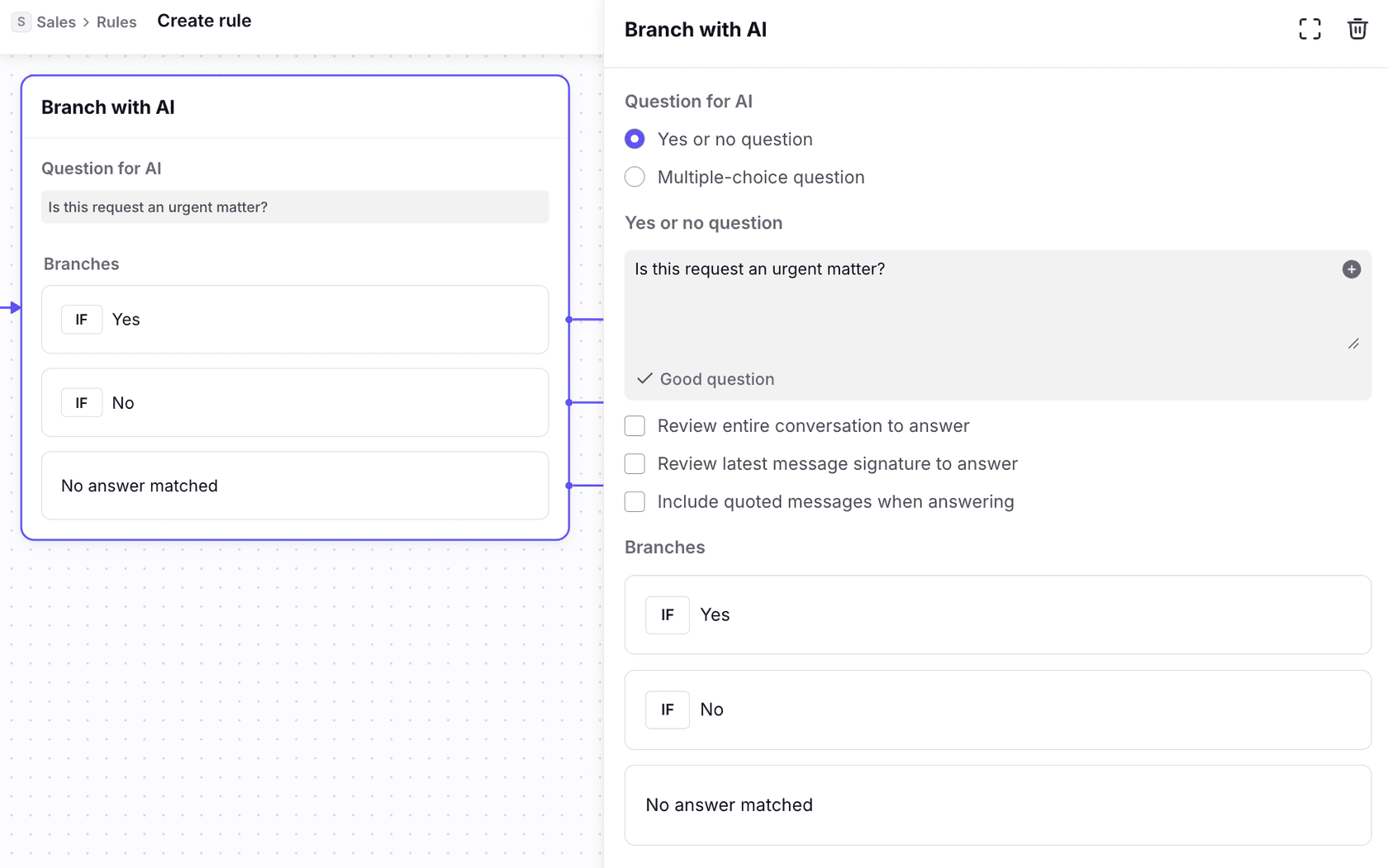
To get a real priority out of it rather than a yes or no:
- Create a dropdown conversation custom field called Priority with your levels.
- Build a branching rule on inbound messages in your support inboxes.
- Add a Branch with AI step with a multiple-choice question, such as "How urgent is this request: Urgent, High, Normal or Low?", and write the definition of each level into the question.
- On each branch, use Update custom field value to set Priority, and on Urgent also assign or move the conversation.
- Send No answer matched to a person, not to Normal. A message the AI couldn't place is exactly the one someone should look at.
Two settings decide whether it works. By default Branch with AI reads only the latest message; Front's FAQ on the same page says the step "looks at the message content in the last message of a conversation". Tick Review entire conversation to answer, or a customer's third polite follow-up gets scored on its own politeness. And Front's AI-powered routing and tagging is listed only under Enterprise, so this whole route starts at $105 a seat.
Front also has two rule-based tools that look like prioritization but read different things. A Smart Rule can pull a date out of a message and tag it Urgent when it's close: Front's date-based example tags a travel booking urgent when the trip is within two days, and Smart Rules need Enterprise or the Autopilot add-on. And the AI Tagging template that once tagged by urgency is legacy and closed to new users, as I covered in my post on Front AI sentiment analysis.
Are time goal rules a priority system?
They're half of one. Front's time goal rules rank conversations by how long they've waited, not by what the customer said. A reply time goal rule, on Professional or above, adds an SLA Warning tag before the goal and an SLA Breach tag after it (resolution goals use their own at-risk and overdue tags), and can notify or reassign at either point. My guide to Front time goal rules covers setup in detail.
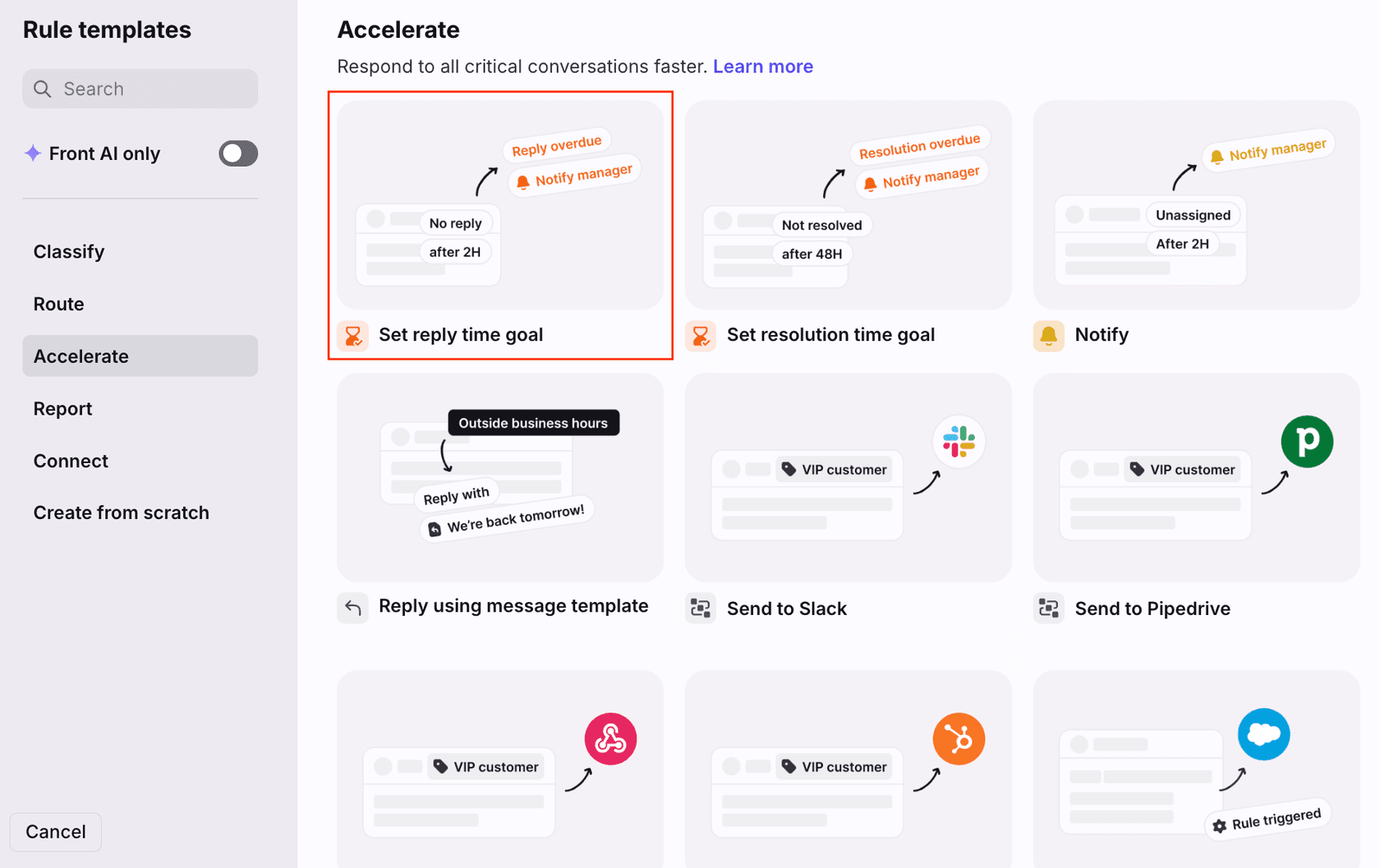
Three things in Front's time goal docs matter for priority:
- Snoozed conversations are skipped. If the goal timer expires while a conversation is Snoozed or Archived, "the reply time goal rule will skip this conversation and the rule will not run." Snoozing doesn't pause the clock either, so a snooze that runs past the goal means no warning and no breach tag for that message. My post on Front snooze behavior has the other side effects.
- Moved and split conversations need a re-save. Time goals apply to conversations created by a move or split only for rules created or updated after 12 November 2026. An older rule has to be opened and saved once.
- A reply clears the tag. Front removes the overdue or at-risk tag when someone replies, so the tag shows what's late now, not what was late this week. The Time goals report is where the history lives.
So a fair setup on Professional is both halves: a keyword rule that tags "outage", "payment failed" or "can't log in" Urgent and moves it to a priority inbox (the approach a Front support agent suggested in a community thread), plus a reply time goal with a warning, so the normal queue still gets answered.
What does each Front plan need for priority rules?
Front's pricing page on 22 November 2026 listed Starter at $25 a seat a month for up to 10 seats and up to 10 automation rules, Professional at $65 for up to 50 seats with up to 20 rules, and Enterprise at $105 with unlimited rules and "AI-powered routing and tagging", all billed annually. Pick the signals you want to prioritize on and your seat count, and the planner shows the lowest plan that does it natively:
The costly box is the last one. Moving 10 seats from Professional to Enterprise to get Branch with AI costs $400 a month more ($1,050 instead of $650), and that buys the rest of Enterprise too, such as Smart QA, Smart CSAT and Copilot. If AI judgement on urgency is the one thing you want, it's worth pricing that against a tool that does only that job.
How do you get AI prioritization in Front without Enterprise?
Put the judgement somewhere that can act in Front on any plan. There are two options.
Keyword rules and a priority inbox
The free version: one rule on inbound messages whose body contains the words your customers use when it's urgent, adding an Urgent tag and moving the conversation to a priority inbox with its own assignment. It's quick, and it catches the obvious cases. It misses the customer who writes "no rush, but our checkout has been down since 9am", and it fires on "this is not urgent". Treat it as a floor and review what it tags for a week. My guide to prioritizing tickets with AI has more signals worth matching, and Zendesk users do the same with a keyword priority trigger.
An AI teammate that follows your priority rule
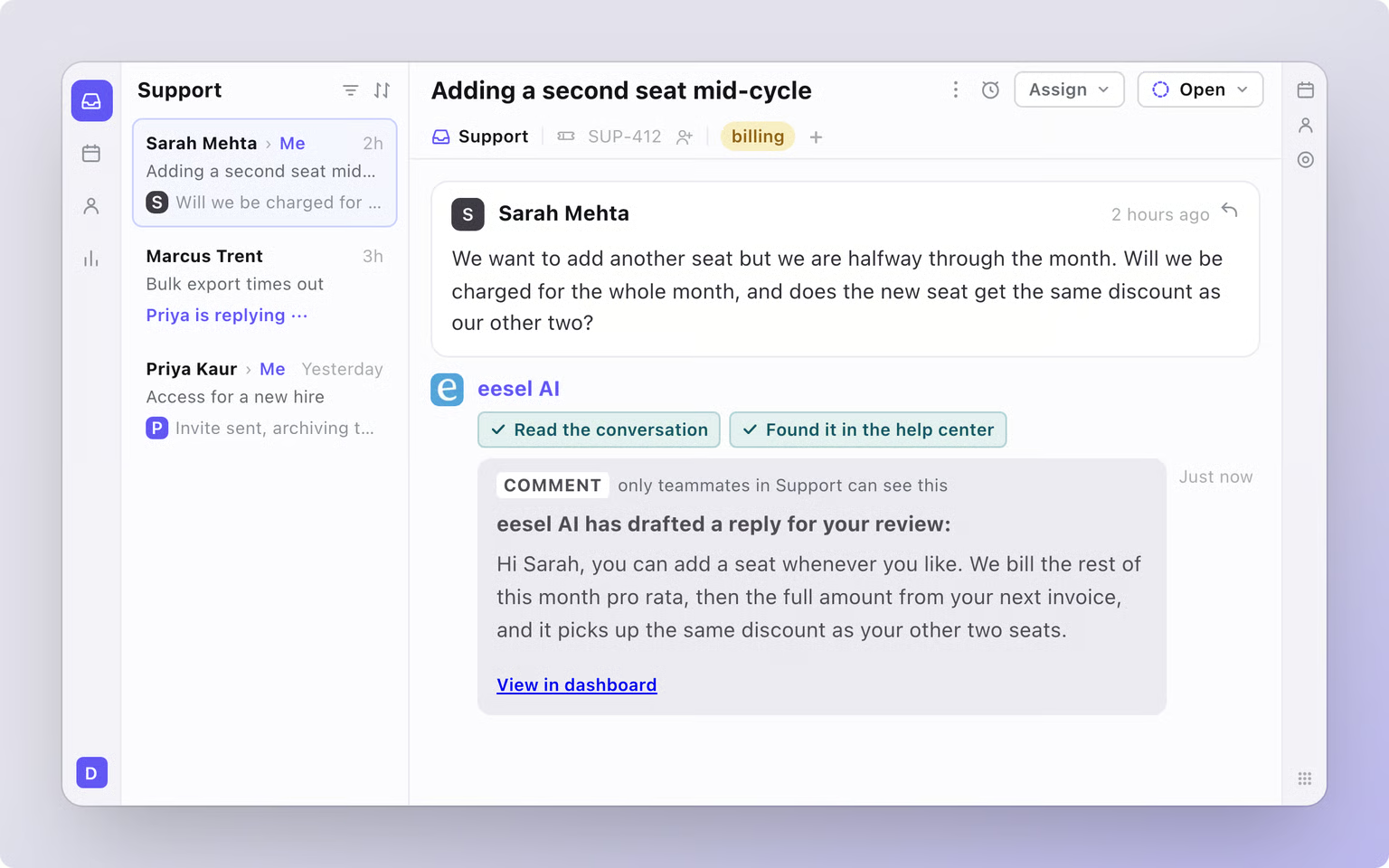
The other route is an AI agent that reads each message the way your best teammate would, then acts in Front. This is what I'd set up with eesel. Its Front integration can start a run "when a customer sends a message", and each run can read the whole thread with its internal comments, the conversation's tags, assignee and inbox, and the customer's contact record.
You write the rule in plain words, for example: "Urgent: anything about a failed payment, a site outage or a customer who can't log in, and anything from a contact on the Enterprise list. High: a second follow-up on the same issue. Everything else is Normal. Tag Urgent conversations P1, move them to the Priority inbox and say why in a comment." For each new message, eesel:
- Reads the full thread, not only the latest line.
- Checks it against your rule.
- Adds an existing tag such as P1, assigns the conversation to a named teammate, or moves it to another inbox.
- Leaves its reason as an internal comment, so whoever opens it knows why it jumped the queue. For the ones that need a senior person, my guide to support escalations covers the handoff.
Two things to know first. eesel adds tags that already exist in Front, so create P1, P2 and P3 before you start. And you decide which of these actions run on their own and which wait for a teammate's yes, so you can watch a week of its calls before it moves anything.
Rúngne, a climbing apparel brand on Gorgias, runs this pattern: a triage agent tags each new ticket it runs on, including a human_review_required tag, and cancellations, damaged items and anyone who asks for a human go to the team. For the wider picture, see my AI ticket prioritization overview.
Which Front prioritization setup should you pick?
- Under 10 seats on Starter: keyword rules into a priority inbox. You have 10 rules, so spend them on the signals that cost you a customer when missed.
- On Professional: add a reply time goal with a warning, and check that nobody snoozes past it. That covers "late" without AI. Pair it with load balancing assignment in the priority inbox.
- Already on Enterprise: use Branch with AI with a multiple-choice question into a Priority dropdown, tick Review entire conversation, and route No answer matched to a person.
- Want AI judgement without the plan change: an AI teammate that applies your written rule to every message and tags, assigns or moves with its reason. If you're weighing a move, Gorgias handles it with rules, and Zoho Desk predicts priority with Zia.
Try eesel next to Front
Keep Front for the inbox your team knows, and let eesel decide what jumps the queue. What it may do depends on who is asking: for your team, a customer or an anonymous visitor, you choose which of its actions run on their own, which ask first and which stay off. Write your priority levels in plain words, change them when your policy changes, and it tags, assigns or moves each Front conversation with its reason in an internal comment. The same teammate can triage new email and draft replies for your team to review.
Try eesel on your Front inbox, starting with last week's conversations that should have been P1.