

AI email triage in Front means three jobs: classify the incoming email, route it to the right inbox or teammate, and draft or auto-resolve a reply. Front does all three natively, but in separate products. Topics clusters and labels conversations, the rules engine routes them, and Autopilot resolves the ones it can. Copilot drafts for the ones it can't.
The catch is the billing and the testing. Front's AI is priced in pieces (Topics free, Copilot $20/seat, Autopilot from $0.05/conversation) on top of seats at $25 to $105, and Autopilot's simulation runs against scenarios you write rather than your own ticket history.
If you want triage as one job with one price, you can layer an AI teammate inside the same Front shared inbox. It reads the conversation, tags it, routes it, drafts or sends, and escalates when it's unsure, on a fixed monthly plan from $299/month for 500 credits, with no seats and no platform fee, and it lets you simulate on your real past Front conversations before it touches a live one.
What "email triage" actually means in a Front inbox
If you run support out of Front, you already do triage every day, probably without calling it that. A shared inbox fills up, and someone has to decide: what is this about, who should handle it, how urgent is it, and can it be answered from something we've already written down. Do that by hand across a few hundred emails a day and it eats the first hour of every shift.
AI email triage is just automating those decisions. Broken into stages, it looks like this:
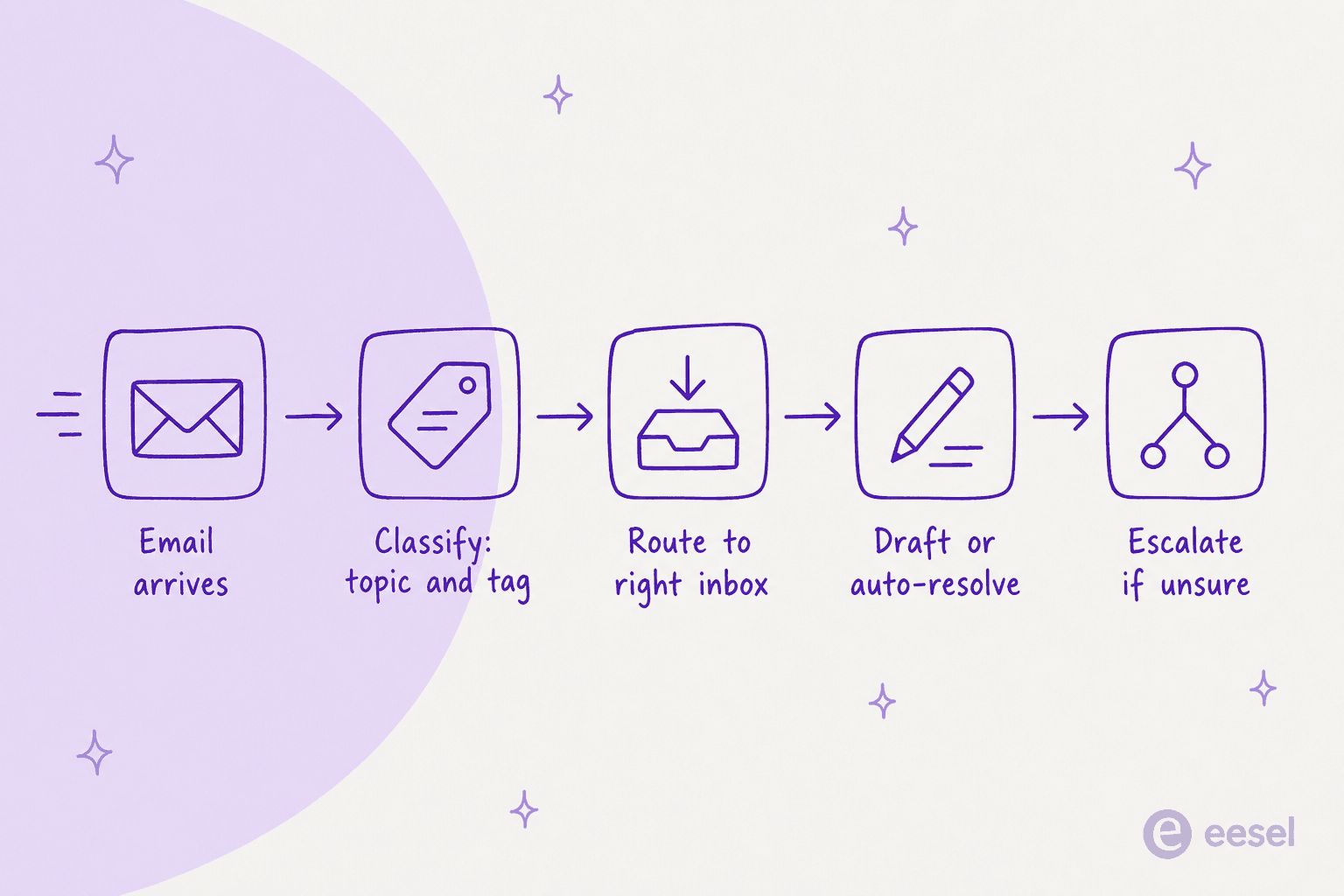
Front covers this whole chain natively, but you assemble it from a few different features rather than flipping one switch. I've spent a good chunk of the last few years wiring AI into live support queues, Front among them, and the part people underestimate is not the classification, it's the routing and the "when do I trust it to reply" bit. So let's walk each stage and then talk about where the native tools stop and what you add on top.
How Front's native AI handles triage
Front brands its AI as three verbs: Automate, Assist, Analyze. Each maps neatly onto a triage stage.
Classify: Topics
Topics is Front's classification layer. It reads your conversation history and clusters it, so instead of guessing why customers write in, you get real categories: "refund request", "shipping delay", "login issue". It's included on every plan, from Starter up, and on setup it backfills up to 10,000 conversations from the past 30 days so you're not starting from an empty board.
A few real limits worth knowing before you lean on it. Topics is designed for higher-volume inboxes doing more than 1,000 conversations a month; below that, Front says you may see odd behaviour or no topics at all. A topic needs at least five conversations before ongoing tagging kicks in, and merging two topics is permanent with no undo. Topic names come out in English, though Front will read conversations in dozens of languages to generate the matching English label. You can move a conversation from one topic to another if it lands wrong, but you can't feed the model corrected examples to retrain it.
Route: the rules engine and Playbooks
Classification only helps if the email then goes somewhere. Front's rules engine is the routing workhorse: you build conditions on inbox, sender, keyword, tag, or SLA, and set actions like assign to a teammate, move to an inbox, add a tag, or start an SLA timer. This is the part most teams already run, and AI triage sits on top of it rather than replacing it.
For AI-driven resolution, Front uses Autopilot Playbooks: a named set of steps the agent follows, scoped to a specific inbox.
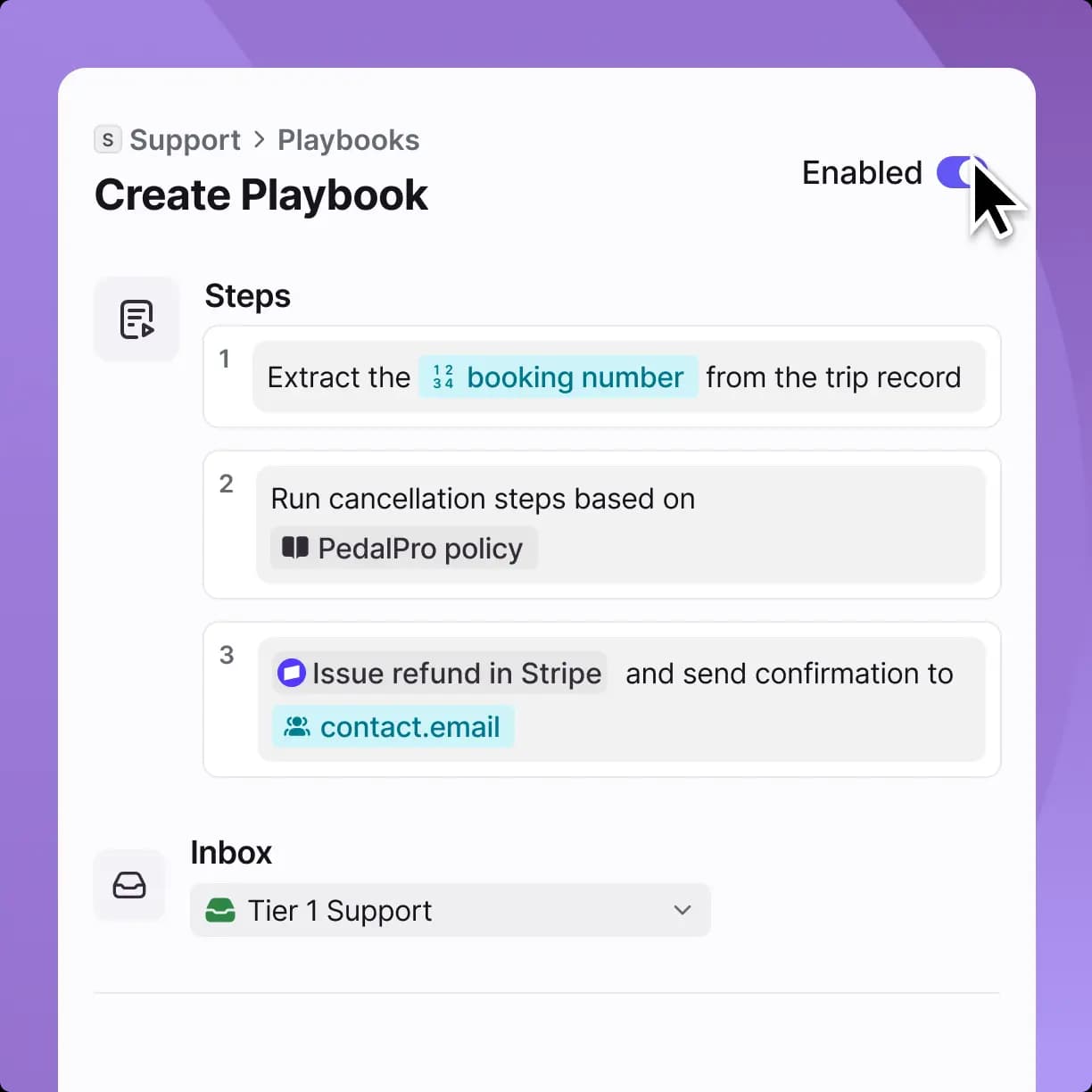
A Playbook can pull a booking number from a record, check it against a policy, and take an action in a connected tool. That's genuinely more than FAQ deflection, and it's one of Front's real strengths: it treats third-party CRM and ERP data as a first-class input rather than a bolted-on lookup.
Resolve or assist: Autopilot and Copilot
Once an email is classified and routed, something has to answer it. Front gives you two paths.
Autopilot is the autonomous agent. Front markets it as resolving up to 70% of requests end to end, across email, chat and Slack. It's an add-on that starts at $0.05 per conversation and is available on every plan, including Enterprise. Credit where it's due: Autopilot does have a simulation step, so the old "flip the switch and hope" criticism isn't fair. The honest distinction is what it simulates. Front's simulation runs against scenarios you write, not a replay over your own historical tickets, so you're testing the cases you thought of rather than the ones your customers actually sent.
Copilot is the assist path: it drafts suggested replies grounded in conversation history, investigates context across connected systems, and lets an agent adjust tone and length before a human hits send. It's $20 per seat per month, or included on Enterprise. This is the mature, low-risk end of Front AI, and it's a good fit for the tickets you don't yet trust to full automation.
Setting up triage in Front, step by step
If you're building this with the native tools, the order that works is:
- Turn on Topics and let it backfill. Give it a week on a real inbox so the categories reflect what customers actually write about, then rename the vague ones.
- Write your routing rules against those topics. Route "billing" to the finance-facing inbox, tag anything with an SLA keyword, assign VIP senders to a named queue.
- Build a Playbook for one narrow, high-volume topic. Order tracking or refund requests are the usual first picks because the steps are the same every time.
- Simulate, then start Autopilot in a limited scope. Point it at that one topic, watch it, and widen only when the resolution quality holds.
- Put Copilot on everything else so agents get drafts on the tickets Autopilot isn't handling yet.
None of this is one-click, and that's the fair thing to say about native Front AI: it's powerful, but setup is real work. Cleaning Topics, writing rules, building Playbooks and connecting knowledge is more than a toggle, and the pieces are billed and configured separately.
Where native Front triage stops short
Front's AI is good. But three things trip up teams doing serious triage volume, and they're worth naming plainly so you can plan around them.
The bill is fragmented. To get full triage you're often paying for seats plus Copilot plus Autopilot per conversation. There's a specific trap here: on the Professional plan at $65/seat, adding Copilot ($20), Smart QA ($20) and Smart CSAT ($10) comes to $115/seat, which is more than Enterprise at $105/seat where those three are included. Worth doing the math before you stack add-ons.
Testing doesn't use your real history. As above, Autopilot's simulation is scenario-based. For a triage system, the scary failure mode is the email you didn't anticipate, and scenario testing by definition doesn't cover those.
Knowledge has real edges. Autopilot and Copilot can read a published Front knowledge base, public websites, and a set of third-party sources (Confluence, Google Drive, Guru, SharePoint, Notion). That's a solid list, but sources have to be in English and cap at roughly 3,000 pages each, and Slack isn't a connectable knowledge source, so a team that lives in Slack threads has a gap.
None of these make Front a bad choice. They're just the seams you hit when triage becomes the main event rather than a side feature.
Layering an AI triage teammate on Front with eesel
The other way to do email triage on Front is to add a teammate that handles the whole chain, classify, route, draft, resolve, escalate, inside the same shared inbox, and price it as one thing.
That's the shape of eesel. It joins Front as a real AI agent in your shared inbox, not a chat widget in the corner and not a separate tool you tab into.
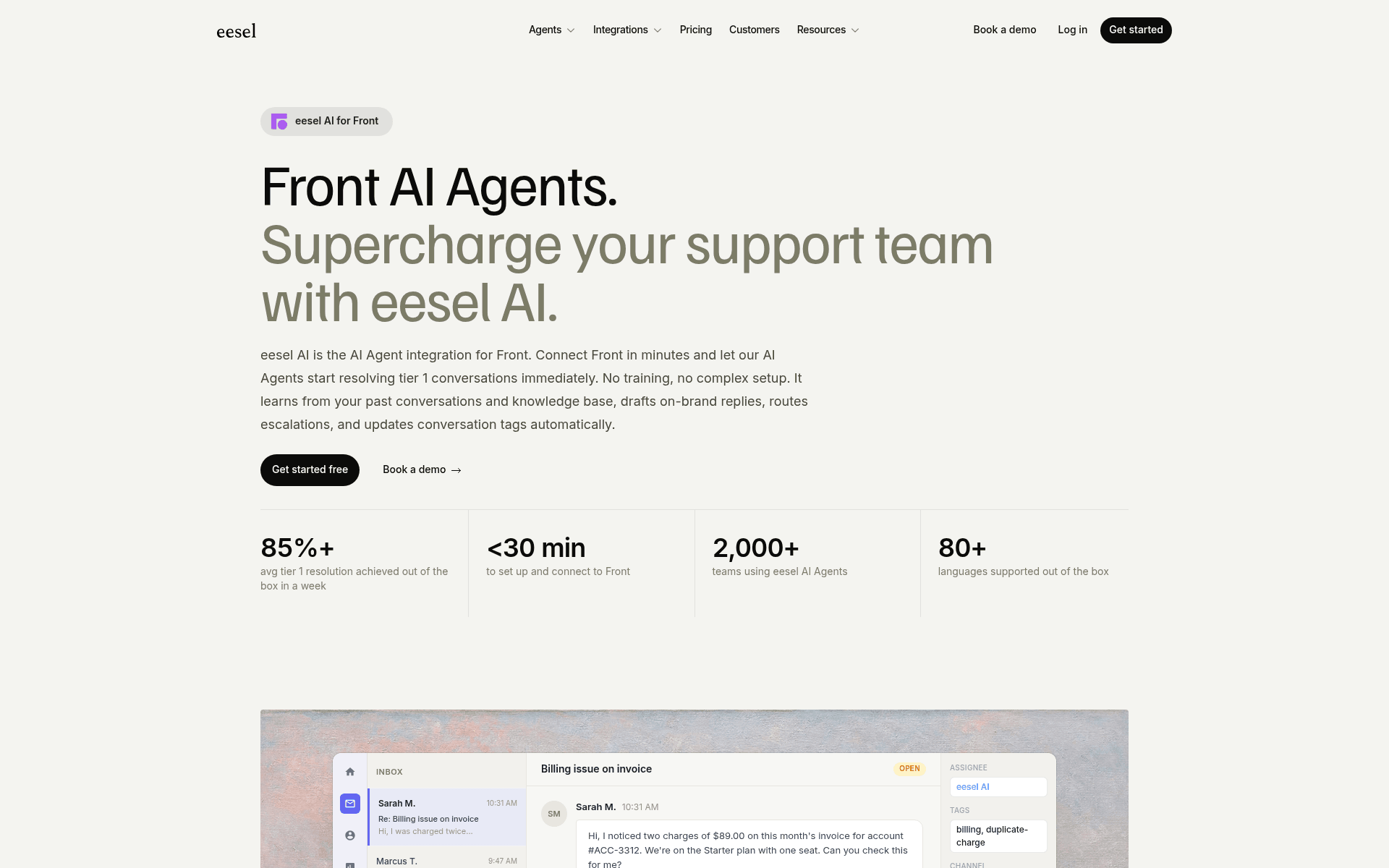
Inside Front, it does the same actions a human agent would: it reads conversations, drafts and sends replies, adds private comments, updates tags, routes to teammates, and manages SLA timelines. It works across email, web chat and SMS, replying in whatever channel the customer used, and it handles 80+ languages out of the box with no extra setup.
Two things make it fit triage specifically. First, trigger control: you decide which conversations it touches with conditions on tags, channels, inboxes or specific rules, or you can hand it individual conversations manually. It respects your existing Front routing rules, assignment rules and SLA policies rather than fighting them, so you're adding a teammate, not rebuilding your workflow. Second, you configure it in plain language, how it writes, which conversations it handles, when it escalates, by describing what you want instead of maintaining a rule tree for every edge case.
Setting it up follows a short, testable path:
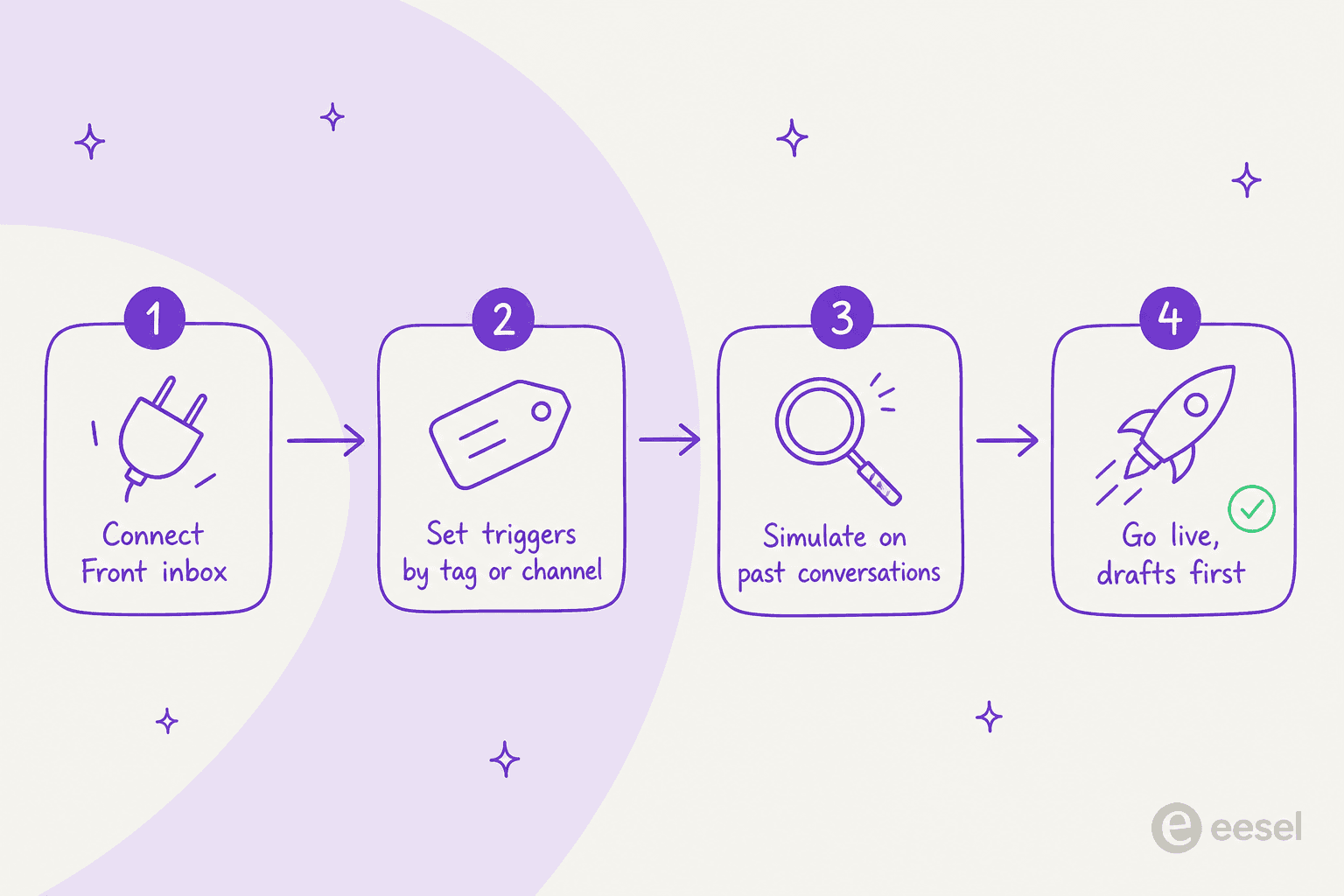
The step that matters most for triage is the third one. eesel simulates on your past conversations, not scenarios you invented, so you get a concrete resolution rate by topic and a gap report ("23 tickets last week asked about pro-rated refunds, but your docs only cover full cancellations") before anything replies to a live customer. Then you start in draft-only mode, let the team review, and switch to autonomous on the easy topics once you're confident. That's the same "simulate on history first" discipline we've learned to insist on after watching confident-sounding bots quietly give wrong answers.
This isn't unique to demos. Ecosa, a DTC ecommerce team, has eesel handling 75% of tier-1 tickets on a credit plan (1 credit per conversation), and Gridwise reported eesel resolving 73% of tier-1 requests in the first month. There's even a Front-specific customer voice worth quoting:
"We're using eesel for customer support after sales. It integrates with our Front inbox and Shopify, and the customer support from the eesel team has been very good."
Raul Sanz Garcia, IT Manager, Friscomos
What it costs: native Front AI vs an eesel layer
Here's the side-by-side that usually decides it.
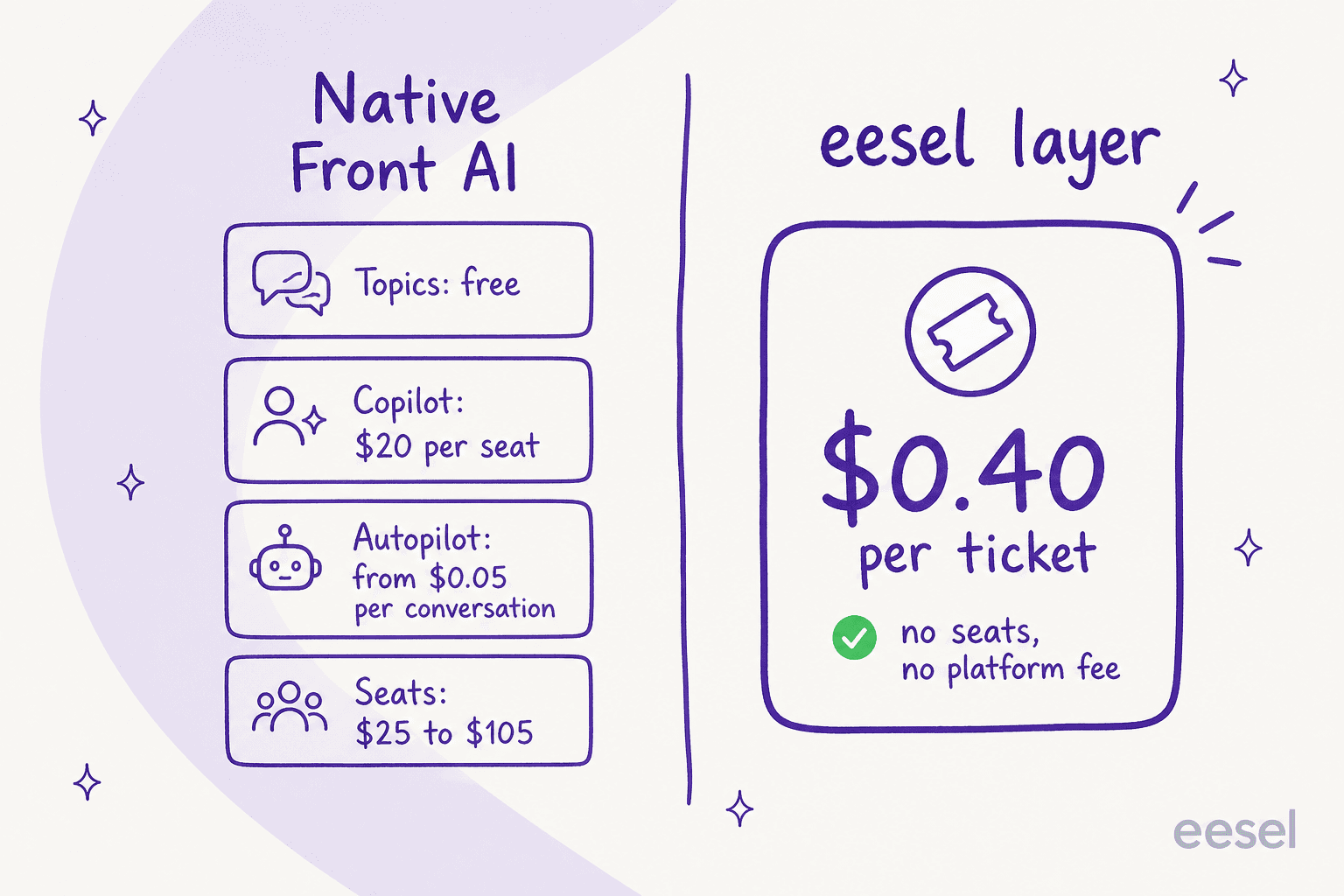
| What you're paying for | Native Front AI | eesel on Front |
|---|---|---|
| Classification (Topics) | Free, all plans | Included |
| Draft assist (Copilot) | $20/seat/mo | Included |
| Autonomous resolution | Autopilot from $0.05/conversation | Included |
| Seats | $25 to $105 per seat | No per-seat fee |
| Platform fee | Included in seat price | None (optional add-ons, e.g. SSO from $199/mo) |
| Billing unit | Per seat + per conversation + per add-on | 1 credit per ticket handled, not per reply |
| Testing | Scenario simulation | Simulation on your real past tickets |
eesel's model is a single fixed monthly price: 1 credit per ticket or helpdesk conversation handled, not per reply, so all the back-and-forth in one conversation is still one credit. There are no seats and no platform fee.
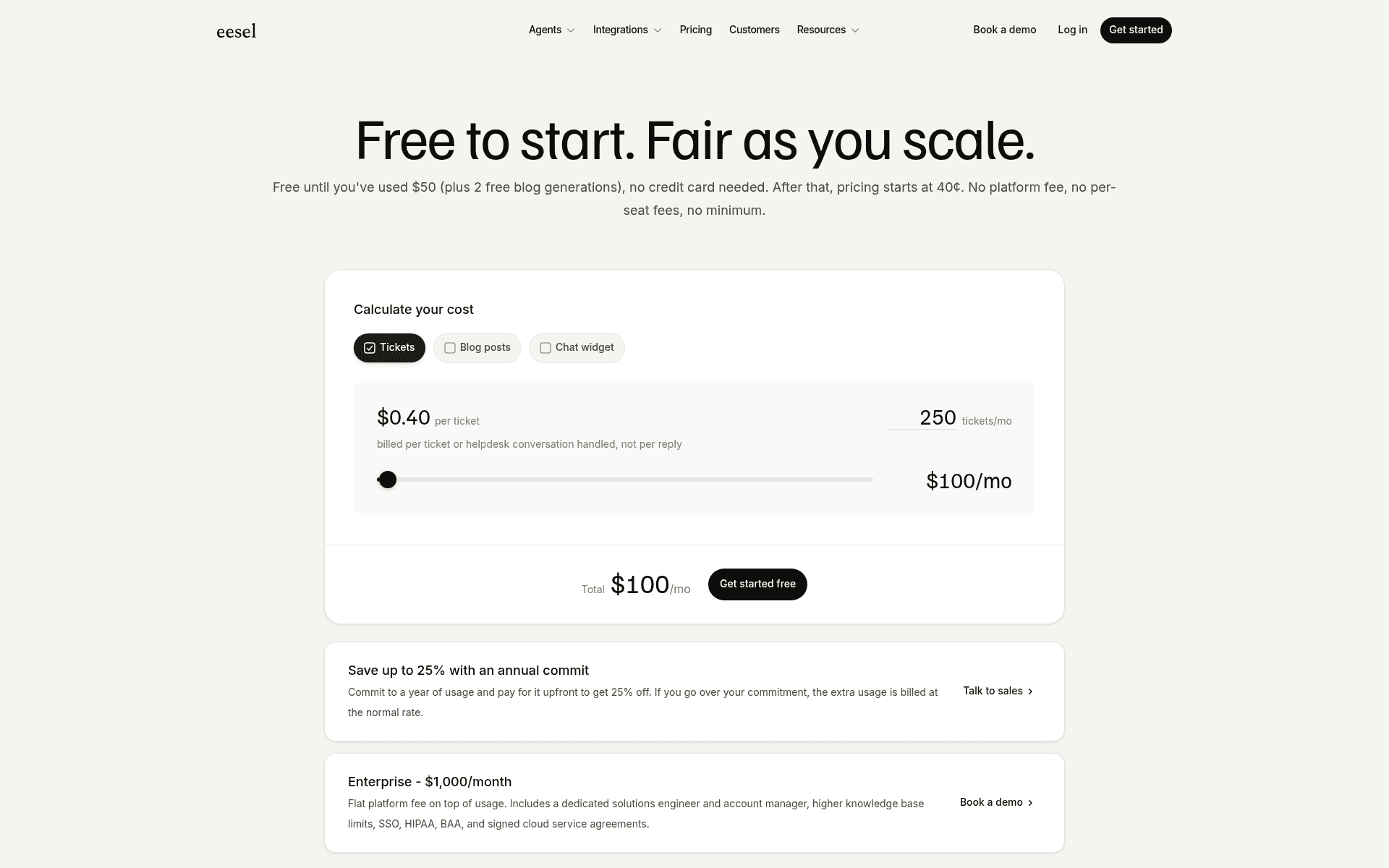
The concrete ladder, from eesel's own pricing page:
| Tickets per month | Plan | Monthly price |
|---|---|---|
| Up to 100 | Free plan (100 credits) | $0 |
| Up to 500 | 500 credits | $299 |
| Up to 1,000 | 1,000 credits | $499 |
| Up to 2,500 | 2,500 credits | $999 |
| Up to 5,000 | 5,000 credits | $1,899 |
| More than 5,000 | Talk to us | Custom |
Only tickets the agent actually works on count, so if your team handles 1,000 tickets a month but sends 200 to eesel, the 500-credit plan covers it. You start free with 100 credits (no card required), and if you run out you can turn on overage with a monthly cap you set ($0.80 per extra credit) so there are no surprise invoices. Two honest caveats: a credit is used whether the result is perfect or not, and HIPAA is a talk-to-us add-on rather than a standard feature.
To be fair to Front, at low AI volume the per-conversation math is close: Autopilot's $0.05 triage rate is cheap per conversation (a full resolution bills $0.89), and if you're only automating a trickle, native tools are perfectly reasonable. The eesel case gets stronger as triage becomes the main job, because you stop paying per seat and per add-on and start paying one predictable number for the whole chain.
Try eesel for Front
If you want AI email triage on Front without assembling it from three separately-billed products, eesel is the AI teammate that does the whole chain inside your existing shared inbox: it classifies, tags, routes to the right person, drafts or sends, and escalates when it's unsure, all on a fixed monthly plan from $299/month with no seats.
The part I'd push you toward first is the simulation. Connect Front, point eesel at your last few thousand conversations, and you'll see your real resolution rate and knowledge gaps before it ever touches a live email. It's free to try, takes under 30 minutes to connect, and works alongside every Front rule you've already built. That combination, real-history testing plus a flat price, is what makes it worth a look for any team where the inbox has become the bottleneck.