ChatGPT for Front: 4 ways to connect them, and what each does

Alicia Kirana Utomo
Written by

Alicia Kirana Utomo

Katelin Teen
Reviewed by

Katelin Teen

Last edited August 13, 2026

Expert Verified
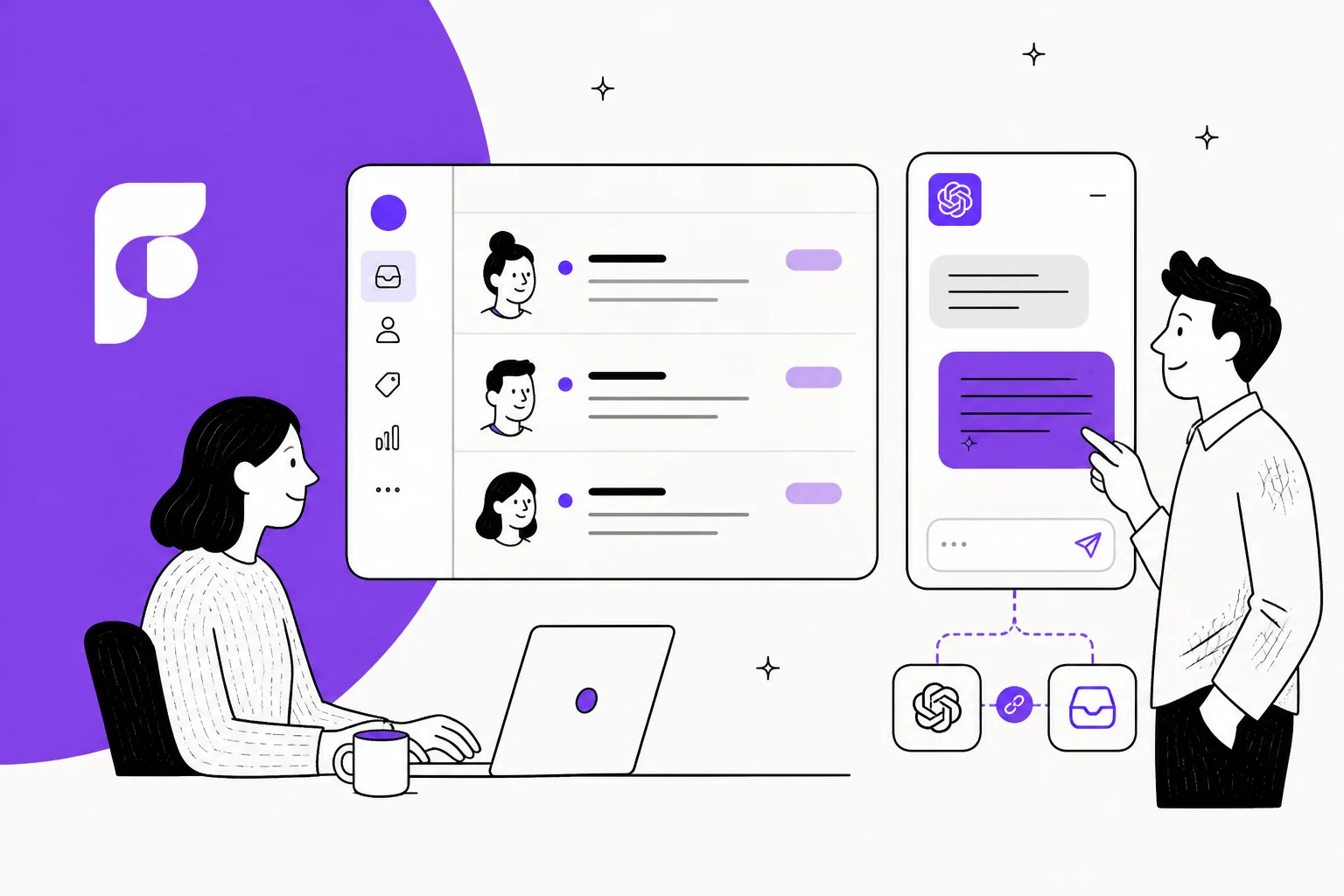
Illustration of a Front shared inbox beside a ChatGPT window, connected by a link icon

The four routes, and the only axis that separates them

I build AI agents at eesel, and the Front integration is one I have spent real time inside. The question I get most often is some version of "can I just plug ChatGPT into Front?" And the answer depends entirely on which of the four things you meant by it. It is the same fork I hit when writing up Claude for Front, only the ChatGPT side lands differently at nearly every step.

What separates them is one axis only: who is actually working the queue when you close your laptop.

Four columns showing what ChatGPT for Front can mean, with a band across the bottom naming who works the queue in each case

Route one is already switched on for you. Route two is a browser tab, route three is a project, and route four is a hire. Below is the detail on each of them, prices and gotchas included.

Route 1: Front already runs on GPT, you just cannot pick the model

Start here. It saves a lot of people a lot of work. Front's own AI product FAQ answers the question "which models power AI features in Front?" directly:

"We're using OpenAI and Azure OpenAI's GPT models. We also use Mistral models hosted on Amazon AWS."

That is on Front's AI page, and the help center AI FAQ repeats the same thing twice more, naming OpenAI, Microsoft and AWS as the partners behind the feature set. It is backed up by Front's subprocessor list as well: OpenAI, Azure and AWS all carry the processing activity "AI-enabled functionality."

So every Front team using Compose, Translate, Summarize, Copilot or Autopilot is already running GPT. The Front AI stack is a GPT product wearing a Front interface on top.

Front AI settings panel listing Copilot, Autopilot, Topics, Smart QA, Smart CSAT, Compose, Translate and Ask your knowledge base, as taken from Front

Look closely at that panel, because the absence is the whole point. A toggle for every feature, an add-on badge on the paid ones. What is not there: a model dropdown, a provider toggle, any field for an API key. I walked the full Autopilot Resolve setup docs, every tab of it, Build, Customize, Deploy, Analytics, Routing and Channel settings, and none of those expose one either.

Which is a defensible product decision and not a flaw. It does explain the search that brought you here, though. People googling "ChatGPT for Front" are usually not asking for GPT at all. They have GPT already. They are asking for control over it. If you landed here from some older walkthrough, the Front GPT setup guide covers the native side, while adding AI to Front covers the two-path version of the same question.

What you get for free, and where the caps bite

Three GPT features ship on every plan, and the cap on them is usage, not tier:

FeatureWhat it doesCap
ComposeDrafts and polishes replies, adjusts tone, checks grammar200 actions per teammate per day
TranslateTranslates a message into your language200 requests per teammate per day
SummarizeCondenses a long thread200 manual summaries per teammate per day
TopicsSurfaces recurring themes across conversationsIncluded, no published cap

Two hundred a day per person is generous, and most agents will never come close to hitting it. These are the helpdesk copilot basics and they are good. The wider Front AI software picture puts them in context next to AI Answers, which is no longer purchasable.

The paid tier is where things get more interesting. Copilot searches through your conversation history and answers a question in context, instead of only rewriting the draft you already typed.

Front Copilot panel searching conversations for offsite planning and reviewing nine threads to answer an agent's question, as taken from Front

There is an admin-facing version of it too, in beta right now, which answers configuration questions about your own workspace and cites back the help articles it used.

Front's Admin Copilot beta answering a routing question about moving conversations between inboxes, citing fourteen sources, as taken from Front

The knowledge ceiling worth knowing about

Front AI reads from your Front knowledge bases first, which its docs call "the most reliable source." After that, per the knowledge sources guide, it will crawl up to 3,000 pages of a public website. It takes PDF uploads at 25 MB each and 500 MB per workspace, and it connects third-party sources like internal wikis directly.

One thing worth checking before you commit. Front's testing feature is narrower than the word "simulation" makes it sound. Per the Autopilot Playbooks docs, you click Test, type in one hypothetical incoming message, then preview whether the Playbook would trigger. So it is a scenario you write yourself, not a replay across your own ticket history. Useful still, but a different bar from testing against what customers actually sent you last quarter. This matters more than it sounds, which is why the AI resolution rate advice here starts with measuring against real history.

Route 2: connect the ChatGPT app to Front through the MCP server

This is the one most people actually mean, so here is the honest version of it.

Front ships a real first-party MCP server. Not a community bridge, not a Zapier chain. The developer docs list it as one of seven first-party integration surfaces, and describe it as a way for "AI agents like Claude and ChatGPT to read and reply to conversations."

Front's MCP server documentation page listing the endpoint, authentication model and available tools

The endpoint is mcp.frontapp.com/mcp. It speaks streamable HTTP and exposes 23 tools across conversations, messages, comments, tags, contacts and org data. It sits in open beta, which Front describes as "everyone has access", so there is no plan gate and no per-action charge either. A friendlier posture than most helpdesks manage.

The asymmetry nobody mentions

Here is the part that trips people up. Front's help article names Claude as "available now" inside Claude's own connector directory. ChatGPT does not get that listing.

On 14 August 2026 I browsed ChatGPT's plugin directory logged out, and read the whole rendered page. Front is not there. Zendesk, Freshdesk, Gorgias and Help Scout are not there either. There is no support category at all, in fact. The closest anything gets is HubSpot and Zoho CRM, filed under Business and Operations. OpenAI's own pricing page lists what Business connects to as "Microsoft 365, Google Drive, Slack, Github, Linear, Figma, and more", and Front is not among that list.

To be precise about it, that public page is a curated slice, and a full search needs you to log in. The practical conclusion still holds: connecting ChatGPT to Front is a developer-mode build, not a one-click install. The one-click version of this pattern does exist for other tools, and the ChatGPT connector guide walks the general flow of it.

One terminology note, and it will date your research. As of 9 July 2026 OpenAI migrated the app directory over to a plugin directory. The hierarchy now is plugin, then apps and skills sitting inside it. Anything still calling these "connectors" got written before that. For an updated view there is the apps in ChatGPT roundup, plus a broader ChatGPT overview for business use.

The setup, step by step

  1. Check your ChatGPT plan. Full MCP support, write actions included, is a beta for Business, Enterprise and Edu on the web. Pro does get developer mode, but read and fetch only. OpenAI's platform guide also lists Plus, which its own help center then contradicts, so verify against your own workspace rather than trusting the docs. No mobile support, web only.
  2. Turn on developer mode. Inside ChatGPT, go to Settings, then Security and login, then flip on Developer mode. On Business plans only admins and owners can do this, and each of them enables it for themselves. Enterprise and Edu grant it instead through role-based access, at Settings, Apps, Advanced Settings.
  3. Create a private developer app in Front. That gives you the client_id and client_secret pair, and also the OAuth scopes you want the token to carry.
  4. Add the server in ChatGPT. Go to the plugins page, hit the plus button, name the app, pick OAuth, then paste mcp.frontapp.com/mcp with the /mcp path included. After that click Scan Tools and finish the authorization prompt.
  5. Publish it. The app lands in Drafts, under workspace settings. An admin then reviews the safety warnings and publishes it.

A worry I had going into this turned out to be unfounded, so let me kill it here. Front's OAuth does not do dynamic client registration, and that blocks some clients outright. ChatGPT is not one of them. Its developer mode guide is explicit about it: "For OAuth, if static credentials are provided, then they will be used." Front's hand-created client ID and secret work fine.

What ChatGPT will not do for you is machine-to-machine auth. The plugin auth doc rules out client credentials grants, along with service accounts and custom API keys. So every user OAuths individually, and that is the seed of the next problem.

Why this route can assist but cannot staff the queue

Diagram showing a ChatGPT window connecting through an OAuth token bound to one teammate, checked against their role, with every send requiring confirmation

Three design choices stack up here, and together they settle what this setup can ever be.

The token belongs to a person. Front binds each OAuth token to one teammate, then checks it live against that person's role. No service account exists. The assistant therefore sees exactly what that one human sees, and it stops when they log off.

Every send needs a tap. Front tags its write tools with destructiveHint: true, and that prompts the client to confirm. OpenAI enforces the same thing from its own side, per the MCP guide: "ChatGPT currently requires manual confirmation in any conversation before write actions can be taken." The default permission level is "important actions", and sending a message sits explicitly on that list.

The rate limits are shaped for a person, not a queue. Front publishes 120 light reads a minute per teammate, 30 heavy reads, 20 writes and 20 sends, then 1,000 calls an hour per teammate with 10,000 per workspace. Those are assistant numbers.

Add the three up and what you get is real and useful: an excellent research assistant over your inbox, that scales with your attention rather than past it. If your team is drowning though, this will not fix that. It is the same distinction separating a Front chatbot from a full agent, and it sets where handing off to a human has to happen.

That same ceiling repeats itself across helpdesks. ChatGPT and Zendesk lands in the same place, and so does Claude for Freshdesk.

Two gotchas that bite in production

The first one is a snapshot problem. Once an admin approves an MCP app, ChatGPT freezes its tool list. Developer changes do not get applied until an admin republishes, and when the live server drifts away from that snapshot, tool calls simply error out. OpenAI notes the error messages carry no prompt to update, and admins are not notified either. Front's tool list is explicitly still changing during beta, so those two facts sit badly together. On Business plans it is worse again: apps cannot be updated after publishing at all, so you recreate and republish.

The second one surfaced in the community rather than in the docs. Turning developer mode on appears to disable OpenAI's own built-in connectors, and more than one person has run into it:

Reddit

"Yes you are correct. It appears if you use Dev Mode, Open AI connectors are disabled and do not work. They work again after disable dev mode. prob a security thing"

Reddit

"yeah I noticed the same thing when I added my own Gmail MCP server. After that, the default Gmail connector from OpenAI just stopped working for search and stuff... Not sure if there's a clean way to use both at once."

So a workspace that wires up Front might lose its Gmail and Drive connectors in that same move. Worth a test before you roll this out to the team.

The security question I would not skip

This is the part I would want somebody to tell me before I connected anything up, which is why it sits above the pricing here instead of below it.

OpenAI's MCP guide carries a risk table in it. One row of it names this exact use case:

"For a customer support MCP, an attacker could send you a customer support request with a prompt injection attack."

The mitigation OpenAI lists next to that row is blunt. Do not use an MCP if it could contain malicious or untrusted user input, even where you trust the developer of the MCP. A shared support inbox is untrusted inbound content by definition. Strangers emailing you is the product.

Engineers have been circling around this for a while now, and the sharpest framing I found puts the risk into one sentence:

Hacker News

"Outside content like email may also count as private data. You don't want someone to be able to get arbitrary email from your inbox simply by sending you an email."

Another thread pins down why the attack does not live where people go looking for it:

Hacker News

"It's not a prompt injection in the MCP Server. It's injection facilitated by the MCP server that pulls input from elsewhere, eg an email sent to your inbox, a webpage that the agent fetches, or in the comment on a pull request submitted to your repo."

I am not saying do not do this. What I am saying is that the confirmation prompt is the whole safety story here, and OpenAI itself warns that "it is possible for write actions to occur even if the MCP server has tagged the action as read only." Your guardrail is a model asking politely, and it has the same failure mode as the thing it is guarding.

The practical move is deterministic scoping, not a prompt. Front's Core API keeps drafts:write and messages:send as two distinct permissions, so you can mint a token that physically cannot email a customer, whatever the model decides. Do that. Let the assistant draft and let a human send. The notes on AI escalation cover where that line usually belongs. Handoff best practices go one level deeper still. The same caution carries over when you connect Claude to a helpdesk.

Route 3: build it yourself on the OpenAI API and Front's Core API

If it is automation you want rather than assistance, and you have engineers on hand, this is the honest third option. Front's own leadership is on record endorsing it:

LinkedIn

"At Front, we provide native agents too. And we believe that companies shouldn't have to bet their entire customer operation on one agent or model provider. Use Front Autopilot. Use agents built with OpenAI. Build your own. Use any combination you feel is right."

That is a vendor exec talking, so weigh it accordingly. It does settle the question of whether Front minds. Front does not.

The build itself is well documented. Front's Core API hands you granular scopes across global, shared and private resources, keeping Read, Write, Delete and Send as separate permission tiers. Rate limits run per company: 50 requests a minute on Starter, 100 on Professional, 200 on Enterprise, with an extra 100 available at $200 a month.

There is one asymmetry to design around. Drafts are editable and deletable, but sent messages have no edit, unsend or recall endpoint at all. Whatever your agent sends is gone for good. Put that together with the OpenAI API doing the reasoning and it argues hard for a draft-first rollout.

People who have built this shape of thing are candid about what it costs them in effort:

Reddit

"I wanted ChatGPT/Codex to do boring useful stuff - read inbox, send a follow-up, check calendar, save notes to OneDrive - but I do not have tenant admin rights or an approved Graph app registration... It is defintely glue code, but useful glue code."

And on why a thin wrapper over the API tends not to hold up:

Reddit

"I don't think any thin wrapper on the Graph API will work, fwiw. My rec is to sync ALL the messages into a duckdb table (or tables) and let the LLM write SQL queries to find and read messages. This is a non-trivial product to build, but the demand will be huge."

That is the real scope of it. Retrieval across your whole history, not a search endpoint. Which is why the knowledge base usually matters more than the model choice does. And getting brand voice right is a second build sitting on top of that first one.

Token cost is the easy part here. On current API pricing, a grounded reply of roughly 8,000 input and 500 output tokens runs about $0.022 on gpt-5.6-terra ($2 in, $12 out per million), around $0.055 on gpt-5.6-sol, and roughly a fifth of a cent on gpt-5.6-luna. Batch and Flex tiers cut those in half. Worth flagging that all three carry a long-context tier at roughly double the rate once you cross the threshold, which a long email thread will do. If you are weighing the flagship against the cheaper options, the GPT-5.6 Sol alternatives piece runs this same math across providers.

What each route actually costs

Here is where the DIY argument gets weaker than people expect it to. Front Autopilot starts at $0.05 a conversation. A gpt-5.6-terra reply costs about $0.022. That is roughly a 2x markup, not the 30x you see in some helpdesk comparisons, and what it buys you is a maintained product instead of a codebase.

The bigger number is seats. That is where the trap is:

Stacked bar chart showing Front Professional plus every AI add-on at $115 a seat versus Enterprise at $105 a seat with those add-ons included

Front Professional is $65 a seat. Copilot adds $20 to that, Smart QA another $20, then Smart CSAT another $10. Stack all three of them and you land at $115 a seat, which is more than the $105 Enterprise plan that already includes them. Autopilot sits on top of both, either way. So if full AI adoption is the plan, price Enterprise first.

Front's pricing page showing Starter, Professional and Enterprise plans with the AI add-on breakdown

Then a second bill turns up on the ChatGPT side, because the MCP route needs seats over there too: Free at $0, Go at $8, Plus at $20, Pro from $100, and Business per user with a two-user minimum. Enterprise is quote-only. The ChatGPT pricing guide carries the full grid, and there is a free trial path too if you want to test things before committing seats.

Drag the sliders and see how it lands for your own team:

Play with it and one thing shows up fast. At any realistic team size, the seat bill dwarfs the AI bill. Arguing over $0.05 versus $0.022 a conversation while you pay $105 a seat for twelve people is optimising the wrong line entirely. That reframing is the single most useful thing to take out of this whole comparison, and it holds across Front alternatives too. The same math turns up in Front versus Hiver. It is also why most ticket deflection business cases live or die on seat count and not on token price.

The route people are actually looking for

Here is my read after walking all four. Routes one, two and three are versions of the same thing in the end: a very good assistant sitting beside a queue that is still yours to work. Route four is the only one where the queue actually gets smaller.

That distinction is the thing an operator on Hacker News was reaching for:

Hacker News

"automating customer support is more than just reacting to text and writing text back, but requires steps in our application backend for most support enquiries. If I could get a system like OpenClaw to read a support ticket, open a browser and then do some associated actions in our application backend, and then reply back to the user, that closes the loop... So are the other options? I saw one person say maybe it's possible to roll your own with MCP? Looking for honest advice."

The honest advice is that closing that loop is a product, not a weekend. It needs retrieval over your whole history and deterministic scoping in place of a confirmation prompt, and also a way to find out whether it works before any customer sees it. That last one is where I would push hardest, and it is the gap sitting in every route above. This is the whole argument behind AI agents versus chatbots, and if you would rather shop than build, the roundup of tools that automate support is your shortcut.

A quick guide to picking:

If you wantTake routeRealistic cost
Better drafts for agents already in FrontNative Front AI Copilot$20 a seat, or free on Enterprise
To ask questions across your inbox from a chat windowChatGPT plus the Front MCP serverChatGPT Business seats, ~20 min setup
Total control of models and logic, with engineers to spareOpenAI API plus Front's Core API~$0.022 a reply plus build time
Fewer open conversations tomorrowA dedicated agent inside Front$0.40 a conversation handled

Try eesel for Front

If you got this far because what you wanted was fewer conversations and not faster typing, this is the shape that does it.

eesel joins Front as a real agent. Not a widget, not a second inbox. It reads conversations, drafts and sends replies, adds private comments, updates tags, routes to teammates and manages SLA timelines, all of it inside the routing and assignment rules you already configured. Setup runs under 30 minutes, and it imports your knowledge base articles, past conversations and canned responses automatically.

eesel AI's Front integration page showing the AI agent working inside a Front shared inbox

The differentiator against every route above is the one thing Front's own Playbook test cannot do: you run it against your real past Front conversations before it touches a live one, see which themes it handles and where the gaps sit, fill those, then re-run. Kim Simpson at Gridwise put the outcome plainly: eesel resolved 73% of tier 1 requests in the first month.

On the model question that started this whole post. Front publishes which providers it uses, but gives you no way at all to change them. eesel is the mirror image of that. It does not publish a default model, though Enterprise plans support custom models, described as "bring your own fine-tuned model or use ours. Full control over model selection." Neither posture is simply better than the other. Where provider transparency matters more to you, Front wins that one.

Pricing is $0.40 per Front conversation handled, billed per ticket or chat session and not per reply, with no platform fee and no per-seat AI charge on it. Start with $50 of free usage, no card needed, then run the simulation before you spend anything at all.

One caveat is worth stating. Tasks are billed regardless of the outcome, so a conversation the AI could not resolve still counts against you. Which is why the simulation matters, and why I would rather you run it yourself than take my word for the number.

Frequently Asked Questions

Can I use ChatGPT for Front without writing any code?
Partly. Front has no listing in ChatGPT's plugin directory, so there is no one-click install. You do get a no-code path through ChatGPT's developer mode: a Front admin creates a private developer app, then you paste the MCP address into ChatGPT. That takes about twenty minutes and no programming. But it gives you an assistant in a browser tab, not automation. For a fuller picture of the native options, see the guide on adding AI to Front and the Front GPT setup walkthrough.
Does Front AI already use ChatGPT models?
Yes. Front's own AI FAQ says its features run on OpenAI and Azure OpenAI GPT models, plus Mistral models hosted on AWS. So if you use Front AI Copilot, Compose or Front Autopilot, you are already running GPT. What you do not get is a model picker, which is the real gap most people are trying to close.
How much does ChatGPT for Front pricing actually work out to?
There are two bills. ChatGPT is per seat: Free, Go at $8, Plus at $20, Pro from $100, and Business priced per user with a two-user minimum. Front is separately per seat at $25, $65 or $105, and Front Autopilot adds from $0.05 a conversation on top. The ChatGPT pricing and Front pricing breakdowns cover each side in full.
Is it safe to connect ChatGPT to a shared support inbox?
Treat it carefully. OpenAI's own MCP risk table names this exact scenario, an attacker sending a support request carrying a prompt injection, and its stated mitigation is to avoid pointing ChatGPT at data that could contain untrusted user input. A support queue is untrusted input by definition. Scope the token to drafts rather than sends, and read the notes on preventing AI hallucinations before going live.
What is the best AI for Front if I want tickets resolved, not just drafted?
You want an agent that holds the queue rather than a chat window you drive. eesel joins Front as a real agent, drafts and sends replies, tags, routes and escalates, at $0.40 per conversation handled with no per-seat AI fee. You can run it against your past Front conversations before it touches a live one. Compare the field in the best AI for Front roundup.

Share this article

Alicia Kirana Utomo

Article by

Alicia Kirana Utomo

Kira is a writer at eesel AI with a Computer Science background and over a year of hands-on experience evaluating AI-powered customer service tools. She focuses on breaking down how helpdesk platforms and AI agents actually work so that support teams can make better buying decisions.

Related Posts

All posts →
What AI does Salesforce use? A practical guide beyond the hype
Guides

What AI does Salesforce use? A practical guide beyond the hype

Wondering what AI Salesforce uses? This guide breaks down Einstein, Einstein GPT, and their core features. Discover the real costs, setup challenges, and limitations that Salesforce doesn't advertise, and learn about more flexible alternatives.

Kenneth PanganKenneth PanganOct 7, 2025
6 common AI chatbot problems and how to solve them in 2025
Guides

6 common AI chatbot problems and how to solve them in 2025

Struggling with ai chatbot problems? See the six biggest pitfalls hallucinations, weak integrations, bad hand-offs, and more and learn quick fixes for 2025 success.

Kenneth PanganKenneth PanganAug 4, 2025
A complete guide to Front AI software in 2025
Guides

A complete guide to Front AI software in 2025

Is Front AI software the right fit for your team? This guide breaks down its features, pricing, and potential challenges to help you make an informed decision.

Kenneth PanganKenneth PanganDec 23, 2025
Front AI Automate Autopilot: A complete 2025 guide
Guides

Front AI Automate Autopilot: A complete 2025 guide

Thinking about using Front AI Autopilot to automate your support? Our in-depth 2025 guide breaks down everything you need to know-from its rule-based setup and features to its unpredictable, per-resolution pricing model. We'll explore the key limitations and show you how a more flexible, self-serve platform like eesel AI can offer more control and predictable costs.

Stevia PutriStevia PutriOct 19, 2025
Front AI Translate: A complete overview for 2025
Guides

Front AI Translate: A complete overview for 2025

Considering Front AI Translate for your support team? Our detailed 2025 guide covers its features, pricing, and critical limitations like its email-only functionality and manual workflow.

Kenneth PanganKenneth PanganOct 19, 2025
How to connect AI to company knowledge bases: A 2025 guide
Guides

How to connect AI to company knowledge bases: A 2025 guide

Tired of scattered information? Connecting AI to your company knowledge base creates a single source of truth. This guide explores the two main approaches, key considerations for a successful rollout, and how to choose the right tools for your team.

Stevia PutriStevia PutriOct 13, 2025
Amazon Q in Connect updates for customer service: A 2025 overview
Guides

Amazon Q in Connect updates for customer service: A 2025 overview

Thinking about Amazon Q in Connect for your contact center? Our 2025 guide breaks down the latest updates, features, setup challenges, and confusing pricing models.

Kenneth PanganKenneth PanganOct 27, 2025
A complete guide to the Front chatbot
Guides

A complete guide to the Front chatbot

Thinking about using the native Front chatbot? This guide breaks down its features, setup process, complex pricing, and limitations to help you decide if it’s the right fit or if you need a more powerful, integrated AI solution.

Stevia PutriStevia PutriOct 21, 2025
A complete guide to Customer.io pricing in 2025
Guides

A complete guide to Customer.io pricing in 2025

Thinking about using Customer.io? Our complete guide to Customer.io pricing covers everything you need to know about their plans, overage fees, and the real cost of their platform, helping you make an informed decision for your business in 2025.

Kenneth PanganKenneth PanganOct 8, 2025

Ready to hire your AI teammate?

Set up in minutes. No credit card required.

Get started free