


Front Copilot routines are saved Copilot instructions that run on a schedule and arrive in your inbox as a new conversation. You set a name, a time and the instructions, and daily is the fastest cadence on offer. They need the Copilot add-on or an Enterprise plan, and they produce briefs for your team, not replies to customers. The Copilot add-on is listed at $20 per seat per month, and Enterprise includes it. The docs leave a few questions open, such as who can see a routine's output, so test one before you build a morning ritual around it.
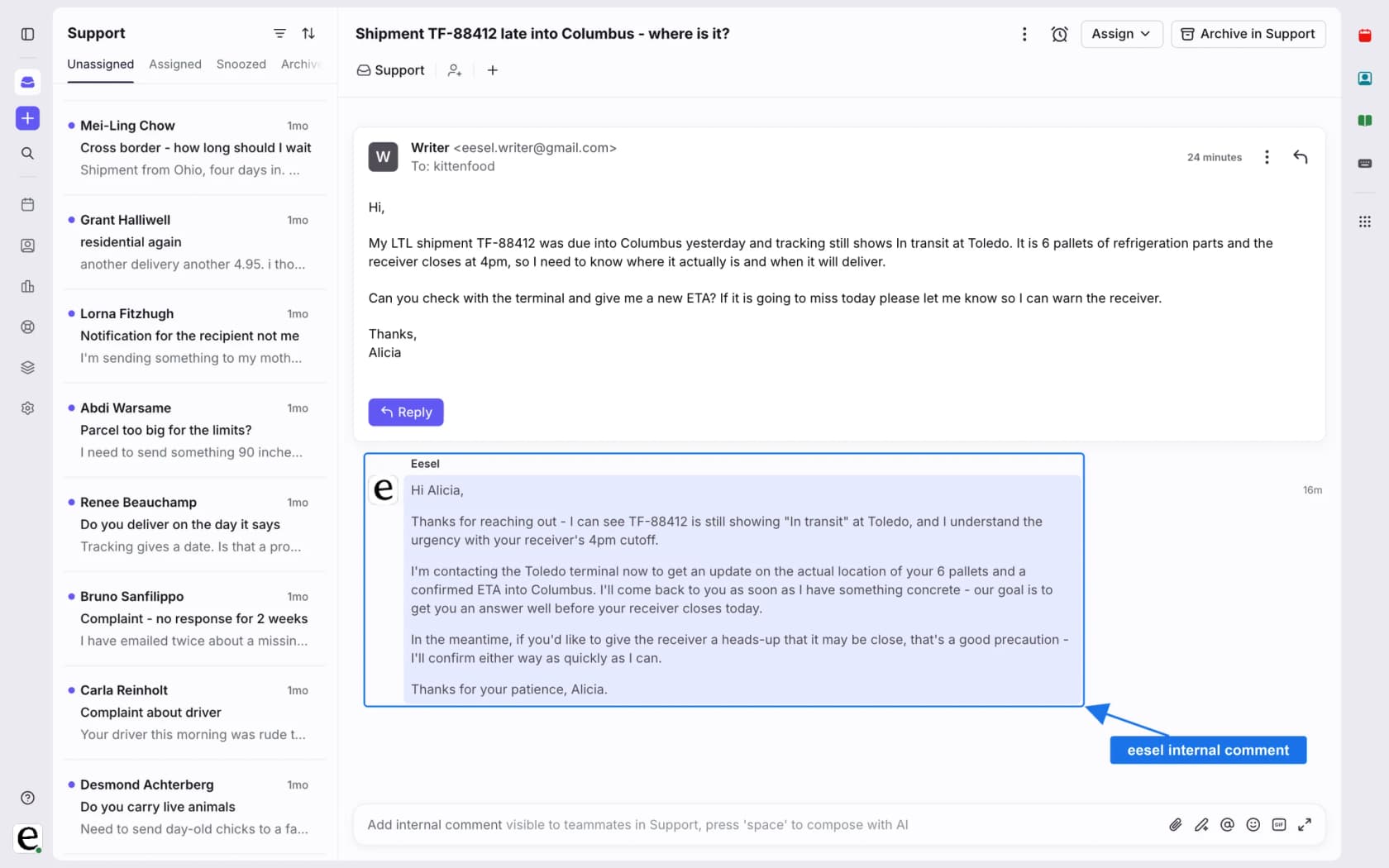
eesel is the other half of that picture. It works inside Front as an AI helpdesk teammate that drafts customer replies as internal comments, while routines brief your own people. With the eesel CLI, an AI coding agent can upload approved knowledge, like exported Front help articles and macros, then ask test questions and check the answers before anything goes live. Connecting the Front inbox itself still needs an admin to approve it.
What are Front Copilot routines?
A routine is a Copilot prompt you write once and Front runs for you on a timer. Front's Copilot routines article says it "streamlines repetitive tasks by running custom instructions on a schedule", and that when a run finishes, Copilot generates a new conversation containing the information you asked for. You stop typing the same prompt every morning.
Front names three uses:
- Daily briefings. A summary of meetings, prioritized emails or upcoming tasks waiting in your inbox each morning.
- Proactive account monitoring. Daily runs that compile updates on key accounts, such as health scores or recent interactions.
- Recurring summaries. Weekly or monthly account status reports to keep a team aligned.
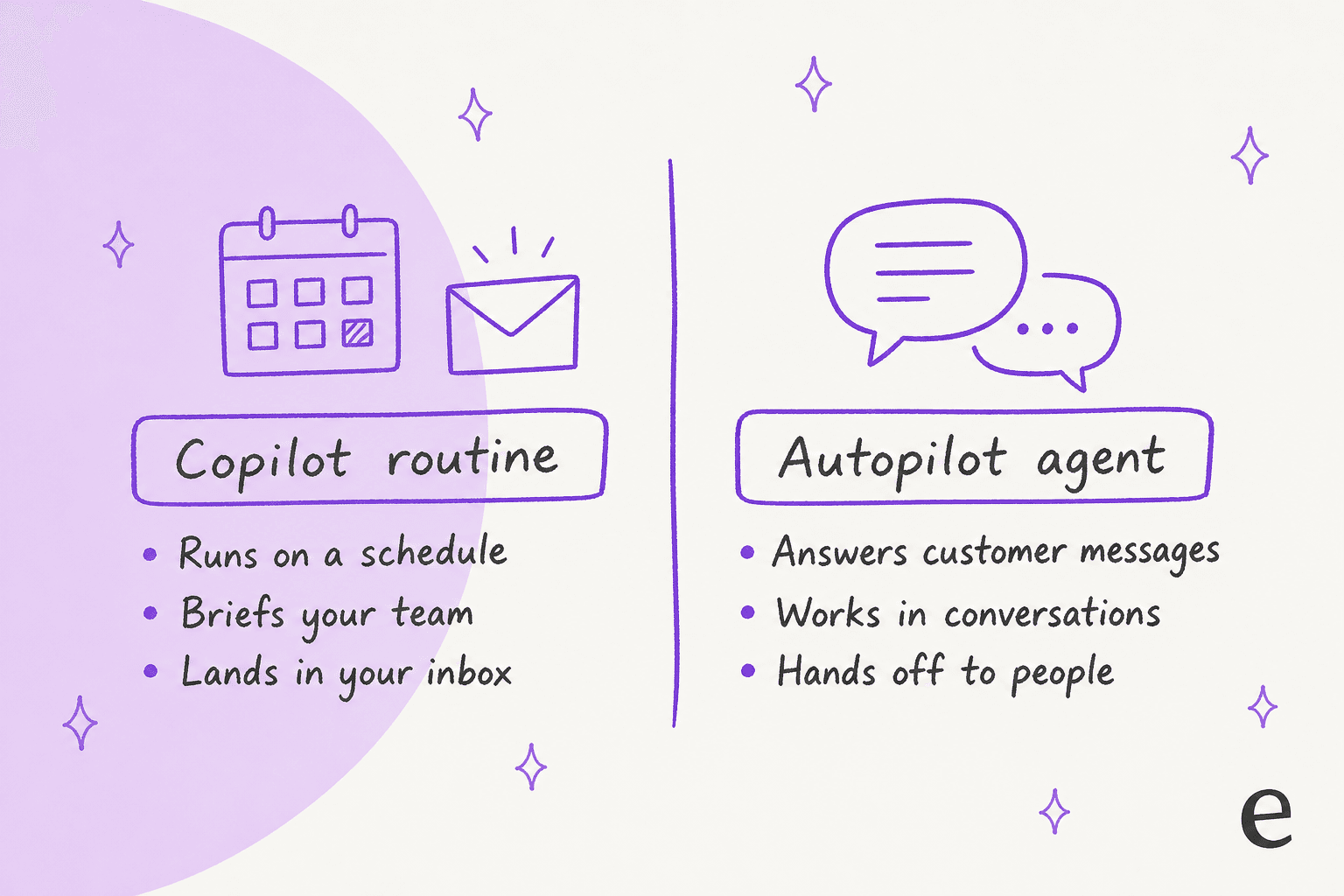
Notice what is missing from that list: nothing here answers a customer. Routines are reading material for you and your team, which makes them a cousin of the Copilot idea rather than of an autonomous agent.
When did routines launch, and which plans include them?
They appeared with Front's October 2026 AI agents launch. Front's launch post says you can get churn risks, meeting briefs and more delivered to your inbox with Copilot routines, and the October 26 product roundup repeats it under "Stay proactive with Copilot routines". The help article itself carries no launch date, only an "edited last month" stamp, so I cannot pin a day.
| Item | What Front says | Source |
|---|---|---|
| Routines availability | Enterprise plan or the Copilot add-on | Front launch post |
| Prerequisite | The Copilot add-on, or Copilot included in your plan | Routines article |
| Copilot add-on price | $20 per seat per month, for Starter and Professional | Front pricing |
| Enterprise | $105 per seat per month, Copilot, QA and CSAT included | Front pricing |
| Accounts pages | Included in all plans | Front launch post |
The pricing page had annual billing selected when I read it, so treat the monthly figures as the annual rate. My Front pricing post has the per seat numbers for each tier, and Front AI covers the rest of the line.
How do I create a routine in Front?
You create it from the Copilot area of the navigation menu, in about two minutes. The steps from Front's article:
- Click the Copilot icon in the navigation menu and select Routines. You can also reach Routines settings from the Copilot panel on the right side of your inbox.
- Click Create to start from scratch, choose a template, or describe the routine to Copilot in chat.
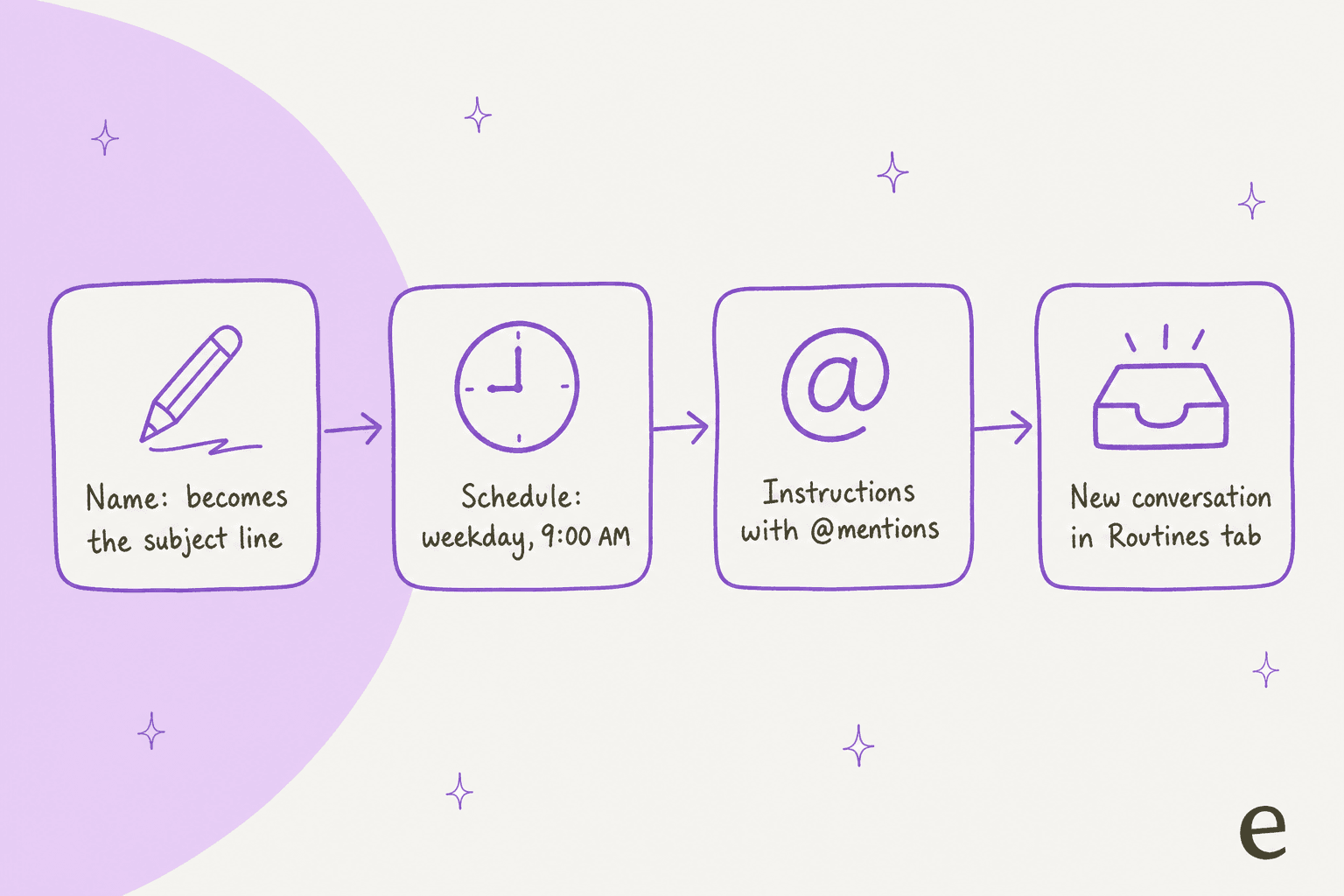
- Fill in a Name, a Schedule and the Instructions, then click Create.
- Hover over the new routine and use the three dot menu to run it now, disable it or delete it.
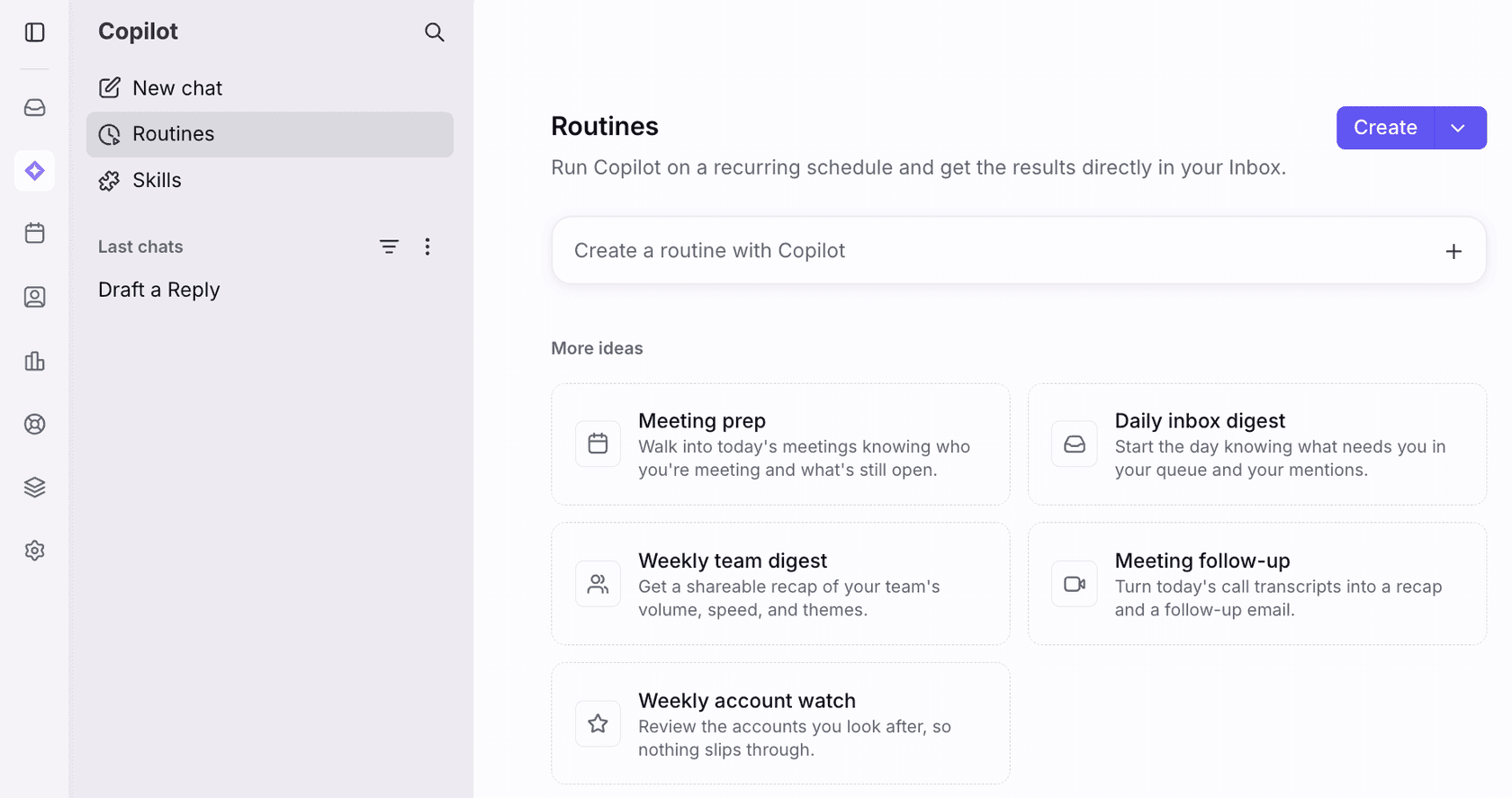
The page above shows the five templates Front ships. The name matters more than it looks, because it becomes the subject line of every conversation the routine generates. Front also says the schedule runs in your time zone.
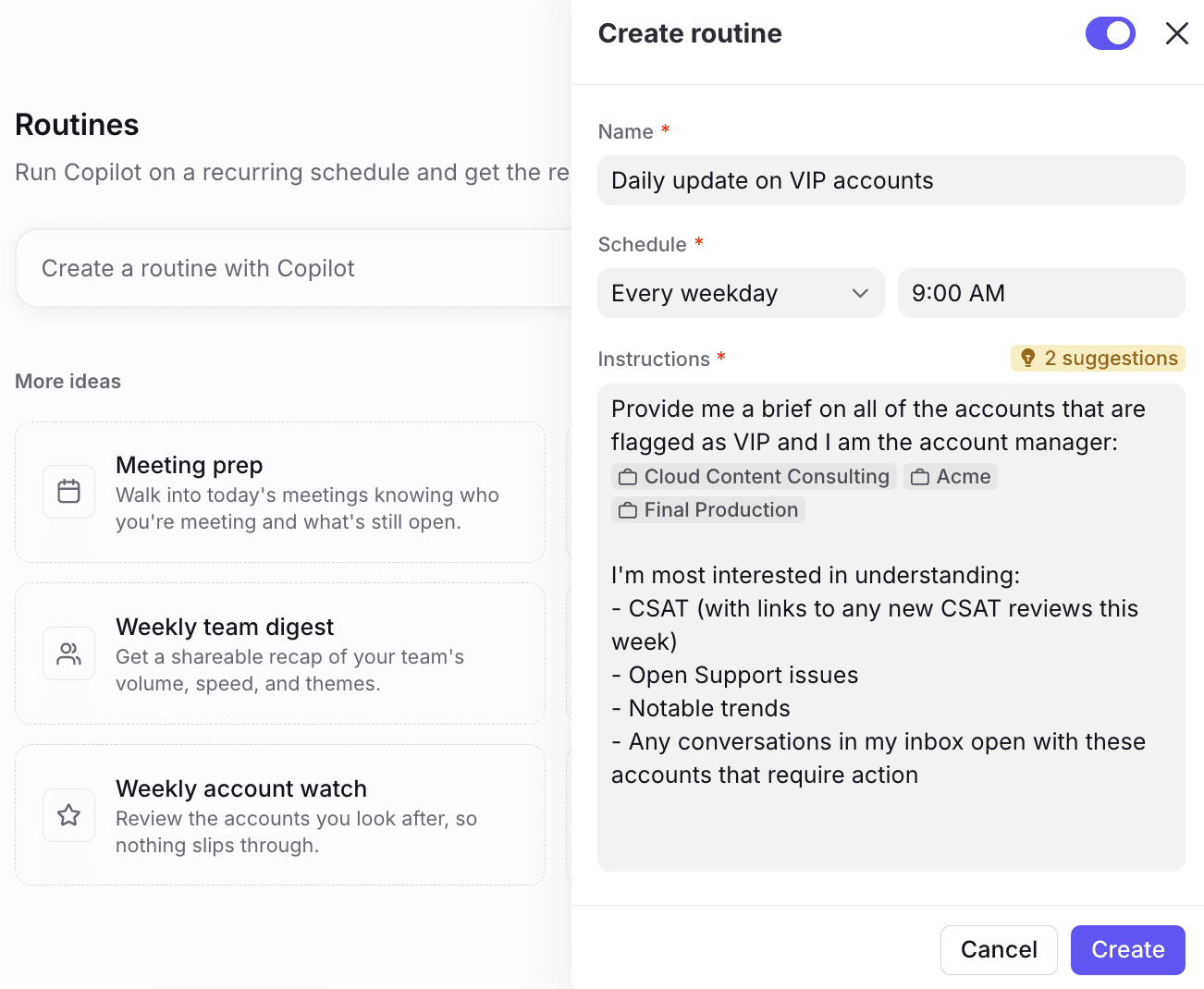
In Front's example the instructions @mention three accounts and list four things to report on. That @ syntax is the useful part, because the article says you can reference inboxes, teammates, conversations and contacts or accounts. A small hint badge also appears above the box when Front has suggestions to improve your instructions.
What do I get back, and where does it land?
You get an ordinary Front conversation, written by Copilot, in your own inbox. Front says it appears in the Subscribed and Routines tabs of your sidebar, and in-progress or disabled routines carry small indicators in the list.
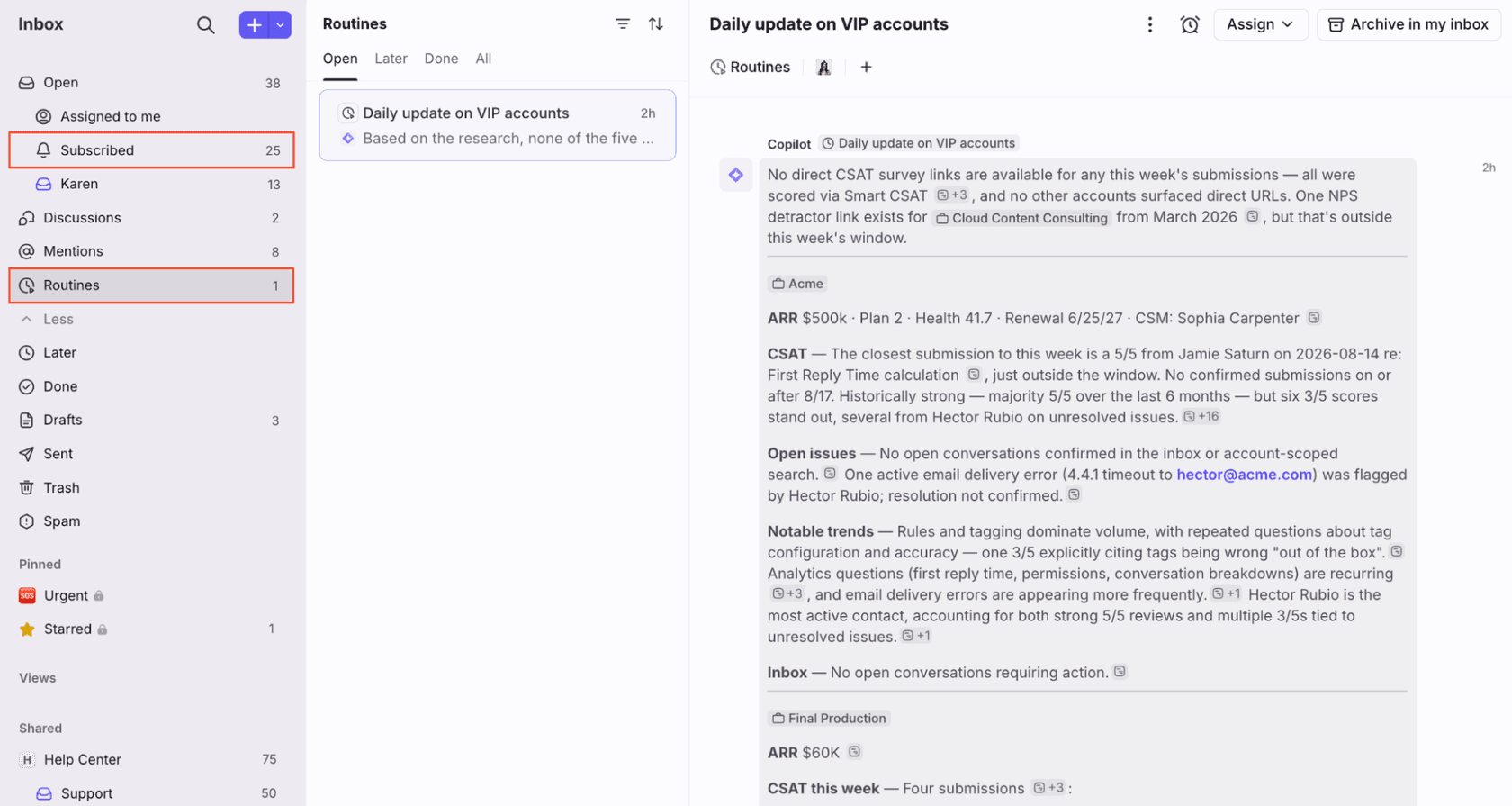
In Front's screenshot the brief is organized per account with CSAT, open issues, notable trends and what sits in the inbox, with source chips beside each claim. That matters for trust: a brief you can click through is easier to audit than a paragraph. Because it is a conversation, you can assign it, snooze it or archive it, and my posts on Front snooze behavior and shared inbox ownership explain how that works for any thread.
What are the limits of Front Copilot routines?
Three are stated plainly, and a couple more are implied. Here is the list I would hand a support lead:
- Daily at most. The FAQ says daily is the highest frequency, so "every hour" is not an option.
- Desktop or web to build. Creation and management happen only in the desktop app or a browser. Delivery still reaches mobile, where tables, references and mentions show up.
- Schedule choices. Every weekday, weekly, monthly or daily, at a time you pick.
- Copilot's own blind spot. The Copilot article lists conversation assignee as something it cannot answer questions about. The routines article does not say whether that applies to a routine, so I would not write an instruction like "list conversations assigned to my team" without testing it.
- Output is a conversation. The docs describe generating information, not sending an email, replying or changing a ticket.
A routine reports. It does not act. If you want an agent that reads a customer message and answers, that is Front Autopilot or a tool such as eesel, and Front's launch post describes Autopilot as handling up to 70% of customer requests, which is Front's own figure.
Which routines are worth setting up?
Start with the three jobs that replace a manual check you already do. This picker is my own summary, using Front's templates and use cases as the starting point, so the last line of each panel is where the idea comes from.
A weekly digest is where I would spend the first routine. Support leads already keep a Monday ritual of reading volume, speed and themes, and a routine turns it into something that is waiting when you sit down. Pair it with the numbers in Front task analytics and the targets in Front time goal rules, and the digest has something to be measured against. The glossary entries on SLA and voice of the customer cover why those themes matter.
How do I write instructions that work?
Be specific about the object, the output and the window, then run it by hand once. Front's Copilot docs say it starts by looking at the conversation you are on and then at related sources, and that @mentions make a question more specific. A routine has no current conversation, so the @mentions carry that job.
- Name the object. "@Support inbox" or "@Acme" beats "my customers".
- Name the output. Ask for a list, a table or a short paragraph, and say what each row must contain. Front says tables render on mobile.
- Name the window. "Since the last business day" or "this week" stops Copilot guessing a date range.
- Run it now, then read it. The three dot menu runs a routine immediately, so you can check the first brief before the schedule fires.
The Copilot sidebar article also says Copilot picks from the knowledge sources you select in its settings, and that you should connect your inboxes and knowledge base for higher quality answers. The routines article does not say which sources a routine uses, so I would assume a brief that quotes policy is only as good as the sources you connected. I keep a few ready-made prompts in my support triage and summary templates post, and my AI ticket summarization guide covers what a good summary contains.
What do Front's docs not say about routines?
Several things, and each is a quick test before you roll one out.
- Who can see a routine. The help article is written from the creator's point of view. It does not say whether routines are personal, shareable or restricted to admins, unlike skills, where it spells out sharing.
- A cap on routines. I found no limit on how many routines a person can run, or on how long an instruction can be.
- Exact launch date. Launch posts mention routines, the help article does not date them.
- What happens on a miss. Nothing says what a routine does if Copilot cannot find data, or if the schedule time falls on a holiday for the weekday option.
- Taking actions. The docs describe information as the output. They do not describe a routine tagging, assigning or replying.
- Outside voices. I searched for practitioner reviews on Reddit, G2, Capterra, X, LinkedIn and Hacker News and found nothing on Front routines, so I have no community quote to share.
None of this makes the feature weak. A scheduled, auditable brief inside the inbox is a clean idea, and the conversation format means it fits how your team already works. It is simply narrow, which is fine when you know what it is for.
Where does eesel fit next to Front routines?
Routines brief people. eesel answers customers. A routine runs at 9:00 AM whether or not anyone wrote in, while the eesel AI helpdesk teammate wakes when a conversation arrives. I would run both, and they do not overlap much.
The earned part, for me, is how scheduled work and customer work differ in trust. eesel has run AI on live support queues for years, and the habit that stuck is that nothing answers a customer until it has been replayed against that team's own history and then drafted for review. Innr, a smart lighting company, runs eesel on Freshdesk. Every reply is a draft left as an internal note that a person reads and sends, 180 drafts in one month, and the team is working toward autonomous replies for a chosen set of topics. Innr also tops up the knowledge every Monday with the past week's tickets, which is the same instinct as a weekly routine, applied to what the agent knows. Norden-Frisia, a German ferry line, started with a trial week on its last three months of tickets and macros before subscribing. Neither runs Front, so read them as the same method on other helpdesks.
On Front, eesel's integration docs list triggers for a customer message, a first message, an @eesel mention and an archived conversation. Actions include reply, internal comment, tag, assign, update fields and archive, and the docs recommend starting with internal comments. The CLI helps with the testing loop: eesel files upload ./refund-policy.pdf adds approved knowledge, eesel chat "what's our refund policy?" checks an answer, and --dry-run previews a write. My guides on AI support simulation testing and agent handoff go deeper on rollout.
Try eesel in your Front inbox
If you want the customer-facing half, eesel joins your Front shared inbox as an AI helpdesk teammate. It reads your help center and past conversations, drafts replies as internal comments, and can tag and assign, so your team reviews real drafts before anything is sent. Keep your Copilot routines for the Monday digest and the account watch, and let eesel take the first pass on inbound questions. Paid plans start at $299 a month for 500 credits, and there is a free plan with 100 credits to try it on a few real conversations (eesel pricing).
For setup, see my guide to adding AI to Front, the best AI for Front roundup and Front vs eesel. To compare tools, see my Front review and Front alternatives. For the evaluation side of Front AI, read Front AI agent evaluation, and for churn and account health see AI churn prevention and the best AI tools for customer success. The glossary explains shared inbox, proactive support and human in the loop. Try eesel on a handful of real conversations before you decide.