

First, the mistake I keep watching teams make
I build AI agents for a living, so when someone asks "can I just point ChatGPT at my Document360 knowledge base," my honest answer is: yes, and that is not the hard part. The models are good. Wiring an API call is a weekend. The part that decides whether the thing helps or embarrasses you is everything around the model.
I have watched what happens when the plumbing is thin. Early on, before we had a hard fallback for when knowledge-base retrieval came back empty, one AI we ran confidently invented subscription details about solar cells and sent them to real customers. Another, asked something it had no answer for, cheerfully replied "Oxygen," like it was reading off the periodic table. The models were fine. The grounding around them was not.
That is the whole story of ChatGPT for Document360 in one line. The model is the easy 10%. The grounding, the guardrails, and the "only answer what you are actually sure about" logic are the 90% that decides whether your knowledge base becomes a support engine or a new source of tickets. Keep that in mind as we walk the four routes.
What "ChatGPT for Document360" actually means
When someone searches for this, they are usually chasing one of two very different outcomes, and it is worth separating them before you pick a tool.
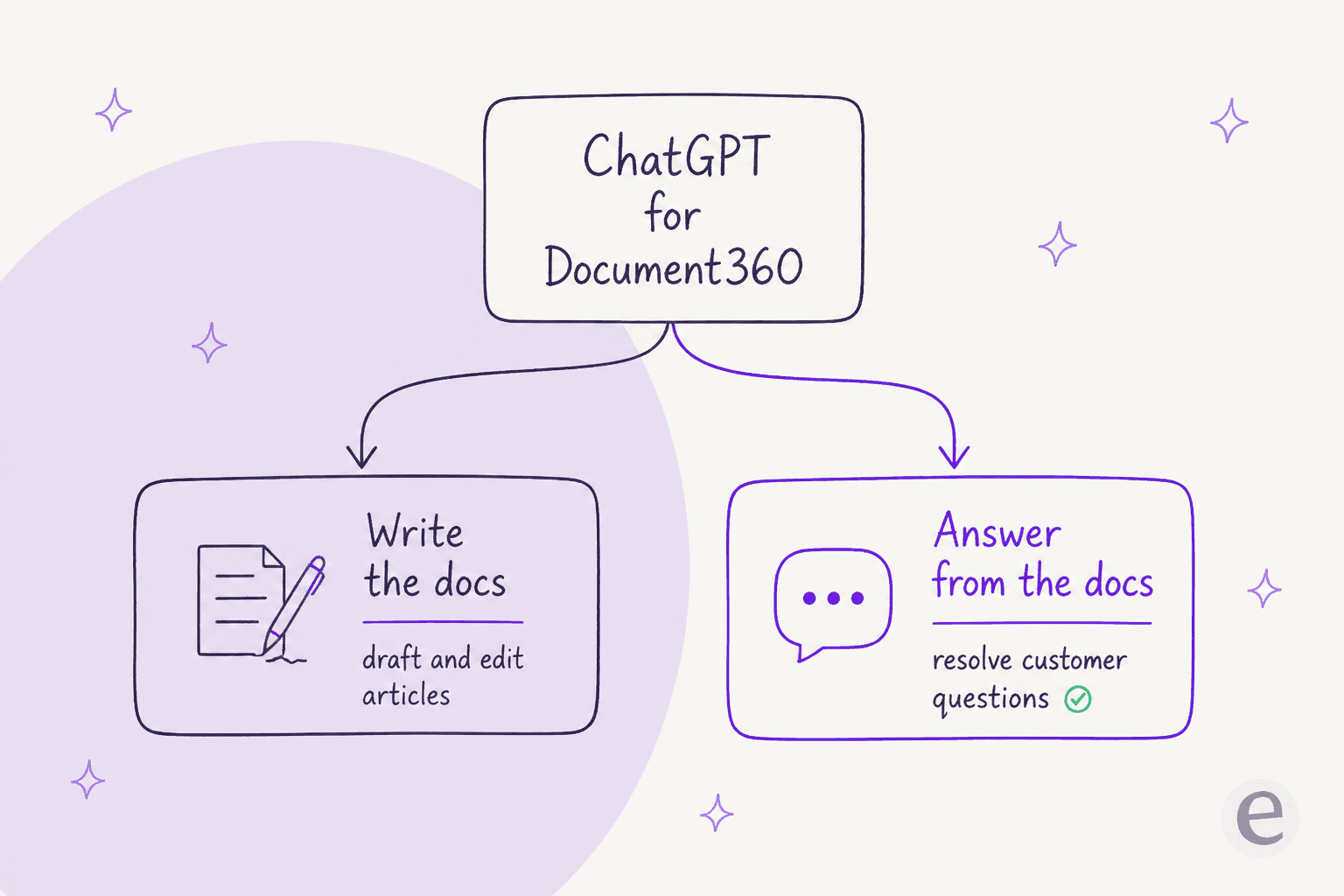
The first job is writing the docs: using AI to draft an article, generate an FAQ set, or clean up tone. Document360's Eddy AI is built squarely for this, and it is a real time-saver if your bottleneck is authoring.
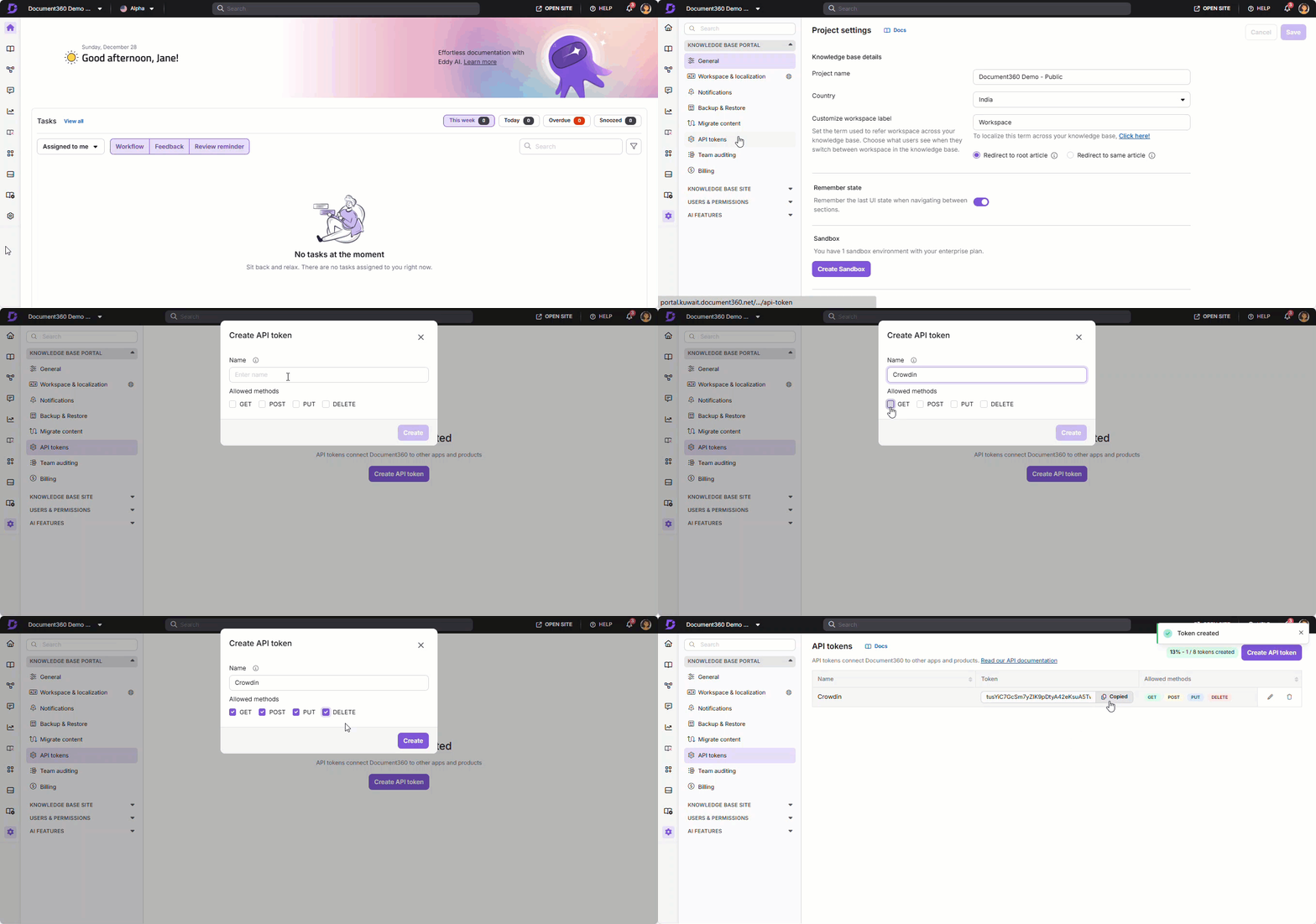
The second job is answering customers from the docs: an AI that reads what you have written and resolves a real question, whether that is in a help widget or a support ticket. This is the one most support teams actually mean, and it is where ticket deflection and knowledge management live. Here is the Document360 dashboard where all of that content is managed, before any AI touches it.
With that split in mind, here are the four real paths, from lightest to most hands-off.
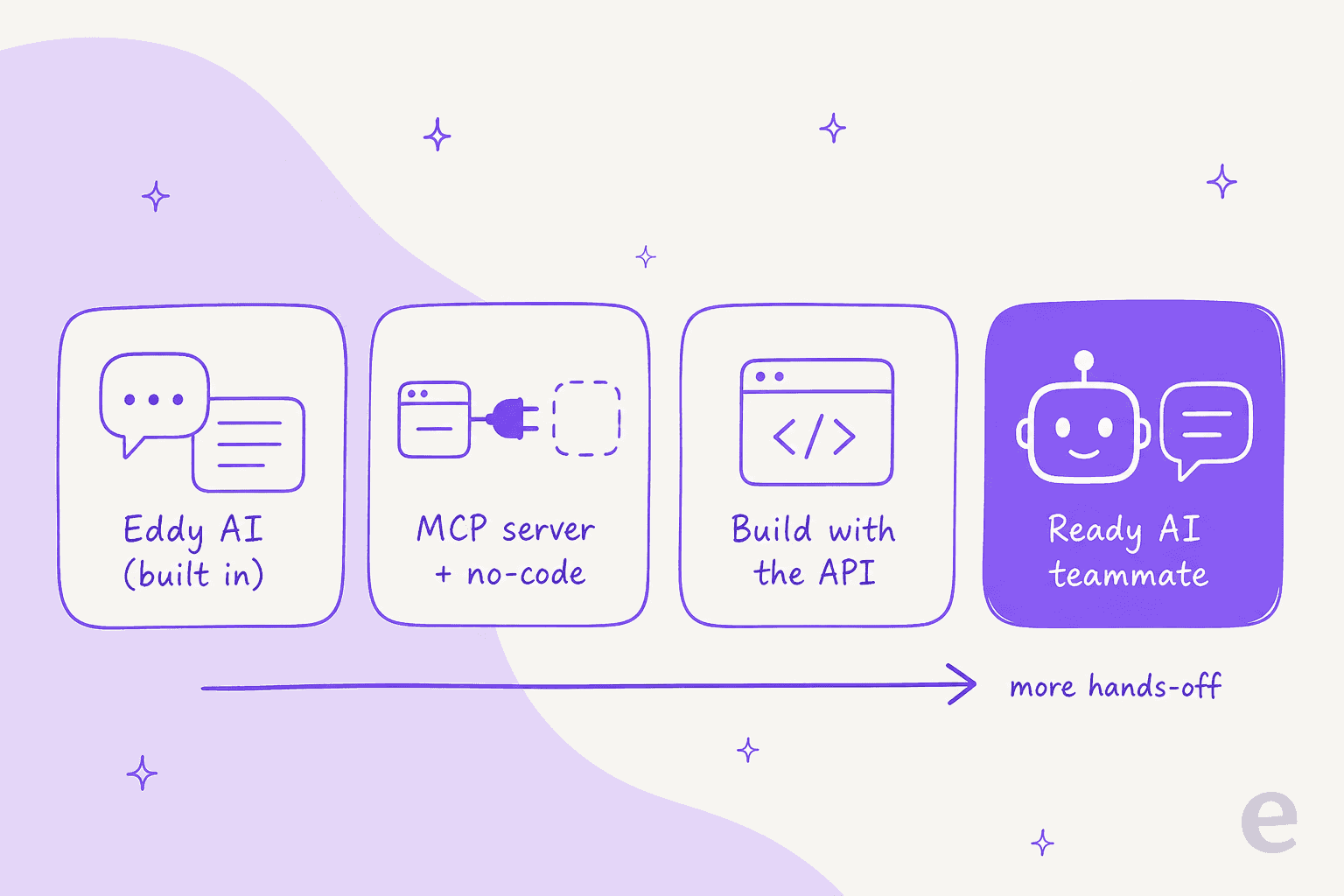
Route 1: Eddy AI, the AI already inside Document360
The lightest route is the one you may already be paying for. Eddy AI is Document360's built-in assistant, and its capabilities are bundled into your plan rather than sold separately. It covers the Eddy AI Writing Agent, AI content and FAQ creation, auto-generated glossaries, duplicate-content detection, and, most relevant here, AI Search and Answer, which returns a synthesized answer with citations instead of a list of blue links.
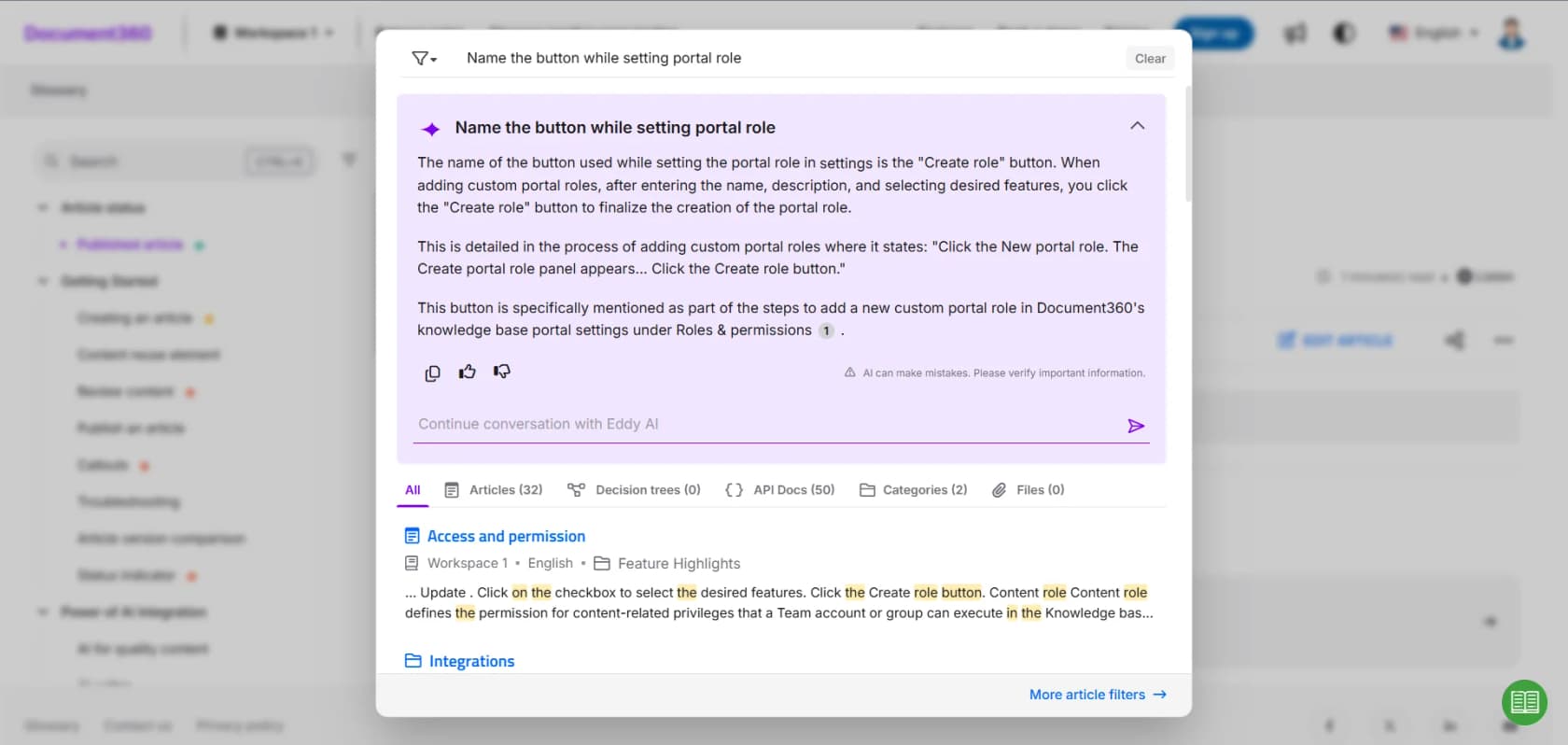
Notice the small "AI can make mistakes, please verify important information" line in that panel. That is the honest tell of a search-and-answer feature: it is great for helping a reader who is already inside your help center, and it keeps a human in the loop by design.
For customer-facing answers, Document360 also sells an AI Chatbot as an add-on. It sits in the embedded help widget and, per Document360's own feature grid, pulls answers from your knowledge base, websites, files, FAQs, and even Zendesk or Freshdesk tickets. You configure exactly which sources it can draw from.
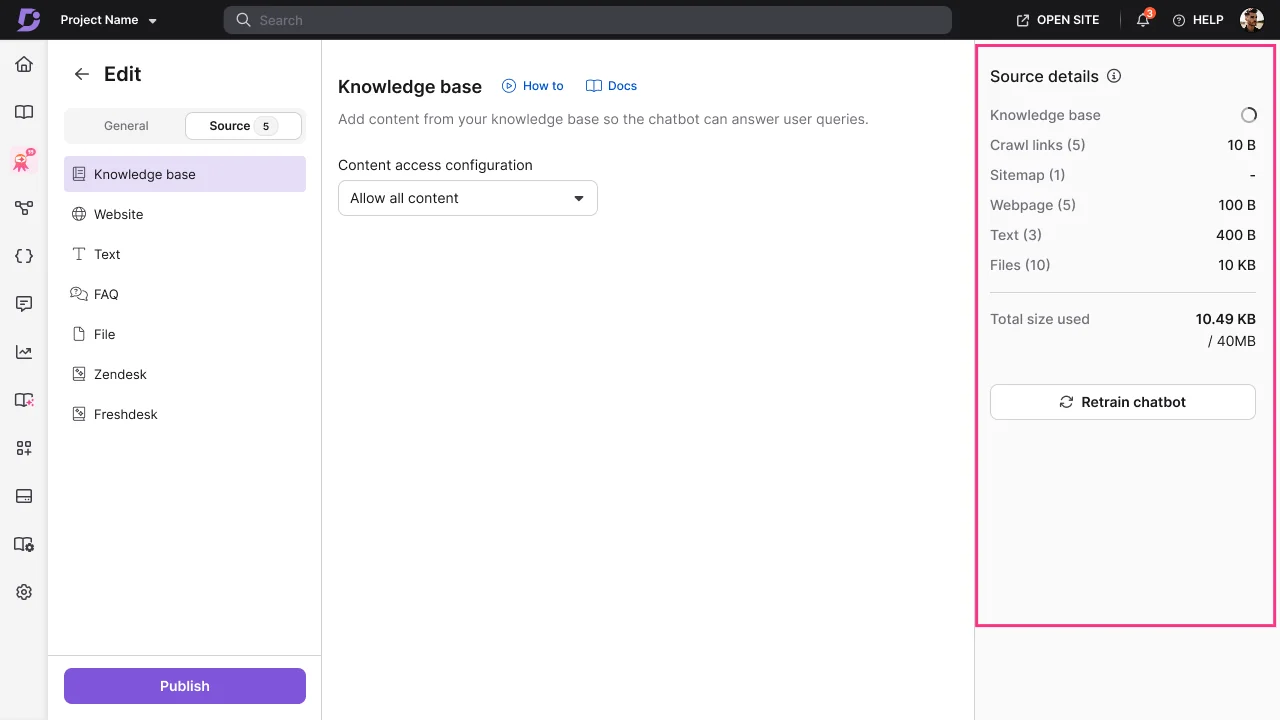
When the bot cannot help, it can raise a ticket through a connected helpdesk, currently Zendesk or Freshdesk.
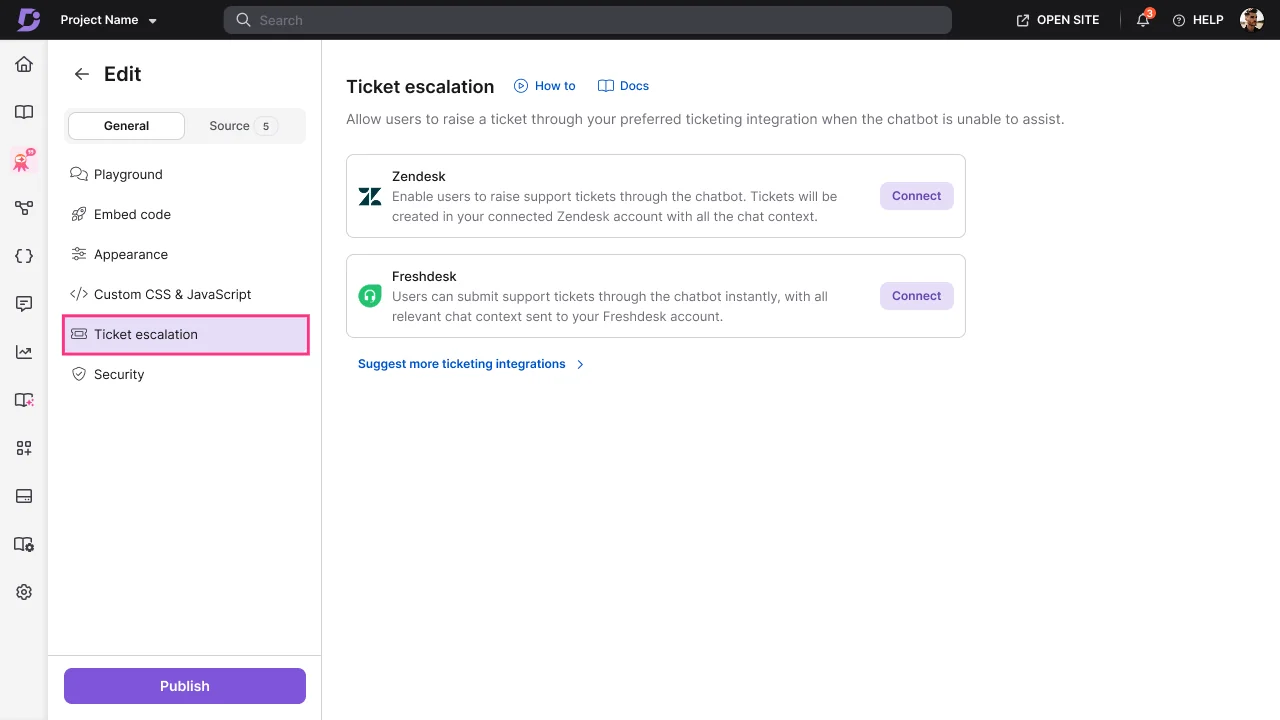
Where this fits: if your knowledge base lives in Document360 and you want an in-widget answer bot without leaving the platform, Eddy plus the AI Chatbot is the path of least resistance. Two honest limits shape the decision. First, the customer-facing pieces are add-ons, not included, which shows up in reviews. As one G2 user put it, Document360 is good but "a lot of new features need a separate license." Second, the chatbot answers inside its own widget, so if your team actually works in a ticket queue, you are still moving conversations between two tools.
Route 2: Connect ChatGPT with the MCP server or no-code tools
If you specifically want ChatGPT or Claude, not a Document360-branded assistant, reading your knowledge base, Document360 has a cleaner answer than most knowledge bases: it ships an MCP server as part of Eddy AI. The Model Context Protocol is an open standard that lets an outside AI assistant consume your knowledge base as a governed context source. In plain terms, you can point a ChatGPT or Claude client at your Document360 content and let it answer using your real articles, without exporting anything.
That is a genuine differentiator, and it is the honest technical answer to "connect ChatGPT to Document360." It is closer to documentation search for your team than a customer-facing support bot, but for internal use it is quick.
For content workflows rather than answers, Document360 also connects to Zapier and Make. Those let you trigger an OpenAI step when an article changes, sync content to another system, or draft copy that lands back in Document360. It is the no-code way to bolt a GPT call onto a document event.
Where this fits: the MCP server is great for letting your own team chat with your docs through an AI client, and the no-code route is great for content automation. Neither is a grounded, autonomous agent that resolves customer tickets on its own; they are connectors, not a support strategy.
Route 3: Build it yourself with the Document360 API
This is the route the search term literally describes: take the Document360 API, take the OpenAI API, and connect them. It is real, and for a truly custom workflow it can be the right call. You pull the right articles from Document360, stuff them into a prompt, call GPT, and post the answer wherever you need it.
The catch is that "connect ChatGPT to Document360" is the smallest line item on the real bill. The rest is:
- Retrieval. ChatGPT does not know your refund policy. You have to build the pipeline that pulls the right articles into each prompt, or the model will confidently make things up, exactly the failure from the scar above.
- Actions. Drafting an answer is easy. Updating a ticket, routing it, and respecting business hours means writing and testing API calls for every action.
- Guardrails. You need logic that makes the AI answer only what it is confident about and hand off the rest, not guess like a rule-based bot would.
- Maintenance. Every prompt change, every model upgrade, every new edge case is now your team's job, forever.
I hear this trade-off from real buyers constantly. One engineering lead we worked with, whose knowledge lived in a similar docs tool, put the whole calculation in a sentence:
"We could try to write our own LLM application but we didn't want to invest our time into that. We wanted something that we would not have to maintain."
Karel, GENERAL BYTES (case study)
That word, maintain, is the one teams underestimate. Building the demo is fun. Owning it at 2am when a model update quietly changes behavior is not. If your team has the engineering appetite and a workflow no product covers, build it. Otherwise, Route 4 exists so you do not have to.
Route 4: Drop in an AI teammate that reads your Document360 knowledge
The buy option skips the build entirely. Instead of stitching ChatGPT to Document360 yourself, you hire an AI helpdesk agent that already knows how to work inside your support tools, and you point it at your Document360 content as one of its knowledge sources. This is the category eesel AI sits in.
The key move is that eesel does not care that your docs happen to live in Document360. It reads your knowledge from wherever it is: it can crawl your published help center or any website URL, and it also connects to Confluence, Notion, Google Docs, and file uploads. Then, critically, it pools all of that together with your past support tickets, so a single answer can draw on your Document360 article, your internal wiki, and last month's tickets at once.
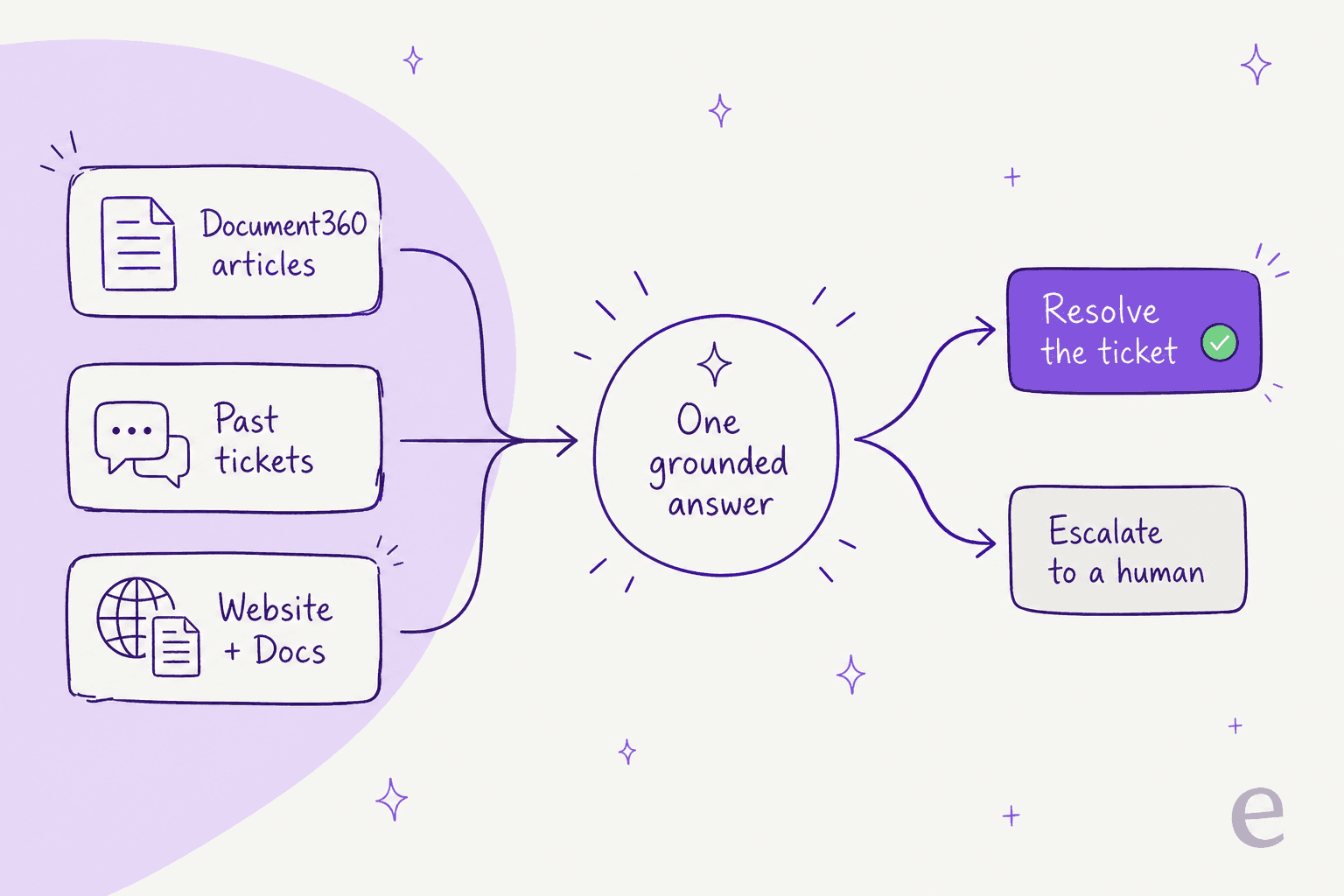
A few things address the exact fears a build-it-yourself reader has:
- It answers only from your knowledge. eesel is grounded in your approved sources, which is the fix for the hallucination problem that makes raw DIY builds risky.
- You configure it in plain English. Change how it writes, which tickets it handles, and when it escalates by describing what you want. There is no rules engine to wrangle.
- You can test it before it goes live. eesel runs a simulation against your own past tickets first, so you see the resolution rate and where your Document360 docs have gaps, before a single customer talks to it.
And unlike Document360's in-widget chatbot, eesel answers inside the helpdesk your team already lives in, whether that is Zendesk, Freshdesk, Help Scout, or a service desk. Here is what it looks like set up as a live agent.
To be fair about limits: eesel is a specialist customer service agent, not a general-purpose ChatGPT you brainstorm with, and picking the exact underlying model is an Enterprise-plan control. If what you wanted was a chat companion for your writers, that is Route 1 or 2, not this.
What each route actually costs
Cost is where the routes diverge most, so here is the honest comparison. Document360 meters AI as one of six factors in a custom quote; eesel meters per ticket handled with no seat fee; a DIY build trades predictable software cost for engineering time.
| Route | What you pay | The gotcha |
|---|---|---|
| Eddy AI (built in) | Part of your Document360 quote | AI Chatbot and AI Premium Suite are separate add-ons |
| MCP server + no-code | Included in Eddy AI, plus any OpenAI API or Zapier cost | A connector for your team, not a customer-facing support agent |
| DIY OpenAI build | API tokens + engineering + maintenance time | The build is 10% of the cost; owning it is the other 90% |
| eesel AI | From $299/month for 500 credits (1 credit per ticket handled), no per-seat fee | Credit used per ticket handled whether or not it resolves; self-serve can't pick the model |
The Document360 number is the slippery one, because there isn't one. Document360's pricing page is quote-only, and its FAQ lists AI usage as one of six factors that move the price, alongside team accounts, workspaces, languages, security needs, and your privacy model. That is not a knock, it is just a reason you cannot self-serve a firm figure. The recurring community note is that the total climbs once you add the pieces you actually wanted:
"I'm using Document360 as my knowledge base provider and I really don't enjoy them and they are very expensive for what they offer."

To be clear, Document360 is a well-liked product, sitting around 4.5 to 4.7 out of 5 on G2 across hundreds of reviews, praised for its editor and search. The pricing model is simply worth going in with your eyes open.
How to actually set it up
If you have decided you want a real agent answering from your Document360 knowledge rather than a copilot for writers, the setup is short. Here is the flow for the drop-in route, which is the one most support teams land on:
- Point it at your docs. Give eesel your published Document360 help center URL to crawl, or connect Confluence, Google Docs, and file uploads alongside it. Everything pools into one knowledge base.
- Let it learn your tickets. Connect your helpdesk so it also reads your past tickets and macros, not just your articles.
- Scope it. Decide which tickets it touches, by tag, channel, or condition, and write its tone and escalation rules in plain English.
- Simulate. Run it against your past tickets to see the resolution rate and knowledge gaps before go-live. This is the step DIY builds usually skip and regret.
- Go live gradually. Start in draft mode, review the replies, then switch the easy ticket types to autonomous once you trust it.
That shape holds whichever route you pick: connect, ground it in your knowledge, scope it, test it, roll out slowly. The routes only differ in how much of steps 2 through 4 you build versus buy.
Try eesel with your Document360 knowledge base
If the goal behind "ChatGPT for Document360" was really "an AI that answers customers from my docs without making things up," a ready teammate gets you there faster than wiring the OpenAI API yourself. eesel AI reads your Document360 help center, your past tickets, and your other knowledge sources, then drafts or resolves tickets inside the helpdesk you already run. It starts at $299/month for 500 credits (1 credit per ticket handled), no per-seat fee, and you can start free with 100 credits.
The part no DIY build gives you on day one is the simulation: connect your knowledge, and eesel tells you exactly how it would have handled last week's tickets, and where your Document360 articles have gaps, before a single customer sees an answer.