

First, a story about a confident wrong answer
I build integrations at eesel, so I spend a lot of my time watching AI read a company's knowledge base and try to answer real questions from it. That job has made me deeply suspicious of demos where the bot always gets it right.
One that stuck with me: a B2B vehicle telematics team, scaling from a couple hundred Zendesk tickets a month toward a few thousand, wired an AI agent to their knowledge base. It started confidently telling customers "yes, we support your car model" for brands that were nowhere in their system. Why? Because a single line in their KB said "we support all models." The AI wasn't broken. It was doing exactly what a knowledge base tells it to do, which is repeat the knowledge base. Their honest summary of the early weeks was "trial and error in the beginning."
That is the whole game with AI on a knowledge base like Document360. The tooling is the easy part. The hard part is knowing what the AI will actually say to a customer before it says it. Keep that in mind as we walk the options, because it is the thing most "add AI to your docs" pitches quietly skip.
What "AI for Document360" actually means
Document360 is a knowledge base platform, not a helpdesk, so "adding AI" splits cleanly into two intents. Getting this split right saves you from buying the wrong thing.
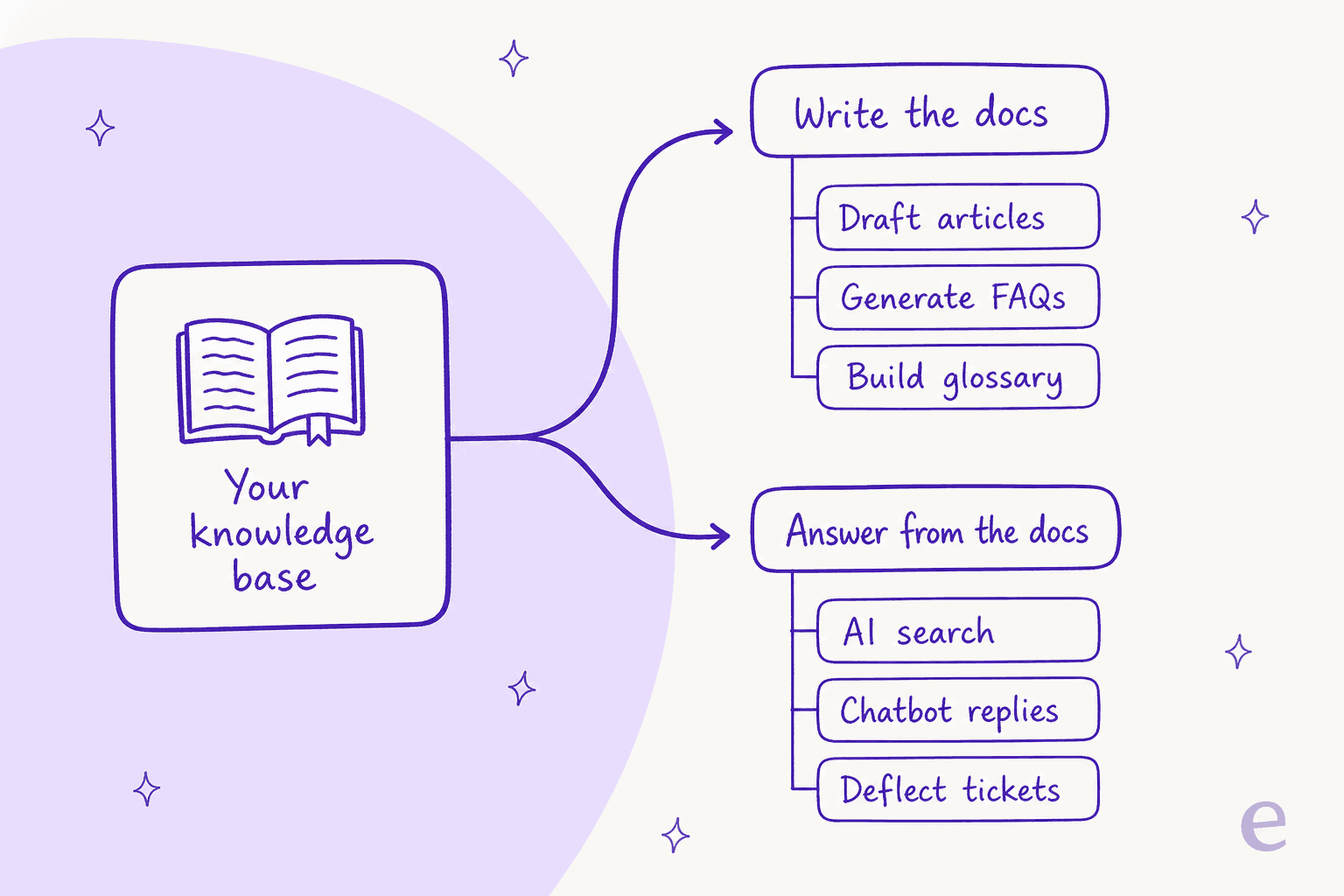
The first intent is authoring: writing, editing, translating, and maintaining the articles themselves. This is where a technical writer or support lead spends their time, and it is where Document360's native AI is strong.
The second intent is answering: taking those finished articles and using them to resolve questions, whether that is a customer on your help site or an agent hunting for an answer mid-ticket. This is the intent that touches your support numbers, and it is the one where you actually have a decision to make, because it is not the only place your customers ask questions. Most of them ask inside your helpdesk, which is a different surface from your docs site. That is the same reason we wrote separate guides for AI for Zendesk, AI for Freshdesk, and AI for Help Scout: the docs are one input, but the queue is where the work lands.
Route A: Document360's native Eddy AI
Everything Document360 does with AI is branded Eddy AI. The important thing to understand up front is that Eddy is not one feature, it is a bundle plus two add-ons, and the line between them is exactly where support teams get surprised.
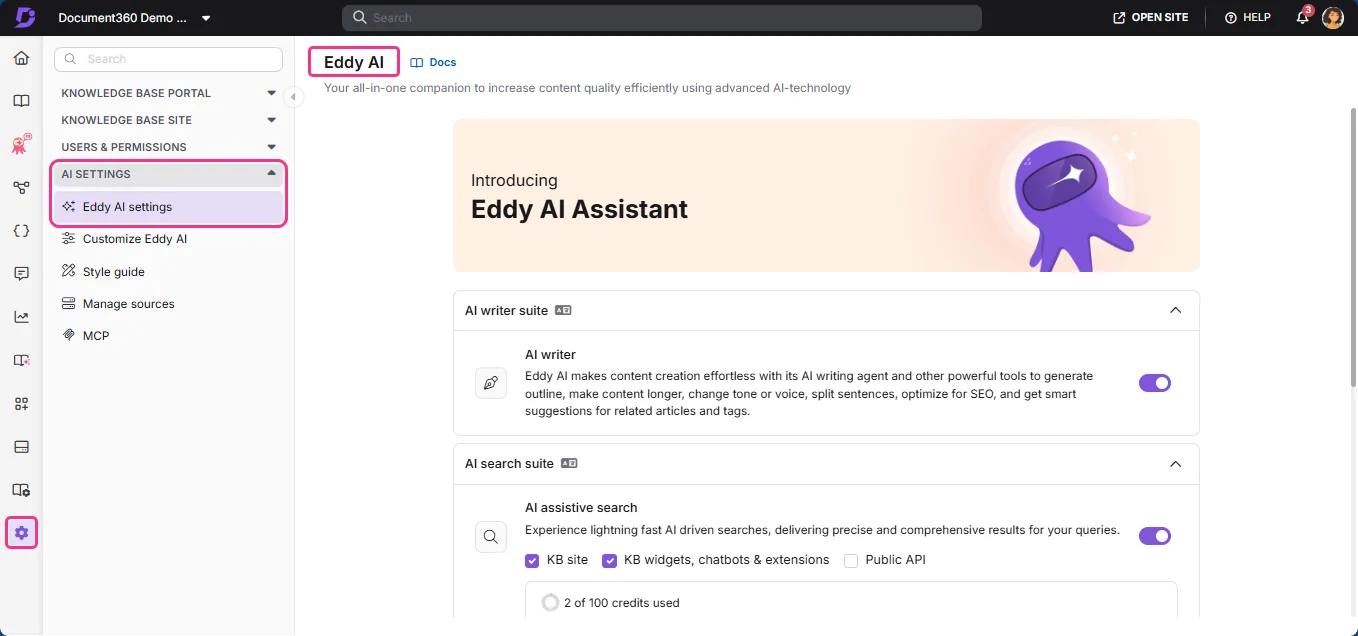
Bundled into the plan you get the Eddy AI writing agent, AI content and FAQ creation, AI search and answer, auto-generated glossaries, duplicate-content detection, and the MCP server. Sold separately are the AI Chatbot (the embedded widget that answers readers) and the AI Premium Suite (screen capture, step-by-step guides, interactive demos, video recording). Notice which side of that line the customer-facing chatbot sits on.
Writing docs with Eddy AI
For the authoring intent, this is a good fit and I would happily use it. The writing agent lives right in the editor, so you can generate an outline, expand a section, change the tone, split long sentences, and get related-article and tag suggestions without leaving the article you are on. If your goal is to get a backlog of half-written docs into shape, Eddy is doing the job in the place you already work, which is exactly where authoring AI should be.
Answering readers: AI search and the chatbot
For the answering intent inside the docs site, Document360 gives you two surfaces. The first is AI search and answer, which synthesizes a direct answer from your articles instead of returning ten blue links, and cites the articles it pulled from.
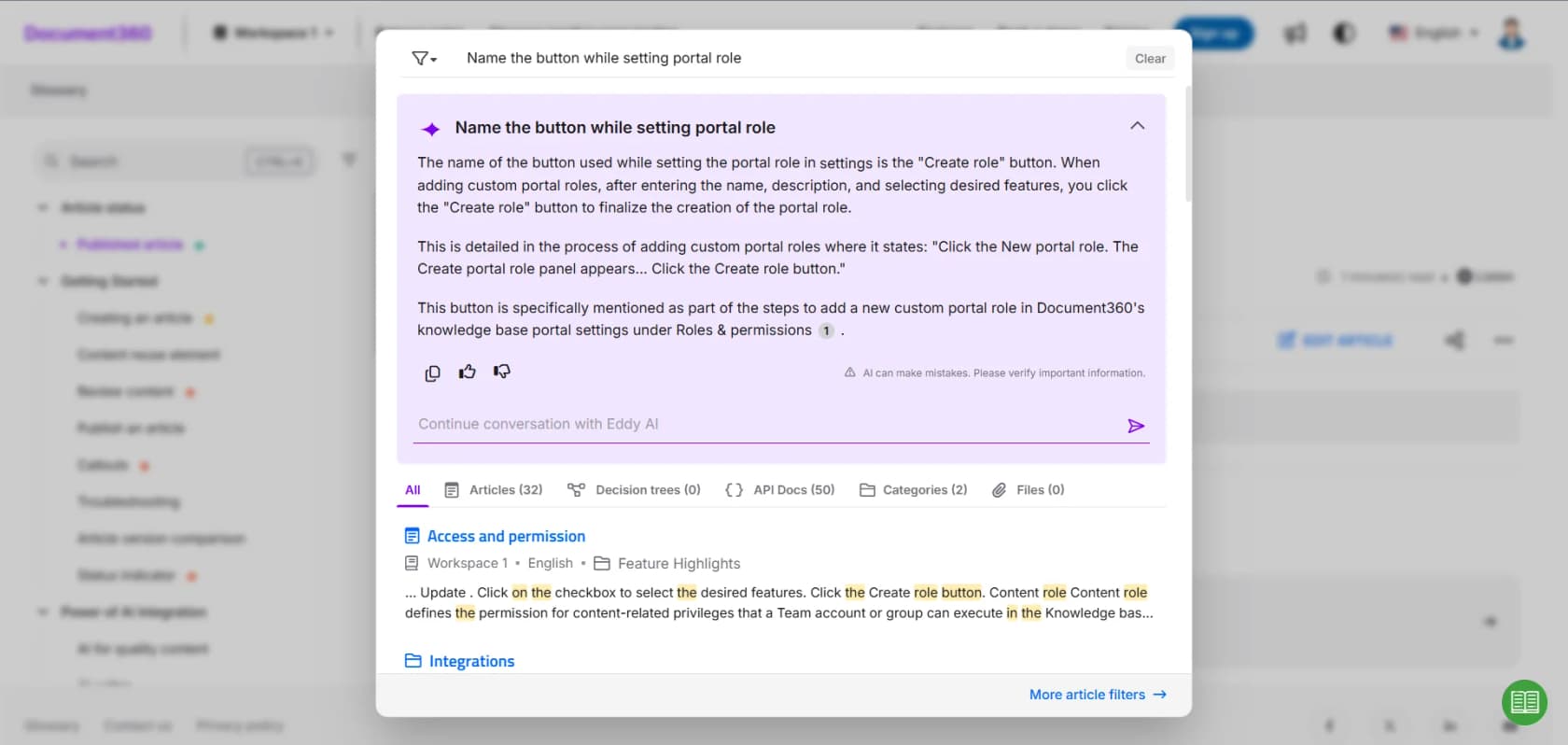
I like that it shows its sources and, refreshingly, prints "AI can make mistakes, please verify important information" right under the answer. That honesty is the correct posture for a KB bot, and it is the flip side of my telematics story above.
The second surface is the Eddy AI Chatbot, the add-on widget you embed on your site. It answers from your content and, when it has nothing, offers to raise a ticket rather than inventing something.
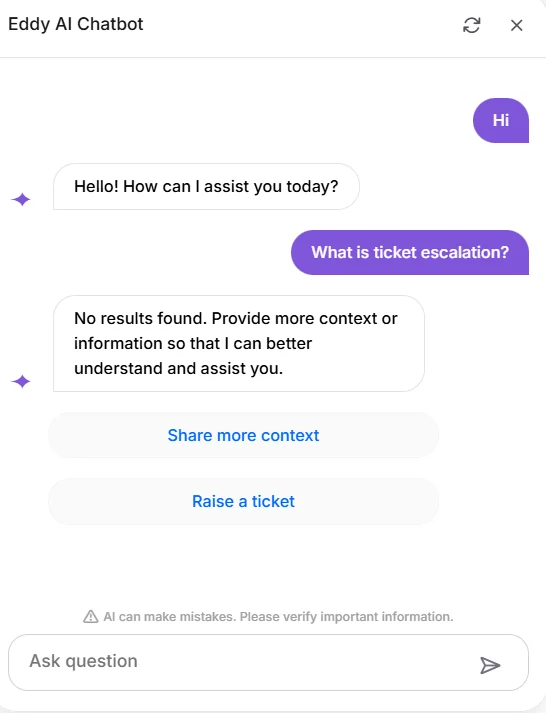
The chatbot is more flexible than it first looks. In its source settings you can point it at your knowledge base, an external website, raw text, uploaded files, FAQs, and even Zendesk or Freshdesk tickets, all with a content-access configuration and a storage cap.
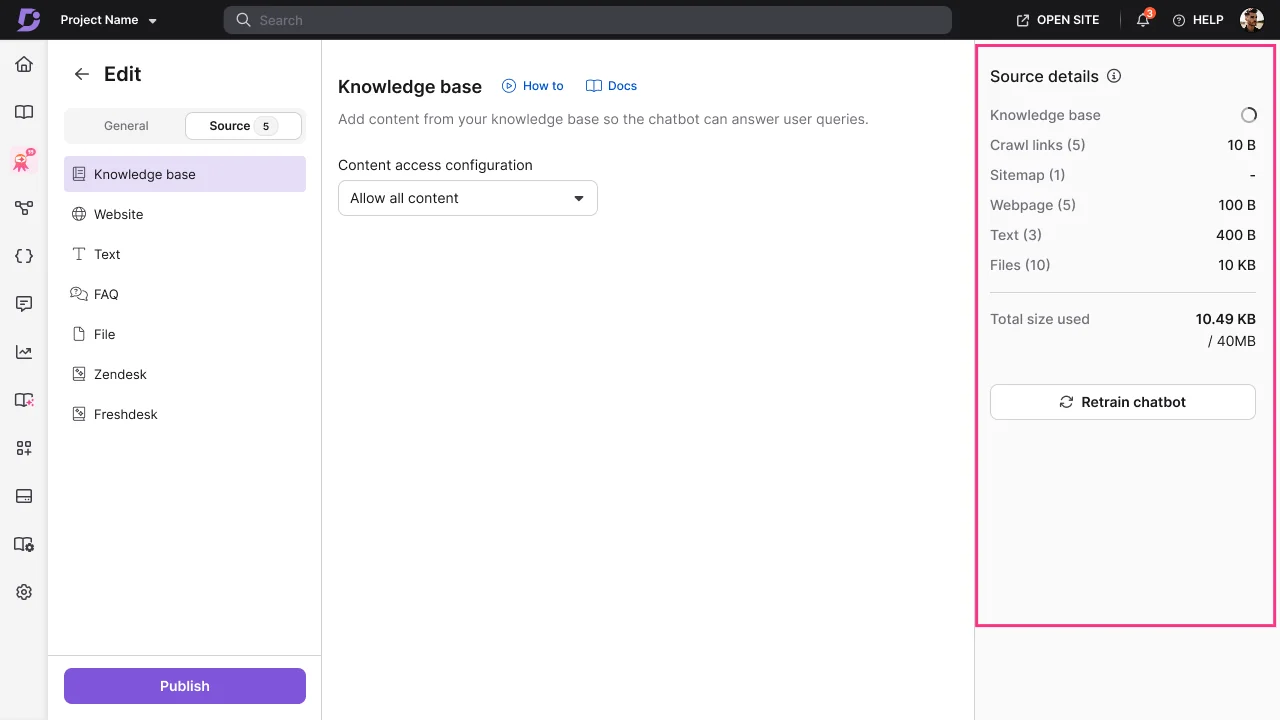
Two honest limits to flag, both of which the story from the intro should make you care about. First, the chatbot answers on your docs site, not inside your agents' helpdesk, so it deflects at the help center but does not draft replies in the ticket queue. Second, there is no dry-run over your own historical tickets here: you configure the sources and publish. That is the "flip the switch and see" pattern, and it is precisely how a KB line like "we support all models" turns into a confident wrong answer in production.
The MCP server (the actually modern bit)
The one native feature I would call ahead of the pack is the MCP server. Model Context Protocol is the emerging standard for letting an AI assistant query an external system, and Document360 shipping one means an MCP-aware assistant can read your knowledge base directly. If your team lives in an assistant that speaks MCP, this is a real bridge, and it is rarer than it should be. We walk through what you can and cannot do with it in ChatGPT for Document360, and the same pattern is showing up across wiki tools, which we cover in ChatGPT for Confluence.
What Eddy AI actually costs
Here is where you have to slow down. Document360 no longer publishes flat plan prices. The pricing page is a quote-only configurator headed "customized pricing built around your needs," and it routes you to a sales conversation.
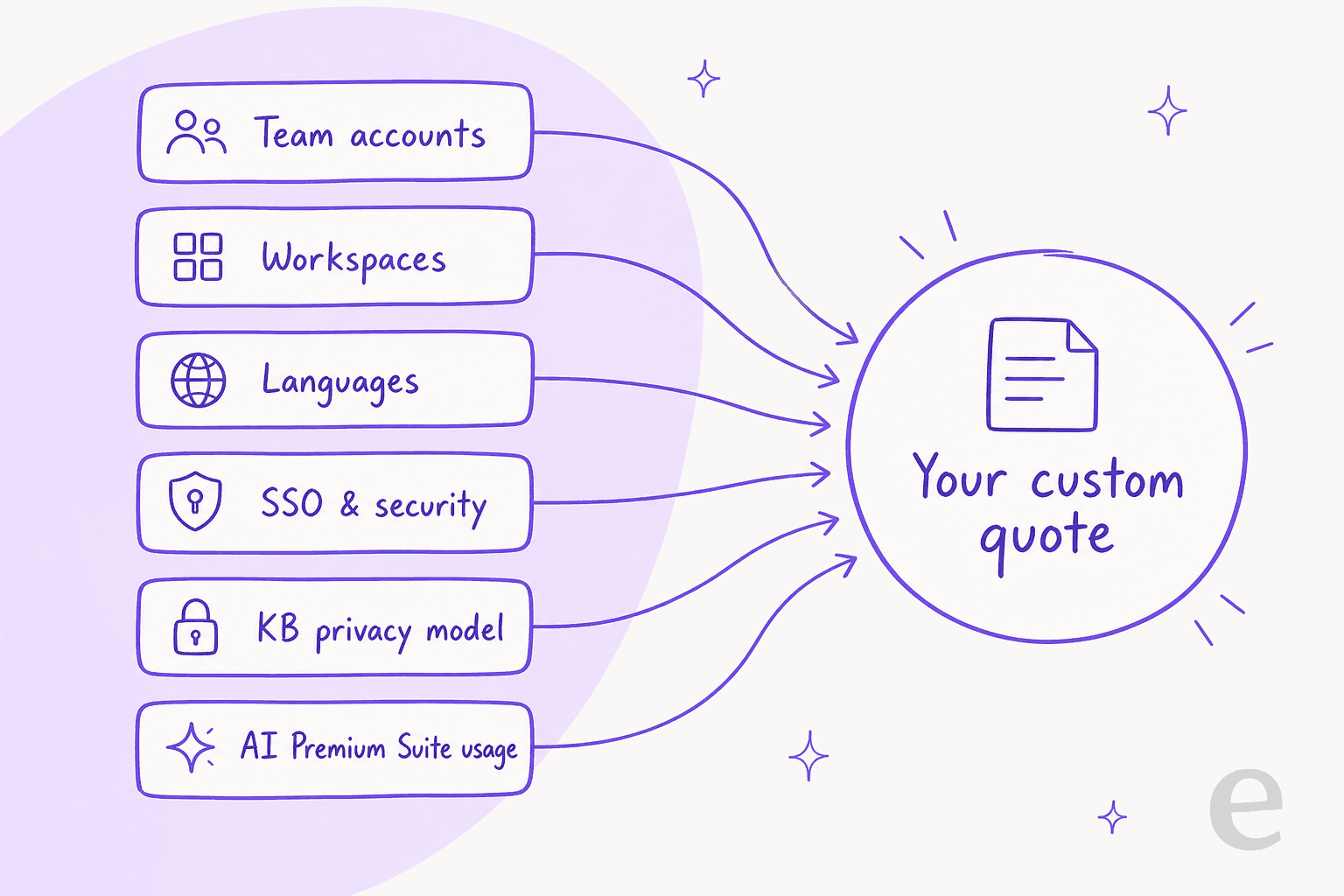
Document360's own FAQ lists the six factors that move your quote:
| Factor | What it means for AI buyers |
|---|---|
| Team accounts | Editors and reviewers, priced per head |
| Workspaces | Each separate knowledge base you run |
| Languages | Localization adds to the number |
| SSO and security | Enterprise auth is a price lever |
| KB privacy model | Public, private, or mixed |
| AI Premium Suite usage | The AI add-on is billed on top |
The trial is generous (14 days, no credit card, every feature on), and every quote includes a dedicated success manager and onboarding. But the model means you cannot get an AI price without talking to sales, and the parts most support teams want are add-ons on top of a base you are already negotiating. Users notice. One G2 reviewer's summary of the downside was blunt:
"It is expensive and a lot of new features need a separate license."

And on Reddit, a product manager running it as their KB put it more plainly:
"I'm using Document360 as my knowledge base provider and i really don't enjoy them and they are very expensive for what they offer."

To be fair, the core product earns real praise too, holding around 4.5 to 4.7 on G2 across 542 reviews, with the interface and search called out most often. The cost complaint is specifically about the add-on-plus-quote structure, not the software. Our full Document360 pricing breakdown has more, and if you are also weighing a switch, Document360 vs Helpjuice covers that head-to-head.
Route B: layer eesel on top of Document360
If your real goal is the second intent, answering support questions, there is another way to do it that does not depend on Document360's chatbot add-on: point a dedicated AI support teammate at your Document360 docs and let it work inside your helpdesk.
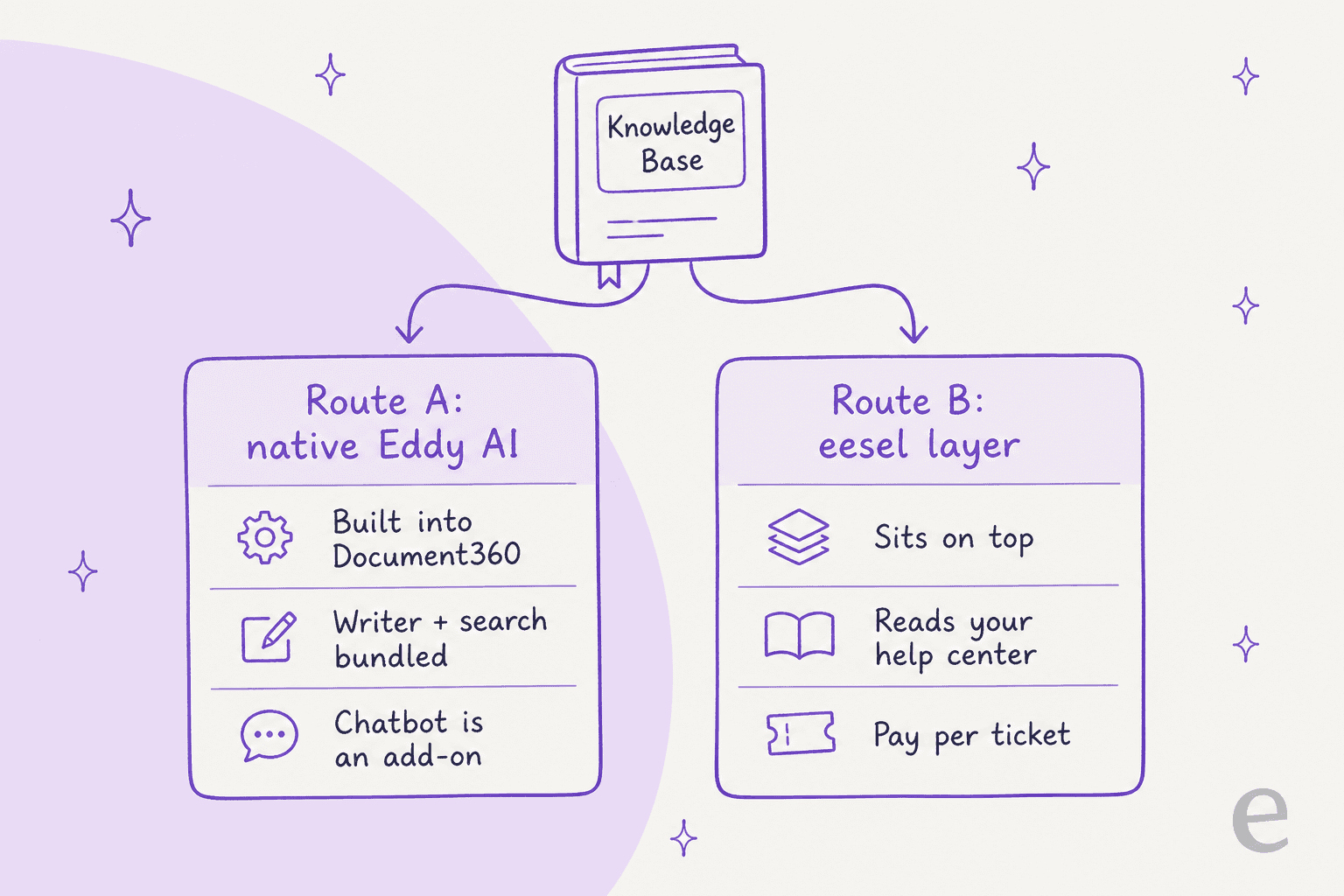
Full disclosure, this is what I work on, so read this section knowing that. eesel is an AI support teammate that reads your knowledge sources, joins the helpdesk you already run, and resolves tickets. It does not have a one-click native Document360 connector today, so the honest mechanic is: it ingests your Document360 content by crawling the published help center or the URLs you give it, the same way it learns from any docs site. If your Document360 KB is public, that is straightforward; if it is fully private, you would point eesel at the sources it can reach.
Where the two routes differ most:
- It works in the queue, not just the widget. eesel plugs into Zendesk, Freshdesk, Gorgias, Help Scout and others, so it can draft or auto-send replies where your agents actually work, and pull in Document360 answers as one of its knowledge sources rather than the only one.
- You can simulate before going live. This is the part that would have saved my telematics customer. eesel can run over thousands of your real past tickets and show you what it would have answered, so you catch the "we support all models" traps before a customer ever sees them, instead of after.
- Pricing is flat and predictable. No quote, no per-seat fee. You pay one fixed monthly price sized to the tickets the AI handles.
Here is the eesel cost model at a few team sizes, so you can compare it against a Document360 quote:
| Tickets handled per month | eesel plan | Monthly cost |
|---|---|---|
| Up to 100 | Free plan (100 credits) | $0 |
| Up to 500 | 500 credits | $299 |
| Up to 1,000 | 1,000 credits | $499 |
| Up to 2,500 | 2,500 credits | $999 |
One ticket or chat session is one credit, no matter how many messages it takes, with no platform fee and no per-seat fee (pricing). Only tickets the AI actually works on use credits, so a gradual rollout that routes 200 of your 1,000 monthly tickets to AI fits the 500-credit plan at $299, not the full amount. It is the same model we lay out for AI for HubSpot Service Hub and AI for Salesforce Service Cloud.
So which route should you pick?
There is no single winner here, because the two routes serve the two intents. Match the tool to the job.
| If your main goal is... | Reach for... | Why |
|---|---|---|
| Writing and maintaining docs | Document360 Eddy AI | The writing agent lives in the editor where you author |
| A Q&A widget on your public docs site | Document360 AI Chatbot (add-on) | Native, embeds on the help center, cites sources |
| Feeding your KB to an MCP assistant | Document360 MCP server | A real, modern bridge for MCP-aware tools |
| Resolving tickets in your helpdesk | eesel layered on top | Works in the queue, simulates on past tickets, from $299/mo for 500 credits |
| Predictable, no-sales-call pricing | eesel | Fixed monthly price, no quote, no per-seat fee |
If you only ever needed the authoring half, stop reading and use Eddy AI, it is good at it. The decision only gets interesting once "AI for Document360" really means "answer my customers," because that question does not live inside your docs tool, it lives in your helpdesk. That is also why teams comparing AI for Front or AI for Jira Service Management land in the same spot: the KB is an input, the queue is the job.
Try eesel on your Document360 docs
If the answering intent is what brought you here, eesel is built for exactly that. Point it at your Document360 help center, connect the helpdesk you already run, and it drafts and resolves tickets using your existing docs as knowledge, no rewrite required.

The differentiator I would trust most, having watched confident bots go wrong, is the simulation step: run eesel over your real ticket history and see its answers before a single customer does. Then roll it out gradually on a fixed monthly plan, from $299/month for 500 credits. It is free to try with 100 credits, no credit card and no sales call, so you can see how it reads your docs before you commit. Start with eesel.