ChatGPT for Confluence: how to connect them in 2026

Rama Adi

Katelin Teen
Last edited September 4, 2026
"ChatGPT for Confluence" means two different things
Before picking a route, it helps to be clear about what you actually want, because the answer splits cleanly in two.
The first job is reading: you want to ask questions of the knowledge already sitting in Confluence. "What is our refund policy?" "Summarise the Q3 architecture decision." "Which runbook covers a failed deploy?" You are pulling answers out of pages other people wrote.
The second job is writing: you want ChatGPT to put content into Confluence. Draft a new page, update an existing one, turn a wall of meeting notes into a clean doc.
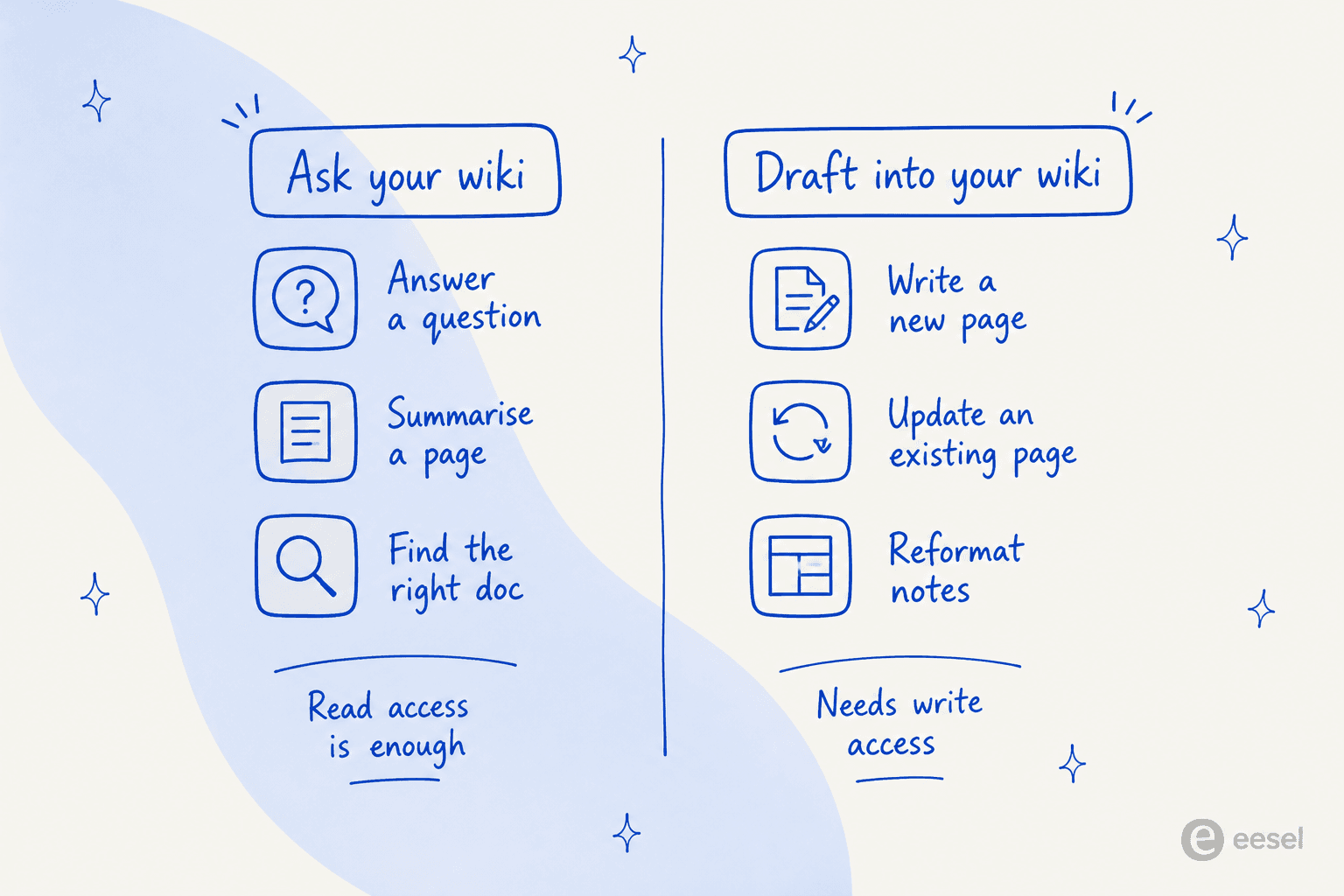
This matters because the two jobs need different levels of access. Reading needs read access, which is easy to grant and low risk. Writing needs write access, which is where the plan gates, the approval prompts, and the real horror stories live. Keep the split in mind as we walk the routes.
Route 1: is there a native ChatGPT app for Confluence?
The short answer is no, and this trips people up because OpenAI keeps changing the vocabulary. What used to be called "connectors" migrated to a Plugin directory on July 9, 2026, where a plugin is the listing and an app is the actual integration that connects ChatGPT apps to outside data.
The thing to know is that Atlassian, Jira, Jira Service Management, and Confluence are not named anywhere on OpenAI's built-in roster. OpenAI moved the live list off its help pages and into the Plugins Directory itself, so the only reliable way to check what your plan can install is to open that directory in your own account. But as of writing, there is no first-party OpenAI-built Confluence app the way there is for a handful of consumer tools.
So "just turn on the Confluence connector" is not a thing. Which pushes you to the route that actually works.
Route 2: the Atlassian Rovo MCP server (the real bridge)
Here is the good news. Atlassian ships its own Rovo MCP server, and because ChatGPT developer mode provides full Model Context Protocol support for all tools, both read and write, you can add Atlassian's server to ChatGPT as a custom connector. This is the route that gives ChatGPT genuine, live access to your Confluence content.
And Confluence is not an afterthought here. Of all the Atlassian apps the Rovo MCP server exposes, Confluence is the best-supported one, with 12 tools split across reading, writing, and search. Even better, all of them accept standard OAuth sign-in, so a normal ChatGPT consent screen gets you the full set with no admin token juggling. (This is the opposite of Jira Service Management, whose MCP tools are API-token-only and far thinner.)
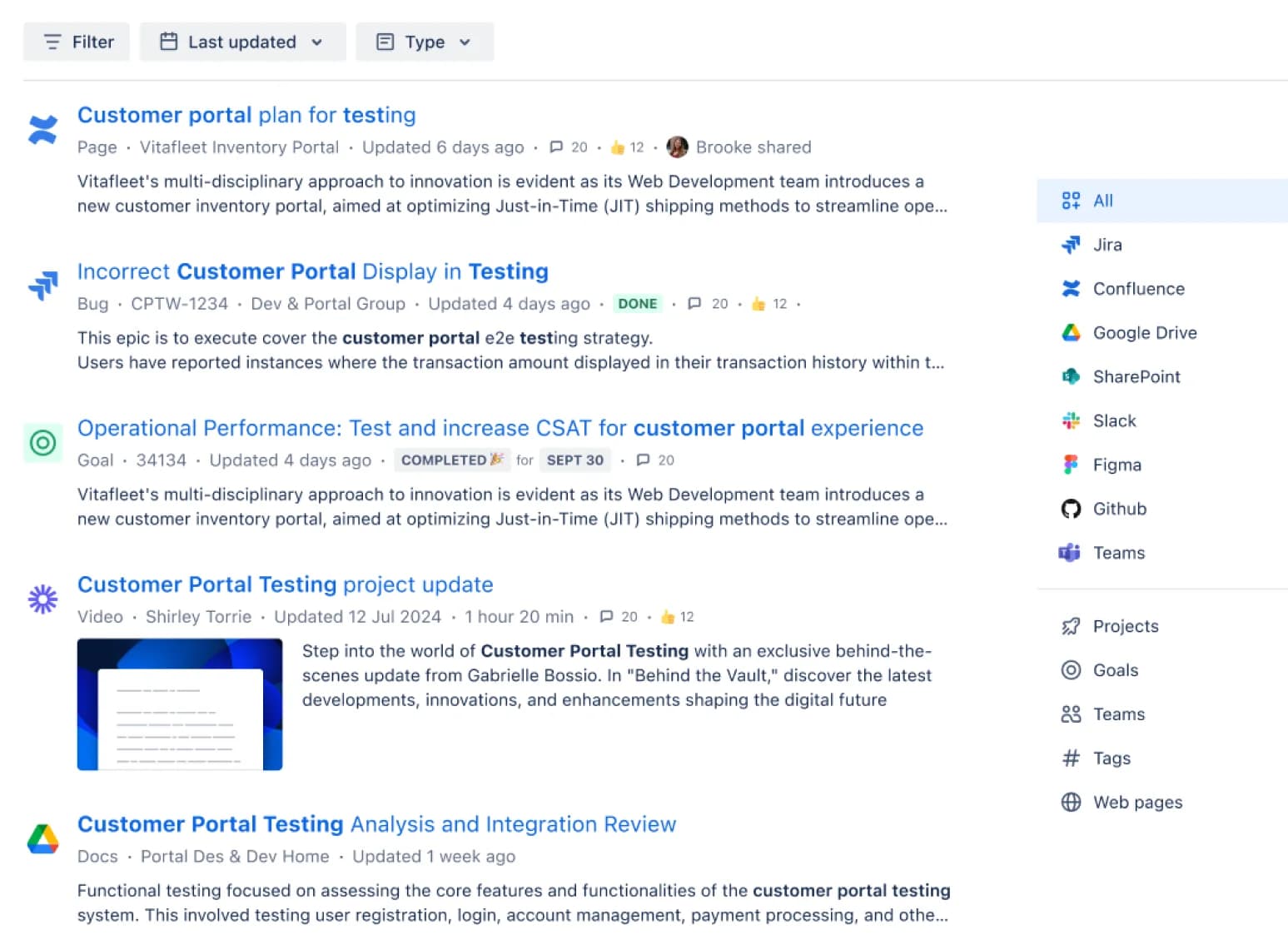
When it works, cross-app search looks like this, pulling results from Confluence alongside Jira, Drive, and the rest:
How to set it up
The setup is roughly: enable developer mode in ChatGPT, add a custom MCP connector pointing at Atlassian's endpoint (https://mcp.atlassian.com/v1/mcp/authv2), and sign in with your Atlassian account when the OAuth screen appears. From there ChatGPT can search and read your Confluence pages, and, on the right plan, edit them.
That plan caveat is the first real limit. On the writing side, the picture is stricter than the marketing implies. OpenAI's own help center states that full MCP support, including modify and write actions, is rolling out in beta only to ChatGPT Business, Enterprise, and Edu plans. Pro users get read and fetch only. So a Plus or Pro subscriber can wire up the connector and read Confluence, but cannot have ChatGPT write back to it.
The write path has sharp edges
If you are on a plan that can write, tread carefully, because this is where the route earns its warnings.
The most important one is a real data-loss story, not a hypothetical. On May 30, 2026, an Atlassian Community member reported that the Rovo MCP connector silently destroyed page bodies: when the AI sent a title-only update call, the API read the missing body as an instruction to clear the page, and every renamed page lost its content. Atlassian confirmed it the next day and shipped granular edits in a V2 MCP preview on July 1, 2026. So the fix is in, but the underlying design point stands: updateConfluencePage takes the whole page body, with no patch or range option, so an AI editing a page is rewriting the entire thing each time.
A few more edges worth knowing before you let it write:
- It flattens formatting. The whole-body write strips inline comment anchors and can drop images and the table of contents on edit.
- The tool set has gaps. There is no delete, no page history, no attachments, no labels, and no way to read a page's ancestors (hierarchy only goes downward).
- OAuth tokens expire fast. Sessions time out around 30 minutes, which is the single most common operational complaint about the server.
- Compliance carve-outs. The Rovo MCP server sits outside Atlassian's HIPAA coverage and has no FedRAMP authorization, even though other Rovo features are in scope.
None of this makes the route useless. For a developer who wants ChatGPT to search their team's wiki and occasionally draft a page they will review anyway, it is a genuinely useful bridge. Just do not point it at a mission-critical space and walk away.
Route 3: Deep Research over synced content
There is a lighter read-only path too. OpenAI notes that some apps can be used with deep research for complex, multi-source analysis, with citations back to the originals, and that some apps support syncing to index content in advance for faster responses.
In practice this means: where a connected source supports sync, ChatGPT can index that content ahead of time and reason across it during a Deep Research run, footnoting the pages it used. It is a nice fit for "read a lot, cite carefully, change nothing" work, like pulling a summary across dozens of Confluence pages, the kind of thing people reach for a ChatGPT knowledge base to do. The catch is the same one from Route 1: this depends on having a Confluence app connected in the first place, which for now means the Rovo MCP route above. Deep Research is a mode you point at your connected sources, not a separate Confluence integration.
Route 4: copy-paste, and Confluence's own AI
Two options round things out, and they are easy to overlook.
The first is the one everyone already uses: copy-paste. Open the page, copy the text, paste it into ChatGPT, ask your question. It needs zero setup, works on any plan including free, and keeps you in full control of what the model sees. It also does not scale past a few pages, has no live sync, and cannot write anything back. For a one-off "help me rewrite this doc," it is honestly fine.
The second is worth naming so you do not confuse it with ChatGPT: Confluence's built-in Rovo AI. Atlassian positions Confluence as "the AI workspace that works with you," with Rovo handling search, chat, and drafting inside Confluence. This is AI in your wiki, but it runs on Atlassian's own models and credits, not ChatGPT. Rovo credits are metered at 25, 70, and 150 per user per month on Standard, Premium, and Enterprise, and heavier actions eat more of them, so it is not the unlimited assistant the UI suggests (our full Confluence pricing breakdown has the math). If you want AI authoring directly in the Confluence editor, Rovo is the native answer; if you specifically want ChatGPT, you are back to Routes 2 through 4. (We go deeper on this in our Confluence AI copilot writeup, and compare the field in best AI for Confluence.)
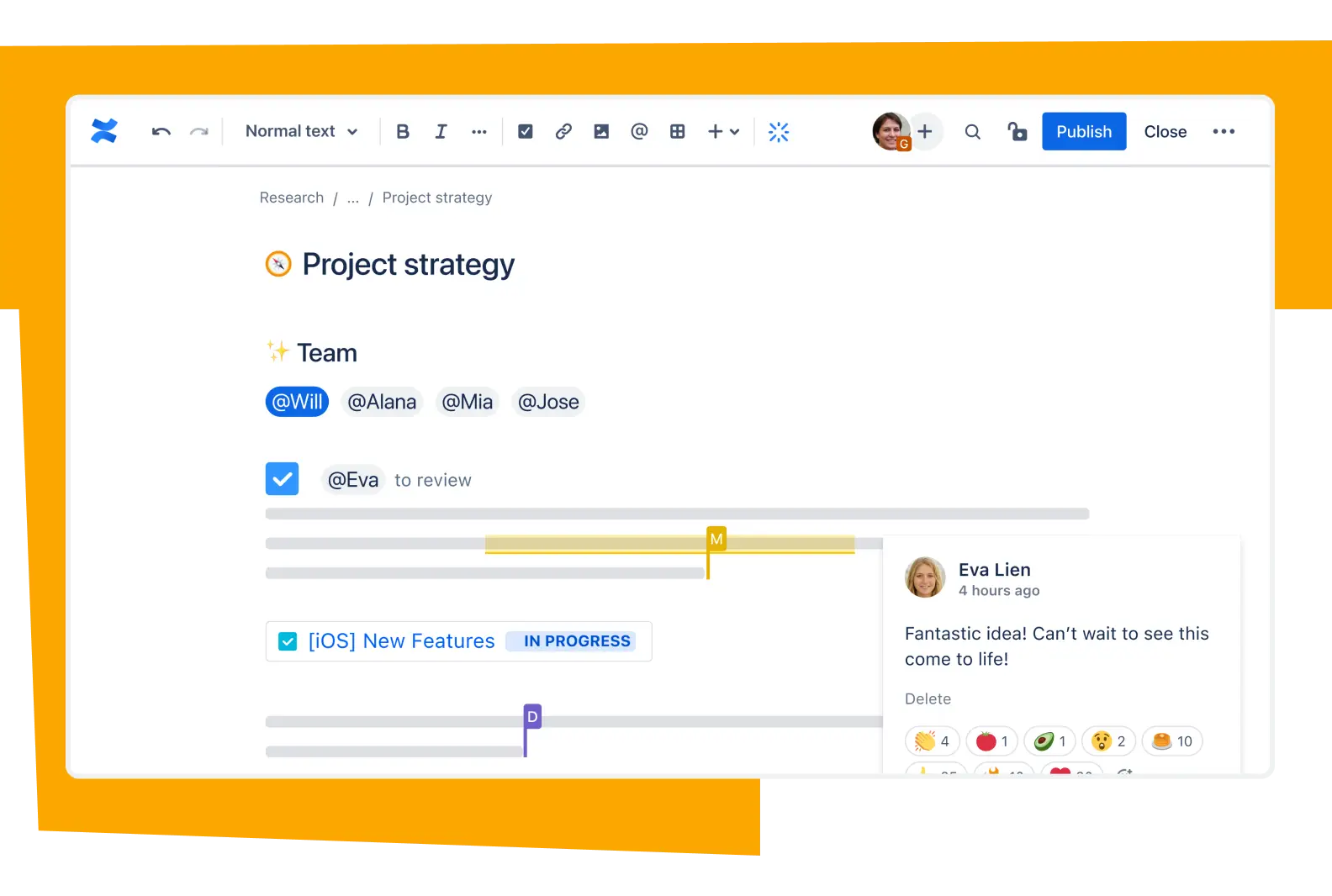
Speaking of authoring, here is what you are editing into on the write side, the standard Confluence page editor:
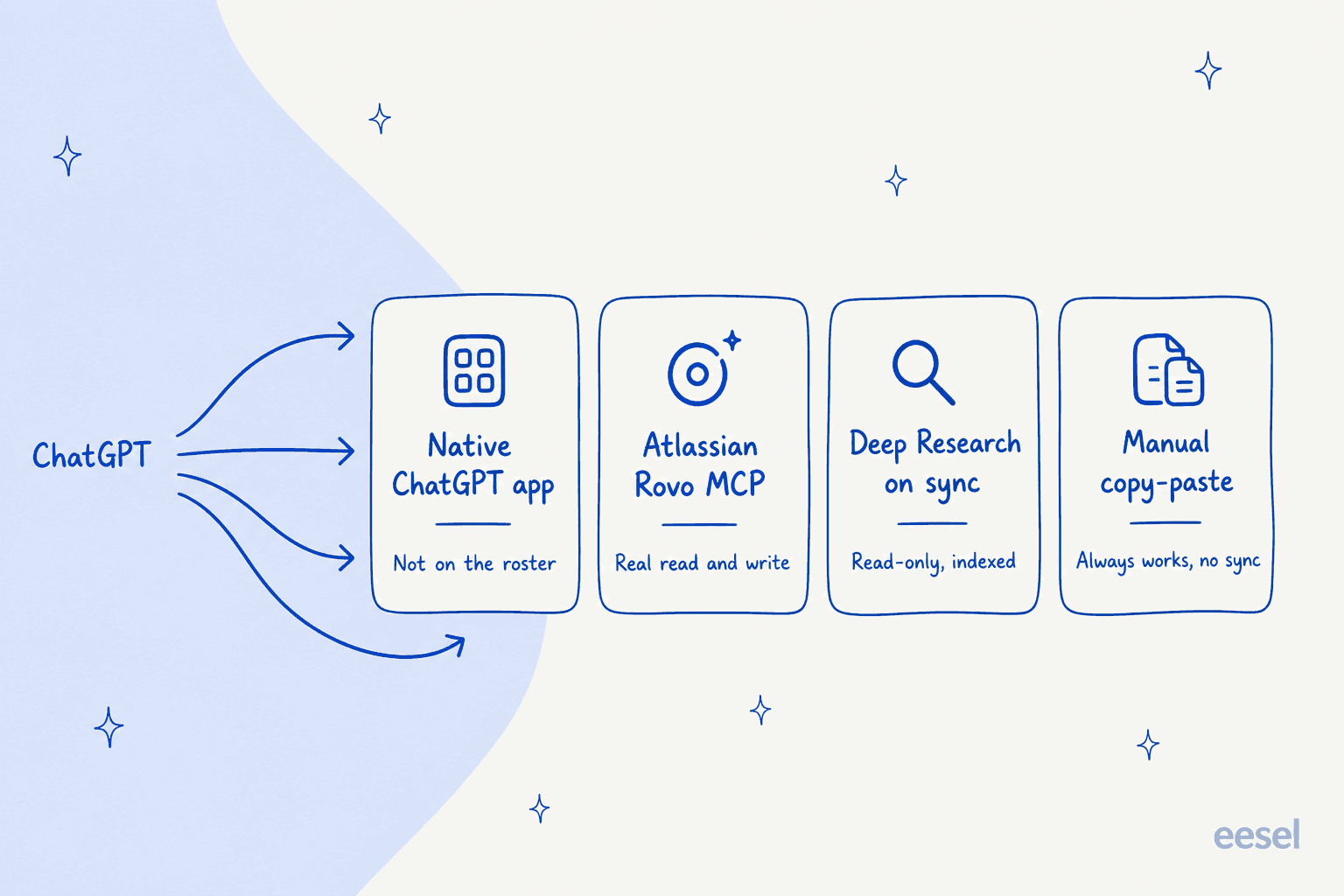
The four routes, side by side
Here is the whole picture in one place.
| Route | Live read | Live write | Plan needed | Main catch |
|---|---|---|---|---|
| Native ChatGPT app | n/a | n/a | n/a | Doesn't exist; Confluence isn't on OpenAI's roster |
| Rovo MCP connector | Yes | Yes | Business/Enterprise/Edu for write; Pro reads only | Whole-body writes, token expiry, tool gaps |
| Deep Research on sync | Yes | No | Depends on connected app | Read-only; still needs the MCP connector |
| Manual copy-paste | Manual | No | Any (incl. free) | No sync, doesn't scale, no write-back |
| Confluence Rovo (native) | Yes | Yes | Standard+ (metered credits) | It's Atlassian's AI, not ChatGPT |
Where all of these fall short for a support team
Everything above is built around one person at a keyboard, asking or drafting on demand. That is a great fit for individual knowledge work. It is the wrong shape for the job I hear about most.
I build integrations at eesel AI, so I spend a lot of time with teams whose Confluence wiki is the beating heart of their support, and their question is never "how do I paste a page into ChatGPT." It is "how do I get the answers out of Confluence and in front of the person asking, automatically, without a human in the loop every time." One support lead we spoke with, at a public-sector IT services firm, was losing two senior agents that year and wanted to capture their tribal knowledge in AI before they walked out the door. A raw ChatGPT connector does not solve that. It waits for someone to open ChatGPT and ask.
There is a subtler trap too. Another support manager we talked to had an entire knowledge base written for administrators while the tickets came from end-users, a mismatch that produces confidently wrong answers. Confluence, for all its strengths, is a place to store knowledge, not a place that reshapes it into the right answer for the person on the other end of a ticket. Its own search is a long-running weak point: as one r/sysadmin thread put it,
"The only thing harder than using Confluence is finding anything in it."

If search inside Confluence is the problem, bolting a chatbot onto that same search does not fix the root cause.
Try eesel for Confluence
This is the gap eesel AI is built for. Instead of ChatGPT reaching into Confluence one query at a time, eesel connects your Confluence spaces as a knowledge source, reads spaces, pages, and team documentation, and answers questions automatically, inside the helpdesk, Slack, or Microsoft Teams where people actually ask them.
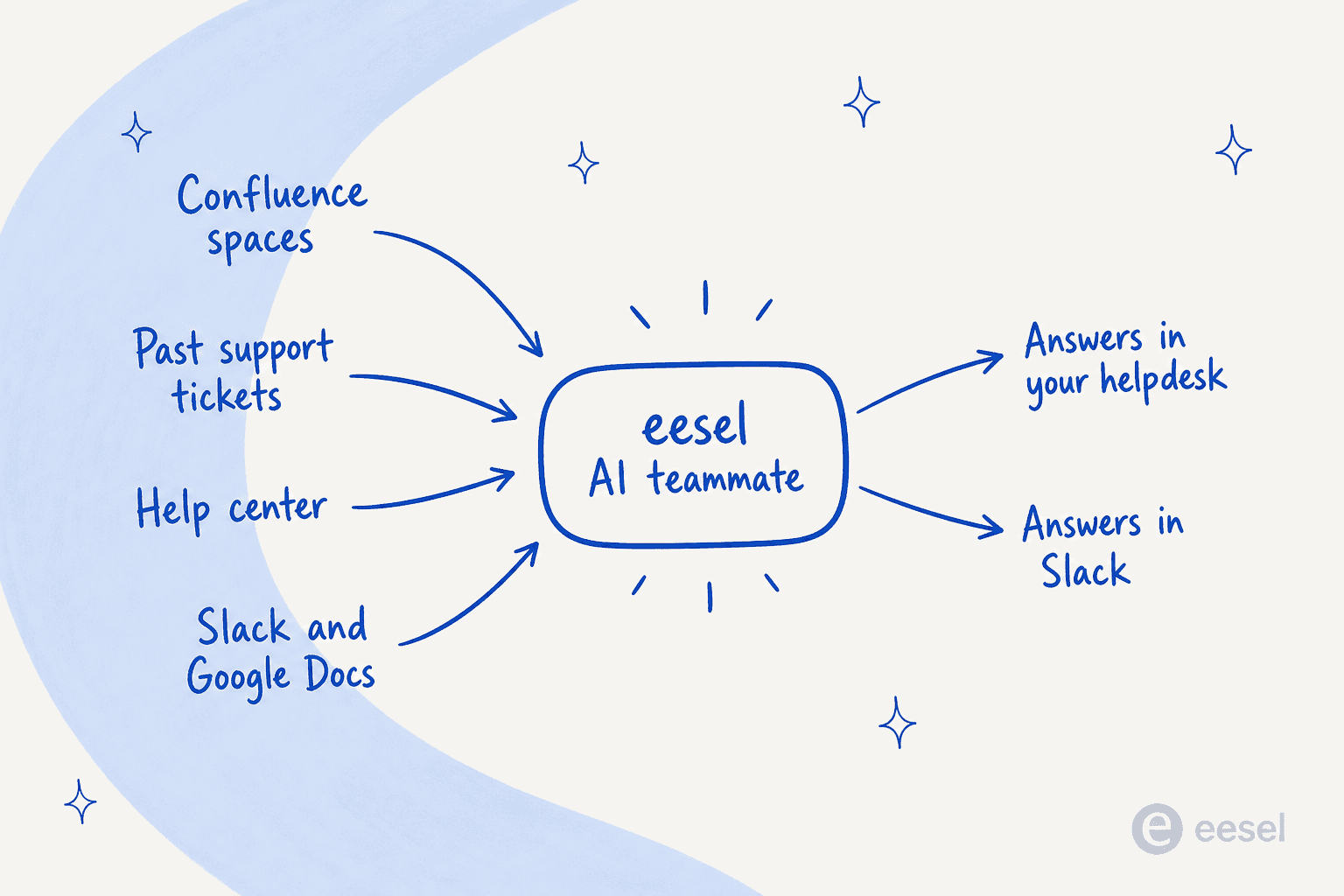
The difference that matters for a support team is that eesel does not read Confluence in isolation. It learns from your past resolved tickets and help center at the same time, so it answers in your team's actual voice rather than reciting an admin-oriented wiki page verbatim. And because rolling out an answer bot on a five-year-old wiki is genuinely scary, you can simulate it against your real historical tickets first and see exactly what it would have said before a single customer sees it.

Setup is a few clicks rather than a developer-mode MCP config, and it is free to try. If your goal was never really "ChatGPT in Confluence" but "answers out of Confluence," that is the shape worth reaching for. You can see how it stacks up in our best AI for Confluence roundup, or just start free.