

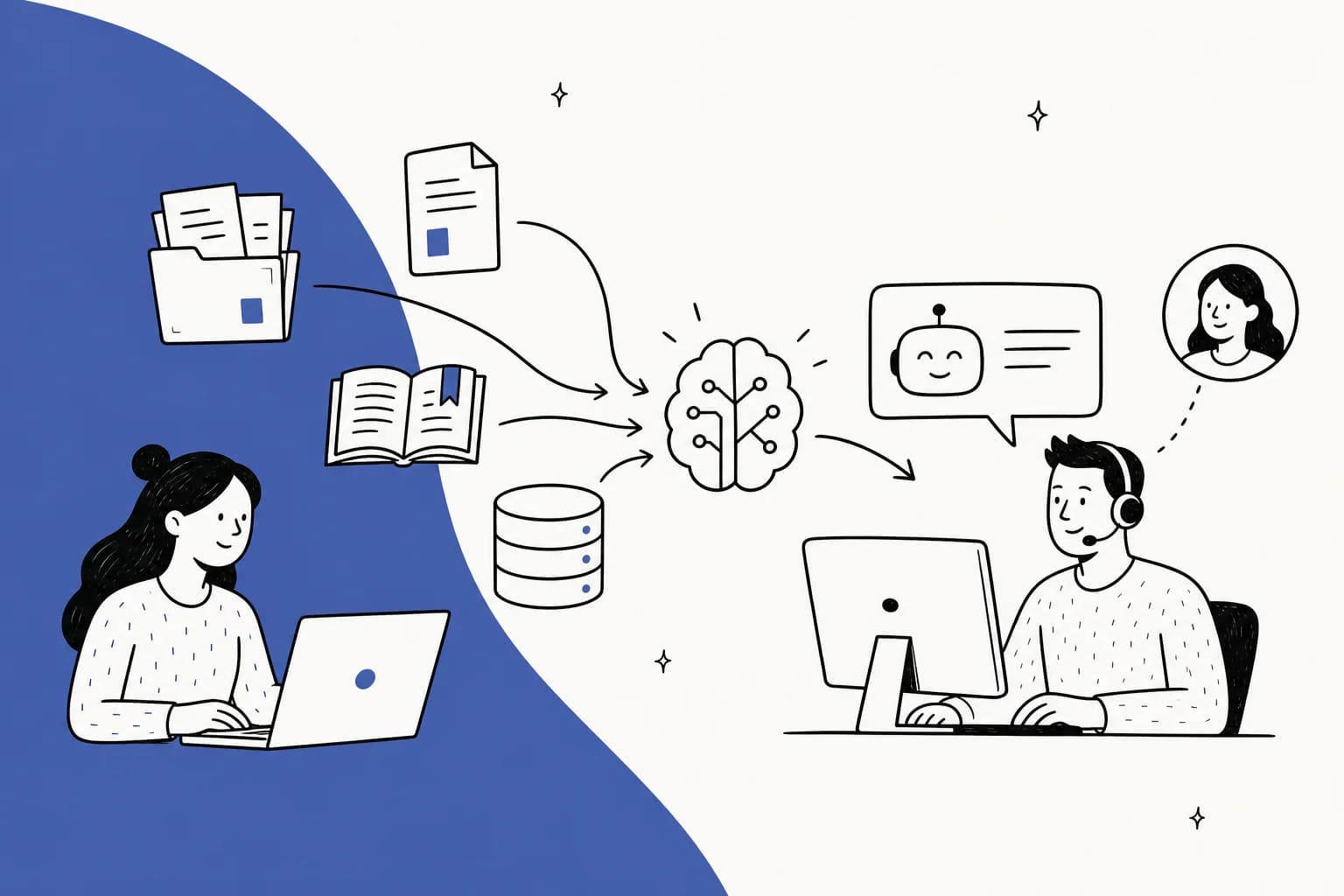
First, what "training" actually means
I've spent the last few years putting AI agents on live support queues, and the single most expensive misunderstanding I see is the word "train." People hear it and picture teaching the model new facts by feeding it documents until it "knows" them. For support, that's the wrong picture almost every time.
There are really three ways to put your own data into GPT, and they do very different jobs.
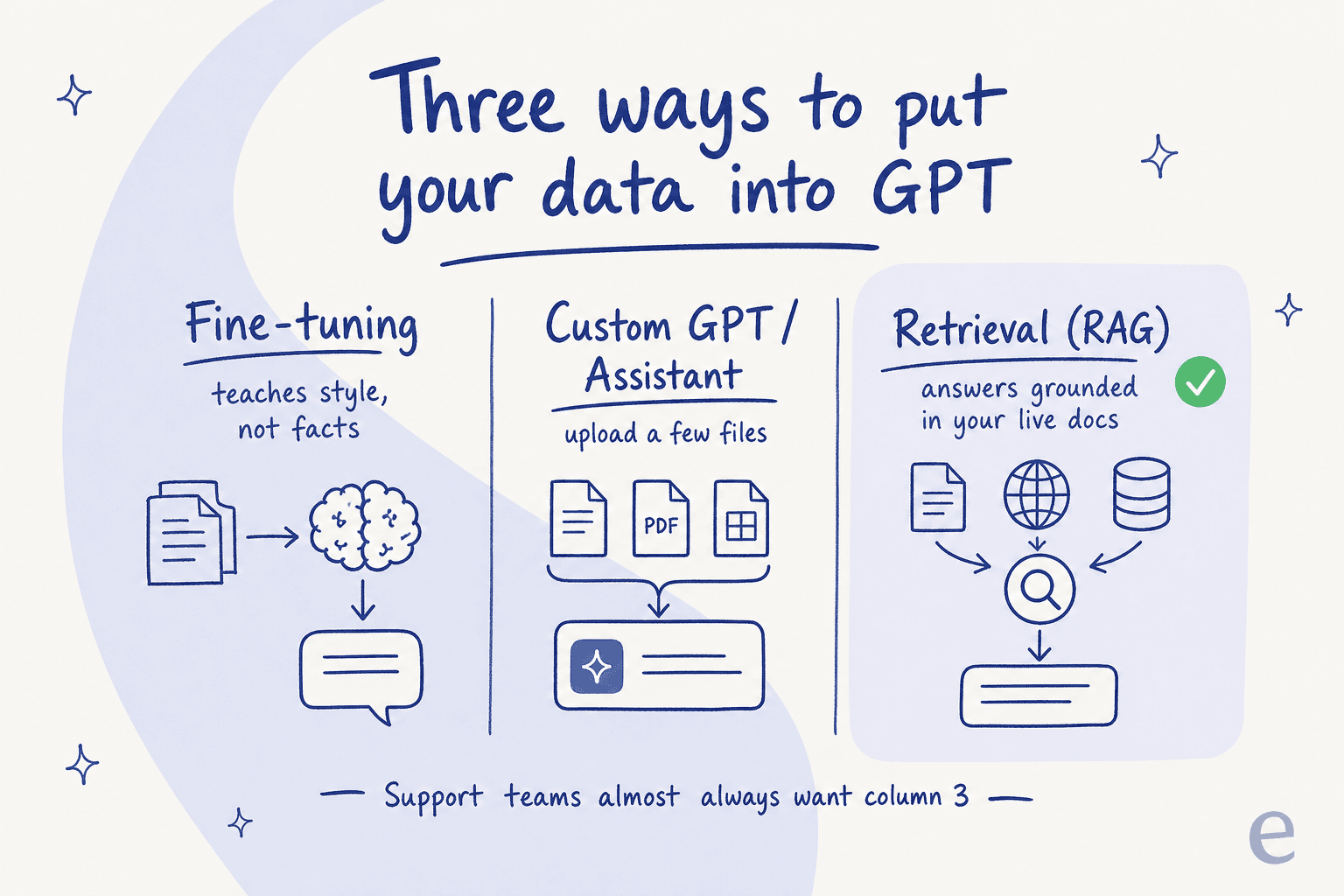
Fine-tuning adjusts the model's weights on your examples. It's genuinely good at one thing: teaching a house style or a rigid output format. It is bad at teaching facts. If you fine-tune on your refund policy and then change the policy next week, the model still parrots the old one, because the fact is now baked into its weights. This is the same limitation you hit with pre-training: the knowledge is frozen at the moment you trained. For a support KB that changes constantly, that's a dealbreaker.
Custom GPTs and OpenAI's Assistants let you upload a handful of files and get a chatbot on top of them. This is the sweet spot for a personal assistant or a small internal FAQ. It falls over on a real queue: file limits, no connection to your live helpdesk, no way to learn from solved tickets, and no control over what happens when it can't find an answer. It's a demo, not a deployment. If you're curious about that ecosystem, the newer apps in ChatGPT push in a similar direction, and people have built custom personas the same way.
Retrieval (RAG) keeps your data outside the model and looks it up at answer time. The model doesn't memorize anything. When a question comes in, the system searches your docs and tickets, pulls the most relevant passages, and hands them to GPT with an instruction like "answer only from this." Edit a help article and the next answer reflects it instantly. For support, this is the one you want, and the rest of this guide assumes it.
| Approach | Teaches facts? | Updates when your docs change | Good for |
|---|---|---|---|
| Fine-tuning | No (freezes them) | No, needs retraining | Tone, rigid formatting |
| Custom GPT / Assistant | Sort of, from a few files | Manual re-upload | Personal helper, tiny FAQ |
| Retrieval (RAG) | Yes, from live sources | Yes, instantly | Customer support at scale |
If you want the deeper theory, we wrote a full breakdown of RAG vs LLM and a more technical one on vector databases and hybrid search. For this guide, the one-line takeaway is enough: you're not teaching GPT your data, you're giving it a great librarian.
What counts as "your own data"
The second mistake is thinking "my data" means a PDF of the help center. It's much richer than that, and the richer sources are usually the ones that make the AI sound like it actually works at your company.
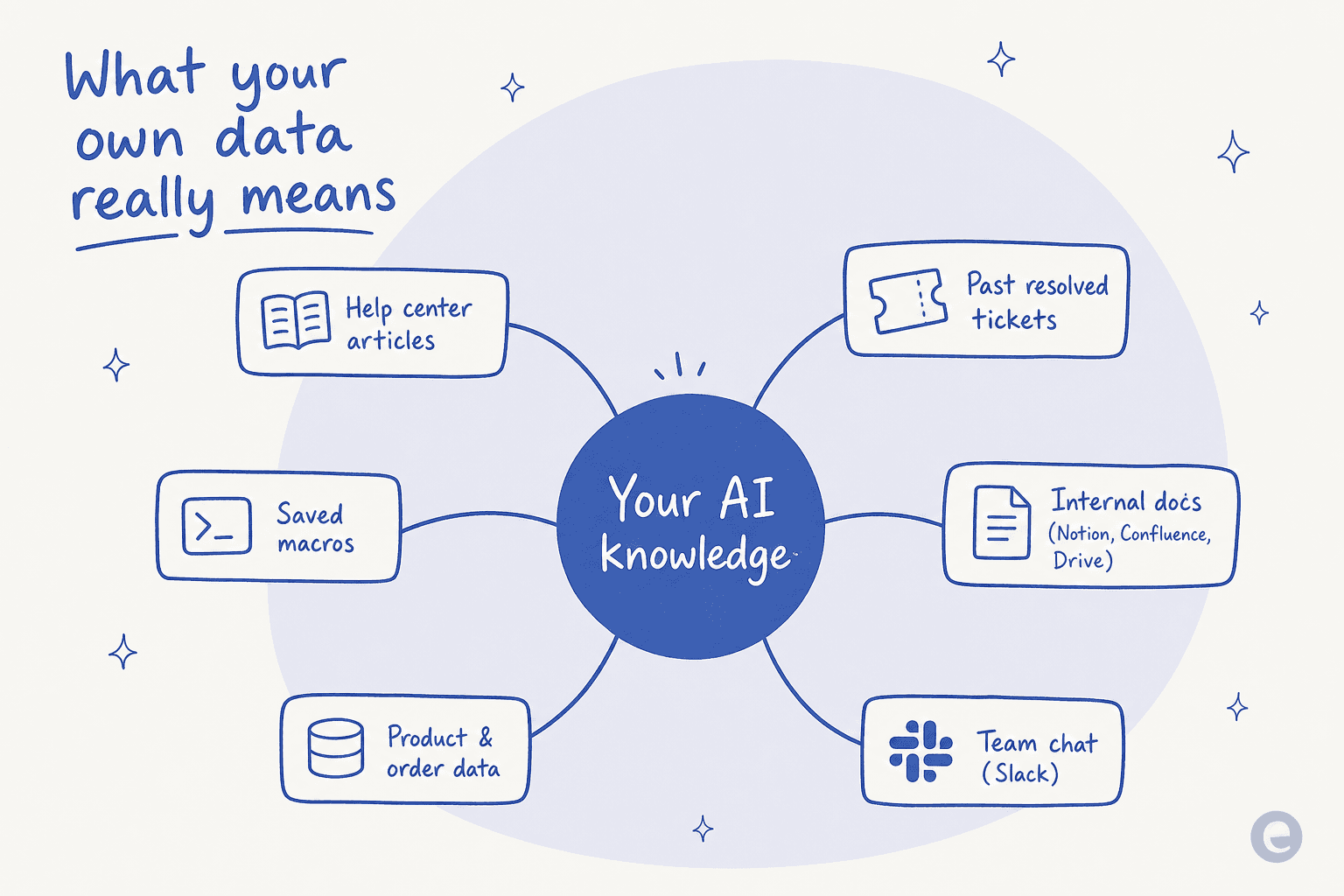
Your best training data usually includes:
- Your help center and public docs. The obvious one, and the easiest to connect.
- Past resolved tickets. This is the secret weapon. Solved tickets capture how your team actually phrases answers, the edge cases docs never cover, and the tone customers respond to. A help center tells the AI the official line; resolved tickets teach it your real voice.
- Saved macros and canned replies. Pre-written answers your team already trusts.
- Internal knowledge in Notion, Confluence, or Google Drive. The stuff that never made it into a public article.
- Product and order data. So the AI can answer "where's my order" instead of deflecting it.
- Team chat like Slack. Where a lot of tribal knowledge quietly lives.
One sales call stuck with me here. A support lead at a public-sector IT services firm was losing two senior agents that year, and what he actually wanted was to capture their tribal knowledge in the AI before they walked out the door. That's the real use case for training on your own data: it's not just deflection, it's knowledge management that outlives the people who hold it. The more of these sources you connect, the less the AI has to guess, which is also the foundation of an AI-powered knowledge base that stays useful.
How retrieval actually works
This is the part worth understanding even if a tool hides it from you, because it's what separates an AI that cites your docs from one that confidently makes things up.
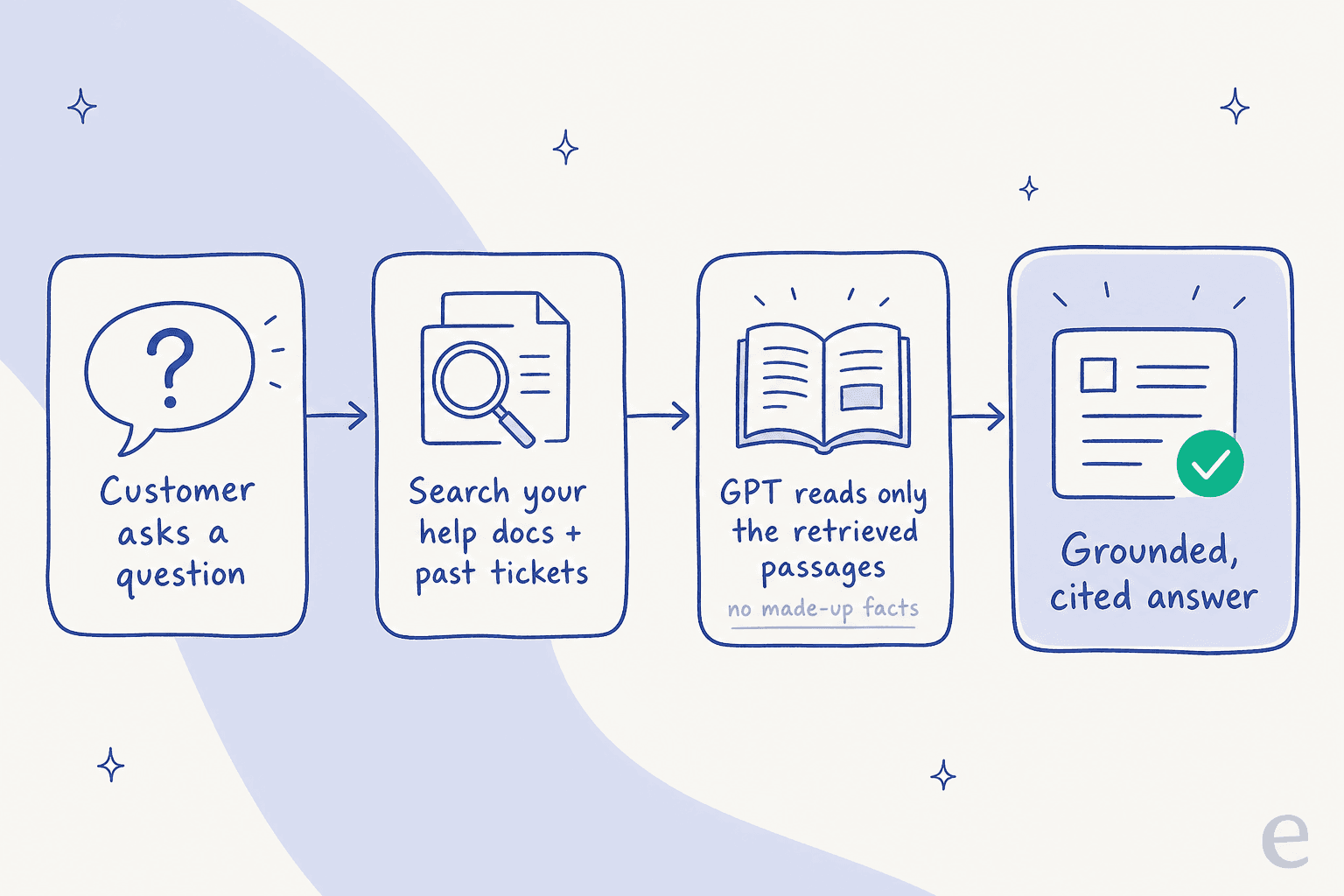
When a question arrives, four things happen. First, the system takes the question and searches your connected sources, not the whole internet, just your docs and tickets. Second, it ranks and pulls the handful of passages most likely to hold the answer. Third, it hands those passages to GPT with a hard instruction: answer using only this, and if it's not here, say you don't know. Fourth, it returns an answer with citations back to the source.
That third step is the whole game. In one deal, a technical evaluator at a hardware company kept pressing on exactly this: he needed assurance the AI would answer only from their approved knowledge, not the model's general training data, and asked whether that could be turned off entirely. The answer is yes, and it should be the default. An AI that can only speak from your sources is an AI that can't invent a refund policy. If you want the theory behind why grounded answers beat a raw model, our piece on RAG covers it, and the rule-based chatbot comparison explains why old decision-tree bots can't do any of this.
How to train GPT on your own data, step by step
Here's the practical path. I'll describe it the way you'd actually do it, whether you wire it up yourself on the OpenAI API or use a platform that handles it.
- Connect your sources, don't export them. Point the system at your live helpdesk, help center, and docs so it stays in sync. A one-time export is stale the day you make it. This is also where a tool that already speaks Zendesk, Freshdesk, or Gorgias saves you weeks of glue code.
- Include your resolved tickets. If you skip this, you get a bot that knows the docs and none of the nuance. Feeding it your history is what turns generic answers into ones that sound like your team.
- Write the guardrail instruction. Tell it to answer only from retrieved sources, to escalate when unsure, and how to sound. This is where tone lives, the part fine-tuning is actually good at, except here you get it with a sentence instead of a training run.
- Set a confidence threshold. Below it, the AI drafts for a human or hands off instead of guessing. This one setting is the difference between a helpful agent and an expensive liability.
- Test on real tickets before going live. Run it against your last few hundred tickets and read what it would have said. Do not skip this.
- Correct and re-test. Every correction should make the next answer better. Good systems learn from your edits automatically.
With eesel, a lot of this collapses into plain English. You tell the agent how to behave in a chat window, and it updates its own instructions, no config files, no retraining job.

Notice the workflow rule in that screenshot: "You must ONLY answer questions using information retrieved from available documentation. Do not use your own general knowledge." That single line is the grounding I keep going on about, written the way a support manager would actually write it. If you're setting this up on a specific stack, we have step-by-steps for training an AI support agent and even the Zoho Desk Zia route if that's your world.
The best part of doing it this way is that a no-code setup means you don't need an engineer to keep it running, and general bot training becomes something a support lead can own.
The mistakes that quietly wreck accuracy
Most "the AI is hallucinating" complaints aren't a model problem. They're a data problem. Three patterns cause the majority of them.
Your docs are written for the wrong audience. I once worked with a support manager whose entire knowledge base was written for administrators, while the actual tickets came from end-users. The AI dutifully retrieved the admin docs and produced answers that were technically correct and completely useless to the person asking. Garbage in, confident garbage out. Fix the source before you blame the model.
Overly broad statements in your KB. One team's bot cheerfully told customers "yes, we support your car model" for brands that weren't in their database, because a help article said "we support all models." The model wasn't wrong, your doc was. Retrieval faithfully surfaces whatever you wrote, so vague absolutes become vague absolute answers.
No escape hatch. If the AI has no confidence threshold and no "I don't know" path, it will fill the silence. That's not the model being reckless, it's the setup not giving it permission to defer. Preventing hallucinations in support is mostly about grounding plus a clean handoff, not a smarter model.
"We could try to write our own LLM application but we didn't want to invest our time into that. We wanted something that we would not have to maintain."
That's an engineering lead at a crypto-hardware company with a 300-plus article knowledge base, explaining why they bought instead of built. Which brings up the question everyone eventually asks.
Build it yourself, or buy it?
If you have engineers, you can build this on the OpenAI or Claude API. Some teams do. But "train GPT on your own data" is one line in a spec and a genuinely large amount of plumbing in practice: connectors to your helpdesk, a retrieval pipeline, chunking and re-ranking, a permissions model, a confidence system, an eval harness, and then the maintenance forever after.
I've watched several technical customers leave to build in-house on the raw API, and I've watched a fair few come back. The model is the easy 10%. The helpdesk integration, the ticket classification, the grounding, and the ongoing tuning are the other 90%, and none of it is your actual product. That's the honest build-vs-buy math: buying is worth it when the plumbing isn't your business.
Measuring whether it actually worked
You can't improve what you don't watch, and this is where "I trained an AI" turns into "the AI is resolving 40% of tier-1." Track the numbers that matter: resolution and deflection rate, factual accuracy on a sample of answers, and how often a human still has to step in.

Real numbers keep you honest. In one real-traffic trial on an e-commerce inbox, a trained agent hit 93% triage accuracy and 100% spam detection, with an 88% draft accuracy but only a 7% factual error rate on the drafts. That gap, high triage accuracy but a real error rate on facts, is exactly why you measure per-category and keep a human in the loop on the risky stuff. On the other end, Gridwise saw eesel resolve 73% of tier-1 requests in the first month. The tooling to watch all of this should come built in, not be something you bolt on later, and it's what separates real AI customer service metrics from wishful thinking. If cost is your lever, we broke down support cost savings separately.
Try eesel on your own data
If everything above sounds like a lot of engineering, that's the point: it is, and it's the part eesel exists to remove. You connect your helpdesk and docs, it learns from your past tickets and help center on day one, and you can run it in simulation mode against thousands of historical tickets before a single customer sees it. It answers only from your sources, escalates when unsure, and works inside Zendesk, Freshdesk, Gorgias, Slack, and more, in 80-plus languages.
The difference from wiring up GPT yourself is that the grounding, the confidence controls, and the reporting are already there. It's one fixed monthly price, starting at $299/month for 500 credits (1 credit per ticket or chat) with no per-seat fees, and you can see the full pricing or try it free with 100 free credits and no credit card. Train it on your own data, watch it work on real tickets, and only turn up the autonomy once the numbers earn it.