Front is one of those tools that people seem to either love or find a bit complicated. It’s a customer operations platform that tries to mix the personal touch of a human with the speed of a machine. It’s a popular choice for a reason, but getting started with any new tech can feel like a lot to take in.
I've put this guide together to help out. We’re going to take a real look at Front AI software, looking at what it actually does, the hurdles you might face while using it, and how the pricing really works.
The idea is to help you figure out if Front’s "you're in control" style is what your team needs, or if a more collaborative, ready-to-go approach might get you results faster.
What is Front AI software?
At its heart, Front is a platform that pulls all your customer messages, like email, chat, and SMS, into one shared space. They’ve got 9,300+ companies using them, so they’ve clearly built something people find useful.
Their main goal is to help businesses grow their support without losing that human feel. The philosophy behind Front AI software is to keep your team in the driver's seat while scaling automation. In the real world, this means you’ll spend a fair bit of time setting up specific rules and workflows to tell the AI exactly how to act.
Over time, Front has moved from being just a shared inbox to a full platform with several AI tools. These are split into groups for looking at chats, helping your agents, and handling responses automatically. Under the hood, Front runs these features on OpenAI, Azure OpenAI, and Amazon models rather than a model of its own.
A deep dive into Front's AI features
Front organizes its AI tools into three main areas: Analyze, Assist, and Automate. This setup gives you a specific tool for almost every part of the support journey.
Let’s look at what each one actually does, based on their official product page.
Analyzing conversations
This first set of features is all about looking through your past chats to find useful info. You can use this data to make better choices and set up your automation rules.
-
Topics: This tool reads your chat history and groups questions by the reason the customer reached out. It’s great for seeing trends, like a sudden jump in questions about a new update, and helps you send certain chats to the right person automatically.
-
Smart QA: Checking agent chats for quality usually takes forever. Smart QA tries to fix this by using AI to score how agents are doing across every chat. It gives you a better look at your team’s skills and where they might need a little help.
-
Smart CSAT: Waiting for customers to finish a survey is a bit of a gamble. This feature tries to guess how happy a customer is by looking at the words and tone they use in the chat. It gives you a real-time look at customer mood, which is a nice addition to regular survey scores.
Assisting human agents
These features act like a helper for your support team. They’re meant to help your human agents work a bit faster and keep their service consistent.
-
Copilot: This is the AI response generator. When an agent opens a message, Copilot can suggest a reply based on your old chats and help center articles. It gives your team a head start so they aren't typing the same thing all day.
-
Compose: We’ve all sent an email and then immediately thought of a better way to say it. Compose helps agents fix their writing as they go. With one click, they can make a message sound more professional or friendly, fix typos, or change the length.
-
Summarize: When a ticket has been passed around or has a really long history, catching up is a chore. This feature makes a quick, easy-to-read summary of the whole chat so anyone jumping in knows what’s going on without reading a novel.
Resolving issues with Autopilot
Autopilot is the autonomous part of the platform. It’s built to handle customer questions from start to finish without a human, working on email, chat, and SMS.
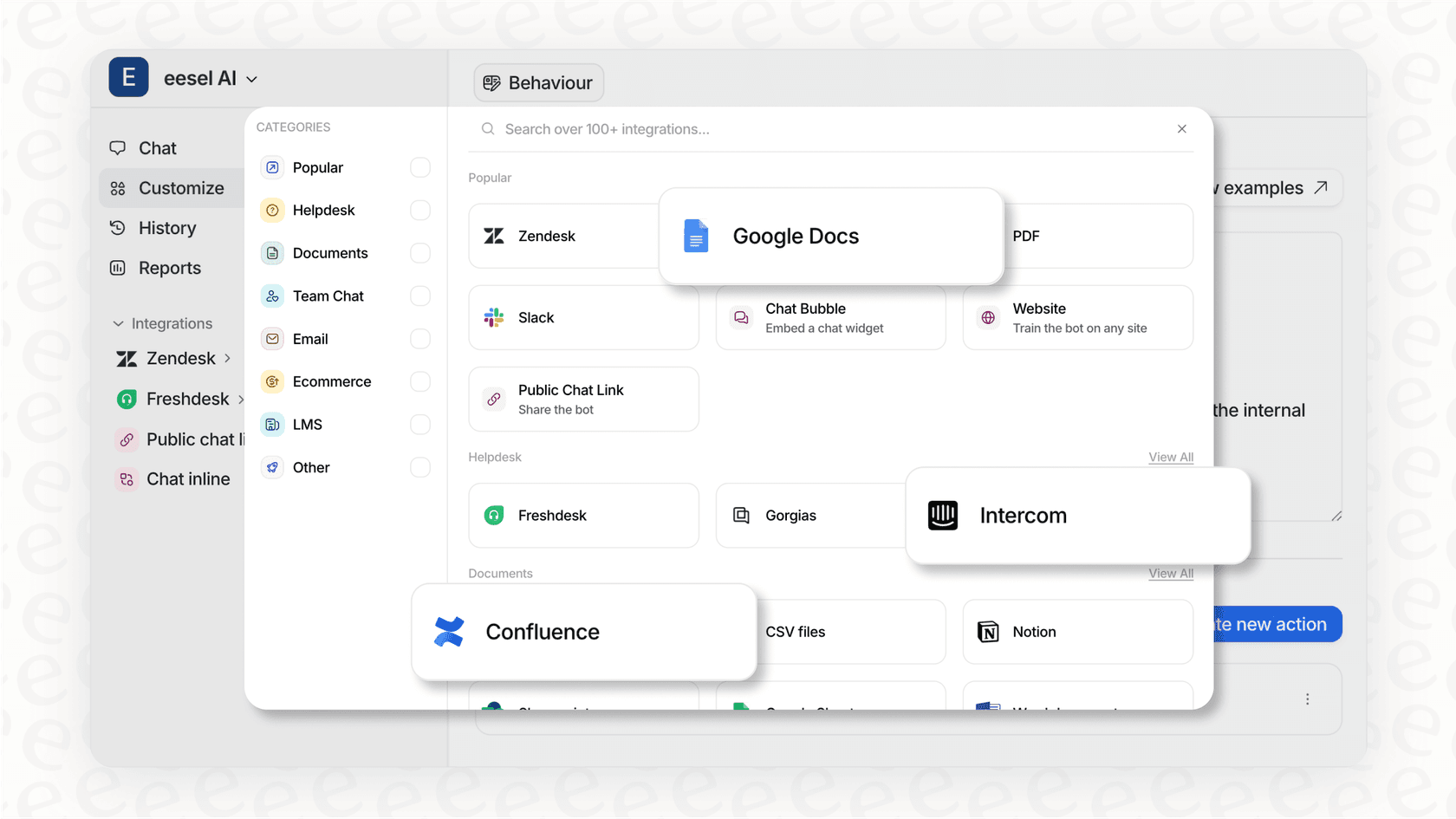
It uses your help articles and chat history to give instant answers to common questions. It can also pull from third-party sources like Confluence, Google Docs, and Notion, not just Front's own help center. But since Front focuses on control, you have to use "Playbooks" to build rule-based paths. These rules say exactly which questions Autopilot can handle and when it needs to pass the chat to a human.
Key considerations and limitations of Front AI software
Front has some great tools, but like anything else, there are trade-offs. Before you dive in, it’s worth thinking about the reality of getting it running. As people often mention on Reddit, the dream of AI automation can sometimes come with unexpected hurdles and costs.
This intel is now 3yrs old, but I *seriously* disliked Front and helped spearhead a switch to ZenDesk. Front was fine for dealing just with billing inquiries, but as the potential support team expanded and the queries got more complex, it was just another inbox to monitor.

Setting up your workflow
Let’s be real, big platforms are great, but they usually take a lot of work to set up. To get the best out of Front, you need to be ready to spend time building workflows, connecting tools, and making all the rules the AI follows.
Deciding which chats go to the AI and which go to a human isn't a one-time job. It takes some thinking ahead, especially with a rule-based system like Playbooks. You’ll probably find yourself constantly changing these rules as your business grows.
For teams without a dedicated tech person, this can be a big wall to climb. It’s very different from a "plug-and-play" style where the AI joins like a new teammate. A tool like eesel AI can offer a faster way to see value, as it learns from your old tickets and docs right away with a one-click setup.
Control versus collaboration
The "you're in control" message sounds nice, but it means you’re on the hook for building and keeping up a strict set of rules.
The problem is that rule-based systems can break easily. If your refund policy changes or you put out a new product, you have to manually update every single rule. If you miss one, the AI might start telling people the wrong thing. Even Front’s own users say that Autopilot only works well if your knowledge sources are perfectly organized.
It’s worth looking at a more collaborative way of doing things. Instead of just rules, what if your AI could learn from the daily feedback your agents give? eesel AI works this way. You teach it through simple fixes in the chat, just like a new hire, which makes it much more flexible over time.
The costs of using Front AI
This is a big point to consider. Front’s main automation tool, Autopilot, is an add-on that costs $0.05 per conversation.
Paying per conversation might seem simple, but it can lead to some surprises on your bill. If you have a sudden rush of tickets, maybe during a sale or a site outage, your costs could jump way up without warning. This kind of pricing can make teams nervous about using automation because they’re scared of the bill. It’s a classic case of hidden costs in AI that can catch you off guard.
Front AI pricing explained
To figure out the total cost, you have to look at both the plans and the add-ons, because most of the AI features aren't in the base price. You can find all the details on their pricing page, but here’s the gist:
-
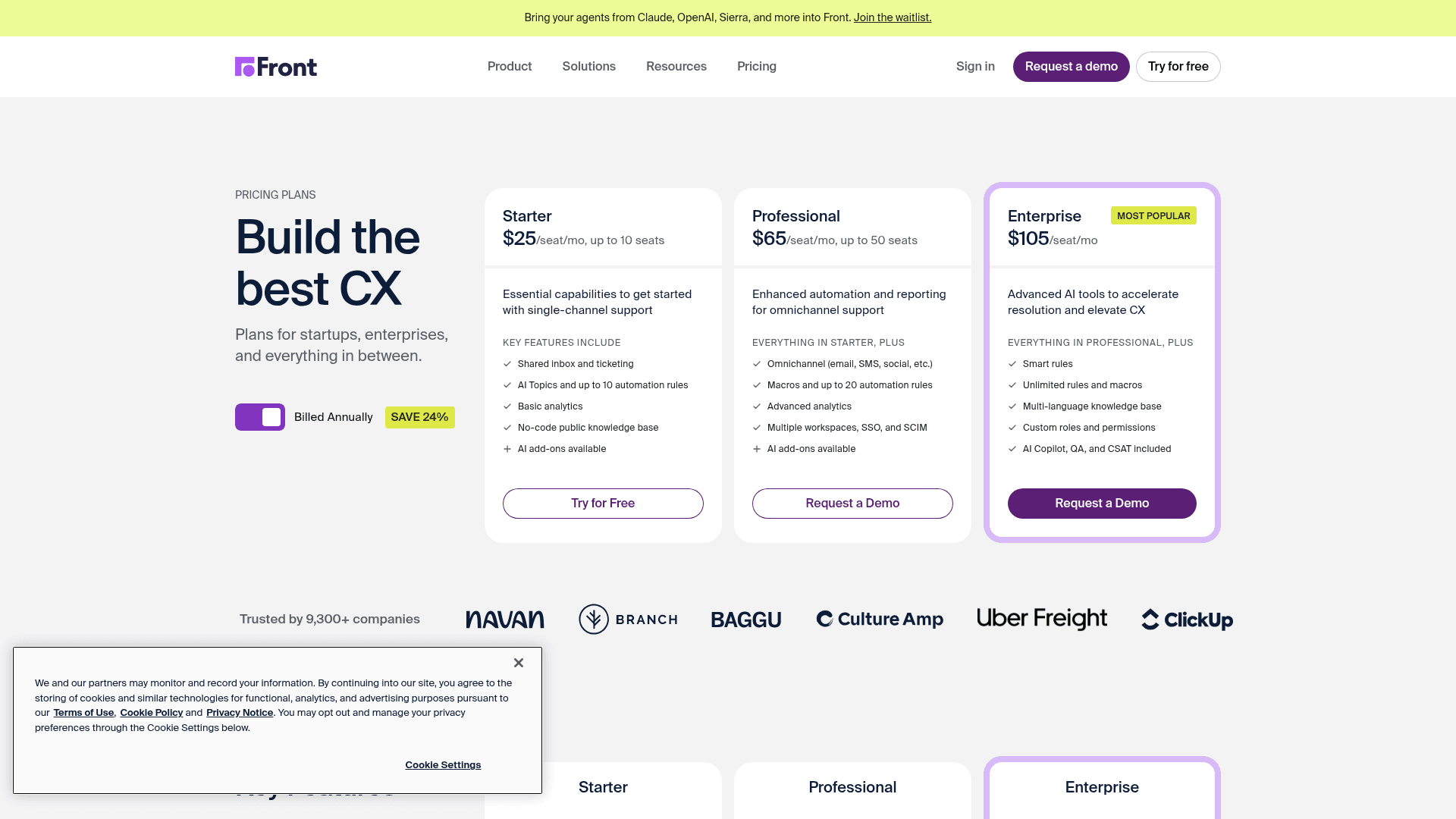
Starter Plan ($25/user/mo): This is the basic plan. You get Topics, Summarize, Compose, and Translate, with Copilot available as a paid add-on.
-
Professional Plan ($65/user/mo): This has the same limited AI features as the Starter plan.
-
Enterprise Plan ($105/user/mo): Here you get unlimited Copilot, plus Smart QA and Smart CSAT. Even at this price, Autopilot is not included.
AI Add-Ons
To get everything, you have to buy add-ons. You can add these to any plan.
-
Autopilot: $0.05 per conversation
-
Unlimited Copilot: $20 per user, per month
-
Smart QA: $20 per user, per month
-
Smart CSAT: $10 per user, per month
As you can see, the bill can get messy fast. It depends on which tools you need and how many tickets you think you’ll resolve each month.
A collaborative alternative to Front AI
If the thought of complex rules and surprise bills gives you a headache, there’s another way. It’s built on a different idea: the "AI teammate."
Instead of a bunch of separate tools you have to build, eesel AI is a single partner you invite to your team. It works right alongside your human agents from the start.

Here’s how the two styles compare:
| Feature | Front AI software | eesel AI |
|---|---|---|
| Setup | Building workflows and rules | Invite and go; learns from data instantly |
| Rollout | Set rules and turn on | Drafts by default; turn on slowly |
| Learning | Uses set knowledge sources | Learns from agent feedback and chat |
| Pricing | Per-user + per-conversation fees | Simple tiers based on interactions |
Getting started with an alternative
eesel AI is all about getting moving quickly. It uses an "invite, don't build" model. You just connect it to your help desk, and it starts learning from your old tickets and articles immediately. No engineers needed and no long onboarding calls. You can start a free trial and see it working in minutes.
Safe rollouts
One of the biggest worries with AI is that it will say something weird to a customer. eesel handles this with a human-in-the-loop (HITL) system that’s on by default. The eesel AI Copilot drafts replies for your agents to review, so nothing reaches a customer until a human signs off.

Frequently asked questions
What is Front AI software?
It's a customer operations platform that brings messages like email, chat, and SMS into one shared space, using AI to assist agents and automate responses.
What are the main features of Front AI?
Front's AI features are categorized into Analyze (Topics, Smart QA, Smart CSAT), Assist (Copilot, Compose, Summarize), and Automate (Autopilot).


Article by
Rama Adi
Rama is a software engineer at eesel AI with two years of experience writing about B2B SaaS, AI tools, and customer support technology. Based in Bali, Indonesia, he brings a developer's perspective to product comparisons — cutting through marketing copy to what the integrations and APIs actually do.