


Kustomer's AI conversation tagging is a Conversation Intelligence classifier: you list your categories with a description each, and the AI sorts every conversation into one or more, billed at $0.02 per execution on Enterprise and Ultimate. What most setups miss is that the trigger decides what the AI reads: a classifier that runs on Conversation Created sees only the first message, so to tag the real reason as well as route early, run it a second time on Conversation Done, which doubles the cost. The classifier fills a field, so if your rules and reports read Kustomer tags, add a workflow that turns its value into a tag. eesel has no Kustomer integration; on Zendesk, Freshdesk, Gorgias or Help Scout, an AI helpdesk agent such as eesel reads the whole thread before it tags, and with the eesel CLI an AI coding agent can upload your tagging rules and test them on past tickets, though connecting the helpdesk still needs an admin's approval.
What does Kustomer use to tag conversations with AI?
There are three AI routes in Kustomer today, plus the rule-based ones every team already has. They are easy to mix up because Kustomer's pages use tagging and classifying almost interchangeably; Kustomer AI maps its wider AI lineup.
| Conversation Intelligence classifier | AI Agent with a tags tool | Conversation Classification (legacy) | |
|---|---|---|---|
| What it is | An AI attribute that sorts a conversation into categories you define | An AI Agent that picks a tag from a list you give it | A machine-learning model trained on your past tagged conversations |
| What it writes | The attribute's value on the conversation | A Kustomer tag | A tag, or a contact reason used for routing |
| Where you set it up | Kustomer AI > AI Attributes | AI Agent Studio, Klass Data tool | Settings > Kustomer IQ > Conversation Classification |
| Cost | $0.02 per execution | Priced with the AI Agent | Closed to new customers since August 2023 |
Rule-based tagging still sits under all of these. Kustomer's Add tags automatically article lists two methods, a business rule or a workflow action, for when "the same tag should be applied every time a condition is true". That's keyword and field matching, not reading, and it's how most teams tag today, as in Freshchat, where AI can't set labels at all.
How does a Conversation Intelligence classifier work?
Conversation Intelligence launched on 14 October 2026, in Brad Birnbaum's announcement post, as one type of AI attribute. Per Kustomer's Understanding Conversation Intelligence article, there are three types: classifiers "categorize information into predefined options", scores return a number, and extractors save specific details such as an order number. The classifier is the tagging one.
You give it options, each with a name and a description, and instructions in plain language. Kustomer's example is a Contact reason classifier with options such as "Where is my order?", "Return or exchange", "Cancel order" and "Product question", each described in a sentence. A classifier can be:
- Single-select, one option per conversation
- Multi-select, several options when more than one fits
- Hierarchical, options nested under parents
Multi-select doesn't work with nested categories, so a "Billing > Refund" plus "Shipping > Late" conversation needs a flat list if you want both.
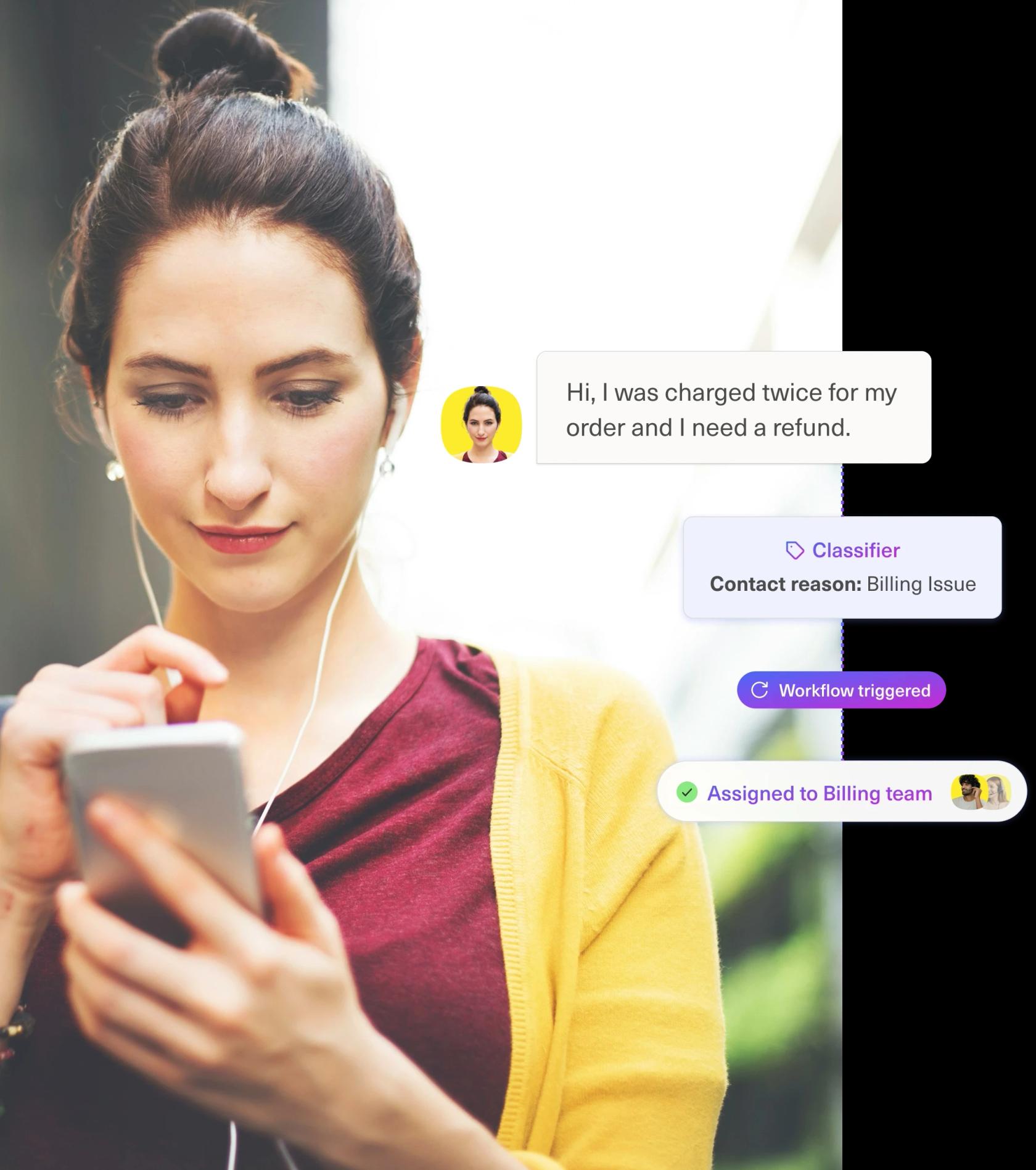
Every value comes with the AI's reasoning attached, and Kustomer's product page says a value a person corrects "won't be silently overwritten on the next run". On Kustomer's page, Simon Birch, Head of Customer Experience at Loaf, says: "Rather than relying on keywords, it understands the intent behind why a customer is getting in touch".
How do you set up AI tagging in Kustomer?
From Kustomer's Using AI attributes article:
- On the Kustomer AI page, click AI Attributes, then Add AI Attribute.
- Choose Classifier, name it (for example, Contact reason) and pick single-select, multi-select or hierarchical.
- Add your options, each with a description that says when it applies. Kustomer's advice: "Try to make your options distinct from one another."
- Write the instructions. Kustomer's sample: "Consider the customer's intent and the overall context of the conversation, not individual keywords alone."
- Choose when it runs (up to 3 triggers) and add conditions so spam and low-signal conversations don't use executions.
- Save it and toggle it on.
Then decide what reads the value: a workflow for ticket routing, a report, or both. If your queues, reports or saved searches already run on tags, build a workflow or business rule that adds the matching tag when the attribute is set, so existing reports keep working. Kustomer's tag limits apply to that step: up to 20 tags per conversation, and 64 characters per tag name, per its Add tags to a conversation article.
Settle the classifier's shape before you build reports on it. Kustomer says some properties that decide how an attribute stores its output "can't be changed after the attribute is created", and the fix is a new attribute.
When should the classifier run?
This is the setting that decides both accuracy and cost. Kustomer's marketing says the classifier buckets a conversation "based on the full conversation rather than just the opening message". That's only as true as the trigger lets it be: when a classifier runs on Conversation Created, the conversation is one message long.
Kustomer's What is an execution? article walks through the triggers with its own example:
| Trigger | What the AI has to read | Good for | Catch |
|---|---|---|---|
| Conversation Created | The first message | Routing on arrival | A conversation that changes topic keeps its first label |
| Message Count (for example, 2 inbound) | The opening exchange | Waiting for a clearer picture | "A conversation that ends after one inbound message never gets this evaluation" |
| Conversation Done | The whole conversation | Reporting why customers really contacted you | Too late to route |
Each trigger that fires is a separate execution, and an attribute can have up to 3. Fewer, better-described options also cut wrong labels, as tagging false positives explains. My setup: one classifier on Conversation Created for routing, and the same classifier also on Conversation Done, so reports read the final reason. A person's correction in between stays put.
Which setup fits what you want the tag for?
What does Kustomer AI tagging cost?
Kustomer's pricing details page (updated 12 October 2026) lists Conversation Intelligence at $0.02 per execution, or 50 executions per credit, on both Enterprise and Ultimate, whose base prices are "Talk to Sales" (Kustomer pricing has what's known). Executions that fail on a 5xx or rate-limit error aren't counted.
For a team with 8,000 conversations a month:
- One classifier on Conversation Created: 8,000 x $0.02 = $160 a month
- The same classifier on Created and Done: 16,000 x $0.02 = $320 a month
- Add a sentiment Score on Done, as in Kustomer AI sentiment analysis: another $160
- An AI QA scorecard on every conversation, at $0.05 per execution, adds $400; Kustomer AI quality assurance covers it
The AI Agent route is priced with the agent instead: Kustomer lists Concierge at $0.75 per engaged conversation and Envoy (AI Agents for Reps) at $50 per user a month. A conversation's classifier runs whether or not an AI Agent touches it, which is why it's the route for tagging every conversation.
Can a Kustomer AI Agent add tags itself?
Yes, since 8 August 2025. Kustomer's August 2025 release notes say AI Agents "can now use their reasoning to choose the appropriate tag from a list of pre-configured options". You create a Klass Data tool for the Conversation klass, select Tags, and describe each tag; a description written in the tool beats one on the Tags settings page.
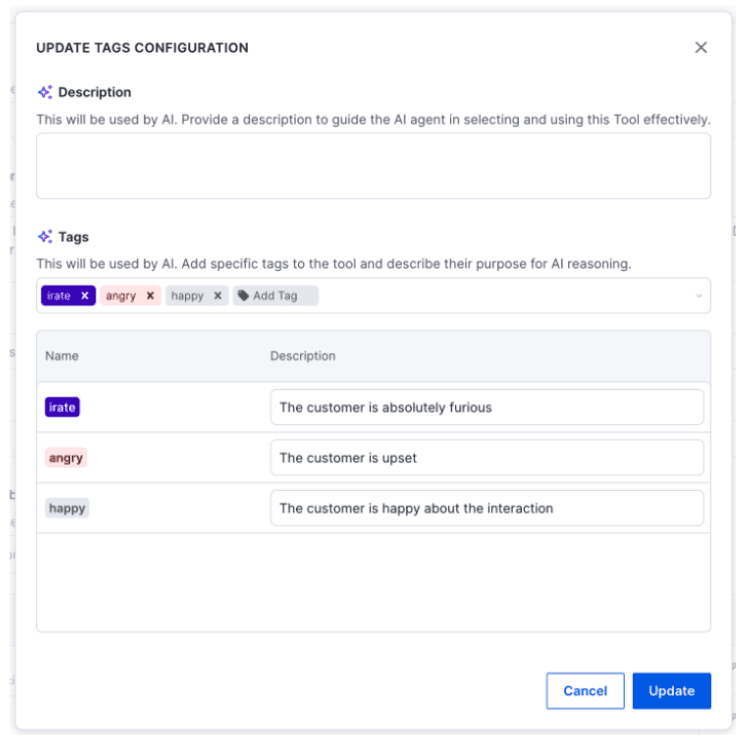
This writes real Kustomer tags, so existing tag reports pick them up with no extra workflow. The limit is coverage: the agent tags the conversations it handles. For a contact-reason report across your whole queue, use the classifier.
Where does Kustomer's AI tagging fall short?
- Tags and AI attributes are separate. The classifier fills its own field. Tag-based reports and queues need the extra workflow step above.
- The first message decides an early tag. If you route on Conversation Created, a customer who opens with a delivery question and moves to a refund keeps "Order status" unless a later trigger runs.
- Every trigger is billed. Broad triggers with no conditions classify spam too. Kustomer's own advice is to add conditions on channel, tag or status.
- It doesn't summarise. A tag says what a conversation was about, not what happened; Conversation summaries are a separate Envoy feature.
- The legacy model is gone for new customers. Older Kustomer guides describe Conversation Classification under Kustomer IQ; it has been closed to new customers since August 2023.
Where does eesel fit?
eesel fits a team weighing a move off Kustomer (see Kustomer alternatives), or one running a second helpdesk beside it. eesel is an AI teammate that joins the tools a team already uses; on support it works in the helpdesk queue, learns from past tickets and is tested against them before it replies. Instead of a classifier with a trigger to choose, it reads the thread whenever a customer writes and follows a plain rule such as "tag it refund-request when the customer asks for money back, even if they opened about delivery".
Rúngne, a climbing apparel brand on Gorgias, runs a triage agent that tags each new ticket it runs on, including a human_review_required tag, so cancellations, damaged items and anyone who asks for a human go to the team. AI support tagging covers how that works across helpdesks, and Gorgias tagging and routing shows one setup in full, and Zendesk AI tagging another.
eesel has no Kustomer integration, so I can't tell you to connect it to your Kustomer workspace. If you're staying on Kustomer, my advice is the setup above: one classifier with distinct, described options, triggered on Created and Done, and a workflow that turns its value into the tag your reports already read. For routing on it, Kustomer AI conversation routing covers the queue rules.
Try eesel next to your Kustomer setup
If you're comparing helpdesks partly on how well they tag, try eesel on a trial of Zendesk, Freshdesk, Gorgias or Help Scout. Write your contact reasons as plain rules, run them against a week of past tickets, and read which tag each ticket would have got and why. What eesel does alone and what waits for a person's yes is set per action in actions and approvals, so it can start by tagging before it ever reassigns anything.

Try eesel on your tagging rules first, or compare options in best AI for Kustomer.