

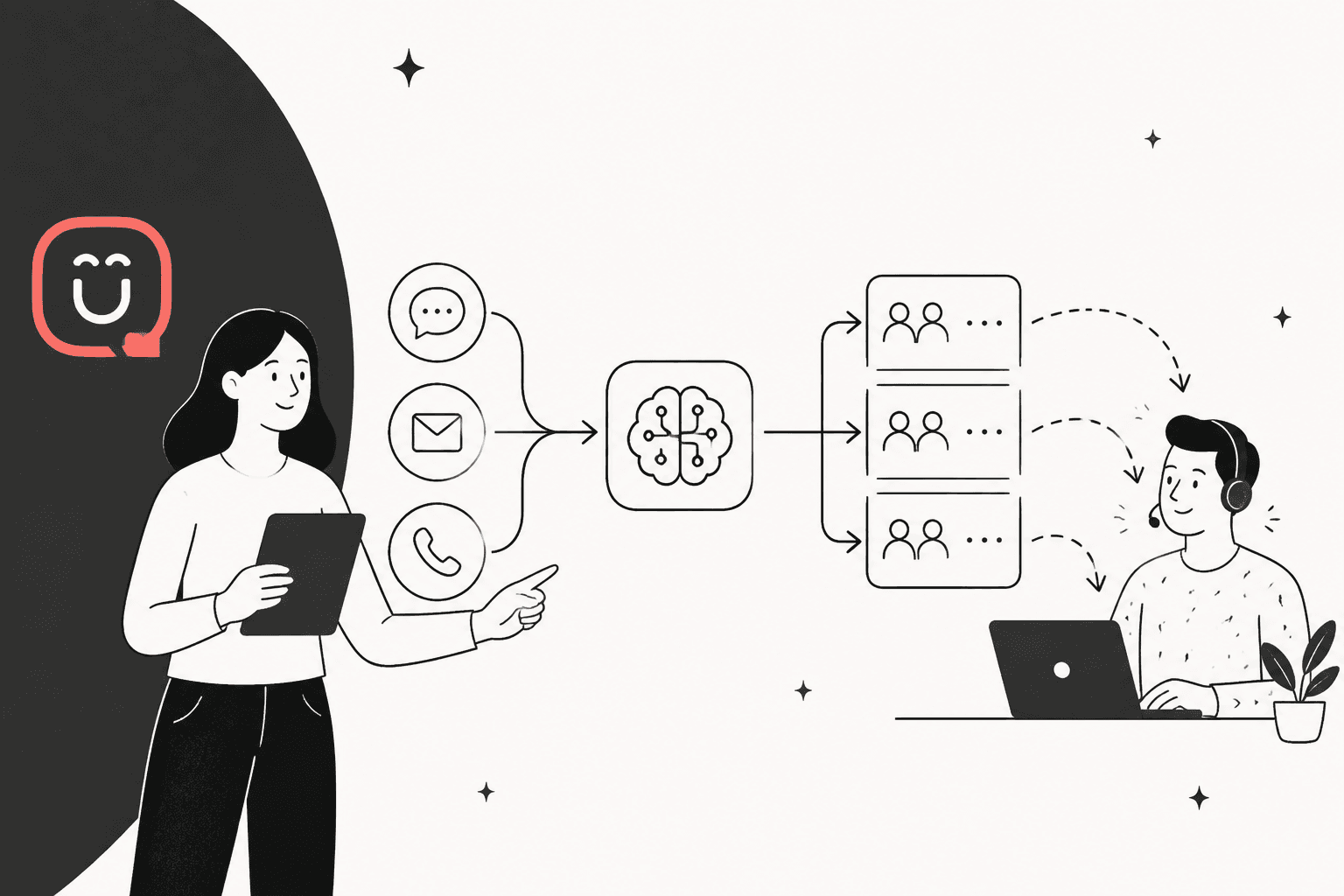
Kustomer routes a conversation with rules, not AI: workflows and business rules set the data, queue rules put the conversation in one queue, and a router hands it to an available agent under capacity. AI plugs in at two points. Concierge's Smart Routing decides whether the AI automation or a person takes a conversation (billed at $0.75 per engaged conversation), and an AI attribute classifier can label a conversation by reason so a rule can route on it ($0.02 per run). Skills-based routing is ticked for Ultimate only in the current plans table, and there is no native round robin.
If you want every ticket tagged by what the customer wrote and routed to a named person on a helpdesk eesel connects to, eesel does that on Zendesk, Freshdesk and Gorgias, but not on Kustomer, which it has no integration for. With the eesel CLI, an AI coding agent can upload approved knowledge, adjust the routing instructions and ask test questions before anything goes live, though a helpdesk admin still has to approve the connection.
Which Kustomer routing tool fits your job?
Pick the job you need done when a new conversation arrives.
Pick the job to see which Kustomer tool does it and what it costs.
How does Kustomer decide who gets a conversation?
Kustomer runs four stages in a fixed order: workflows, business rules, queue rules, then the router. Kustomer's routing overview says a new conversation "will first go through your configured workflows" before queue rules decide which queue it belongs in. The queue rules timing page spells out the sequence and adds one line that matters for AI: if an AI agent is handling the conversation, queue rules apply only after it hands the conversation off.
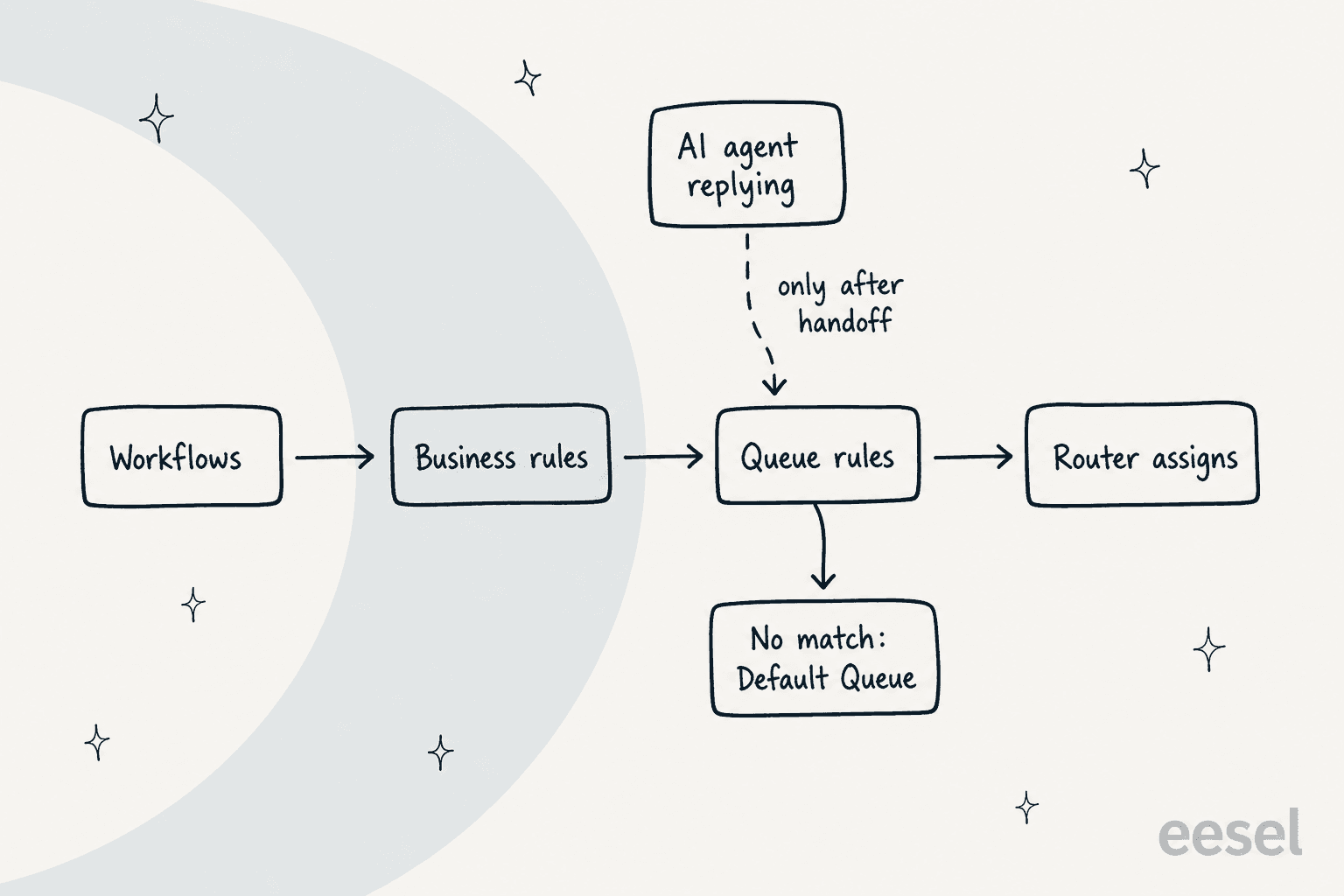
That order is the whole design. Workflows and business rules are where you set data (a tag, an order status, a contact reason). Queue rules read that data and file the conversation. The router then picks a person. None of the three reads the message with a model. It is the same ticket routing most helpdesks run, with a queue in the middle.
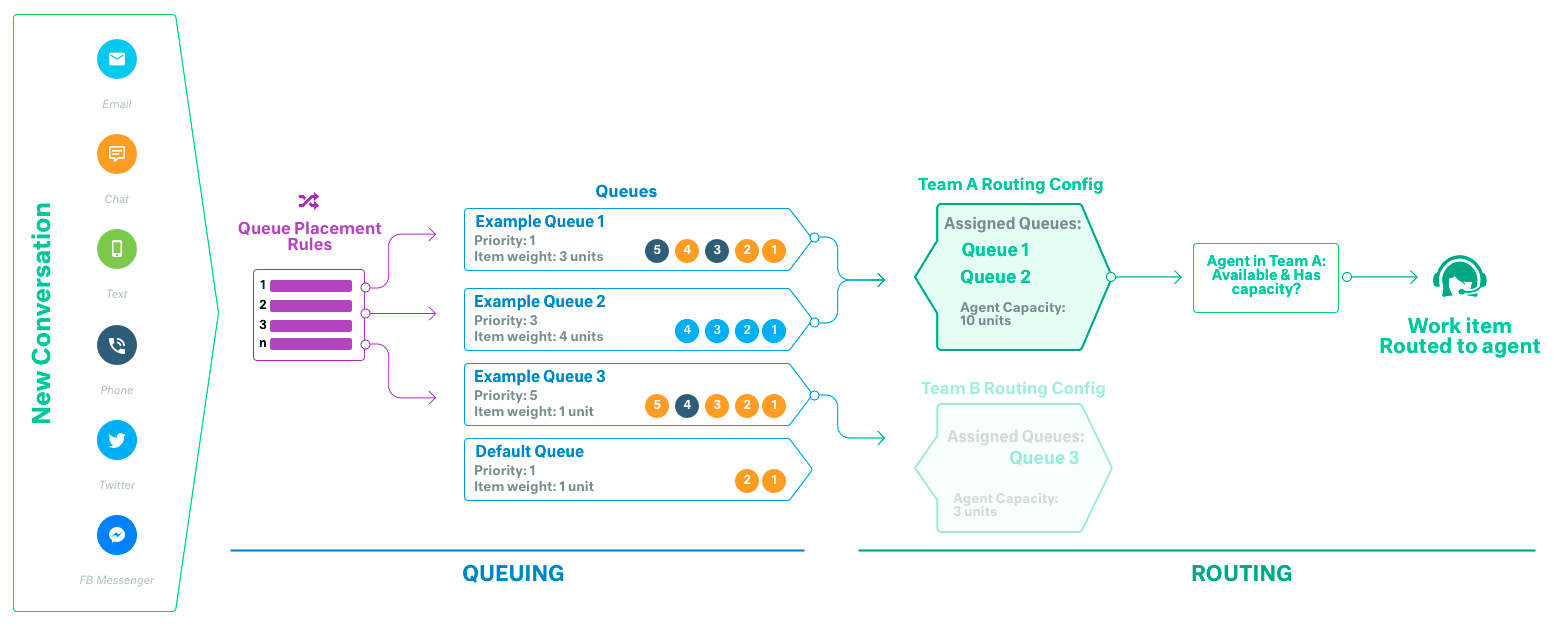
Kustomer's own diagram shows the split between queuing (rules fill queues) and routing (a team's routing config pulls from them).
How do queue rules route a conversation?
A queue rule is an IF/THEN that names a queue. You build them under Settings > Platform > Routing > Rules, and Kustomer's create a queue rule guide has the conditions in two groups: everything under "Matches ALL" must be true, and at least one under "Matches ANY". Kustomer ships three starter templates (all email, all chat, and mail sent to one address), per its routing templates page.
Four details decide whether the rules behave:
- Order is a decision. Rules run top to bottom, so the specific rule (VIPs, a wholesale address) goes above the general one (all email).
- Only one queue. Kustomer says a conversation can be in one queue, whether by rule or by hand.
- Nothing matched means the default queue. Its troubleshooting guide lists the usual causes: a value a workflow has not set yet, a rule above yours matching first, broad "any" conditions and a rule that is off.
- Set the queue, not the team. Setting the Assigned Team in a business rule does not trigger routing. Set the Queue, and make sure the team's routing profile includes it.
The timing trap is the one I would test first. Queue rules are checked as soon as a conversation is created, and a workflow that is still running may not have written its attribute yet, so the rule does not match. Kustomer's fix is to use customer or message attributes, or add a business rule on all updates that moves the conversation once the value appears. There is also no built-in way to run queue rules again by hand. If you are used to Zendesk's triggers, Zendesk AI ticket triage shows the contrast.
How do priority, capacity and channels change the result?
Queues have a priority from 1 to 100, with 1 first, and Kustomer's queue priority guide says the highest-priority queue routes to a team until it is empty before the next one starts. Equal priorities go by longest wait. Changing a queue's priority does not re-rank conversations already waiting in it.
Three more rules from the routing overview catch teams out:
- Capacity can overshoot. If any weight is free, the router assigns the next item whatever its size. Kustomer's example: capacity 11, email weight 2, and an agent can end up with 6 emails (weight 12), not 5.
- Primary channel wins. A conversation routes on the channel of its first inbound message, and later channel changes do not re-trigger queue rules.
- Voice waits for the IVR. The router does not assign while a caller is in the IVR, and Kustomer notes that voice queue routing is not handled by standard queue rules alone.
Agents only get routed work if they are on a team assigned to the queue, logged in, set to Available and under capacity. One Kustomer Reddit commenter described the voice side bluntly:
"In my experience, the voice channel is incredibly buggy. My phone team is continually troubleshooting repeated issues like calls dropping, audio issues, calls not being routed."

That is one user's experience, not a measured failure rate, but it is a reason to test voice routing separately.
How does skills-based routing work in Kustomer?
Skill rules attach a skill to a conversation before routing happens, and agents with that skill are preferred. Kustomer's skills-based routing guide defines two kinds: a standard skill assigns to a matching agent when possible and falls back to anyone available, while a required skill goes only to a matching agent unless you set a timeout. You set it up under Settings > Platform > Routing on the Skills tab.
Skill rules are evaluated top to bottom, run before queue assignment rules and re-run whenever a conversation updates. Two gotchas from the same page: a skill removed by hand or by another rule is not re-added, and changing a skill does not move a conversation that is already assigned, so you need to unassign it or trigger an automation that re-runs assignment. Freshdesk skill-based routing works on the same principle.
On plan: Kustomer's pricing details page ticks skills-based routing for Ultimate and leaves it blank for Enterprise in the current plans table, while its older usage-based plans table ticks it everywhere. Ask Kustomer which applies to your contract before you build around it.
Is there round-robin or load-balanced routing?
Not as a setting. Kustomer's round-robin article says there is no native round-robin assignment and no built-in option that spreads new conversations evenly. Its suggestion is a workflow on Conversation Created with a Conversation: Assign action and conditions that read current workload, and it adds that this does not replicate true round robin. If even distribution is your main reason to want AI routing, that is a workflow project, and Gorgias round robin and Front load balancing show what a native version looks like elsewhere.
Where does AI actually route conversations in Kustomer?
AI touches routing in three documented places, and none of them is the router. All three feed or gate the rules.
1. Concierge Smart Routing: should the AI take it? Kustomer's engaged conversations page describes the flow. A message is checked against the automation's deployment conditions, then Smart Routing reviews the conversation to detect intent, and it is marked engaged only if the intent should be handled by your AI automation. Its Concierge guide adds that an exclusion-based definition (handle everything except out-of-office replies, vendor outreach and spam) performs better than listing every topic. In Advanced mode you can add an AI intent classification block, then send billing and technical requests to separate agents and unmatched ones to a human queue. This is real intent detection, but its output is "AI or human" and an agent path, not a named person.
2. AI attributes: label it, then route on the label. The AI attributes guide describes Classifiers that sort conversations into labels you define, such as a contact reason, each option with a name and a description. Kustomer's October 2026 release notes say results are saved in attributes, so you can "route conversations, trigger workflows" with them. What I could not find is a page that walks through a queue rule reading an AI attribute. The documented timing rule still applies: if the label lands after the queue rules run, the conversation goes to the default queue.
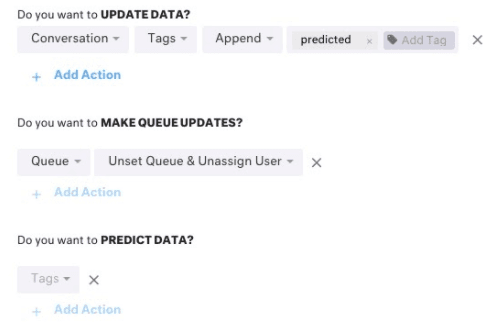
3. Conversation classification and intent prediction: older and gated. Kustomer's earlier machine-learning feature trains on your historical email and predicts an attribute such as contact reason. Its classification-with-routing guide shows the two business rules you need (one that tags, unsets the queue and predicts data, and one that removes the tag), and notes it is no longer available to new customers. A workflow action, Intent Identification Prediction, returns a label and a confidence score from 0 to 1 for the same kind of model, per the workflow actions list.
So the plain answer to "can Kustomer's AI route conversations?" is: AI decides whether a conversation goes to the AI automation and can write the label a rule routes on. Queue rules and the router still choose the queue and the person.
What does AI routing cost in Kustomer?
Queue rules and the router are part of the platform. The AI steps carry their own meters. From Kustomer's pricing details page, last updated 12 October 2026:
| Step | Meter | Notes |
|---|---|---|
| Queue rules, tasks, routing | In the Enterprise and Ultimate plans | Price on request: "Talk to Sales" |
| Skills-based routing | Ticked for Ultimate only | Older usage-based plans table ticks all three tiers |
| Conversation Intelligence (AI attributes) | $0.02 per execution, 50 executions per credit | An attribute can have up to 3 triggers, and each trigger creates an execution |
| Concierge | $0.75 per engaged conversation | Engaged once Smart Routing sends it to the AI |
| Envoy (rep copilot) | $50 per user per month | Not a routing feature, but it stacks on the same bill |
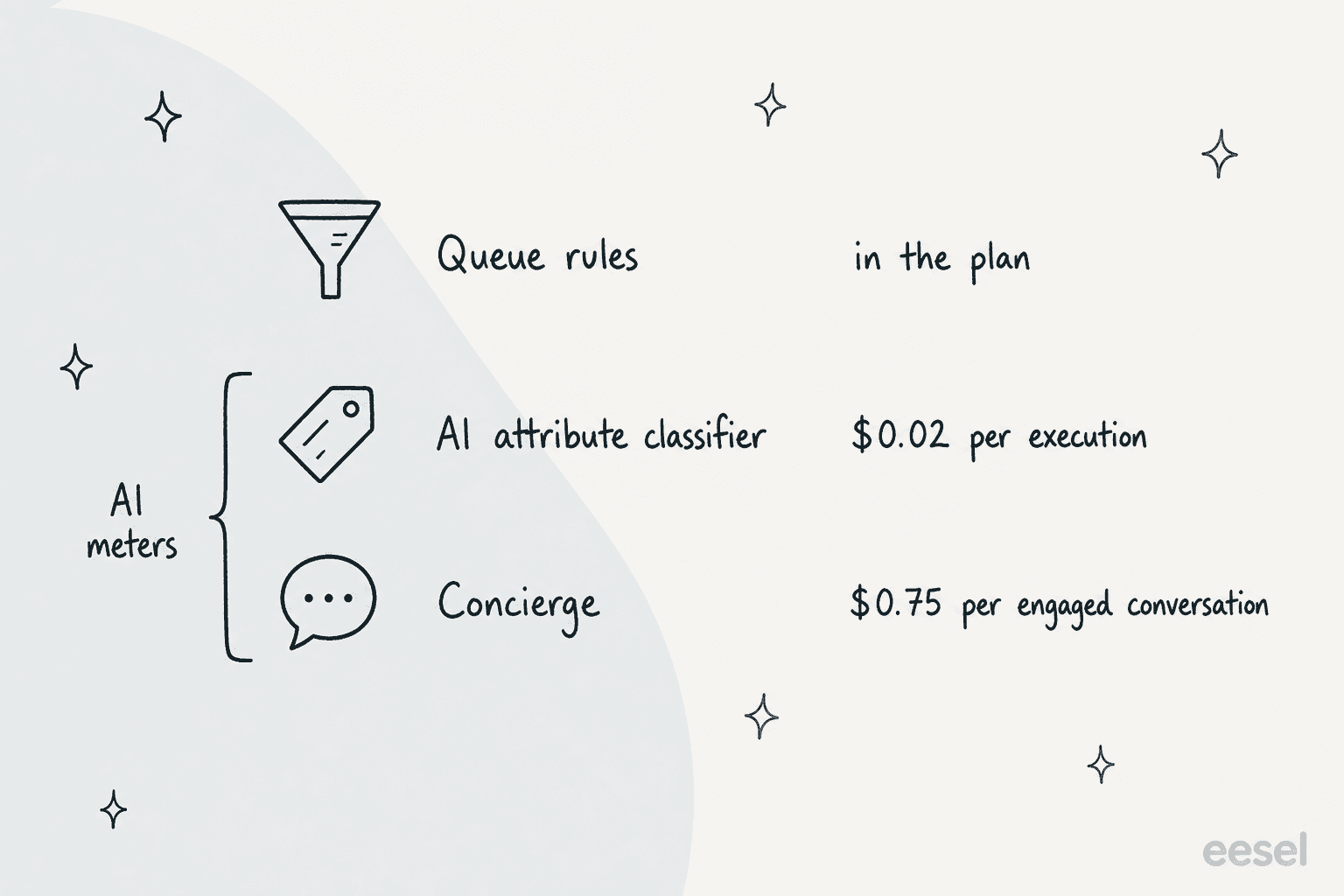
Two things I would note before budgeting. The pricing page does not define "engaged", and the help center ties it to Smart Routing's decision to send the conversation to the AI, not to whether the AI resolves it, so check how many of your handed-off conversations still count. And earlier versions of this page listed Concierge at $0.60 and Envoy at $40, so figures quoted from before the October update are stale. The Kustomer pricing guide covers the plan side, and Kustomer AI deflection the per-conversation math.
How to set up AI-assisted routing in Kustomer
If I were setting this up from scratch, I would build in the order Kustomer runs things, with a person as the fallback at every step:
- Create the queues and teams. One queue per kind of work (Returns, VIP, Billing), and add each to the right team's routing profile with a capacity. Set priorities so urgent queues drain first.
- Write plain queue rules first. Use customer and message attributes where you can, since they exist at creation. Put the most specific rule on top and keep the default queue staffed.
- Add a workflow or business rule for derived data. Set a tag or order status, and add the all-updates fallback rule that moves the conversation once the value is filled in.
- Add skills only if you have the plan. Define skills, attach them with skill rules, and decide standard or required (with a timeout) for each.
- Add an AI attribute classifier for contact reason. Write distinct options with clear descriptions, test on real conversations, and have a rule route on the label. Check where it lands relative to queue rules.
- Add Concierge Smart Routing last. Give it deployment conditions (Smart Routing needs at least one) and make it exclude what a person must see. Test in the console and run evaluations before it touches live conversations. See how to set up AI in Kustomer.
- Plan the handoff. Queue rules wait until the AI hands off, so check the person who picks it up sees what the AI already asked. The AI handoff practices post covers it.
Where Kustomer's routing falls short
Rules run on what already exists. A rule that needs a workflow-set value can miss at creation time, and there is no manual re-run. Anything classified late needs a fallback rule.
No even distribution. Round robin is a workflow you build yourself, and the router can overshoot capacity by one item's weight.
AI labels need wiring. A classifier writes an attribute, but I found no step-by-step page for routing on one, so budget test time. One G2 reviewer on Kustomer put the direction this way, with the usual note that G2 flagged the review as incentivized:
"The AI and automation features have been helpful and I am excited to see where these tools can take us when it comes to routing and tagging conversations in the future."

Skills depend on the plan. The current table ticks them for Ultimate only, and the skill still comes from a condition you wrote.
Smart Routing decides on intent you do not see. Kustomer does not publish the criteria, and a conversation the AI engages is billed. Review what was engaged against what you expected, the same way you would review AI conversations.
The legacy classifier is closed. Conversation Classification is not available to new customers, so a new setup uses AI attributes or Smart Routing instead.
Routing tickets with eesel instead
I need to be direct here: eesel has no Kustomer integration. It is absent from the helpdesk docs and the integrations list, so this post cannot tell you to connect it to your Kustomer queues. The docs describe webhooks and network access for apps without a native connection, and Kustomer has its own REST API, but I have not tested that combination and would treat it as a custom build.
Where eesel does fit is a team that is weighing a move off Kustomer, or runs a second helpdesk. On a connected helpdesk, the AI helpdesk teammate reads each ticket, tags it from a list you set and hands the hard ones to the right person, which is the intelligent routing a human triager does. For ecommerce teams on Kustomer, the natural comparison is Gorgias vs Kustomer, and the best AI for Gorgias roundup covers that side. The ticket-level patterns are in AI ticket routing for ecommerce and for SaaS.
A real example of the triage job: Rúngne, a Norwegian climbing apparel brand, runs three eesel agents on its Gorgias queue. In the month from 8 August to 8 September 2026 eesel handled about 2,100 tickets, and the triage agent set about 880 tags (topic, VIP and B2B) from a fixed list with nothing invented. A B2B partner's ticket goes to a named teammate, and cancellations, damaged items and anyone asking for a human go to the team rather than the AI. That is the shape I would copy: a fixed label list, a person for the exceptions and a draft-first start.
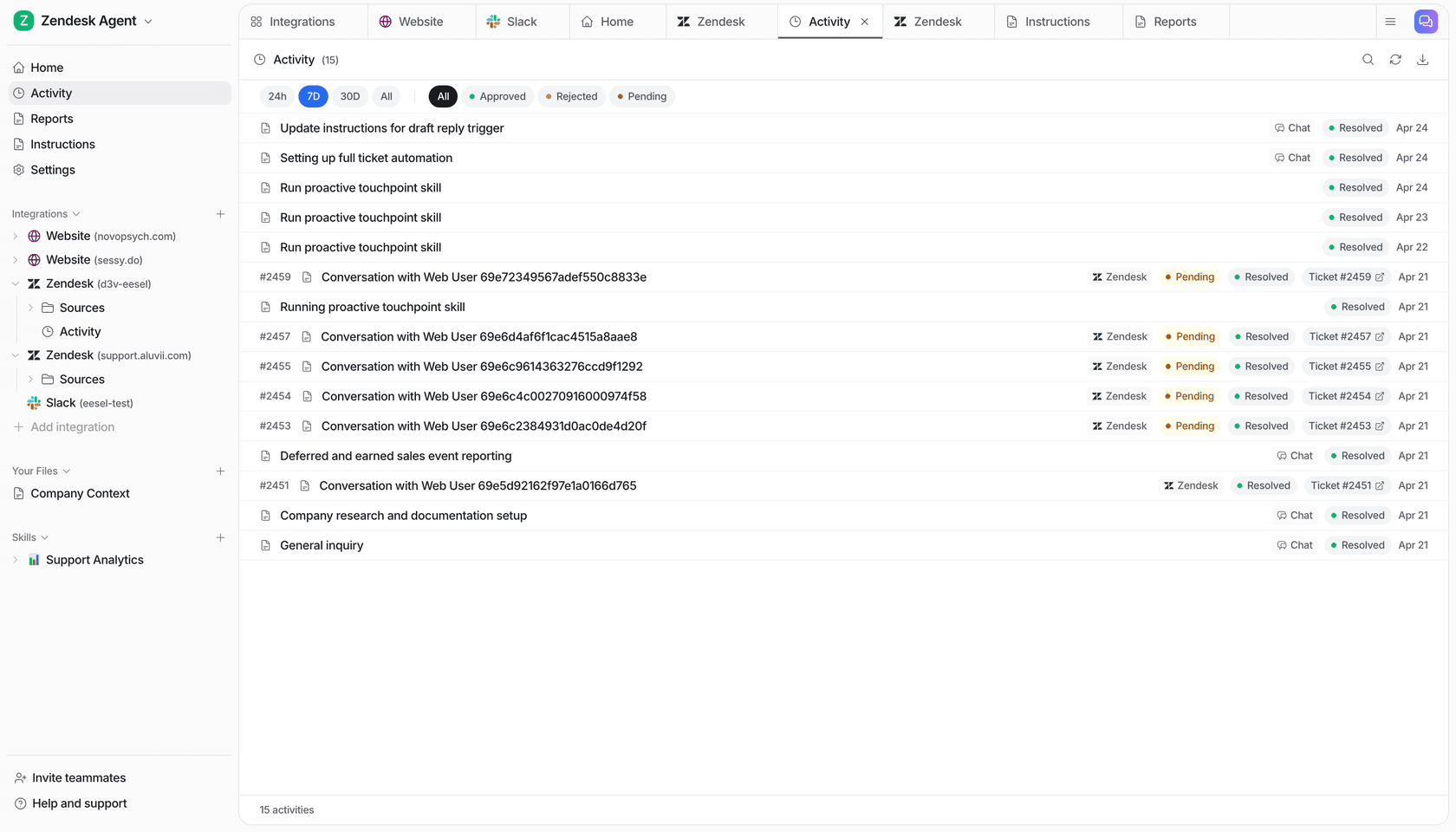
Know the limits. Uploading knowledge is not the same as being ready, so run the agent against past tickets and start in draft mode before it touches the live queue. Pricing is a ticket or chat as 1 credit: a free trial of 100 credits, then plans from $299 a month for 500 credits, with no per-agent fee.
What I would test before you commit
Before any AI step goes live in Kustomer, I would run these checks against real history:
- Pull 100 recent conversations and check which queue each would land in, including the ones where a workflow sets the key attribute.
- Count how many an AI attribute classifier labels differently from your agents, and what the $0.02 per run adds up to at your volume.
- Count how many Smart Routing would engage, and multiply by $0.75 before turning it on.
- Test voice and chat separately, and a multi-channel conversation that starts on one channel and changes.
- Switch an agent to Unavailable mid-shift and watch where their conversations go.
If you are still comparing platforms, read the best AI for Kustomer roundup and the Kustomer AI alternatives, or try eesel on one topic on a helpdesk it connects to.