

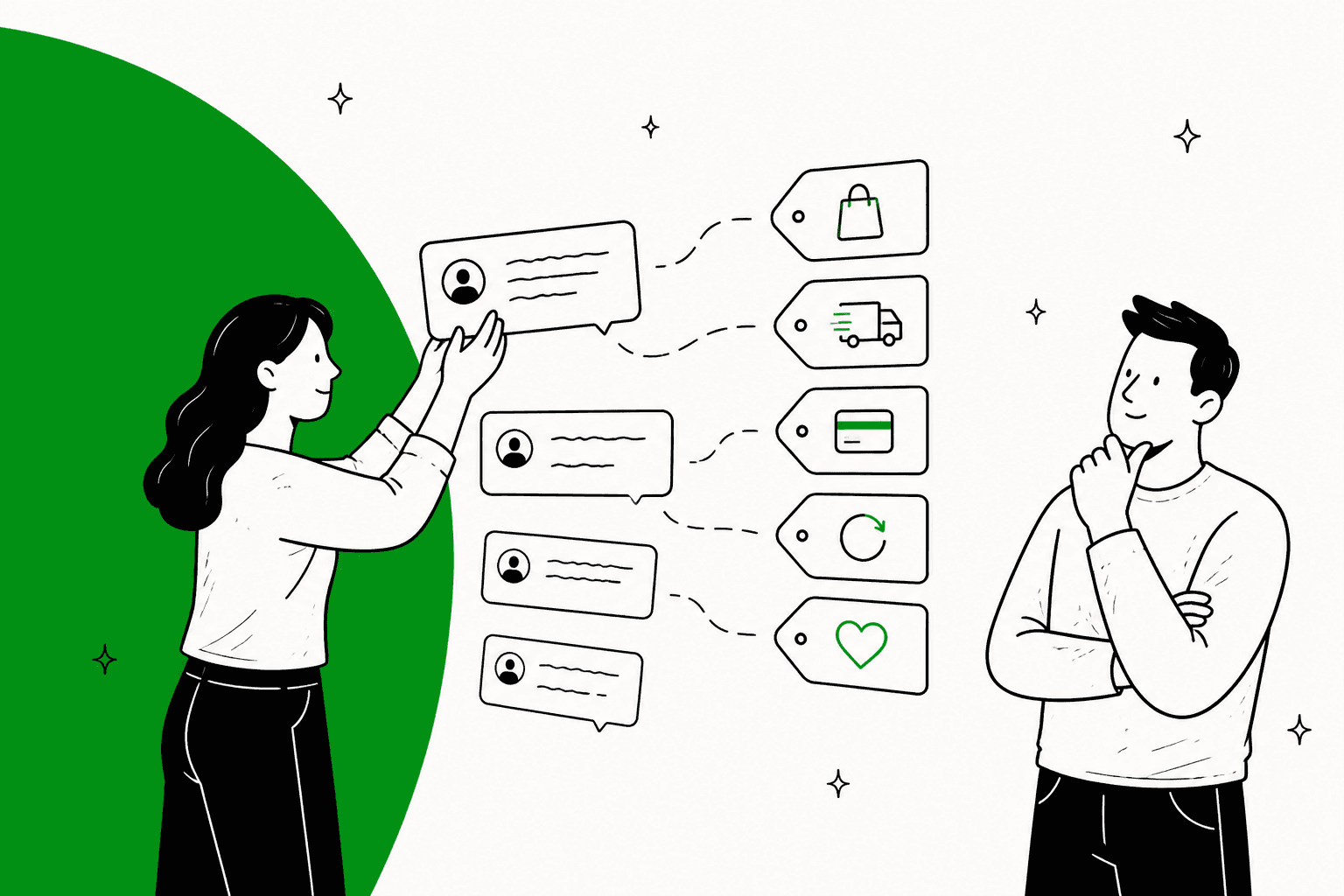
Gladly tags conversations with Topics, and agents and Rules apply them by hand, while Gladly AI adds them on its own only to sessions it handles. Automatic Topics needs a live Questions and Recommendations Guide. A new Early Access beta, Enhanced Automatic Topics, reads the whole AI session once at the end and can add up to 5 Topics, even when a Guide never ran. Conversations a person handles get no AI tag. Gladly does not say which plan includes this, so ask sales. eesel has no Gladly connector, so I would treat it as the option for teams on Zendesk, Freshdesk or Gorgias.
I work the support queue at eesel every day, so the first thing I check in any tool is whether the tags can be trusted. With the eesel CLI, an AI coding agent can upload approved knowledge, such as your tag list and its definitions, then ask test questions and check the answers before anything goes live. A person with admin access still approves the helpdesk connection.
How does Gladly tag a conversation?
Gladly's word for a tag is a Topic. Per Gladly's What are Topics page, Topics help you organize customer issues and spot recurring themes, such as a rising count of "Defective" for one product.
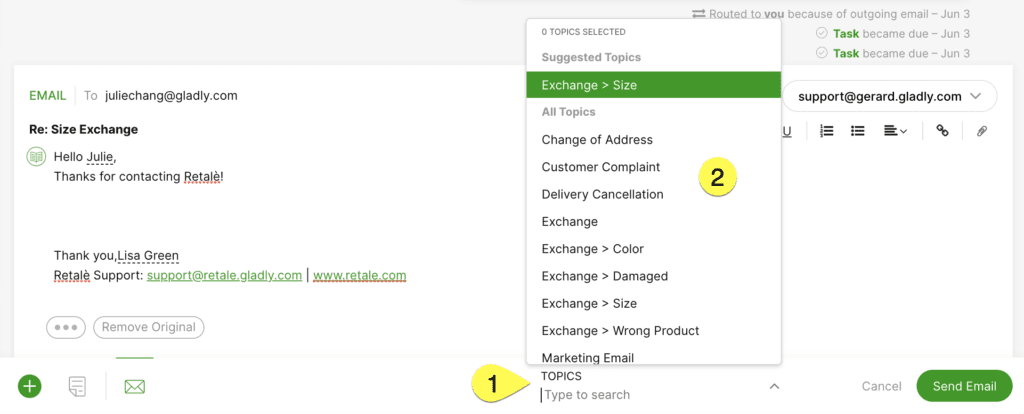
There are four ways a Topic lands on a conversation:
| Who applies it | When | Needs AI? |
|---|---|---|
| An agent | In the Topics menu, while the conversation is open | No |
| A Rule | On a trigger such as Answer used | No |
| A Guide | When the Guide or a section runs | No, you pick the Topics |
| Gladly AI | Automatic Topics, or the enhanced beta | Yes |
Only the last row is AI tagging. The other three are the tagging teams were already doing, now also running inside AI conversations.
What do agents and Rules tag by hand?
Agents open the Topics menu, search or pick, and can add several. Topics nest with a >, so "Size" under "Exchange" rolls up to Exchange in reporting, per Gladly's apply Topics guide. You can add or remove Topics only while the conversation is still open.
Admins can push agents to do it. In Settings, under Agent Experience, Conversation Workflow has a checkbox that grays out Close until a Topic is chosen. You can also require a Topic from a specific parent group.
Rules cover the repetitive cases. Gladly's Rules reference lists an Add Topics action, and an Answer used trigger that can apply a Topic when an agent sends a given Answer. Its example: send "Return Instructions" and the Returns Topic goes on. Gladly also calls the Topics added trigger one of the most powerful, since a new Topic can create a Task or move the conversation to another Inbox.
Hand tagging has a known weakness: it depends on who clicked. Gladly's own hierarchy guide recommends 2 to 3 levels, and 5 to 15 sub-Topics under any parent, because longer lists are hard for agents to scan. That is the same problem I describe in AI support tagging.
What does Gladly AI tag on its own?
Two features, one older and one in beta.
Manual Topics on a Guide
Not AI judgment, but it counts. You attach up to three Topics to a Guide or to a section, per Gladly's guide Topics page. A Guide-level Topic lands the moment the Guide starts, and a section Topic only lands if the AI reaches that section. Gladly suggests general Topics on the Guide and specific ones on sections. It also says a CSAT survey triggered by a Topic should hang on a section, so it fires only after the AI did something useful.
Automatic Topics (the original)
Gladly's Automatic Topics page describes AI that classifies customer intent and applies the matching Topic. You set it up on each Gladly Agent:
- Build a list from your existing Topics, an industry list, your own entries, or another Gladly Agent's list.
- Write a description of up to 100 characters for each Topic.
- Activate it.
Several details matter before you switch it on:
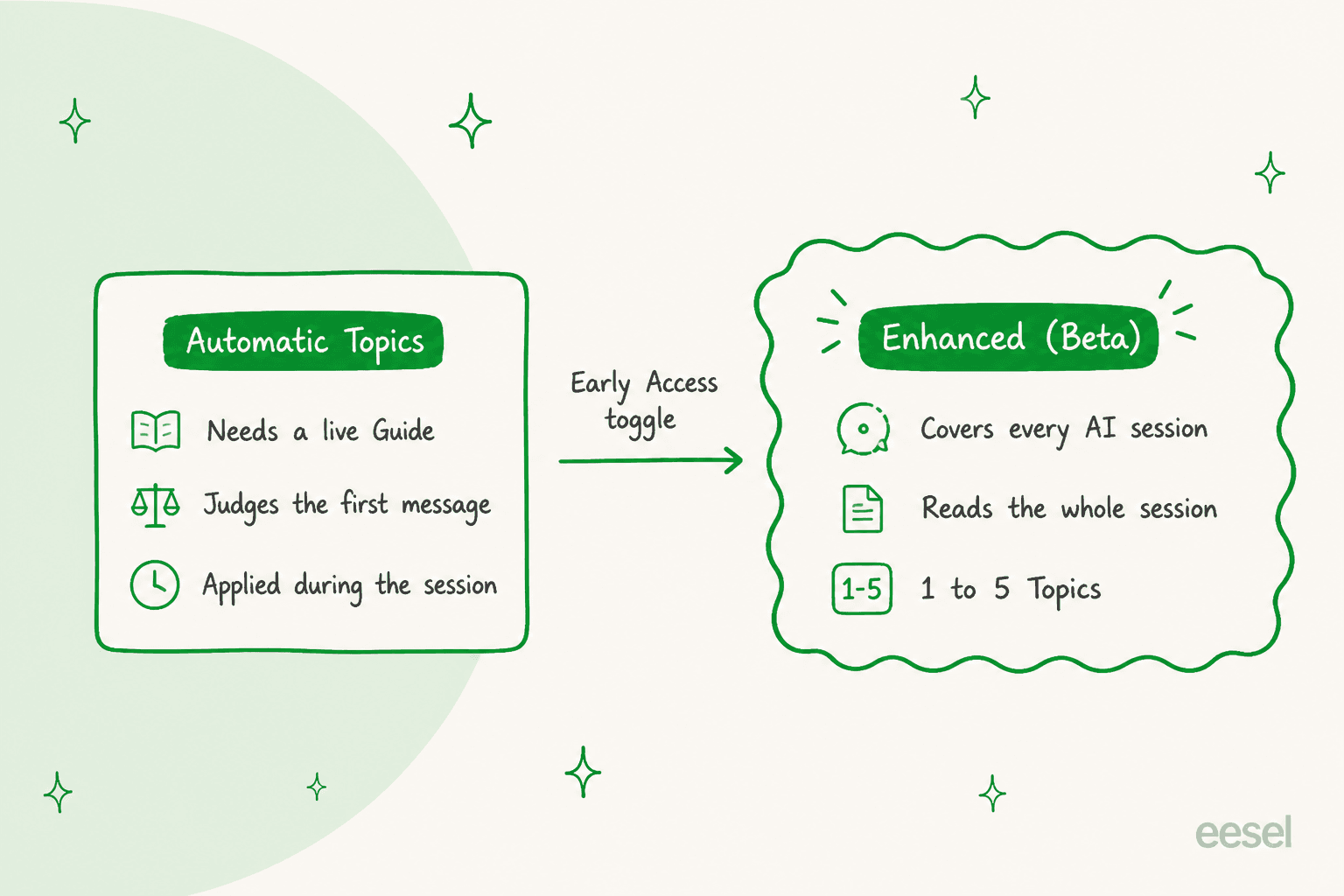
- It needs at least one active Questions and Recommendations Guide. Without one, Topics are not applied.
- Once turned on, Automatic Topics cannot be turned off. You stop tracking a Topic by deleting it from the list.
- Classification is mostly based on the first customer message, so a vague opener limits accuracy.
- Topics still land when the AI hands off right away, because application runs before the handoff is detected.
- Do not list a Topic a dedicated Guide already owns. Gladly warns a duplicate can misroute the conversation.
What changed with Enhanced Automatic Topics?
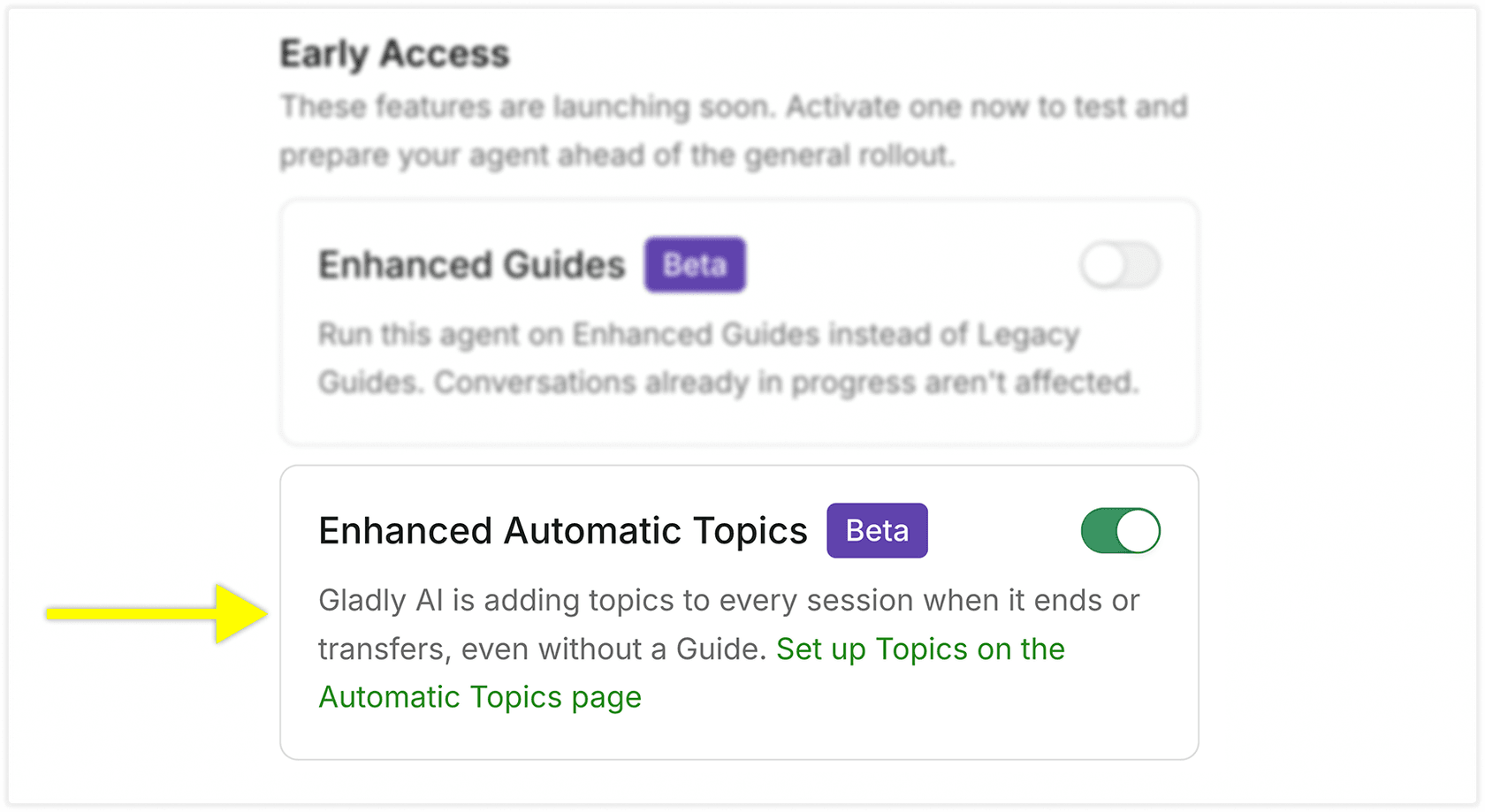
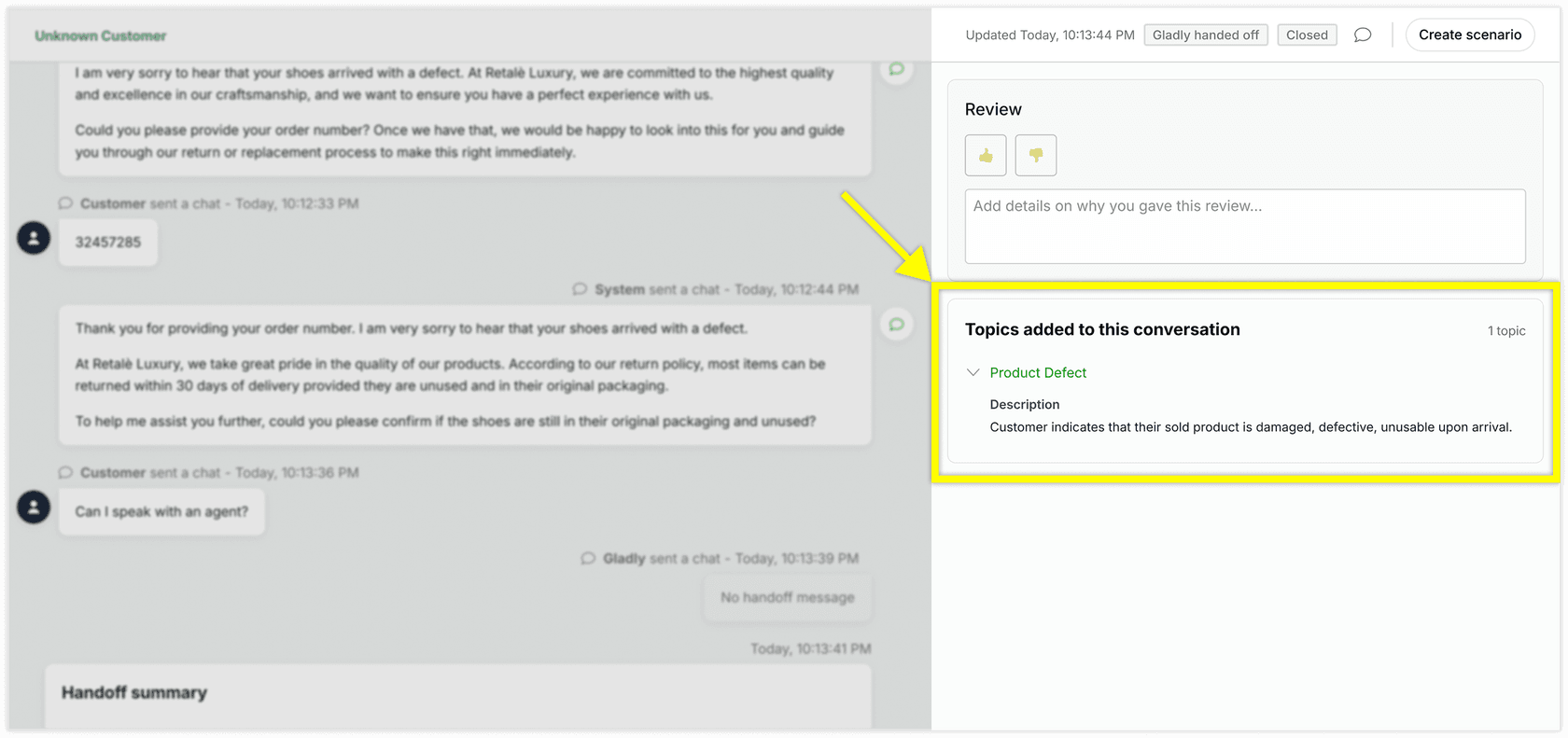
On Nov 19, 2026 Gladly published a beta, Enhanced Automatic Topics. You switch it on under Basics, Early Access, for each Gladly Agent. It changes the timing: Gladly AI adds Topics once, at the end of a session, right before a handoff or when the session resolves.
What you gain, per Gladly's docs:
- Every AI session gets a Topic. No Guide needs to run, so sessions handed off instantly are covered.
- The whole transcript is read, not just the opener.
- Up to 5 Topics per session. The default is 1.
- Topics never change which Guide runs. Guides are picked by name and description.
- Up to 250 active Topics per Gladly Agent, each with a description of up to 250 characters.
And the limits, which Gladly lists plainly:
| Behavior | What Gladly says |
|---|---|
| Timing | Topics arrive at the end, so check rules that expect one mid-session |
| Data | The AI reads the transcript, not data returned by Actions such as order details |
| Languages | Non-English sessions get Topics, but this is untested |
| Catch-alls | "Other" or "None of the above" will not work as you expect |
| Hierarchy | The AI does not see parent Topics, so describe each child fully |
| Reporting | The Topics report cannot tell AI Topics from team Topics |
| Voice | Rules do not run before a call is routed, so do not route calls on Topics |
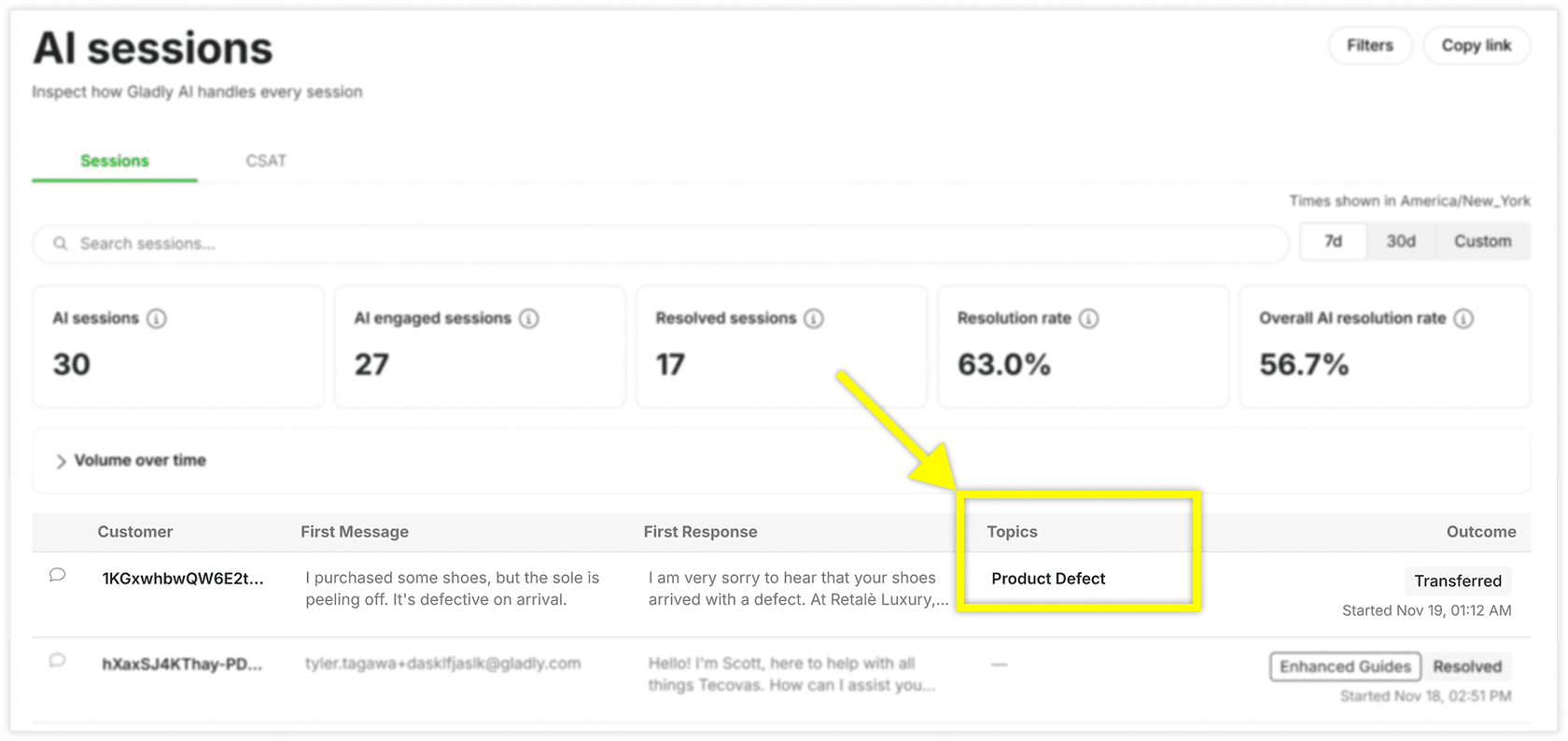
The reporting limit is the one I would plan around. To measure AI tagging on its own, Gladly suggests creating separate Topics just for Gladly AI. I would do that for the first month, then compare against agent-applied Topics before trusting the trend line.
When do the tags reach your Rules?
Here is the order I would draw. Per Gladly's routing docs, covered in my post on Gladly AI routing, Rules do not fire while Gladly AI handles a conversation. The enhanced beta adds Topics at the moment of handoff, and Gladly says those Topics flow into Rules, routing and reporting like any other. So a Topics added Rule is how the tag does work after a person takes over.
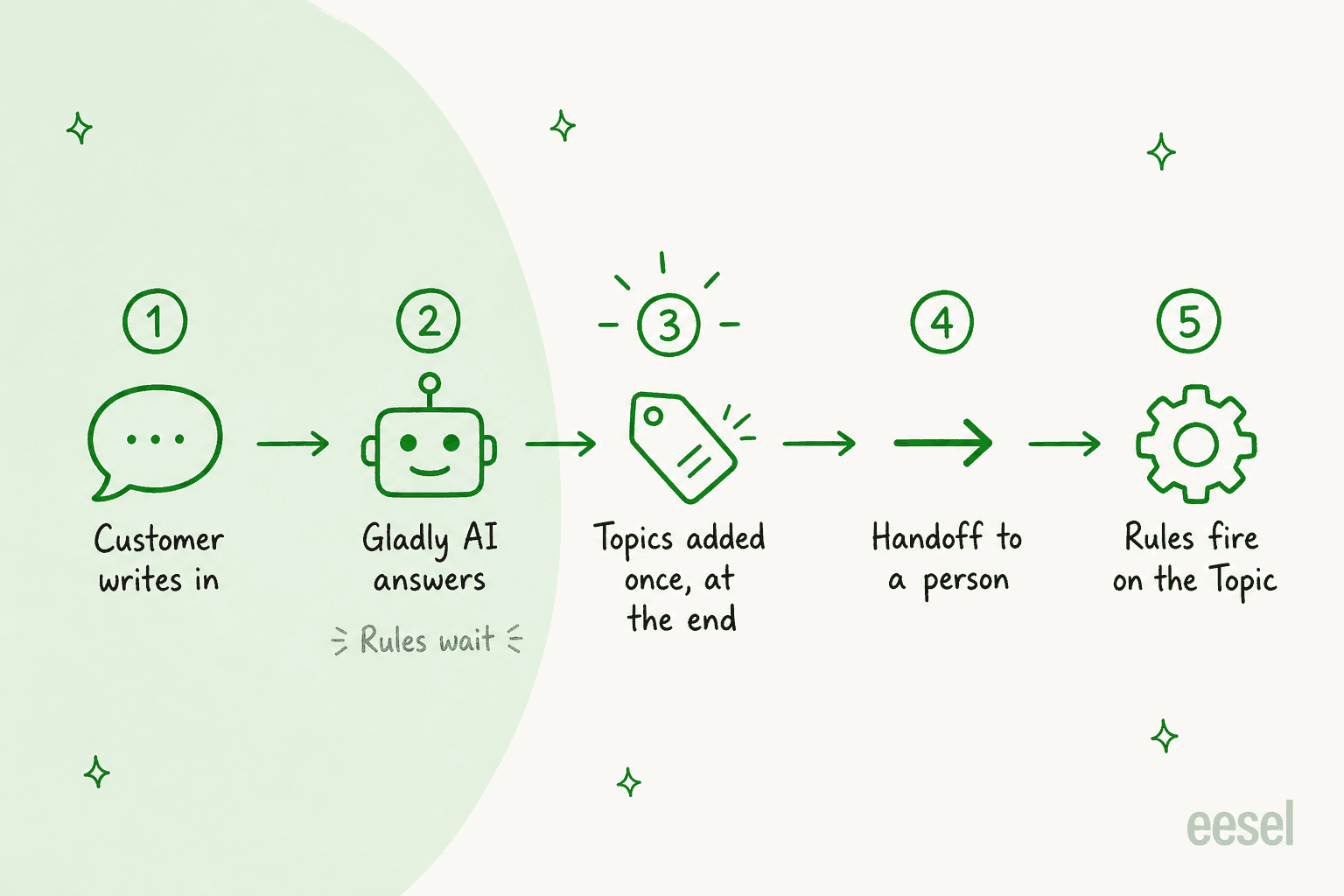
The docs do not spell out the exact order of the last two steps for the beta, so I would test it on one Inbox with a harmless Rule before trusting it. A good first Rule: Topic Product Defect added, create a Task for the quality team.
What about Freeform Topics and Signals?
Two neighbors get mistaken for tagging.
Freeform Topics capture a field, such as an order number, through the Topics menu and send it out by webhook, API or AWS EventBridge. Gladly's Freeform Topics page says they cannot be used for Rules or routing. It adds that Gladly AI can be set to apply them automatically.
Signals is analysis, not tagging. Per Gladly's Signals overview, AI reads AI-handled Sessions on Chat, SMS and Email against a question you write, then returns percentages. It is on-demand or scheduled, not real-time, and it cannot discover open-ended answers: you write the possible answers like a survey. Gladly also manages one Signal, Session Intent, that sorts each AI Session into Sales, Service, Mixed or None. I covered the scoring side in Gladly AI quality assurance.
Where do the tags show up in reports?
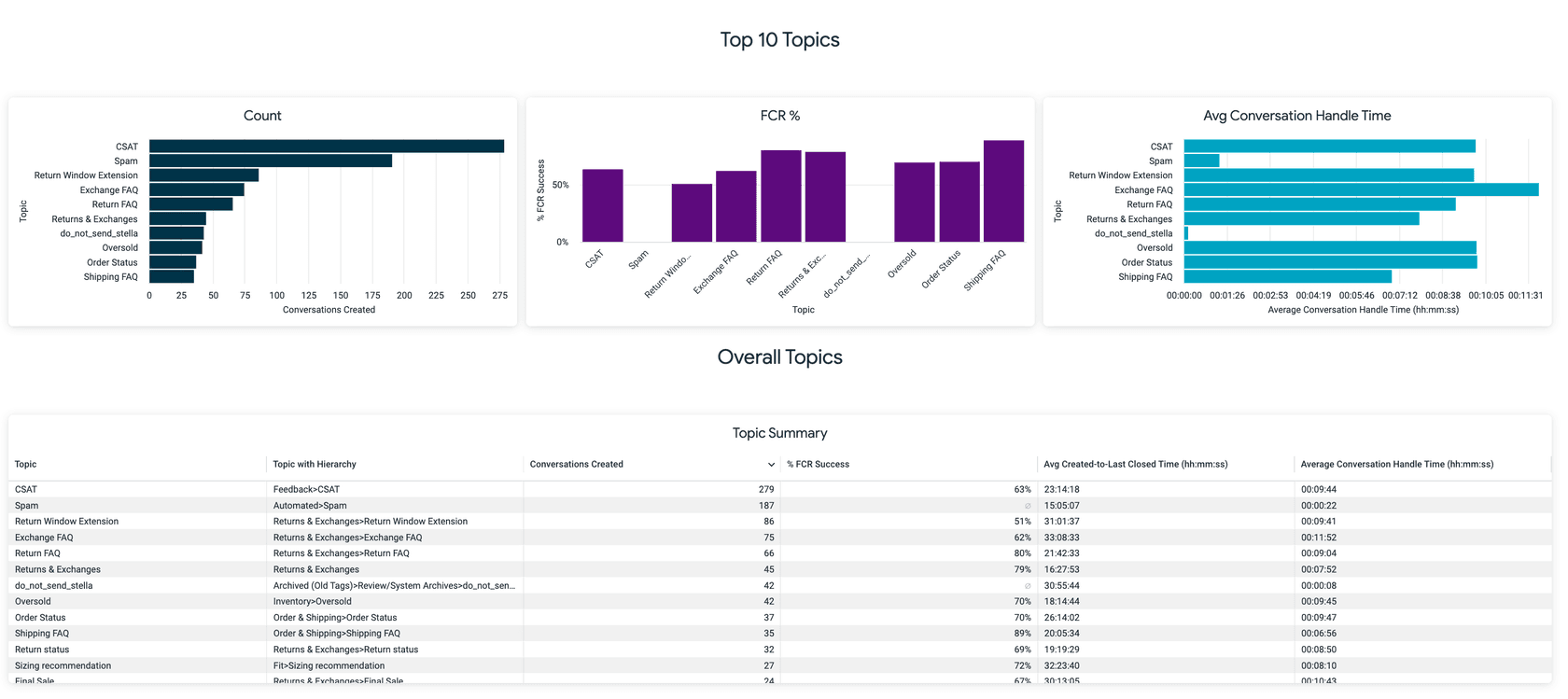
The Topics report lets you filter up to 40 Topics, graphs up to five, and counts sub-Topics into parents. Its Date field is the conversation's created date, not when the Topic was applied. The Topics dashboard shows the top 10 Topics per tile, and its data runs an hour behind.
Reporting is the area Gladly users mention most often as a weak spot.
"The reporting structure feels too segmented, requiring users to pull information from multiple areas rather than having access to a holistic, consolidated data view."

That review is about reports in general, not Topics, so I would not stretch it. But it is a reason to export Topics to your own sheet from day one.
Can you tag Gladly conversations from outside?
Gladly's REST API has an Add Topics to Conversation call. It takes Topic IDs, returns 204 when it works, and ignores Topics already on the conversation. There is also a Topic Change event, so a tool can see what the AI or a person added.
eesel has no native Gladly connector. The route I would try is an eesel custom action, "Your APIs", pointed at Gladly's REST API with an API token. I have not run it end to end, and it needs a way to get new messages to eesel, so treat it as an experiment, not a product feature. The pattern it would copy already works on supported helpdesks: Question Beauty runs eesel on Gorgias and Shopify, and every ticket gets a topic tag before anything else. In one month, 8 Aug to 8 Sep 2026, eesel handled about 990 of their Gorgias tickets and tagged nearly all of them, leaving about 250 assigned to a person with a note. For how that looks elsewhere, see Gorgias ticket tagging, Kustomer conversation tagging and Help Scout tagging and routing.
How should you set up Gladly tagging?
My order, assuming you are on Gladly AI:
- Fix the Topic list first. Aim for 2 to 3 levels, mutually exclusive, with customer-intent names. This is the same discipline as any ticket tagging setup, and it is what how to classify support tickets walks through.
- Keep AI Topics apart from the Guide-owned ones. Put Track Order on the Track Order Guide and leave it off the automatic list.
- Write descriptions like instructions. The AI compares the transcript with them. If you want the full method, automating ticket tagging covers it.
- Sample before you trust. Pull 50 AI sessions, compare tags by eye, and use the lessons in reducing false positives.
- Add one Topics added Rule and watch it for a week.
Tags are also the input to ticket routing, intent classification and auto triage. If those matter to you, my ticket triage and AI ticket classification guides give the wider frame, and e-commerce tagging fits many Gladly retail teams.
Is Gladly's tagging enough?
For AI-handled sessions, the beta is a real step: every session tagged, from the full transcript, with your own list. What I would still check is plan access, which Gladly does not publish, and how it behaves on non-English chats and phone calls. For conversations people handle, tagging stays manual or Rule-based, so a handoff that carries the Topic is where most of the value sits.
If you also need the rest of the picture, I wrote about Gladly summaries, Gladly translation, and the best AI for Gladly. For a same-series comparison, see Freshchat tagging and Freshdesk auto triage.
Try eesel for ticket tagging
If your tags decide routing, SLAs or a weekly report, eesel is the tagger I would add on a supported helpdesk. It reads each new ticket, sets the tag, priority or field your instructions call for, and stops when a person takes over. Start with one tag list and three rules, and read a day of results before adding more. The same helpdesk teammate works in Zendesk, Freshdesk and Gorgias.

Try eesel free, or book a demo to see it tag your own tickets.