

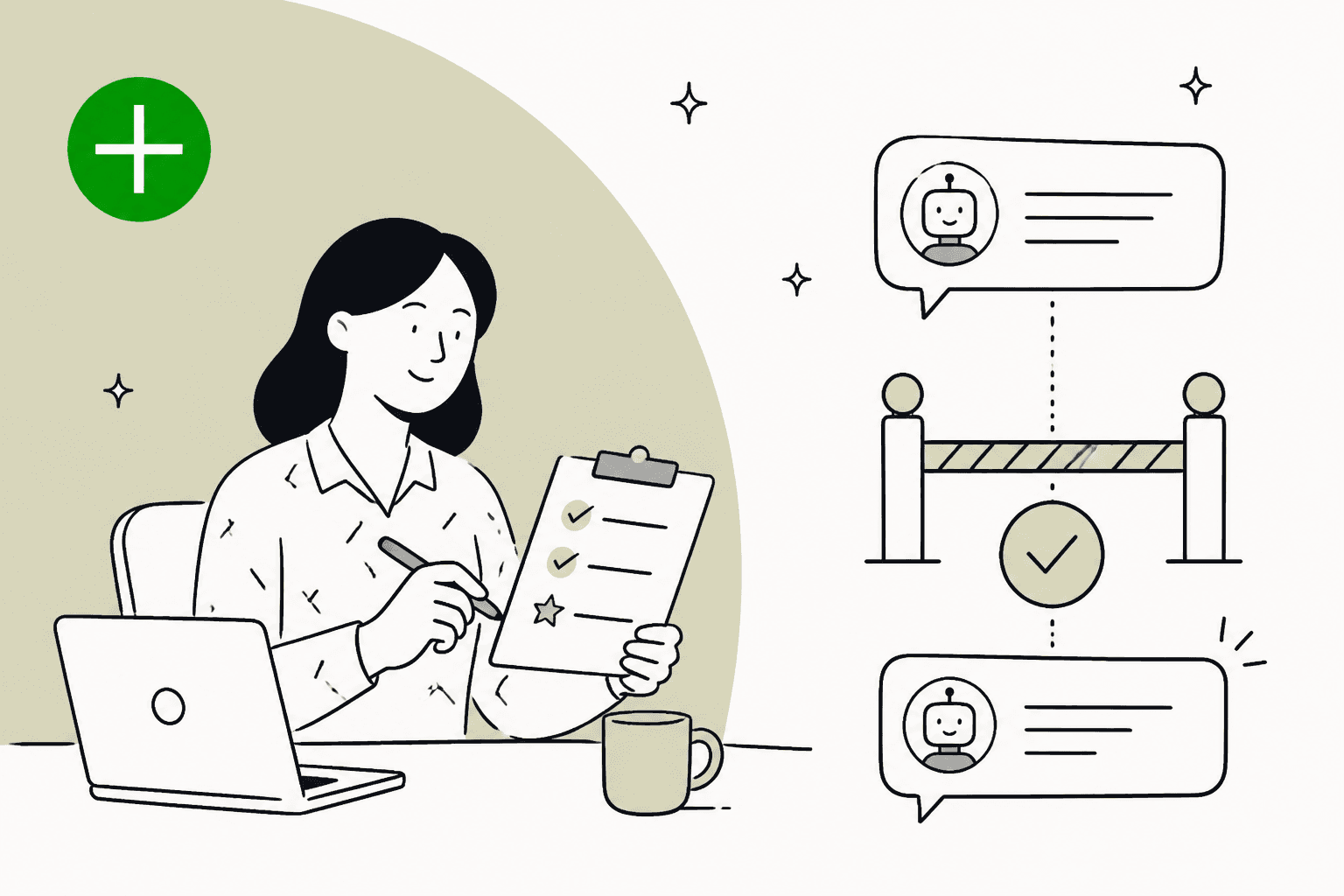
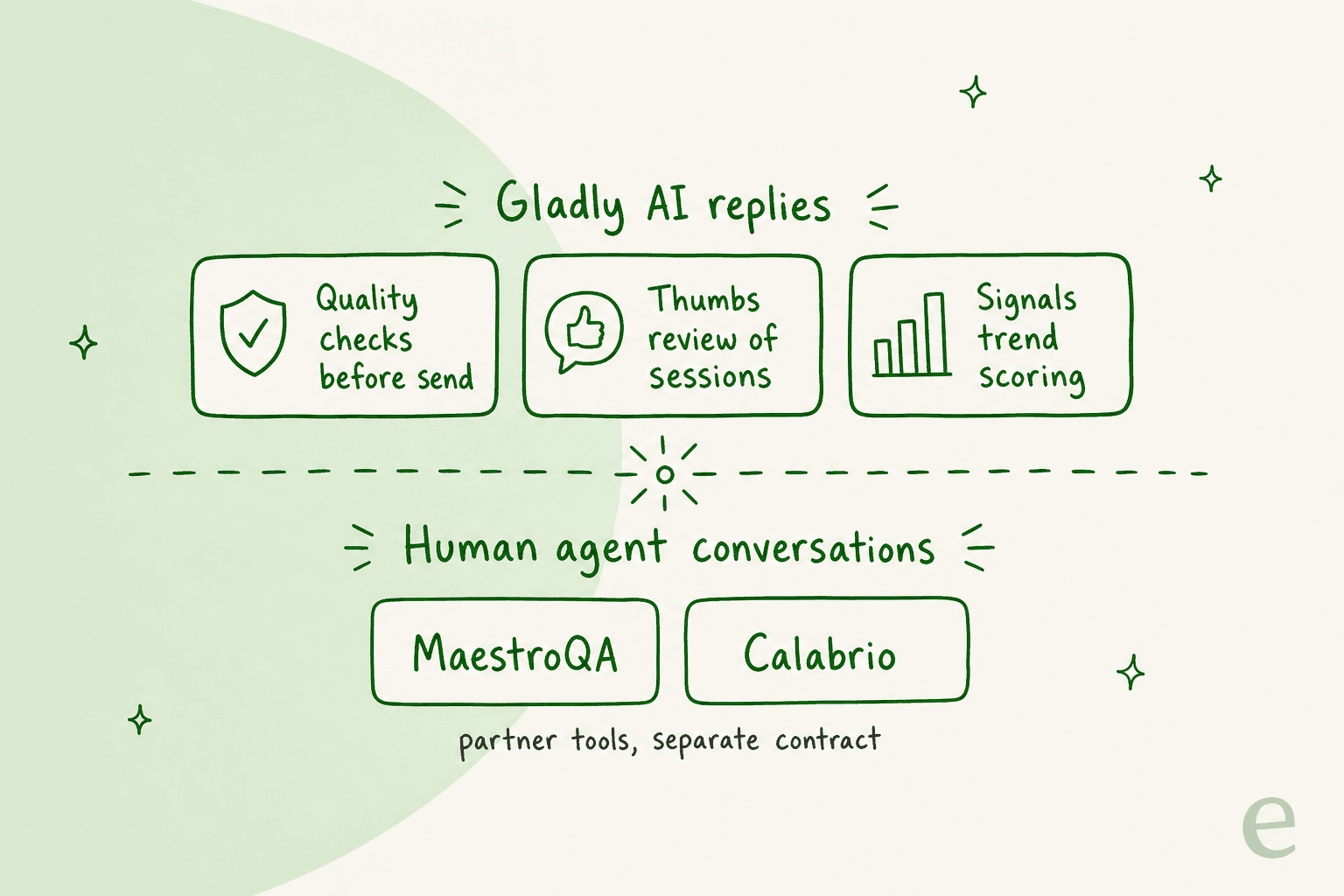
Gladly does have AI quality assurance, but it is aimed at Gladly's own AI, not a scorecard for your people. Quality checks screen each Gladly AI reply before it sends and hand the chat to a person if one fails, and Signals scores AI chat, SMS and email sessions against up to five criteria you write. Human agent conversations are scored in partner tools such as MaestroQA or Calabrio, and Gladly's docs name no plan or price for any of it. eesel has no built-in Gladly connection, so I would use it as a reviewer through Gladly's REST API (I have not run that end to end), or as the pick if you run Zendesk, Freshdesk or Gorgias.
With the eesel CLI, an AI coding agent can upload your QA rubric and policy pages, then ask test questions and check the answers before anything goes live. A person still has to approve any connection to a helpdesk.
Does Gladly have AI quality assurance?
Yes, in three layers, and the thing to notice is who each layer looks at. I work the support queue at eesel, so I read a QA tool by asking who gets scored and who doesn't. In Gladly the native layers look at the AI. The people sit in a separate lane that Gladly hands to partners, which is the gap this post is about.
| Layer | What it does | Who sees it | Limit |
|---|---|---|---|
| Quality checks | Tests every AI reply before it sends | Admins and Team Managers configure it | Checks the reply, does not give a score |
| Review and Inspect | Thumbs rating and notes, plus a step-by-step view of why the AI answered | Admins and Team Managers, not agents | No data before 24 February 2026 |
| Signals | AI scores sessions against your criteria and rolls up trends | Admins, Team Managers, custom roles with View Gladly AI | Chat, SMS and email AI sessions only |
| Partner QA | Graders score conversations and coach agents | The partner's own users | Separate vendor and contract |
Gladly's QA page frames the human side as "sync seamlessly with your QA tool", which tells you the scorecard lives outside Gladly. If you want the general idea first, my guide to AI for support QA covers what a full program checks.
What do Gladly's quality checks catch?
They catch reply problems before the customer sees them, which is a different job from scoring. Per Gladly's overview (updated 21 February 2026), a customer sends a message, Gladly generates a response, and the response runs through automated checks. A pass sends it. A fail means Gladly hands off to an agent instead.
The checks fall into three customer-facing categories:
| Category | What it flags | Example failure from Gladly's docs |
|---|---|---|
| Missing Action | Claims about actions Gladly did not run or cannot take | "Your order has been cancelled" when no cancel action ran |
| Missing Information | Not enough information to answer | "Reach out to our customer service team" inside a conversation that already is customer service |
| Unverified Information | Dates, policies, emails, phone numbers or URLs not found in the context | "Our return policy is 90 days" when the real one is 30 |
Underneath, Gladly mixes LLM checks (Implied Mutation, Unfulfilled Action, Transfer Claim, Contact Us, Hallucination) with code checks (Invalid Phrase, email and phone number hallucination). Hallucination is the one I would watch: it splits the reply into sentences and asks whether each factual claim is supported by action results, search results or Guide content. Auto-Correction is a default setting that removes unsupported sentences up to a configured threshold, fixes the grammar, repairs URLs and re-checks before it hands off.
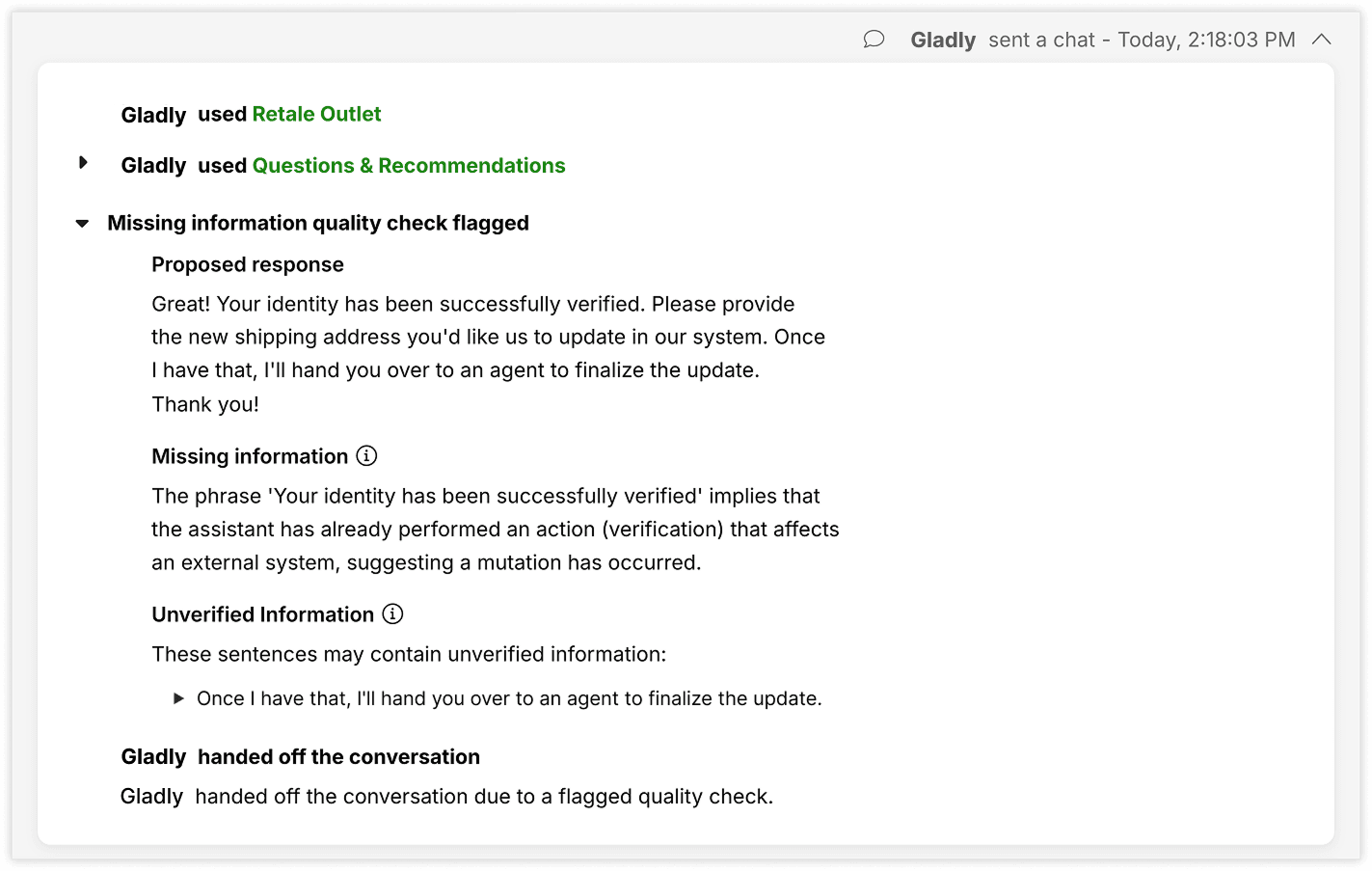
You can tune this per Guide. An Admin or Team Manager can turn individual checks on or off for a Guide, and Gladly's recommended start is specific: for a Guide that answers from knowledge sources, keep Hallucination on and turn off Implied Mutation and Invalid Phrase, because they "may flag valid instructions and cause unnecessary handoffs". That tells you the cost of a strict check is a handoff, so a noisy setting shows up as extra work for your agents. Read my notes on handoff best practices if that matters to you.
How do you review Gladly AI conversations?
You open them one at a time, or pull the rolled-up reports. In Review and Inspect (updated 7 November 2026), you open an AI Session, give a thumbs up or down with a note, and click any AI reply to see the Guide it followed, the sources it retrieved, the steps it took and its quality check result.
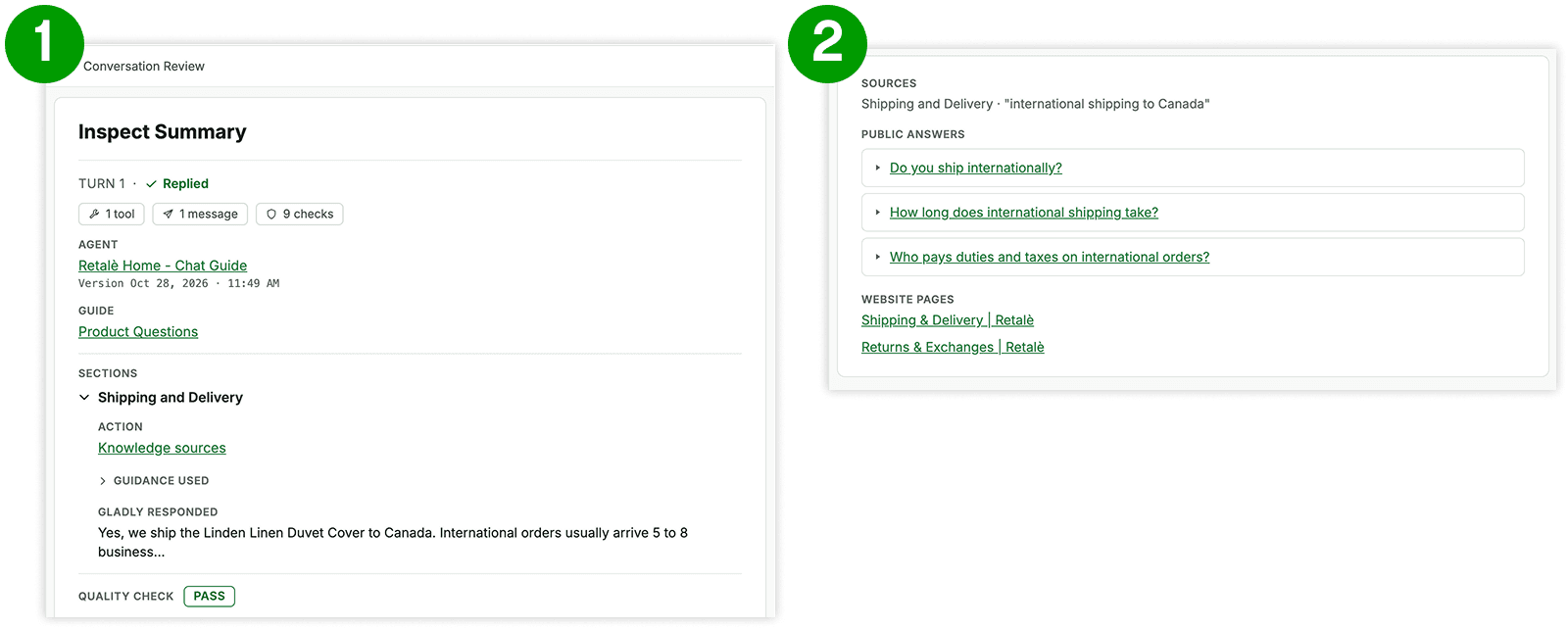
Four details shape how you would run this as a QA routine:
- It is for managers. Review and Inspect are visible to Admins and Team Managers, not agents, and Inspect is not available for conversations before 24 February 2026.
- Ratings are a journal. Gladly says the Reviews page "is an internal tool for your team, it is not sent to or acted on by Gladly". Ratings do not retrain anything on their own.
- You can export them. The Feedback Report gives one row per review with the comment, session ID and conversation link, as a CSV.
- There is an outcomes dashboard. Improvement Opportunities tracks response, resolution, handoff and 24-hour recontact rates, and ranks handoff reasons such as QC Failure, Transfer Detector and Hallucinated Argument.
Gladly also has a Simulator for testing before launch. You write a scenario with yes or no success criteria, and every criterion must pass for the test to pass. It is in Early Access, so you contact Gladly Support to learn more. For the general method, see AI support simulation testing.
What can Gladly Signals score?
Signals is the closest thing Gladly has to automated scoring, and it is useful with clear boundaries. Per Gladly's docs (updated 20 November 2026), it "uses AI to evaluate AI-handled Sessions against criteria you define", then rolls the results up into trends. You build a Signal from one to five criteria, each with two to five labels (up to 30 characters each), and optionally mark one label as a Goal or a Risk.
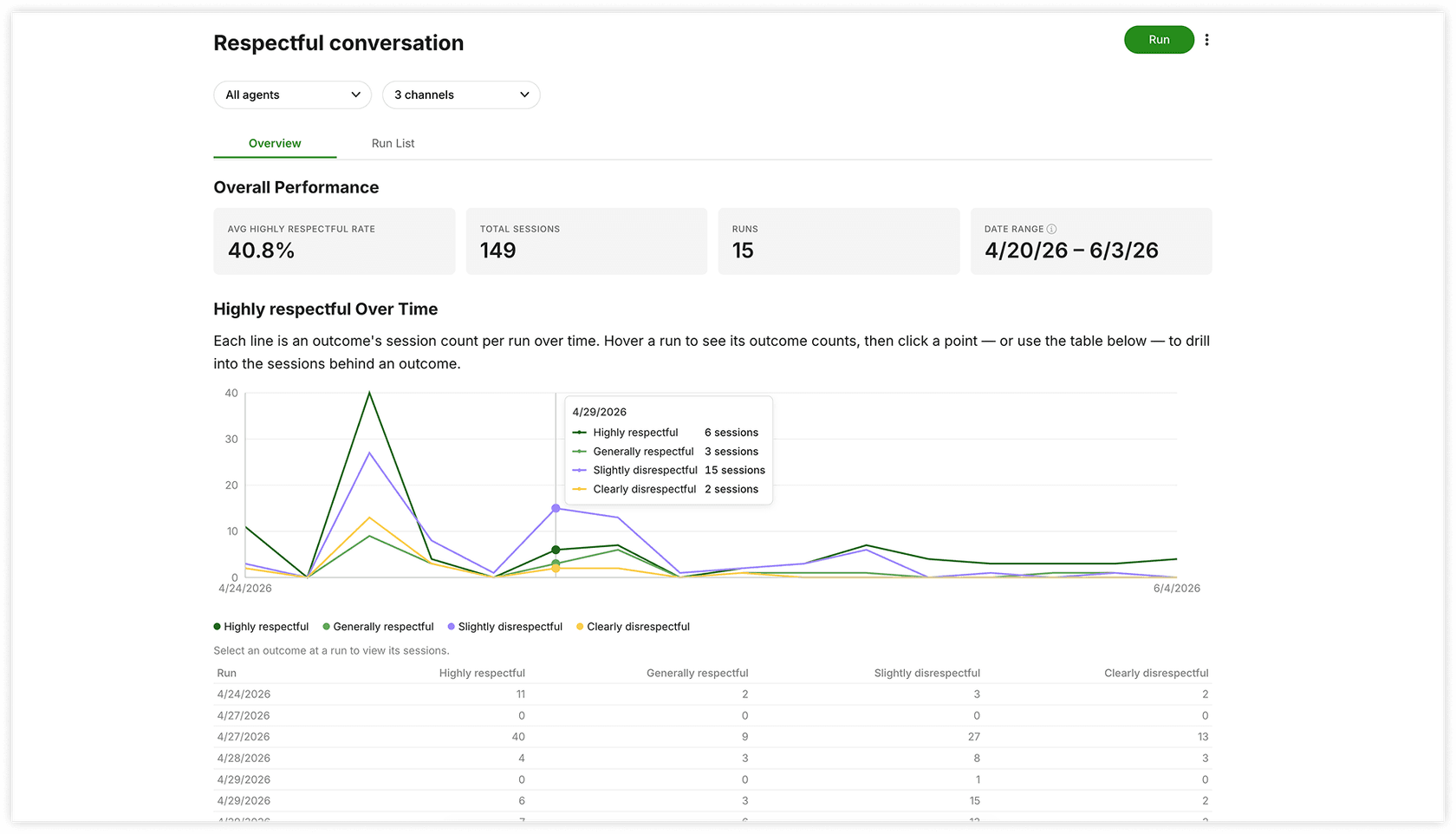
You choose how it runs:
- Sampling. The rate is 5%, 20% (the default), 50% or 100%, with 100, 1,000 or 10,000 sessions per run.
- Schedule. One-off, or ongoing daily or weekly. There is no monthly option, and Gladly says Signals runs on demand or on a schedule, not live.
- Review. Each evaluated session carries the AI's label, its reasoning and a supporting quote. You approve or flag it, and an Agreement rate card shows how often your review matched the AI.
Gladly's advice is the part I would copy. Prefer fewer labels, since "Binary (Yes/No) or a short list of named categories" produces more consistent results than a longer list, and never use a 1 to 5 scale. Start under 50 sessions before you scale. Gladly holds its own built-in criteria to a ">90% accuracy bar" and says you should set your own.
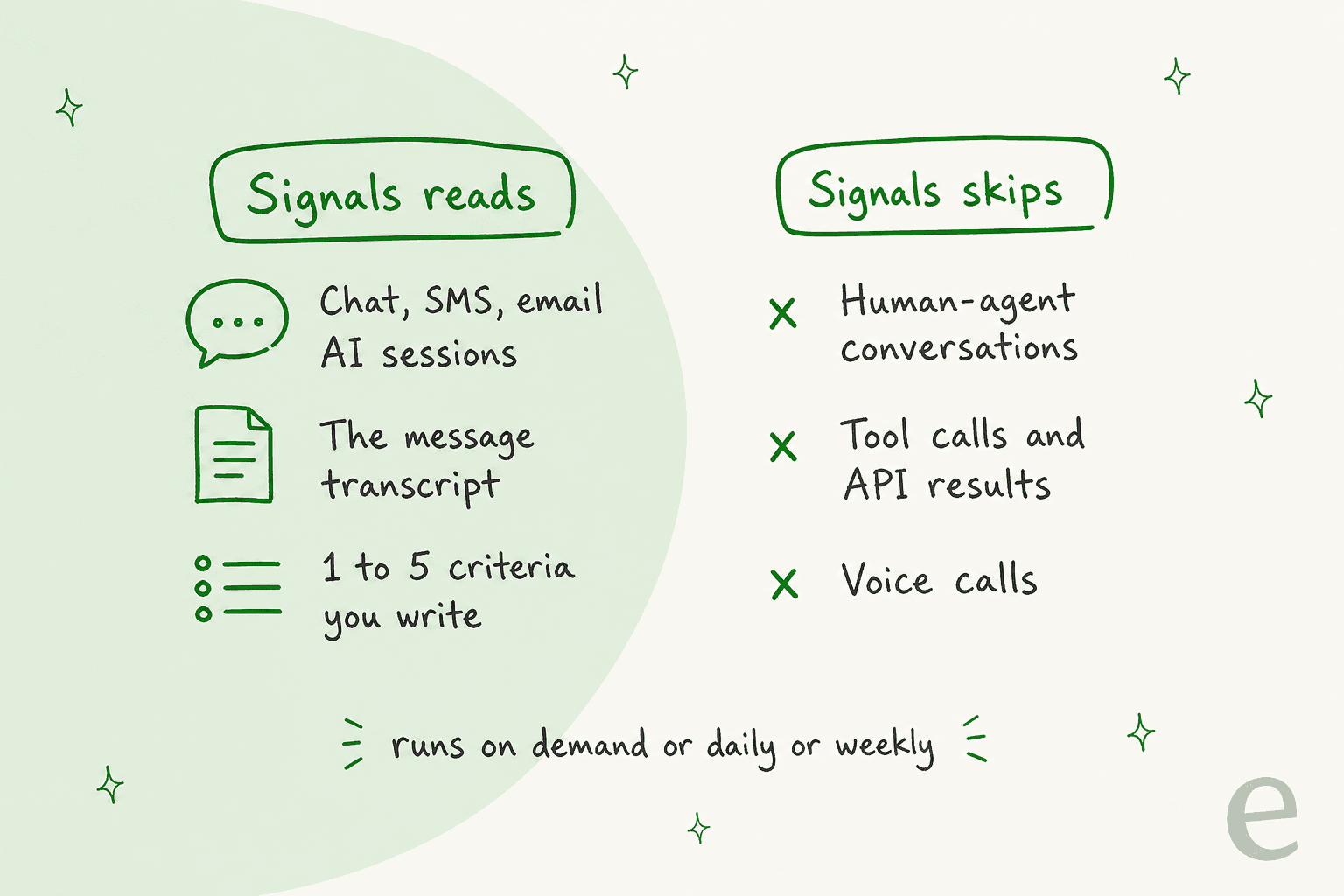
Two limits matter most for a QA lead. First, Signals best practices says it "only reads the Conversation transcript", so it can't see tool calls or API responses, and "conversations led by human Agents aren't included yet". Gladly's own example: you can't ask whether the AI successfully performed a cancellation, only whether it told the customer the order has been cancelled. Second, it is a trend tool. Gladly says it is "not a replacement for human review".
Who scores human agents in Gladly?
A partner does. Gladly's integration list includes MaestroQA and Calabrio, and both are built and maintained by the partner, not Gladly.
- MaestroQA calls itself a platform for understanding "support quality beyond CSAT", where graders view emails and listen to calls. Per Gladly's integration toolkit, it makes read-only requests, so "no data comes to Gladly from MaestroQA". It pulls in all conversations, then uses rules to narrow which ones graders see. Channels are email, voice and all messaging channels, and setup needs an API token from a dedicated Gladly user.
- Calabrio lets you pull Gladly's agent-level performance data into coaching and QA programs, with Calabrio Professional Services handling implementation.
If you stay in Gladly, there is also a manual path. Admins, Team Managers and Agent Plus users can listen to, coach or join live calls, and recordings are there for QA practices. One QA Analyst on Capterra describes that path:
"It's great that the call is always recorded and that we can stop the recording when we need it. It helps us to keep track of every call very easy. Not only that, but it has the option to listen other call to monitoring in case is needed."

Reporting depth is where some reviewers want more. Another Capterra reviewer writes:
"While this platform performs flawlessly at organizing customer communications and straightening out all chat content, its built-in data reporting function is far from sufficient to meet our marketing team’s needs."
That reviewer is talking about marketing analysis, not QA, so I would not stretch it. It does match the pattern: Gladly's reporting is broad, and its sentiment and quality scoring of human conversations sits elsewhere. My notes on Gladly AI sentiment analysis cover the other half.
Which Gladly tool covers which check?
Use this to sort your own QA questions. Tap one to see what covers it.
Tap each check to see which Gladly tool, if any, covers it.
Which Gladly plan includes QA, and what does it cost?
I could not confirm either from Gladly's own pages. The docs describe quality checks, the Reviews log and Signals without naming a plan, though Signals says it is available "for any organization using Gladly AI". The Simulator is Early Access by request. Gladly publishes no platform pricing on its pricing page, so the number comes from a sales call. My Gladly pricing guide covers the little that is public.
Ask your account team four things before you plan around any of this:
- Is Signals in my contract, and how are its runs billed when I raise the sampling rate toward 100%?
- Are quality checks on every Guide by default, and can I see the handoff rate they cause?
- Which partner QA tool do other Gladly customers on my channels use, and what does that contract add?
- When will Signals read conversations that human agents lead?
MaestroQA and Calabrio price their own products, and I have not priced either, so I would not guess a number.
How do you cover the gaps in Gladly's QA?
Start with what Gladly already does well, then add a human-agent lane. Here is the routine I would run, about 30 minutes to set up:
- Keep the default quality checks on. Turn off only the ones Gladly itself says to drop for a knowledge-only Guide, and watch your handoff rate afterward.
- Write three binary Signals. Pick yes or no questions tied to your policies, run each on under 50 sessions, then widen. Start with "told the customer an action was done" and "gave a date or policy".
- Review every flagged or low-scoring session. Use the Agreement rate to find criteria that need tightening. My review routine for AI conversations shows what to look for.
- Put a scorecard on human conversations. Use a partner tool, or a calibrated team of reviewers. Support QA calibration and QA scorecard criteria help you start.
- Feed misses back. A reviewer's note is only useful if someone edits the Guide or the policy. QA feedback examples keep notes specific.
Add CSAT as a second signal for where to look first, and an escalation log for the conversations that needed a person anyway.
Where does eesel fit with Gladly QA?
eesel does not have a built-in Gladly connection, so here is what I can and cannot say. eesel is an AI teammate platform, and the one that matters here is the AI helpdesk teammate. For QA, I think of it as a reviewer that reads the conversations you hand it and checks them against rules you write in plain words.
Gladly has a REST API, and eesel has a Your APIs page where you allow a domain and add an authentication header. Basic auth is supported, the credentials stay in settings and the AI never sees them. Gladly's own docs say an API user creates an API token, which is shown once and is tied to one user and environment, and that MaestroQA reads conversations through the /conversations and /conversation-items endpoints. So pulling a conversation in to review looks possible. I have not tested eesel against Gladly's API, so treat it as a route to confirm in a demo, not a shipped feature.
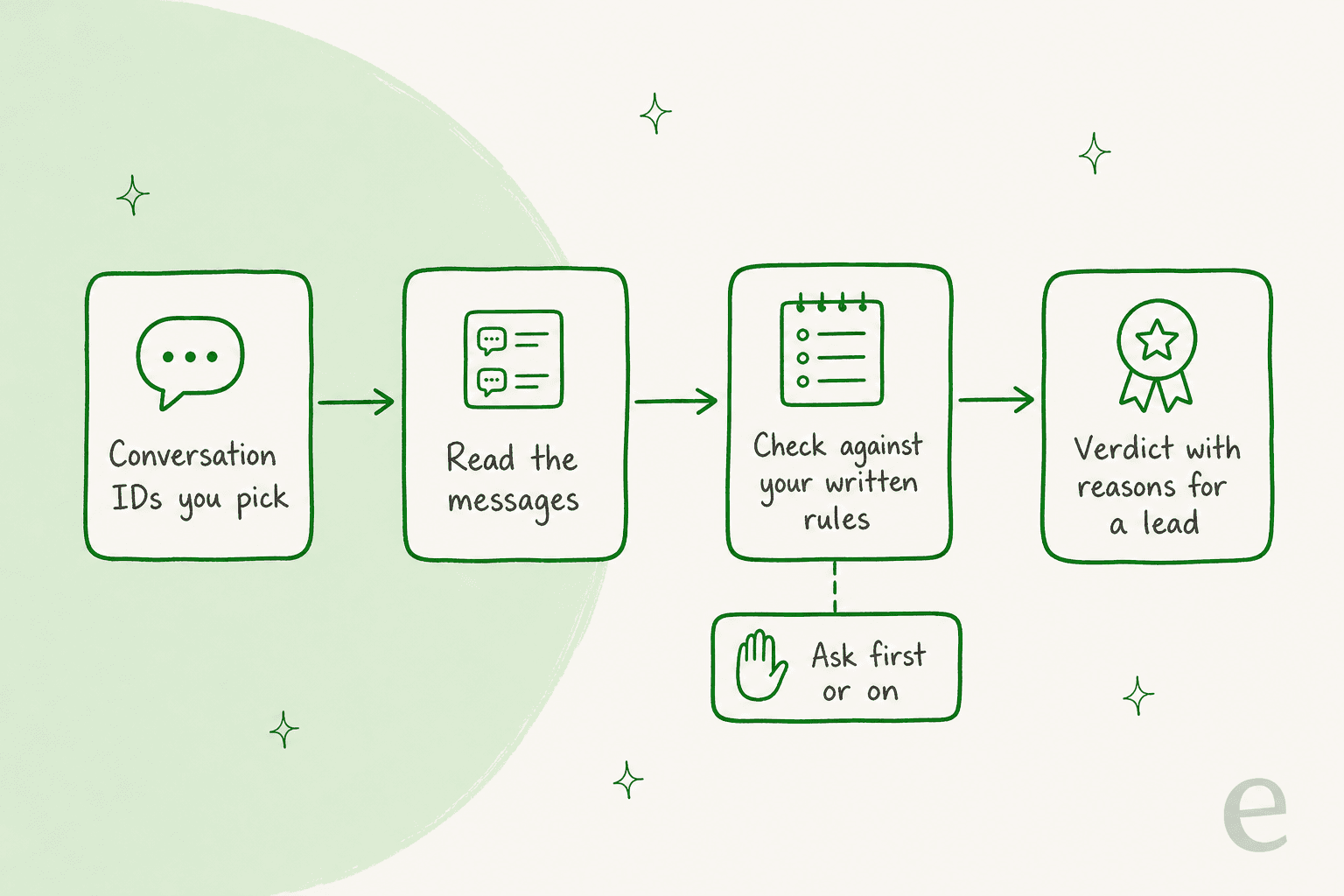
If that works, you would give it conversation IDs and it would read the messages, check them against your policy and knowledge base, and report the reasons to a lead. In eesel's actions and approvals, each action can run on its own, ask first or stay off, which keeps a human in the loop.
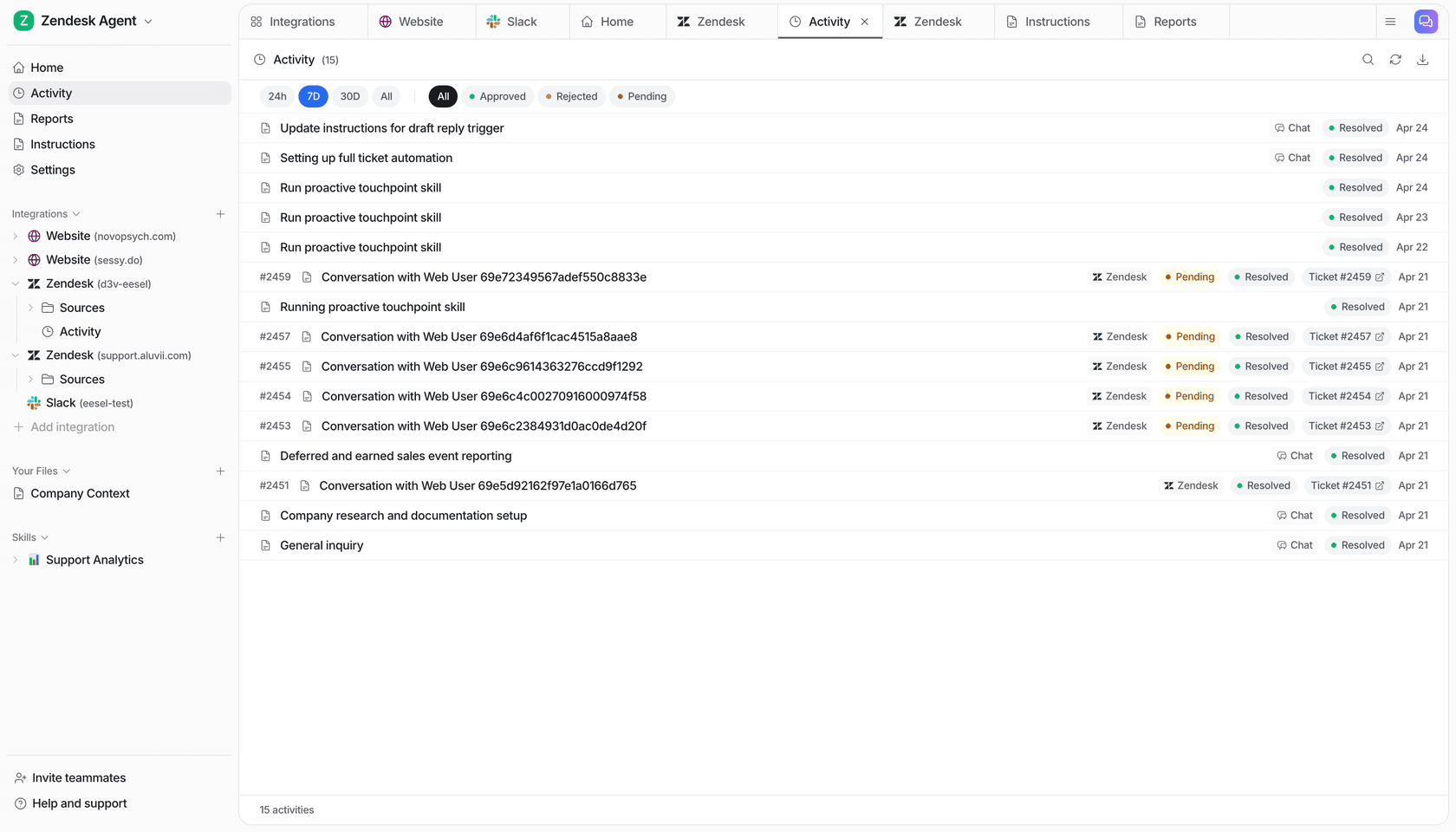
The same shape already runs for eesel customers. Cactus Club Cafe runs two agents on Zendesk. Tixie reads the whole ticket, opens the emergency policy and the routing matrix before anything else, and follows the matched runbook with no improvised steps. About 790 of its replies in a month were drafts for the team to send, against 51 sent directly. A second agent audits the daily finance extract, checking each store and the total, then solving the ticket as balanced or leaving it open with the imbalance named. A QA review is a check against written rules too.
For the other helpdesks, see my Dixa, Freshchat, Gorgias, Kustomer and Zoho Desk QA guides.
Is Gladly's QA enough?
For the AI, yes, and the pre-send quality checks are the part I rate highest. They stop a reply with an unsupported date or a promised action that never ran, and they explain why. For people, no: you need a partner or a human reviewer, and you should ask when Signals will cover agent-led conversations.
My take: if you run Gladly AI, keep the quality checks on, use Signals for the trends you can name in a yes or no question, and score your humans in MaestroQA or Calabrio. Remember what a pass means. It means the reply was supported by the context, not that the policy was right. For deeper checks across tools, see my roundup of AI for support QA and my notes on AI agent observability and permissions. For the rest of Gladly's AI, read Gladly AI summaries, draft replies, routing, translation and deflection. Weighing a move? See best Gladly alternatives, best AI for Gladly and Kustomer vs Gladly.
Try eesel as your policy reviewer
If the check you are missing is "was this right by our policy?", eesel is the reviewer I would test next to Gladly's own tools. It reads the conversations you give it, checks them against the rules you write and your help center, and says why it passed or failed. If you run Zendesk, Freshdesk or Gorgias, it connects directly. If you run Gladly, ask about the API route first. Start with ten conversations your team already scored, and see whether eesel agrees. The call center QA guide covers voice.
Try eesel free, or book a demo to ask how it would review your Gladly conversations.