


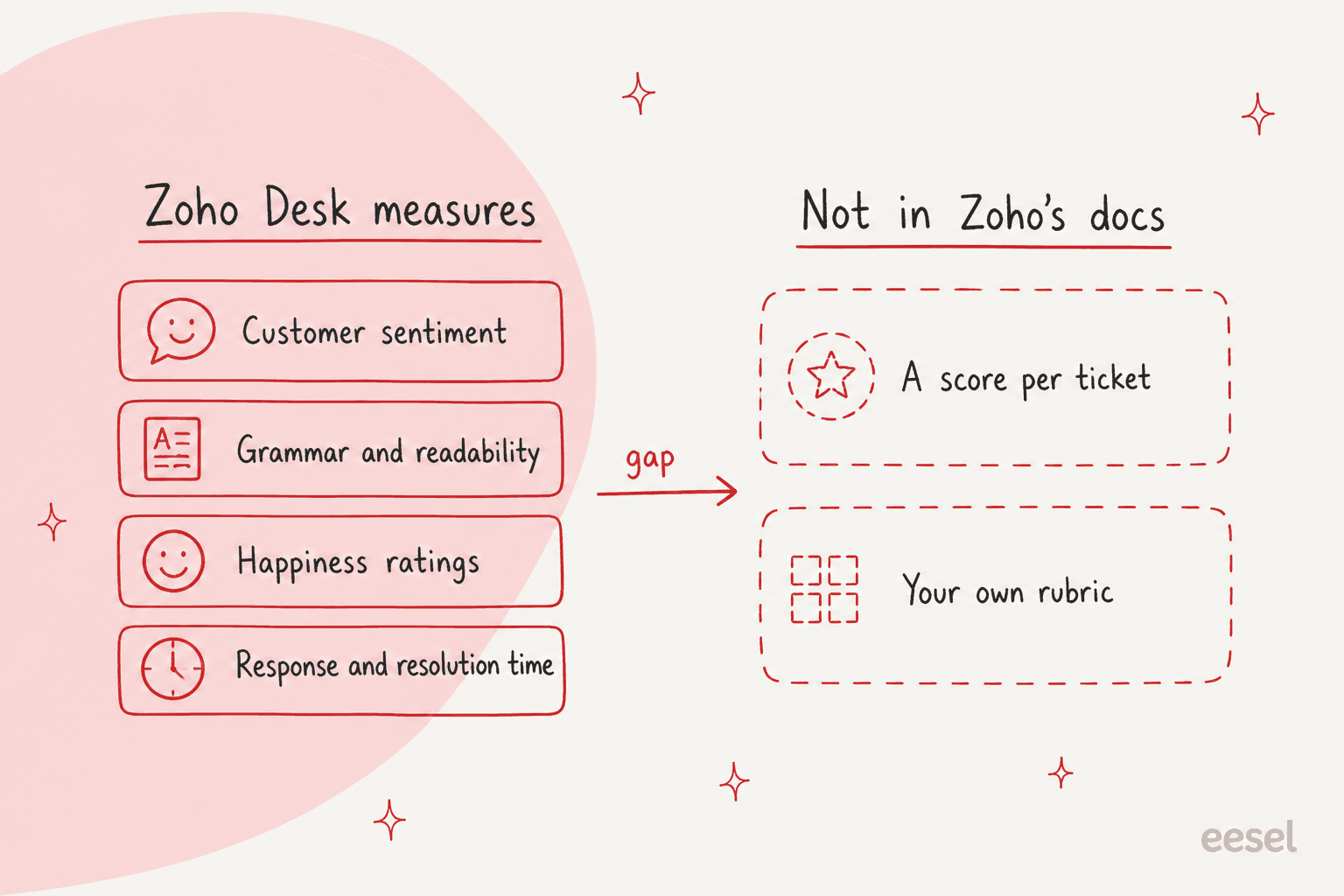
Zoho Desk has no AI that grades each ticket against your own scorecard. I found none in Zoho's docs. What it has is Zia sentiment, tone and writing checks, happiness ratings and an agent performance scorecard, with Zia AI starting on Professional at $23 a user a month billed annually. Zoho's Quality Manager agent, which would review conversations, is marked coming soon. To score every ticket against your policies and tags, I'd add an AI teammate such as eesel to leave its reasons as a private comment. Its Zoho automations need Professional or above.
Does Zoho Desk have AI quality assurance?
Zoho Desk has pieces of quality assurance, but not the piece most leads mean by it: a score for each ticket against criteria you write. I work the support queue every day at eesel, so I read a feature like this for what it reads and what it writes back. For Zoho Desk the honest answer sits in three layers.
Zoho's own guide to support QA lists "scoring or evaluating agent performance" as a QA component. Its tool list in the same article covers custom views and reports, SLAs and automations, Zia for sentiment and standard response suggestions (with each agent's response acceptance rate tracked), agent KPIs, and CSAT, CES and NPS surveys. For the specialized part it says to "integrate with third-party QA platforms". Here is what that adds up to, from Zoho's pages:
| Zoho Desk feature | Plan | What it tells a QA lead | What it doesn't |
|---|---|---|---|
| Zia sentiment and tone | Professional (Zia AI) | How the customer sounds, and a tone adjustment for the reply | Whether the agent's answer was right |
| Content analysis | Professional (Zia AI) | Spelling, grammar and readability in the reply editor | Policy, accuracy or completeness |
| Happiness ratings | Standard | What customers who answered thought | The customers who didn't answer |
| Agent scorecard | Not stated on the pricing page | Response time, resolution time and ratings per rep | Anything inside the conversation |
| Quality Manager agent | Listed as coming soon | Zoho says real-time feedback on conversations | Not available to test yet |
Zoho Desk AI is the umbrella for all of it, and my Zoho Desk AI review covers how it feels in daily use. The rest of this post is about the gap between "measures the conversation" and "checks the conversation against your rules".
What does Zia actually score in a conversation?
Zia reads the customer's side far better than it grades the agent's side. On Zoho's Zia page, the pieces that touch quality are:
- Sentiment and tone. Zia uses generative AI to "summarize ticket threads, analyze ticket tone, and tag key topics". In Zoho's quality of service guide, agents can also set the tone of their own reply to formal, informal, diplomatic, assertive or humorous.
- A writing editor. Zia "spots grammatical errors, analyzes response readability, and scores content quality across reply editor, knowledge base, and community forums".
- Conversation insights. Key terms and topics from the thread, plus ticket and thread summaries, so the next agent can pick up mid-stream.
Zoho's own quality of service guide is the clearest statement of the design. It frames quality in three groups: communication aids (writing assistants, sentiment, summaries), operational monitoring (attendance, availability, KPIs) and customer happiness metrics. All three help an agent do better work, or show a manager how a queue is doing. None of them is a reviewer reading a finished ticket against a rubric.
That shape matters because Zia works while the agent writes, and QA happens after. If you want to see how the sentiment side behaves, my Zia sentiment analysis guide and the AI sentiment analysis explainer go deeper, and Zoho Desk AI accuracy covers how reliable it is.
Is Zoho's Quality Manager agent available?
Not yet, going by Zoho's own pages. The Zia Agents page shows four pre-built agents. Support Specialist and Resolution Expert are marked "Available in IN and US DCs". Below them, a "Coming soon" label sits above Sentiment Analyst and Quality Manager. Zoho's description of the second one is short: "Ensure your team sends quality responses with Quality Manager. It provides real-time feedback by analyzing ticket conversations."
The quality of service guide agrees with that reading: it says Desk "offers two native AI agents", Support Specialist and Resolution Expert. And the agents page itself draws a "review quality and flag areas for coaching" step in its AI and human diagram, so the direction is clear even if the feature isn't live.
My advice: don't plan a QA program around a card marked coming soon. Do keep an eye on it, and re-read Zoho Desk Zia Agents when it ships, because what it reads and what it writes back are the questions that decide whether it replaces a human reviewer.
What does Zoho Desk's agent scorecard measure?
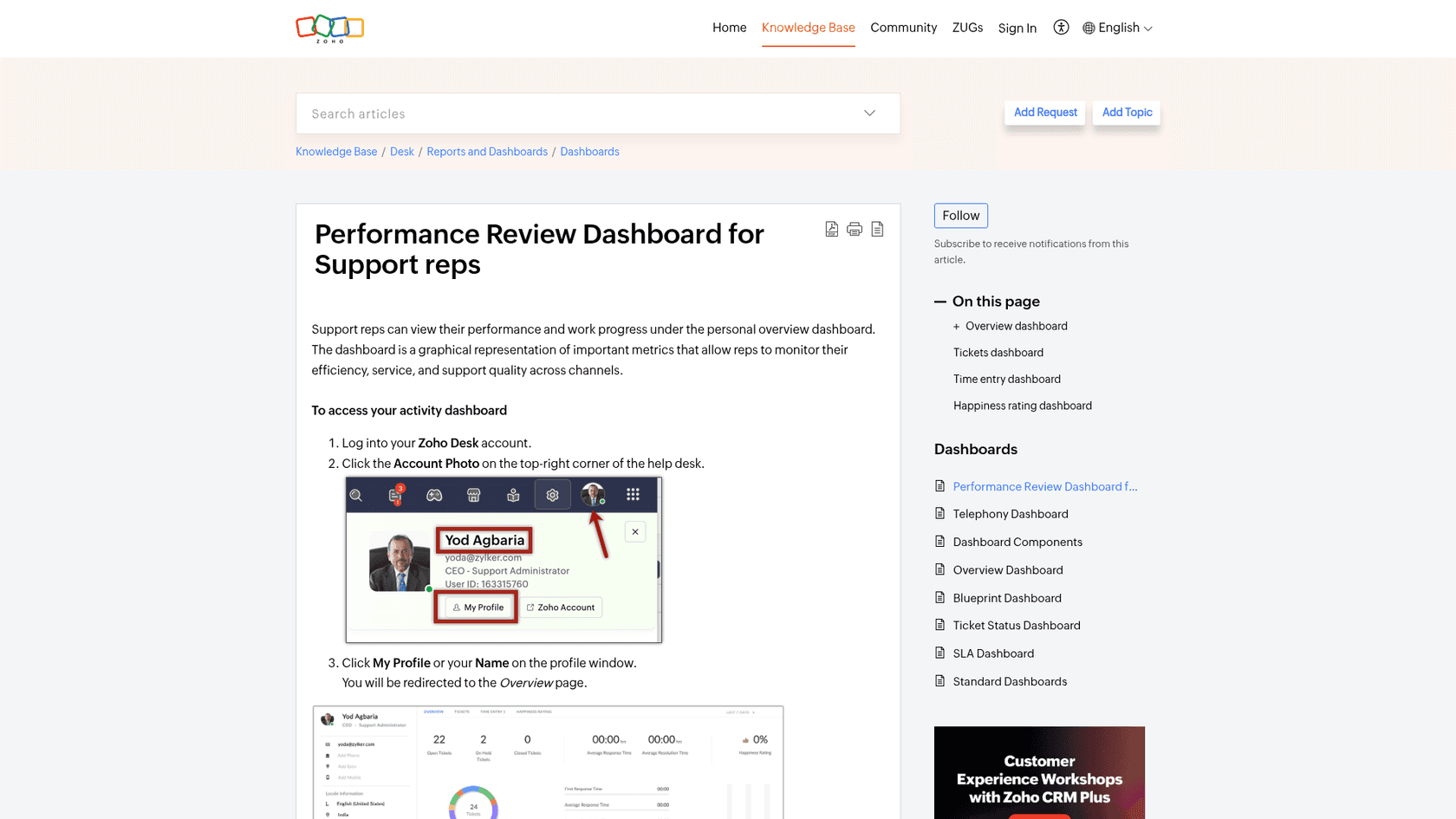
The scorecard measures how a rep's numbers compare, not how their replies read. Per Zoho's help article, a rep's overview shows ticket counts by status and channel, first response time, average response time and resolution time, and happiness ratings against a benchmark. The benchmark is "the average rating score for all agents in the Zoho Desk account". The default window is the last 7 days.
Managers get the wider version through Zoho Desk's workforce engagement tools: agent availability reports, Zoho Analytics for "response times, customer ratings, ticket load, and expertise", and a line about collecting CSAT feedback and pairing it "with agent scorecards and time logs". It shows a team's pace and mood well. It can't tell you that a rep promised a refund your policy doesn't allow, because nothing in it reads the reply.
Can a custom Zia agent do the QA review?
Probably, with work. Zoho's agents page says teams can build "one or more than one AI Agent for every role", and it names QA analysts among the roles. In a Zoho community thread, a Zoho staff member described the build for a related job, a custom agent that drafts a reply and sends it for human review, which then shows in a "Tickets for Review" view. That one is a drafting flow, not a QA flow, so you would be designing the review step yourself: the criteria, the prompt, the output field and the report.
On the same question in the community, a Zoho staff reply points the same way:
"You could also build a custom tool using products like Zoho Creator to orchestrate an exhaustive process for quality assurance."
A separate thread, Quality review for tickets in Zoho Desk, asks for a reviewer to look at random tickets from an agent against selected criteria. Zoho staff answered that it can be built from a mix of automation rules, especially Blueprints and custom functions. So the platform gives you the pieces, and the QA product is yours to assemble. That is a fair choice for a team with a developer. It is a lot for a support lead who wants a Monday reading list.
Which Zoho Desk plan does each QA feature need, and what does it cost?
Prices below come from Zoho Desk's pricing page, per user per month billed annually, checked 22 November 2026:
| Plan | Price | QA-relevant features on the page |
|---|---|---|
| Free | $0 (3 users) | Email ticketing |
| Express | $7 | Generative AI with your own OpenAI or DeepSeek key (sentiment analysis, ticket summaries, reply suggestions), workflows |
| Standard | $14 | Customer happiness ratings, custom reports and dashboards, AI Agents (up to 30M free tokens a month), Answer bot |
| Professional | $23 | Zia AI, Blueprints, Automation Studio, webhooks |
| Enterprise | $40 | Audit Log, Multi Sandbox, skill-based assignment |
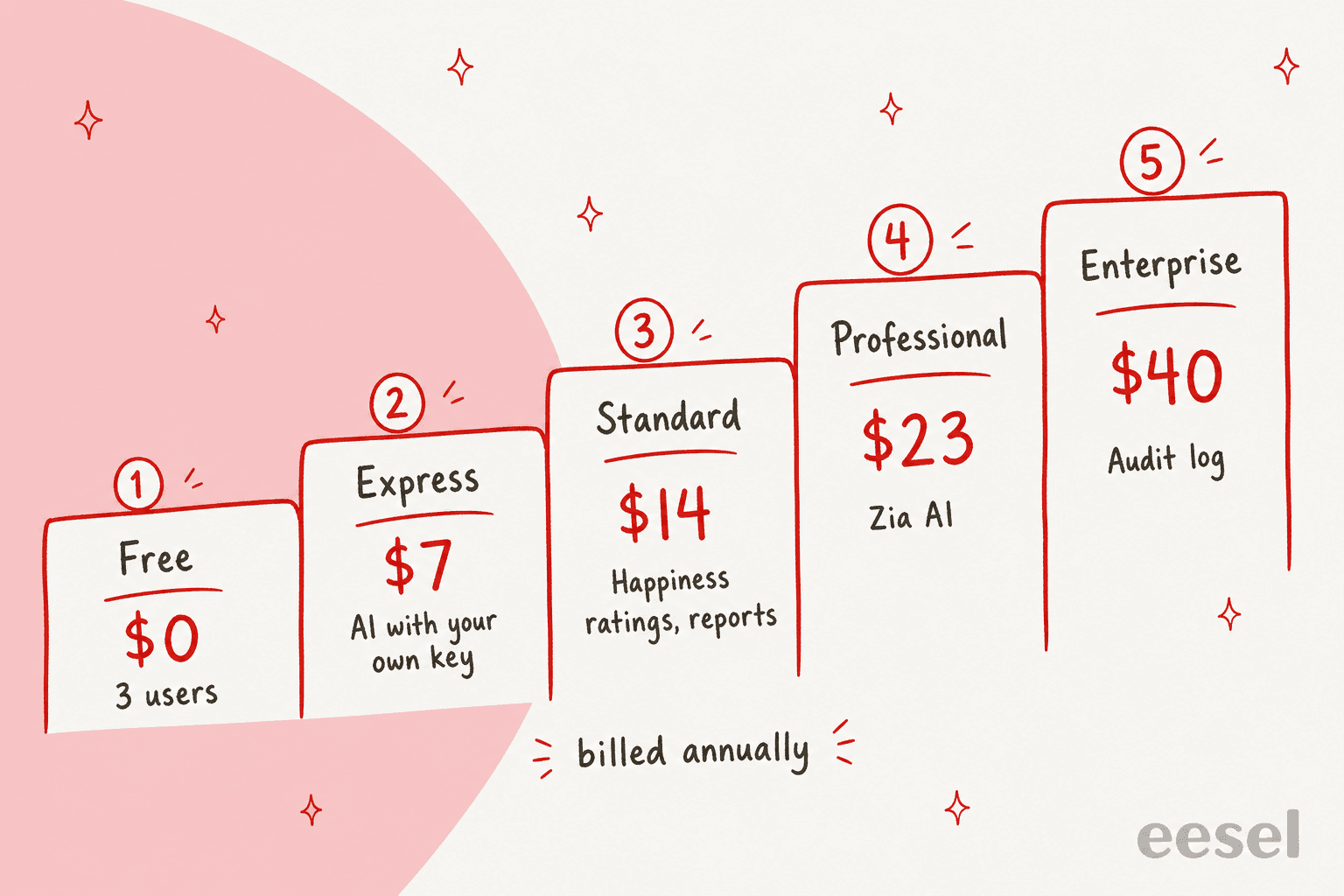
For a team of 10 agents, Standard is $140 a month, Professional is $230 and Enterprise is $400, so the step from happiness ratings to Zia AI is $90 a month. If a custom agent is your route, the page says AI Agents on Standard use "your own key or Zoho's LLM", with up to 30M free tokens a month; check the token math before you point one at every closed ticket. My Zoho Desk AI pricing explained and Zoho Desk pricing posts cover the rest, and how to set up AI in Zoho Desk walks through switching it on.
What can't Zoho Desk's QA tools see?
Three things stand out, and all three are what a reviewer would check first.
- Your policies. Content analysis checks writing quality, and sentiment checks the customer. Neither reads your refund rules or your help center and tells you the reply contradicted them.
- A score per conversation. The scorecard averages response times and ratings per rep. Nothing in Zoho's docs, as I read them, gives a ticket a 1 to 5 or a pass and fail on Tone, Accuracy or Completeness.
- Tickets nobody rated. Happiness ratings only cover customers who answered. A rep with a quiet queue of unrated tickets looks fine on the dashboard either way.
There is one more limit I'd add from the queue: tags. If your reporting runs on tags and departments, a wrongly tagged ticket is a QA miss that no Zia writing check will catch. Zoho's auto tags build their own keyword groups, so someone still has to check the groups are the ones your reports expect.
Do I need a marketplace app for Zoho Desk QA scoring?
For a rubric score per ticket, probably yes, or a custom build. I found no QA scoring tool made by Zoho in its documentation, and Zoho's own QA guide points to "third-party QA platforms for specialized evaluation workflows". Zoho's marketplace carries many extensions, but I'd check the marketplace listing for your region and plan before paying. A listing that only does sentiment scoring is the one to watch: it scores the customer's mood, not your agent's reply. Customer support QA tools compares the dedicated options, and best AI for support QA lists the AI-first ones.
What does a QA program need that Zoho Desk leaves to you?
Most QA programs check three things the native tools can't reach: whether the answer matched a policy that lives in a document, whether the ticket was tagged and routed the way your reports expect, and how it went for the conversations nobody rated. There are two ways to cover them.
Score a sample by hand
The cheapest route needs nothing new, and it's where most guides to support QA with AI start. Each week a lead pulls ten or twenty closed tickets (the ones with a Bad happiness rating first), and checks each against a short rubric in a spreadsheet: right answer for the policy, right tag, right department, right tone. Agree what each score means before you start, so two reviewers score the same ticket the same way: support QA calibration helps, and QA scorecard criteria lists what other teams check.
The limit is the obvious one: a person reads a sample, and the results live in a spreadsheet next to Zoho Desk, not inside it.
Have an AI teammate review against your rules
The second route is an AI agent that runs the review itself and leaves the result on the ticket. This is what I'd do with eesel. Per the eesel Zoho Desk docs, it reads the ticket's fields, the message that woke it, and the full ticket when it needs it (every message, private comments and attachments), and it learns from your published help center articles and past tickets. It can leave a private comment, send a reply, tag the ticket or update its fields.
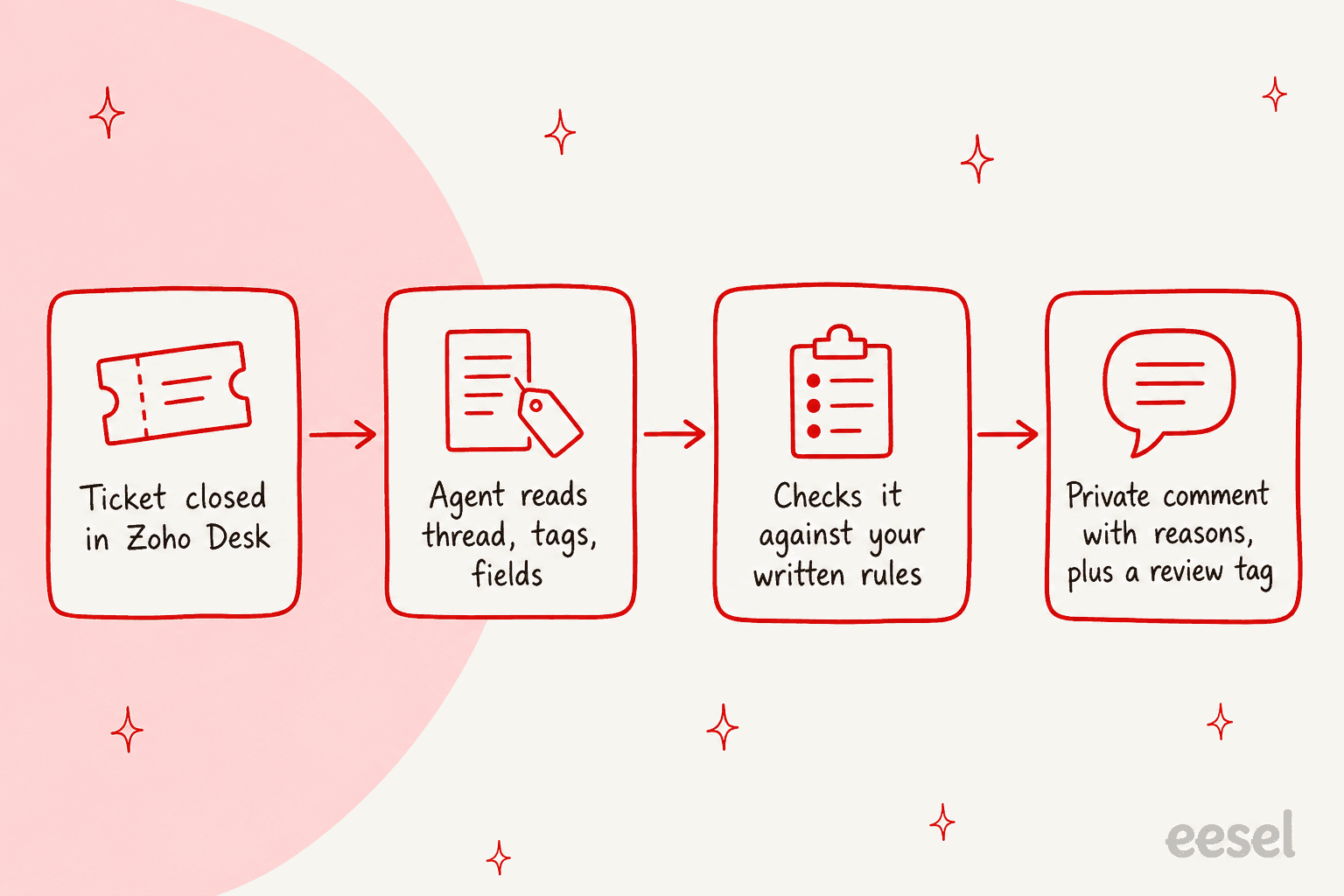
The setup I'd test first is a Zoho workflow rule that calls a webhook when a ticket closes, which starts an eesel run (confirm the exact trigger in the docs). For each closed ticket it:
- Reads the thread with its tags, department and fields.
- Checks it against rules you wrote in plain words ("refunds after 30 days need a manager's approval", "billing questions go to the Billing department", "never promise a delivery date").
- Leaves its verdict and reasons as a private comment, so the next person to open the ticket sees why.
- Adds a review tag, such as qa-review, to the ones a lead should read, so a Zoho view or report can find them.
You write the rules, so tagging, routing and policy are just more lines, changed whenever your policies change. Three limits to know first. eesel's Zoho automations need Zoho's webhooks, so you need Professional or above. eesel can add tags but not remove them. And it leaves reasons and a tag rather than a calibrated percentage, so your report is a Zoho report filtered on the review tag, not a score trend line. eesel is from $299 a month, and the same agent can draft replies in the customer's language or tag and route new tickets if you want it to.
With the eesel CLI, an AI coding agent can upload your QA rubric and approved policies as knowledge, then ask the agent test questions on sample closed tickets and check the answers before any automation runs. Connecting Zoho Desk itself still needs someone with admin access to approve it.
Checks like this already run for eesel's customers. Cactus Club Cafe runs a second eesel agent on its Zendesk helpdesk that audits the daily finance extract every morning: it checks each store and either solves the ticket as balanced or leaves it open with the imbalance named. It ran about 60 times between 8 August and 8 September 2026. A QA review has the same shape: a check against written rules, with the result left on the record. Zoho Desk isn't their helpdesk, so I'd treat it as proof the job works, not proof of a Zoho result.
Is Zoho Desk's built-in quality assurance enough?
For the price, Zoho Desk gives a small team a lot of signal. Happiness ratings from $14 a user, a per-rep scorecard, Zia's tone and writing help from $23, and a documented path to build a review agent. If you have 5 agents and a lead who reads tickets anyway, that may be all you need.
My take: turn on happiness ratings, read the lowest-rated tickets weekly, and write your five most-broken rules down in one page. That page is your rubric whether a human or an AI applies it. If your queue is past what a lead can read, or if the rules include policy and tags, a reviewer that reads every closed ticket against your rubric covers what Zia and the scorecard leave out. For the wider picture see AI support quality assurance, how to review AI support conversations and can AI do support QA.
I've read the same question for other helpdesks. Front's Smart QA, Gorgias Auto QA, HubSpot Help Desk and Help Scout each ship a native QA score of some kind. Zoho Desk is the one where I found only the building blocks, which makes it a good fit for the do-it-yourself route and a harder sell for a lead who wants a report by Friday. If you are weighing other tools, best AI for Zoho Desk and Zoho Desk alternatives lay out the field.
Try eesel next to Zoho Desk
Keep Zia for what it does well: tone and writing help while the agent types, and happiness ratings for the customers who answer. Let eesel read your closed Zoho Desk tickets against the rest of your rubric, your published policies, your tags and your departments, written in plain words and changed whenever your policies change. It leaves its reasons in a private comment and tags the tickets a lead should read. You decide what it may do alone: leave comments and tags on its own, ask first before anything else, and never reply to a customer. Every action is set in actions and approvals.

Try eesel on yesterday's closed Zoho Desk tickets first, with comments and tags only.