

Gladly translates text conversations, but an agent has to click Translate on the first inbound message, and it does not work on phone calls. After that click, later customer replies translate on their own, and the agent's reply is translated back with a second click. The part I would test first is the AI agent: Gladly lists a non-English customer among its default handoff reasons, and its docs do not say whether Gladly AI answers in the customer's language. Gladly publishes no price for translation. eesel does not connect to Gladly, so I treat it as the option for teams on Zendesk, Freshdesk or Gorgias that want replies drafted in the customer's language.
With the eesel CLI, an AI coding agent can upload approved knowledge, such as exported macros in each language you support, then ask test questions in those languages and check the answers before anything goes live. A person with admin access still has to approve the helpdesk connection.
What does Gladly translation actually do?
I read through Gladly's help center for this post, and the feature is smaller and more manual than the name suggests. It is built for the human agent. A customer writes in Spanish, the agent reads English, and the agent writes back in English while the customer sees Spanish.
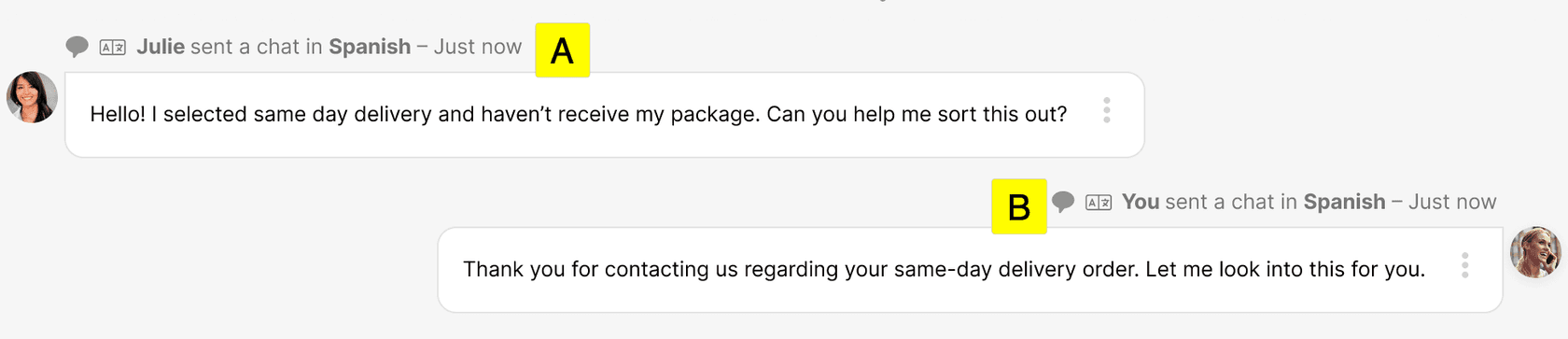
Per the translation doc (updated May 29, 2026), it covers Chat, Email, SMS and social messaging such as Facebook and Instagram. The original message stays in the customer's language on the timeline, and a timeline event shows which language went out. If you want the general idea first, my guides to customer service translation and AI real-time translation cover it.
Gladly keeps one lifelong timeline per customer, so translation sits on a conversation and not a ticket. That helps here: the original and the translation live in the same thread, and an agent can open the untranslated version at any time.
How does an agent translate an inbound message?
It takes about four clicks, and the first one matters most. The agent opens the menu next to the customer's message and picks Translate into, then chooses their own language.
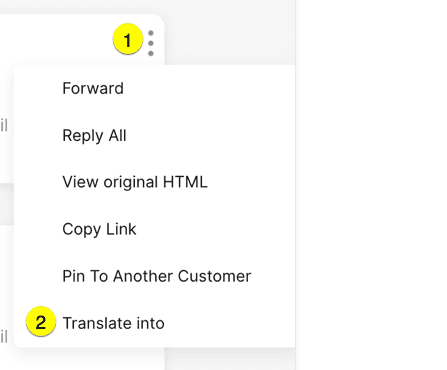
The doc spells out a few rules:
- Translate the first message only. Gladly detects the customer's language from it, and every later inbound message in the session translates automatically.
- The list is personal. The first languages shown are the ones you translate into most often. Others come from search, and a Team Manager asks Gladly Support if one is missing.
- Subject lines stay as written. For email, only the body is translated.
- The original is one click away. The same menu has See original message.
- Length is capped. Gladly says translation handles about 1,000 words, and a message heavy with URLs and formatting can fail with a "content too long" error even under that.
That last point matters for email. A long thread with quoted history and a signature full of links is the case most likely to trip it, so strip the links before you retry.
How does an agent reply in the customer's language?
The agent types in their own language, clicks the Translate icon in the Composer, and reviews the result. Tab accepts it, Esc tries again, and the language defaults to the one detected in the customer's first message.
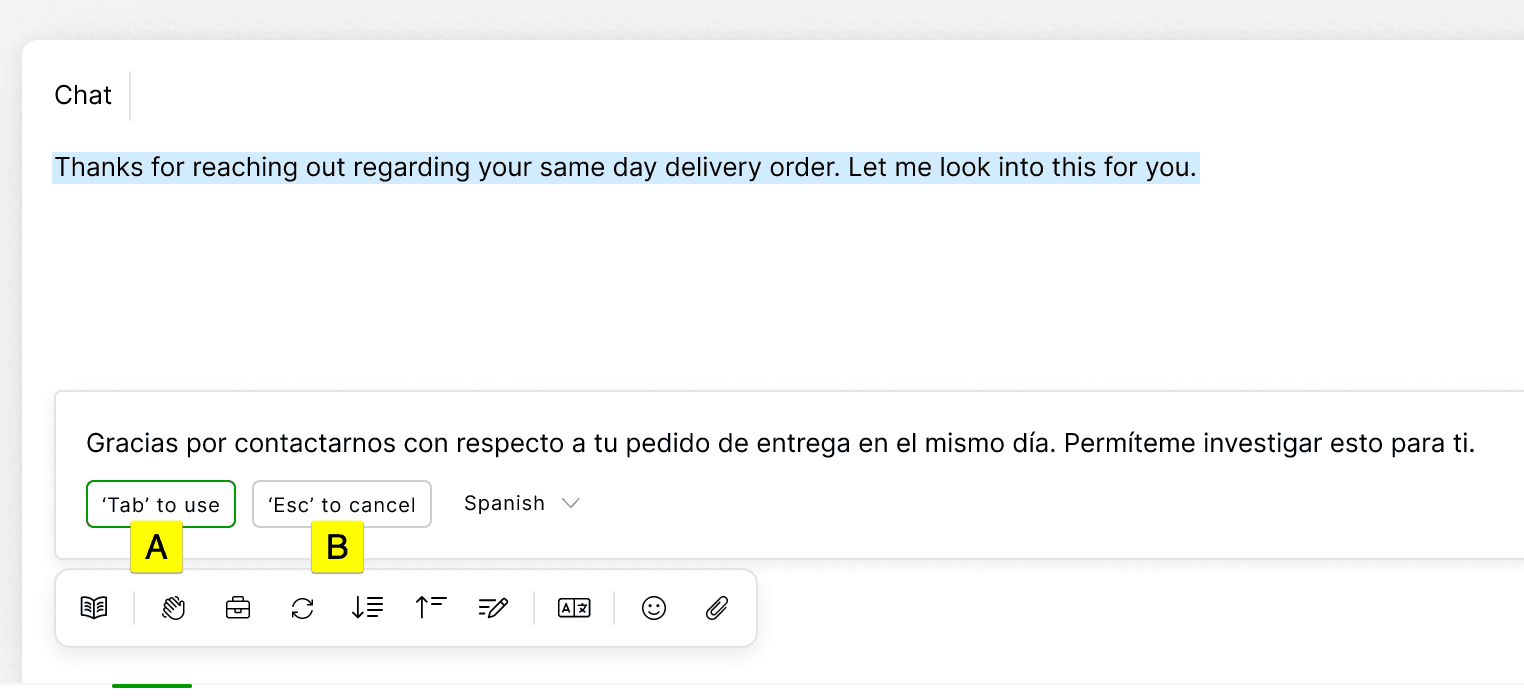
Two details I like. If detection guesses wrong, the agent clicks the language name and fixes it. And Gladly says plainly that there is always room for misunderstanding across languages, so it suggests a short disclaimer in translated replies, such as a line saying you are using a translator. That is honest guidance, and it matches how I would run a multilingual support QA pass.
What the doc does not describe is any review score or accuracy figure for the translation itself. The agent is the quality check, which is fine for a small team and a real cost for a large one.
Which channels and languages does it cover?
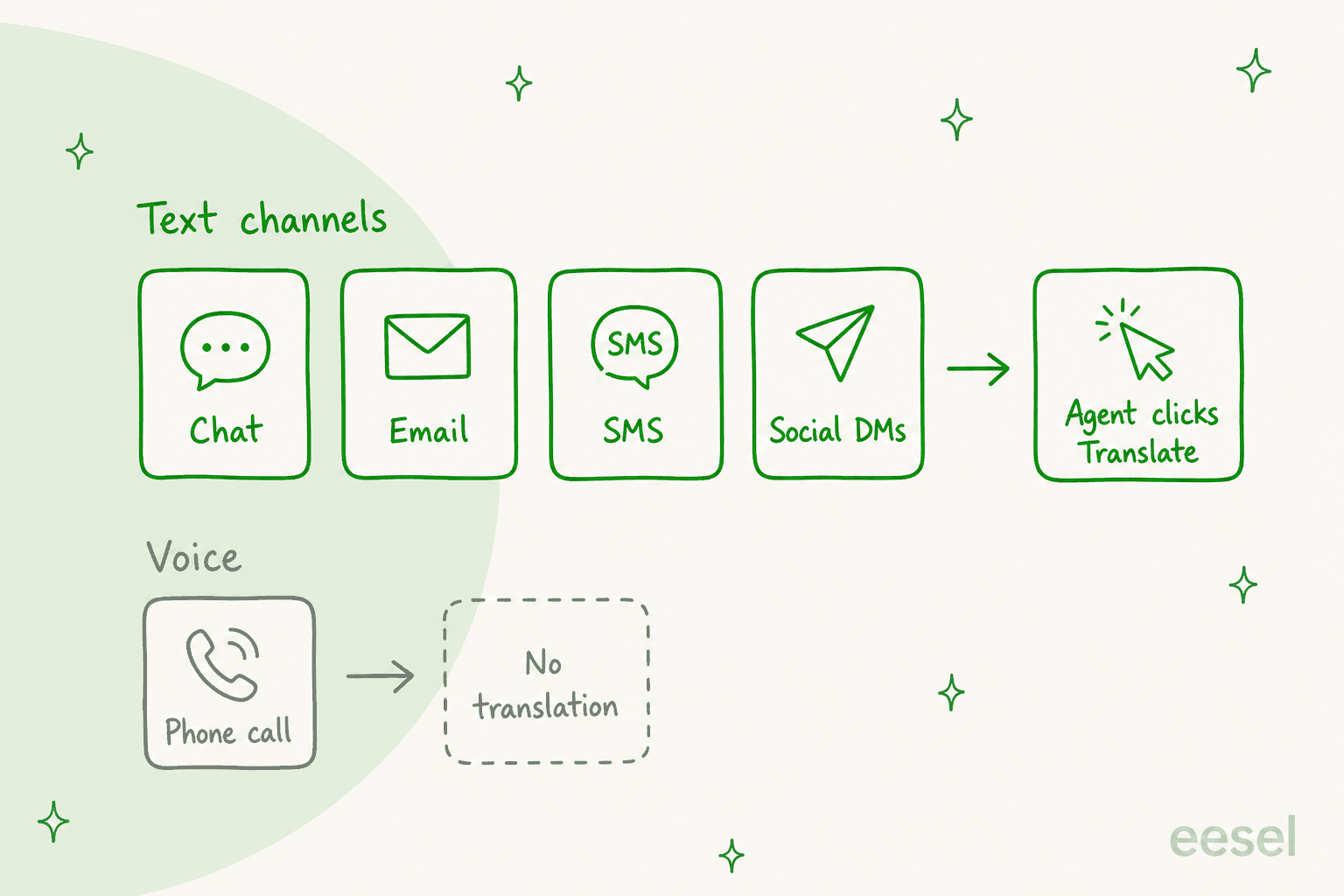
Text channels are in. Voice is out: Gladly's doc says in a note that voice translation is not supported. Its voice product page does say the built-in IVR offers text-to-speech in 30 languages, but that is the phone menu, not a live call between an agent and a customer.
On languages, Gladly's supported languages page (updated October 7, 2026) says chat, email, SMS and social channels support ISO 639-1 language input and output, with a list that includes regional variants such as English (Canada), French (Canada) and Chinese (Traditional). Three limits stand out:
- Right-to-left languages. Arabic and Aramaic are not supported, with Hebrew as the exception.
- The agent interface. The page lists English, Spanish, German, Dutch, French, Polish and Japanese for the Gladly Team UI.
- Answers languages cannot be removed. When an admin adds a language for Answers, it stays, so Gladly tells you to add only ones you will support.
So the customer can write in many languages, but your own team's tooling is narrower. For a team that cares about multilingual knowledge bases, the Answers rule is the one to plan around.
How does Gladly AI handle non-English customers?
This is the question I would ask Gladly's team directly, because the docs answer only half of it. Here is what I found.
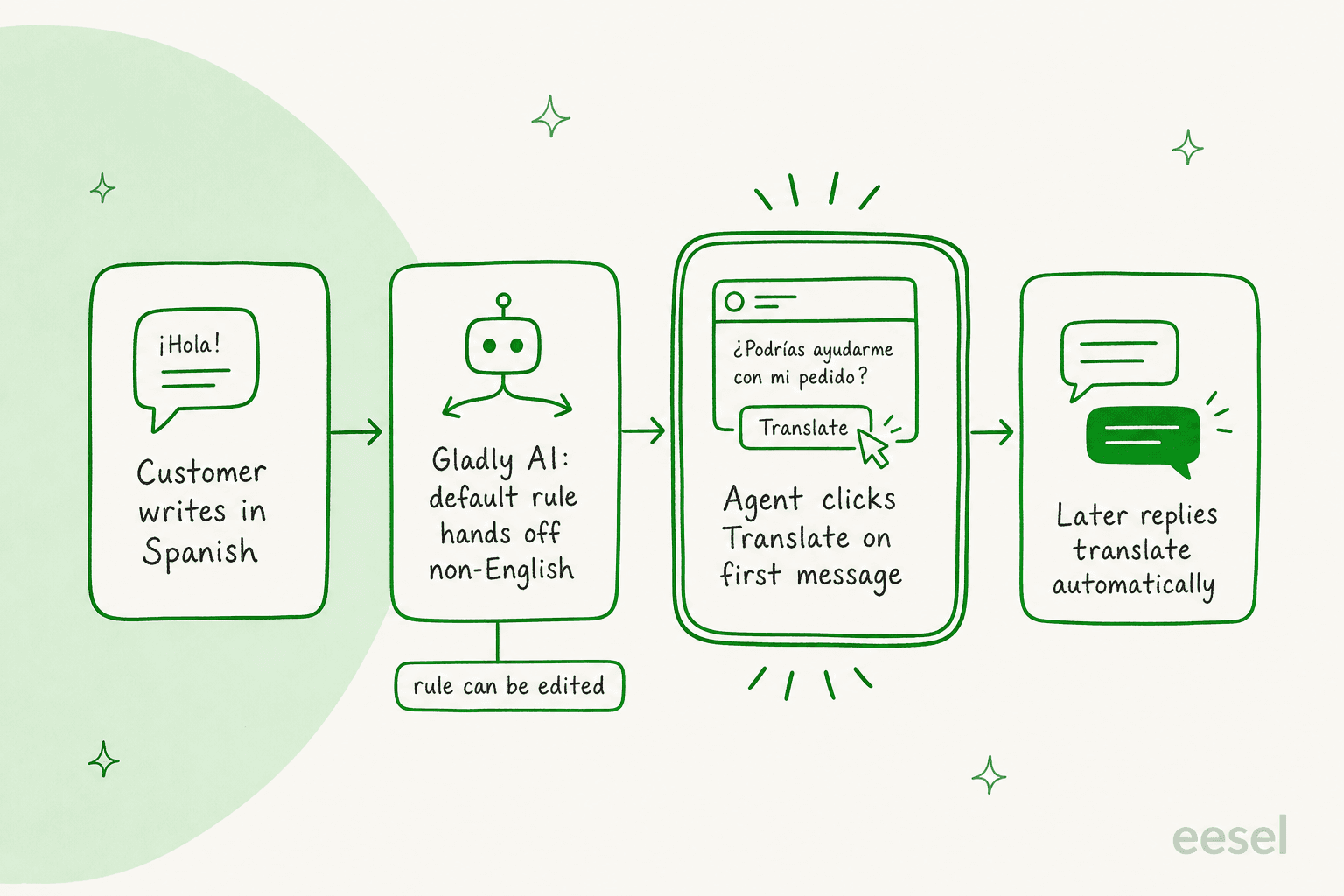
- Handoff is the default. On the When to get more help page (updated August 29, 2026), the default transfer reasons include "The customer is using a non-English language".
- The page disagrees with itself. One paragraph says default reasons are not removable or modifiable, and the next note says all of them are modifiable. I would test it in a sandbox before relying on either.
- The handoff summary can be translated. Per the agent experience doc, an agent can translate the summary Gladly writes when it hands off.
- Topics were not tested. Gladly's Topics doc says they have not been tested with languages other than English.
- Not documented: whether Gladly AI answers a Spanish customer in Spanish when the handoff rule is removed, and which languages that would cover. I found no statement either way.
The same pattern showed up in my notes on Gladly AI conversation summaries, where AI Summaries is English only. Gladly's routing is also language-aware, as I covered in Gladly AI conversation routing, since language can be a skill that People Match uses. For the bigger question of how far an AI agent can go before a person steps in, see Gladly AI deflection and my post on Gladly AI draft replies.
Which Gladly plan includes translation, and what does it cost?
I could not confirm either. The translation doc names no plan, and Gladly does not publish a platform price. The one place it posts numbers is its Shopify App Store listing, which shows a 30-day free trial, then a $250 monthly spending cap, $1.50 per AI Resolution, $0.25 per AI Assist and $120 a month per team member.
That listing also muddies the language picture. Its Languages field shows English, while its feature tags include multi-language and real-time translation. I would not read either as the final word. Ask your account team four things:
- Is Translation in my contract, or a separate line?
- Which languages can Gladly AI answer in, not only translate?
- Can I remove the non-English handoff rule, and does that change how AI Resolutions are billed?
- What happens to a long email that hits the length limit?
For a wider view, my Gladly pricing notes cover what I could and could not verify. If cost per language is your concern, my non-English support cost test shows how tokens add up in 14 languages.
What are the limits at a glance?
| Question | What Gladly's docs say |
|---|---|
| Who triggers it | The agent clicks Translate on the first inbound message |
| Later customer replies | Translated automatically in the session |
| Channels | Chat, email, SMS, social messaging |
| Voice | Not supported |
| Email subject line | Stays untranslated |
| Length | About 1,000 words, less with many URLs |
| Right-to-left | Not supported except Hebrew |
| Gladly AI and non-English | Default handoff reason, which one note says can be edited |
| Answers in another language | Add the language first, cannot remove it later |
| Plan and price | Not stated |
The pattern I take from it: Gladly built translation as an agent tool, and treats the AI agent as English-first. Teams with a big omnichannel support mix in several languages should plan a person for every non-English chat, at least until Gladly says otherwise.
How should a Gladly team set it up?
Here is a routine I would run, about 20 minutes of setup:
- Add Answer languages you will keep. They cannot be removed, so start with the two or three you have staff to review.
- Write the disclaimer once. Put Gladly's suggested translator line into a saved Answer so agents do not retype it.
- Test the handoff rule in a sandbox. Send a Spanish chat to Gladly AI and see what the customer receives.
- Train agents on the first message. If they skip Translate on message one, the automatic flow never starts.
- Sample ten translated chats a week. Have a bilingual colleague read them. My notes on reviewing AI conversations help with the checklist.
For the human side, escalation rules and a clear ticket escalation process matter as much as the translate button. If one team covers several time zones, see follow-the-sun support.
Where does eesel fit with Gladly translation?
The honest part first: eesel does not connect to Gladly. If you are committed to Gladly, use its translation and, for AI beyond it, read best AI for Gladly.
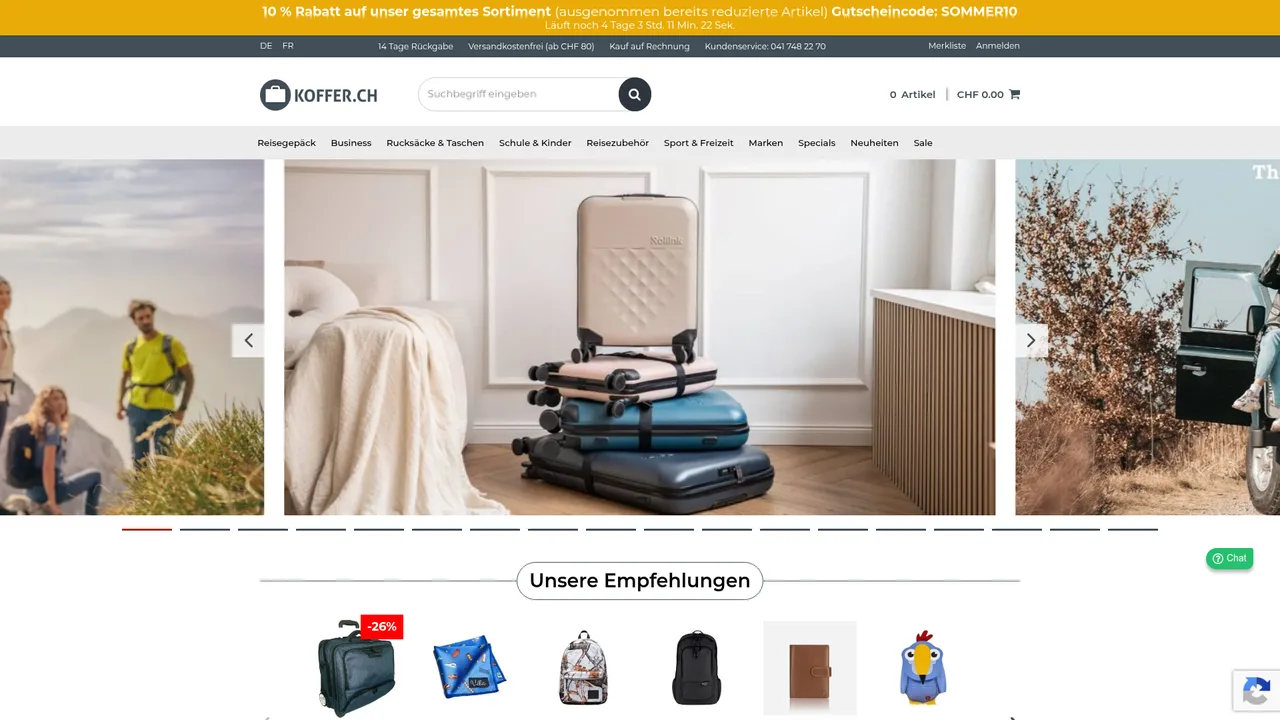
For teams on Zendesk, Freshdesk or Gorgias, eesel is an AI teammate platform, and the one that matters here is the AI helpdesk teammate. It answers from your knowledge base and past tickets, in the language the customer wrote in, and hands off when a person should step in. Koffer.ch, a Swiss online luggage shop, runs eesel on Freshdesk and gets a draft reply for each new ticket and follow-up, in German, French, English or Italian, with Swiss spelling in the German. A person reads it and sends it. In the month from August 8 to September 8, 2026 it drafted about 100 replies across roughly 60 tickets. It is a small volume, and the team is still adding rules.
Nordbutiker, a Nordic e-bike and scooter retailer, takes the other route. It runs a separate bot for each brand and country on Zendesk, trained on that store's pages and its solved tickets, so a Danish customer gets Danish answers about Danish products.
On cost, eesel's pricing is fixed credit plans: 500 credits a month is $299, and a ticket or a chat is 1 credit however long it runs. If you are weighing a move off Gladly, my Gladly alternatives roundup and the Kustomer vs Gladly comparison are where I would start. Kustomer AI is the closest conversation-first rival.
Try eesel for multilingual replies
If your agents spend their day translating and retyping, and you are on Zendesk, Freshdesk or Gorgias, I would put an AI teammate on the queue that drafts in the customer's language from your own macros. You can test it against old tickets before it touches a live one, and the agent assist side and the best agent assist tools list cover the in-ticket help. For a wider look at the topic, see whether AI can handle multilingual support and how to support multiple languages.
Try eesel free, and run it against your own past tickets first.