

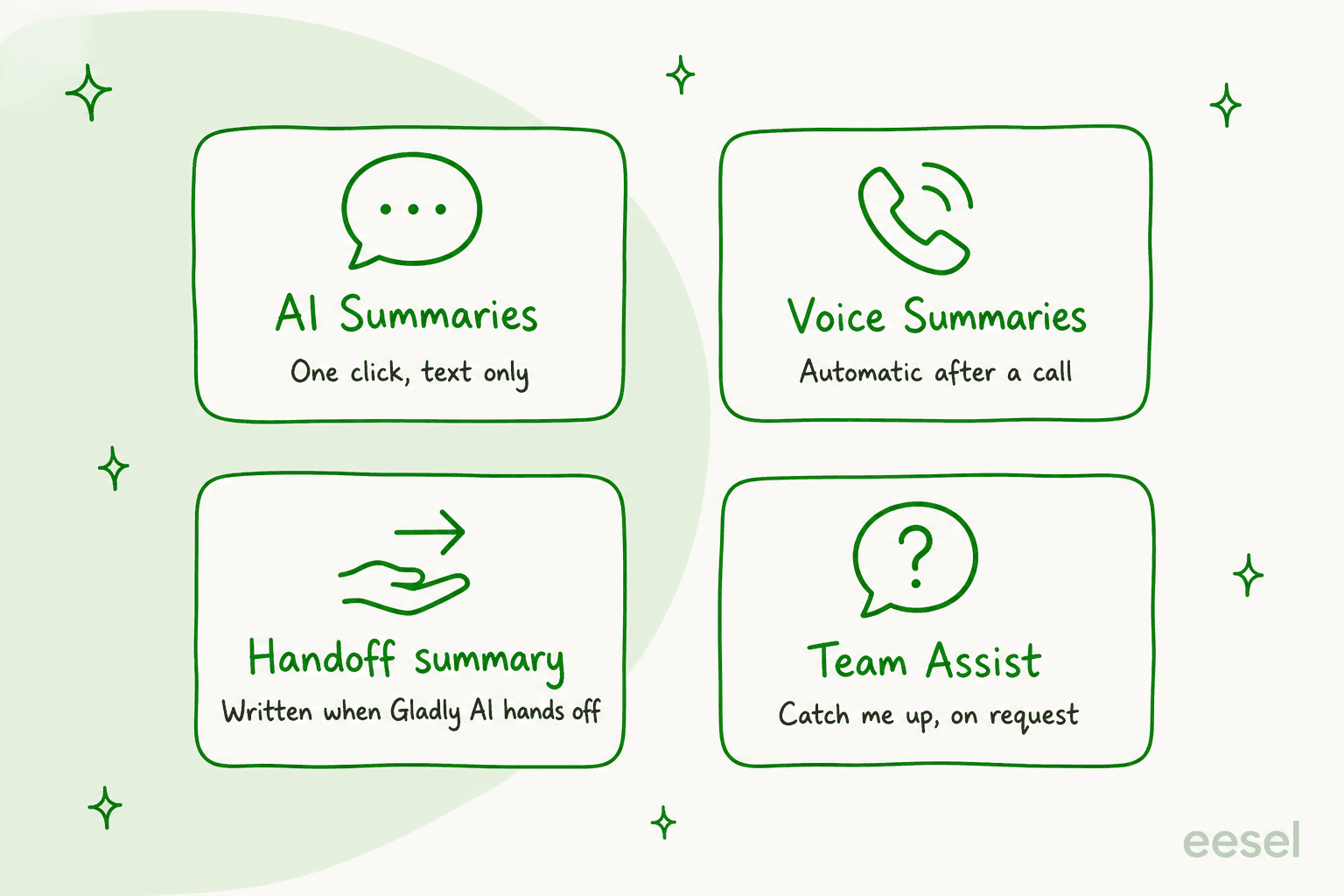
Gladly has four AI summaries, and only two of them run on their own: Voice Summaries after a recorded call and the handoff summary when Gladly AI passes a chat to a person. AI Summaries and Team Assist's Catch me up wait for a click. All of them read text or calls only, are English-first, and Gladly publishes no price, so I would verify plan access with sales. eesel does not connect to Gladly, so I treat it as the option for teams on Zendesk, Freshdesk or Gorgias who want the same handoff idea.
With the eesel CLI, an AI coding agent can upload approved knowledge, such as exported macros and policy pages, then ask the agent test questions and check the answers before anything goes live. A person with admin access still has to approve the helpdesk connection.
What are Gladly AI conversation summaries?
I read through Gladly's help docs for this post, and the first surprise is that "summary" means four different things there. They fire at different moments, for different readers, and with different limits.
The split matters because Gladly keeps one lifelong timeline per customer instead of tickets, which is why its summaries sit on a conversation and not a case. One Capterra reviewer describes the appeal of that structure:
"The conversation-based structure-rather than a traditional ticketing model-has been a standout advantage. This approach provides a more natural, customer‑centric workflow, enabling our team to follow interactions seamlessly across channels and maintain full context in a single thread."

A single thread is also what makes a summary useful. A long, multi-channel timeline is exactly where a reader wants the recap first. If you want the general idea before the Gladly specifics, my guides on AI ticket summarization and whether AI can summarize support tickets cover it.
How do Gladly AI Summaries work?
You open a conversation, click the plus icon, and choose Summarize Conversation. Gladly writes a structured summary onto the timeline with a reason for the customer contact, a summary of key points, and the time span it covers, plus a Jump to the beginning link.
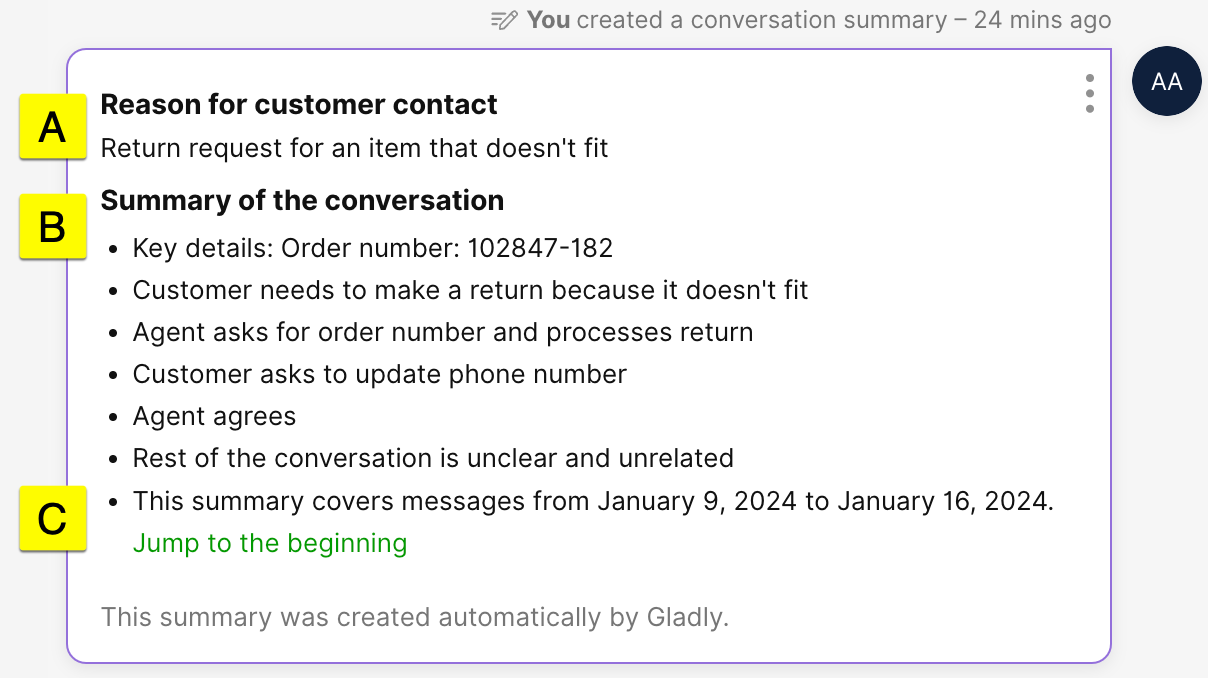
The help doc (updated July 20, 2026) lays out the rules, and a few are easy to trip over:
- Open conversations only. A conversation has to be Waiting or Open. A recently closed one must be reopened first, and older closed conversations cannot be summarized.
- Three text contacts minimum. At least one must come from the customer, or you get a "more text is needed" error.
- Text only. It cannot read images or phone calls.
- Two routes, one trade-off. The plus menu is faster but the summary cannot be edited. Notes lets you edit before you save it to the timeline.
- Rate it fast. The thumbs up or down disappears after three minutes.
Gladly also says summaries may not always be accurate, and that asking again twice in a row can give a different one. A Compliance Administrator can delete a summary if it holds sensitive data or is wrong. I like that Gladly says this plainly. It matches how practitioners talk about AI answers in general:
"The risky part is when tools try to fully automate everything too early and start giving customers confident but wrong answers."

For a summary read by an agent, that risk is smaller than for a reply sent to a customer, but a wrong refund amount in a recap still costs money. Check amounts, dates and promises against the thread, as I describe in my review routine for AI conversations.
What does Gladly's handoff summary contain?
This is the one I would care about most. When Gladly AI cannot answer, or a rule in the "When to get more help" tile triggers, it sends an optional handoff message to the customer and then, per the agent experience doc, writes a summary of the conversation before the agent takes over.
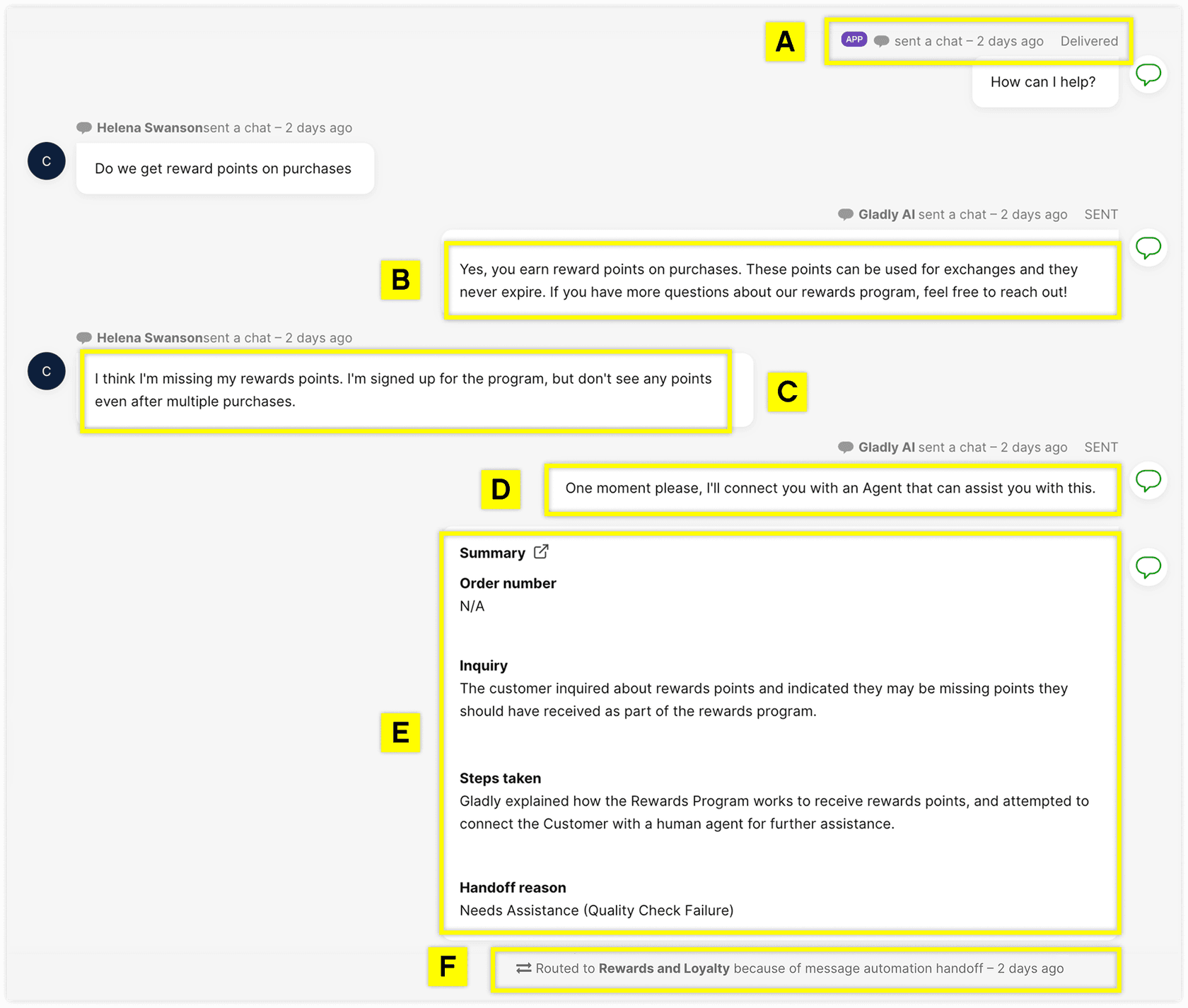
In Gladly's own example the summary has four fields: order number, inquiry, steps taken, and handoff reason. That is close to what I would put in any handoff note, and it appears without anyone clicking.
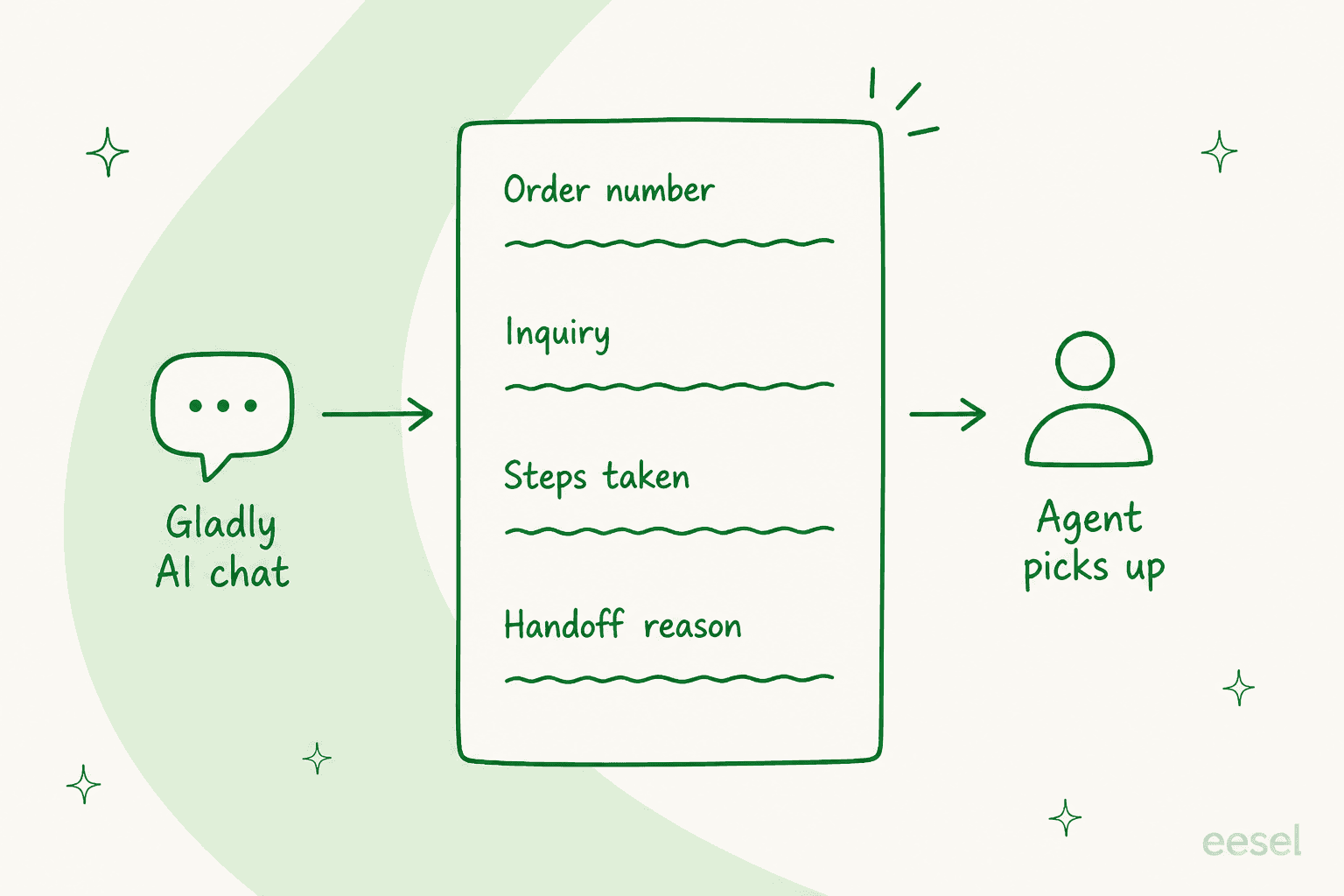
Three details are worth knowing:
- You write the reason. When you author a handoff inside a Guide, you supply a handoff reason such as "Order is outside delivery SLA", and Gladly says it is included in the handoff summary the agent sees.
- Agents can translate it. If the summary is in a language the agent does not read, there is a translate option.
- Non-English customers hand off by default. Gladly's default transfer reasons include a customer using a non-English language, so the summary and the English-first limit show up together.
Gladly also reviews agent replies on handed-off conversations to create Suggested Answers, so the handoff feeds the knowledge base. If you care about how a handoff should read, my guides on human handoff in chat and setting up a Zendesk handoff go deeper.
What does Voice Summaries do for phone calls?
Voice Summaries turns a recorded call into a text summary, automatically, about a minute after the call ends. It covers inbound and outbound calls as long as they are recorded, and the summary appears under the recording on the timeline.
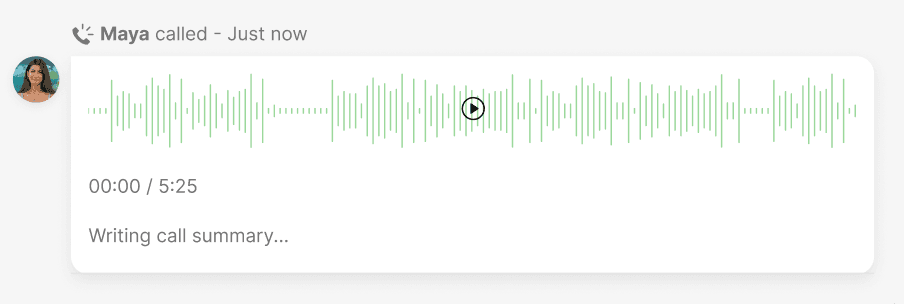
Per Gladly's activation doc, a 10-minute call gets a 3 to 5 sentence summary, and most calls stay under 500 characters. You turn it on under Settings, Agent Experience, Conversation Workflow, in the Voice section. The agent doc calls it an add-on you request through Gladly Support or your CSM, and the cost is included in Gladly Voice rates.
The limits are real: English only, no edits, no regeneration, no reports yet, and AI Summaries does not fold calls into its text recap. So a conversation that mixes email and a phone call carries two separate summaries. Gladly says its AI vendor does not train on your data and is SOC 2 Type 2 compliant, which is worth confirming against your own security review.
Can Team Assist catch an agent up on a conversation?
Yes, when the agent asks. Team Assist was published in June 2026 and sits in the agent workspace. Its Catch me up button returns what the customer needs, what was tried, and where things stand, and Summarize this customer pulls the profile and a line for each past interaction.
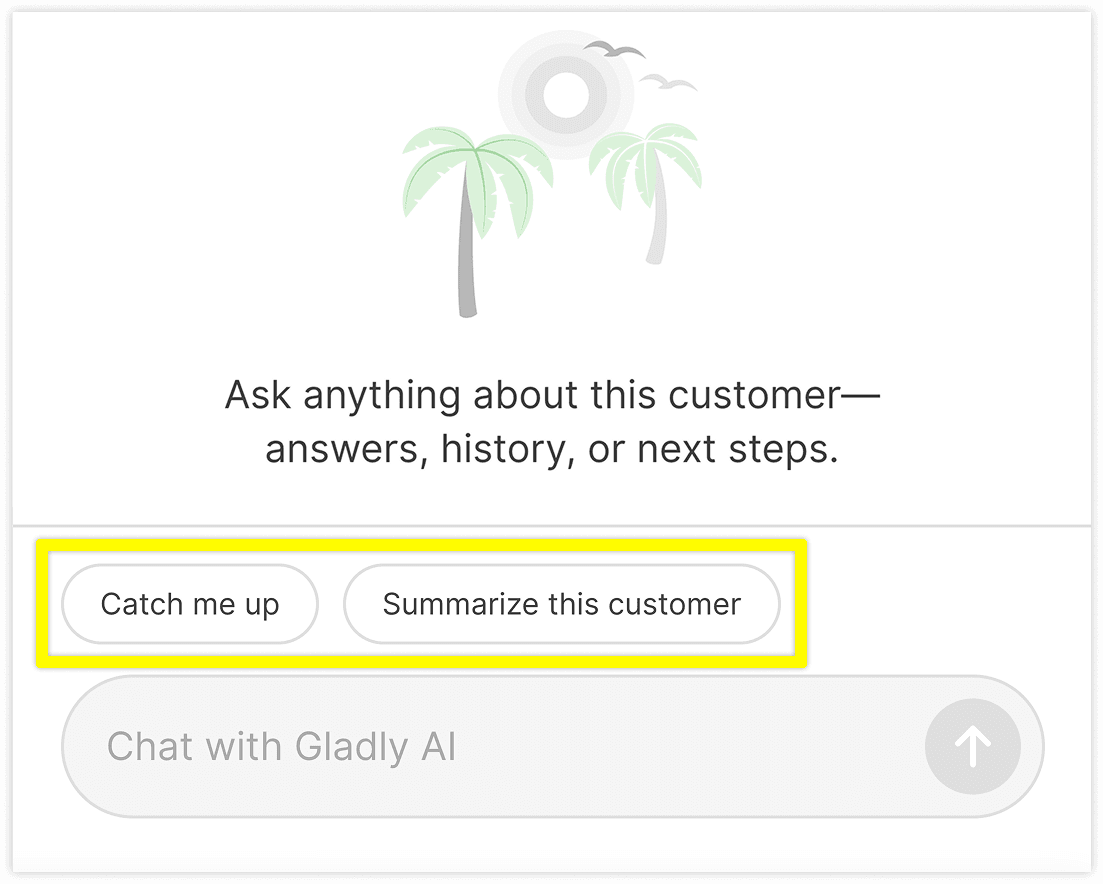
A few setup facts from the setup doc:
- It is enabled per team, under Settings, Teams.
- The quick-response panel starts empty. Gladly offers three templates: Catch me up, Summarize this customer and Suggest a reply.
- A button's message is capped at 1,000 characters.
- A session is private to the agent. They can copy a link to share it, which Gladly suggests for mid-shift handoffs.
Team Assist never sends on its own, and it responds only when prompted. Gladly's Team Assist page reports that 64% of team members replied faster after their first session and 54% of suggested drafts were used as written or lightly edited. Those are vendor-reported figures, so I would treat them as a pilot target, not a promise. This is the nearest thing in Gladly to an AI copilot for the human side of a conversation.
Which Gladly plans include summaries, and what do they cost?
I could not confirm either. Gladly's docs describe the features without naming a plan, and the company publishes no pricing, only a demo form. The one explicit line I found is that Voice Summaries usage is included in Gladly Voice rates and the feature is an add-on you ask Gladly to activate.
I would ask your account team four things before you plan around any of these:
- Is AI Summaries in my current contract, or a separate line?
- Is Team Assist included, and is it per team or per seat?
- What does the Voice Summaries add-on cost on top of Gladly Voice?
- How are my AI conversations billed when Gladly AI hands off?
What are the limits at a glance?
| Summary | Fires when | Editable | Language | Key limit |
|---|---|---|---|---|
| AI Summaries | An agent clicks | From Notes only | English conversations | Open conversation, 3+ text contacts, no images or calls |
| Voice Summaries | A recorded call ends | No | English only | Add-on, cannot be regenerated, no reports |
| Handoff summary | Gladly AI hands off | No | Agent can translate | Needs a configured handoff reason |
| Team Assist | An agent asks | Drafts, yes | Not stated in the docs | Enabled per team, private session |
The pattern I take from it: Gladly builds good summaries for the moment a human takes over, and treats the quality check as a safety net. Keep that in mind when you compare its omnichannel support approach with a ticket-based helpdesk. The getting-started page, last updated in December 2025, also said no reports on AI feature usage were available yet, so ask what exists today.
How should a Gladly team use these summaries?
Here is the routine I would set, about 15 minutes of setup:
- Write handoff reasons that say something. "Needs assistance" tells the agent nothing. "Order outside delivery SLA" does.
- Add handoff conditions per Guide. Gladly lets a Guide carry its own handoff rules, so a damaged-order Guide can hand off with its own reason.
- Use Notes for anything that matters. The editable route lets you fix the three facts that cost money before saving.
- Keep call summaries as pointers. Listen to the recording before you rely on a call summary for a complaint.
- Review a sample weekly. Open ten handed-off conversations and check whether the summary matched the thread. My notes on AI agent observability and permissions help you frame it.
For the human side, escalation rules and a clear ticket escalation process matter as much as the summary. If your team hands work across time zones, see AI for shift handover.
Where does eesel fit with Gladly summaries?
The honest part first: eesel does not connect to Gladly. If your team is committed to Gladly, use Gladly's own summaries and, for AI beyond them, see best AI for Gladly.
For teams on Zendesk, Freshdesk or Gorgias, eesel is an AI teammate platform, and the one that matters here is the AI helpdesk teammate. It answers from your help center and past tickets, hands off when a person should step in, and leaves a note your team can read. Nordbutiker, a Nordic e-bike and scooter retailer, runs eesel on Zendesk with a bot per brand and country. Its agents use eesel's browser extension next to the ticket to draft replies and summarise the ticket before answering, with an internal summarize bot built for that. The team has asked for a summary of a customer's whole ticket history, not just the open ticket, which is close to Gladly's Summarize this customer. That request is with eesel's product team, so I would not call it shipped.
On cost, eesel's pricing is by credits and plans start at $299 a month for 500 credits per the pricing docs. If you are weighing a move off Gladly, my Gladly alternatives roundup and the Kustomer vs Gladly comparison are where I would start, and Kustomer AI is the closest conversation-first rival.
Try eesel for handoff notes
If your handoffs lose context and you are on Zendesk, Freshdesk or Gorgias, I would put an AI teammate on the queue that answers tier-1 questions and writes an internal note when it stops. eesel reads your knowledge base and past tickets, and you can test it against old tickets before it touches a live one. The agent assist side and the broader best AI agent assist tools list cover the in-ticket help.
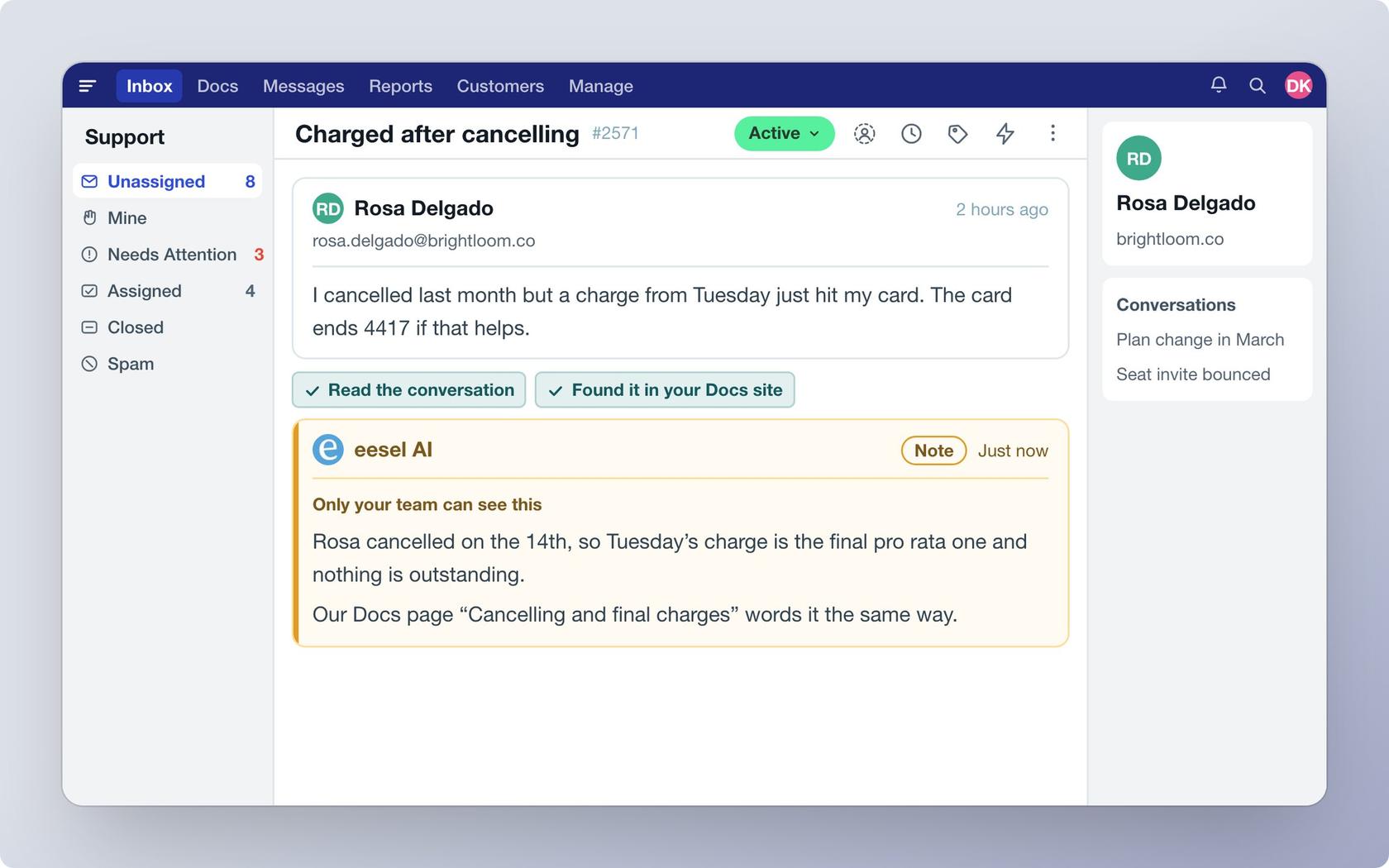
Try eesel free, and run it against your own past tickets first.