


Gladly's AI sentiment analysis is Signals: you write a sentiment criterion, and Gladly's AI labels a sample of past AI-handled chat, SMS and email sessions with it, free for Gladly AI customers within fair-use limits. It doesn't score conversations your agents handle, and it doesn't run live. For a live reaction, you add a handoff reason to Gladly AI's "When to get more help" list; for agent-handled conversations, you need a custom attribute or a partner app such as SentiSum, Idiomatic or SupporTrends.
My take: run a three-label sentiment Signal on your AI traffic, because it costs nothing and the per-session reasoning is useful. Just don't read its number as your customers' mood: Signals stops reading at the handoff, and what happens after it, with a person, is where the conversations most likely to go badly play out. If you're weighing a helpdesk partly on this, eesel's AI teammate reads the whole thread on every ticket in Zendesk, Freshdesk, Gorgias or Help Scout and acts on a plain-language rule; it doesn't connect to Gladly. With the eesel CLI, an AI coding agent can upload approved help articles and macros and ask test questions before anything goes live, though an admin still approves the helpdesk connection.
What is Gladly AI sentiment analysis?
There's no sentiment score sitting on every Gladly conversation, which surprises people coming from other Gladly AI features. What Gladly has is Signals, a feature under Gladly AI that "uses AI to evaluate AI-handled Sessions against criteria you define, then rolls the results up into a statistical picture". Sentiment is one of the things you can ask it to judge (the general idea is in my guide to AI sentiment analysis for support), and Gladly's own getting started guide lists "overall customer sentiment" as an example Signal.
I build eesel's integrations, so the first thing I check on any AI feature is what data it actually reads. For Signals the answer is narrow. Its best practices page says it "currently only evaluates Chat, SMS, and Email Sessions. Conversations led by human Agents aren't included yet." Even inside an AI Session, Gladly's review guide says it reads only the messages between the AI and the customer, not handoff metadata or the handoff summary.
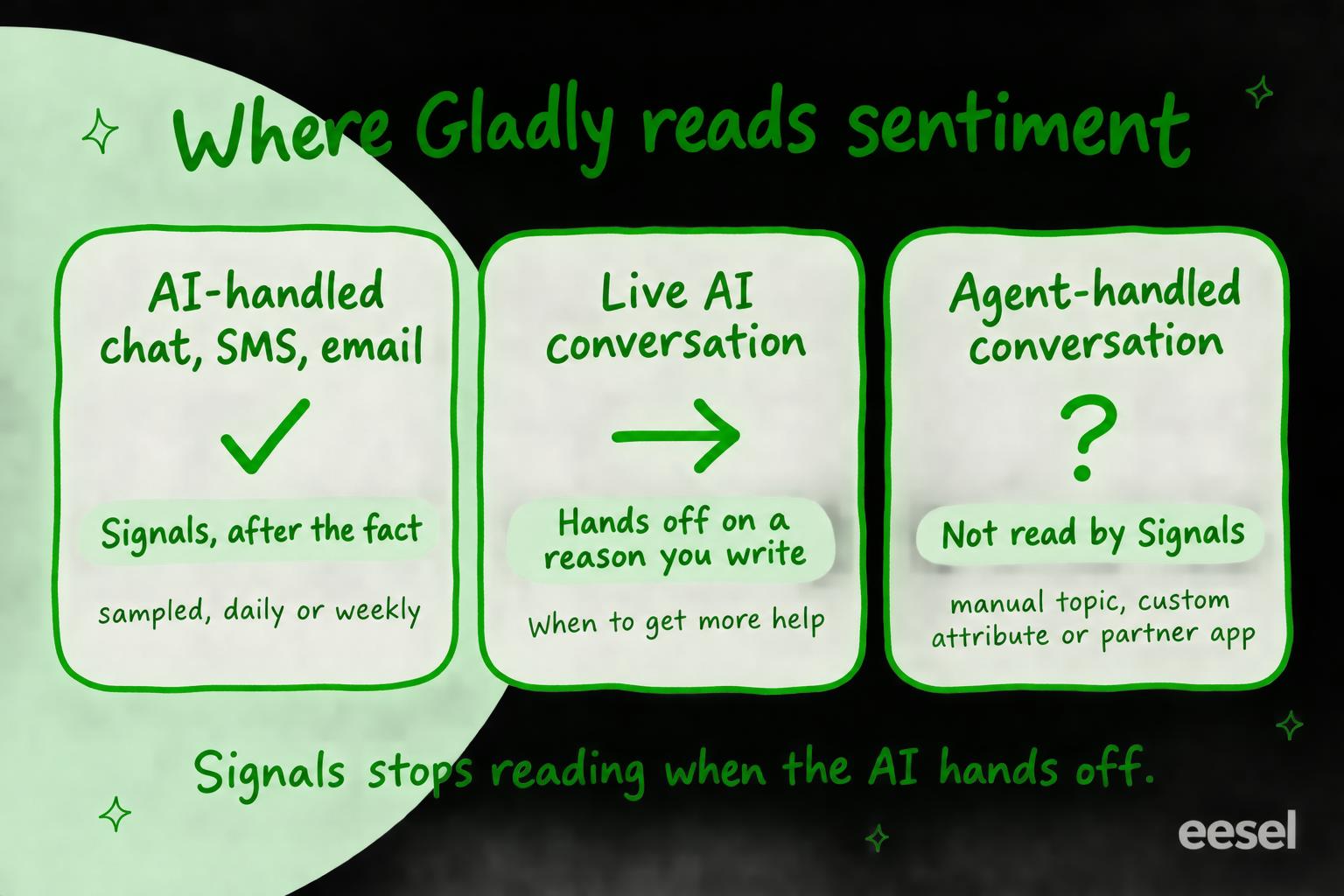
That gap matters because of how handoffs work. Gladly AI's built-in handoff reasons include a customer threatening legal action and a customer asking for a person (When to get more help). Those are often the conversations you'd most want a sentiment analysis read on, and from the handoff on, an agent is handling them.
Signals is also clear about what it isn't. It is "not a real-time alert": it runs on demand or on a schedule over a date range of past sessions, and it returns percentages and trends, not individual customer records (Gladly's Signals overview).
How does Gladly's Signals judge sentiment?
Signals judges sentiment by asking a large language model a question you wrote and making it pick one of the labels you allowed, with its reasoning and a supporting quote attached. Nothing is scored on a numeric scale unless you invent one, and Gladly advises against that.
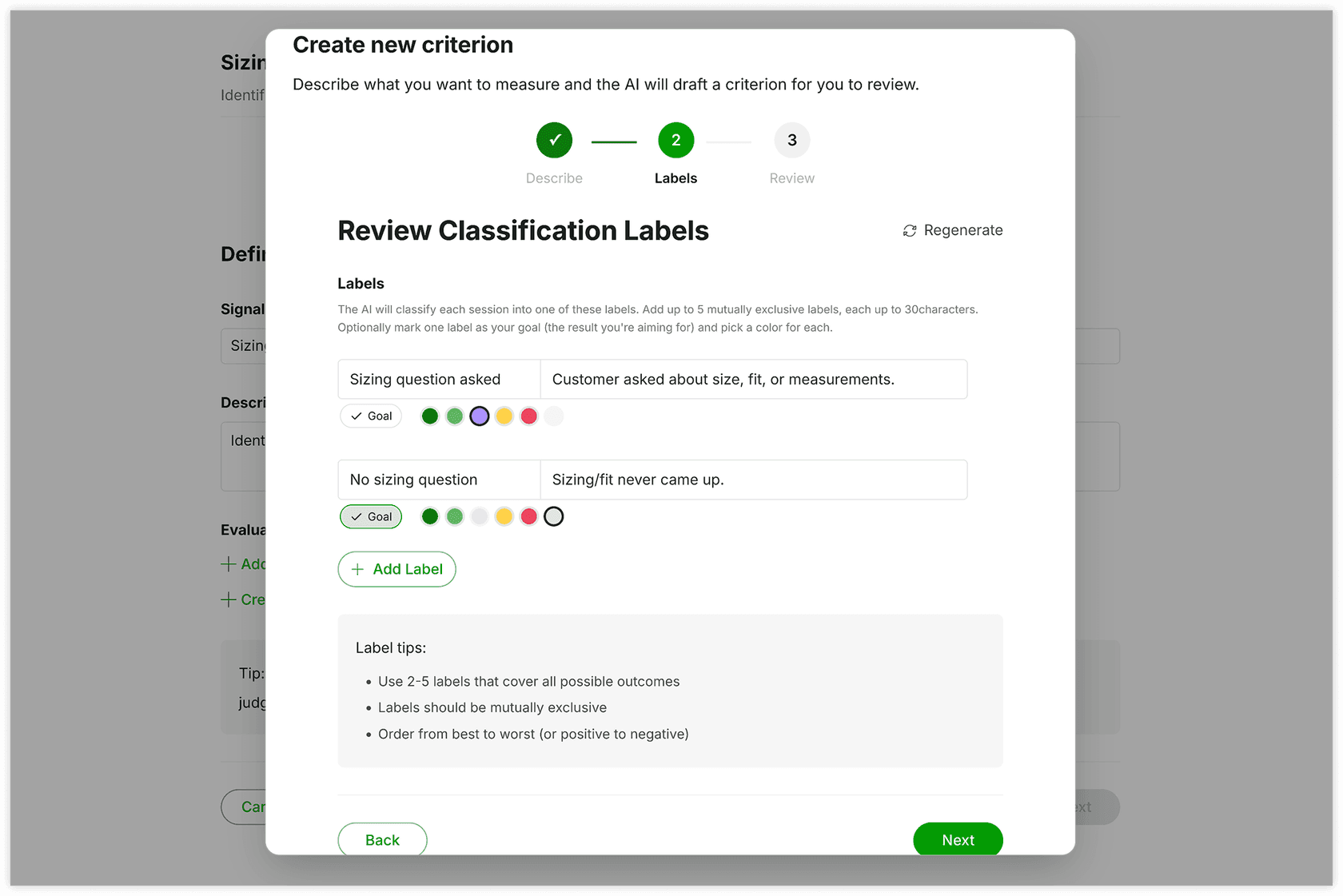
You start a criterion by describing what you want to measure. Gladly's AI drafts the labels and an evaluation prompt, and you can edit both. According to Build a Signal, a criterion has up to 5 mutually exclusive labels, each up to 30 characters, and you can mark one as the Goal (the result you want) or the Risk (the one you want to avoid). The same page says to prefer "a short list of named categories (Positive/Neutral/Negative)" and to "never use a 1-5 numeric scale".
When a run finishes, each evaluated session shows the label the AI picked, its written reasoning and the quote it relied on. You can thumbs-up or thumbs-down each one, and Gladly tracks an agreement rate between your reviews and the AI's labels (Gladly's review guide). That review loop is a small human in the loop for the AI's judgments. Gladly says it holds its own built-in criteria to a ">90% accuracy bar", and that you should set your own.
One warning from Gladly's docs is worth reading twice if sentiment is your goal. In a test org where scenarios repeat, a sentiment judgment "can collapse toward one dominant label when the underlying content doesn't vary much" (Gladly's Build a Signal guide). In my view, if every run comes back 95% Neutral, check whether your AI traffic is mostly order-status questions before you blame the criterion.
How to set up a sentiment Signal in Gladly
You need the Manage Gladly AI permission to create criteria; Administrators, Team Managers and anyone with View Gladly AI can see results (Gladly's Signals overview). Then:
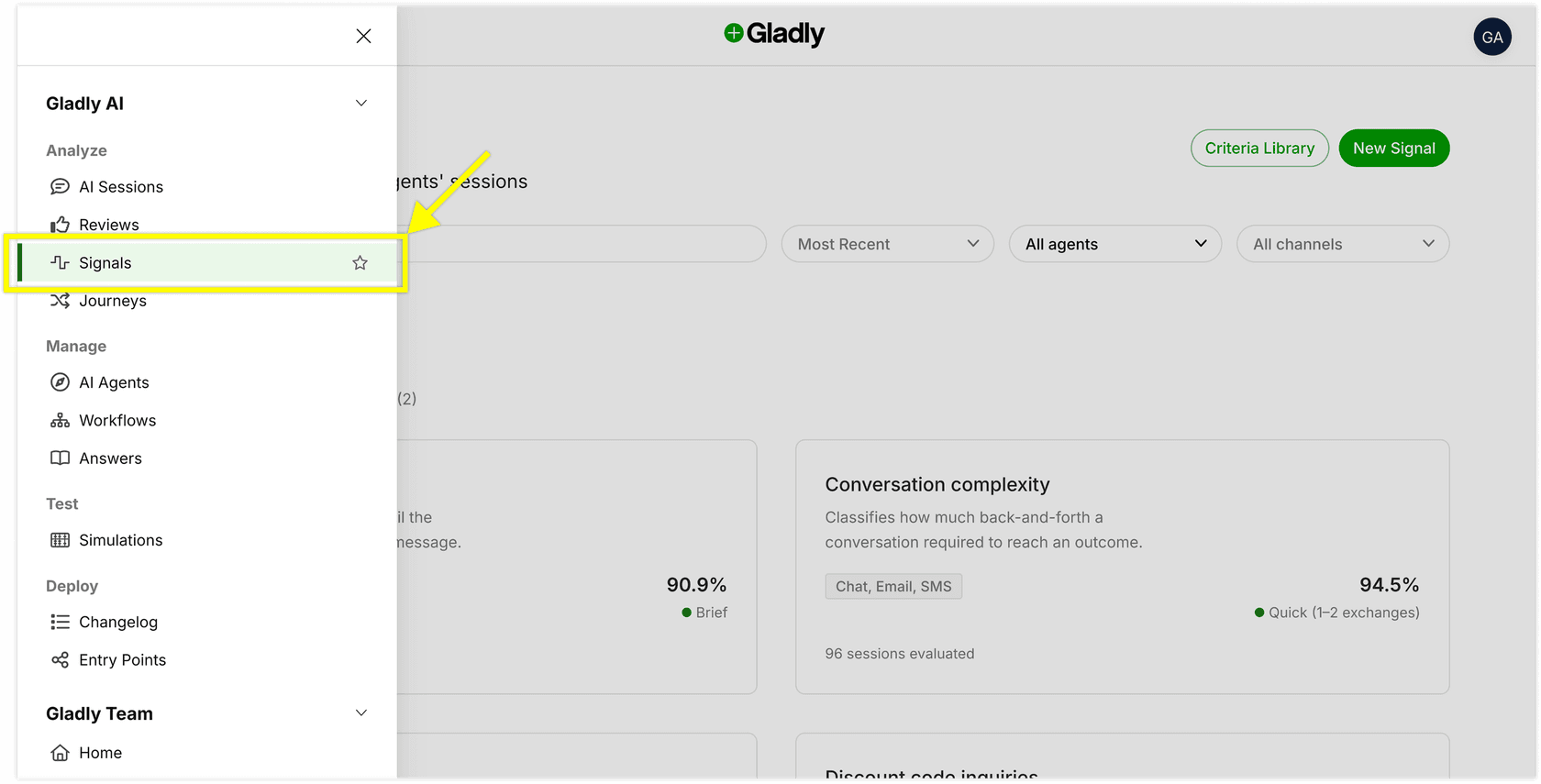
- Open Signals. Go to Gladly AI > Analyze > Signals and click New Signal.
- Define it. Name the Signal and add 1 to 5 criteria. Create a new criterion, describe it in specific terms ("the customer's tone in their last two messages: positive, neutral or negative"), and name the edge cases. Gladly's own example of an edge case is "a Customer who's naturally terse but not actually frustrated" (Gladly's Signals best practices).
- Review the labels and prompt. Keep three labels: Positive, Neutral, Negative. Mark Negative as the Risk, so reporting shows how often it happens; measuring customer sentiment covers why three labels beat a score. Read the generated evaluation prompt on the last screen, because it is the exact instruction the AI follows on every session.
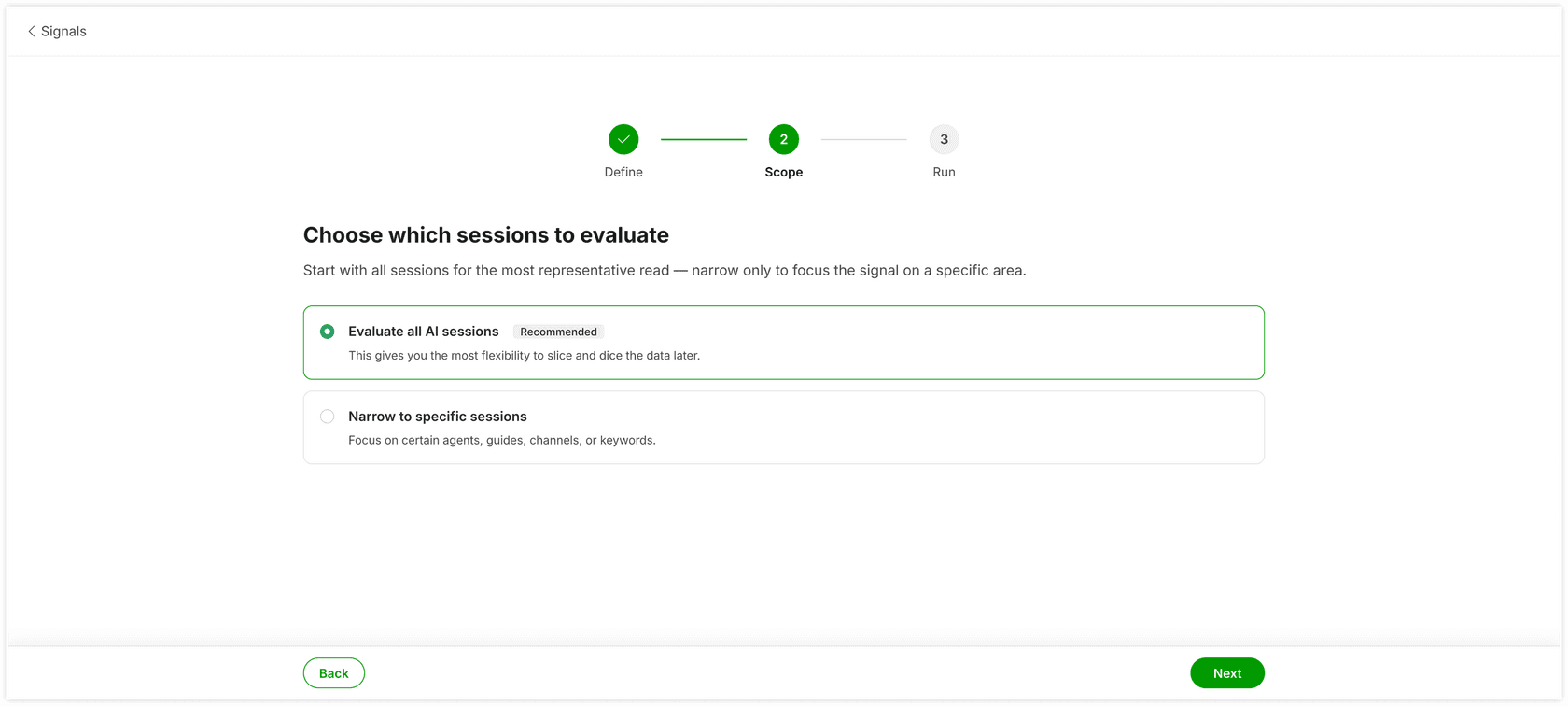
- Scope it. Choose Evaluate all AI sessions, which Gladly recommends, or narrow by channel (Chat, Email, SMS), AI agent and guide, or keyword.
- Run a small test. Pick One-off with a short date range, so the first run stays under 50 sessions as Gladly's Run a Signal guide suggests, and read the labels.
- Make it ongoing. Once the labels look right, create a Signal set to Ongoing with a Daily or Weekly refresh. The default sampling rate is 20%; the options are 5%, 20%, 50% and 100%, with 100, 1,000 or 10,000 sessions per run.
Editing a criterion later never rewrites past results. Each criterion is versioned and only future runs use the new version (Gladly's Build a Signal guide), so a trend line that jumps after an edit is the edit, not your customers.
Can Gladly escalate on sentiment in real time?
Yes, but through Gladly AI's handoff rules, not through Signals. It's a form of AI escalation you configure in words. The When to get more help tile holds a list of reasons, and "when Gladly AI identifies an inquiry as one of the reasons detailed in this list, the Conversation instantly hands off to an agent."
The default reasons are a customer threatening legal action, a customer asking explicitly for a human or an agent, and a customer using a non-English language. Frustration isn't one of them, so if you want Gladly AI to step aside for an upset customer, you write that reason yourself: AI Agents > When to get more help > + Add, then save. Gladly's handoff best practices say to treat each new reason as supplemental to the built-in ones and not to start it with a dash.
Borrow the rule Gladly's Simulator criteria guide gives for anything judged from a transcript: make it observable in the transcript. "The customer is unhappy" is vague. "The customer says they've already contacted us about this order, or uses words like ridiculous, unacceptable or cancel everything" gives the model something to find. The handoff also hands your agent a summary, which is the AI agent handoff done right: nobody asks the customer to repeat themselves.
This only covers conversations Gladly AI is handling, which my Gladly AI deflection post covers in more depth. Once a person has the conversation, no Gladly feature I found in its docs watches the customer's tone for them.
What about conversations your agents handle?
For agent-handled conversations, Gladly gives you three routes, none of them automatic out of the box.
Agent-applied topics. Gladly's Freeform Topics let agents add a value to a conversation, and Gladly names Sentiment as one you might capture, recommending clear options so agents don't each invent their own. The values go to your analytics tool through the API, webhooks or AWS EventBridge. It's sentiment as judged by a person, which is accurate and depends on agents remembering. It pairs well with a CSAT survey, which asks the customer directly.
A custom attribute for routing. A custom attribute on the Customer Profile can be set by a Lookup Adaptor, the REST API or an editable field, and then used in Rules, routing and People Match priority boosts, the same machinery behind Gladly conversation routing. Gladly's Shopify doc even lists a "Sentiment Score" metafield showing Positive, Neutral or Negative as a use case (Shopify custom attributes). Two catches: adding an attribute as a Rule condition means contacting Gladly Support, and the value has to exist before Lookup and Rules run, so you need something else to compute it. Gladly's routing page promises to "Route customers based on their LTV, history, and sentiment"; the docs I found only show sentiment reaching routing through a custom attribute you populate.
A partner app. Gladly lists three that score sentiment on its conversations:
| Partner | What it does with Gladly conversations | Where the result lives |
|---|---|---|
| SentiSum | Analyzes conversations in real time to prioritize, route and report by sentiment, urgency and contact reason, across voice, email, chat and social | SentiSum's dashboard, plus prioritising in Gladly |
| Idiomatic | Listens for Conversation updates by webhook and classifies topic and sentiment | Idiomatic's dashboard only: the integration is one way |
| SupporTrends | Picks up Conversations when they close and links topics to sentiment with NLP | SupporTrends' platform |
Each is priced by the partner, Gladly's docs say Idiomatic and SupporTrends build and maintain their own integrations, and every one adds a vendor that reads your customer conversations. The do-it-yourself route also exists: Gladly's data warehouse guide suggests storing conversation content for "custom sentiment analysis you'd like to perform using your own software", though its daily conversation export runs 24 hours behind.
Which Gladly sentiment feature fits your job?
The right feature depends on whether you need a trend, a live reaction, or a value you can route on. Pick your job:
Pick what you need sentiment for to see which Gladly feature does it, and the catch.
What does Gladly sentiment analysis cost?
Signals costs nothing extra if you already pay for Gladly AI. Gladly's September 2026 releases say it "is now available to all Gladly AI Customers at no additional charge, subject to fair-use limits". Gladly doesn't publish what those limits are, and the Run a Signal guide suggests lowering the sampling rate "to cut token usage", so expect a high-volume, 100%-sampled daily Signal to be the thing that runs into them.
Gladly doesn't publish Gladly AI pricing; my notes on Gladly pricing cover what is public. The partner apps are priced by each partner, and a custom attribute costs whatever it takes your team to build the Lookup Adaptor or API job that sets it.
Where does Gladly sentiment analysis fall short?
Credit first: Signals is a well-built evaluation tool. Every label comes with reasoning and a quote, criteria are versioned, and you can measure your agreement with the AI instead of trusting it blind. For checking how your AI agent talks to customers, that's more honest than a single score, and it doubles as AI support quality assurance.
The limits, all from Gladly's own docs:
- AI sessions only. Conversations led by human agents aren't included yet, and it evaluates only chat, SMS and email sessions.
- Not live. It evaluates historical sessions on demand or daily or weekly, and has no monthly schedule.
- Rates, not a live list. Results are rates and trends. You can drill into the sessions behind a label, and Gladly's October 2026 releases added filtering AI Sessions by Signals results, but it isn't a customer lookup and it isn't live.
- Sampled by default. At the default 20%, a quiet week can make a small swing look like a trend, which Gladly itself warns about.
- Closed answers. It sorts sessions into the labels you wrote and "can't discover open-ended answers on its own".
If your real question is "which customers are upset right now, and who's on it?", Signals doesn't answer it. That's a voice of the customer problem, the kind voice of customer alerts are for. For agent-handled conversations on Gladly, it means a partner or your own build.
Where does eesel fit?
eesel fits a team comparing helpdesks (my Gladly alternatives list is a start), or one running Zendesk, Freshdesk, Gorgias or Help Scout beside Gladly. eesel is an AI teammate that joins the tools a team already uses; on support it works in the helpdesk queue, learns from past tickets and is tested against them before it replies. Instead of a sentiment label you build ticket routing rules on afterwards, it reads the whole thread on each ticket and follows an instruction in plain words, such as "if the customer has written three times about the same order or asks for a manager, tag it urgent and leave a note for the team lead". The Zendesk docs list tagging, assigning and updating fields among its actions.
Rúngne, a climbing apparel brand on Gorgias, runs a draft agent that reads the full thread first, looking for a promise a teammate already made, a return in motion, or a frustrated customer, and a triage agent whose fixed tag list includes human_review_required. Cancellations, damaged items and anyone who asks for a human go to the team.
eesel doesn't connect to Gladly: it isn't in eesel's helpdesk docs. If you're staying on Gladly, my advice is the setup above: a three-label Signal on your AI traffic, a handoff reason for upset customers, and a partner if you need agent-handled conversations scored too.
Try eesel next to your Gladly setup
If you're comparing helpdesks partly on how they treat unhappy customers, try eesel on a trial of Zendesk, Freshdesk, Gorgias or Help Scout. Write your escalation rule in plain words, run it against a week of past tickets, and read which ones it would have flagged and why, agent-handled tickets included. What eesel does alone and what waits for a person's yes is set per action in actions and approvals, so it can start by tagging and leaving a note before it ever reassigns anything.

Try eesel on your escalation rule first, or compare options in best AI for Gladly.