What is a voice of customer alert, really?
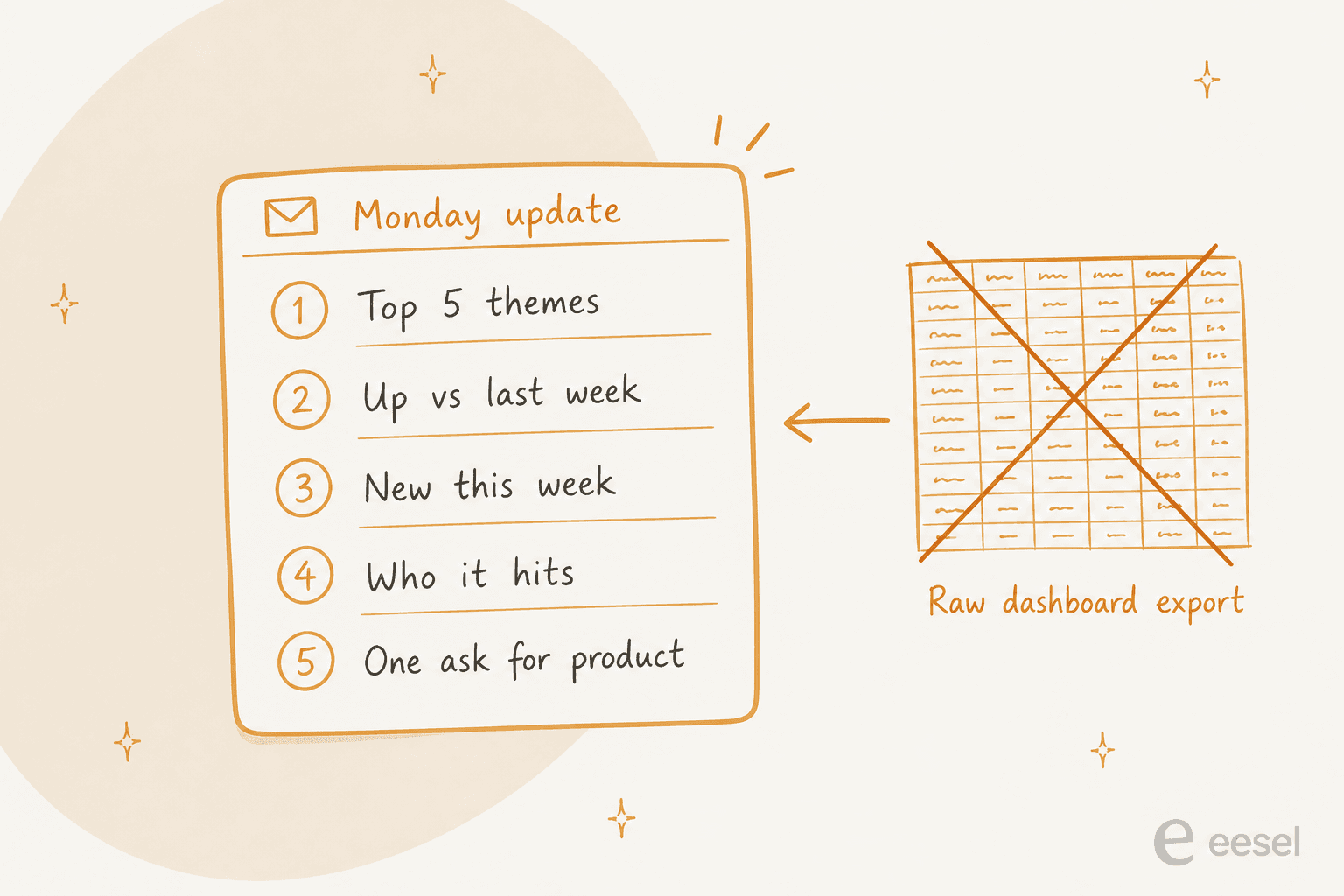
A voice of customer (VoC) alert is the scheduled, push version of voice of the customer work. Instead of waiting for a product manager to open a report, support sends a digest every week that answers five questions:
- What are customers complaining about most?
- Which complaints are increasing compared with last week?
- What is new this week that was not there before?
- Which problems hit the most customers, or the most important accounts?
- What should product or leadership do about it?
That list is the whole format. Everything else, the charts, the full tag breakdown, the CSV, is a drill-down link at the bottom.
The reason the format matters: a support team usually already has the data. What it lacks is a version product will read. This Reddit reply from a customer success lead sums up what happens when you send the raw themes instead:
"product managers would just smile and nod at our theme reports. we eventually stopped sending summaries entirely. now i just grab 2 or 3 raw tickets where a customer explains the ridiculous workaround they had to invent, and drop those direct quotes into the product sync. they engage with the raw friction a lot faster than a pie chart."

I see the same thing from the queue side. A count says "Billing: 214 tickets." A quote from ticket #4,812 saying the customer was charged twice and had to call their bank says why it matters. A good alert carries both. If you are building the wider program around it, our guide to running a voice of customer program covers the collection and close-the-loop side; this post is about the weekly delivery.
Why do most weekly VoC alerts get ignored?
Three failure points show up again and again, and none of them is the email tool.
The tags underneath are inconsistent
Every weekly count is only as good as the ticket tagging behind it. If one agent tags "refund" and another tags "billing-issue" for the same problem, the alert splits one rising issue into two flat ones. If half the tickets have no tag at all, the alert undercounts the exact week a fire starts, because that is the week agents are too busy to tag.
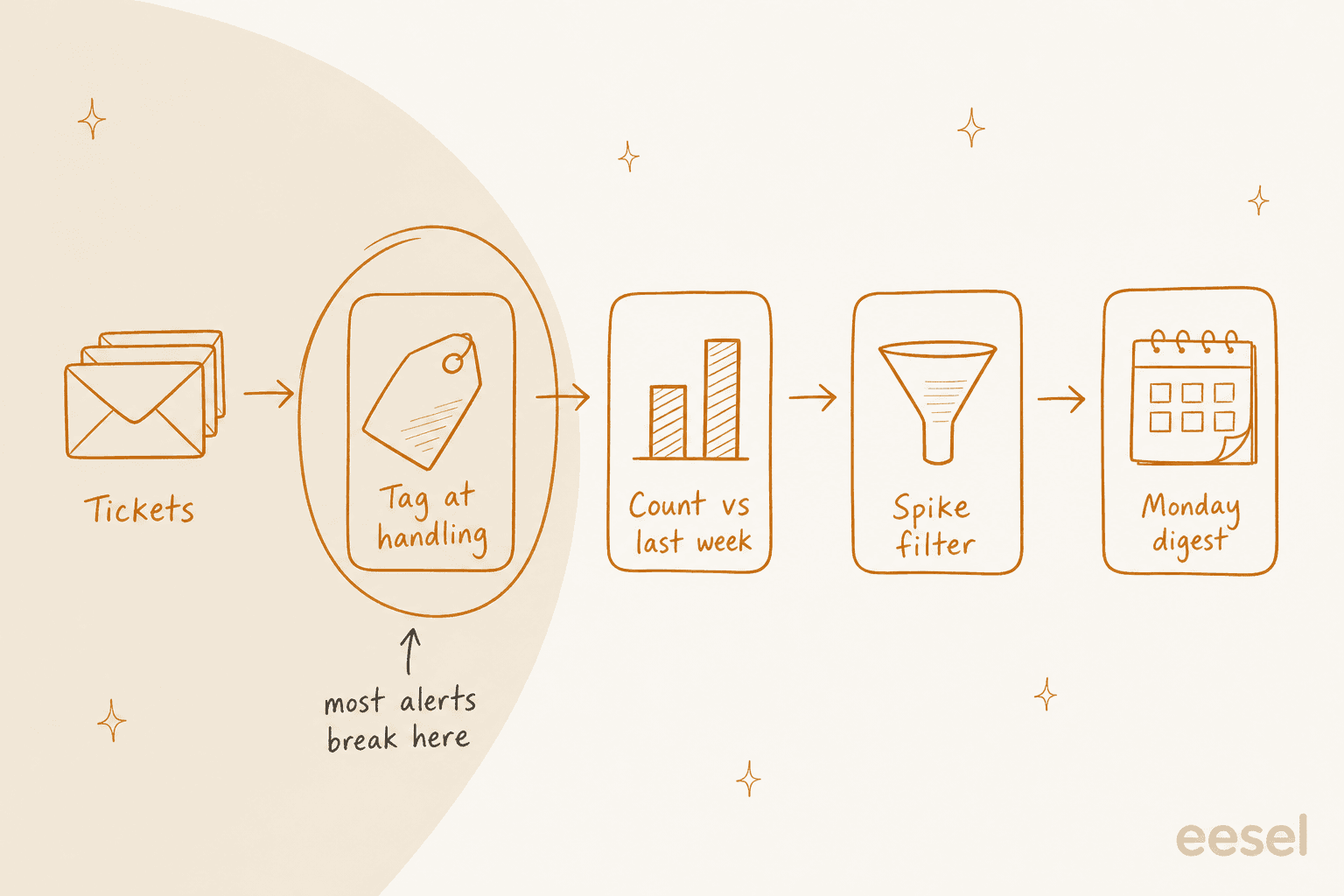
The fix is to move tagging to the moment a ticket is handled, ideally by AI so it does not depend on agent memory. That is what AI ticket classification is for, and it is the part I would fix before touching any reporting tool. A Reddit thread on the same problem had this warning about the loop going stale:
"The last mile usually fails when the CS summary is still a pile of themes instead of something product can make a decision on. ... If CSMs never see which themes product accepted or rejected, tagging gets noisy again because nobody knows what good input looks like. Product has to train the signal, not just consume the report."
Percentage change alone cries wolf
"Up 200% this week" sounds urgent. If the theme went from 2 tickets to 6, it is noise. If another theme went from 40 to 70, that is only +75%, and it is the one that needs a product owner today.
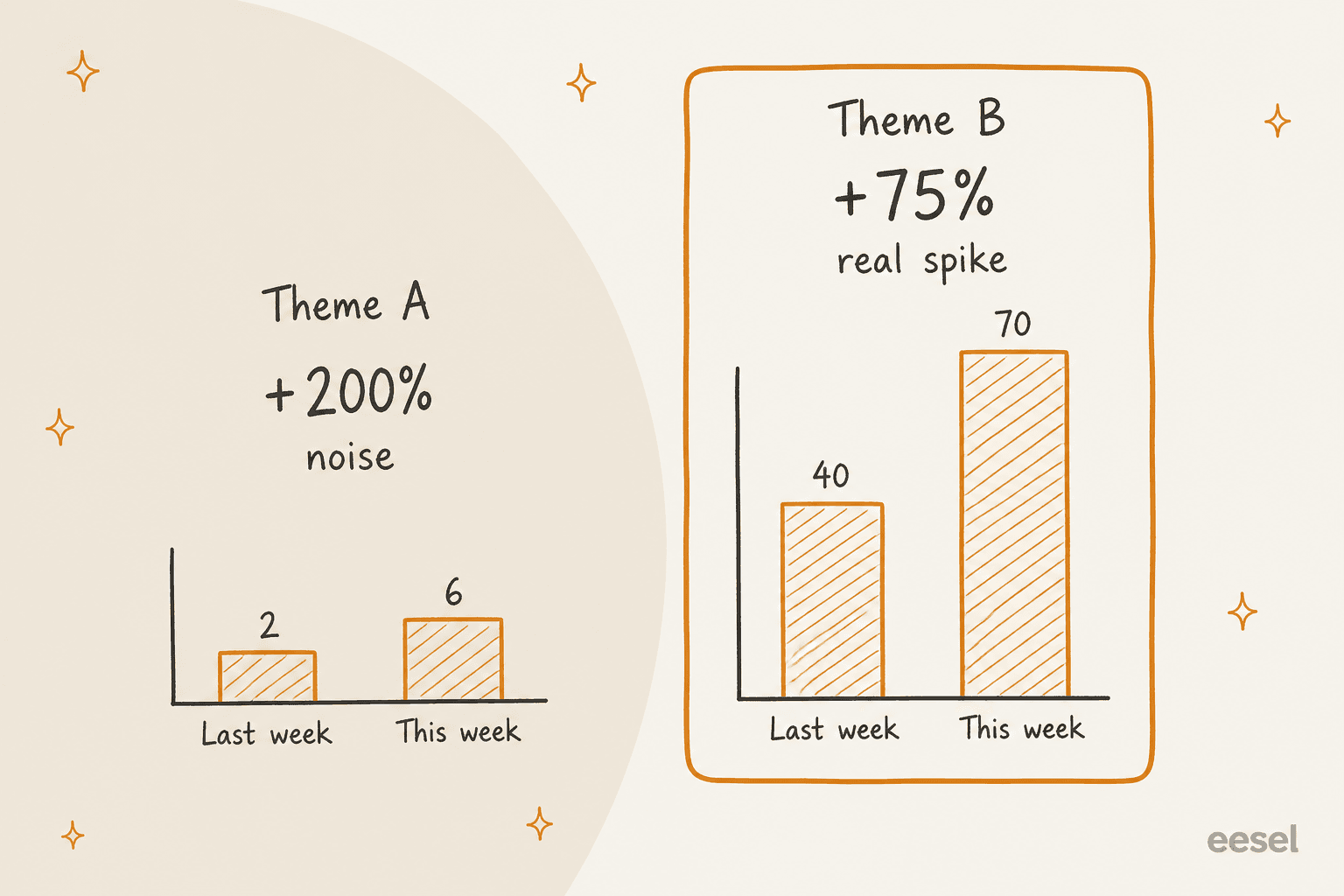
Gorgias says this well in its own reporting docs: "A contact reason that's big but flat is a cost to design out; one that's smaller but climbing week over week is usually a new problem worth investigating now." That line comes from the Gorgias ticket attributes article, and it is the best one-sentence spike rule I have read from a helpdesk vendor.
It arrives too late to change anything
A monthly report is a history lesson. One buyer on an eesel sales call, a CX lead at a supplements brand handling about 7,000 tickets a month, rejected monthly analytics outright: "The customer doesn't want to wait for me to do my monthly report." Weekly is the slowest cadence I would run for a VoC alert, with real-time pings reserved for true spikes.
How do you set up a weekly VoC alert from support tickets?
Here is the setup I would follow, in order. Steps 1 and 2 are where the time goes; steps 3 to 5 take an afternoon once the data is clean.
1. Agree a short list of contact reasons
Pick a list of contact reasons that fits on one screen, and write a one-line definition for each. Leave out "Other" if you can. One Reddit commenter put it plainly: "If you open teh door with "other" then you end up back where you started with a pile of free-text entries" (u/SpeedyGoneGarbage, Reddit). Our guide to how to classify support tickets has a worked example of a starting list.
2. Tag every ticket at the point of handling
Use your helpdesk's native AI where it exists, or an AI agent that works inside the helpdesk. The options:
- Zendesk: intelligent triage classifies Topic, Sentiment (five levels) and Language from the ticket subject and first public comment. Classifications are on Professional plans and above, but using them in workflows needs the Copilot add-on at $50 per agent/month (annual).
- Gorgias: intents are detected automatically on every ticket, in up to three levels of detail, on all helpdesk plans.
- Any of the three: an AI teammate like eesel can add tags, assign and update fields on Zendesk tickets, and do the same in Freshdesk and Gorgias.
If you want the full comparison, our breakdown of how to automate ticket tagging goes deeper on accuracy and setup time.
3. Compare against last week and a longer baseline
Week over week catches sudden jumps. A longer baseline catches slow climbs that never look dramatic in any single week. Chattermill, for example, compares last calendar week against the previous six months (Chattermill docs). If you build this yourself in a helpdesk report, add a four-week average column next to "this week" and "last week".
4. Set a spike rule with two conditions
Flag a theme only when it crosses both a minimum count and a percentage change, for example "at least 20 tickets and up 50% or more". Pick numbers that fit your volume; a 300-ticket-a-week team needs a lower floor than a 30,000-ticket one. Thematic's built-in version flags themes that move "two standard deviations above or below the recent average" (Thematic help center), which does the same job statistically.
5. Send it where product reads, with quotes and one ask
Monday morning, to the Slack channel product already lives in or to a short email list. Lead with the five lines, attach two or three verbatim ticket quotes, and end with a single ask. This Reddit comment describes the version that worked for one team:
"we finally got traction by forcing everything into one simple intake (one form/tagging scheme for tickets, QBR notes, churn reasons, calls) and then doing a weekly "top 5 themes" review with PMs that includes volume, impact, a couple raw quotes, and a clear ask like "ship / research / ignore for now.""
Track sentiment on tickets alongside volume if you can. A theme that holds flat on volume while sentiment drops is often the early sign of churn risk signals building up.
Which tools can send a weekly VoC alert?
There are three routes: report from inside your helpdesk, buy a feedback analytics platform, or wire it up yourself with Zapier and an AI step. Here is how the tools buyers most often name compare, with prices only where the vendor publishes them.
| Tool | How the alert is built | Weekly digest | Spike alerts | Channels | Published price |
|---|---|---|---|---|---|
| Zendesk Explore | Scheduled dashboard delivery on tag or triage reports | Yes, any recurrence | No (report only) | Email to Zendesk users | Suite Professional $115/agent/mo (annual) |
| Zendesk VOC Patterns | AI patterns from solved tickets, refreshed every 12 hours | No scheduled send | No | In-app, copy and share | Free Zendesk Labs app |
| Freshdesk Analytics | Scheduled report email | Yes (daily, weekly, monthly) | Freddy AI Insights cards, in-app only | Email (PDF) | Pro $55/agent/mo (annual) |
| Gorgias | Ticket attributes report with trend vs prior period | No scheduling documented | No | CSV or PDF export | Basic $60/mo (monthly) |
| Enterpret | Agent Automations write a weekly VoC digest | Yes | Quality Monitor, continuous | Slack, email, PDF | Not published |
| SentiSum | Early Warning Agent and Monday brief | Yes | Yes, real time | Email, Slack, Teams | From $100,000/year |
| unitQ | Monitor with scheduled updates | Scheduled inbox updates | Yes | Slack, Teams, PagerDuty | Not published |
| Thematic | Workflows: spike detection, theme discovery | Yes | Yes (two standard deviations) | Email, Slack | Not published |
| Chattermill | Anomaly alerts and scheduled reports | Yes | Yes (vs six months) | Email, Slack, Jira | Not published |
| Productboard | Zendesk tickets imported as notes, Spark briefing | In-app briefing | No | In-app, email, Slack via Spark | Not published |
| Zapier | Digest by Zapier plus an AI step | Yes, you build it | Only if you build it | Email, Slack, anything | Professional from $19.99/mo |
| eesel | AI teammate tags tickets, ticket trends skill on a schedule | Yes | No dedicated spike monitor | Slack, files | From $299/mo |
Route 1: inside your helpdesk
This is the cheapest route if your tags are already clean, and the most limited on the "what changed and why" half.
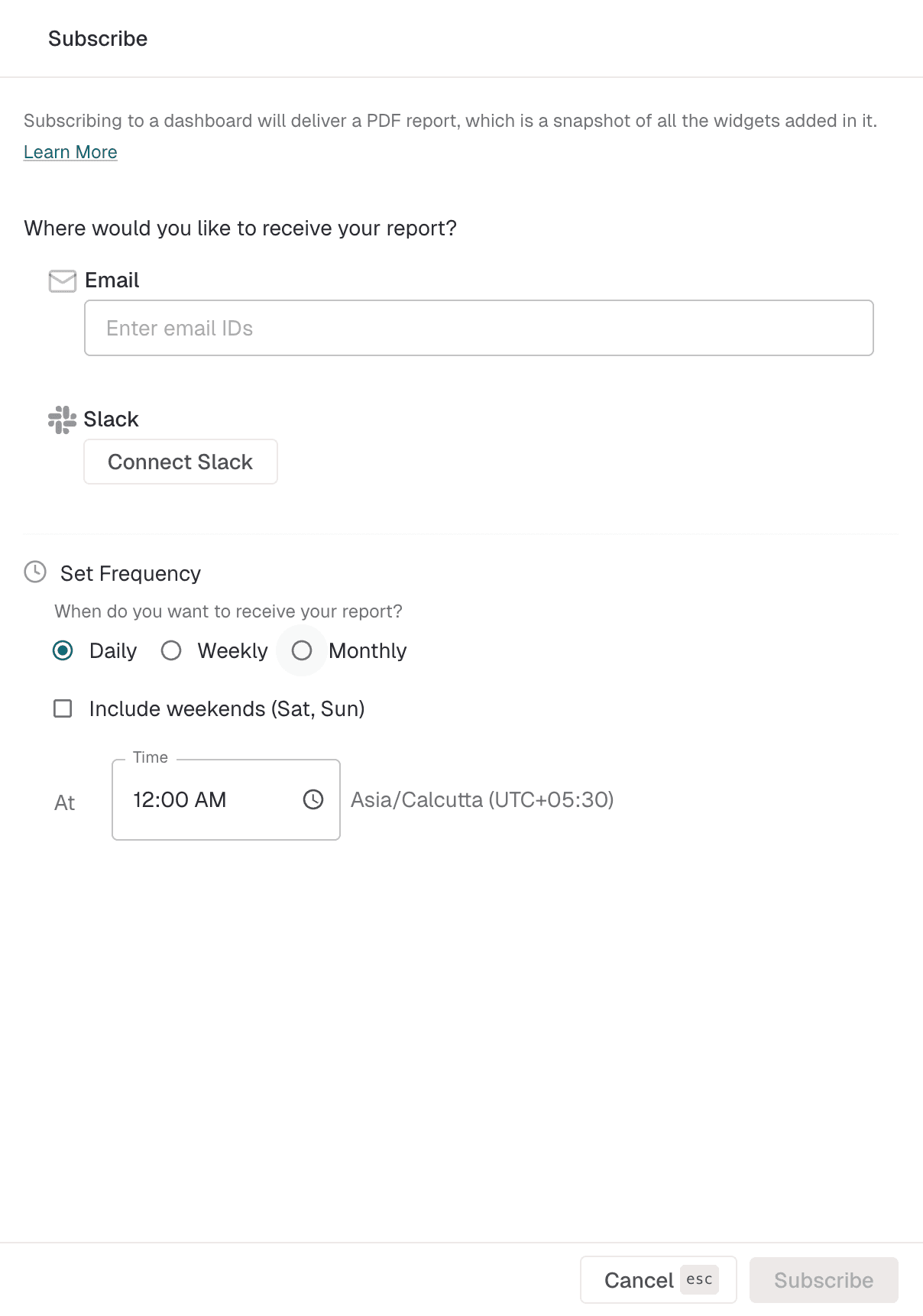
Zendesk has no single "weekly VoC email" button. The native path is three pieces: intelligent triage fills the topic and sentiment fields, an Explore dashboard reports on them, and scheduled dashboard delivery emails it. Scheduling needs Suite Professional, Enterprise or Enterprise Plus (or Support with Explore Professional or Enterprise), per Zendesk pricing. Suite Team at $55 per agent/month has no scheduled delivery at all.
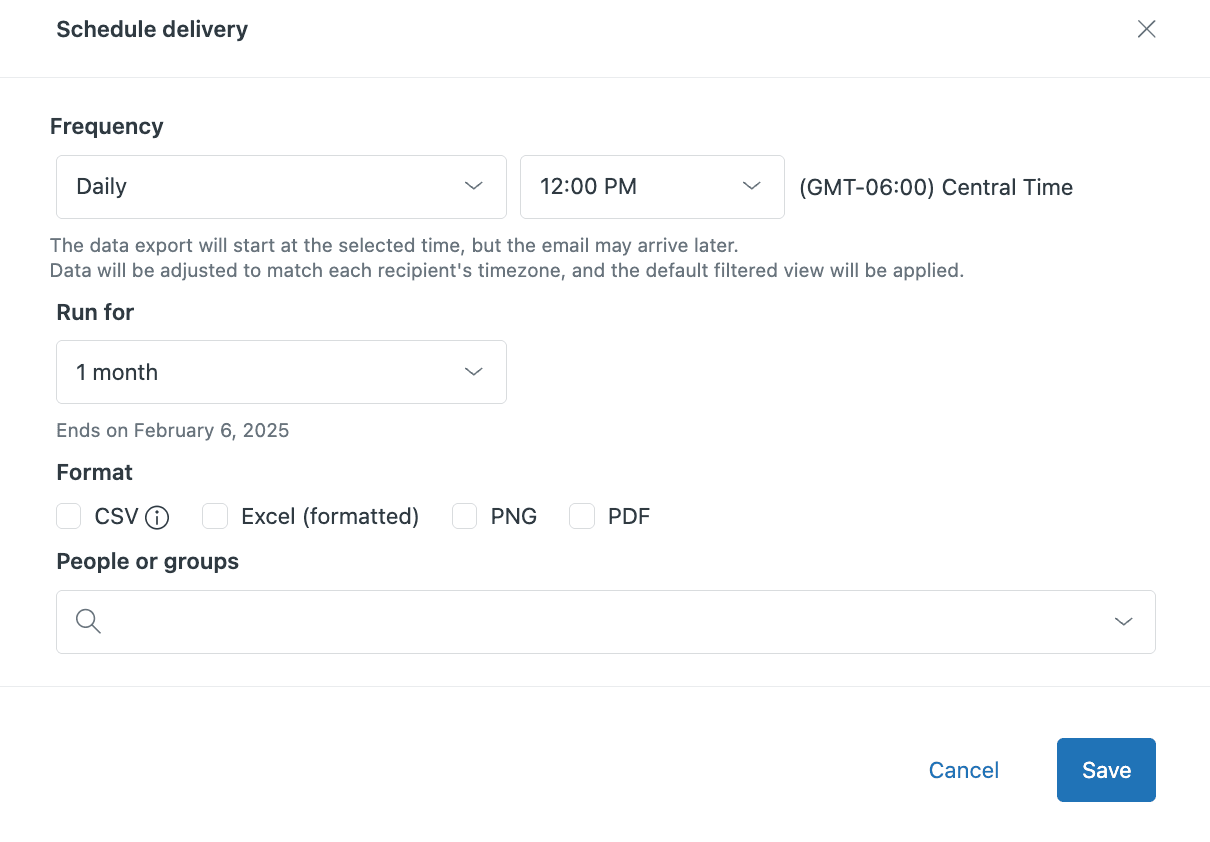
Three gotchas from Zendesk's own docs that bite VoC alerts specifically:
- Recipients must be Zendesk users. Sending to someone without a seat needs an Enterprise plan, an admin setting, and an
exploretag on that person's profile (Zendesk help center). - Each schedule runs for at most 12 months, then expires, and a delivery is suspended after five failed exports in a row.
- When the agent who created a schedule is downgraded, their deliveries are deleted immediately.
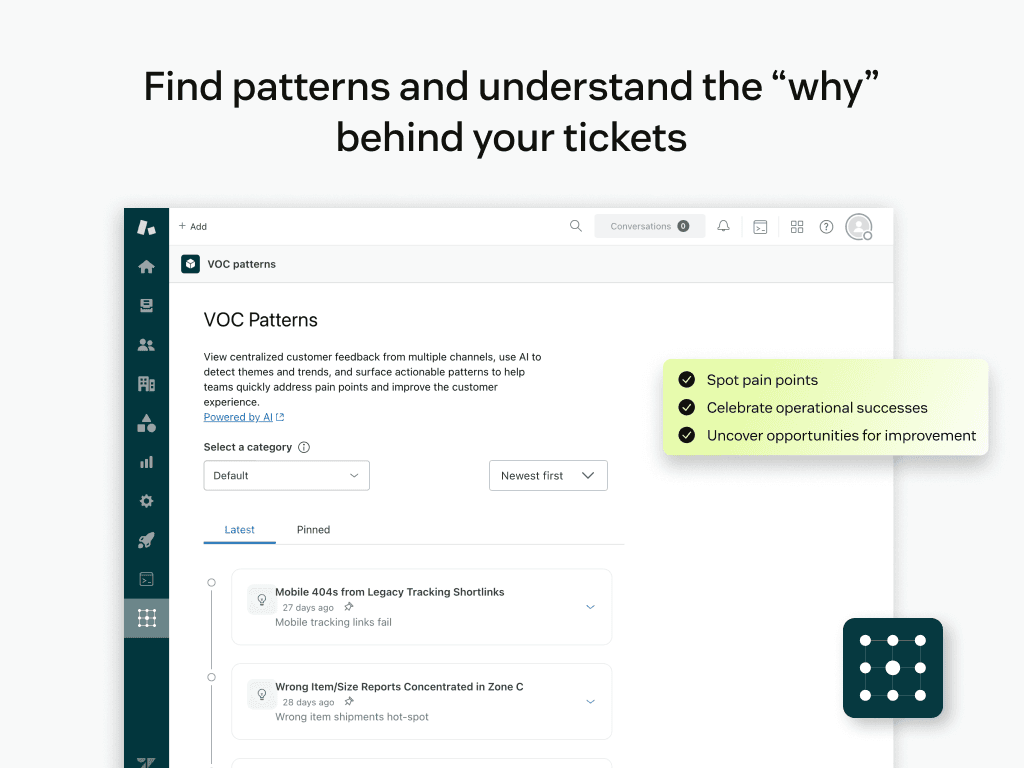
For the "why" half, Zendesk Labs ships the free VOC Patterns app. It groups solved and closed tickets into up to five categories, then writes patterns with root causes, suggested actions and real customer comments. It refreshes every 12 hours and recommends about 50 tickets per category. The catch for a weekly alert: patterns "can be copied and shared through text, chat, or email, but not exported as files," and there is no scheduled send.
Zendesk QA's spotlight insights can also flag customer behaviour, like competitor mentions, with up to 10 active prompts per account, but they need the QA or WEM add-on and do not send a digest. For the build-it-yourself detail, our guides on ticket trends in Explore and the ticket tags attribute cover the report side.
Freshdesk can schedule reports by email daily, weekly or monthly on Pro and Enterprise, with whole reports sent as PDF. Freddy AI's Proactive Insights flags spikes and drops week over week on Enterprise, but its FAQ says insights cannot be exported and there are no email, Slack or Teams notifications yet. Our Freddy AI Insights guide and Freshdesk analytics walkthrough go further.
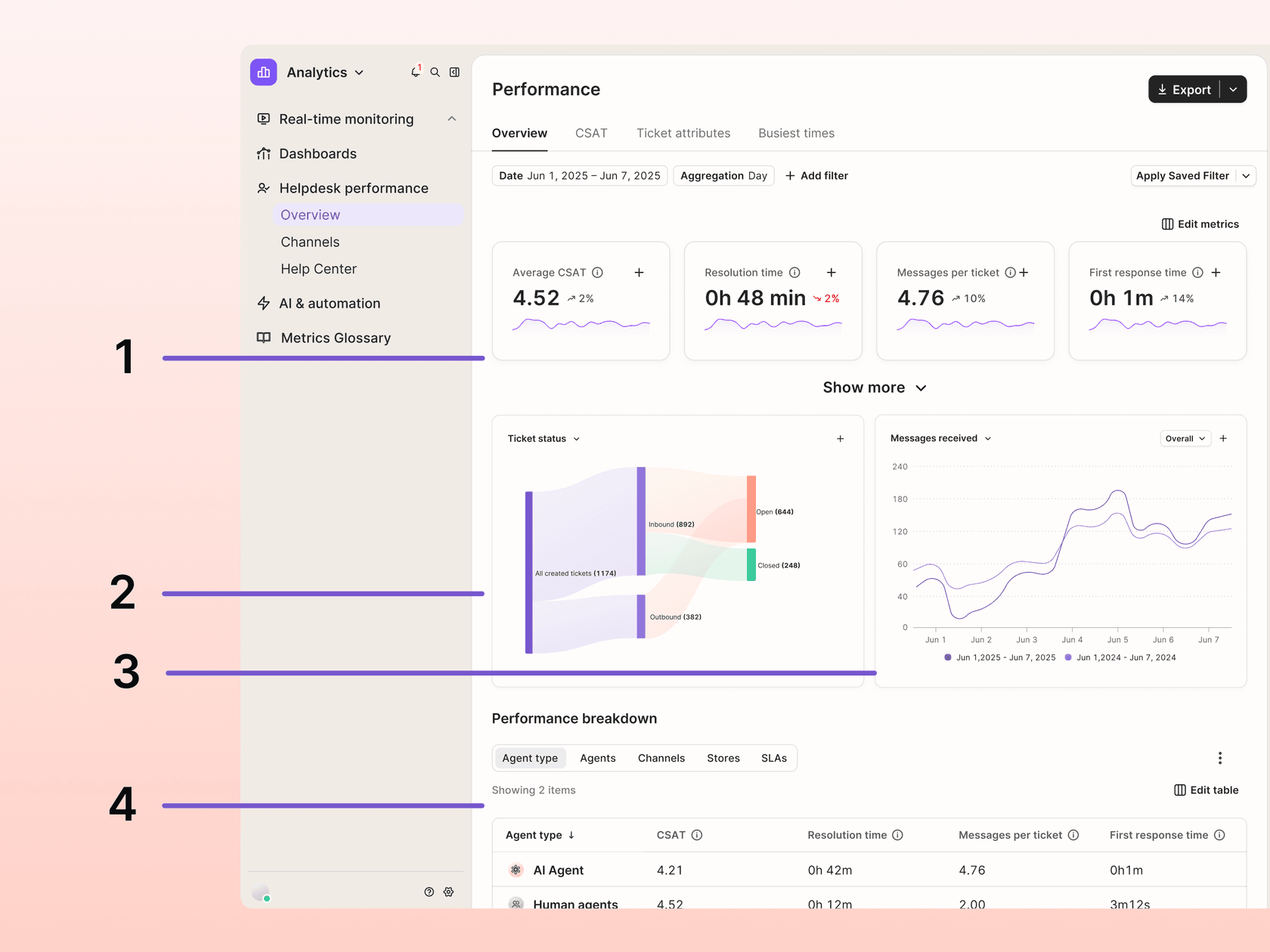
Gorgias has a strong report for this job and no scheduler. The ticket attributes tab ranks volume by intent, tag or ticket field, with a trend column against the previous period of the same length, on all helpdesk plans. I found no scheduled email in its reporting docs, so someone exports a PDF on Monday or wires it to Zapier.
Route 2: a feedback analytics platform
These tools exist to do the theme detection, the spike math and the digest writing for you. They also pull in reviews, surveys and calls, which a helpdesk report cannot. The trade-off is price and a second taxonomy to maintain; none of the five below publishes a self-serve price except SentiSum, and its floor is high. For a wider shortlist, see our roundup of customer feedback tools.
Enterpret is the closest match to the alert format above. Its Agent Automations produce "a short executive snapshot, the themes that moved with volume and week-over-week deltas, representative verbatim quotes, and a link back to the source feedback behind every claim." The docs' own example schedule is weekly, Monday, 8:00 AM, delivered to a Slack channel, a Slack DM or email. A separate Quality Monitor watches continuously and alerts only on spikes. Zendesk tickets sync every four hours. No public price; usage runs on AI credits.
One G2 reviewer named the trade-off honestly: "you can't expect it to be 100% accurate from day one. It takes some investment to refine the data taxonomy" (Verified User, G2).
SentiSum sells a "Monday brief" that ranks last week's findings by dollar impact, plus real-time Slack alerts from its Early Warning Agent, which tracks spikes in volume, sentiment, repeat contacts and resolution times. Pricing is stated on SentiSum's pricing page: "One annual partnership. From $100,000." That buys unlimited users and set-up by their team, with a walk-away right in the first 90 days.
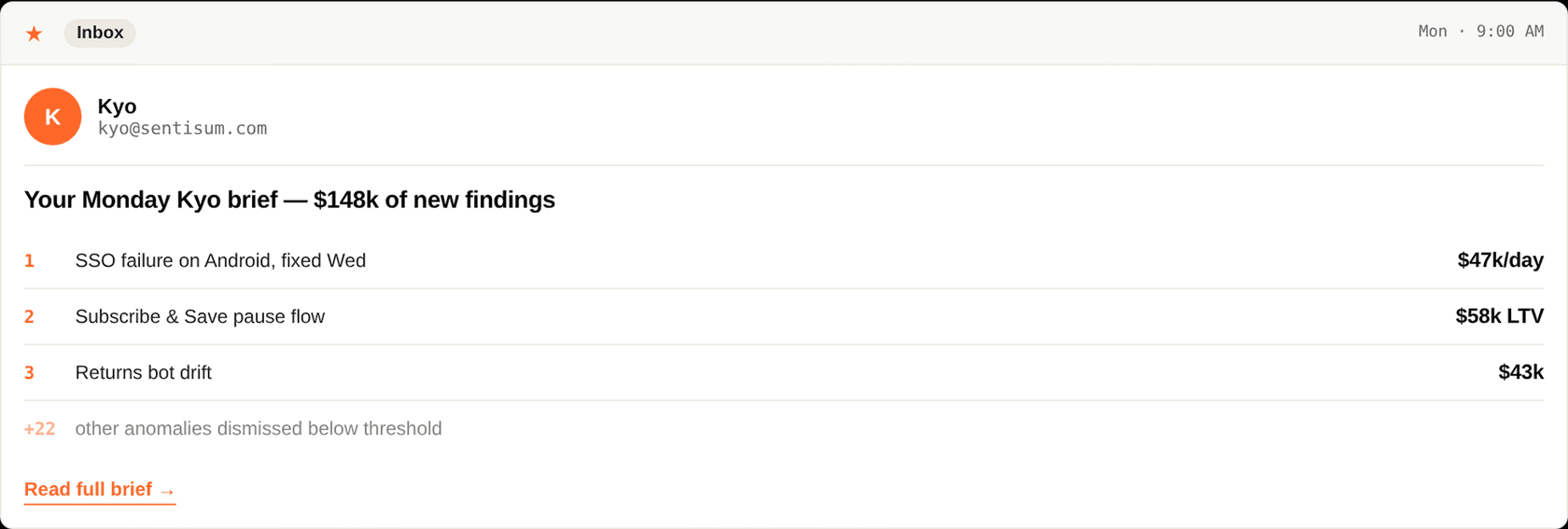
Note the "+22 other anomalies dismissed below threshold" line in that email. That is the spike rule from step 4, done for you.
unitQ detects anomalies in feedback and alerts via Slack, Microsoft Teams or PagerDuty, with week-over-week comparison and scheduled inbox updates, per the unitQ Monitor page. A G2 reviewer described using it to "monitor trends in this feedback through automated alerts that quickly inform us through Slack" (Ilya K., G2). Demo only, no public price.
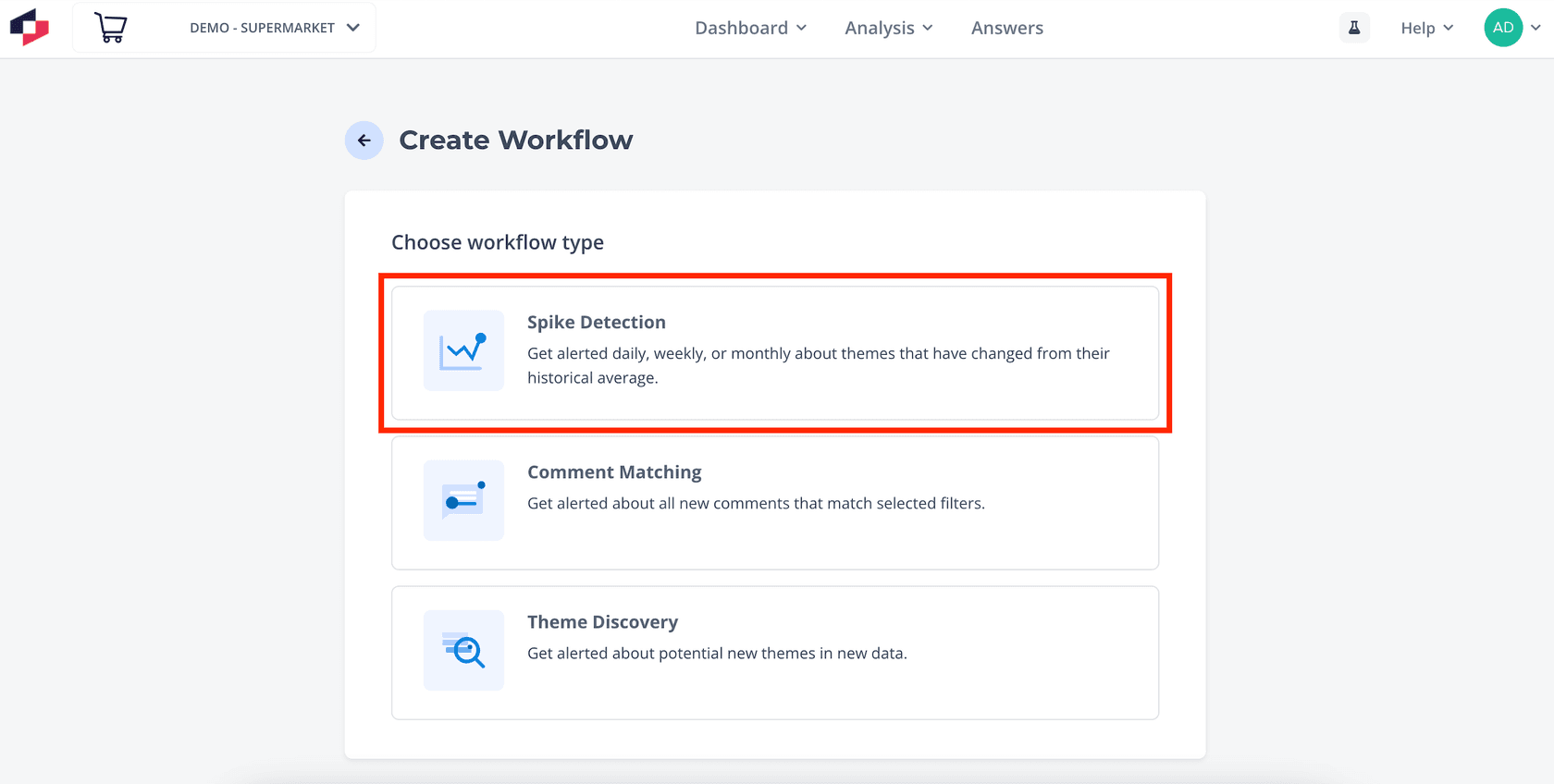
Thematic has three alert workflows: Spike Detection, Comment Matching and Theme Discovery, each sent by email or Slack. Its product page promises "custom dashboards and weekly digests" for executives who never log in.
Chattermill sends anomaly alerts on volume or net sentiment at High, Medium or Low sensitivity, plus scheduled PDF reports by email or Slack. One caution: its Zendesk integration page claims ticket syncing, while the only setup article in its help center covers CSAT survey comments, so confirm ticket coverage on a demo.
Productboard is the product team's side of the handoff. Its Zendesk integration pushes tickets in as feedback notes the moment they match your import rules, and Spark builds a weekly briefing of the top three customer problems on the home page. It works best when product wants to link tickets to roadmap features, not as the alert sender itself.
Route 3: build it with Zapier and an AI step
If you need something running this week with no new contract, Zapier can do it. Feed a Zendesk "New Ticket" trigger into Digest by Zapier with the Append Entry and Schedule Digest action set to weekly, then add an AI by Zapier step to group the week's entries into themes before the email or Slack step. Digest and Schedule do not count toward tasks, but AI steps do: 1 task on Standard models, 3 on Advanced and 5 on Premium, and new AI steps default to Premium.
Pricing per Zapier's pricing page: Free can't run this, since it is two-step Zaps only and has no AI by Zapier. Professional starts from $19.99/month and adds multi-step Zaps and premium apps like Zendesk. Our Zapier plans breakdown explains how tasks add up.
The catch: Digest only joins raw entries together. It does not compare weeks or apply a spike rule, so the AI prompt is doing all the analysis on one week of text, with no baseline. It is fine for a "top themes" note; it is weak on "what is rising". If you are curious what the AI step can and can't do, see our guide to Zapier AI.
Which weekly VoC setup fits your team?
Pick the line closest to where you are today.
Pick your starting point to see the setup I would run first. Prices are from each vendor's own pricing page.
Where does an AI helpdesk teammate fit?
Every route above assumes the tickets are already labelled well. That is the part an AI agent inside the helpdesk changes, because it reads every ticket anyway.
eesel's AI agent for Zendesk works in the queue like another agent: it drafts or sends replies, adds tags, assigns tickets and updates fields, with a trigger built for triage on the customer's first message. The same actions exist for eesel for Freshdesk and eesel for Gorgias, where it can also fill custom fields like product or issue type. Each action can run on its own, ask for approval first, or stay off. Kim Simpson at Gridwise wrote in a G2 review that eesel "even includes automations for ticket tagging, assignment, and status updates."
At volume this is what makes a weekly count worth reading. smava, a German loan comparison site, has eesel categorise about 14,600 of its 27,000 monthly Zendesk tickets into a category from a mapping document the team wrote, with the result written into Zendesk fields. Dokument 24, a Danish legal documents site, has every first message tagged by product (will, prenuptial agreement, future power of attorney or company formation), 430 tickets in one month. Tags like that are set when the ticket arrives, not from agent memory at close.
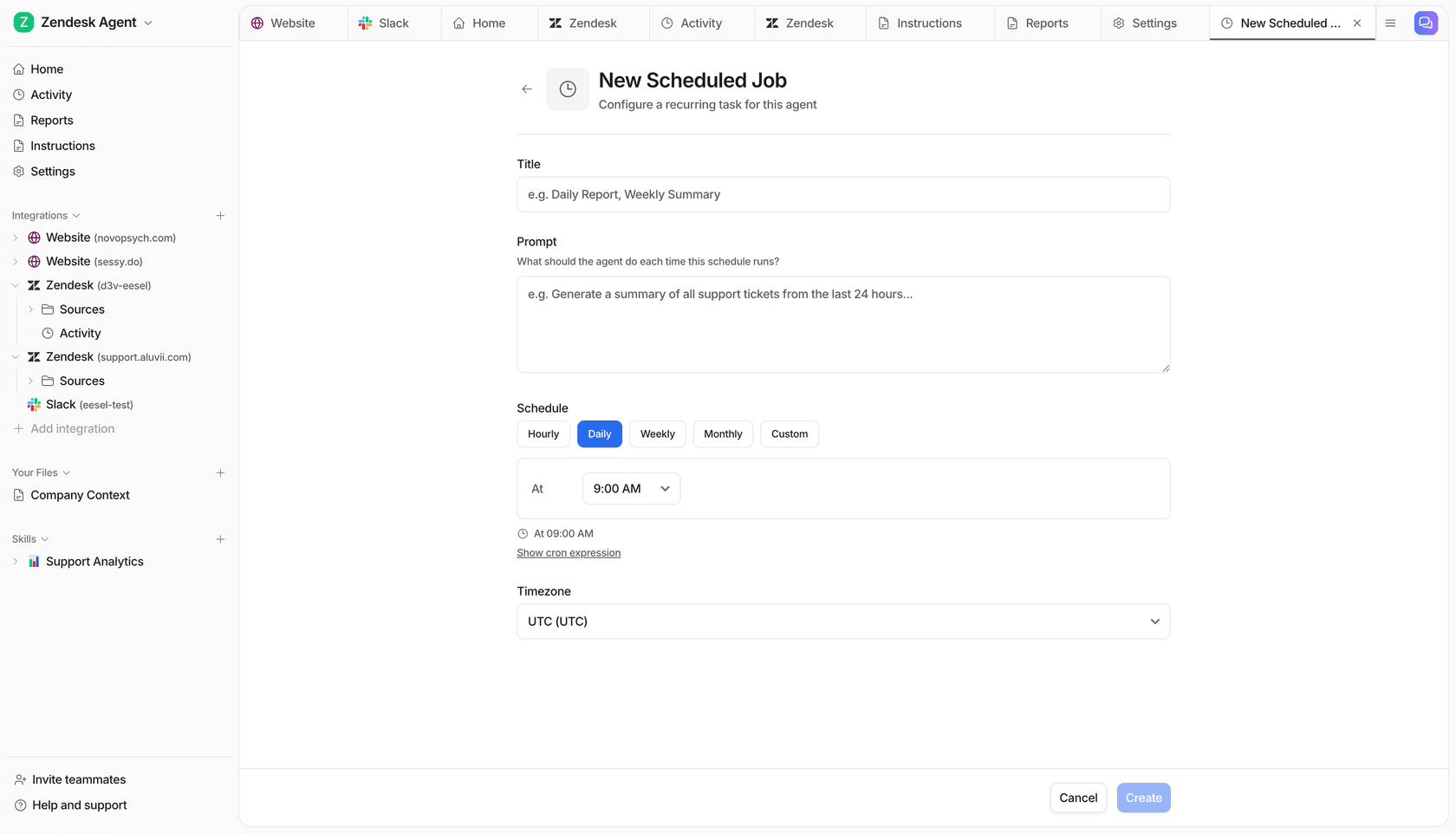
For the digest itself, eesel has an "Analyze ticket trends" skill that reports recurring topics, sentiment, volume and resolution patterns across your conversations. The eesel skills docs describe attaching a skill to a schedule, "for example a report every Monday morning," and posting the result to Slack through eesel in Slack.
To be straight about the limits: eesel is not a feedback analytics platform. It does not pull in app reviews or survey responses, it has no dedicated spike monitor, and it has no VoC dashboard. If you need a cross-channel taxonomy, Route 2 is the right buy. If your VoC signal is mostly support tickets, clean tags plus a weekly trends report gets you most of the way.
Mistakes I see on the support side
- Sending every theme. If the alert lists 40 tags, nobody reads past the fifth. Cut to the top five and the risers.
- No quotes. A count without a customer sentence gets a nod. A count with one painful quote gets a ticket filed.
- No ask. End with "ship, research or ignore" for one item. One commenter on Reddit said a weekly review only got traction once it carried "a clear ask."
- Never closing the loop to agents. If agents never hear what product did with a theme, tagging quality drops within weeks.
- Ignoring sentiment. A flat theme with falling sentiment is easy to miss; Zendesk sentiment analysis or Freshdesk sentiment analysis can fill that column.
One Hacker News commenter described the cost of skipping all this better than I can:
"This is a huge pet peeve of mine. Parts of the organization are in direct contact with customers, and are in a position to learn a lot. And those parts are often only connected to the decide-what-to-make parts either informally or via going all the way up to the C-level and then back down. It's maddening."

A weekly VoC alert is the cheap fix for that gap. Pair it with the customer service KPIs leadership already tracks, and themes start showing up next to the numbers they explain, like CSAT and churn.
Try eesel for cleaner weekly VoC alerts
If your Monday digest keeps falling apart because half the queue is untagged, start with the tagging. eesel joins Zendesk, Freshdesk or Gorgias as an AI teammate, tags and routes tickets as it works them, and can run a ticket trends report every Monday into Slack, so the alert you send product counts every ticket, not just the ones an agent had time to label. Plans start at $299/month for 500 credits on eesel pricing, with reports and scheduled agents included, and the free plan gives you 100 credits to test it on your own tickets.