Freshchat AI conversation prioritization: what sets priority, and what doesn't

Riellvriany Indriawan

Katelin Teen
Last edited November 22, 2026

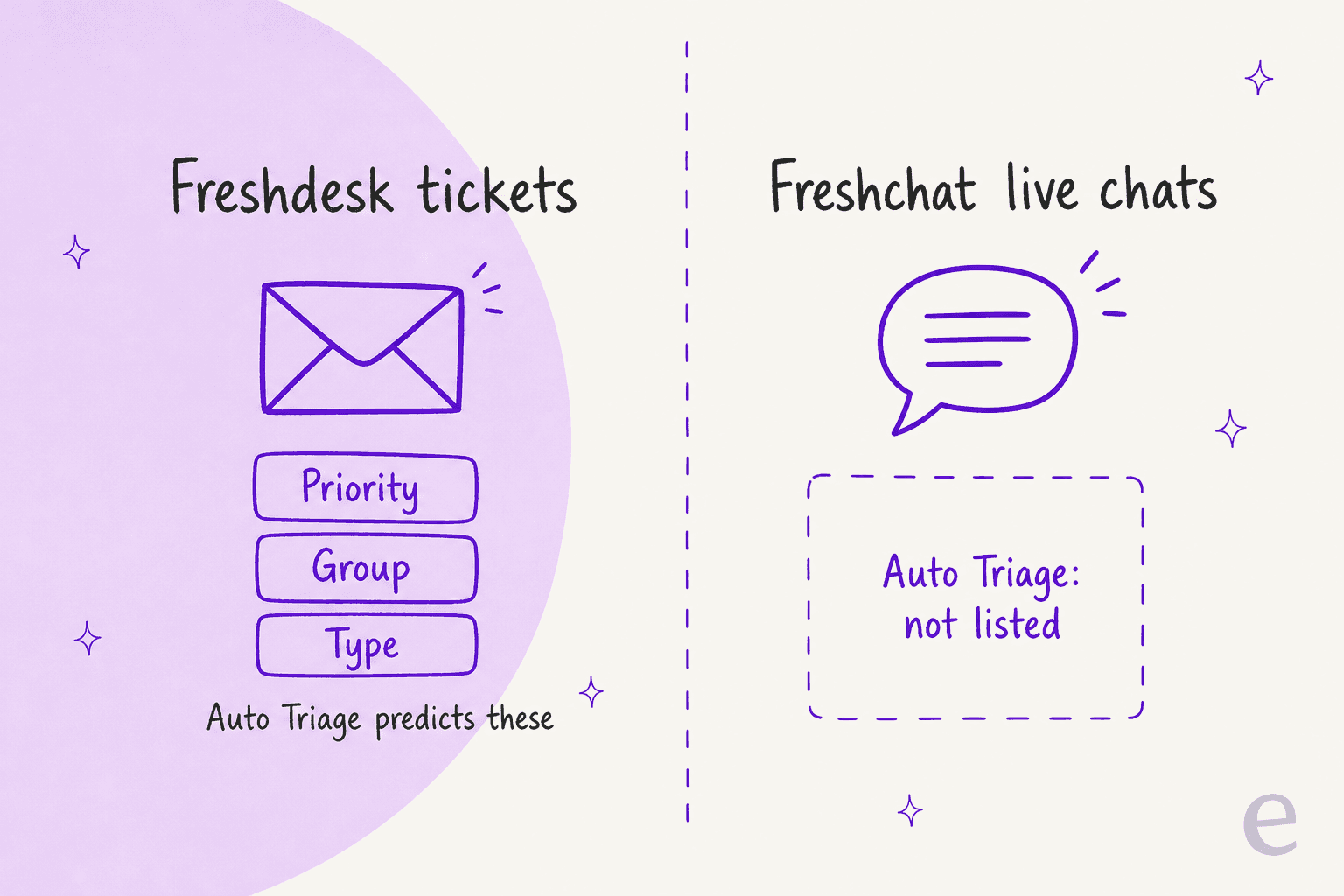
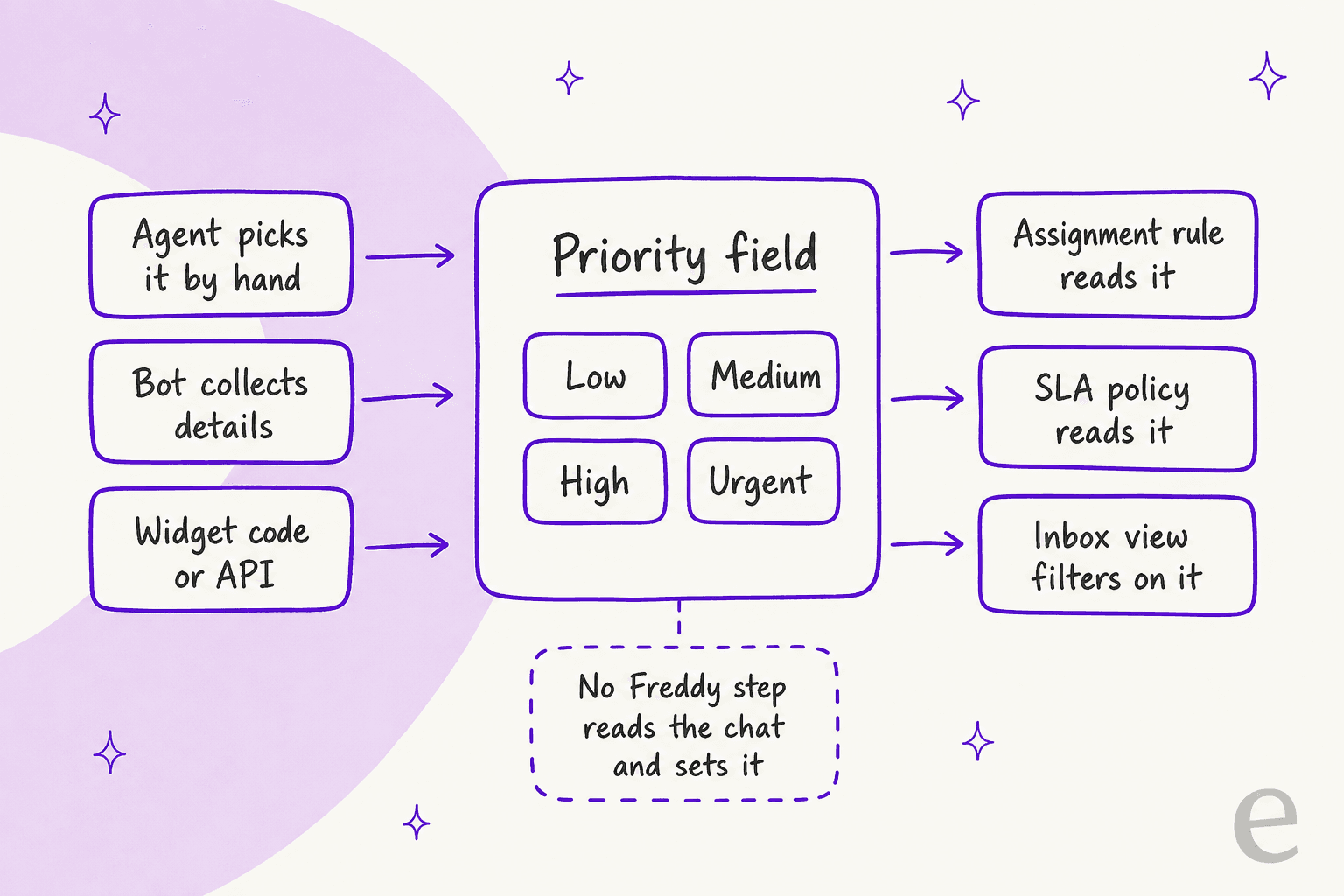
Freshchat has a Priority field (Low, Medium, High, Urgent), but I found no documented Freddy step that reads a chat and sets it. Agents, bots and widget code fill it, and SLA policies, assignment rules and inbox views then act on it. The AI that does touch queue order is sentiment: a 0 to 100 score on the Freddy Copilot add-on ($29 per agent per month on Pro and Enterprise). Freshworks' priority-predicting AI, Auto Triage, is listed for Freshdesk tickets, not Freshchat. eesel can fill that gap by reading the chat and setting priority and group from rules you write in plain words.
With the eesel CLI, an AI coding agent can upload your approved escalation policy, then ask test questions like "a customer says they were charged twice, what priority is that?" and check the answers before anything goes live. Connecting Freshchat itself still needs a Freshchat admin to enter the API token and webhook.
Does Freshchat have a priority field?
Yes. Priority is one of four default conversation properties (with Group, Agent and Status), and Freshworks' Conversation Properties article says all four come with the Free plan. The values are Low, Medium, High and Urgent, and the stated job is to help agents prioritize conversations in the inbox view.
The same article names three ways to pre-populate conversation properties: the chatbot, widget code on your site, and agents in the inbox. It lists the places a property can be used: SLAs, assignment rules and Advanced Automations. It does not say which of those can write to Priority specifically, so I would not assume a bot step can set it until you have tried it.
Two limits matter for prioritization:
- Custom properties start on Growth. A customer tier or "reason for contact" dropdown, up to
50properties in total, needs the Growth plan ($19 per agent per month billed annually) or higher. - A person picks the value by default. By default a person picks the value in the inbox. That is fine at
20chats a day and slow at2,000.
What actually orders a Freshchat queue?
Six tools shape the queue, and none of them reads a message to decide how urgent it is. I covered the first three in my Freshchat conversation routing post, so this table focuses on what each one does to priority.
| Tool | What it looks at | Does it set Priority? | Plan (vendor pages) |
|---|---|---|---|
| Priority field | A value someone picks | It is the field | Free ($0, up to 10 agents) |
| Assignment rules | Message text, channel, language, priority, custom properties | No, it reads priority and assigns a group or agent | Not named on the pricing page |
| IntelliAssign | Agent load or round robin | No | Intelligent routing on Pro ($49) |
| Skill-based routing | Skills, with priority levels 1 and up | No, it ranks which chats get assigned first | Enterprise ($79) |
| SLA policies | Priority, group, topic, custom properties | No, it reads priority and sets time targets | Multiple SLA policies on Pro |
| Sentiment analysis | The latest customer message | No, it labels it negative, neutral or positive | Freddy Copilot, $29 per agent |
Prices are per agent per month, billed annually, from the Freshchat pricing page. My Freshchat pricing and Freddy AI pricing posts cover the add-ons in full.
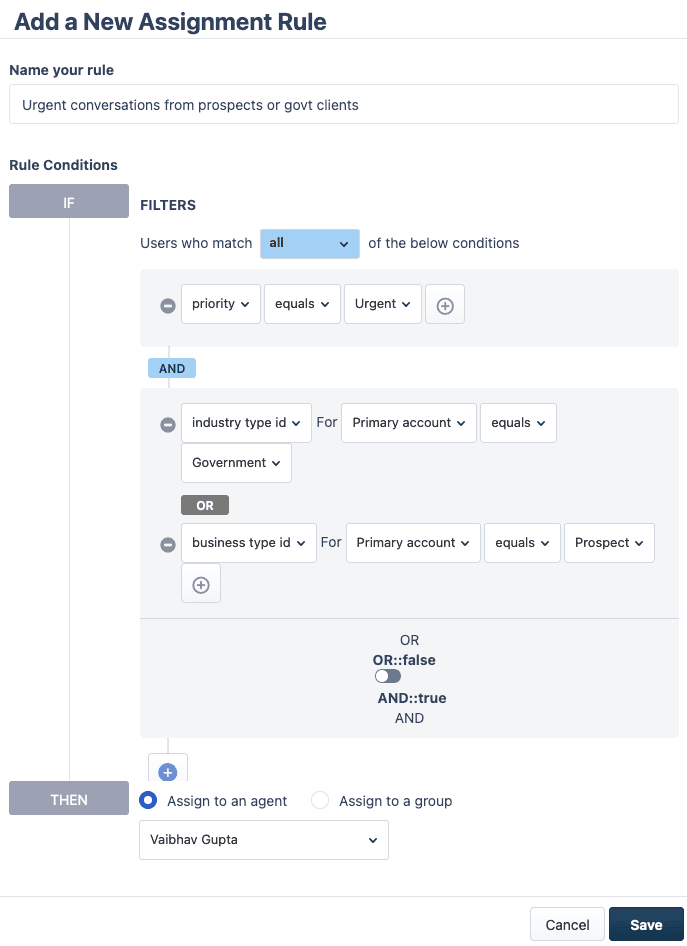
Freshworks' Assignment Rules article is clear on the order of play: the first matching rule wins, and rules run before IntelliAssign and override Topics. The ranking trick is in skill-based routing, where an agent's skills carry priority levels. Priority level 1 is the highest, so a VIP skill at level 1 gets assigned ahead of a website-chat skill at level 2.
Which Freshchat tool fits your priority job?
Pick the job and the widget tells you the tool and the catch.
How do SLA policies prioritize Freshchat chats?
They turn a Priority value into a clock. In Freshworks' SLA policy article, you set targets for first response, every response and resolution, then match a policy to conversations by conditions such as custom property, group or topic. Freshworks' own example is a 60-second first-response target for high-value customers or urgent order issues.
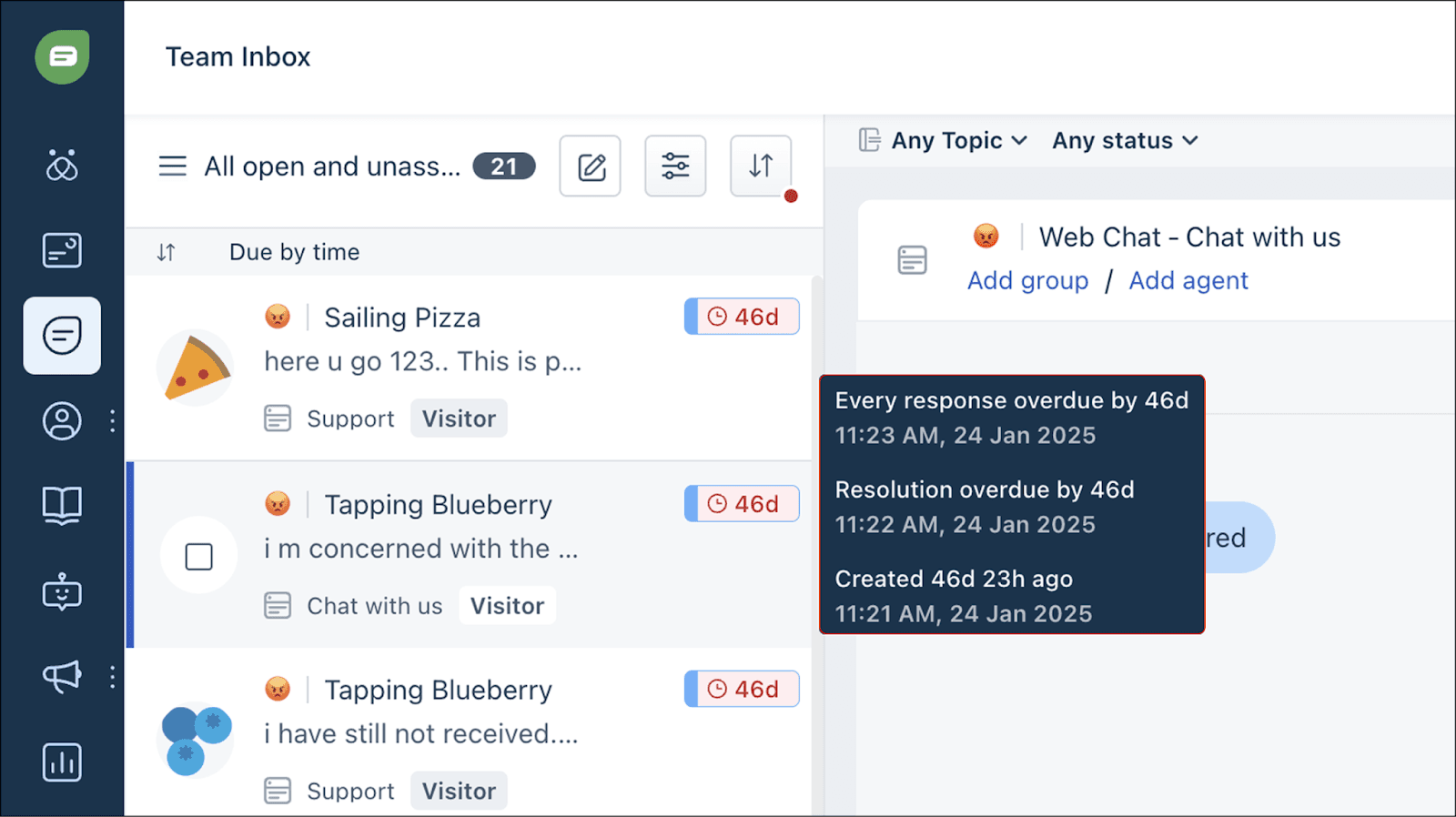
This is the closest thing Freshchat has to an automatic priority queue, and three details are worth knowing:
- Agents get a "Due by" filter and sort. There is also a sort called Longest wait time (Priority Inbox), which orders by wait since the customer's last message. Despite the name, it does not use the Priority field.
- A property change re-applies the policy. Freshworks says that if a conversation property changes on an unresolved chat, SLA policies re-apply and can match a new one. Change Priority to Urgent and a tighter policy can take over.
- Breach handling needs a second feature. An automation on "First Response SLA is breached" runs in Advanced Automations, which the SLA article says is Pro and Enterprise only. My Freshdesk SLA policies post covers the ticket version.
Does Freddy set a conversation's priority?
Not in anything I could find. Freshworks' Freddy features and pricing article lists Auto Triage with a Yes under Freshdesk and Freshdesk Omni and NA under Freshchat. Auto Triage is the feature that predicts priority, and its setup article (modified 29 July 2026) says it can predict Priority, Group and Type from historical patterns, on Freshdesk Pro or Enterprise, with about 2,000 past tickets recommended and tickets arriving by email and portals.
Here is what Freddy does cover in chat, going by that same article:
- Sentiment Analysis is listed for Freshchat under the Copilot features. Freshworks names "Chat Prioritization" as one benefit, but the documented workflow is filtering and sorting. My Freshchat AI sentiment analysis post goes through the setup and the gaps.
- Intent detection in bot flows is listed for Freshchat, which routes a customer inside the bot. It does not write a priority I could confirm.
- The Freddy AI Agent is $49 per
100sessions on Growth and up, with handover settings that move a chat to a person. My Freddy AI agents guide covers those settings, and I did not find a priority setting there either.
I would not call this a flaw. Freshchat is a messaging tool, and Freshworks put its priority-predicting AI on the ticket side. It does mean that on Freshchat, "AI prioritization" is mostly a sentiment sort plus rules you maintain. If you want the ticket-side picture, my Freshdesk AI automations and AI ticket prioritization posts cover it, and so do the same questions on Kustomer, HubSpot, Help Scout and Gorgias.
Which Freshchat plan do you need to prioritize chats?
It depends on how far past a manual Priority value you want to go. Prices below are per agent per month, billed annually, from the Freshchat pricing page.
| Plan | Price | What helps with priority |
|---|---|---|
| Free (up to 10 agents) | $0 | Default Priority field, shared inbox |
| Growth | $19 | Custom conversation properties, Freddy AI Agent ($49 per 100 sessions), reporting |
| Pro | $49 | Intelligent routing, multiple SLA policies, Freddy Copilot add-on ($29) |
| Enterprise | $79 | Skill-based routing with priority levels, Freddy Copilot add-on ($29) |
The Freddy AI Copilot add-on can be assigned to any number of agents rather than all of them, and Freshworks lists it only on Pro and Enterprise. For a 10-agent Pro team that wants sentiment for everyone, that is $49 plus $29, or $780 a month before any bot sessions. My Freddy AI Copilot and Freddy AI review posts show what the add-on includes.
What can you do today without an AI step?
Build a three-part habit and let the rules do the sorting. This is the setup I would start with on a plain Freshchat account:
- Add one custom property for urgency. A dropdown with three choices, such as "Billing or payment", "Account access" and "General", filled by your bot or widget code where you can. Growth plan or higher.
- Point one SLA policy at it. Give the urgent values a tighter first-response target, and sort the Team Inbox by due-by time at the start of each shift.
- Write the handoff rule yourself. Decide what counts as a "go now" chat (a refund threat, a second complaint, a legal word) and put it in writing. My ticket escalation process and AI agent handoff best practices posts help with the wording.
Back it with a satisfaction survey so you can see which chats were handled well. Freshworks documents CSAT for messaging channels, and my AI CSAT post explains how to read it. The glossary entries on auto-triage, SLA, escalation and intent detection define the terms if you are new to them.
Can an AI agent set priority on Freshchat conversations?
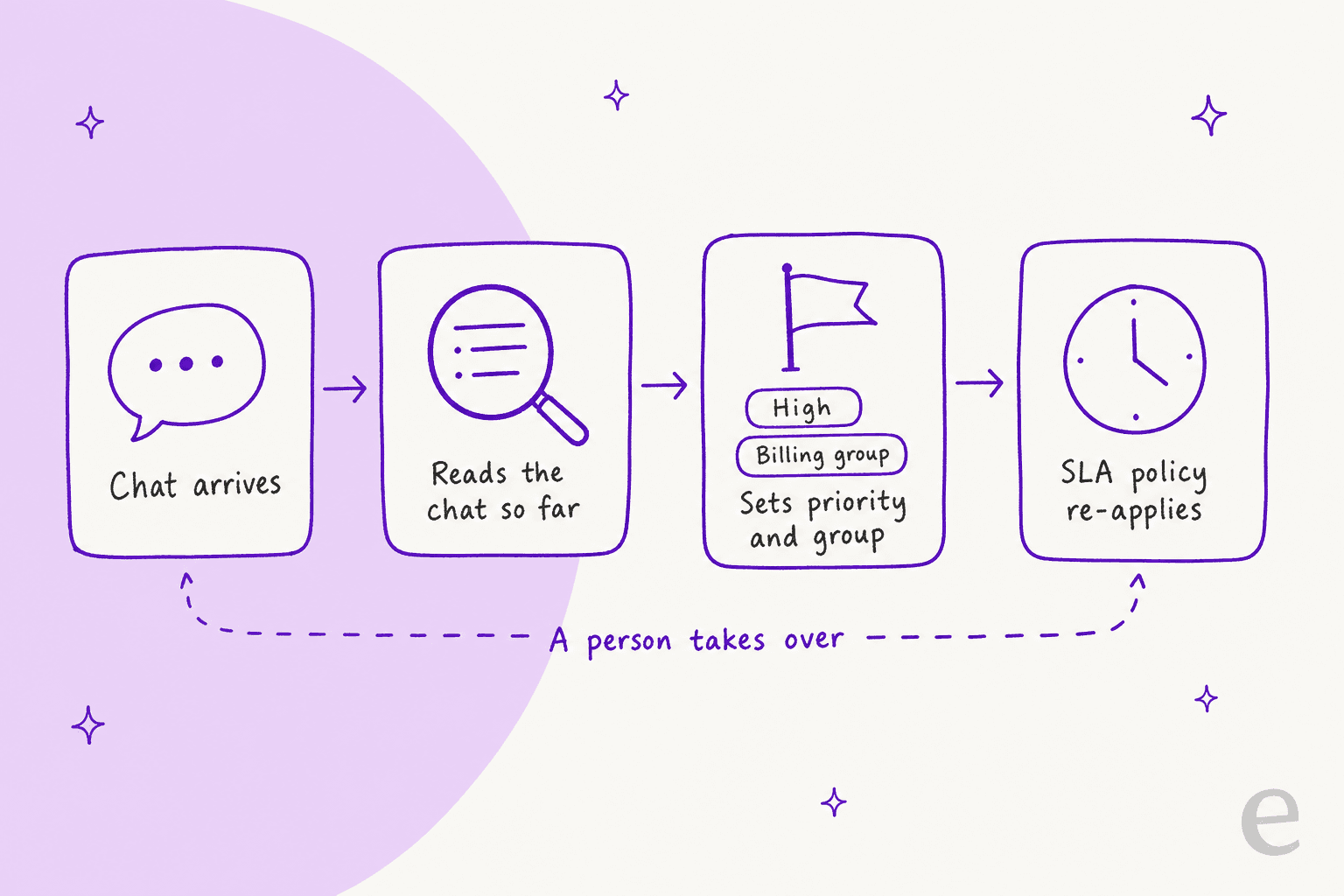
Yes, if it can write to the conversation. eesel joins Freshchat as a channel on its Freshdesk integration, reads the chat so far (up to 50 messages), the topic, group and current priority, and has an Update chat properties action that assigns the chat or changes its status, priority, type or custom fields. The automation's instructions decide what happens, so a line like "set priority to High and assign to Billing when the customer reports a double charge" is the rule.
That last link in the chain is the useful one. Because Freshworks says a property change can re-apply the SLA policy, a High value written by an AI agent can move a chat onto a tighter clock. I would not assume an assignment rule re-runs after the change, since Freshworks describes rules acting on incoming messages. Have the agent set the group directly as well.
Original Bootcamp is a good model of a priority rule written in plain words. Its eesel agent on Freshdesk answers only tickets that the website and past tickets can fully cover. Cancellations, payments and anything about an injury or illness go straight to a person, and "health comes first": a message that mentions an injury is handed over even when the booking question alone could have been answered. That is Freshdesk tickets, not Freshchat, so treat it as proof of the rule style rather than of this channel. SamCart runs a separate agent for its website chat bubble and tags the ticket for handoff when a seller asks for a person.
Two cautions from eesel's Freshchat docs. Replies go out live under one of your Freshchat agents' names with no draft mode, so keep a teammate watching the inbox at first. And write "stop replying once a teammate has replied in the chat", so the agent steps back after the handoff. My guides to reviewing AI conversations and AI sentiment analysis help you check the results.
Try eesel next to Freshchat
If your chats are sorted by hand and the urgent ones get buried, test an agent that reads each chat and sets its priority and group while a teammate watches. Connect Freshdesk, add Freshchat, and start with one rule, such as billing chats. A chat is 1 credit however long it runs: the free trial gives you 100 credits over 7 days with no card, and plans start at $299 a month for 500 credits, with no per-agent fee.

Try eesel on one Freshchat topic. Still comparing? These cover the neighbours:
- Freshchat alternatives and ChatGPT for Freshchat
- The best AI for Freshchat and how to add AI to Freshchat
- The other Freshchat AI features: draft replies, conversation summaries, conversation tagging, conversation translation, quality assurance and deflection
- Freshchat vs Freshdesk Messaging and the ticket prioritization how-to