Freshchat AI sentiment analysis: what Freddy scores, and what it leaves out

Kira

Katelin Teen
Last edited November 21, 2026

Freshchat has AI sentiment analysis, and Freddy scores the latest customer message from 0 to 100, tags the conversation negative, neutral or positive, and lets agents filter and sort the Conversation Inbox by it. Freshworks files it under the Freddy AI Copilot features, which cost $29 per agent per month on Pro ($49) and Enterprise ($79). I would use it to pull angry chats up the queue. The catch is that Freshchat's own article stops at tags and sorting: it documents no automation rule, no bot handoff and no beginning-versus-current view, all of which the Freshdesk ticket version has.
That gap is where eesel fits. It joins Freshchat through your Freshdesk connection, follows handoff rules you write in plain words, and assigns the chat to a person. With the eesel CLI, an AI coding agent can connect Freshdesk, write live-chat instructions such as when to hand over a frustrated customer, and test sample messages first; a Freshchat admin still has to enter the API token and webhook.
What does Freshchat's sentiment analysis do?
It predicts the sentiment of the latest customer message in a live chat and puts a label on the conversation. Freshworks' Sentiment Analysis article (modified 6 December 2024) describes it as "AI-powered prediction" for real-time monitoring, and lists the benefits as chat prioritization, escalation prevention, churn reduction and "efficient automations".
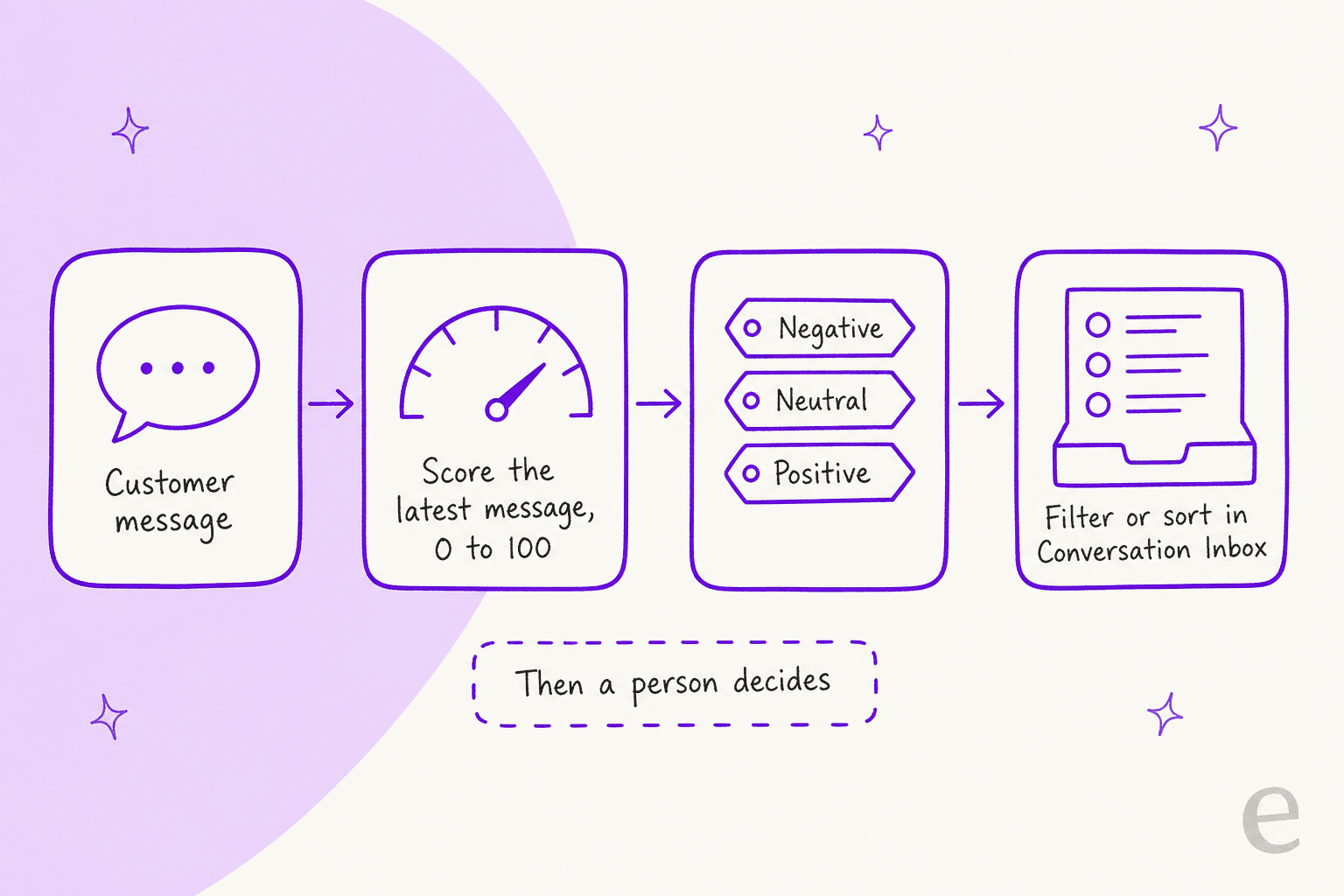
The scoring works like this:
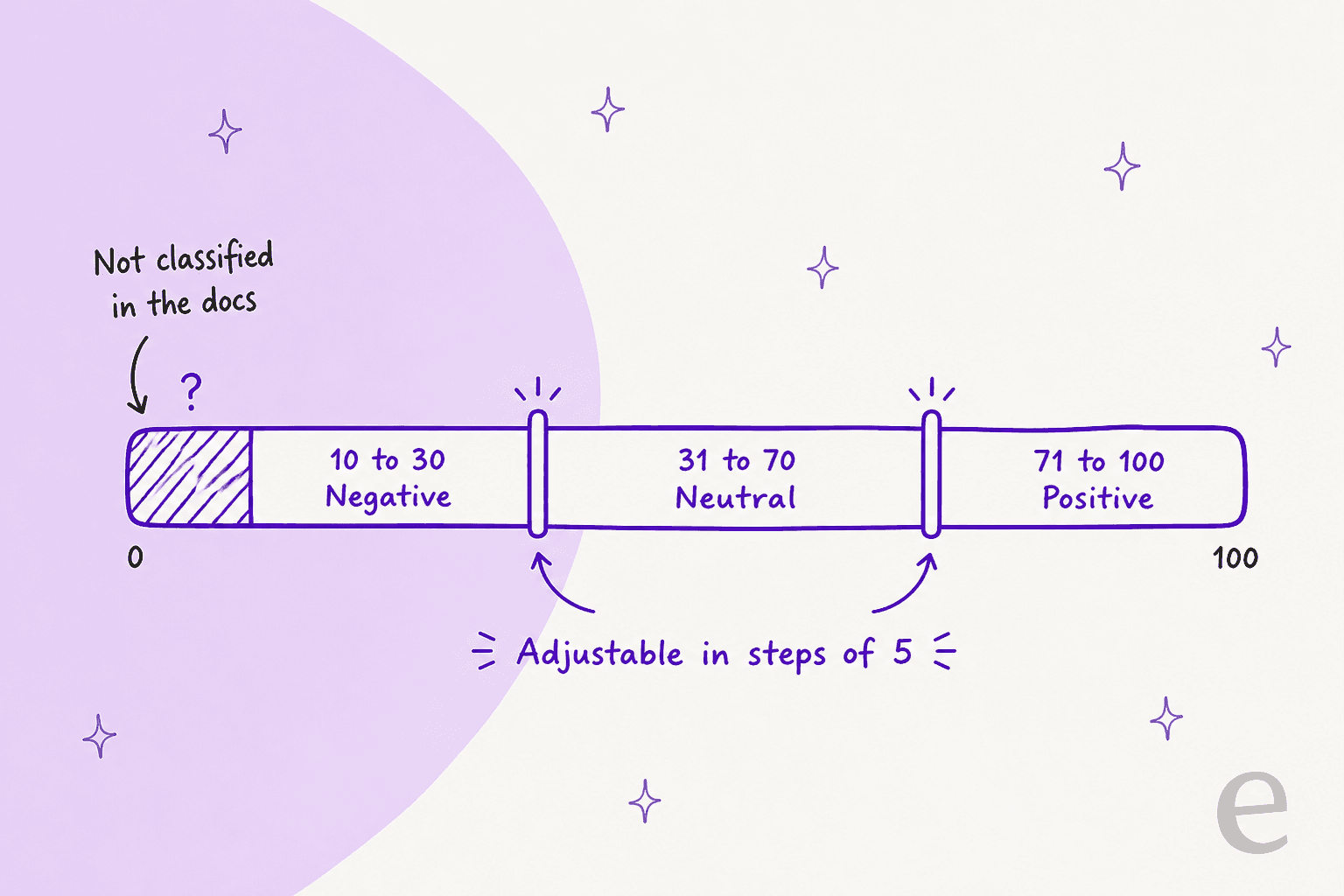
- The score runs from
0to100, where0is the most negative. - By default
10to30is negative,31to70is neutral and71to100is positive. - It scores the latest customer message, not the whole conversation, so a chat that starts angry and ends happy can flip.
If you are comparing it with ticket tools, my Freshdesk AI sentiment analysis post covers the ticket version, and Zendesk sentiment analysis and Gorgias sentiment detection show how other helpdesks handle it.
How do you turn on Freshchat sentiment analysis?
An admin switches it on under Admin Settings > Freddy, where it appears as one of the Freddy features, then agents see the labels in the inbox. Freshworks' steps are short.
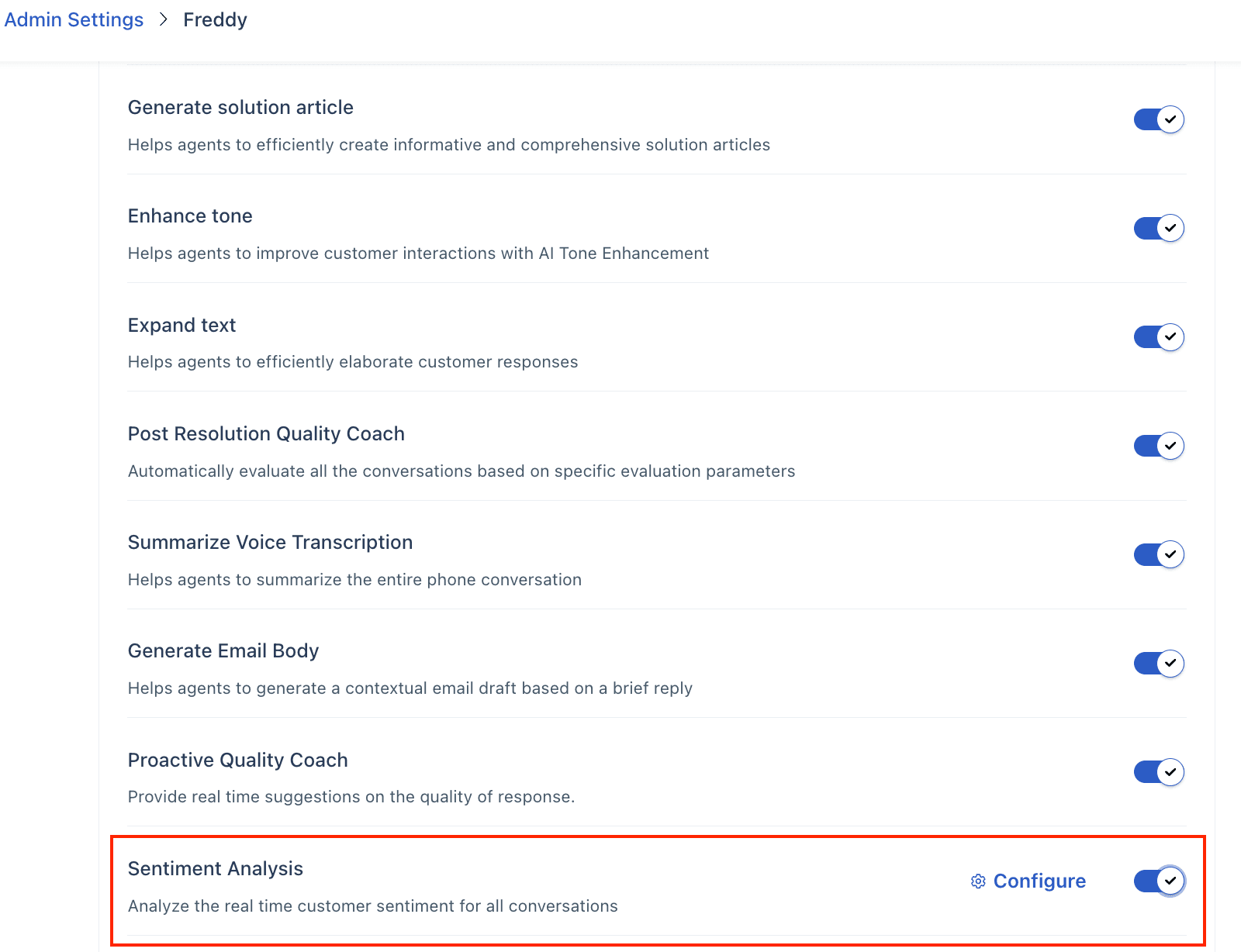
- Go to Admin settings, click the Freddy icon and find Sentiment Analysis.
- Move the toggle on.
- Click Configure and drag the slider to set your own negative, neutral and positive ranges, in increments of
5. Reset to Default undoes it.
One wrinkle: the article's note says range changes "apply to all conversations, both new and existing", while the Customization section says new conversations "created from that moment on" reflect the new ranges. I would check a few old chats after you change the slider instead of trusting either line.
Where do agents see the sentiment?
In the Conversation Inbox. Each conversation carries a sentiment tag, hovering shows the score, and agents can filter by positive, negative or neutral and sort by sentiment.
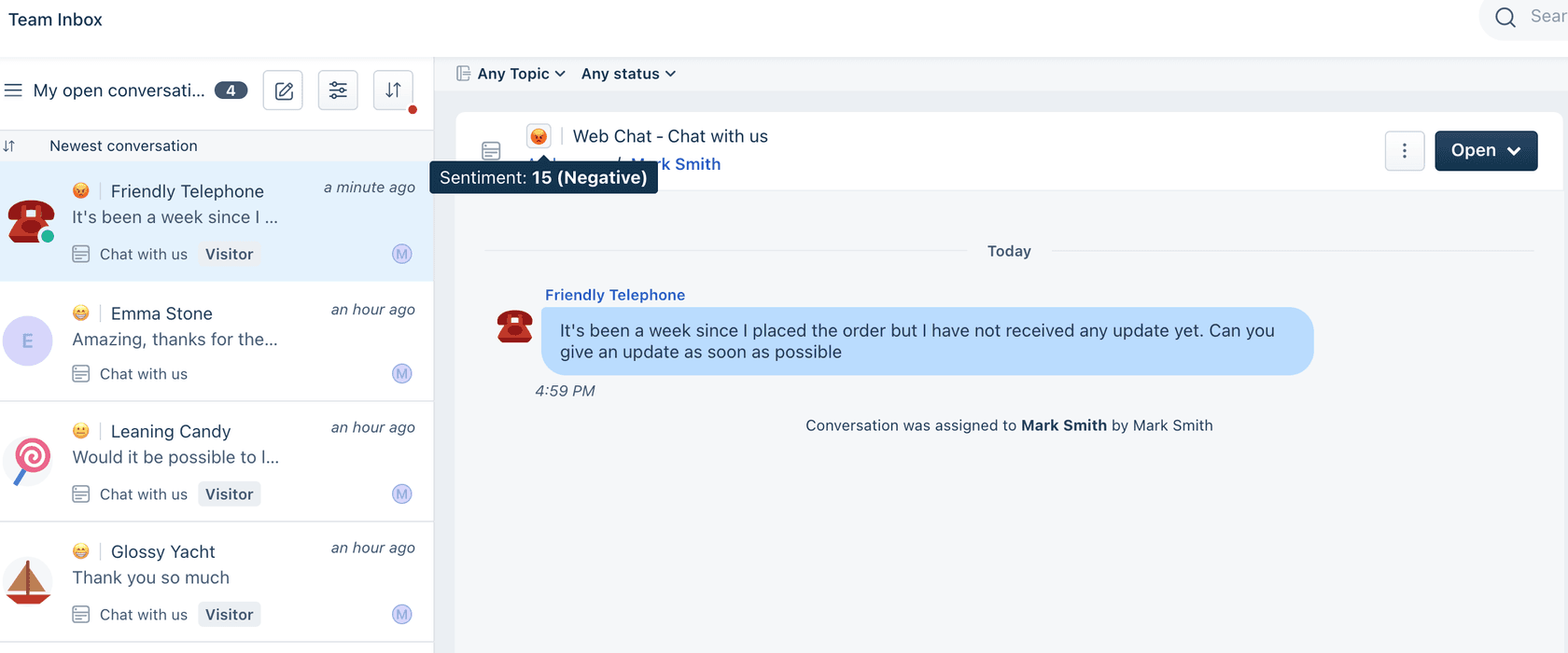
Freshworks suggests agents "address high negative sentiment score and high priority" conversations first. That is sensible, and it is the whole workflow the article documents. Pair it with a routing rule and it gets stronger: my Freshchat conversation routing post covers what assignment rules can use.
Which Freshchat plan includes sentiment analysis?
Freshworks files it with the paid Freddy AI Copilot features. In its Freddy AI features and pricing article, Sentiment Analysis sits in the Freddy Copilot feature table with a Yes in the Freshchat column. The Freshchat pricing page lists Freddy AI Copilot at $29 per agent per month on Pro and Enterprise, and says it can be assigned to any number of agents.
| Freshchat plan (billed annually) | Per agent per month | Freddy AI Copilot |
|---|---|---|
| Free (up to 10 agents) | $0 | Not listed |
| Growth | $19 | Not listed |
| Pro | $49 | $29 per agent per month |
| Enterprise | $79 | $29 per agent per month |
Two honest limits. The pricing page never names sentiment, and the sentiment article's header lists every Freshchat plan from Free up, so I could not confirm from public pages whether Free or Growth get it without Copilot. Ask Freshworks before you buy for this alone. My Freddy AI Copilot and Freddy AI pricing posts break down the bill, and Freshchat pricing covers the plans.
What does Freshchat's sentiment analysis not cover?
Less than the Freshdesk ticket version does, going by Freshworks' own articles. The ticket article (modified 6 October 2026) documents a Sentiment is changed automation event, a choice between scoring the first or second customer response, a beginning-versus-current sentiment view and a list of supported channels. The Freshchat article has none of those.
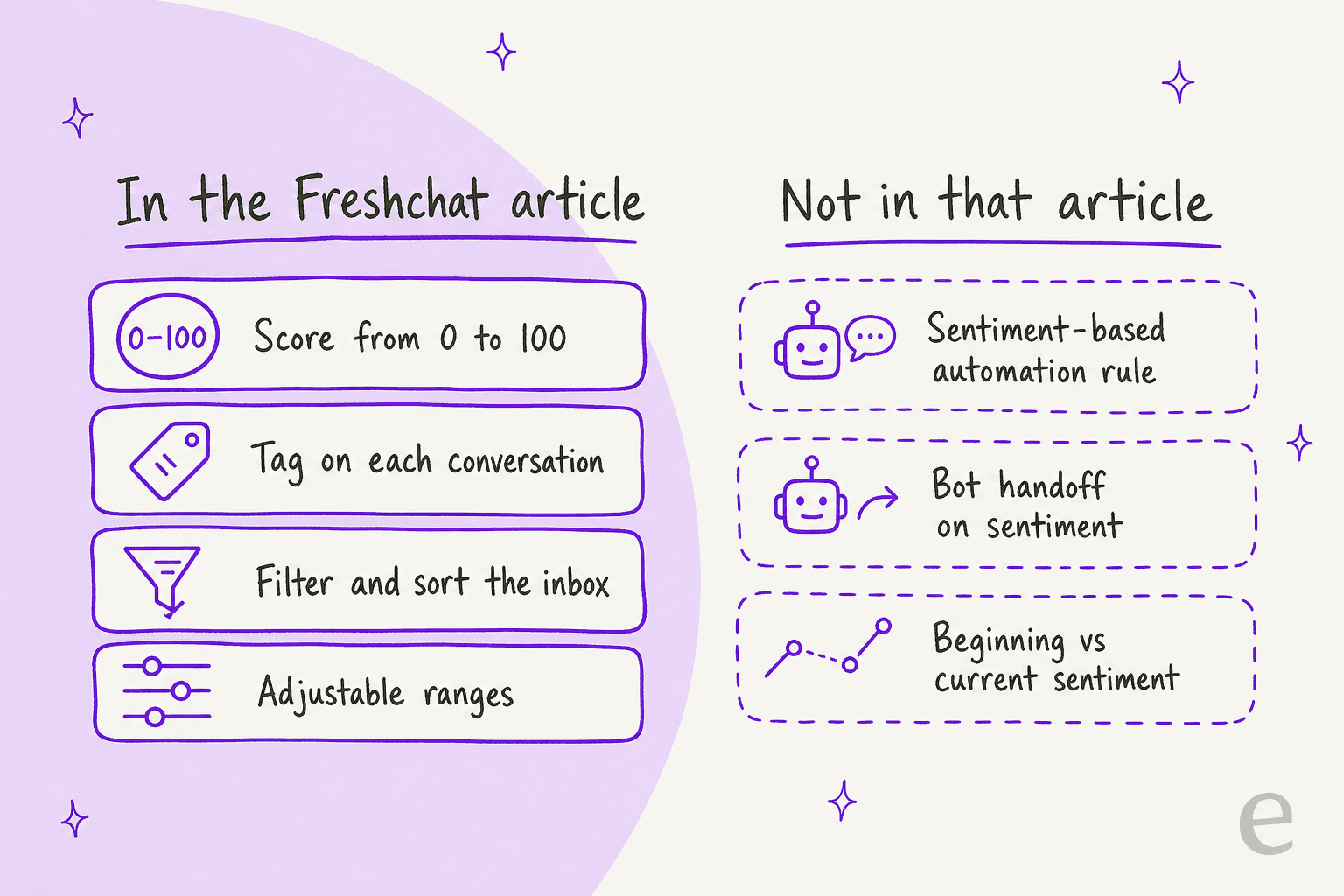
- No documented automation. The benefits list says "efficient automations", but the Freshchat steps end at the inbox. I found no sentiment condition for chat in the articles I read.
- No documented bot handoff. The Freddy AI Agent is billed at $49 per
100sessions, and I found no article naming sentiment as a handover trigger. - No accuracy figure. Freshworks publishes none, and one score per latest message can misread a short "fine." or sarcasm.
- The reporting view is unclear. Freshworks' Freddy AI Copilot value report has a sentiment tab comparing initial and current user sentiment, but it is written for tickets, and I could not confirm it covers Freshchat.
- It is not Insights. Freddy Insights (Beta) was deprecated on 6 November 2025, so older guides that group the two are out of date.
I also found no G2 or Capterra review that names Freshchat's sentiment feature, and Reddit was not reachable in this run, so I have no user quote to add.
What can you do about a negative chat without a sentiment rule?
Use what is documented, then fill the rest with people or another tool. Three habits cover most of it.
- Sort by sentiment at shift start and mid-shift. The inbox sort is the one documented lever, so make it a routine, not a hope.
- Back it with CSAT. Freshworks documents CSAT surveys for messaging channels, and my AI CSAT post explains how to read it next to sentiment. The score guesses, the survey asks.
- Write your own handoff rules. Decide what sends a chat to a person: a refund threat, a second complaint, a legal word. My ticket escalation process, handling angry customers and customer service tone guide posts help with the wording.
If churn is the worry, detecting churn risk in support conversations goes further than a three-bucket label. Intents and sentiments shows how the two signals work together.
Can eesel hand upset Freshchat chats to a person?
Yes, with a rule you write rather than a score. eesel joins Freshchat as a channel on its Freshdesk integration, reads the chat so far (up to 50 messages), answers from your help center, canned responses and past tickets, and can assign the chat to a group or agent. The automation's instructions decide which messages wake it, so a line like "hand this chat to the escalations group when the customer is angry or threatens to cancel" is the handoff rule. There is no 0 to 100 score, so test your wording on real examples before you trust it.
Two cautions from eesel's Freshchat docs. Replies go out live under one of your Freshchat agents' names, with no draft mode, so keep a teammate watching the inbox at first. And add "stop replying once a teammate has replied in the chat", so eesel steps back after the handoff.
SamCart shows the handoff pattern on its Freshdesk setup: one agent for tickets and another for website chat, both answering from about 280 help center articles. When a seller asks for a person, or the question goes beyond the help center, the ticket is tagged for handoff and the agent stops replying. That is Freshdesk tickets and a website chat, not Freshchat, so treat it as proof of the handoff pattern rather than of this channel. My AI agent handoff best practices and how to review AI support conversations posts cover the follow-up.
Try eesel next to Freshchat
If your chats are the problem and the label alone does not move them, test an agent that handles routine chats and passes the heated ones to you. Connect Freshdesk, add Freshchat, and start with one topic while someone watches. A chat is 1 credit however long it runs: the free trial gives you 100 credits over 7 days with no card, and plans start at $299 a month for 500 credits, with no per-agent fee.

Try eesel on one Freshchat topic. Still comparing? These cover the neighbours:
- Freshchat alternatives and ChatGPT for Freshchat
- The best AI for Freshchat, AI for Freshchat and how to add AI to Freshchat
- The same question on Help Scout and Dixa
- The other Freshchat AI features: AI draft replies, conversation summaries and conversation translation
- Freshchat vs Freshdesk Messaging