Help Scout AI sentiment analysis: what it has and what it doesn't

Riellvriany Indriawan

Katelin Teen
Last edited November 21, 2026

Help Scout does not document any AI sentiment analysis. Its AI features (AI agents, AI Drafts, AI Summarize, AI Assist, Topics) don't score how a customer feels. The built-in signals are the customer's own Happiness rating and workflow conditions on rating and keywords, enough for a rough tone alarm from Standard at $25 per user per month billed annually. To pull a person into upset or sensitive conversations automatically, eesel follows handoff rules you write and leaves an internal note in Help Scout. With the eesel CLI, an AI coding agent can upload approved knowledge, adjust those handoff instructions and ask test questions before anything goes live, though a mailbox admin still approves the Help Scout connection.
Does Help Scout have AI sentiment analysis?
No, not in anything I could find in Help Scout's own pages. I read the AI features page, the docs for AI Summarize, AI Drafts, AI Assist and Topics, the workflow conditions list, and the AI Transparency Hub on 2026-11-21. A search of the docs for "sentiment" returned one unrelated article about Beacon messages.
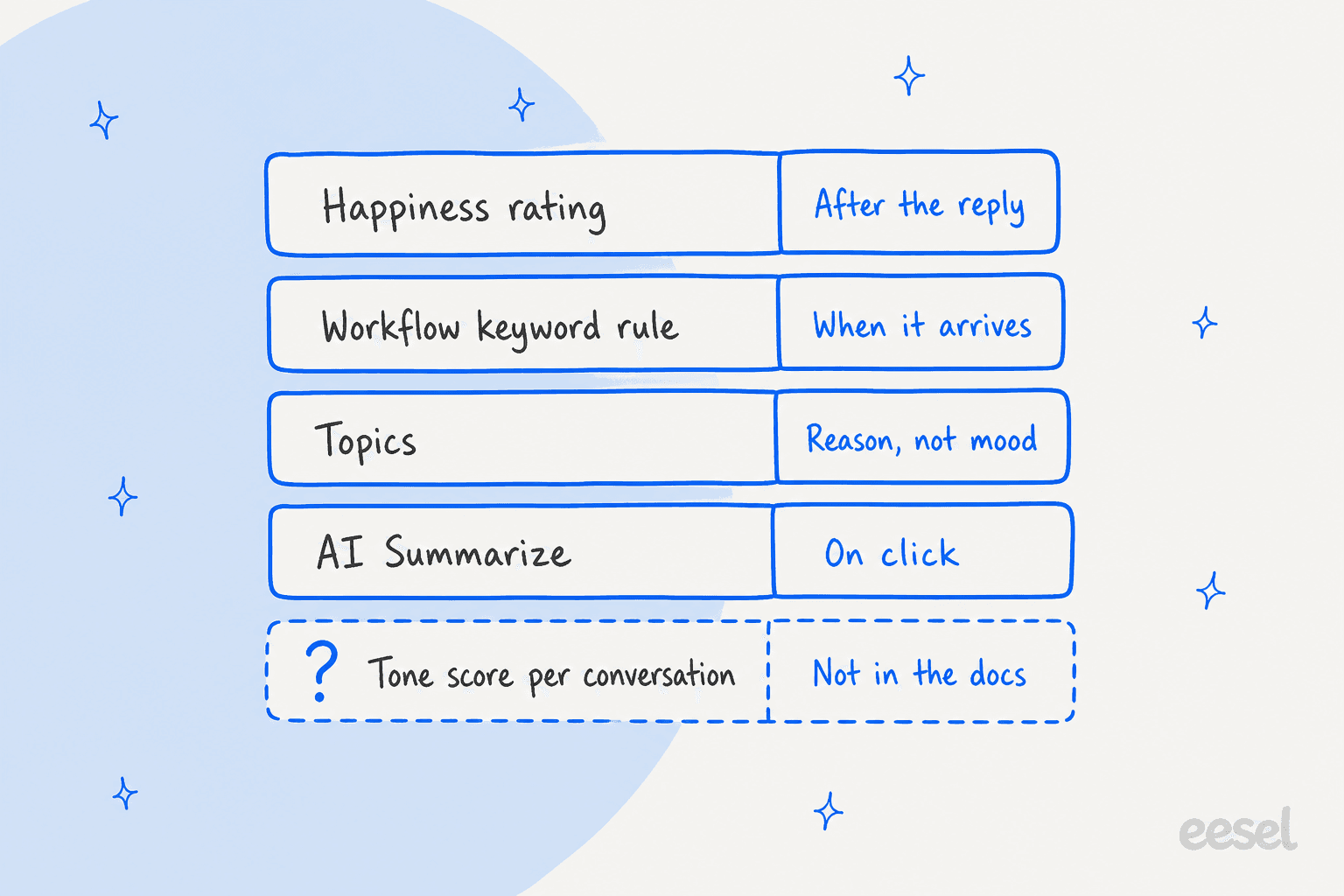
That is a fair design choice for a tool that says it wants AI to improve support, not deflect tickets. It also means a support lead who wants a "this customer is upset" flag has to build it. Here is what each piece does, and what it does not:
| Help Scout feature | Plan | What it reads | Sentiment? |
|---|---|---|---|
| Happiness ratings | Standard, Plus and Pro (Standard reports 2 years, Plus and Pro lifetime) | Customer clicks Great, Okay or Not Good | Customer-reported, after the reply |
| Workflow Rating and Body conditions | Basic workflows on Standard, advanced on Plus | Rating value, words or regex in the message | Keyword matching, not AI |
| Topics | Plus and Pro | Reason for contact, such as billing or refund | No, categorizes themes |
| AI Summarize | Plus and Pro | Whole thread, one click | No tone label documented |
| AI Assist | Plus and Pro (per-user plans) | Your own draft | Rewrites your tone, does not read the customer's |
| MCP server | Standard, Plus, Pro (reports need Plus or Pro) | Conversations and reports, read-only | Only if you ask your own AI to judge it |
The pricing page also lists an "AI Inbox assistant" under Standard. I could not find it documented as scoring sentiment, so I have left it out of the table. For what sentiment analysis normally means, my AI sentiment analysis overview and the sentiment analysis glossary entry set the baseline.
What does Help Scout measure instead?
Help Scout measures what the customer chooses to tell you. Each email reply can carry a rating link, and the customer picks Great, Okay or Not Good, with an optional comment. The Happiness report turns that into percentages and a Happiness Score: the share of Great ratings minus the share of Not Good ratings, calculated much like NPS.
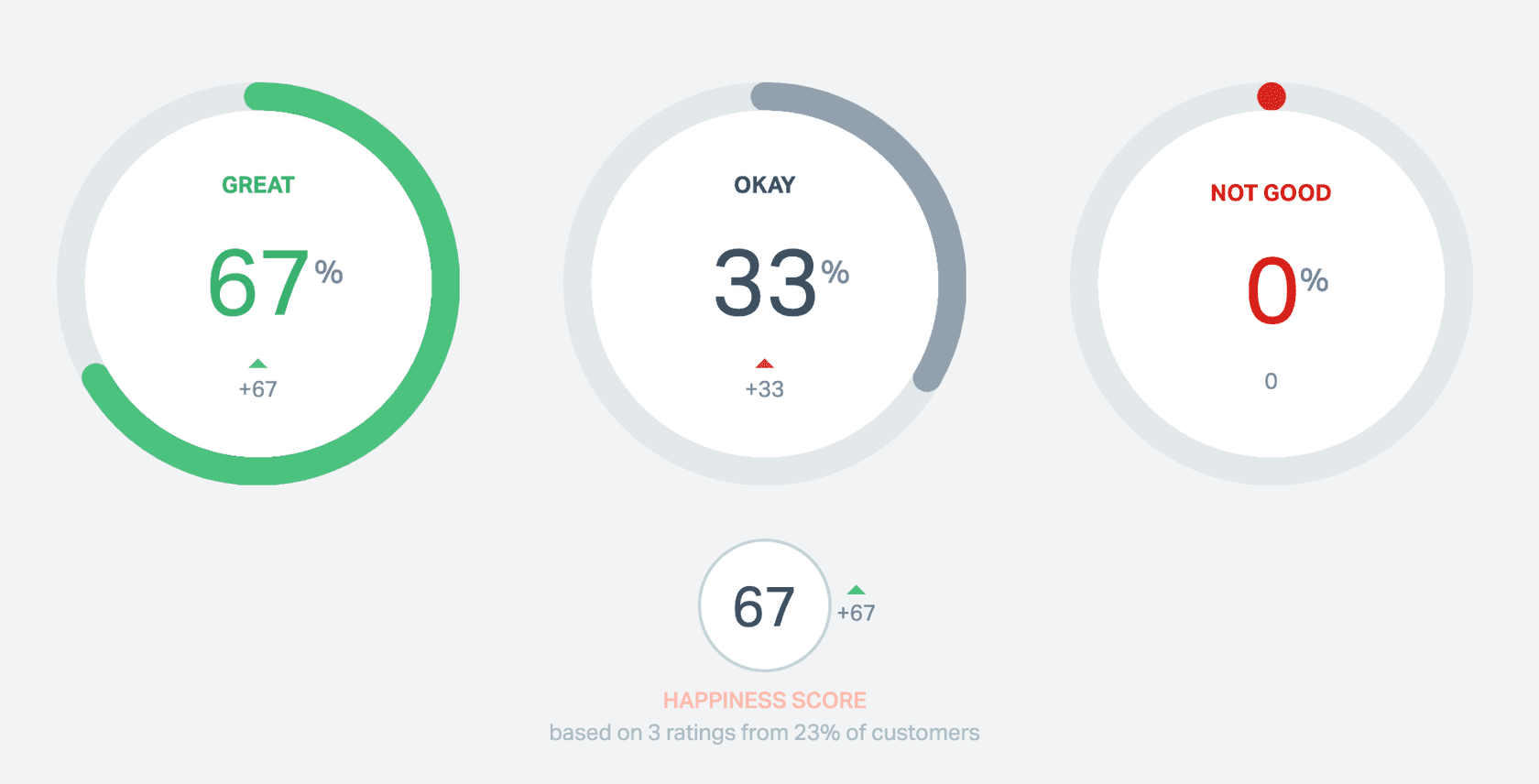
The rules around it matter for anyone using it as a mood signal:
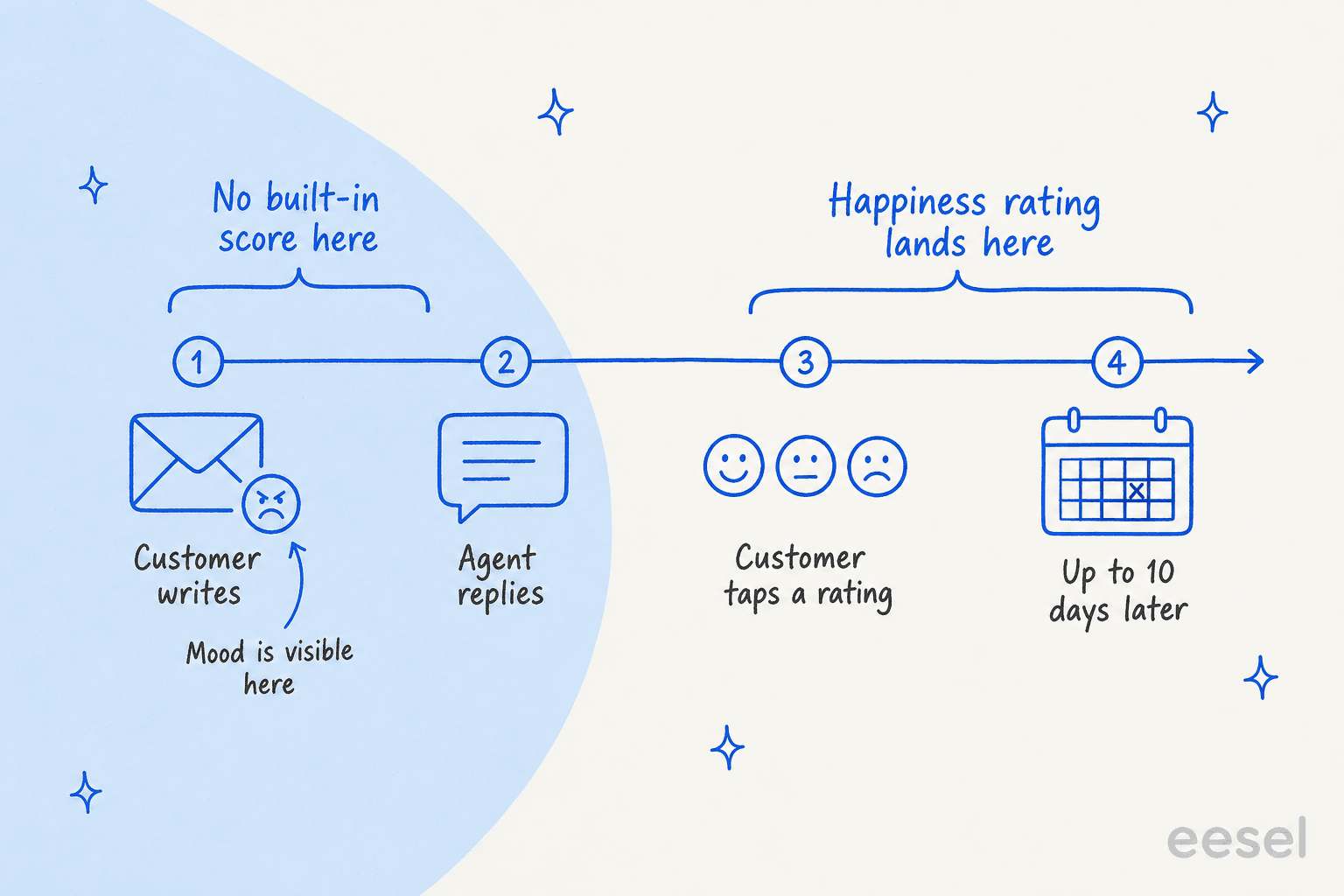
- Customers can rate any reply within 10 days and can change the rating in that window, per the satisfaction ratings docs.
- Each reply gets one rating, and a customer can rate every reply in a thread separately.
- Ratings are indexed by the date of the reply, not the date of the rating. My Happiness report dates guide walks through why a March report can change in April.
- Standard plans can report on the last 2 years, and Plus and Pro on the lifetime of the account.
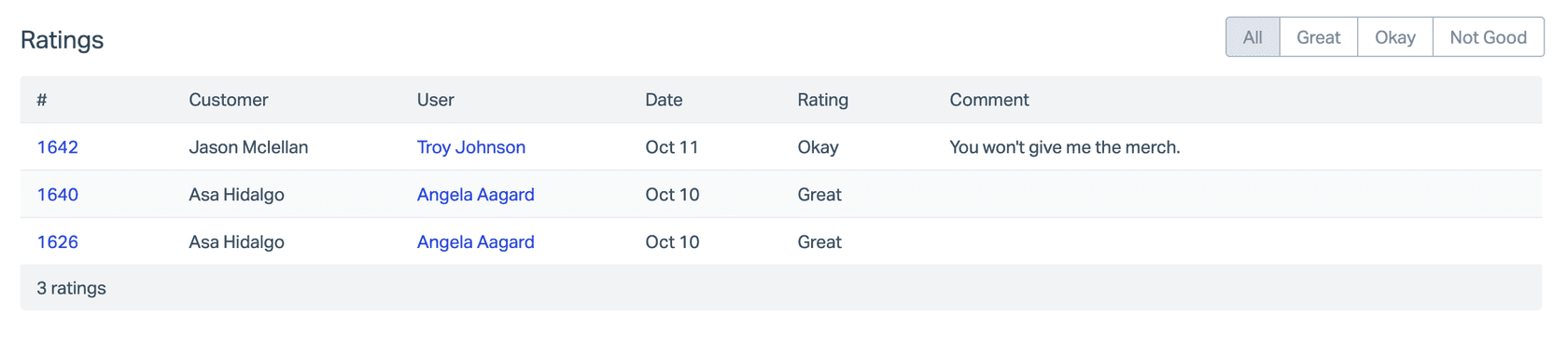
The catch is timing. A rating arrives after the agent has already replied, and only if the customer bothers. The upset customer in message one has no score until a reply has gone out and been judged.
If you want the broader metric picture, I wrote up how to measure customer sentiment and what AI CSAT changes.
How much does each Help Scout plan cost?
Prices below come from the live Help Scout pricing page, checked on 2026-11-21.
| Plan | Per user, billed annually | Per user, billed monthly | What matters for tone work |
|---|---|---|---|
| Free | $0 (5 users, 1 Inbox, 1 Docs site) | $0 | Entry plan, no sentiment features |
| Standard | $25 | $30 | Basic workflows, AI Inbox assistant listed, MCP and API |
| Plus | $45 | $54 | Advanced workflows, unlimited AI Drafts, plus AI Summarize, Topics and AI Assist per the docs |
| Pro | $75 | $90 | Unlimited workflows, SLA policies, SSO/SAML, HIPAA compliance |
| Envoy (add-on) | $0.75 per resolution | AI agent that answers customers, billed per resolution |
A concrete example: a 10-person team pays $250 a month on Standard, $450 on Plus and $750 on Pro, all billed annually. The jump from Standard to Plus is $200 a month for that team, and it buys Topics, AI Summarize and advanced workflows, none of which score sentiment. Be clear on that before you upgrade for it. My Help Scout pricing guide and Help Scout review cover the rest of the trade-offs.
How do I build a rough tone alarm with Help Scout workflows?
You can get a useful, imperfect alarm from workflows alone. The condition list includes Rating (Great, Okay or Not Good), Rating Comments, Body (customer message or user note, with words or a regex), Tags, Waiting Since and Last Customer Reply. The action list includes Notify Help Scout User(s), Assign to User, Assign to Team, Add a Note, Add Tag(s) and Change Status.
Three recipes I would start with:
- Unhappy rating. Rating is Not Good, then add a tag like
unhappy, assign to a team lead and notify them. Test it on one sample conversation first, since I could not verify from the docs how quickly a new rating triggers a workflow. - Warning words. Body matches a short list such as "cancel", "chargeback" or "lawyer", then tag and notify. Help Scout advises whole words and several conditions or workflows, because partial matches catch words like "friend" when you meant "end".
- Waiting too long. Waiting Since is longer than a set number of hours on a tagged conversation, then assign to a team. Pair it with your SLA policy order so the two do not fight.
Two limits to plan around. A workflow only acts the first time a conversation matches, to avoid loops, and keyword rules only find the phrases you thought of. For routing, my guides to auto-assignment workflows and AI ticket tagging show how to keep the rules tidy.
Keep collision detection in mind when you notify a lead, so the lead and the original agent do not both reply, and check how snoozed conversations behave if an upset thread wakes up later.
Can Topics, Summarize or the MCP server stand in for sentiment?
Partly, and each one answers a different question.
- Topics reads every new conversation and assigns a theme such as billing issue or refund request. When you turn it on, Help Scout reviews your history and proposes 8-15 topics, and the Topics docs say you can use a topic as a workflow condition during the beta, plus see trend reports. A spike in "refund request" is a mood signal in practice, but the label is the reason, not the feeling.
- AI Summarize gives a bulleted recap on click. The docs say it can be inaccurate or misleading, the summary is always in English, and it is web-app only. It is good for a handoff, as I covered in Help Scout AI conversation summaries.
- AI Assist has an "adjust tone" button, but it rewrites your draft to sound more professional or friendly. It does not read the customer's mood.
- The MCP server is the most open door. Help Scout lists examples like finding the objections customers raise most often, and it supports pulling happiness reports. Connections are read-only, so Claude or ChatGPT can analyze tone across last month's conversations but cannot add a note or tag. That is a weekly review, not a live alarm.
If native scoring is a hard requirement, compare how other helpdesks do it:
- Zendesk sentiment analysis
- Gorgias sentiment detection
- Freshdesk AI sentiment analysis
- Dixa and Zoho Desk take a similar route.
That may also be a reason to read Help Scout alternatives or Help Scout vs Front.
Reviewers are honest about the reporting side. A G2 reviewer rated Help Scout 5/5 and still wrote:
"The reporting functionality is great but basic, sometimes we have to export data or use other tools for more detailed analysis."

How does eesel fit into Help Scout sentiment handling?
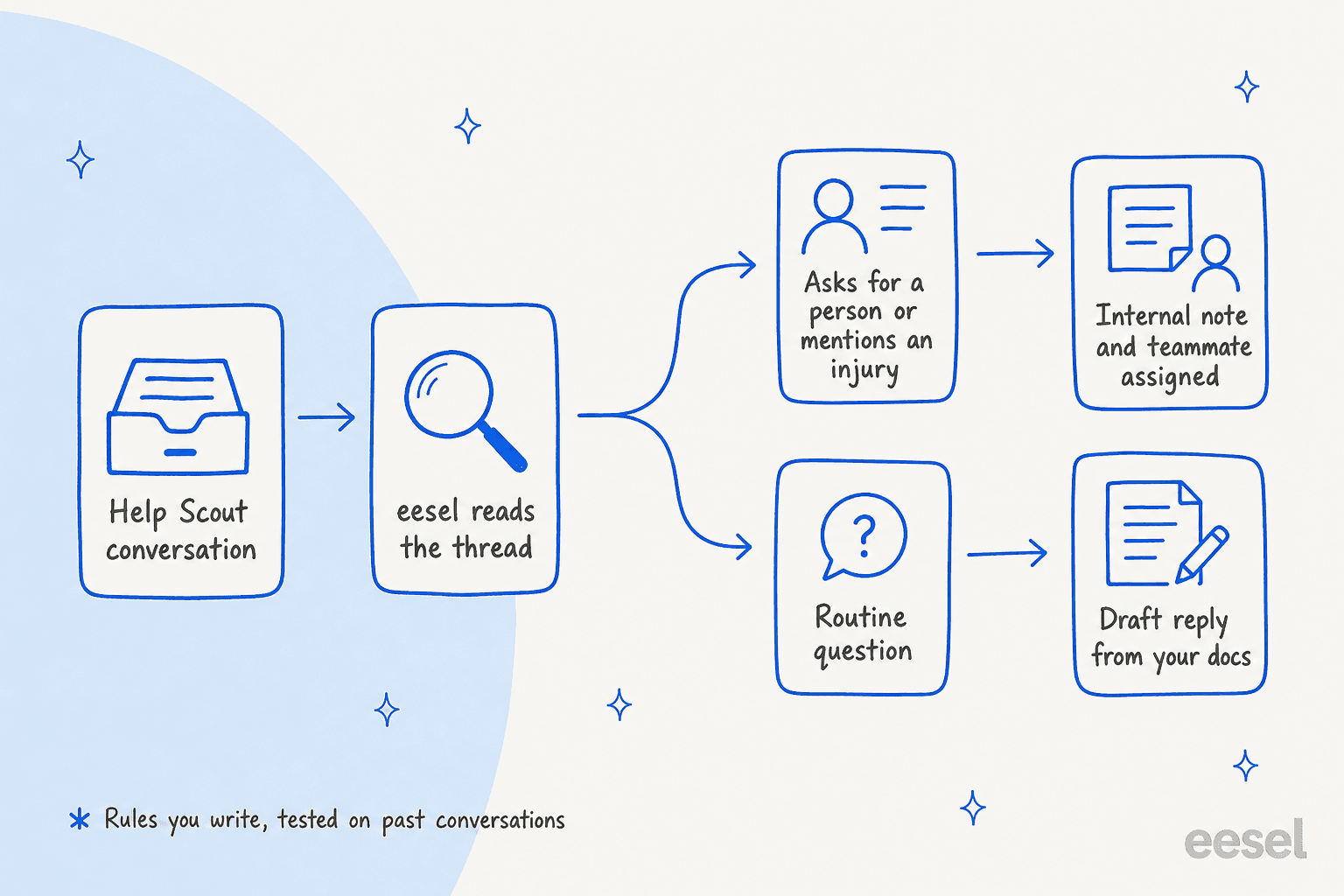
I would not describe eesel as a sentiment dashboard. Its Help Scout docs describe triggers and actions, and a sentiment score is not among them. What it does well here is act on cues you define. eesel wakes when a customer opens a conversation or replies, reads the thread, and can leave an internal note, add tags and assign the conversation to a person or team, or leave a draft for a teammate to review. It learns from your past Help Scout conversations (closed ones from the last 30 days by default) and your Docs site.
The practical difference from a workflow keyword rule is that the instruction can be a sentence in plain language, such as "if the customer asks for a person, mentions an injury or says they are cancelling, hand off and write why", and the rule can be checked on past conversations before it touches a live customer. When it wakes it starts from customer messages and team replies, not your internal notes, so put the context that matters in the rule itself.
Two eesel customers show the pattern, both on Freshdesk rather than Help Scout, so treat them as the same idea on a different helpdesk:
- Original Bootcamp runs eesel on Freshdesk, and a filter lets through only the tickets it can answer from the website and past tickets. Anything about an injury or illness goes to a person even if the booking question could have been answered, and the filter let 31 tickets through between 8 August and 8 September 2026. That is a sensitive-topic rule written as a sentence, not a sentiment score.
- SamCart runs one agent on Freshdesk tickets and another on its website chat. When a seller asks for a person or the question is beyond the help center, the ticket is tagged for handoff and the agent stops replying on it.
That is the shape I would copy on Help Scout: define the moments a person must take over, make the agent say why in a note, and let the team keep the judgment calls. For the process side, see AI escalation, the ticket escalation process and AI agent handoff best practices.
Which setup should a Help Scout team pick?
Pick by what you need to be true on a Monday morning.
| If you need | Use | Plan | Limit |
|---|---|---|---|
| A trend of customer-reported satisfaction | Happiness report | Any plan | Lagging, only customers who click |
| A flag on named words or bad ratings | Workflows | Standard for basic, Plus for advanced | Only the phrases you list |
| Themes behind a volume spike | Topics | Plus or Pro | Reason, not mood |
| A weekly tone review across many conversations | MCP plus Claude or ChatGPT | Standard (reports need Plus) | Read-only, manual |
| A person pulled in at the right moment, with a note | eesel handoff rules | Help Scout plan plus eesel | Acts on your rules, no published score |
My own default for a team under 15 agents is workflows plus the Happiness report first. They cost nothing beyond the plan you have, and they show you which phrases and ratings actually predict a bad outcome. Add the assistant when the keyword list starts growing past what anyone can maintain, or when the cost of missing one escalation is higher than the cost of the tool. For churn-sensitive accounts, see detecting churn risk in conversations, and for the broader question, AI sentiment analysis for support and AI ticket sentiment are the next reads.
If you review conversations for coaching, pair any of these with a quality assurance routine, and read intents and sentiments to separate what the customer wants from how they feel.
If the tone problem is really an answering problem, start with Help Scout AI draft replies and AI ticket deflection. The roundup of the best AI for Help Scout and my AI for Help Scout guide cover the options.
Setting up Help Scout customer properties such as plan tier helps you rank who gets a person first, and the glossary entries on escalation and NPS fill in the vocabulary.
Try eesel for Help Scout
If your Help Scout team needs the right person on the upset or sensitive conversations without waiting for a rating, eesel connects to your mailbox in minutes, follows the handoff rules you write, leaves an internal note explaining why, and can be tested on your past conversations before it replies to anyone. Start with drafts or notes only, then widen what it can do once the rules hold up.