Help Scout Twilio SMS: setup, cost, limits and AI answers

Kurnia Kharisma

Katelin Teen
Last edited November 8, 2026

Help Scout's SMS channel runs on your own Twilio number, so you pay your normal per-user plan plus Twilio's per-text and number fees. It is on every paid plan, an Owner or Administrator connects it, and replies cap at 1,600 characters. Budget for US carrier registration too. The docs I read do not list SMS as a channel for Help Scout's AI or for eesel, so test before you automate. With the eesel CLI, an AI coding agent can upload approved knowledge, such as Docs articles and saved replies, then ask test questions and check the answers before anything goes live. A Help Scout admin still approves the connection.
How does SMS work in Help Scout?
A customer texts your Twilio number, and Help Scout opens a conversation in the Inbox you connected. Per Help Scout's SMS guide, your team replies from Help Scout and the customer gets a text. The thread shows as chat bubbles, the same layout as WhatsApp, Messenger and Instagram.
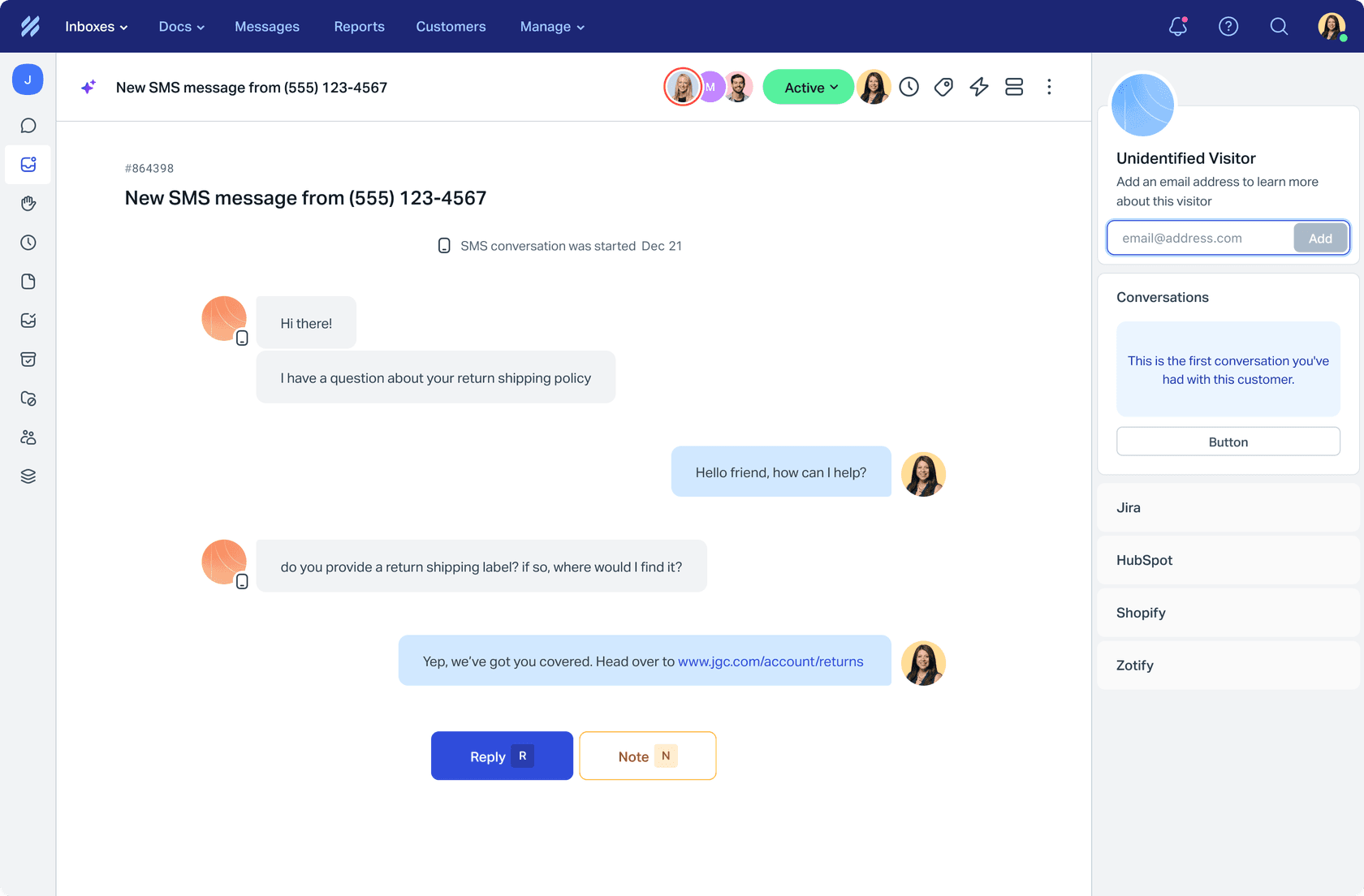
The details I would remember:
- The subject is the phone number. Each conversation is tagged
smsautomatically and the subject line shows the customer's number, which is handy for Views and Workflows. - MMS works both ways. Customers can send text and MMS attachments, and your team can reply with attachments, plain text and links.
- More than one number is fine. Help Scout says multiple numbers per Inbox are supported, unlike WhatsApp.
- It is a real conversation. Collision detection, snoozing and SLAs are Help Scout features. I did not find a page confirming each one applies to SMS, so treat that as something to check on a test Inbox.
Which Help Scout plans include SMS?
All paid plans. The SMS guide's access table says "All paid plans", and Account Owners and Administrators can connect and manage channels. The pricing page lists "Live chat and SMS" under the Standard plan's core features.
| Plan | Listed price | SMS |
|---|---|---|
| Free | $0, up to 5 users | Not a paid plan, so outside the docs' "all paid plans" |
| Standard | $25 per user a month | Included |
| Plus | $45 per user a month | Included |
| Pro | $75 per user a month, minimum 10 users | Included |
Prices are as listed on Help Scout's pricing page, which also carries a Monthly and Annual toggle advertising 16% off annual. I did not find a separate SMS fee on any plan. My Help Scout pricing breakdown has the add-ons and limits.
What do you need before connecting Twilio?
Three things, plus one check that catches people out. Help Scout's guide lists them:
- A Twilio account. You can create one free in the Twilio Console.
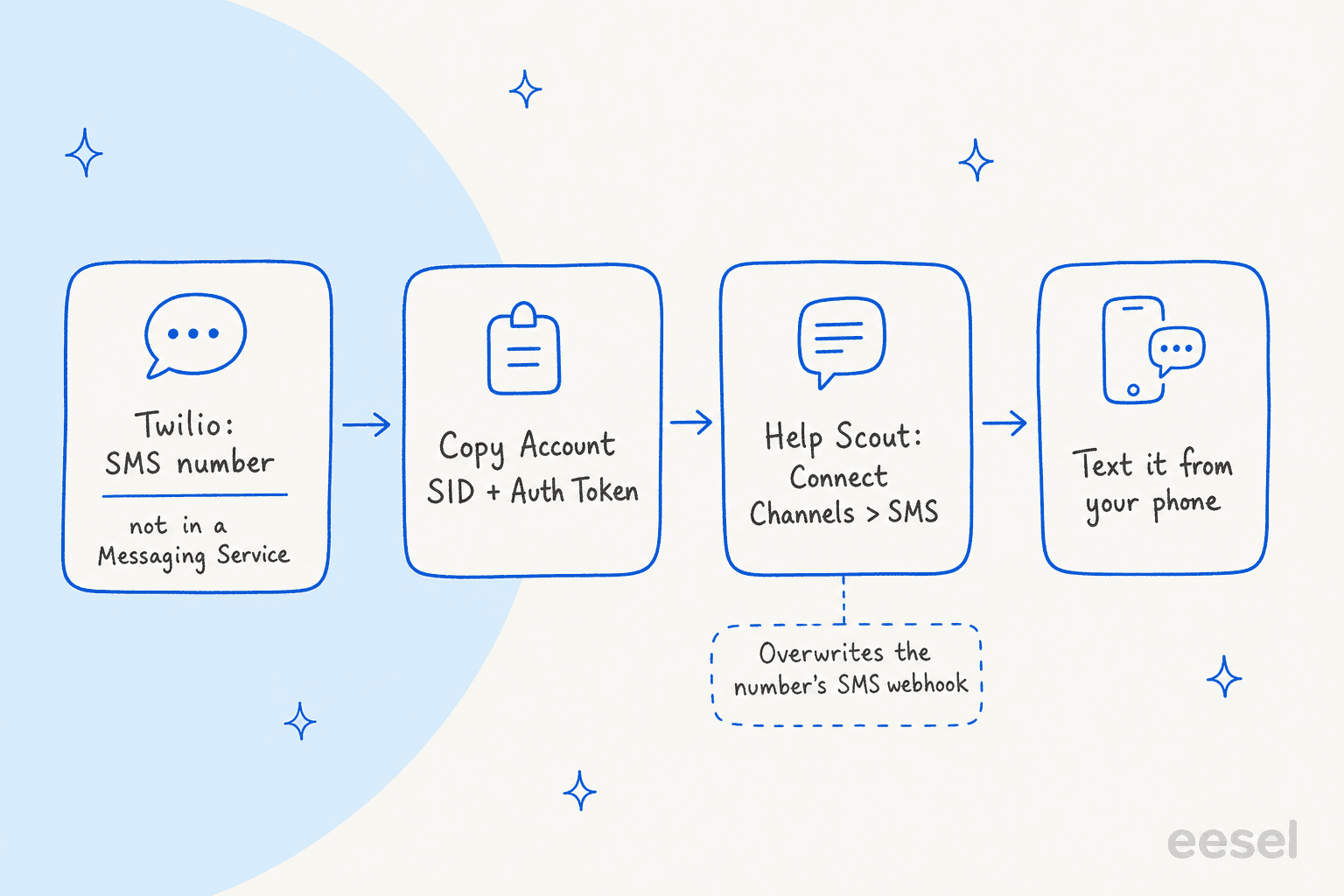
- A phone number already provisioned in Twilio. It must not belong to a Messaging Service.
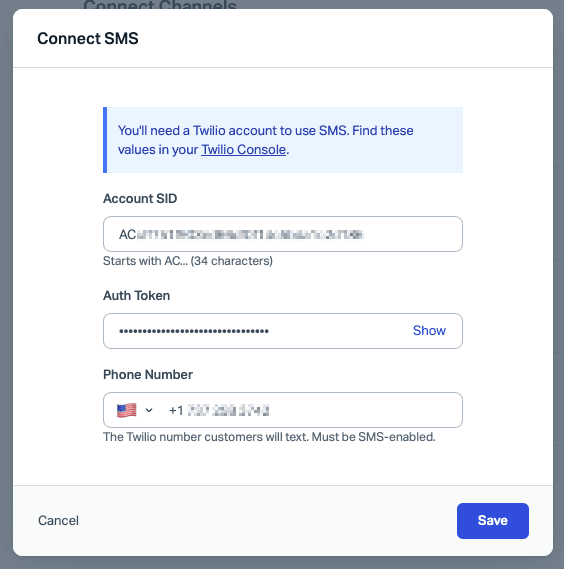
- Your Account SID and Auth Token, both found in the Twilio Console.
The check is the existing webhook. Help Scout warns that connecting a number overwrites the number's SMS webhook in Twilio. If that number already routes texts to a custom app or another tool, that routing is replaced. No other settings on the number change. So buy a fresh number for support, or move the old flow first.
The Messaging Service rule has the same cause. A number in a Messaging Service has its webhook controlled at the service level, which overrides the per-number webhook Help Scout sets, so you remove the number from the service first.
How do you connect Twilio to Help Scout?
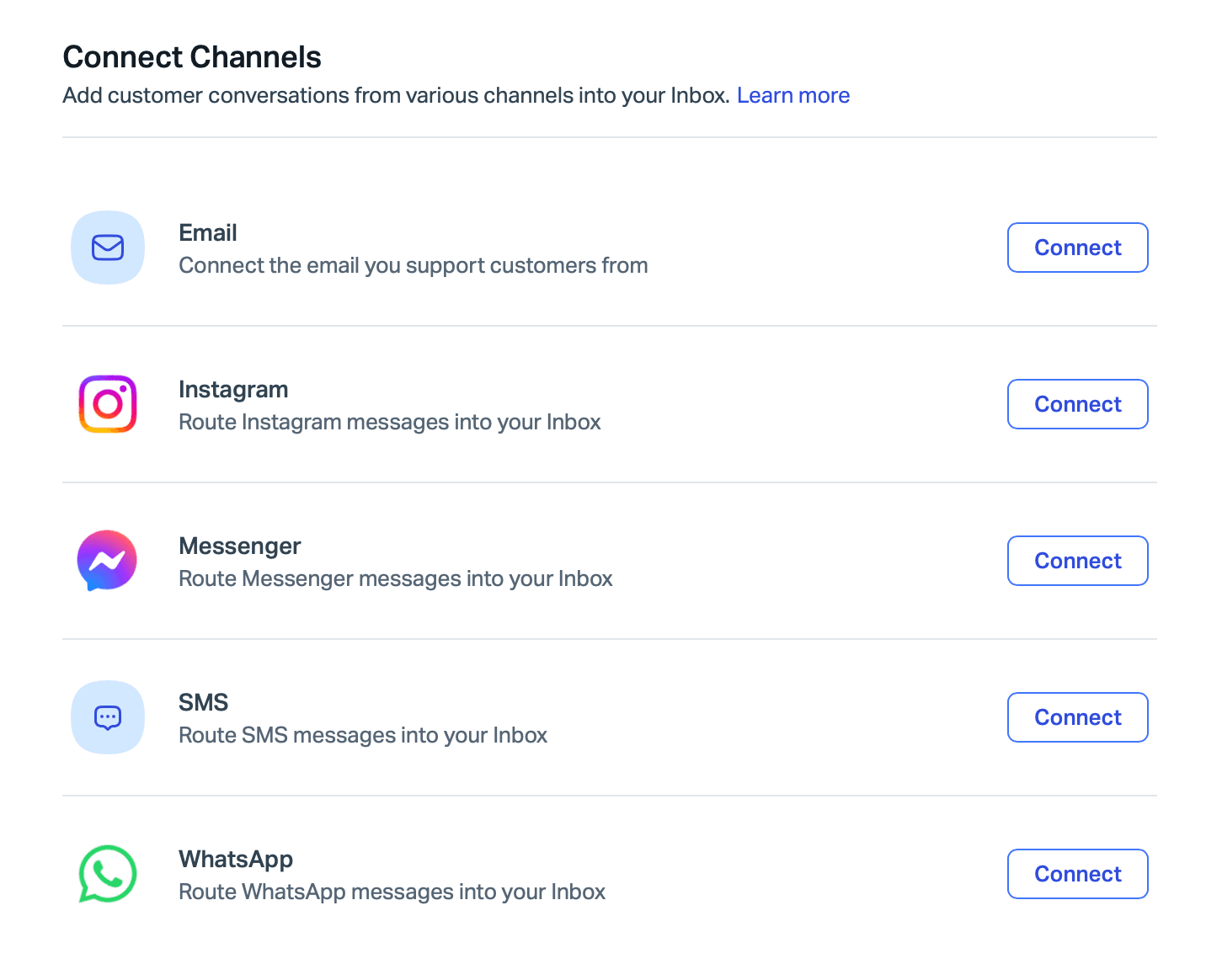
Go to Settings > Inboxes > your Inbox > Connect Channels and click Connect next to SMS.
Then enter the three values and click Save.
If something is off, Help Scout shows an inline error. The guide names three:
- Incorrect Account SID or Auth Token. Re-copy both from the console.
- Phone number already connected. Each number connects once, so remove it from its current connection to move it between Inboxes or accounts.
- Number not found, or tied to a Messaging Service. Check the number lives in the Twilio account matching that SID.
To verify, text the number from your own phone and confirm a new conversation appears in the Inbox. To manage numbers later, expand the SMS entry on the same screen. You can add numbers, or remove them one at a time. There is no single disconnect, and removing a number stops new conversations but keeps all history.
How do you start a text conversation yourself?
Click New Conversation, choose Text from the type menu, pick your connected number in From, enter the customer's phone number in To, write the message and send.
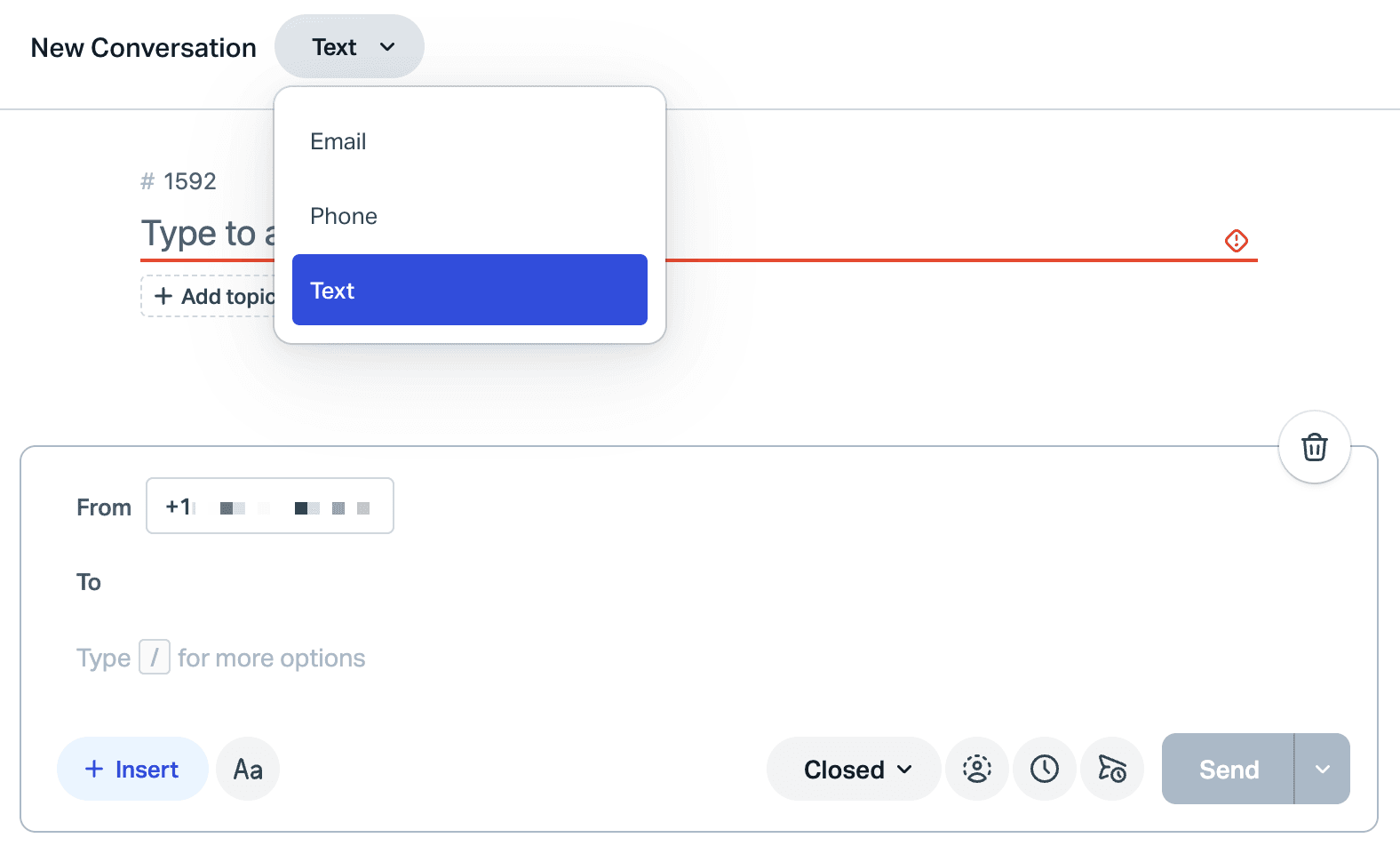
Per Help Scout's new conversation guide, you cannot attach files when starting a text. A customer's reply opens the thread, and your team can then send attachments. Outbound texts also bring consent and opt-out duties, which I cover below.
What does Help Scout SMS cost in total?
Two bills. Help Scout charges per user, and Twilio charges for the number, every text segment, carrier fees and, in the US, registration. Here is what Twilio lists today for US long codes.
| Twilio cost | Rate | Source |
|---|---|---|
| Long code number | $1.15 a month | Twilio SMS pricing |
| SMS in or out | $0.0083 per segment | Same page |
| MMS out / in | $0.022 / $0.0165 per message | Same page |
| Carrier fee, SMS out | $0.0035 to $0.005 per segment, by carrier | Same page |
| Failed message | $0.001 each | Same page |
| Brand registration (low volume) | $4.50 once | Twilio 10DLC fees |
| Campaign vetting | $15 once | Same page |
| Campaign, low-volume mixed / standard | $1.50 / $10 a month | Same page |
SMS is billed per 160-character segment, per Twilio. Help Scout allows 1,600 characters in one message, so one long reply can be up to 10 segments, which is my arithmetic. The composer's counter is there for that reason.
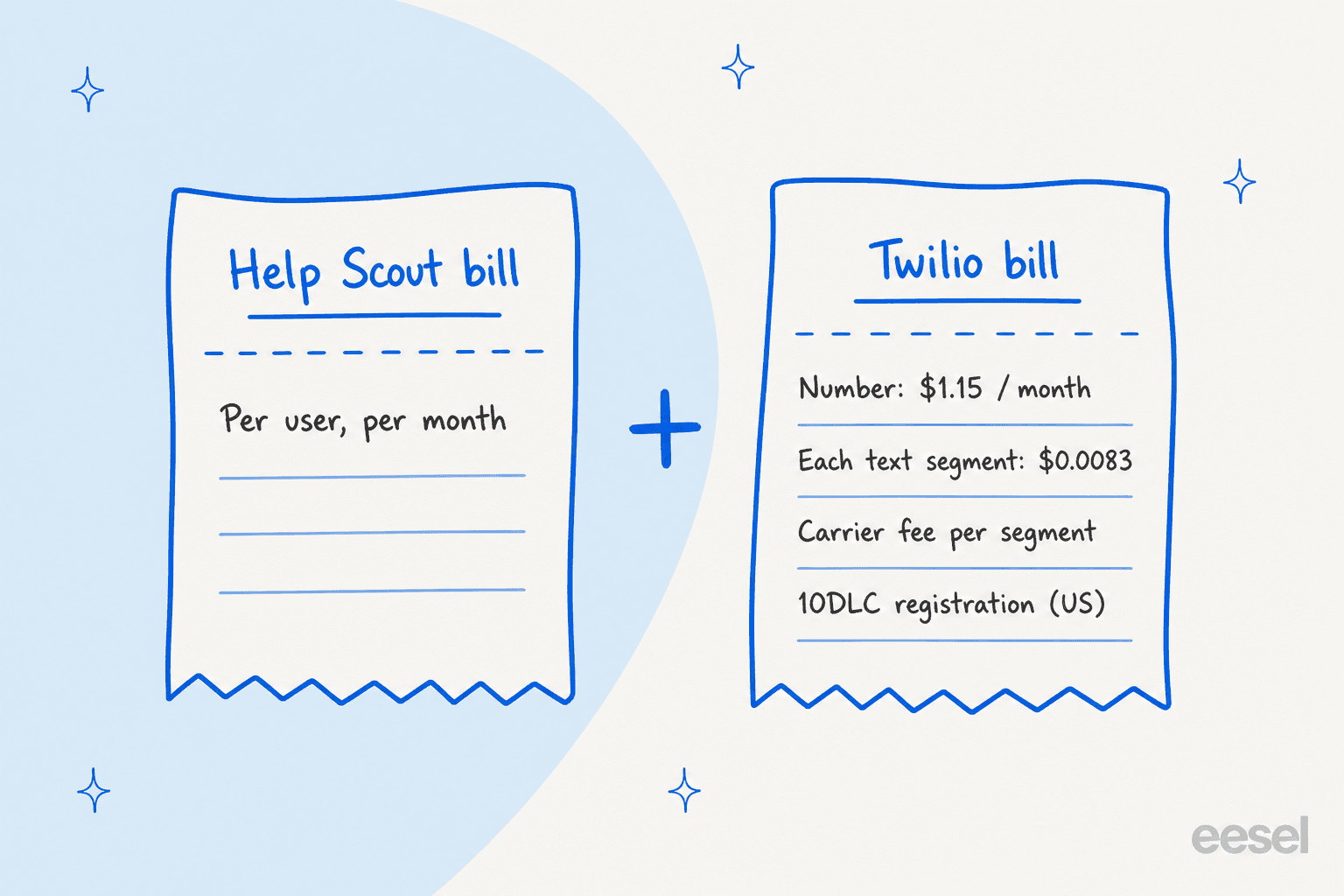
A worked example. Take a team of 3 on Standard, with 1,000 inbound and 1,000 outbound one-segment texts a month. Help Scout is 3 x $25 = $75 a month at the listed price. Twilio is 2,000 x $0.0083 = $16.60, plus $1.15 for the number, plus carrier fees of about $4.20 to $7.50 depending on carriers, plus the campaign fee of $1.50 to $10. That is roughly $23 to $35 a month on Twilio, plus about $19.50 once for registration. These are my sums from Twilio's listed rates, and Twilio says prices can change.
Two things in that table deserve a second look. Registration is not optional for US long codes: Twilio says anyone sending SMS or MMS over a 10DLC number to the US must register for A2P 10DLC, and unregistered traffic picks up extra carrier fees. And the seats stay the bigger line. Texting adds little per month at small volume, so the question is the team's time, not Twilio's rates.
What limits should you know about?
Most are in the docs, and a few are my reading of them.
- 1,600 characters per message. Past that, you split the reply.
- No attachments on a new outbound text. Replies can carry them.
- One Twilio number cannot sit in two places. A number connects once, and a Messaging Service number cannot connect at all.
- Connecting replaces the webhook. Anything else listening on that number stops receiving texts.
- Only Owners and Administrators connect or remove numbers.
- STOP is handled by Twilio, not Help Scout. Twilio's opt-out rules say a single-word STOP, UNSUBSCRIBE or CANCEL blocks the number from messaging that customer and the message still passes to your webhook. Replying "STOP PLEASE" does not trigger the block.
If you do not want to own a Twilio account, Help Scout also documents texting through partner apps such as Heymarket, which bundles a shared inbox and number. For WhatsApp the rules differ, including a 24-hour reply window.
What do the docs not say?
I read Help Scout's SMS guide, new conversation guide and Twilio's pricing and 10DLC pages. Here is what I could not find, so you can test it before launch:
- Which Twilio number types work. The guide says a provisioned number with SMS enabled. It does not say whether toll-free or short codes are supported, or how a customer outside the US is handled. Twilio treats toll-free and short codes as outside 10DLC.
- What a STOP text looks like in the Inbox. Twilio passes it through, and Help Scout does not describe filtering it.
- Delivery failures. Twilio bills
$0.001for a failed message. I did not find where Help Scout shows one. - Reporting by channel. The auto
smstag lets you build Views and reports by tag, which is my suggestion, not a documented SMS report. - AI on SMS. More on this next.
If you want to script around any of this, my Help Scout API notes cover the developer side, and AI ticket tagging shows what an agent can do with the sms tag.
Can AI answer Help Scout SMS conversations?
Not in anything I could cite. Help Scout's own AI, Scout, is documented for Beacon chat and email, and the Scout overview says it resolves across "Beacon and email". SMS is not named.
eesel is an AI helpdesk teammate that works inside the Help Scout mailbox. Its Help Scout docs list three triggers: a customer opens a new conversation "in any mailbox", a customer replies, and a visitor sends a Beacon live chat message. Actions include leaving a draft reply, sending a reply, adding notes and tags, and handing off. SMS is not mentioned in those docs, and I found no eesel SMS channel in them. eesel does list phone calls and WhatsApp as separate channels, which are not the same as Help Scout's SMS.
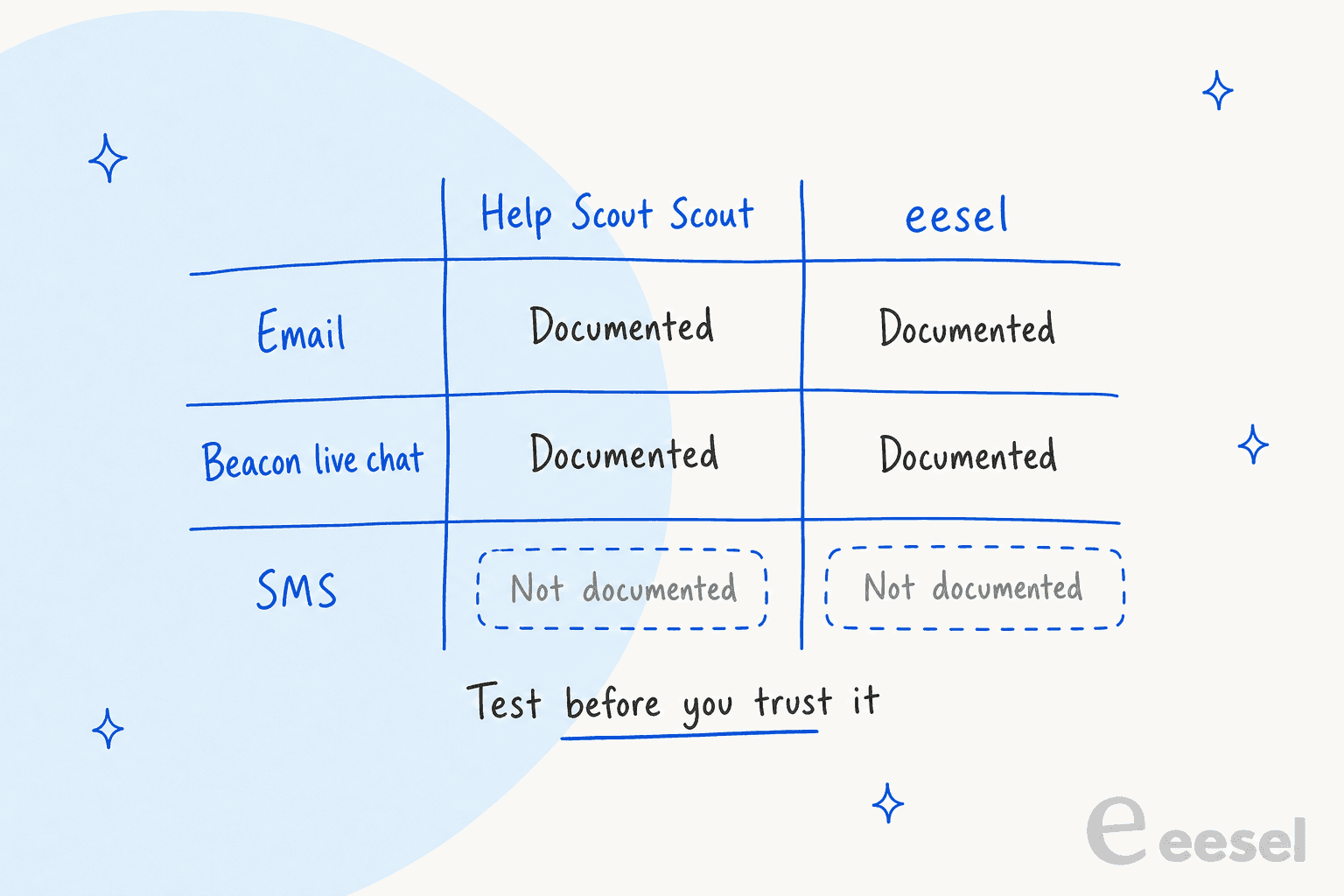
Because an SMS thread is a Help Scout conversation, a new-conversation trigger may well fire on it. I would not assume so. If you want to try, this is the order I would use:
- Use a sandbox Inbox with its own Twilio number. eesel's docs say to name the mailbox ID in the instructions to keep an automation to one mailbox.
- Start on draft replies. The docs say sent replies cannot be recalled, and drafts leave a person in the loop.
- Text it the awkward cases. A STOP, a 3-part question, a photo, a message with no Docs answer.
- Keep answers short. A draft longer than 1,600 characters will not fit one text, and each extra segment costs money.
The closest published proof I can give is not on SMS. Textla, an SMS marketing platform, runs eesel as front-line support in its support chat. It answers from 76 knowledge items across two channels. eesel only replies on conversations assigned to one teammate, so the team controls which chats it takes, and it began as a trial where eesel only left internal notes. Anything needing a person stays with the team. That is the pattern I would copy for texts: narrow routing, notes first, humans for the rest.
If texting is your main channel, my guides to AI for SMS support, AI texting bots and Twilio chatbots go deeper.
The best AI for SMS support roundup compares tools.
The eesel CLI can show connection options with npx @eesel/cli integrations connect helpscout_v2 and run eesel chat for test questions before anything goes live. Connecting the mailbox still needs a Help Scout admin or account owner to approve it. For deflection numbers, see Help Scout ticket deflection and deflection rate.
What mistakes should you avoid with Help Scout SMS?
- Reusing a busy Twilio number. Connecting overwrites its webhook, and whatever depended on it goes quiet.
- Skipping US registration. Unregistered 10DLC traffic gets filtered and charged extra.
- Treating texts like email. Customers expect a reply in minutes, so decide your after-hours cover and an escalation path before launch.
- Pasting long replies. Ten segments is ten charges, and nobody reads a 1,600 character text.
- Automating before testing. Check CSAT on the first few weeks of texts, not just volume.
For a broader view of the channels around SMS, my posts on multichannel support, Help Scout chatbots and Beacon modes are the next reads.
For the rest of the Help Scout setup, see customer properties, happiness report dates and AI triage for Help Scout.
If you are weighing AI options, Help Scout AI auto-reply, WhatsApp AI chatbots and live chat deflection are useful comparisons.
Try eesel with your Help Scout mailbox
If your team already lives in Help Scout, eesel for Help Scout is the layer I would add for email and Beacon chat while you decide how far to take SMS. It reads your Docs site and past conversations, drafts or sends replies, and hands off to a person with a note. You can try eesel with 100 free credits for 7 days, then paid plans start at $299 a month for 500 credits, where a ticket or chat is one credit (eesel pricing). If you are comparing tools, see my AI chatbot for Help Scout guide.
Frequently Asked Questions
Does Help Scout have SMS?
How do I connect Twilio to Help Scout?
How much does Help Scout SMS cost?
$0.0083 per US text segment plus carrier fees and $1.15 a month for a long code. See Help Scout pricing for the seat side.