Help Scout SLA policy order: which policy applies first

Riellvriany Indriawan

Katelin Teen
Last edited November 6, 2026
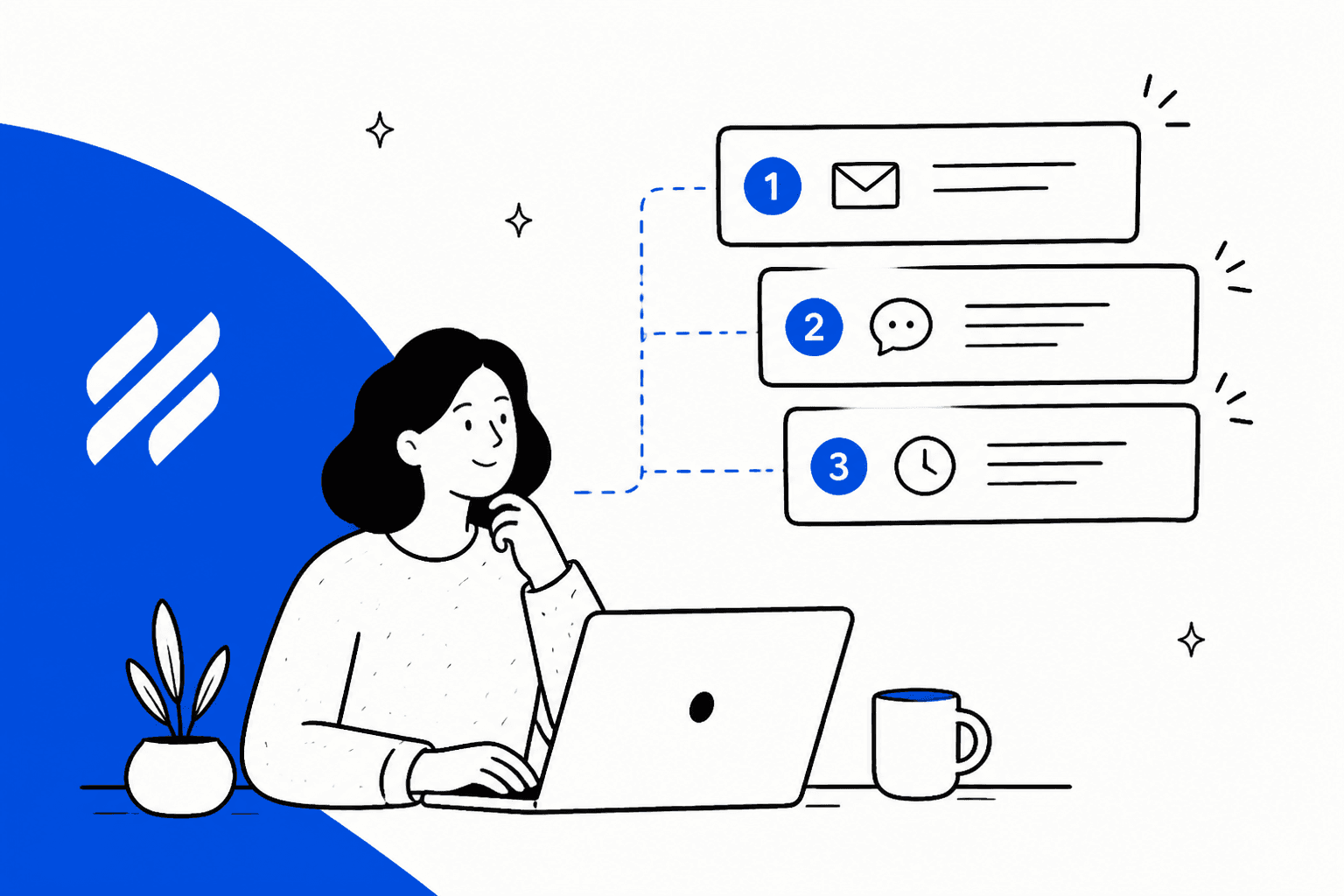
Help Scout applies the first matching SLA policy in your list, and only that one, so the order you drag policies into is the whole rule. Standard gets one basic policy with no conditions, Plus gets two with conditions, and Pro gets unlimited, so ordering only becomes real on Plus and up. Put your narrowest policy (a VIP company, say) first and a catch-all last, because a policy with no conditions matches every conversation and swallows anything under it.
eesel does not set or read SLA policies, but it can draft the first reply that the target is timing, and with the eesel CLI a coding agent can upload approved Help Scout Docs content and test its answers before anything goes live.
How does Help Scout choose which SLA policy applies?
It reads your list from top to bottom and stops at the first match. Help Scout's docs say SLA policies "are applied in the order they appear in your list," that "the first matching policy in the list applies to the conversation," and that you should "put your highest-priority policies first" (Help Scout Docs).
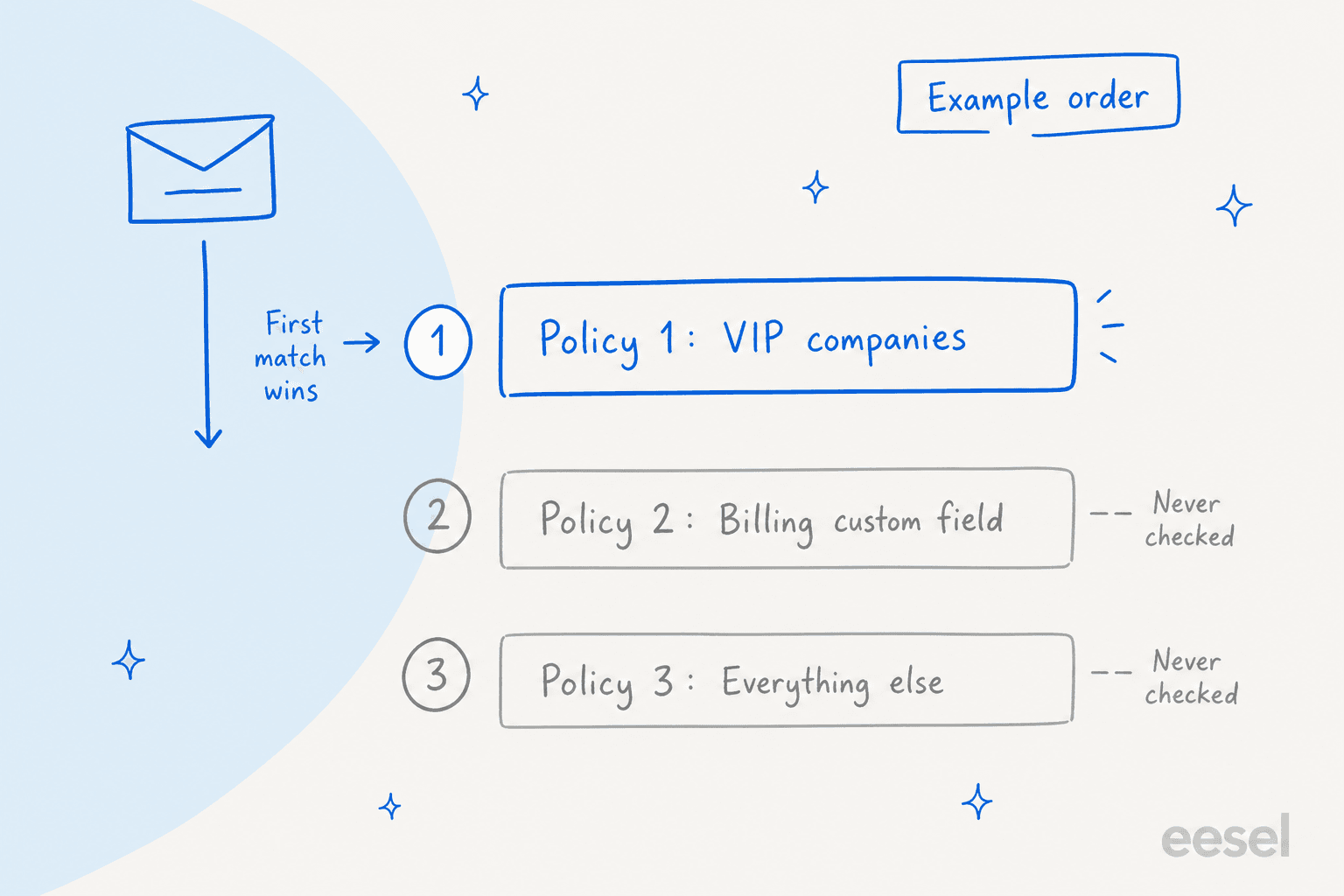
Three details from the same page change how you set this up:
- Where the list lives. It is at Settings (gear icon) > Inboxes > your inbox > SLAs, so policies are per inbox, not account-wide.
- How you reorder. New policies go to the bottom. Click the icon left of a policy name, hold, and drag it up.
- Who can touch it. Users with the Inbox: Manage SLA policies permission.
I work the support queue at eesel, and the failure I see on every helpdesk with ordered rules is the same one: someone builds a sensible "everything else" rule first because it was the easy one, and every special case after it is dead on arrival. The docs do not describe the first-match rule as a trap, but the logic follows from it. If you want the same exercise on other tools, my Freshdesk SLA policies and Zendesk SLA policies guides walk through theirs, and the glossary has a plain-English SLA definition.
What can an SLA policy match on?
Conditions decide which conversations a policy is eligible for. On Plus and Pro you build them with Add Condition Group, and Help Scout lists four condition types (Help Scout Docs):
| Condition type | What it matches |
|---|---|
| Company | Specific companies to include or exclude |
| Email address | Specific addresses or whole domains to include or exclude |
| Custom field | Values of custom fields you set up beforehand |
| Customer property | Values of customer properties you set up beforehand |
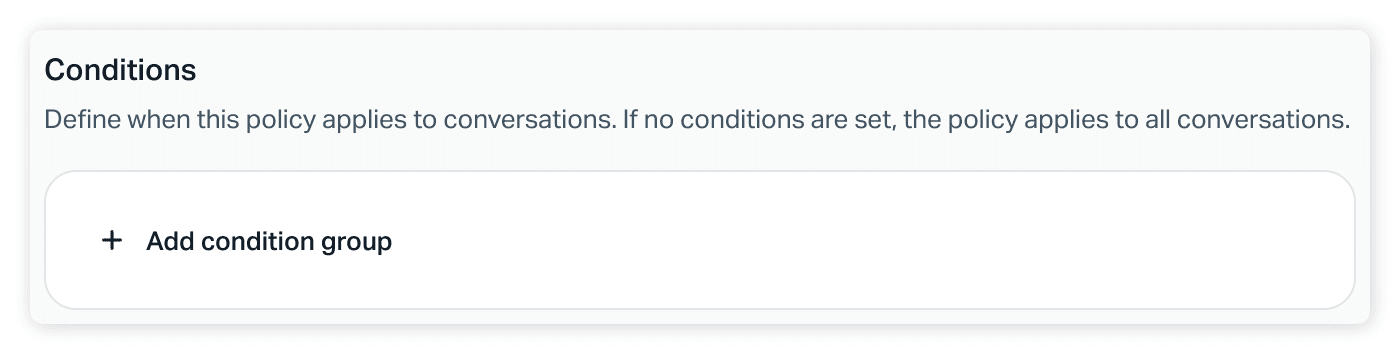
If you set no conditions, or you are on Standard, the policy applies to all conversations. Two things I would flag. First, tags are not on the documented list, so a workflow that tags "VIP" will not by itself route a conversation into a VIP policy. Second, the custom field or property has to exist and be filled in on the conversation or contact, so the quality of your data decides the quality of your matching. My Help Scout workflow auto assignment post covers the other half of keeping that data tidy.
Which plan do I need for more than one policy?
You need Plus. Per Help Scout's docs, Standard allows "one basic SLA policy with no conditions," Plus "two SLA policies with conditions," and Pro "unlimited SLA policies with conditions." The docs add that Standard has "no ordering available" since there is only one policy (Help Scout Docs). SLAs are also unavailable on legacy contact-based billing plans.
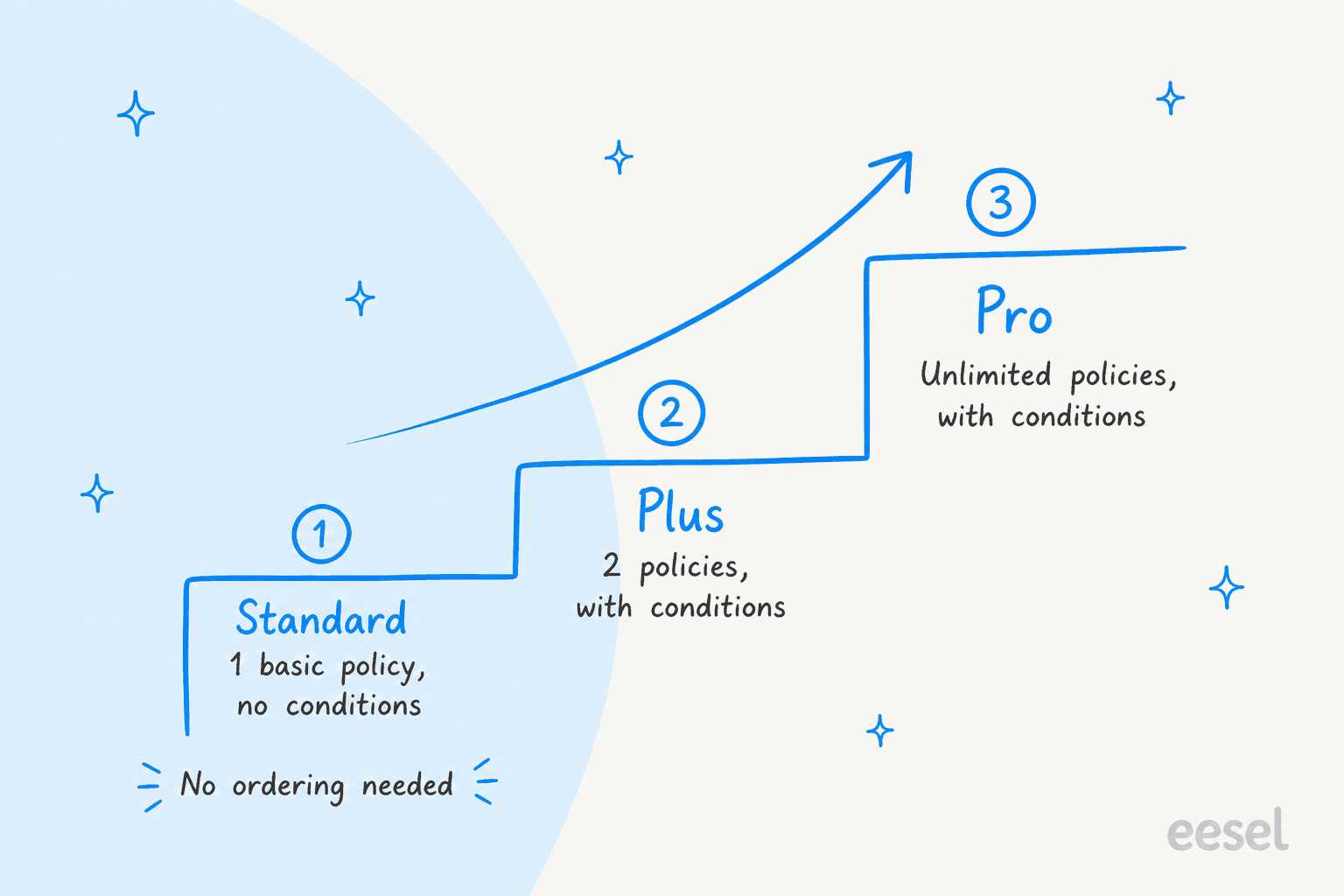
The pricing page lists Standard at $25, Plus at $45 and Pro at $75 per user per month, with the same SLA limits. That produces a practical rule: on Plus you have exactly two slots, so spend them on one narrow policy and one catch-all, in that order. A third tier, such as a separate rule for billing questions, is a Pro decision. If you are weighing the upgrade against another tool, my Help Scout vs Front, Zendesk vs Help Scout and Gorgias vs Help Scout comparisons are the next stop.
What do first response and resolution targets measure?
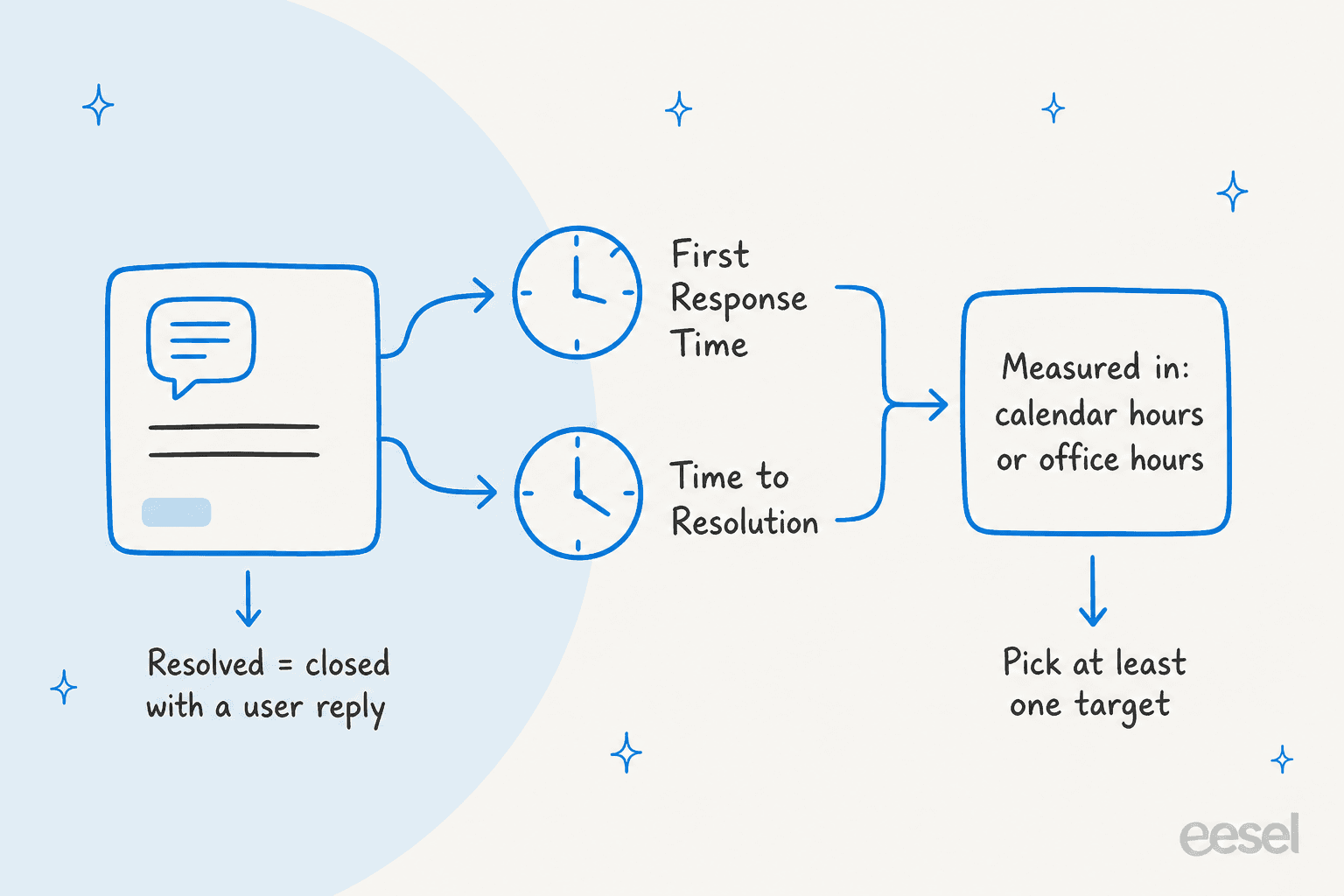
Each policy carries up to two time targets, and you must enable at least one. According to Help Scout's docs:
- First Response Time is the time allowed to send the first response to a customer.
- Time to Resolution is the time allowed to resolve a conversation, and "resolved" means closed with at least one user response.
- Each is set in hours and minutes, measured within calendar hours or office hours.
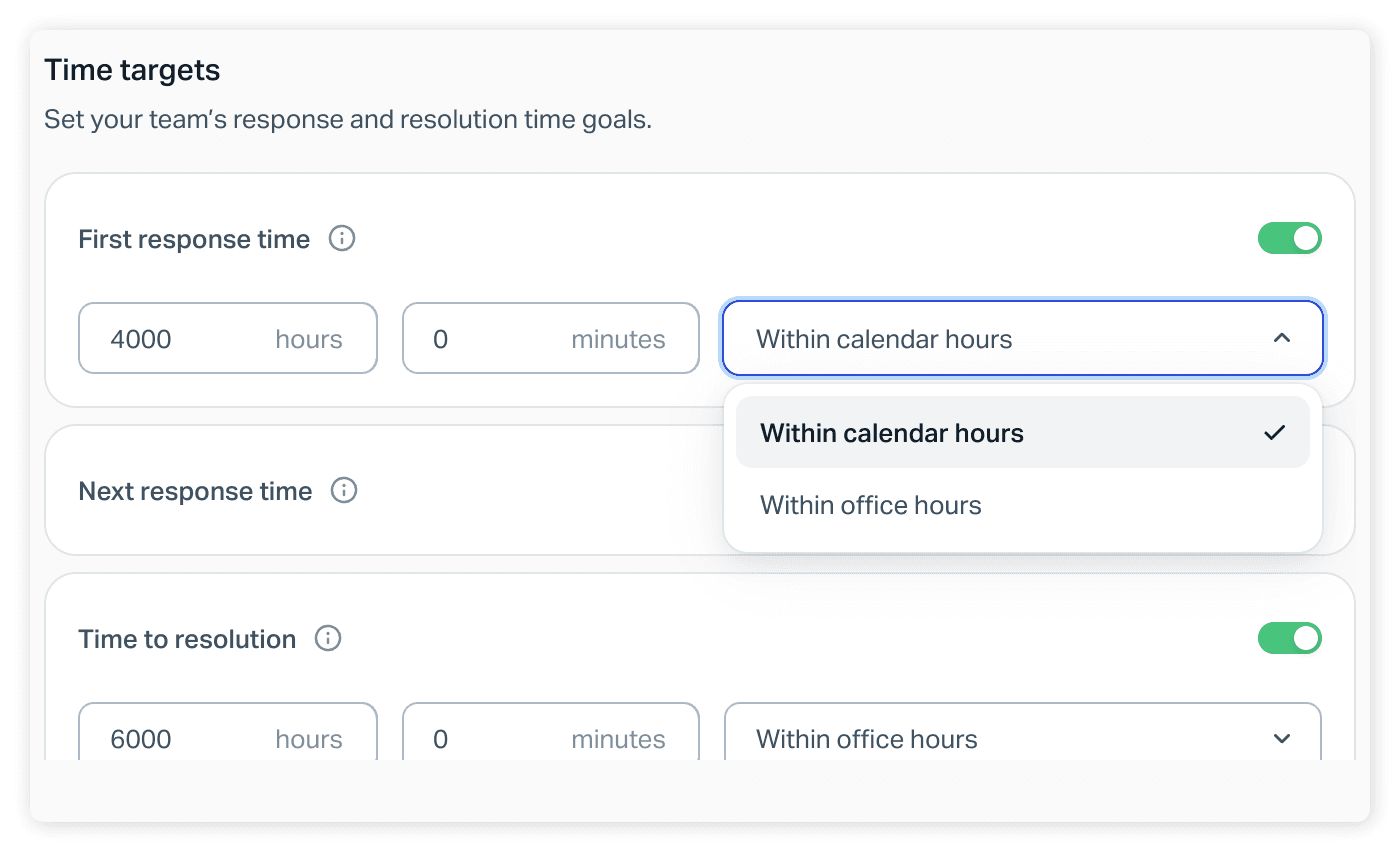
One thing I noticed in that screenshot: the panel also shows a Next response time toggle between the two, which the written docs do not describe. I would test it on a throwaway inbox before relying on it. The first response time and resolution time glossary pages explain the metrics in general, and Freshdesk first response time, Freshdesk resolution SLA and Gorgias first response time show how competitors define theirs.
How do business hours change the clock?
They decide when the clock runs. Help Scout's Company Hours are the default schedule for your inboxes, and an inbox can inherit them or use its own Inbox Hours. Custom Inbox Hours are on Plus and Pro, while on Standard an inbox can inherit Company Hours or stay open 24/7 (Help Scout Docs). The setting lives at Inbox Settings > Advanced > Inbox hours.
So a policy set to "within office hours" is only as accurate as the inbox's resolved schedule. A weekend inbox with Company Hours that say Monday to Friday will look generous on paper. Since the same page says reports use the resolved schedule, check the schedule first when a target looks wrong. If your team spans time zones, my support shift handoff guide is the companion read.
What does the SLA report count?
It counts conversations that were matched to a policy, and the exclusions matter. From Help Scout's SLA report docs (Help Scout Docs):
- SLA Compliance is the percentage of conversations where all targets were met on time. In-progress conversations with no breach yet are left out entirely.
- Targets Missed counts a conversation once, however many targets it missed.
- Conversations with SLA excludes conversations started by a Help Scout user until the customer replies.
- Standard keeps 2 years of reporting data, Plus and Pro keep full data.
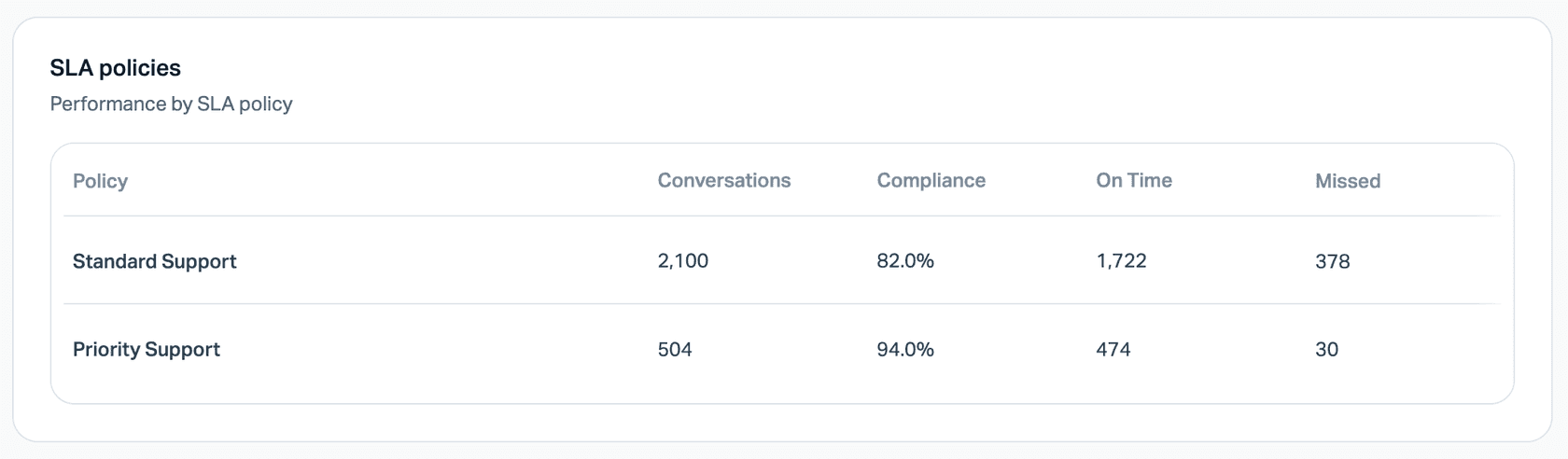
The per-policy table is where order mistakes show up. If your VIP policy reports zero conversations, the order or the conditions are wrong. The customer service KPIs and AI resolution rate posts cover what to do next.
What do the Help Scout docs not say?
Quite a lot, and it matters for planning. The pages I read state the first-match rule and one limit: policies apply only to conversations created after the policy was made, and older conversations are "not matched" even if updated later. They do not say, as far as I could verify:
- Whether a conversation is re-evaluated against the list when a custom field or customer property changes after creation.
- What the clock does when a conversation is reassigned, snoozed or reopened. My snoozed conversations and collision detection posts cover those states in general, but not their SLA effect.
- Whether a conversation that matches no policy is shown differently in the SLA Target column.
I would not assume answers to those. Test each on a throwaway inbox, or ask Help Scout support, before building a contract promise on it. The docs page was updated on November 5, 2026, so this is a young feature and the answers may change.
Where does AI fit next to Help Scout SLAs?
It fits on the first response target, not the policy list. eesel works inside the Help Scout mailbox, and its documentation lists actions to update a conversation's status, assignee, mailbox or subject, add or remove tags, and check which teammates are available. None of those is an SLA policy action, so eesel does not choose, order or read your policies. What it can do is have a draft sitting in the reply box, or an answer already sent, when a first response clock is running.
smava shows the pattern on a different helpdesk. It runs eesel on Zendesk, where about 27,000 tickets a month arrive and about 14,600 were categorised and drafted before an advisor saw them, with the category written into a Zendesk field. Help Scout's SLA conditions do match on custom fields, but I could not verify from eesel's Help Scout docs that it writes custom field values, only tags, so treat that part as a setup to check with a Help Scout admin, not a promise.
My AI first response automation and AI ticket triage for Help Scout posts go further, and intelligent routing, ticket routing and AI escalation cover the handoff side.
Try eesel for Help Scout
If your first response target is the one you miss, eesel is built for that gap in Help Scout. It reads your Docs site and past conversations first, then drafts or sends replies inside the same mailbox, with each action set to run on its own, ask first or stay off. A Help Scout admin still approves the connection. See the Help Scout AI agent guide, my best AI for Help Scout roundup, and Help Scout AI alternatives if you are still choosing.