Help Scout inbox office hours: how per-inbox schedules work

Riellvriany Indriawan

Katelin Teen
Last edited November 9, 2026

Each Help Scout inbox can inherit your Company Hours or run its own Inbox Hours, and that one schedule then drives three things: the outside-hours auto reply, any SLA target set to "office hours", and the Office Hours filter in reports. Custom inbox hours need Plus or Pro; Standard inboxes inherit or stay open 24/7. Beacon chat is the exception, because chat availability is set by people, not by the schedule.
eesel does not set office hours, but it can leave a draft for the email that arrives after close, and with the eesel CLI a coding agent can upload approved knowledge, like your after-hours policy and exported Docs articles, then test answers before anything goes live. A Help Scout admin still approves the mailbox connection.
What are Help Scout inbox office hours?
They are the schedule an inbox uses to decide whether it is open. Help Scout's docs say Company Hours "provide the default schedule for your inboxes," and that you can use that schedule "to calculate response and resolution times and to send Auto Replies outside an inbox's operating hours" (Help Scout Docs). An inbox either inherits those hours or gets its own Inbox Hours.
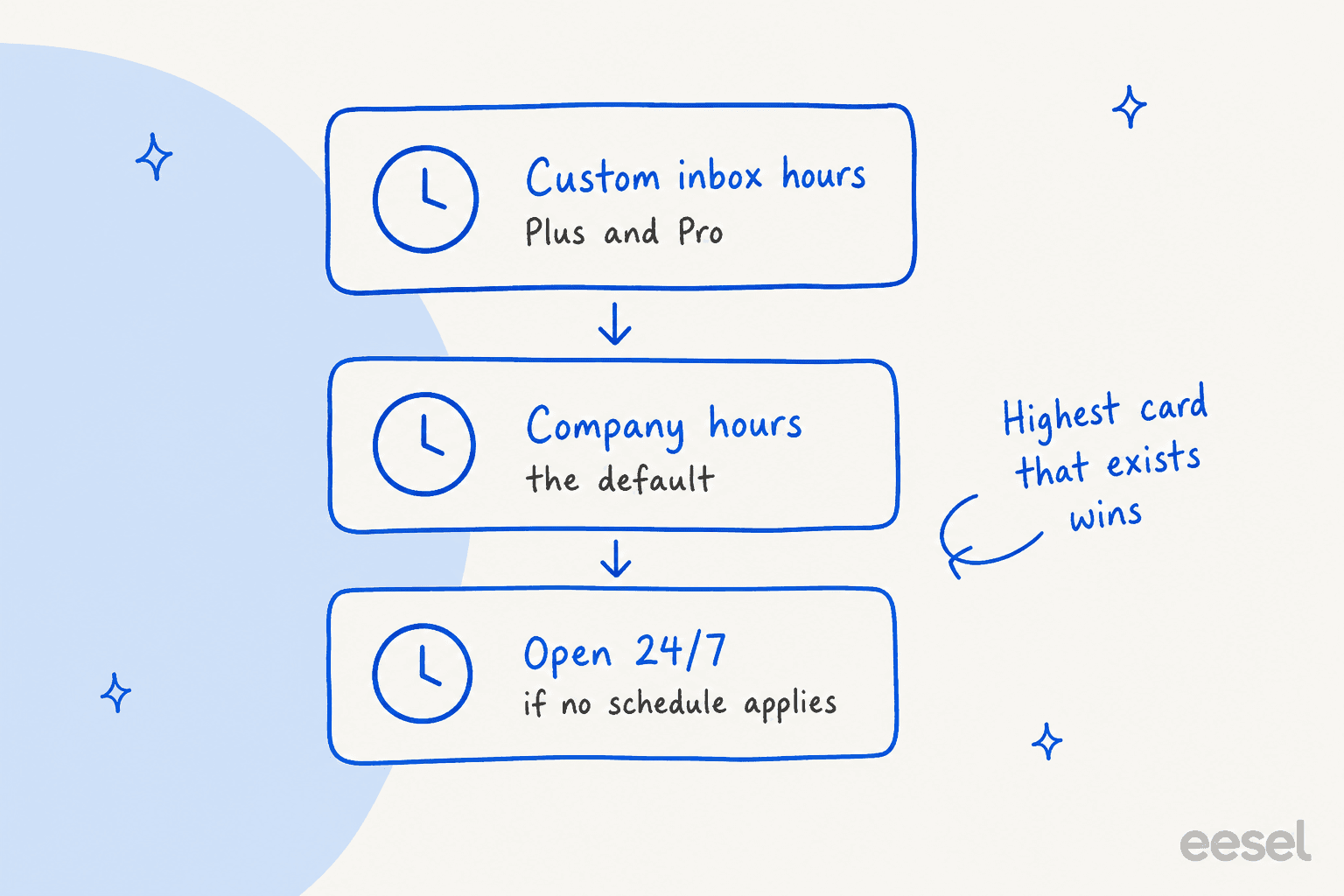
The same page now spells out the fallback order: custom Inbox Hours when configured, inherited Company Hours for inboxes on the default setting, and 24/7 availability "when no schedule applies." I work the support queue at eesel, and the trap I would watch on any helpdesk with schedules is a shared default nobody revisits: an inbox that serves another region quietly follows the head office calendar. The docs pages I read for this post both carry an "Updated on November 5, 2026" stamp, so this is a recent write-up. I could not find a changelog entry explaining what changed, so I am describing the pages as they read today. If you are comparing tools, my Zendesk business hours guide covers the equivalent there.
How do I set office hours for one inbox?
You set Company Hours first, then override per inbox. Here is the path from Help Scout's docs:
- Company Hours: click the gear icon, then Company Hours. Pick the days you are open and enter start and end times, then Save.
- Inbox Hours: open the inbox, then Inbox Settings > Advanced > Inbox hours. Keep the default to inherit, or select Custom to set a schedule and timezone just for that inbox.
- Who can do it: only Account Owners and Administrators.

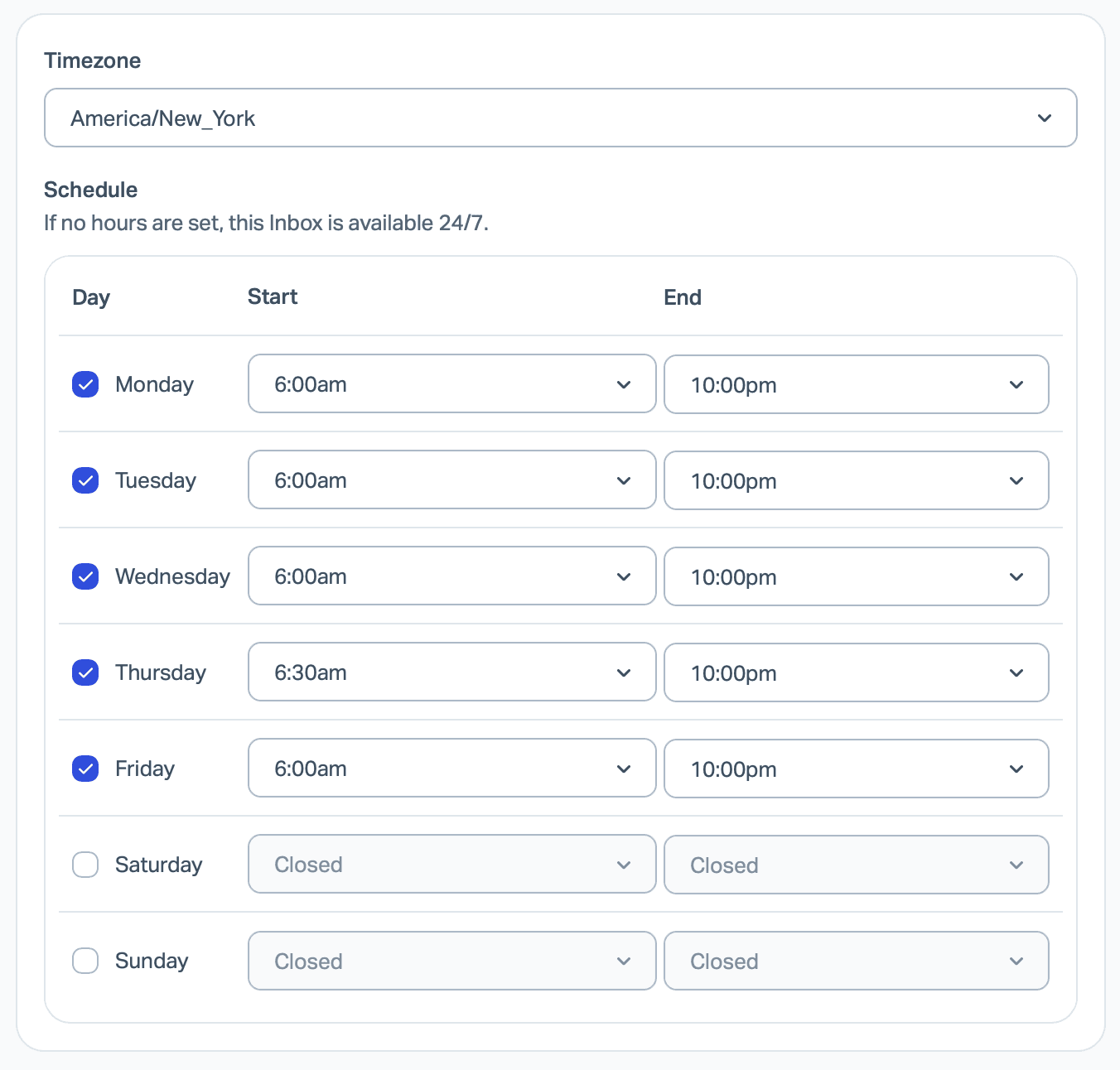
A custom schedule has a timezone dropdown and a start and end time for each day, and the panel says "If no hours are set, this Inbox is available 24/7." That is useful when one mailbox serves another region. My support coverage planning guide is the place to decide hours before you type them in.
Which plan do I need for custom inbox hours?
You need Plus or Pro. Help Scout's docs say custom Inbox Hours are available on Plus and Pro, while on Standard "an inbox can inherit Company Hours or remain open 24/7." The pricing page lists Standard at $25, Plus at $45 and Pro at $75 per user per month. So a team that wants a US inbox and a EU inbox with different hours is paying for Plus on every seat. If that tradeoff is the real question, my Help Scout vs Front and Zendesk vs Help Scout posts are the next stop.
What do office hours actually change?
Three documented features read the schedule, and one important feature does not. Here is the split, with the page each claim comes from:
| Feature | Follows the inbox schedule? | Source |
|---|---|---|
| Auto reply, with "Only send outside of office hours" on | Yes | Company and Inbox Hours |
| SLA targets set to "office hours" | Yes, per target | SLA docs |
| Email Report and User Report response times | Yes, when the Office Hours filter is on | Company and Inbox Hours |
| Beacon live chat availability | No, set by each user's status | Chat availability |
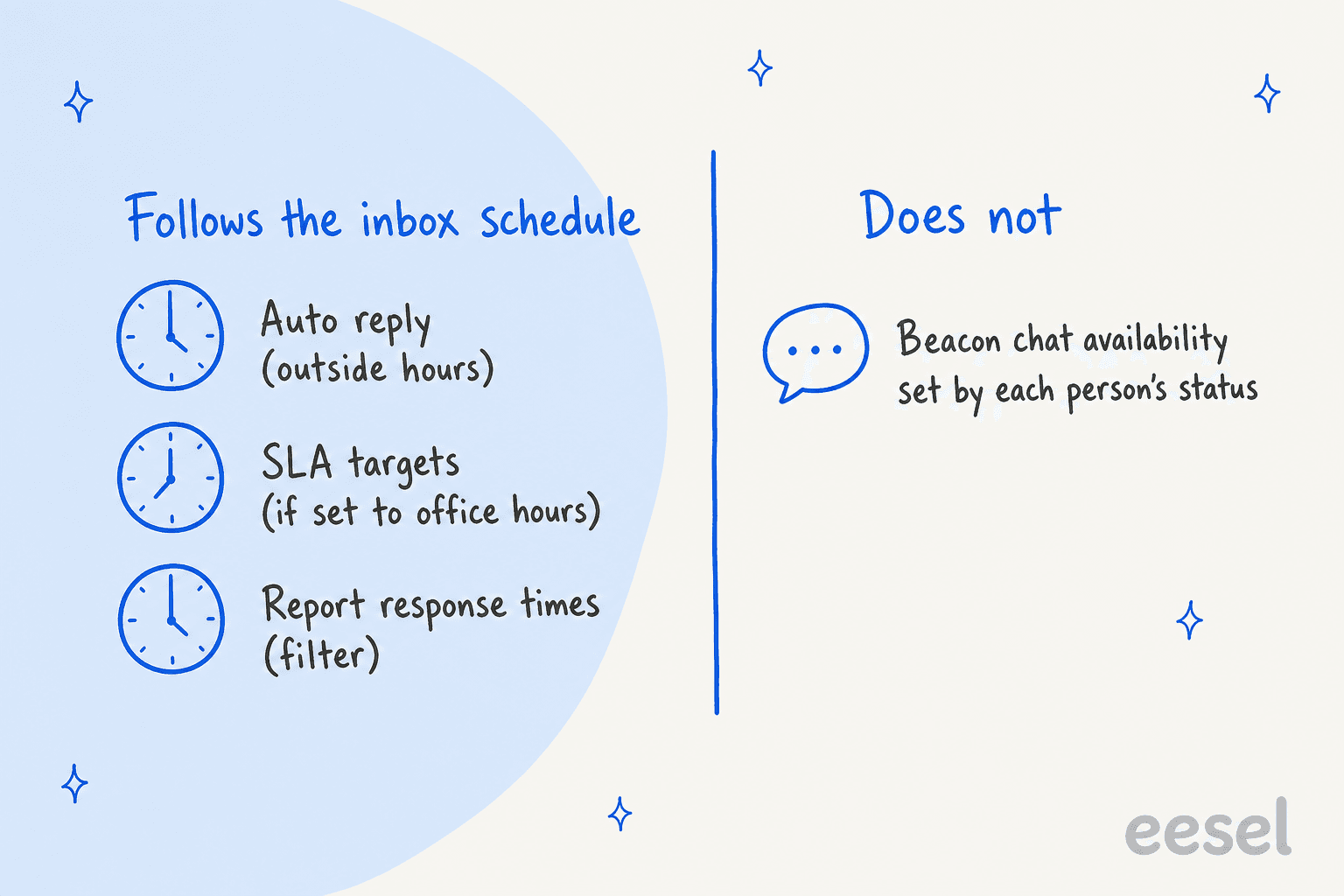
The practical takeaway: office hours are a clock for email, not a gate for every channel. If your team says "we close at 6," the schedule handles the email side of that sentence and a person handles the chat side.
How does the outside-hours auto reply work?
It sends only when four things line up. Open the inbox, choose Inbox Settings > Auto Reply, turn the auto reply on, and toggle Only send outside of office hours. That toggle follows the inbox's resolved schedule: custom Inbox Hours take precedence, an inbox on the default setting follows Company Hours, and "an inbox set to Open 24 hours has no outside-hours period" (Help Scout Docs).
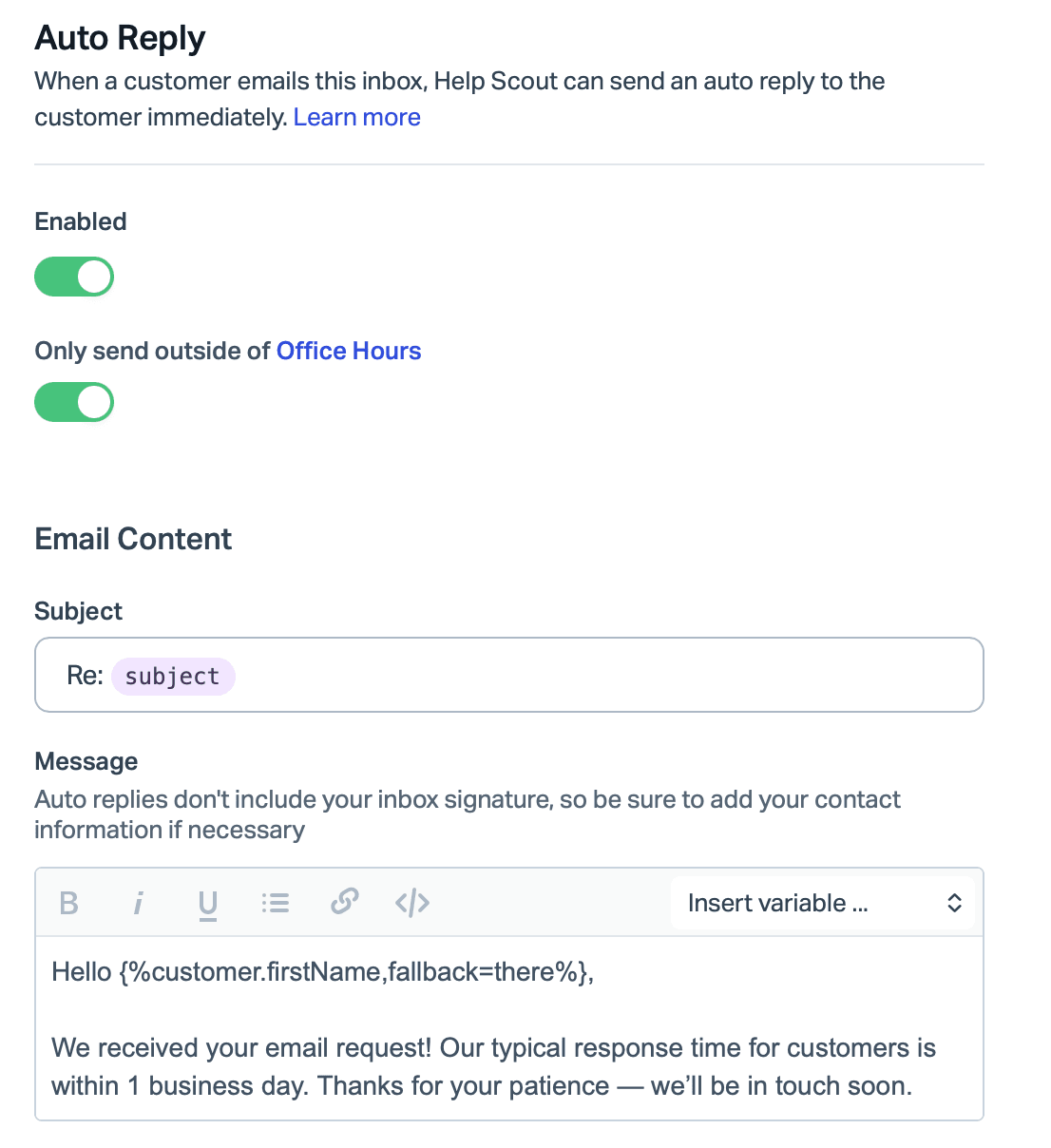
The auto reply page adds two limits that surprise people when they test. The reply goes out only for the first email in a conversation, and by default only once per email address in 24 hours. It also does not show in the conversation history. Auto replies are on every plan, and the page says they need the Inbox: Manage saved replies permission.
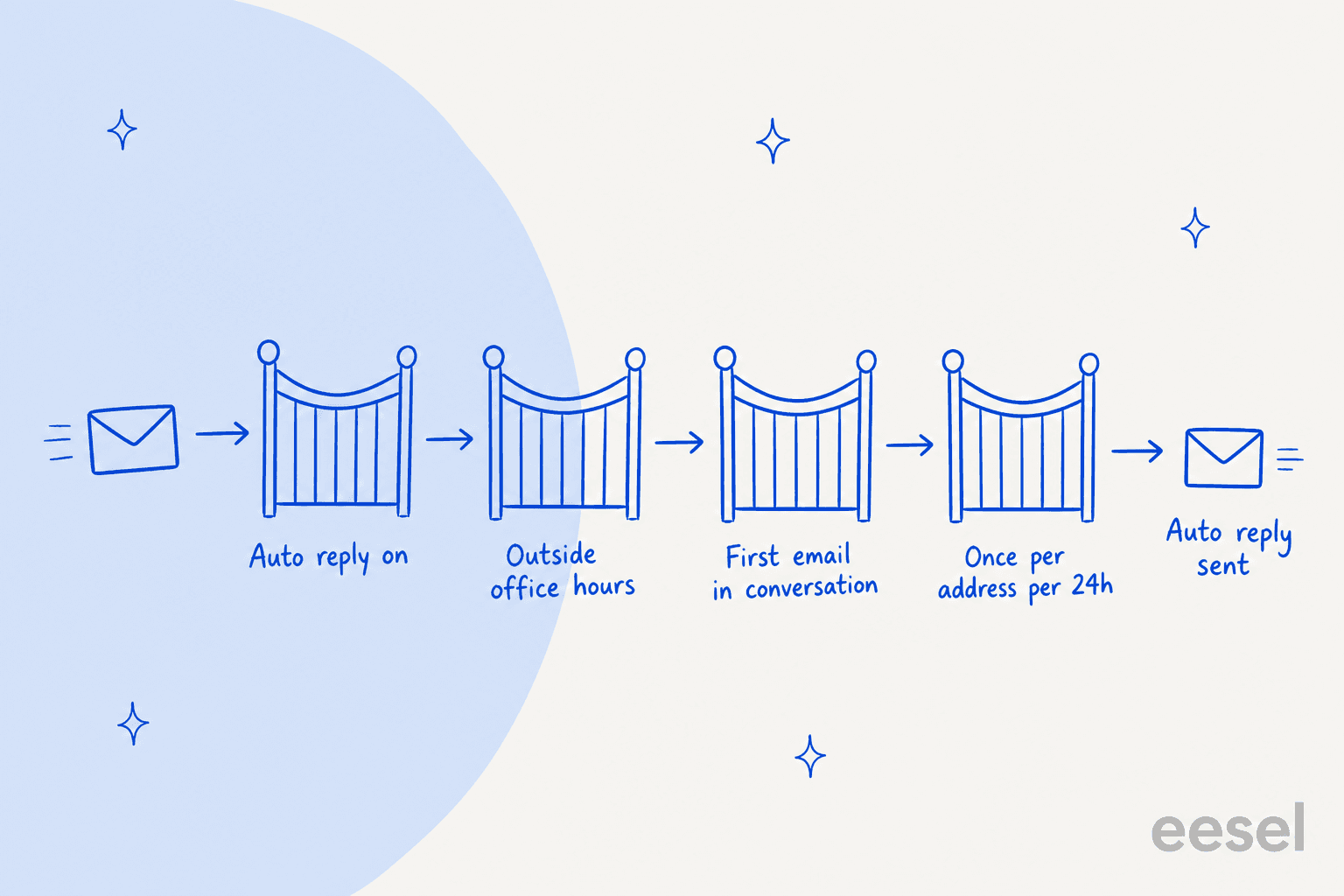
So if you test from your own address at 9 pm and see nothing, check the 24-hour rule before you blame the schedule. For wording ideas, see my auto reply best practices post, and for how others solve it, Gorgias after-hours autoresponders and Zendesk auto reply.
How do office hours change reports and SLAs?
They change what the clock counts. In the Email Report, tick Office Hours at the top right of the Response Time metrics and the numbers update instantly. In the User Report, the same checkbox recalculates Resolution and Response Time for that user. Help Scout says reports use each inbox's resolved schedule, so a team with three inboxes can have three different definitions of "open" inside one report.
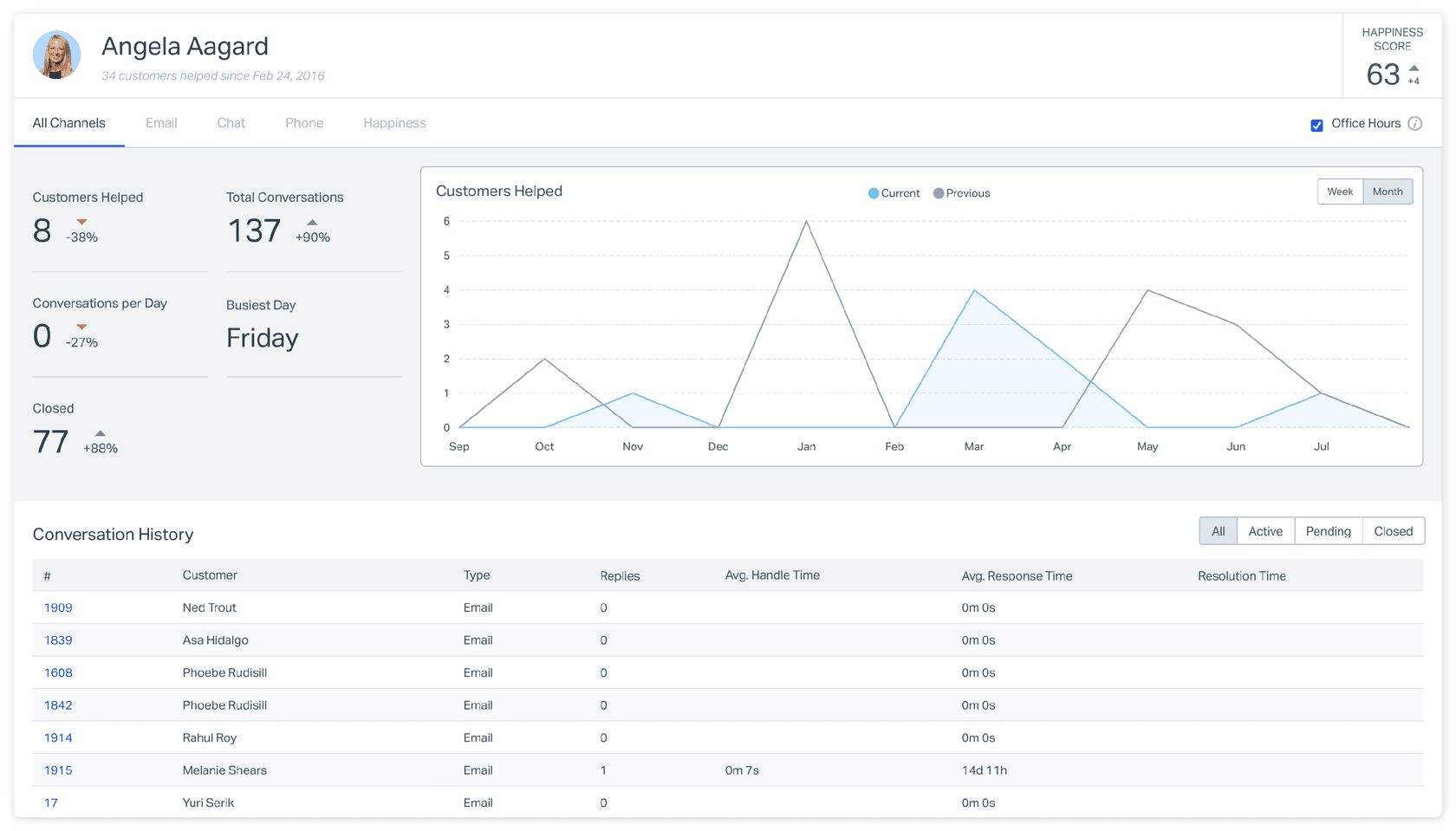
For SLAs, each policy target chooses calendar hours or office hours. A first response target of four office hours is a very different promise from four calendar hours, and my Help Scout SLA policy order post covers which policy wins. The SLA and first response time glossary entries define the terms.
Why doesn't Beacon chat follow office hours?
Because chat availability depends on people. Help Scout's page says live chat is offered only when a user is available to accept it, otherwise Beacon shows the Send a Message screen. Options are Available, Assign Only, Unavailable and Custom per inbox, and the FAQ on that page answers the schedule question directly: automatic schedules, or an Administrator changing other users' settings, "are not options" (Help Scout Docs).
Two details help in practice. Help Scout sets users to Unavailable when it detects they have logged out, closed every tab, lost connection or put the computer to sleep. And if a chat is missed because nobody accepted it within 5 minutes, everyone set to available in that inbox moves to Assign Only across all inboxes. My Help Scout Beacon modes and Beacon form fields posts show what visitors see when chat is off.
What do the Help Scout docs not say?
Enough that I would test before promising anything to customers. Here are the gaps I found:
- Unchecked days. The Company Hours steps say to "leave unchecked to indicate a full day of availability," but the inbox hours panel in Help Scout's own screenshot shows unchecked days as Closed. I would check a weekend on a test inbox before trusting either reading.
- Holidays. The pages I read describe a weekly schedule with one start and end time per day. They list no holiday or one-off date setting, and Help Scout's separate SLA connector page is where holiday calendars appear.
- Snoozed and reassigned conversations. The pages do not say how office hours interact with snoozes or reassignments. My snoozed conversations and workflow auto assignment posts cover those states in general.
- Label mismatch. The auto reply page tells you to check an "Office Hours" option, while the office hours page and the settings screenshot say "Only send outside of office hours." They appear to be the same toggle.
I would not assume answers to any of these. Flag the ones that matter to your SLA contract and ask Help Scout support.
Where does AI fit when the office is closed?
It fits on the queue the schedule cannot answer. eesel works inside the Help Scout mailbox, and its documentation lists actions for replies, notes, tags, status, assignee, mailbox and subject changes, and checking which teammates are available. None of them edits company or inbox hours, so the schedule stays yours. What eesel can do is have a draft waiting in the conversation, or an answer already sent, when the email arrives outside your hours.
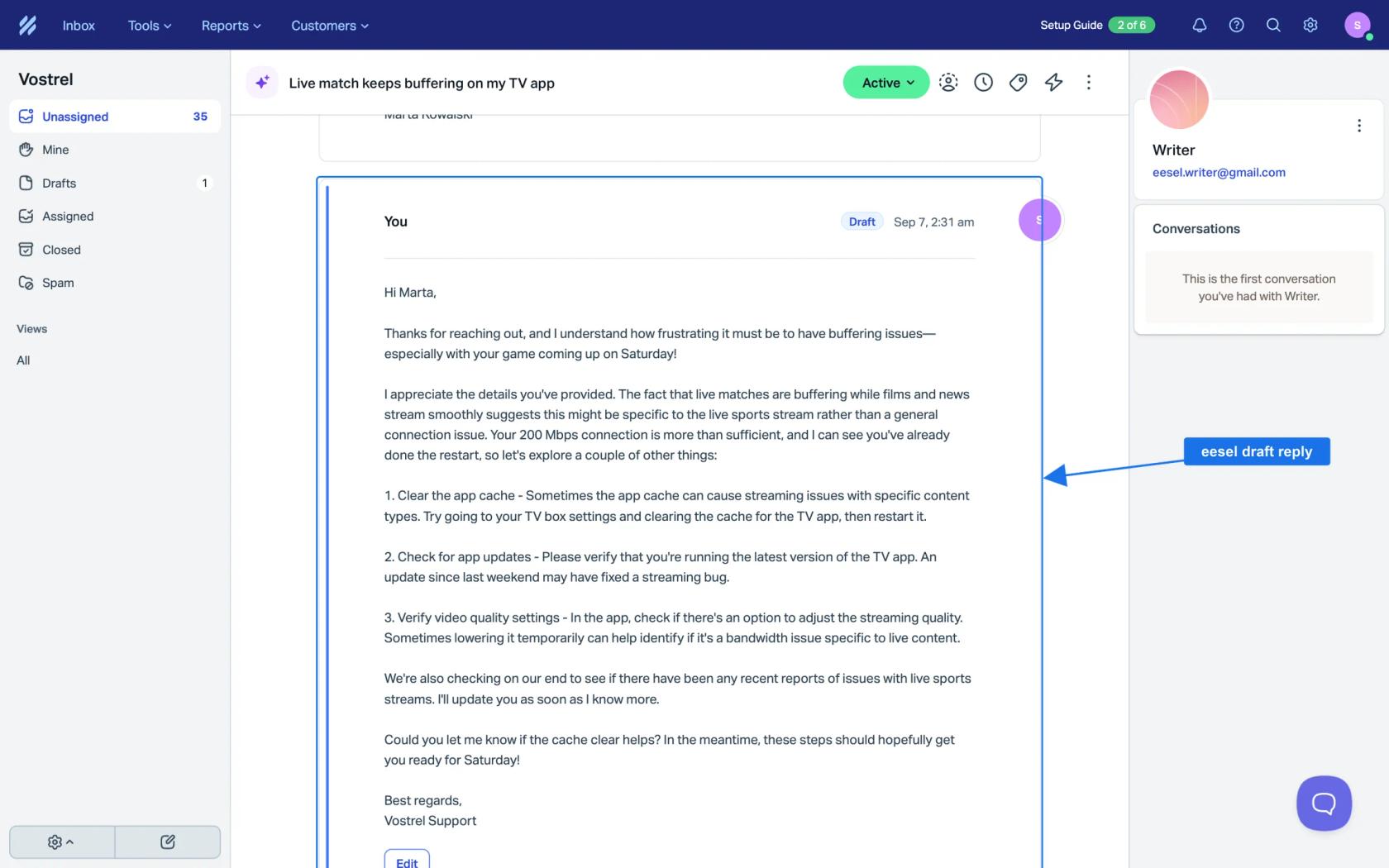
Chat has its own rule. eesel's docs say it answers Beacon chat while someone on your team is Available, and that out of hours Beacon offers email instead, which your email automations pick up. That matches Help Scout's behavior above, so plan for email as the after-hours channel.
Question Beauty shows the shape of this on a different helpdesk. It runs eesel on Gorgias and Shopify, where short messages arrive at all hours and in many languages. In one month eesel handled about 990 tickets, sent about 960 replies, closed about 280 and assigned about 250 to a person with a note attached. Its team covers customers around the clock, so eesel is answering as messages arrive, not replacing the night shift. eesel has no published Help Scout customer story yet, so treat that as the pattern, not a promise for your queue. My AI after hours support post goes deeper.
Two more reads: 24/7 support with AI and AI first response automation.
Try eesel for Help Scout
If email lands in your inbox while the office is closed, eesel is built for that gap in Help Scout. It reads your Docs site and past conversations first, then drafts or sends replies inside the same mailbox, with each action set to run on its own, ask first or stay off. You keep control of the schedule and a Help Scout admin approves the connection. See the Help Scout AI agent guide and my best AI for Help Scout roundup if you are still choosing.