


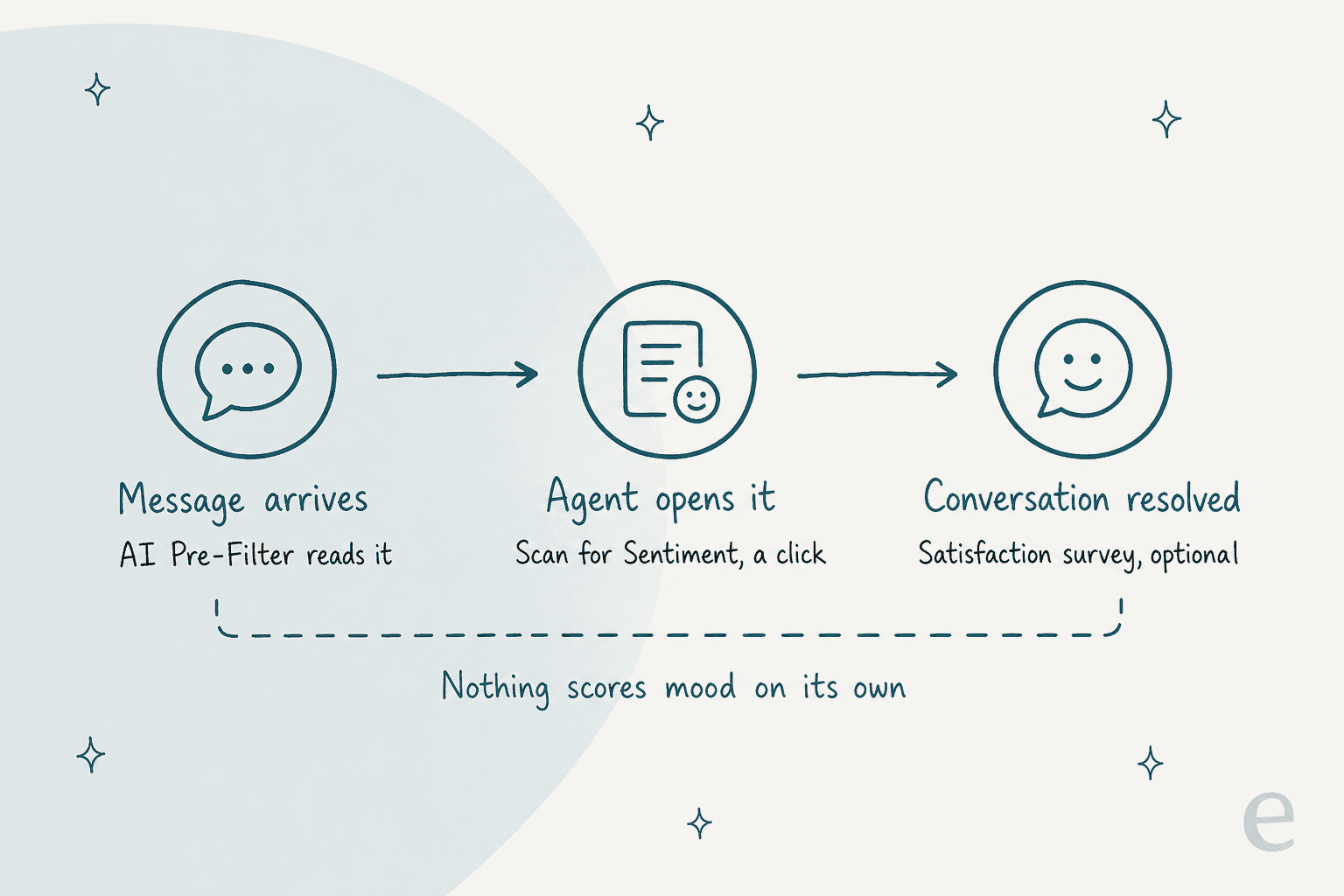
Re:amaze does have AI sentiment analysis, but it is a button a person presses: open a conversation, select Scan for Sentiment, and the AI gives a read on how the customer feels, per its AI tools docs. I found no automatic score, no sentiment alert and no sentiment report, and the tool is marked Beta. For triage that runs without a click, I would write an AI Pre-Filter prompt for upset or cancelling customers, tag them and keep the AI Agent out. eesel connects to Re:amaze, follows handoff rules like that on a schedule, and leaves a note saying why.
With the eesel CLI, an AI coding agent can upload approved knowledge, such as exported FAQ articles and response templates, then ask the eesel agent test questions and check the answers before anything goes live. Connecting Re:amaze itself still needs a person to copy an API token from Re:amaze settings.
Does Re:amaze have AI sentiment analysis?
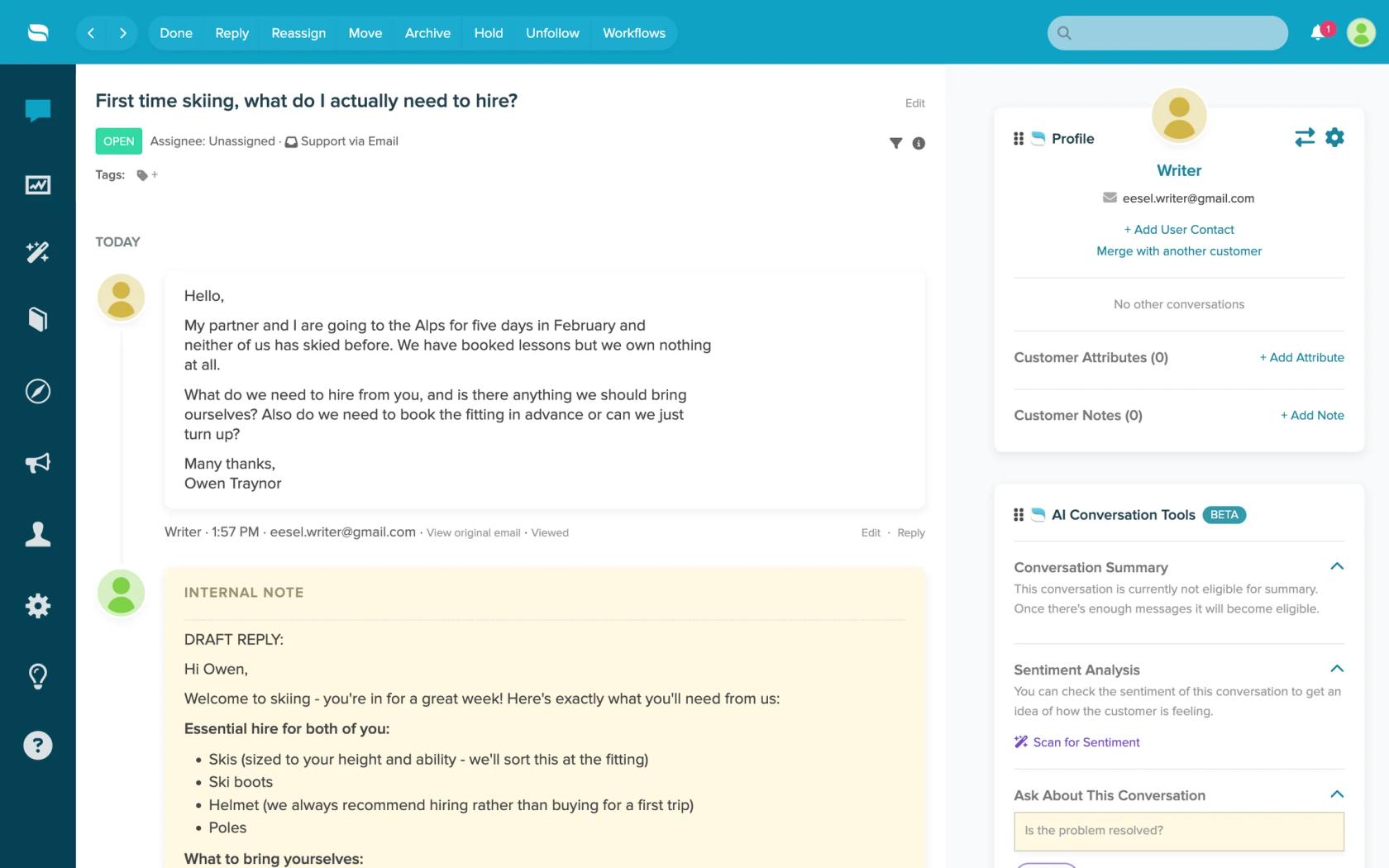
Yes, in one specific form. The Re:amaze AI tools article has a section called Conversation Sentiment Analysis. It says the tool "helps you quickly gauge customer sentiment" and is useful when conversations pass between agents, because the next agent can see whether the issue looks resolved. You select Scan for Sentiment to run it, and Ask About This Conversation to put a direct question to the thread, such as "Is the customer upset?"
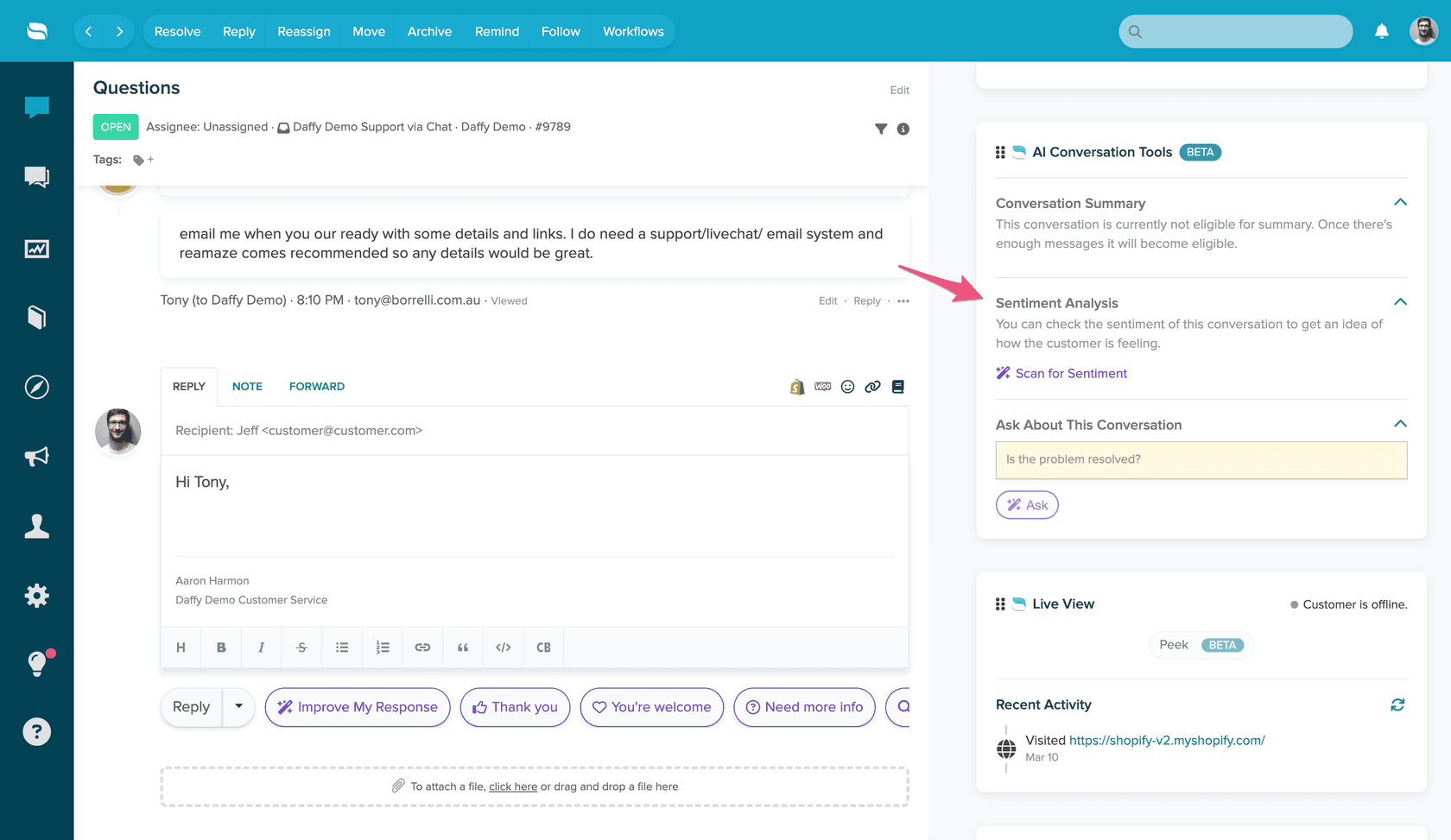
The panel text in that screenshot reads: "You can check the sentiment of this conversation to get an idea of how the customer is feeling." Two things about the wording matter. It says "an idea", not a score, and the panel sits under an AI Conversation Tools card labelled Beta. The Re:amaze AI page also marks the suite as Beta and says it runs on OpenAI's GPT models.
Here is what the docs I read on 2026-11-21 do not say. They do not describe the output format (a label, a score or a sentence), which languages it handles, or whether the result is saved on the conversation. They do not describe a workflow trigger, an automatic scan or a sentiment filter. And the AI Chatbot and Productivity Report lists AI Impact Rate, Team Time Saved, Content Score, Total Usage and Success Rate, with no sentiment metric. If you are still sizing up the product, my Re:amaze review covers the rest.
That is a reasonable design for a beta: the agent decides when it is worth asking. It does mean no one is told when a thread turns sour unless someone looks.
Which signals does Re:amaze give you instead?
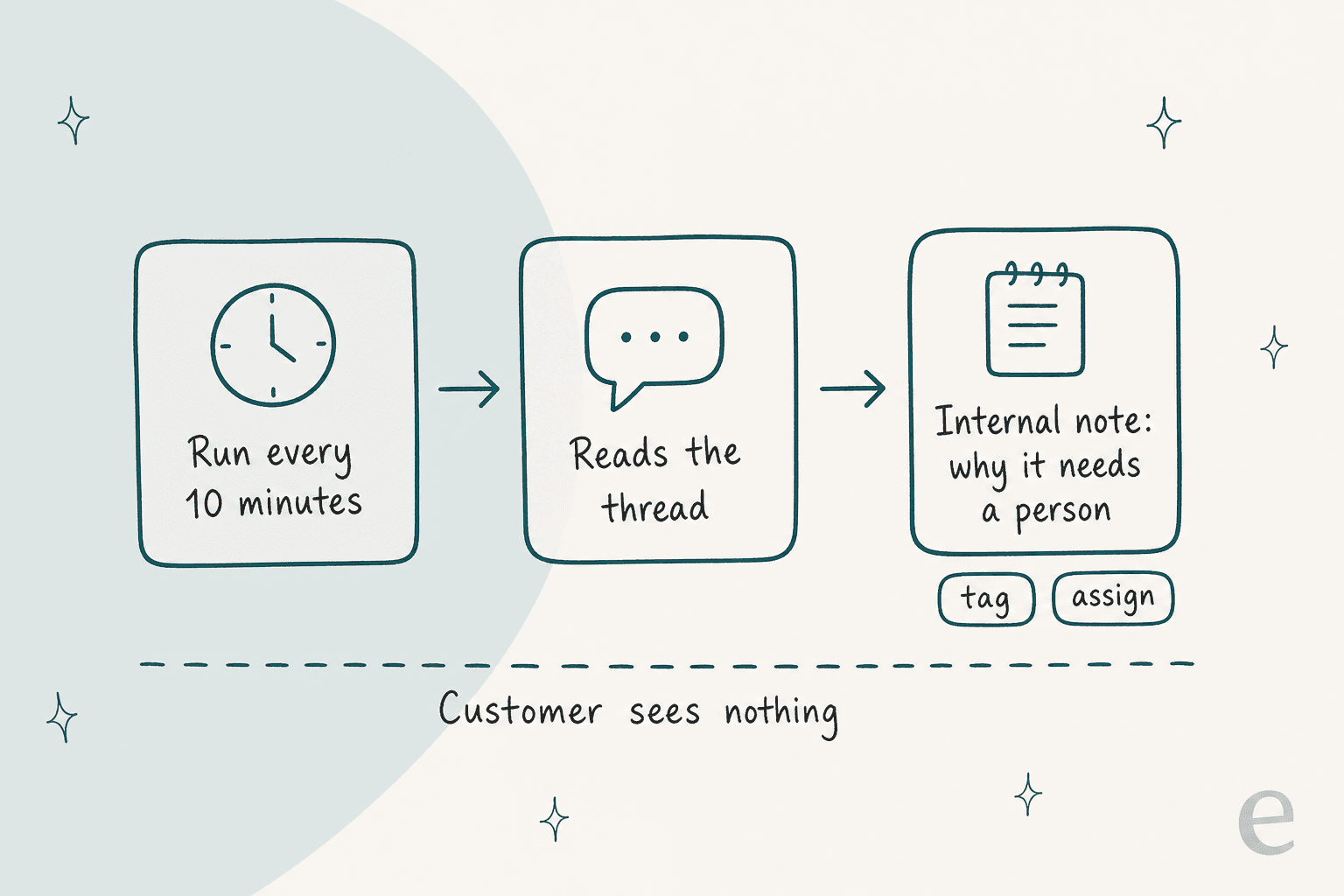
Five things in Re:amaze touch customer mood, and each fires at a different moment. The gap between them is the useful part.
| Re:amaze feature | When it acts | Plan per the docs | Reads mood? |
|---|---|---|---|
| Scan for Sentiment | When an agent clicks | No restriction found | Yes, on demand |
| Ask About This Conversation | When an agent types a question | No restriction found | Only if you ask |
| AI Pre-Filter | The moment a conversation arrives | Needs the AI Agent enabled | Matches the prompt you write |
| Intents plus Workflows | On each customer message | AI Intents listed on Pro | Matches what the customer wants, not how they feel |
| Satisfaction ratings | After the conversation is resolved | Listed on Plus | The customer's own answer, late |
That last row has a wrinkle. The pricing page lists Customer Satisfaction Ratings under Plus, but the reporting overview lists the Satisfaction Ratings report under the Pro reporting set. I could not reconcile the two, so check which plan you need before you upgrade for it.
For what sentiment analysis normally means, my AI sentiment analysis overview and the sentiment analysis glossary entry set the baseline.
How much does Re:amaze cost for this?
The sentiment scan has no price of its own. What you pay for is the plan, and the AI Agent meter if you add Pre-Filters. These figures come from the live Re:amaze pricing page, checked on 2026-11-21.
| Plan | Per team member per month | Billed annually | AI Agent resolutions included per user per month | Relevant to tone work |
|---|---|---|---|---|
| Basic | $29 | $26.10 | 5 | AI Agent, Basic Reporting |
| Pro | $49 | $44.10 | 10 | Adds AI Intents and Advanced Reporting |
| Plus | $69 | $62.10 | 20 | Adds Customer Satisfaction Ratings and Staff Performance Reporting |
| Starter | $59 flat, up to 500 responded conversations | Not listed | Not listed | All Basic features, unlimited team members |
Extra AI Agent resolutions cost $0.85 each. A five-person team on Pro pays $245 a month and gets 50 resolutions included. The docs say Pre-Filter needs the AI Agent enabled "with resolutions remaining or overage enabled", but they do not say whether a pre-filtered conversation counts as a resolution, so ask support before you rely on the meter staying flat. My Re:amaze cost guide walks through other team sizes.
How do I get automatic escalation for upset customers on Re:amaze?
Use an AI Pre-Filter, with one honest caveat: the docs describe it as a topic filter, not a mood detector. AI Pre-Filter has the AI read each incoming conversation and check it against a prompt you write in plain language, up to 500 characters. On a match it applies your tag and runs one of four actions: tag and leave open, tag and mark done, tag and mark spam, or tag and archive. Its own suggested use is routing "billing or payment issues, cancellation requests, or VIP and high-value customer inquiries" to people.
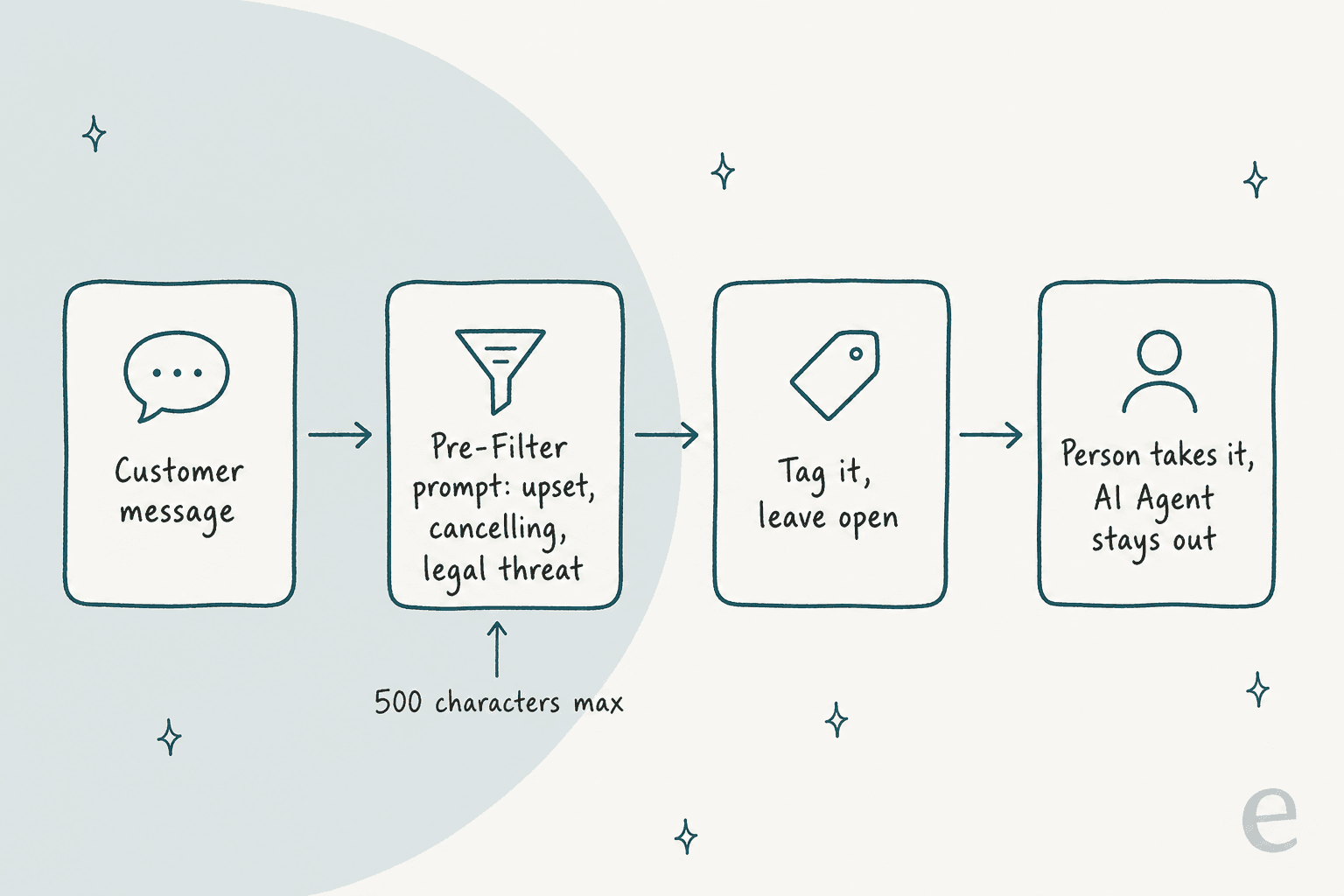
Because a prompt is just a description, nothing stops you describing a customer's state instead of their topic. I have not tested how well it catches tone, so treat it as a rough net and read what it tags for the first week. Here is the setup I would start with. It takes about 10 minutes.
- Open the Pre-Filters tab. Go to AI > Manage Bots, select Pre-Filters, then Enable AI Pre-Filter.
- Add a filter. Select Add Filter and set the tag to
needs-human. - Pick the action. Choose tag and leave open, so a person sees it in the normal inbox.
- Write a short prompt. For example: "The customer is angry or frustrated, threatens to cancel, dispute a charge or leave a bad review, mentions a lawyer, or says this is the second or third time they have written about the same problem."
- Watch what it tags. Open the tagged conversations daily for a week and edit the prompt when it misses or over-catches.
- Count the tag. The Tags report shows which tags are applied most often, which gives you a running count of handoffs.
Two rules in the docs shape this. Any conversation that matches a pre-filter is not handled by the AI Agent, whichever tag or action you use. And pre-filters take priority over Workflows, so if a conversation matches both, the Pre-Filter runs and the Workflow is skipped. That means you cannot chain "tag as upset, then assign to the team lead" in a workflow on the same conversations. Plan your assignment around the tag instead, for example a saved view for needs-human.
What can Workflows and Intents do without AI sentiment?
They handle the cases where the customer says what is wrong, and for churn-sensitive ecommerce teams that is most of the cases that matter. An Intent is a one-to-three sentence description of what a customer is trying to do, matched on meaning rather than exact words, so "cancel my subscription" is caught however it is phrased. Used inside a Workflow, it can tag the conversation, assign it, reply or leave an internal note.
The Workflow builder also has conditions on the order side. The docs' own example is "When a customer message arrives and Customer Total Order Value is greater than $2000, tag the conversation VIP Customer", and another pairs a Shopify lifetime value over $1,000 with a "Where is my order?" intent. A refund or chargeback intent from a high-value customer is exactly the message that should skip the queue. For the wider picture, my Re:amaze automation and Re:amaze AI routing guides cover tag design, and AI ticket prioritization shows how to rank what lands.
Intents are listed on Pro, and an Intent alone does nothing: the docs say it only acts once it is a condition in a Workflow. The limit is the same as any rule. It catches what you described, so a customer who is quietly furious about a late parcel and never says "cancel" passes through.
Can the sentiment button help with handoffs?
Yes, and I would use it exactly there. A scan at the moment of handoff tells the next agent whether the issue looks resolved, which is the use the docs name. Pair it with Ask About This Conversation and a standard question such as "Is the customer upset, and what did we promise?" The answer is a pointer, not evidence, so check refunds and dates against the thread.
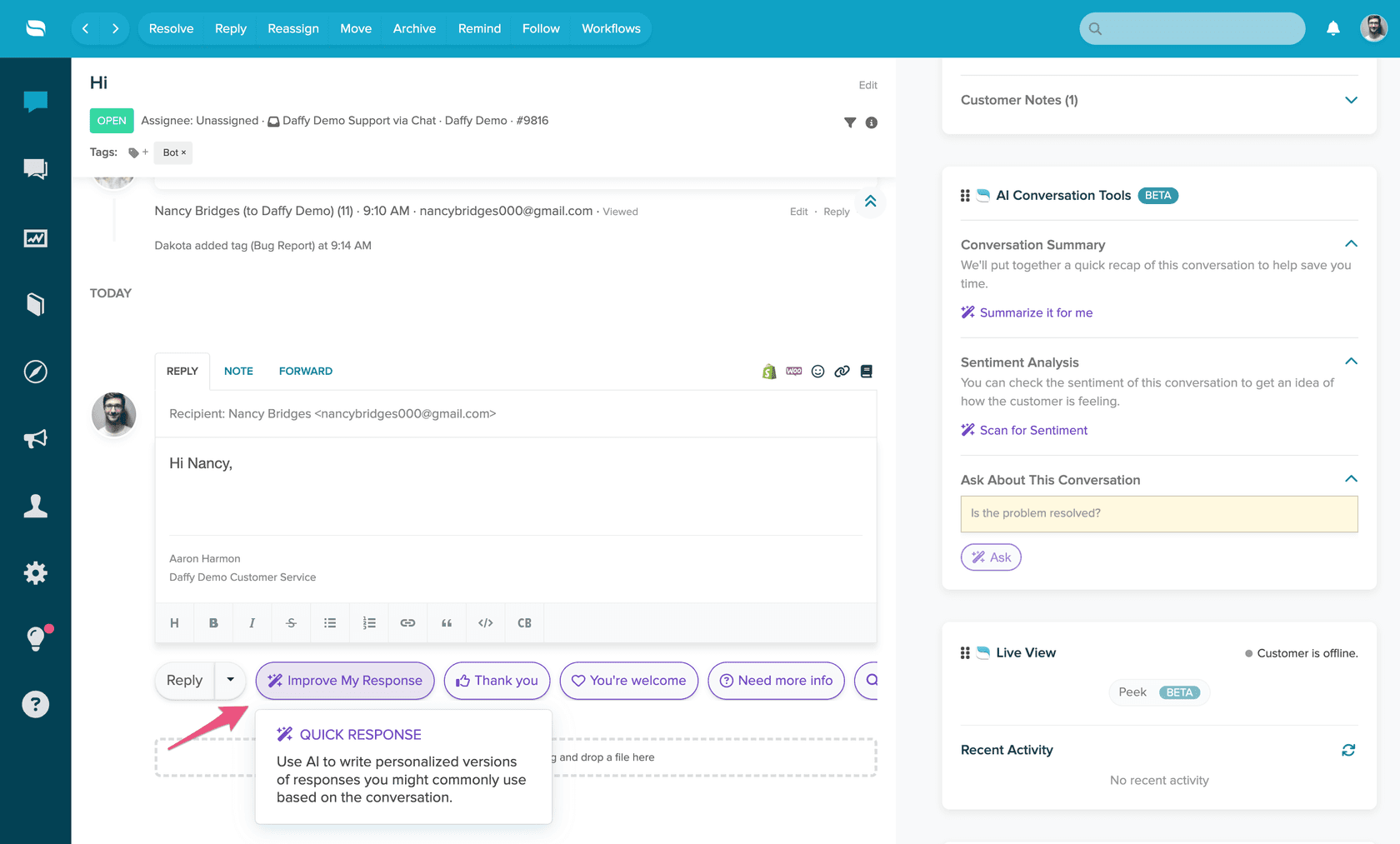
Summaries can only be generated once a thread has 10 messages, as I covered in my Re:amaze AI conversation summaries post, and the sentiment panel in that screenshot sits right beside it. Whether the sentiment scan has the same message minimum is not stated, so test it on a short thread. For what a good handoff contains, see AI agent handoff best practices and the ticket escalation process guide.
What do satisfaction ratings tell you that the scan doesn't?
They tell you how the customer judged the outcome, and that is a different question. Re:amaze's Satisfaction Ratings report shows the average rating from automated surveys sent after a conversation is resolved, the distribution of ratings and any comments, per the reporting overview. The Appreciations report shows which staff replies customers liked.
The catch is timing. A rating arrives after the conversation is resolved, and only if the customer answers. The upset customer in message one has no score until the thread is over. Use ratings to review last month and the scan to look at today. My AI CSAT and how to measure customer sentiment posts, and the glossary entries on CSAT and customer satisfaction, explain how the two metrics differ.
How do other helpdesks handle sentiment?
Most of them also stop short of an always-on score, so Re:amaze is not unusual. If native scoring is a hard requirement, these are worth comparing:
- Zendesk sentiment analysis
- Gorgias sentiment detection
- Freshdesk AI sentiment analysis
- Help Scout, Dixa and Freshchat each document their own version
- Kustomer, HubSpot and Zoho Desk
If the answer for you is a different helpdesk, start with Re:amaze AI alternatives and Re:amaze vs Dixa.
Where does eesel fit with Re:amaze sentiment handling?
eesel is an AI teammate platform, and the one that matters here is the AI helpdesk teammate. I would not call it a sentiment dashboard: eesel does not publish a mood score, and the Re:amaze docs describe actions, not a sentiment metric. What it does is act on cues you define, which is the part Re:amaze leaves to a person.
Re:amaze has no event triggers in eesel, so the agent works on a schedule. On each run, as often as every ten minutes, it lists the conversations that match its instructions, reads the newest 40 messages of each thread, and can leave an internal note, add or remove tags, set the assignee and set the status. It learns from your response templates and from resolved and archived conversations from the last 30 days by default, and it reads your help center articles live. It does not see attachments or custom fields. A scheduled run uses at least 1 credit, and plans start at $299 a month for 500 credits per the pricing docs.
The instruction is a sentence, not a keyword list: "if the customer is cancelling, threatening a chargeback or writing about the same problem for the third time, tag it needs-human, assign it to the team lead and write one line on why." You can ask the agent to work a real conversation in chat first and read what it would do before you turn the schedule on.
Three eesel customers show the pattern on other helpdesks, so read them as the same design on a different tool:
- STIL Classics sells planners and binders on Shopify and runs eesel on Gorgias. Between 8 August and 8 September 2026 it prepared about 320 tickets, left about 430 internal notes and looked up about 230 Shopify orders. The drafts never offer credits or discount codes, because goodwill is a human call. That is the right shape for an upset customer: the agent does the legwork and a person decides how to make it right.
- Cape Coffee Beans runs scheduled checks on Zendesk, about 160 in the same month, including a daily review of tickets that have gone quiet. It is the closest model to how eesel works on Re:amaze, since both run on a timetable.
- Original Bootcamp sends anything about an injury or health, cancellations and payments to a person on Freshdesk, and tells the member that is what it is doing. It is a sensitive-topic rule written as a sentence, not a sentiment score.
For the process side, see AI escalation, dealing with angry customers and detecting churn risk in conversations. The glossary entries on escalation and ticket routing fill in the vocabulary.
Which setup should a Re:amaze team pick?
Pick by what has to be true on a Monday morning. My default for a team under 10 agents is the Scan button at handoff, one Pre-Filter and a daily look at the tagged conversations. It costs nothing beyond the plan you have, and it shows you which messages actually predict a bad week.
| If you need | Use | Plan | Limit |
|---|---|---|---|
| A read on one thread at handoff | Scan for Sentiment | No restriction found | Manual, beta, output format undocumented |
| A flag on upset or cancelling customers | AI Pre-Filter | Needs the AI Agent enabled | Topic filter, tone catch untested |
| A rule on refund, chargeback or cancel intent | Intents plus Workflows | Pro for AI Intents | Skipped if a Pre-Filter matches first |
| A trend of customer-reported satisfaction | Satisfaction Ratings report | Plus or Pro, docs differ | Lagging, only customers who answer |
| A person pulled in with a written reason | eesel handoff rules | Re:amaze plan plus eesel | Runs on a schedule, no published score |
Add the last row when your keyword and prompt list starts growing past what anyone can maintain, or when missing one escalation costs more than the tool. If the tone problem is really an answering problem, start with Re:amaze AI draft replies and the Re:amaze AI chatbot guide. The best AI for Re:amaze roundup covers the options, and is Re:amaze worth it helps if you are weighing the helpdesk itself.
If you review conversations for coaching, pair any of these with a quality assurance routine and reviewing AI support conversations. For ecommerce teams choosing a stack, my best AI helpdesk for ecommerce and ecommerce help desk software posts compare options, and intents and sentiments separates what a customer wants from how they feel.
Try eesel for Re:amaze
If your Re:amaze team needs a person on the upset or sensitive conversations without waiting for a survey, eesel connects to your Re:amaze account with a staff login and API token, follows the handoff rules you write, and leaves an internal note explaining why, as STIL Classics does on Gorgias. Start with notes only, test it on past conversations, then widen what it can do once the rules hold up. See the ecommerce support picks if you are comparing.
Try eesel free, or book a demo to see it on your own conversations. The terms AI agent and knowledge base are in the glossary if you want the background.