


A good account suspension appeal process does four things: it gives the reason in the suspension notice, splits appeals into a "fixed it" lane and an "I disagree" lane, sends disputes to a person who did not make the first call, and ends every case with a written decision. That mirrors the EU Digital Services Act, which requires a free appeal route open for at least six months. Fair mostly means clear, not lenient.
AI fits the prep work, not the verdict. An AI helpdesk agent such as eesel can tag appeals, request missing documents and draft decision letters, while a person decides. With the eesel CLI, an AI coding agent can load your appeal policy and templates and run test appeals before launch, though an admin still approves the helpdesk connection. Not legal advice.
What is an account suspension appeal process?
An account suspension appeal process is the path a customer, seller or user takes to challenge a decision that locked, limited or closed their account, and the system your team uses to review that challenge and answer it. It starts the moment you suspend someone, not the moment they complain, because the suspension notice is where most appeals are won or lost.
I work the support queue at eesel every day, and I've learned that the hardest tickets are rarely the technical ones. They are the ones where someone has lost access to something they depend on, they don't know why, and the honest answer has parts you can't share. Suspension appeals are that ticket at scale. They sit next to account recovery support and fraud-related tickets in your queue, but they need their own rules, because the customer is asking you to reverse a decision your own company made.
Who needs one? Any business that can switch a customer off:
- Marketplaces and app stores that suspend sellers or developers.
- Payment and fintech products that limit accounts for risk or compliance reasons.
- SaaS tools that lock workspaces for abuse, unpaid bills or terms violations (even your helpdesk can do this to its own users, as my guide to reactivating a suspended Zendesk account shows).
- Communities and social products that ban users for content or behaviour.
The process is the same shape in each case. What changes is how much you can tell the person and how fast the money or access matters to them.
Why do so many appeal processes fail?
Because most appeal processes are built to reduce workload, not to correct mistakes, and customers can tell. The complaints that come up again and again in public threads are remarkably consistent: no reason given, an "appeal" that is rejected faster than a person could read it, and a reversal that only happens after the story goes viral.
"Near instant notice of "incitement of violence". Appealed, and within 15 minutes my appeal was rejected. Any human having looking at that more than half a second would have understood the context..."

That 15-minute rejection is the core failure. If the appeal runs through the same automated check that made the first decision, it is not an appeal, it's a retry. The second pattern is worse for your brand, because it teaches customers that public pressure works better than your form:
"They only did "the right thing" after it went viral on HN..."
The fair-minded version of this story has another side, and it matters for how you design the process. People who have built fraud and abuse systems point out that a detailed reason can become a manual for the next bad actor:
"They can't tell you. Bad actors will even binary search the parameters of your fraud detection (source: I worked in fraud detection)."
And the appeals queue itself is not a neutral sample of your customers:
"...the bad actors are doing this at scale and will have automation to auto-appeal while normal people will sometimes shrug and decide it's not worth it. So your appeals queue likely contains a higher flow of bad actors than the distribution of FPs."
Both things are true at once. Your appeals queue is full of people trying to game you, and it also holds the honest customers your systems got wrong. The design goal is a process that is hard to game and easy for an honest person to get through. Get that wrong in either direction and you lose: too loose and fraud walks back in, too tight and good customers leave and tell everyone why. That second loss is the one that costs you customer trust for years, and it lands on your support team as angry customers long before it shows up in a churn report.
What do the rules say an appeal process must include?
If you run an online platform that serves EU users and you are not a micro or small company, the rules are specific. The Digital Services Act (DSA) requires an internal complaint system that is free, electronic, and open for at least six months after the user is told about the decision. Decisions have to be made "under the supervision of appropriately qualified staff, and not solely on the basis of automated means", and a wrong decision has to be reversed "without undue delay".
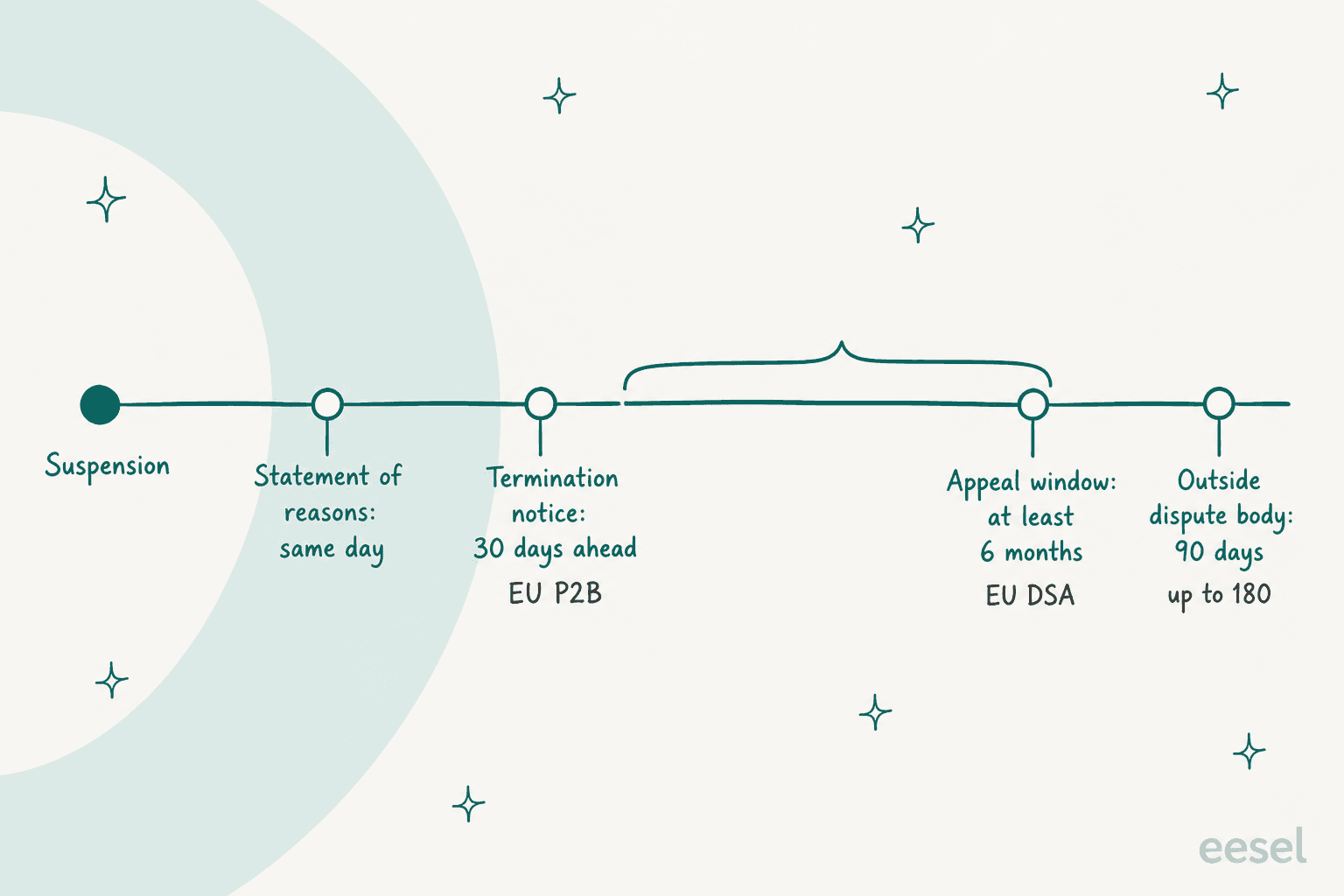
The DSA also sets what the suspension notice must say before anyone appeals. Article 17 requires "a clear and specific statement of reasons" for any account suspension or termination, issued no later than the day the restriction starts. Unlike the appeal rules, that one covers every hosting service, with no small-company exemption.
Here are the requirements that shape the support process, side by side:
| Rule | Who it covers | What it requires | Hard numbers |
|---|---|---|---|
| DSA Article 17 | All hosting services | Statement of reasons: facts relied on, the terms clause or legal ground, whether automation was used, how to seek redress | Due by the day the restriction is imposed |
| DSA Article 20 | Online platforms (not micro or small) | Free electronic complaints, "timely, non-discriminatory, diligent and non-arbitrary" handling, a reasoned decision, human supervision | Open for at least 6 months |
| DSA Article 21 | Online platforms | Users can take the dispute to a certified outside body. If the user wins, the platform pays all the fees | 90 days, up to 180 for complex cases |
| DSA Article 23 | Online platforms | Suspend repeat posters of manifestly illegal content only "for a reasonable period of time" and after a prior warning | Suspension length must be in your terms |
| P2B Article 4 | Marketplaces and app stores, toward business users | Reasons on or before a suspension takes effect, a chance to "clarify the facts", reinstatement without undue delay if reversed | 30 days notice before a full termination |
| P2B Article 11 | Same (not small enterprises) | Free complaint handling, processed "swiftly and effectively", answered "in an individualised manner" in plain language | Publish complaint volume and average handling time each year |
| UK Online Safety Act s.21 | User-to-user services | A complaints procedure that is "easy to access, easy to use (including by children) and transparent" for suspended or banned users | No fixed deadline in the Act |
Two gaps are worth knowing. Neither EU regulation sets a number of days for answering an internal appeal: the DSA says "timely" and the Platform-to-Business Regulation (P2B) says "swiftly". So your SLA is your call, and it should be written down. And if you are outside these rules entirely, a US-only SaaS for example, they are still the best public checklist available. The voluntary Santa Clara Principles add one idea I'd copy everywhere: appeals should get "human review by a person or panel of persons who were not involved" in the first decision.
If your appeal flow touches personal data requests too, my notes on GDPR requests cover the overlap, and the guide to regulated industries support covers where AI is and is not allowed to act on its own. Check your own obligations with counsel.
How do big platforms run their appeals?
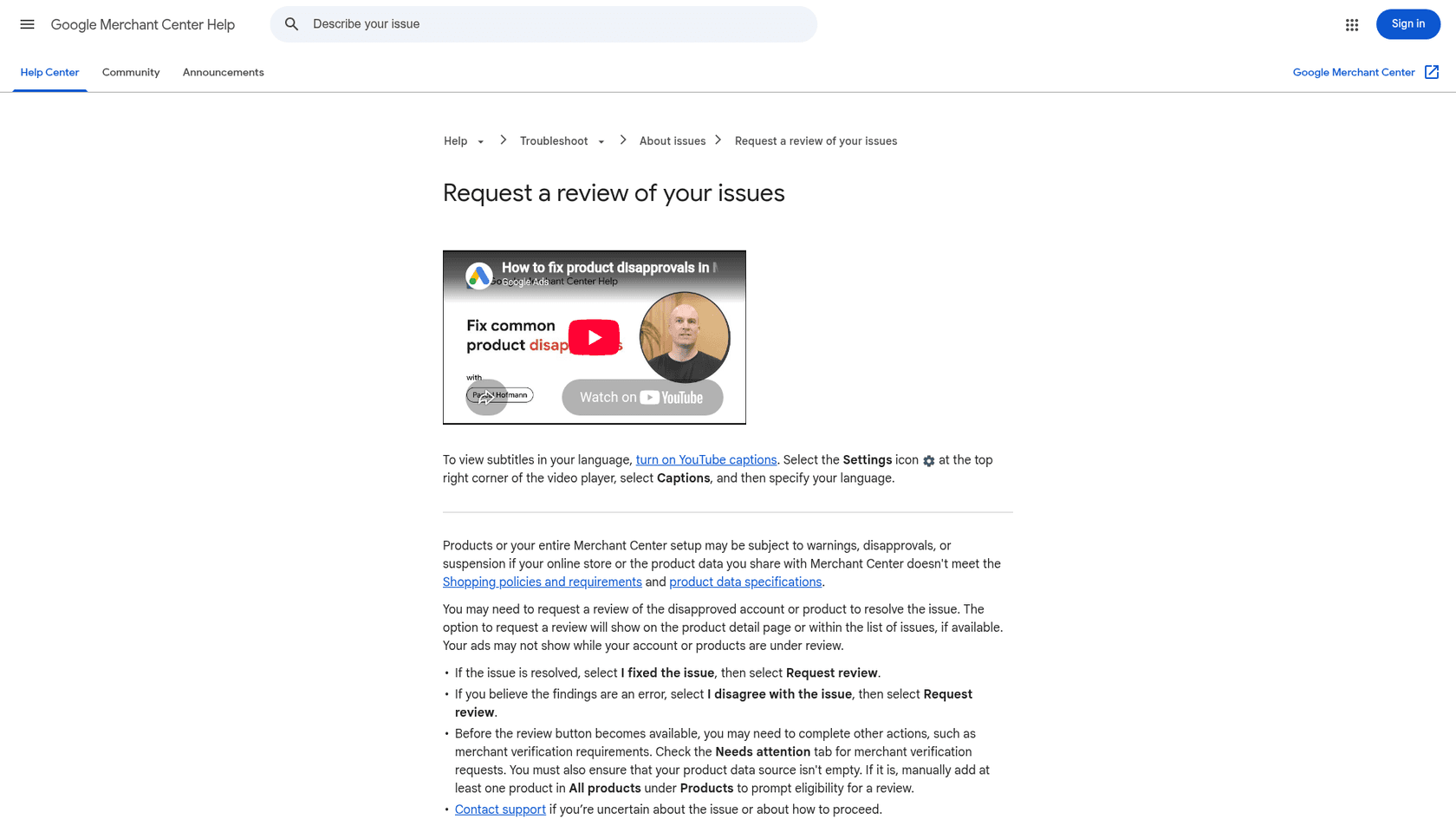
They publish more than you might expect, and the public help pages are a free benchmark. I read the official suspension and appeal pages for 10 large platforms. The useful pattern is not any single rule, it is that the platforms with the clearest processes all separate "I fixed it" from "you got it wrong".
| Platform | Notice | Appeal window | What they ask for | Stated review time | Limits |
|---|---|---|---|---|---|
| Amazon Seller Central | Email or Seller Central with "the reason and any options to appeal" | Not stated publicly | Root causes, "specific actions, dates of changes, or documentation" | Reply "within two days" | Not stated |
| Google Ads | In-account and email, naming the policies | At least 6 months | Why you believe the suspension is incorrect, per policy | Not stated | One appeal at a time; misuse pauses processing for 7 days |
| Google Merchant Center | Warning email first, then suspension | 7 or 28 day warning period | "I fixed the issue" or "I disagree with the issue", plus documents | 7 business days, up to 2 weeks | "One chance to disagree"; cool-down after failed reviews |
| Meta (Facebook) | Email plus a login screen | 180 days (varies by region) | On-screen appeal at login | Not stated | Permanent after a failed or missed appeal |
| YouTube | Email with the reason | Up to 1 year | Your reason for appeal | Shown in Studio per case | Two appeals within the year |
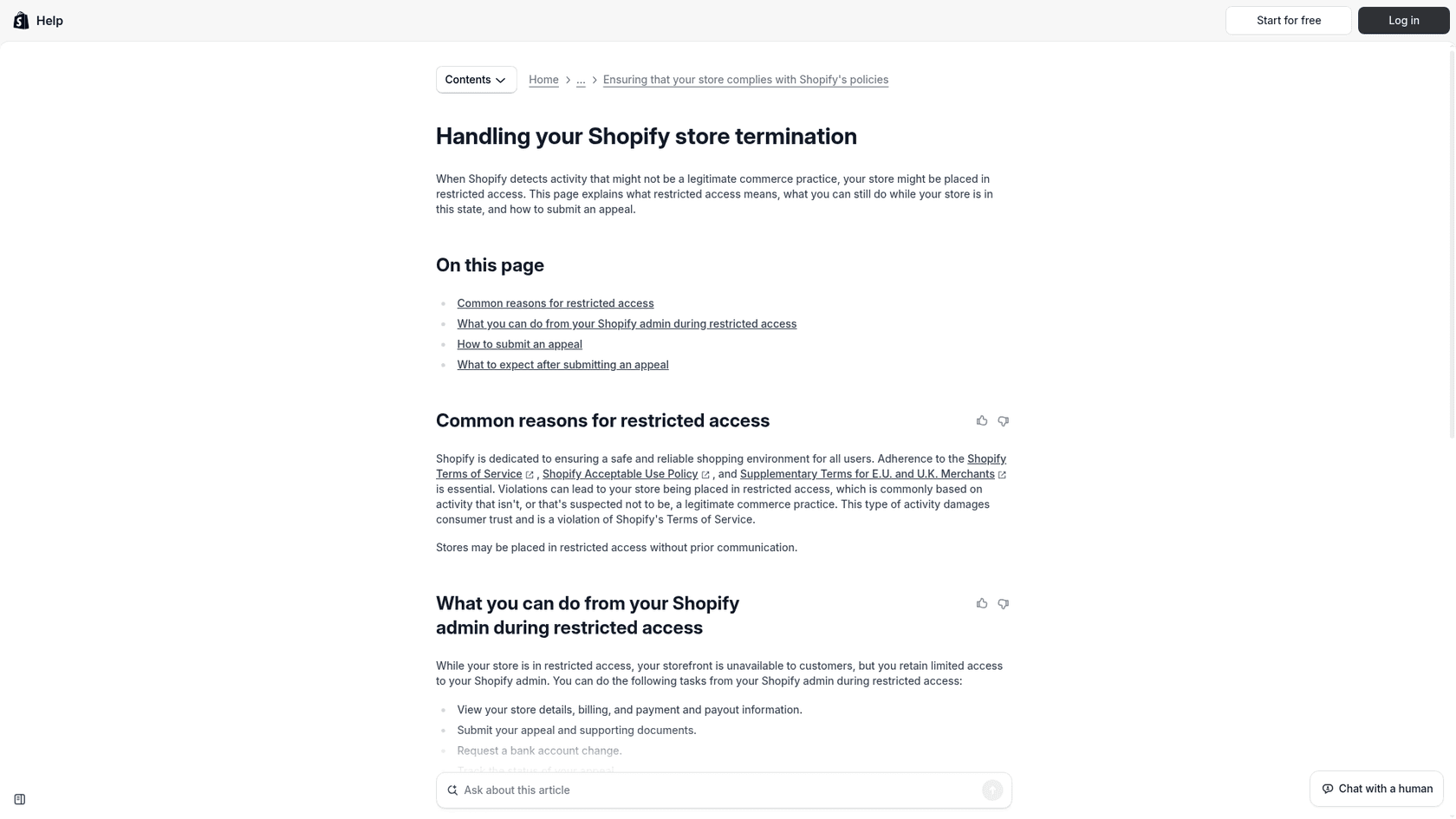
| Shopify | Can be "without prior communication" | Not stated | Explanation plus compliance documents | Not stated | Payments need a separate appeal |
| PayPal | Email with the reason | Not stated | Checklist steps in the Resolution Center | "Usually takes 3 business days" | Not lifted by phone |
| Stripe | Email with the reason, Dashboard banner | Not stated | A form if Stripe "misunderstood or miscategorized your business" | Not stated | Restricted businesses cannot appeal |
| Apple App Review | Details in App Store Connect | Not stated | "Specific reasons" the app complies | Not stated for appeals | "One appeal per submission" |
| X | Login notice | Not stated | Appeal form from the suspended account | Not stated | Not stated |
A few details here are worth stealing for your own process:
- Read-only, not erased. Google Ads keeps a suspended account open for paying bills, getting refunds, appealing and downloading reports. Shopify lets a restricted merchant view payouts, upload documents and "track the status of your appeal". A locked-out customer who can still see their invoices writes far fewer angry tickets.
- A stated reply time. Amazon says two days and PayPal says three business days. Even a rough promise cuts "any update?" follow-ups, the same way a clear chargeback reply does.
- A human on record. Shopify states that "each appeal is reviewed by a Shopify team member", even though its detection is partly automated.
- Partial reinstatement. Shopify can restore a store while Shopify Payments stays off, which needs its own appeal. Money decisions and access decisions don't have to move together, a pattern familiar to anyone handling payment disputes.
How do you build an account suspension appeal process step by step?
Seven steps, in the order a case actually moves. The first one happens before any appeal exists, and it does more work than the other six combined.
1. Write the suspension notice first
Every appeal starts with whatever your notice said. If it said "violation of our terms", you will get a vague, furious appeal and spend three replies working out what happened. If it said which rule, what you saw and what the person can do next, the appeal arrives already pointed at the right question.
A good notice carries six things, drawn from DSA Article 17 and the best platform pages:
- What you did: suspended, limited, or terminated, and what still works (billing, data export).
- Why: the specific policy or terms clause, and the facts you relied on, in plain words.
- Whether automated systems flagged or decided it.
- How to appeal: one link, the window, and what to include.
- When they'll hear back.
- How you will and will not contact them, so a phishing email can't copy your notice.
On the fraud problem: you can name the policy and the category of behaviour without naming the signal. "Payments on this account matched patterns we associate with card testing" tells an honest customer what to explain. It does not tell a fraudster which threshold to stay under. Keep the tone plain and calm. My customer service tone guide and these email templates help when legal wants every sentence hedged.
2. Build one intake form with two lanes
This is the change that fixes the most. Copy Google Merchant Center and offer two buttons: I fixed it and I disagree. They are different jobs. "I fixed it" is a verification task: did the documents arrive, do they match, is the issue gone? "I disagree" is a judgement task: was the original decision wrong?
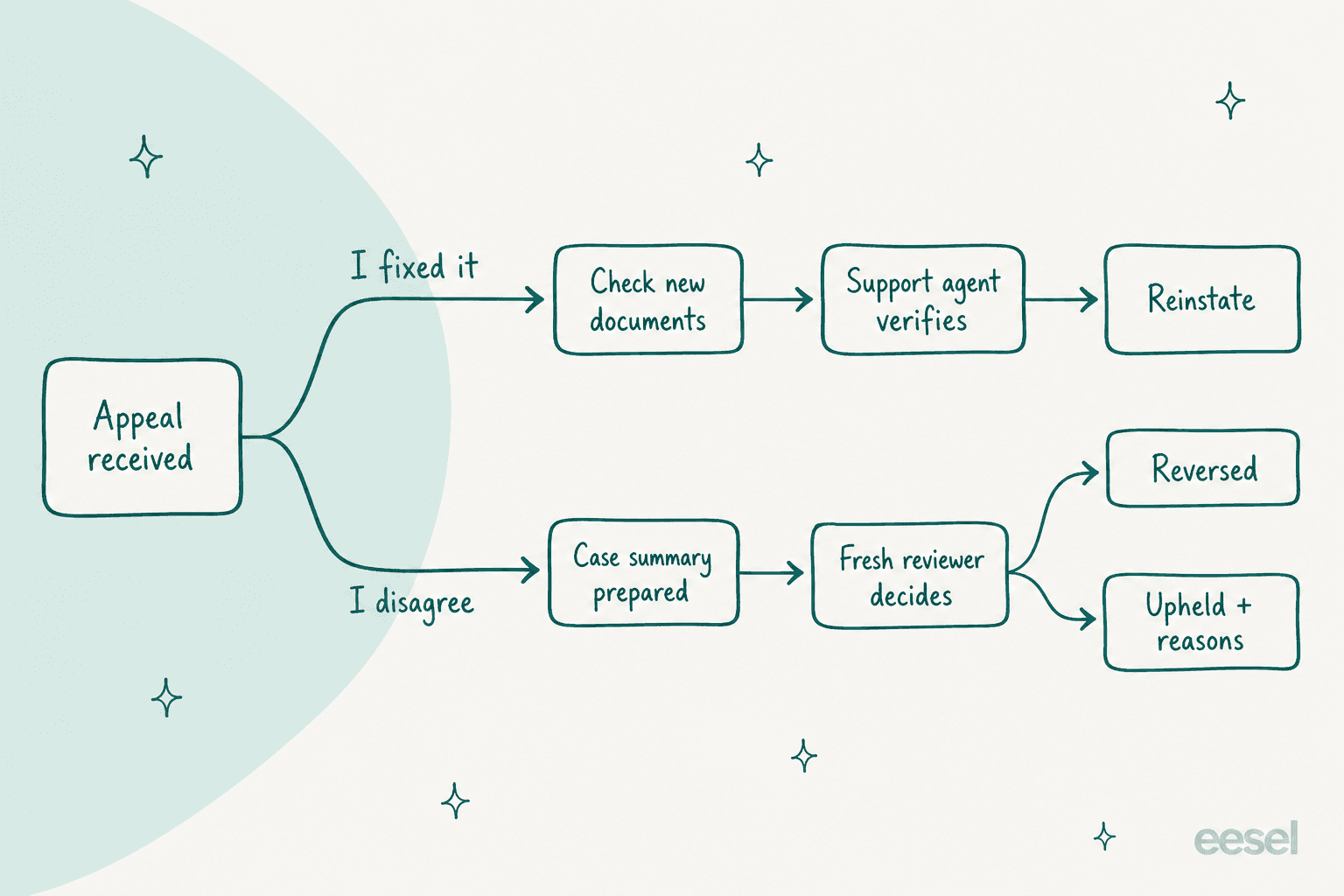
Mixing them is how queues stall. A trained frontline agent can clear most "I fixed it" cases in minutes. A dispute needs a reviewer, the original evidence and time to think. Put both in one pile and the easy cases wait behind the hard ones.
Required fields for both lanes: account ID, the notice reference, a free-text explanation, and file upload. Add lane-specific fields: for "I fixed it", what changed and when; for "I disagree", which part of the stated reason they believe is wrong. Structured fields make ticket triage almost automatic, because the reason and lane arrive as data instead of buried in a paragraph.
3. Triage by reason and route by risk
Tag every appeal with the suspension reason from your notice, then route by risk. A failed identity check and a suspected account takeover look similar in the inbox and need opposite handling: one wants a fresh document, the other wants you to verify who is writing before you share anything.
In Zendesk this is a set of triggers keyed on the form fields, plus a view per lane. The routing logic in my guide to AI ticket routing for SaaS applies directly. Two rules I'd add:
- Never let the appeal sit with the person who made the original call. Route disputes to a separate reviewer group.
- Watch for repeat appellants. DSA Article 23 lets platforms suspend people who "frequently submit" manifestly unfounded complaints, after a warning. Even outside the EU, flag a fifth identical appeal instead of answering it five times.
If you use AI tags for the reason, check them before trusting them. Misread reasons send a fraud case to the document lane. My notes on AI false positives in tagging cover how to test that.
Pick a suspension reason below to see how I'd route it, what to ask for, and the targets I'd set. The targets are my recommendations, anchored to the platform benchmarks above, not a legal standard.
Suspension appeal router
Pick the reason on the suspension notice. Targets are suggested starting points, not legal deadlines.
4. Set SLAs you can keep, and say them out loud
Pick three clocks: time to acknowledge, time to request missing information, and time to decision once the file is complete. Then put them in the notice and the acknowledgment. Customers handle a slow answer far better than silence, and a stated date turns "any update?" tickets into nothing.
| Clock | My suggested target | Benchmark |
|---|---|---|
| Acknowledge the appeal | Immediately, with a case number | Google Ads shows "Appeal pending"; Shopify shows appeal status in the admin |
| Ask for missing information | Within 1 business day | Amazon resubmissions go through "View Appeal" |
| Decide a "fixed it" case | 2 business days after the file is complete | Amazon: "within two days"; PayPal: "usually 3 business days" |
| Decide a dispute | 5 to 7 business days | Merchant Center: 7 business days, up to 2 weeks |
| Keep the appeal route open | At least 6 months | DSA Article 20 minimum |
Build these as real SLA policies in your helpdesk, not as a line in a wiki. The mechanics are in my guides to SLA best practices, Zendesk SLA policies and Freshdesk SLA policies. Pause the clock while you wait on the customer, and only then.
5. Gather evidence on both sides
An appeal is a two-sided file: what the customer sends, and what your team relied on. The second half is the one that goes missing. If the reviewer has to ask the risk team for the original evidence, every dispute adds a day.
So when you suspend, save a short internal record with the case: the trigger, the evidence, the policy clause and who approved it. The reviewer reads that, then the customer's side, then decides. Write down what evidence each reason needs in the same place your team keeps its policies, ideally a searchable knowledge base and not a pinned Slack message.
Ask for evidence the way Amazon does: specific actions, dates and documents, not feelings. "We removed the listing on 3 November and changed suppliers, invoice attached" is reviewable. "We've always followed the rules" is not, and you can say so kindly in the request-for-information template below.
6. Review with fresh eyes and a written rubric
The reviewer for a dispute should not be the person, team or model that made the original call. This is where the DSA's human-supervision rule and the Santa Clara Principles agree, and it's the single best defence against the 15-minute auto-rejection.
Give reviewers a short rubric so two people reach the same answer on the same file:
- Was the policy applied correctly to the facts we had?
- Does the customer's new information change those facts?
- Is the measure proportionate (a full ban versus a limit or a warning)?
- Can we restore part of the account now, such as data export or payouts?
Hard cases need an escalation path above the reviewer: a policy owner or a small panel. My guide to support escalations has a template, and the cross-team escalation guide covers handing a case to risk or legal without the customer falling through the gap.
7. Send the decision, reinstate fully, and learn from it
Every appeal ends with a written decision that gives the outcome, the reason, and the next option: an outside dispute body for DSA platforms, mediation under P2B, or simply "this decision is final". When you reverse, say so plainly and say sorry. A short apology message after a wrong suspension is cheap and remembered. When you uphold, a few empathy statements help the reasoning land without sounding cold.
Reinstatement means everything that was switched off comes back: login, listings, integrations, data. P2B Article 4 spells out access to data generated before the suspension, and that's a good standard everywhere. Then close the loop:
- Track your overturn rate by reason. If 40% of "policy violation" appeals win, your detection or your policy wording is broken, not your customers.
- Feed reversals back to whoever owns the rule that misfired.
- Review a sample of upheld cases each month, the same way you'd run support quality assurance on any other queue.
If you're in P2B scope, you also have to publish complaint numbers and average handling time each year. Even if you're not, those two numbers are the honest scorecard for this process, and they belong in the same report as your other customer complaints metrics.
Which appeal templates should your team keep ready?
Five, one for each point where the customer hears from you. Save them as AI macros or plain macros in Zendesk, canned responses in Freshdesk, macros in Gorgias, or saved replies in Help Scout. Square brackets are the parts a person fills in.
1. Suspension notice
Subject: Your [Company] account has been suspended

Hi [Name],

We've suspended your [Company] account [account ID] from [date]. While it's suspended,
you can't [what is blocked], but you can still [what still works: log in to view
invoices, export your data].

Why: we found [plain description of the behaviour] which goes against [policy name,
section], here: [link]. This decision was [made by our team / flagged by an automated
system and confirmed by our team].

If you've fixed the issue or think we got this wrong, you can appeal here: [link].
Appeals are open until [date]. We'll reply within [X business days].

We'll only contact you about this from [address]. We'll never ask for your password.

[Team name]
2. Appeal received
Subject: We've received your appeal [case number]

Hi [Name],

Thanks for sending this. Your appeal for account [account ID] is with our team.
You'll hear from us by [date]. If we need anything else, we'll ask within
one business day so the review isn't held up.

[Team name]
3. Request for more information
Subject: One more thing we need for your appeal [case number]

Hi [Name],

To finish reviewing your appeal, we need [specific document or detail]. The most
helpful replies include the exact changes you made, the dates, and any documents
that show them.

Reply to this email with the file attached. Your review will continue as soon as
it arrives.

[Team name]
4. Decision: reversed
Subject: Your account is back [case number]

Hi [Name],

We've reviewed your appeal and reversed the suspension. [One sentence on what we
found.] Your account, data and [listings / integrations / payouts] are active again
as of [time].

We're sorry for the disruption. [If relevant: what we're changing so this doesn't
happen again.]

[Name], [Team name]
5. Decision: upheld
Subject: The outcome of your appeal [case number]

Hi [Name],

A member of our team who wasn't involved in the original decision reviewed your
appeal and the information you sent. We've decided to keep the suspension in place.

Why: [plain reason, tied to the policy and the facts].

What this means: [what stays blocked, what happens to any balance or data, and how
to export it].

What you can do next: [outside dispute option / mediation / "this decision is final"].

[Name], [Team name]
Where does AI help, and where should it stop?
AI belongs on the preparation side of the line, and a person belongs on the decision side. That's my view from watching how support teams use AI, and since February 2024 it is close to the letter of the law for EU platforms in scope: DSA appeal decisions cannot be made "solely on the basis of automated means".
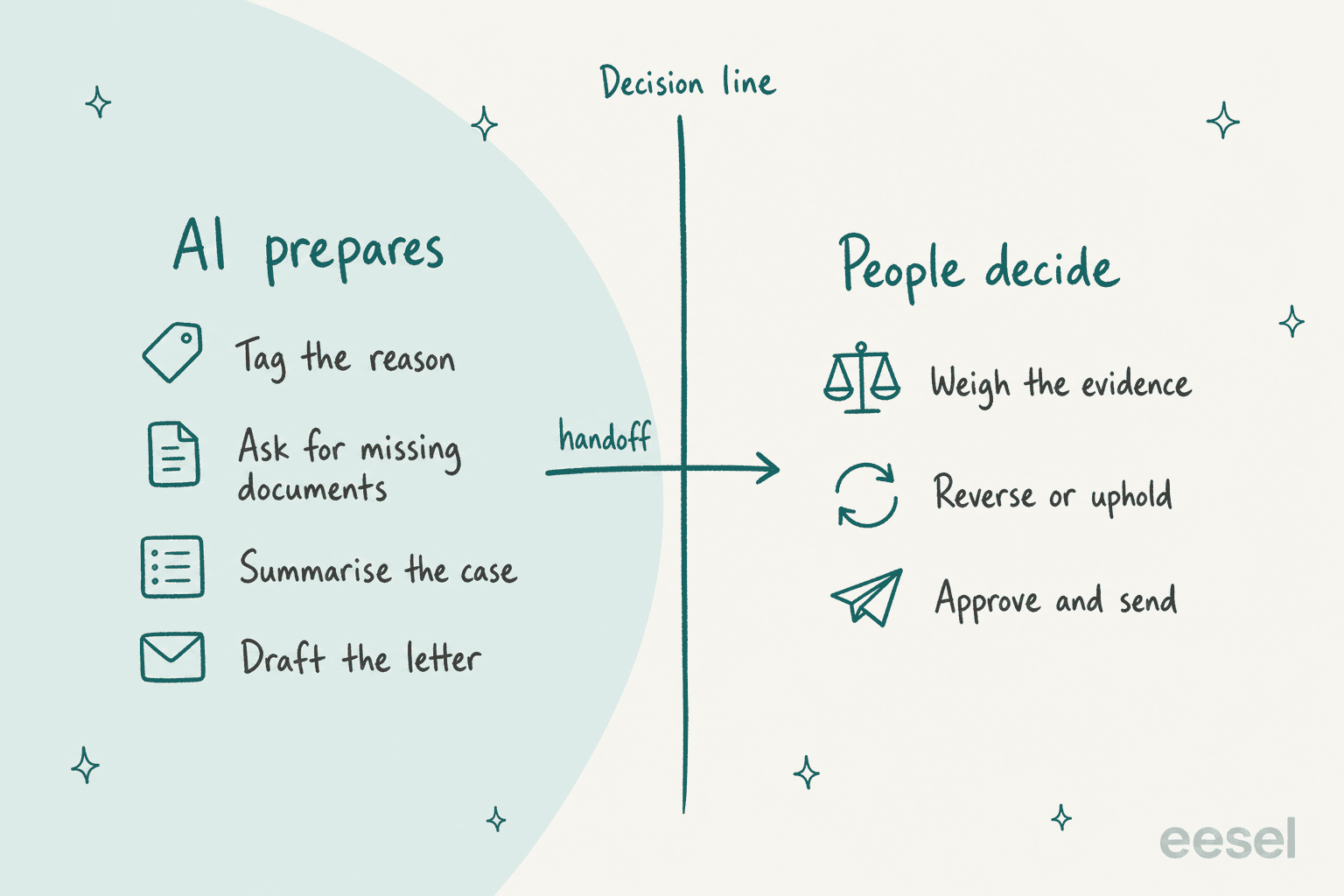
On the preparation side, AI saves real time:
- Tagging the reason and lane from the form and the original notice.
- Spotting a missing document and sending the request-for-information template the same hour.
- Summarising the case for the reviewer: the notice, the evidence, the customer's argument, the account history.
- Drafting the decision letter from the reviewer's notes, in your approved wording.
- Answering status questions ("any update?") from the case record.
On the decision side, keep a person: weighing evidence, choosing reverse or uphold, and approving what gets sent. The AI should also never reveal detection signals or promise an outcome. The setup that does this in practice is a drafting agent whose work lands on the ticket for approval, not in the customer's inbox, which is how AI draft replies in Zendesk and Freshdesk AI draft replies both work.
The clearest example I can point to is smava, a Berlin loan comparison platform in regulated finance. It runs three eesel agents on one Zendesk that handled about 27,000 tickets in a month: one categorises every ticket and marks whether it is even eligible for an automatic reply, one drafts from about 820 approved macros and help articles, and a per-brand agent prepares replies for eligible tickets. eesel never sends the reply itself; an agent approves the draft, and any ticket with attachments goes straight to a person with a note. That is the shape an appeals queue wants, because appeals almost always come with attachments and always need a human verdict.
It's also what support leaders ask for on eesel's sales calls. A CX lead at a DTC supplements brand handling about 7,000 tickets a month put the requirement bluntly: "I need an AI who is only handling the tickets that it's confident to handle and all the other ones, leave them alone." For appeals, "leave them alone" means prepare and hand off. My guides to AI agent handoff and human handoff in chat cover how to make that handoff clean.
What mistakes should you avoid?
Most of these come straight from the public complaints:
- "Violation of our terms" as the whole reason. Name the policy and the behaviour, even if you hold back the signal.
- An appeal that reruns the same automated check. If it can reject in 15 minutes, it isn't an appeal.
- No date. Silence produces follow-ups and public posts. A date, even a slow one, produces patience.
- Letting public pressure beat the form. If the viral case gets reversed and the identical quiet case doesn't, your form is decoration. Fix the quiet case the same week.
- Locking data with the account. Keep invoices and exports available unless there's a legal reason not to.
- Forgetting the support team. Brief agents on what they may say about suspensions, the same way you would before an outage notice or a breach notice goes out.
One commenter who built abuse systems put the cost argument better than I can:
"Yes, humans are expensive, and spammers will try to game the appeals process, too - but it's simply a cost of doing business."
And a small team can still keep a human route open. Hacker News's own moderators publish one:
"If you see an account that's banned and you don't think it should be, please let us know at hn@ycombinator.com so we can take a look. We've unbanned quite a few accounts that way."
eesel for suspension appeal tickets
If your appeals land in Zendesk, Freshdesk, Gorgias or Help Scout, eesel works like a new teammate on that queue. It reads the appeal, tags the suspension reason and lane, asks for the document that's missing, and leaves a case summary and a draft decision letter on the ticket for your reviewer to approve or reject. It works from your own policies, past tickets and macros, and you write its limits in plain language: never state an outcome, never quote detection rules, hand every dispute to the review group. Connecting it to a supported helpdesk takes minutes, and you can test it on past appeals before it touches a live one. If you're weighing it against built-in options, my Zendesk AI review covers what the native tools do.

The decision stays with your people, which is where it belongs. If you want to see what that looks like on your own appeal tickets, try eesel on a handful and read the drafts before anything goes out.