An outage communication template is pre-approved wording for each incident stage (investigating, identified, monitoring, resolved, postmortem) on each channel, with blanks for what's broken, who's affected and when you'll update next. Copy the set below, but two rules matter more than the wording: every update names the time of the next update, and every channel copies from one incident note your incident lead approves. Atlassian says never go more than an hour between updates.
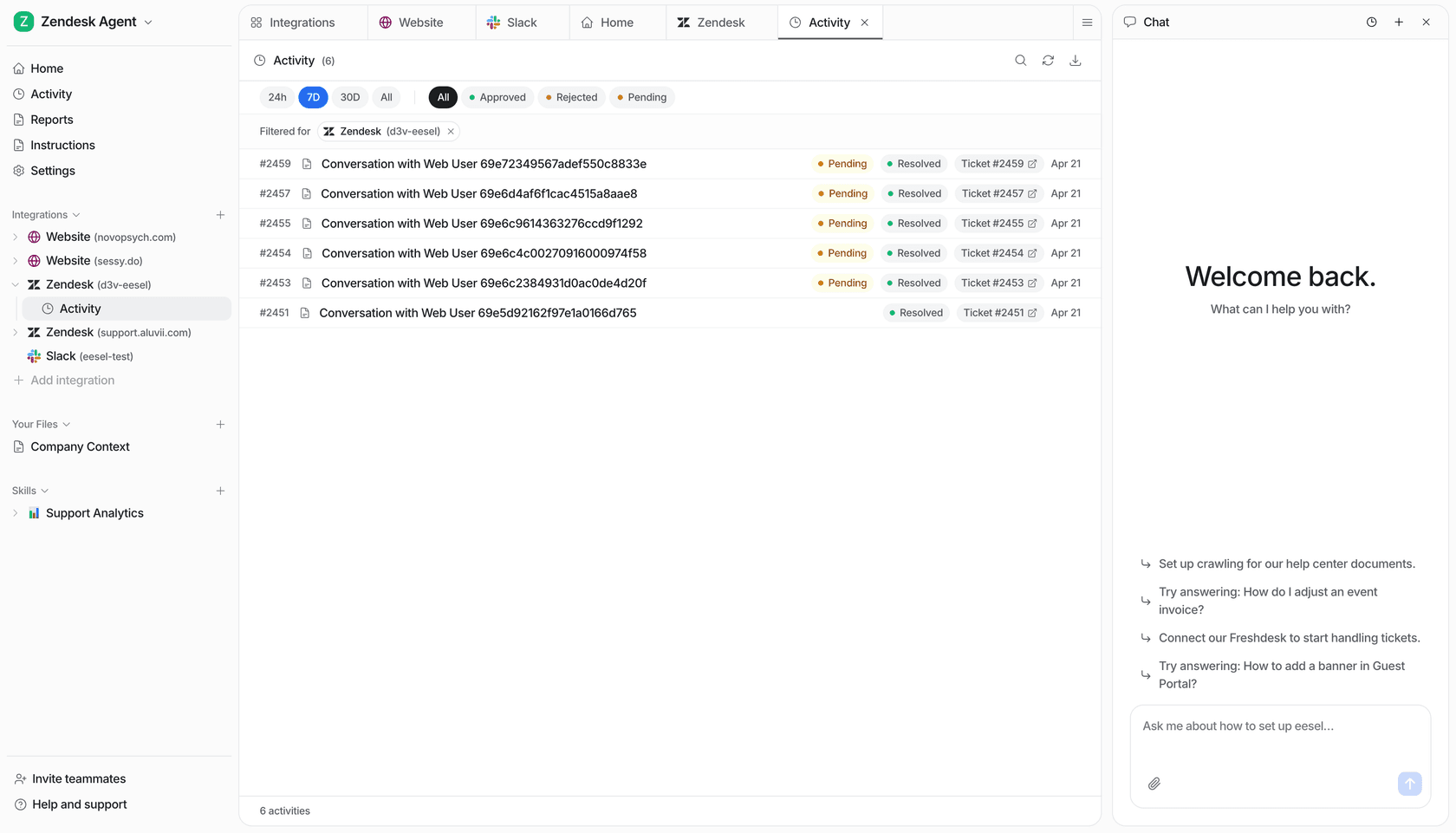
For the ticket flood, eesel's AI helpdesk teammate answers known-issue tickets from that same note inside your helpdesk and hands edge cases to a person. With the eesel CLI, a coding agent can upload the approved note and test answers first; an admin still connects the helpdesk.
Click a stage to swap the status page, banner and helpdesk copy for that moment of the outage.
What does every outage update need to say?
I work eesel's support queue every day, and on a bad day the first sign that something broke is the same question arriving in the queue again and again. The template is what stops that. A good outage update answers four questions before the customer has to ask them: what's broken, who's affected, what you're doing, and when you'll say more.
That structure isn't my invention. incident.io's guide breaks a customer update into the same parts: give context so people don't assume the worst, say what you're doing, set expectations, tell people what to do, and say when you'll update next. Atlassian's template library is built the same way, and half of its investigating templates end with "We will send an additional update in NEXT_UPDATE minutes."
The four stages come straight from the status page tools. incident.io's publishing docs define them in one line each: Investigating means you're not sure what the issue is yet, Identified means you're working on a resolution, Monitoring means customers should expect things back to normal but your response hasn't wrapped up, and Resolved means everything is back to normal. Each stage asks for a different detail, which is why one generic "we're aware of an issue" message stretched across four hours feels like silence.
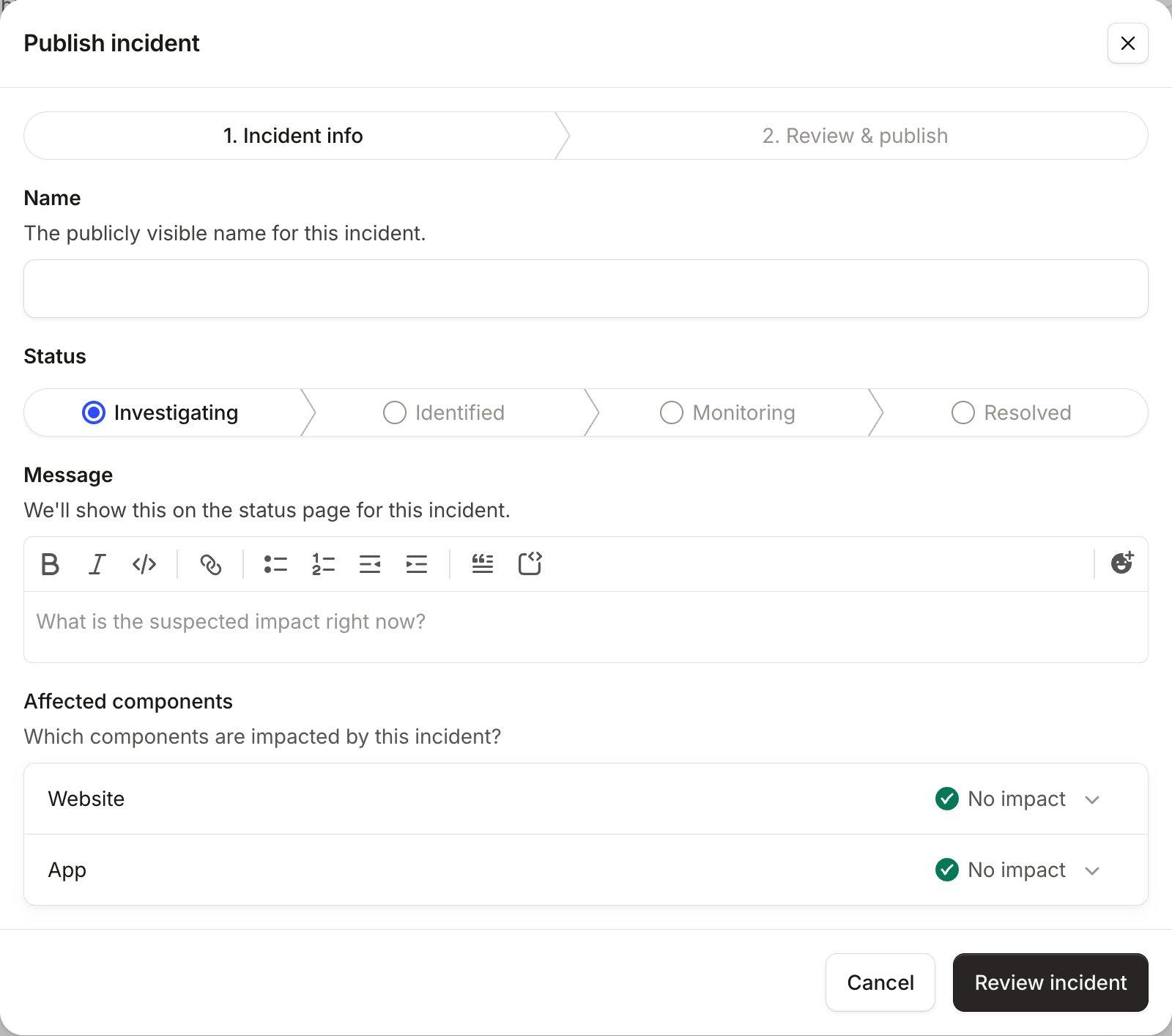
Notice what the form asks for: a name, a status, a message and the affected components. The name becomes the email subject line for subscribers, per the same docs, so write the title for someone reading only the subject line. "Dashboards not loading for some EU users" beats "Service disruption."
How often should you post outage updates?
At least every hour while customers are affected, and every 30 minutes if you can manage it. Atlassian's incident communication guide recommends "never going more than one hour without sending an update" for anything still affecting customers, and says to always indicate when the next update will come.
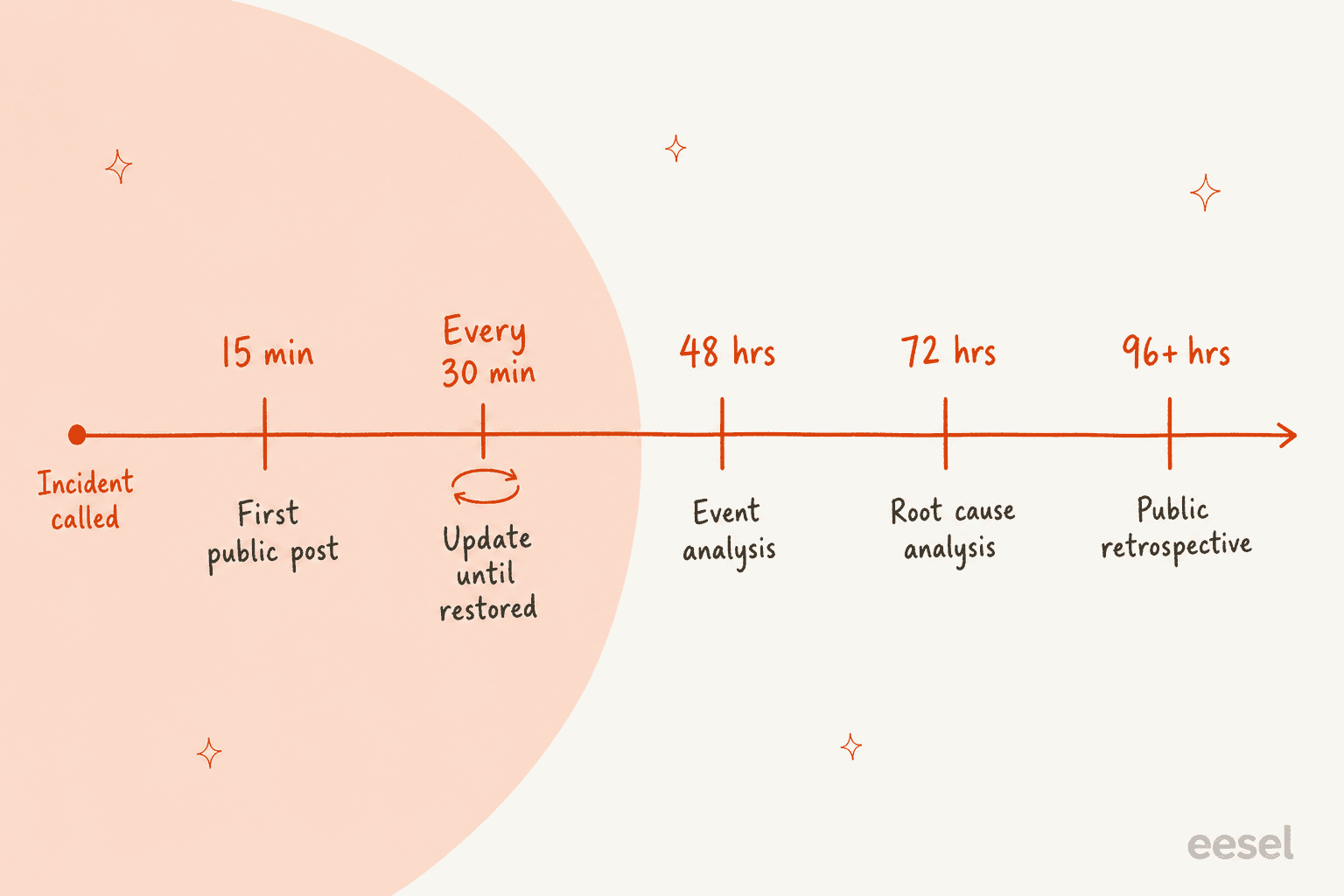
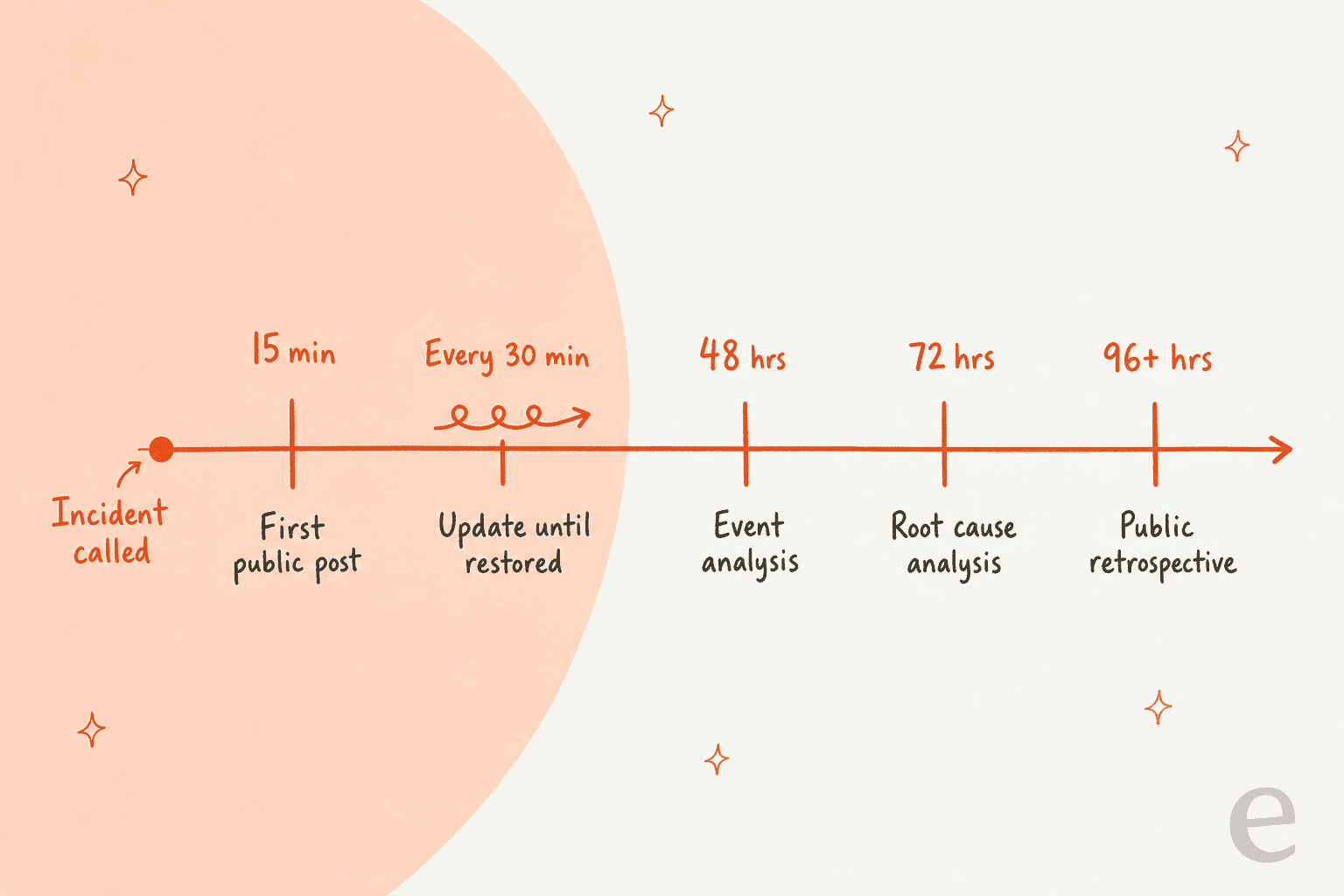
Zendesk publishes its own clock, which is the most concrete public example I've found. Its incident management article lists the internal timelines it works to:
| Stage | Zendesk's target |
|---|---|
| Public announcement | Within 15 minutes of the incident being called |
| Incident updates | Every 30 minutes until service is restored, or as new information arrives |
| Event analysis (severity 0 and 1) | Within 48 hours of resolution |
| Root cause analysis | Within 72 hours of resolution |
| Public incident retrospective | Within 96+ hours of resolution |
The number matters less than keeping the promise. If you say "next update at 14:30" and post at 14:50, the next 20 minutes of tickets are about the missed update, not the outage. Customers notice when you keep to it, too:
"They also updated the status page every hour (or when they had new information), which is what they said they would do in their status updates."

One more cadence trap: repeating yourself is fine, going stale is not. incident.io points out there are "a zillion different ways" to say you're still investigating, and a fresh timestamp with "no change, still working on it" beats an untouched message from three hours ago. If your support team runs on SLA timers, decide in advance whether outage tickets pause them; this SLA management guide covers the options.
Who owns which outage channel?
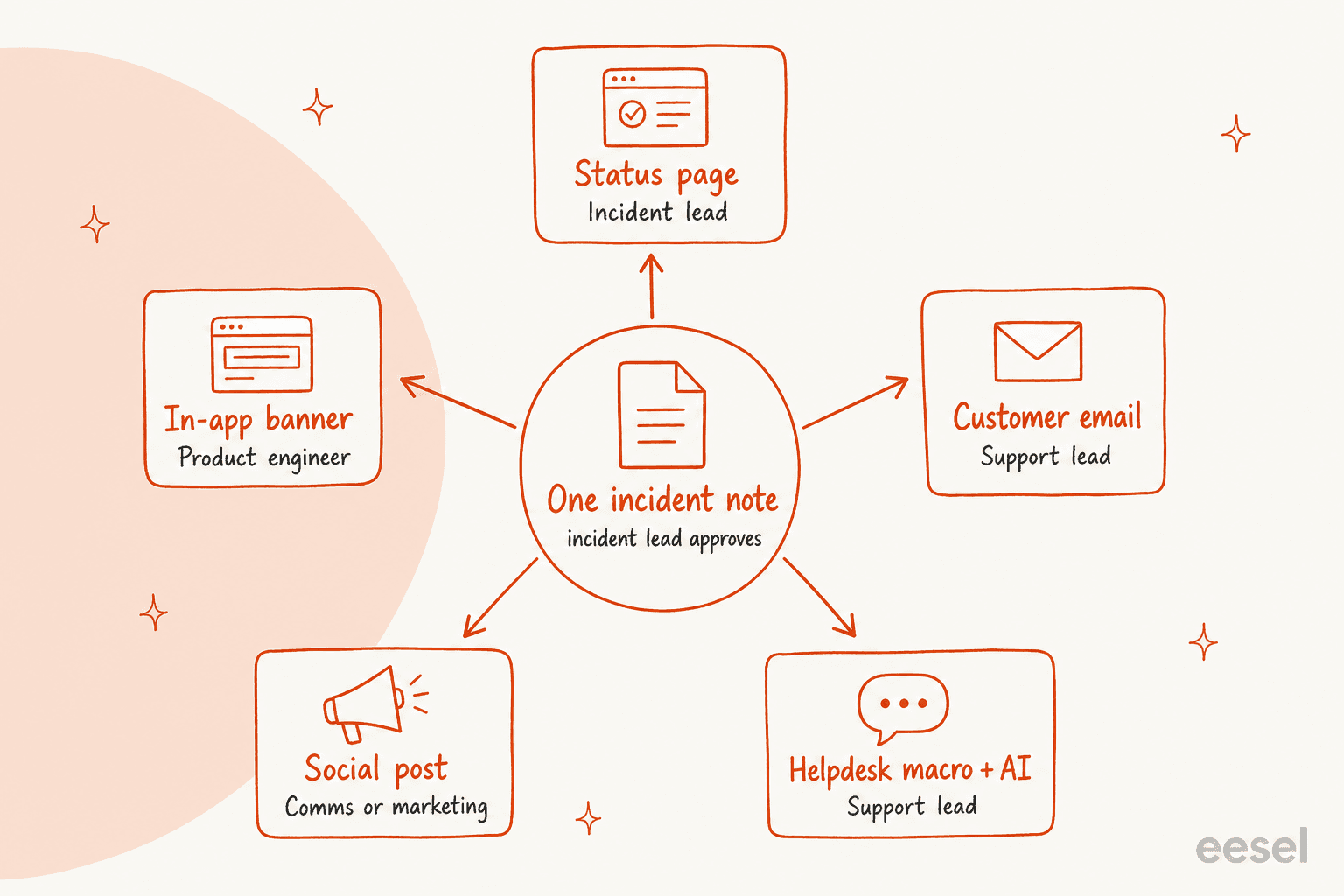
One person approves the incident note, and every channel has exactly one named owner who copies from it. Without that, the status page says "some users", the banner says "all users" and an agent's reply says "should be fixed in 10 minutes", and now you have three stories.
Here's the split I'd start with at a SaaS company of 20 to 200 people:
| Channel | Owner | Copies from the note | When to use it |
|---|---|---|---|
| Status page | Incident lead (or comms on call) | Full update | Every incident customers can see |
| In-app banner | Product engineer on the incident | One line + status link | When users are inside the broken product |
| Customer email | Support lead | Summary + what to do | Long outages, data impact, or key accounts |
| Social post | Comms or marketing | One line + status link | When customers are already posting about it |
| Helpdesk auto-reply, macros and AI | Support lead | Current stage wording | Always, from the first duplicate ticket |
Atlassian makes the same layering point: it posts incidents to its status page, pushes the updates to social, and shows an announcement in its service portal, with every message pointing back to the status page. Its guide also lists the front-line support team as its own audience, the people "directly answering questions and giving customers updates", which is the part most incident runbooks skip. If your support team only learns the cause from the public status page, you've already lost 15 minutes. A simple fix is piping incident updates into the support channel, the way you'd connect Zendesk to Slack for ticket alerts.
What should the status page and in-app banner say?
The widget above holds the status page and banner copy for each stage. Three rules sit behind it.
Lead with the customer's symptom, not your system. "Payments failing at checkout" is something a customer can match to what they see. "Elevated error rates on payments-api" isn't. Atlassian's library does keep some system-level titles ("Elevated API Errors", "Webhook failures"), which work for a developer audience. Match the words to who reads your page.
Name the scope honestly. "Some users" and "all users" mean different things to a customer deciding whether to wait or escalate. If you don't know yet, say "some users" and narrow it in the next update, never the other way round.
Give the support channel a fallback. Atlassian's library has a template for when the support portal itself is down, pointing customers to a secondary email or social handle. That isn't paranoid. During Cloudflare's 18 November 2025 outage, its status page also went down, even though it is hosted entirely off Cloudflare's infrastructure. It turned out to be a coincidence, but it briefly convinced part of the team they were under attack.
For the banner, check whether your tool clears it for you. Better Stack's status announcement docs say plainly that the announcement doesn't update automatically based on service status; you remove it by clearing the text and saving.
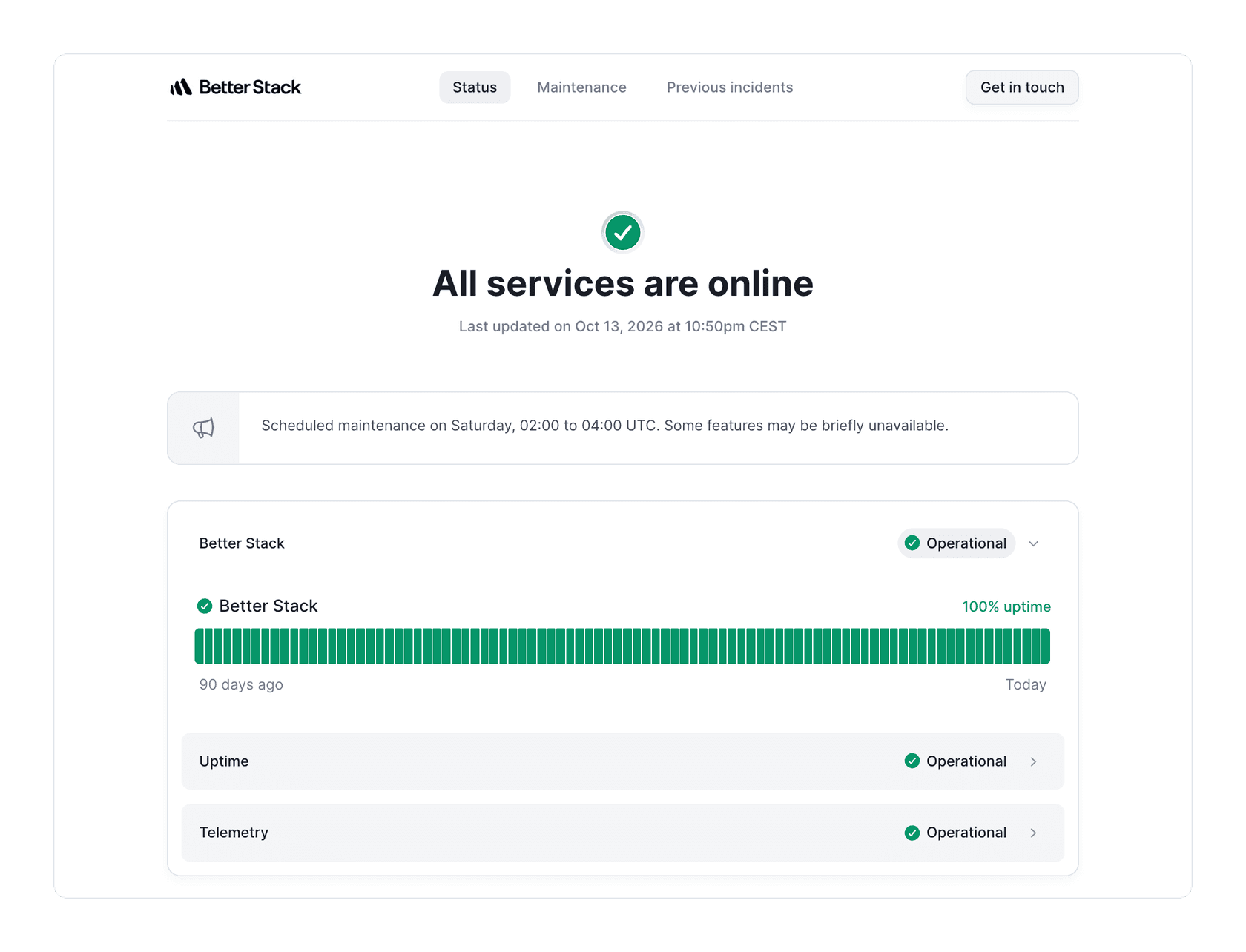
Put "remove the banner" on the resolved checklist, or customers will see an outage notice for a problem you fixed yesterday. Automatic status updates have their own catch: Better Stack's status page update docs note that editing an automatic update turns it into a manual one, and then you have to add the Resolved update yourself. If you're on Atlassian, my guide to Jira Service Management status pages covers the setup side.
What should the outage email to customers say?
Email is for outages that last long enough, or hit hard enough, that customers need something in their inbox: data delays, failed payments, a multi-hour outage, or accounts with an SLA. For a 15-minute blip, the status page and subscriber notifications are enough. Here are the two emails I'd pre-approve.
Email 1: outage notice (sent once, early, to affected accounts)
Subject: [Feature] is unavailable for some accounts right now

Hi [first name],

Since [start time, time zone], [feature] has been [what they see, e.g.
failing to load / sending delayed notifications] for some accounts,
including yours.

What we know: [one sentence, or "we're still investigating the cause"].
What you can do: [workaround, or "nothing, your data is safe and queued"].
What we're doing: [engineers are working on a fix / we're rolling back
a change].

Live updates are at [status page link], and we'll email you again when
it's fixed. If this is blocking something urgent, reply to this email
and it comes straight to our support team.

[Name], [Company] support
Email 2: resolution (sent to everyone who got email 1)
Subject: Resolved: [feature] is working again

Hi [first name],

[Feature] is working normally again. The problem ran from [start] to
[end] [time zone].

What happened: [one plain sentence, no internal system names].
Your data: [no data was lost / X was delayed and has now caught up /
what was affected and what we did about it].
What's next: we'll share a full write-up by [date] at [link].

I'm sorry this got in the way of your day. If anything still looks
wrong, reply here and we'll look at your account directly.

[Name], [Company] support
Two notes on these. Send email 2 to exactly the list that got email 1, so nobody is left wondering. And keep the apology to one line that names the impact; my apology message examples and customer service email templates go deeper on tone.
What should you post on social during an outage?
Social is a pointer, not a second status page. Atlassian's guide says to use it as part of the plan but not as your only channel. Post when customers are already talking about the outage publicly, keep it short, and always link the status page so updates live in one place.
Investigating: Some customers can't [action] in [product] right now.
We're on it. Live updates: [status page link]

Identified: We've found the cause of today's [feature] issue and are
fixing it. Updates every 30 minutes here: [status page link]

Resolved: [Feature] is working normally again. Sorry for the disruption
today. What happened and what we're changing: [link]
Reply to individual complaints with the status link and an invitation to open a ticket, not with troubleshooting in public. If someone shares account details in a reply, move them to the helpdesk.
How do you handle the outage ticket flood in the helpdesk?
This is where support leads lose most of their day, and it's the channel most outage plans forget. Three templates do the heavy lifting: an auto-reply, a macro with tags, and an internal note so agents don't improvise.
Auto-reply while the incident is open
Subject: Re: {%subject%}

Thanks for getting in touch. We're aware that [feature] isn't working
for some customers right now and our engineers are fixing it.
Live updates: [status page link].

You don't need to do anything, and you don't need to send another
message. We'll update this conversation when it's resolved. If your
question isn't about this issue, reply and a person will pick it up.
Check how your helpdesk sends auto-replies before you count on one. Help Scout's auto reply goes only to the first email in a conversation, and to any one address once per 24 hours by default, so a customer who already got your normal auto-reply this morning won't see the outage one. If you're on Zendesk or Gorgias, my guides to Zendesk auto-replies and Gorgias auto-replies cover the trigger setup, and auto-reply best practices covers the wording.
Macro for agents (adds a tag and the current-stage reply)
Macro name: Outage - [incident ID] - [stage]
Actions:
  Add tag: outage_[incident_id]
  Set type: Incident (linked to the problem ticket)
  Comment (public): [paste the helpdesk reply for the current stage]
In Zendesk, only admins can create shared macros for the whole team, so build the outage set before you need it, and macros apply to one or more tickets at once. The bigger lever is the problem ticket: when you solve it, Zendesk's problem and incident docs say every linked incident ticket is solved and gets the same comment. That makes your resolved template the one message that closes the whole pile. My walkthrough of Zendesk ticket types shows the linking, and you can automate the ticket type too. On Freshdesk, the equivalent pieces are canned responses and linked tickets. If you're new to building these, start with how to create a macro and my macro templates.
Internal note for agents (pin it where they work)
OUTAGE [incident ID] - current stage: [Investigating]
Last updated: [time] by [incident lead]
Say: [two-line customer-safe summary]
Don't say: an ETA, the cause before it's confirmed, "all users",
  anything about credits.
Escalate to [name/channel]: data loss reports, security questions,
  enterprise accounts, anyone asking for a refund or credit.
Next update due: [time]
The "don't say" list is the line that saves you. Agents under pressure fill silence with guesses, and a guessed ETA in one ticket becomes a screenshot in a complaint an hour later.
What should you never promise in an outage message?
Never promise what the incident note doesn't say. In practice that's four things:
- An ETA you haven't been given. incident.io's guide says "It's absolutely fine to say 'we don't know how long it'll take'", and that after a few hours customers can reasonably expect an estimate in hours, days or weeks. Before that, the next update time does the job.
- A root cause before it's confirmed. Cloudflare's own write-up says the team initially "wrongly suspected" a hyper-scale DDoS attack. Imagine that guess in a public update.
- Scope you haven't checked. Saying "no data was lost" before engineering confirms it is the promise that comes back to bite.
- Credits or refunds without a policy. Route those to a person every time.
Honesty about the state of things matters more than polish. This comment, on a thread about Instagram's API breaking while its status page stayed green, sums up how customers read a page that's out of step with reality:
"There is nothing more frustrating than a status page that lies about the state of an API. Feels like insult + injury. I'd rather they not even have a status page!"
And the opposite failure, silence, reads just as badly:
"A status page is not something you update only when things are calm. It is part of the response itself. It is how you keep users informed and maintain trust when everything else is going wrong."
The same rule applies to any AI answering tickets for you. SE Ranking, which runs eesel on Zendesk chat for three products, set its agent up so it never promises things the team can't deliver: no "a live agent is joining now", no discounts, no refunds. When a customer needs a person, it says to expect a reply in one or two business days and hands over with the customer's name and email.
What should the customer-facing postmortem say?
Plain facts with times, an apology that doesn't hedge, and what you're changing. The best public examples follow a similar shape. GitHub's status history shows it in two layers: the resolved update is short ("This incident has been resolved... A detailed root cause analysis will be shared as soon as it is available."), and the follow-up incident summary opens with exact times: "Between 19:05 and 21:27 UTC on November 13, 2026, GitHub Copilot experienced degradation...", then names the cause and what was done.
Cloudflare's write-up opens with the start time in UTC, says outright that the outage "was not caused, directly or indirectly, by a cyber attack", and apologises without qualifiers: "We know we let you down today." Here's a customer-facing template built on that shape:
Title: [Feature] outage on [date]: what happened and what we're changing

Summary
On [date], between [start] and [end] [time zone], [number or share of]
customers [what they experienced]. [The issue was not caused by a
security incident / what security impact there was.]

What you experienced
- [Symptom 1, e.g. dashboards failed to load]
- [Symptom 2, e.g. notifications were delayed by up to X minutes]
- [Data impact, stated precisely]

What happened
[Two to four plain sentences: the change or failure, why it spread,
how we found it, how we fixed it.]

Timeline ([time zone])
[HH:MM] [First customer impact]
[HH:MM] [Incident declared, first public update]
[HH:MM] [Cause identified]
[HH:MM] [Fix deployed, monitoring]
[HH:MM] [Resolved]

What we're changing
- [Change 1, with owner team and target date]
- [Change 2]

We're sorry. [One sentence naming the impact on customers.]
If you have questions about your account, reply to [support address].
Write it while it's fresh. Atlassian's postmortem guide suggests documenting within 24 to 48 hours of resolution, and Zendesk aims for its public retrospective 96 or more hours after. If you want help drafting the internal version, the post on AI-drafted post-incident reviews covers what Atlassian's tooling does.
Where does AI fit into outage communication?
Mostly in the helpdesk, where the volume is. The status page is one post every 30 minutes; the helpdesk can be hundreds of near-identical tickets in the same window. My colleagues have written the longer pieces on AI support during SaaS outages, AI for status page updates and AI for major incident communication, so here I'll stick to how the templates above plug in.
The setup is simple to describe: the current incident note becomes knowledge the AI answers from, and the "don't say" and "escalate" lines become its rules. eesel's AI helpdesk teammate (see how it compares in this AI helpdesk roundup) works inside your existing Zendesk or Freshdesk, so outage tickets get the current-stage reply in the same thread your agents use, and anything off-script, like a refund request or a data-loss report, goes to a person with the context attached. It also helps your deflection rate on outage days without touching the tickets that need judgement.

Changing the agent's instructions is a chat message, as in the screenshot above, which matters when the incident moves from Identified to Monitoring and the wording has to change with it. SamCart is a good example of what that looks like at volume: it runs one eesel agent on Freshdesk tickets and another on its website chat, answering from about 280 help center articles, on a plan for 8,000 interactions a month, which a busy month has already gone past.
Three things I'd do before the next outage:
- Load the templates as knowledge now. Upload the stage replies, the auto-reply and the "don't say" list ahead of time. With the eesel CLI, an AI coding agent can run
eesel files uploadon the approved incident note mid-incident, then ask the agent test questions witheesel chatand check the answers before it replies to customers. Connecting the helpdesk itself still needs someone with admin access to approve it in that tool. - Test the handoff, not just the answers. I've seen what happens when this isn't tested: a Dutch web-hosting customer of ours on Zendesk had a bot tell customers it was handing them to a person when the transfer never went through. On an outage day that's the worst possible failure, so run a fake escalation end to end. My guides to human handoff in chat and AI escalation cover what a clean handover carries.
- Measure it after. Tag every outage ticket the AI touched and check containment and escalation quality in the postmortem, alongside the status page timeline. SE Ranking asked for exactly this, an
ai_handledtag on every ticket eesel touches, so containment is counted in Zendesk rather than guessed.
Try eesel for your next outage
If your status page is covered but your helpdesk drowns every time something breaks, eesel is the piece I'd add. It joins your existing helpdesk like a new support hire, replies to known-issue tickets from the incident note you approved, uses your current-stage wording as the incident moves along, and passes refunds, data questions and anything unclear to your team. You can see how it handles your own past tickets before it ever talks to a customer.