


Good data breach customer communication tells people what happened, what was taken, and what to do next, in the subject line and first sentence, not the third paragraph. Plan to the shortest legal clock that applies: 72 hours to an EU or UK regulator, and 30 days to customers in California, New York, Florida and Colorado. Then get ready for the replies. I would brief support before the notice goes out, give agents a few approved macros, and let an AI helpdesk agent answer the repeat questions from the approved FAQ while people handle anything account-specific.
With the eesel CLI, an AI coding agent can upload your approved breach FAQ, tighten the agent's instructions so it escalates account questions, and run test questions before anything goes live. Connecting your helpdesk still needs an admin to approve it. This guide is not legal advice: check every deadline with counsel.
What should you tell customers after a data breach?
Tell them five things, in this order: what happened, what information was involved, what you are doing, what they can do, and how to reach you. That is not my invention. California law requires those exact headings under a title reading "Notice of Data Breach" in Civil Code 1798.82, and the FTC's model letter uses the same five. If you write to that structure, you have a notice that covers the core content most breach rules ask for, in an order readers can follow.
I build eesel's helpdesk integrations, so I spend my days looking at how a message moves from a draft into a ticket, a macro and an automated reply. That angle shapes this guide: the notice is the easy part to get approved. The hard part is the wave of replies that lands in your queue the next morning, and whether every one of them gets the same answer.
Here is what each heading should carry, with the source for each requirement:
| Heading | What goes in it | Why |
|---|---|---|
| What happened? | Date or date range, a short plain description, when you found out | California requires the breach date or range and the notice date |
| What information was involved? | The exact data types: names, emails, card digits, ID images | The ICO and GDPR both want the nature of the breach in plain language |
| What we are doing | Containment, investigation, any free credit monitoring or ID theft service | California requires 12 months of free ID theft services when SSN or ID data came from you |
| What you can do | Reset passwords, watch for phishing, freeze credit where relevant | The ICO says to give "specific and clear advice" people can act on |
| For more information | A dedicated FAQ page, phone line and support contact | The FTC suggests letters, websites and toll-free numbers |
Two lines matter more than their length suggests. First, say how you will contact customers from now on. The FTC suggests telling people if you will only write by mail, or will never call about the breach, because breach notices attract copycat phishing. Second, say sorry in plain words. A sincere apology message costs nothing, and leaving it out is a common complaint in breach threads.
What to leave out is just as clear from how customers react. Breach threads on Hacker News keep circling back to the same stock phrase:
"I couldn't help but chuckle at We Take Your Security Seriously™. Why does every company, after demonstrating a lack of security, like to say this exact line?"

Skip that line, skip passive voice ("information may have been shared"), and skip anything you have not confirmed. Plain, specific and slightly uncomfortable beats polished and vague. My customer service tone guide and these empathy statements help when you need to sound human without overpromising.
Why does the subject line matter so much?
Because most customers only read the subject line and the first sentence, and too many breach emails hide the news in both. Blue Shield of California sent its 2025 notice with the subject "Blue Shield of California Privacy Notification", and a recipient on Hacker News called it out:
"It sounds like a fairly minor concern, but I find it quite distasteful that the email subject doesn't indicate that a breach occurred."
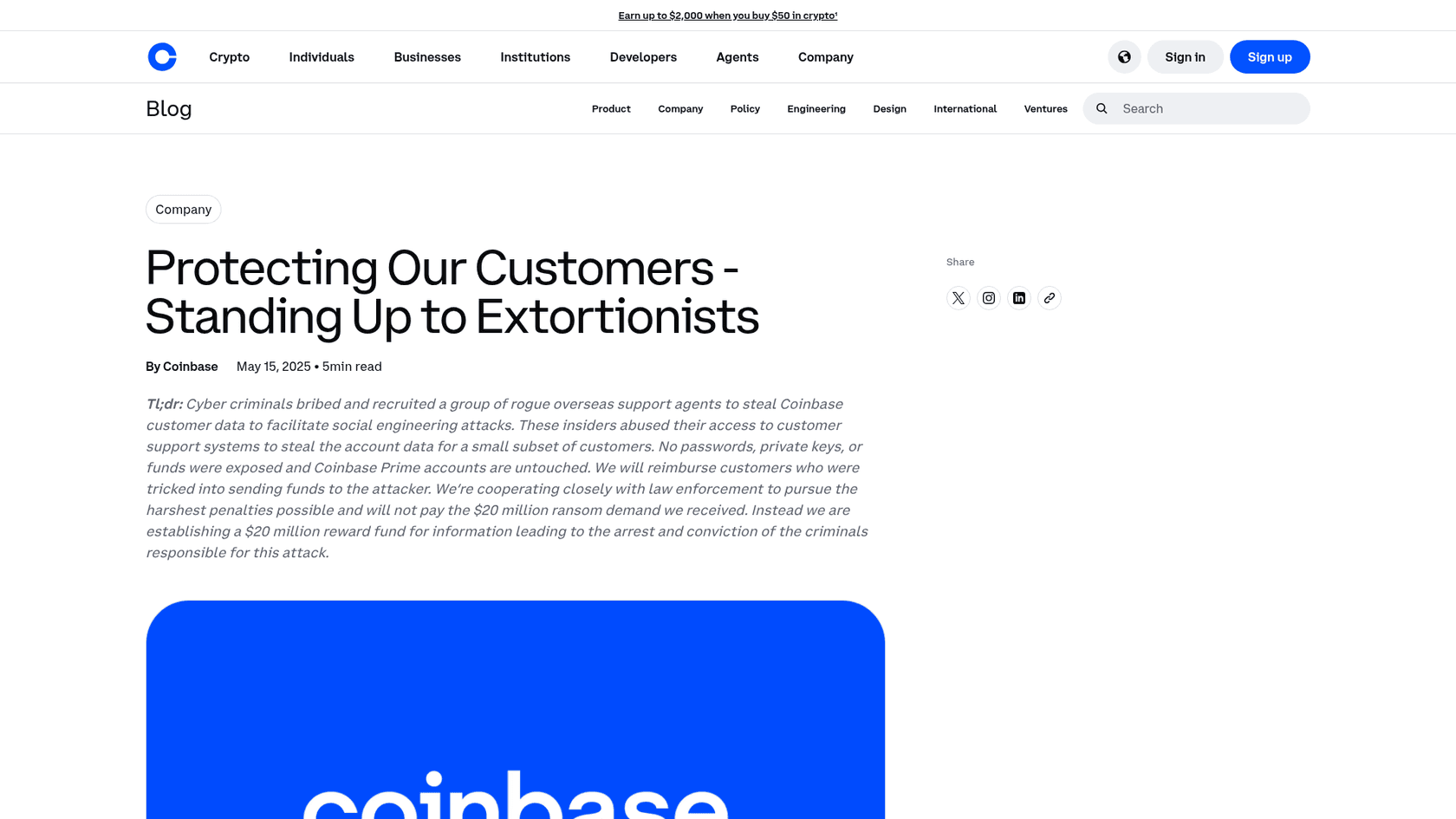
Coinbase is a useful case because it got the page right and the email less so. Its May 2025 notice opens with a TL;DR covering the cause, the scope and what was not exposed. It lists what the attackers got and did not get, names the exact sender address and send time of the customer email so people can spot fakes, and ends with a direct apology.
The email that pointed people to it was another story, according to one affected customer:
"Additionally the email they sent me had the subject "important notice" and that my personal account was affected as the third sentence in a rather wordy paragraph."
The lesson I take from it: the email carries the news, the page carries the detail. A subject like "Notice of data breach affecting your [Company] account" and a first sentence that says whether this person's data was involved will save your support team more tickets than any macro. If you have to build trust with customers again after this, it starts in that first line.
When do you have to notify customers of a data breach?
Within days, not months, and the clocks have been getting shorter. GDPR Article 33 gives you 72 hours to tell the regulator where feasible, and Article 34 says high-risk breaches must reach customers "without undue delay" (EUR-Lex). In the US, California moved to a hard 30-day deadline for customer notice from January 1, 2026, and New York's statute now says 30 days too.
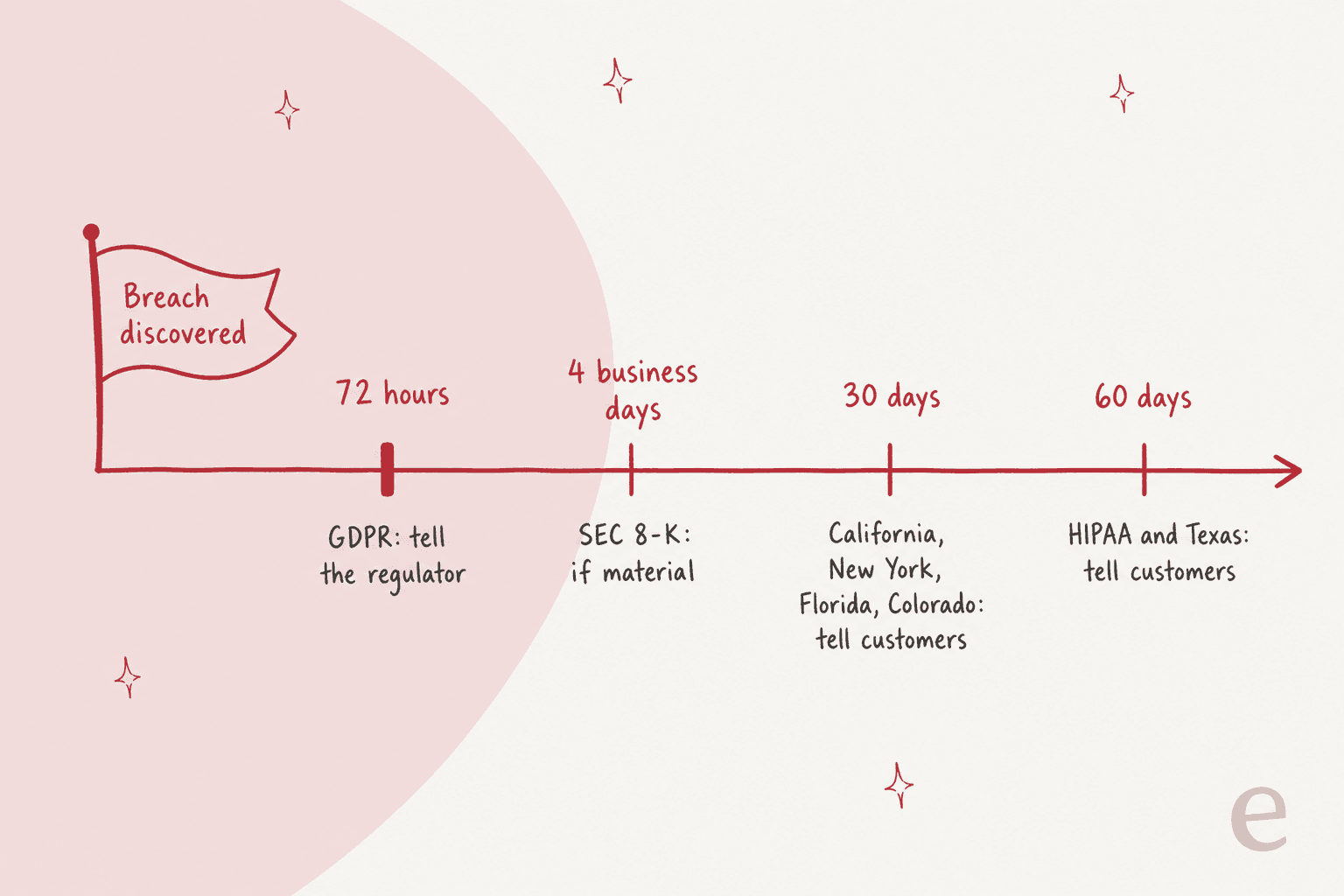
The practical rule for a support leader: plan to the shortest clock that applies to any of your customers. If you have one customer in Florida, your notice process has to work in 30 days. Pick a jurisdiction below to see who you tell and by when, with the official source for each.
Breach notification clock lookup
Who you tell, and by when, as written in each official source (checked November 2026). Not legal advice.
Sources: GDPR Articles 33 and 34, ICO breach guide
Source: Cal. Civil Code 1798.82
Source: NY GBL 899-aa
Source: Fla. Stat. 501.171
Source: Colorado AG
Source: Texas Bus. Code 521
Source: HHS Breach Notification Rule
Source: SEC press release 2023-139
These are the jurisdictions I checked against official sources. Other states set their own rules, and many breaches touch more than one, so this is a planning aid, not legal advice. If you run a health product, read my notes on HIPAA compliant AI before you point any automation at affected patients.
One more thing the ICO says that support leaders tend to miss: after a breach, expect "a higher volume of data protection requests or complaints" and have a plan for it. Access and deletion requests are part of that wave, and a clear process for GDPR requests keeps them from piling up behind the "was I affected?" tickets.
Which channels should carry the breach notice?
Email or letter for the formal notice, and a dedicated breach FAQ page as the place every other channel points to. The FTC says to "put top-tier questions and clear, plain-language answers on your website where they are easy to find", and suggests letters, websites and toll-free numbers together. HIPAA requires first-class mail unless the patient agreed to email, and the FTC's health rule makes email-only notice insufficient: you also need a text, in-app message or banner.
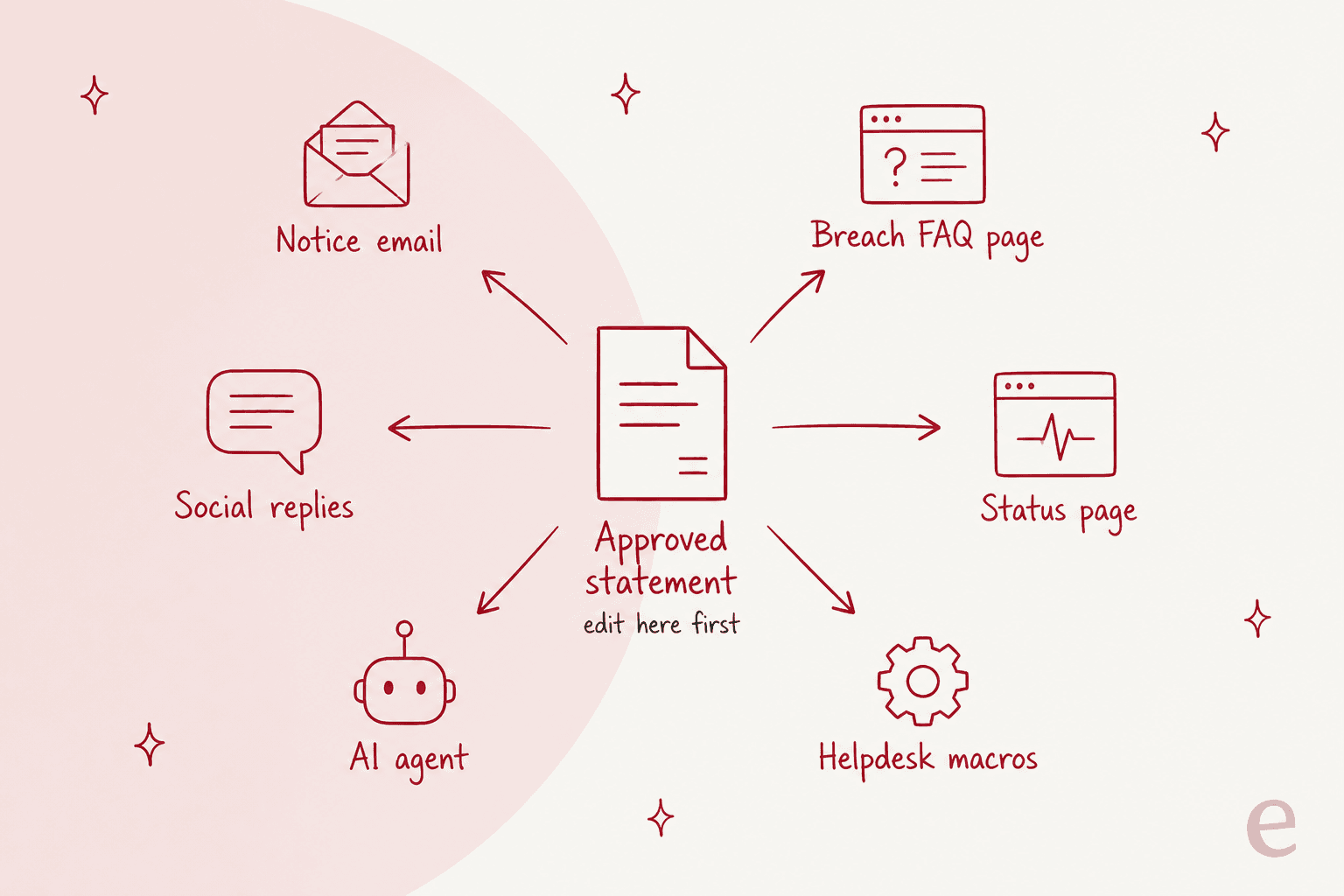
Here is how I would set up each channel:
- Notice email or letter. The legal notice, with the breach named in the subject. One trap from California's law: if the breach exposed someone's email login, do not send the notice to that inbox.
- Breach FAQ page. Your single source of truth. Every macro, chat answer and social reply links here, and you update it as the investigation moves.
- Status page. For incidents that also hit availability, a status page update keeps "is it down?" separate from "was my data taken?". Atlassian's Statuspage docs cover posting and updating an incident.
- Phone line. HIPAA's substitute notice requires a toll-free number active for 90 days when contact details are out of date, and the FTC suggests considering one for every breach.
- In-app banner. The fastest way to reach logged-in users, and required alongside email for health apps under the FTC rule.
- Social replies. Short, linked to the FAQ page, never account-specific in public.
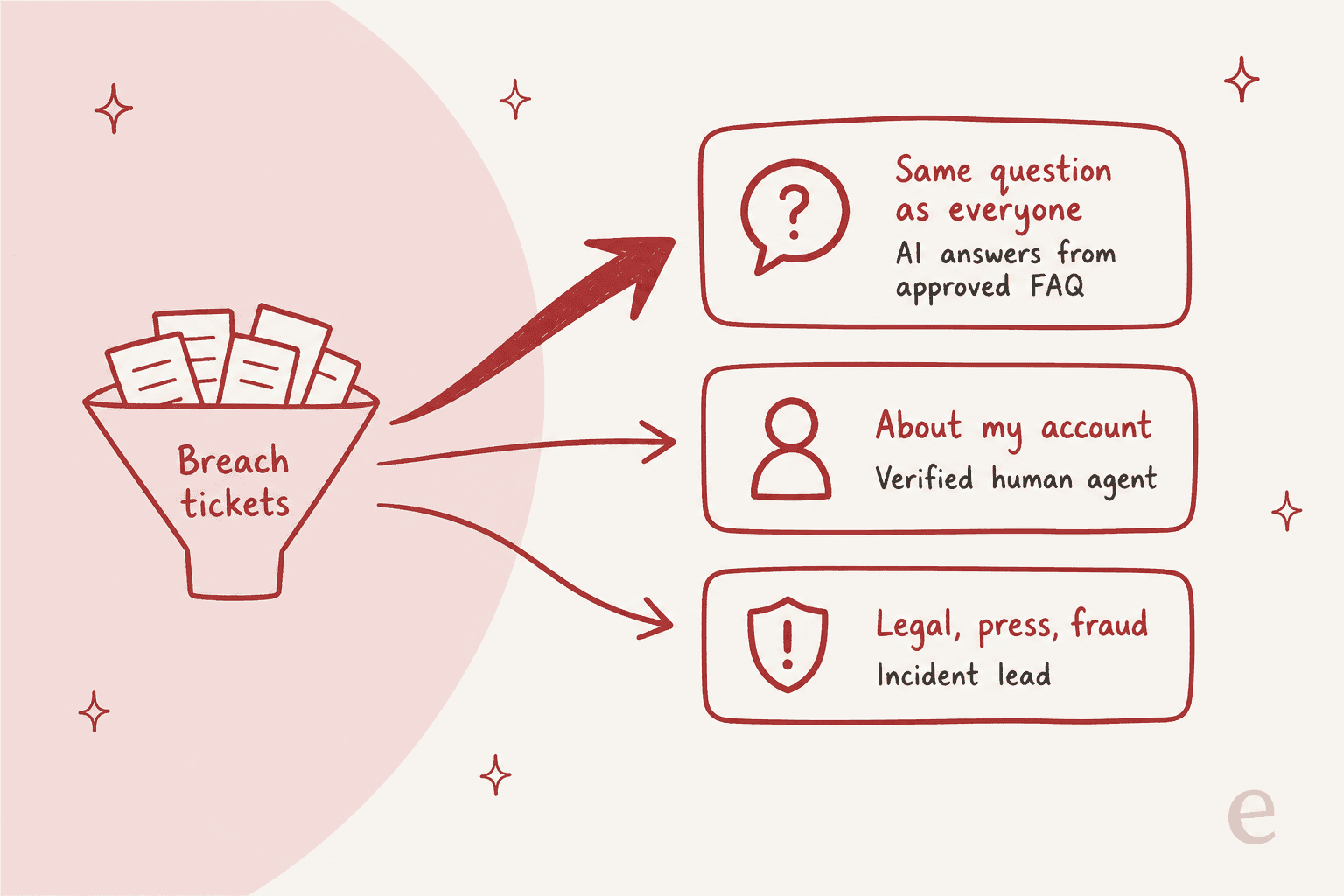
The rule that ties these together is the one in the diagram: one approved statement, edited in one place. When legal changes a sentence, the FAQ page, the macros and the AI agent's source all change the same hour. Drift between channels is how a customer ends up with two different answers and posts both of them online. If your incident also takes the product down, my guide to support during SaaS outages covers that side.
How should the support team handle the ticket surge?
Treat it like a launch you did not plan: separate the breach queue on day one, answer the repeat questions from approved text, and protect people's time for the hard tickets. Most of what lands will be the same five or six questions. A smaller share will be about one person's account, and a few will be legal threats, press or fraud reports.
Start before the notice goes out. The front line hears about the breach from customers if nobody tells them first, and that is a common complaint from people who have worked support:
"Having worked in support for years quite often higher layers of the company will give T1 support almost no information on what happened intentionally."
Give agents the approved statement, the FAQ, and a clear list of what they may and may not say, at least a few hours before the first email lands. Then build the queue:
- Tag and route. Create a trigger that tags tickets mentioning the breach, the notice subject or the FAQ link, and a view that shows only those. In Zendesk that is triggers plus a dedicated view. My Zendesk triggers guide walks through the conditions.
- Write five to eight macros. One per repeat question, each quoting the approved wording. Zendesk calls them macros, Freshdesk calls them canned responses, Gorgias has macros too, and Help Scout has saved replies.
- Set escalation rules. Anything about one customer's account goes to a verified agent. Legal threats, press and suspected fraud go to the incident lead. Write these down, because tired agents at 6pm will not remember them. My guide to support escalations has a template.
- Staff for a spike. Extend hours for the first week, pull in people from other teams for the macro-friendly tickets, and keep your specialists on the escalation lane. The same playbook works for holiday support spikes.
Here is the macro set I would write first. Each one quotes the approved statement and links the FAQ page:
| Macro | What the customer asks | Route |
|---|---|---|
| Was my data affected? | "Was I part of this?" | Macro if you can confirm from the notice list, otherwise a verified agent |
| What was taken? | "Did they get my card or password?" | Macro, quoting "What information was involved" |
| What should I do now? | "Do I need to change anything?" | Macro, with password reset and phishing advice |
| Is this email real? | "I got a weird email about the breach" | Macro with the official sender, then fraud lane if suspicious |
| Credit monitoring | "How do I sign up for the free service?" | Macro with enrollment steps |
| Close my account | "Delete everything you have on me" | Privacy request process |
| Legal or press | "My lawyer will be in touch", "I'm a reporter" | Incident lead, no macro |
Password reset tickets deserve their own mention, since forcing a reset is one of the ICO's suggested steps and it can flood the queue on its own. A clean password reset flow and a separate fraud support lane stop those tickets from blocking the rest.
Also watch what customers paste into tickets during a breach week: card numbers and ID photos show up, and redacting PII in transcripts or using Zendesk ticket redaction keeps your helpdesk from becoming the next exposure.
Where does an AI agent help, and where should it stay out?
An AI agent helps on the top lane only: repeat questions, answered from the approved statement, with everything else handed to a person. That is where most breach volume sits, and it is where speed matters most, since a customer who waits eight hours for "was I affected?" assumes the worst. It should stay out of anything account-specific, anything the statement does not cover, and anything that sounds like a legal or fraud case.
The failure mode is real, and it showed up during a hosting incident in October 2026:
"This morning I asked their support chatbot if this is related to the PHP vulnerabilities and it assured me that's not the case. I'm skeptical. ... They're being awfully vague about this issue so far. 8 hours ago I submitted a ticket requesting more information and they've not responded yet."
That is both problems at once: a bot that improvised an answer the company had not confirmed, and a human queue too slow to correct it. During a breach, an AI agent that guesses is worse than no AI agent. The fix is not to switch AI off. It is to give the agent one source, the approved FAQ, and an instruction to say it does not know and escalate whenever a question falls outside it.
It matches what support buyers tell eesel on sales calls about AI in general. A CX lead at a DTC brand handling about 7,000 tickets a month put it bluntly:
"I need an AI who is only handling the tickets that it's confident to handle and all the other ones, leave them alone."
In eesel, that rule is just text in the agent's instructions. You write that it may only answer using retrieved documentation, and that if nothing relevant exists it should say so, and the agent follows it. When legal updates the statement, you update the document and the instruction stays the same.

The closest real example I can point to is smava, a Berlin loan comparison platform in regulated finance, where wording carries legal weight. smava and its sister brand Finanzcheck share one Zendesk, and in one month eesel handled about 27,000 tickets there. The drafting agent searches the approved macro library and drafts the matching macro word for word, and a person approves it. A ticket where the customer already has a credit advisor stays with that advisor, and a ticket with attachments goes straight to a person. That is not a breach response, and I will not pretend it is. But it is the exact shape a breach queue needs: approved text only, drafts a person can approve, and hard rules for what goes to a human.
If you want to start more carefully, run the agent in draft mode for the first day. Agents see a suggested reply on every breach ticket, approve or edit it, and you switch on automatic replies for the top lane once the drafts match the statement. My guides to AI draft replies in Zendesk and approval workflows cover that setup.
Whatever tool you use, check its own security posture first; my AI support security review checklist is a fair place to start, and eesel's is on its security page.
What does a good breach notification email look like?
Short, specific, and in the order of the five headings. Here is a template you can adapt with your legal team. Replace every bracket, and delete any line you cannot yet confirm rather than guessing:
Subject: Notice of data breach affecting your [Company] account

Hi [First name],

We are writing because your personal information was involved in a
data breach at [Company]. We are sorry. Here is what happened and what
you can do.

What happened?
On [date], we found that [plain description, e.g. an attacker accessed
a customer database through a stolen employee login]. The access ran
from [date] to [date]. We stopped it on [date].

What information was involved?
[Exact list, e.g. your name, email address, phone number and the last
four digits of your card]. Your password and full card number were
not involved. [Only include this line if confirmed.]

What we are doing
We [containment steps]. We have reported the breach to [regulator or
law enforcement]. We are offering [12 months of free credit monitoring
or identity protection] at no cost to you.

What you can do
- Reset your [Company] password, and anywhere you reused it.
- Watch for emails or calls that mention this breach. We will only
  contact you from [address]. We will never ask for your password.
- [Enroll in credit monitoring at link, using code XXXX.]

For more information
Read our breach FAQ at [link], reply to this email, or call [toll-free
number], [hours].

[Name], [Title]
A few notes on the template. The first sentence answers "was I affected?" so nobody has to read on to find out. The "we will only contact you from" line is the FTC's anti-phishing advice in one sentence. And the FAQ link does most of the heavy lifting, which is why it has to exist before the email goes out. For more structures, my customer service email templates post has replies you can adapt for follow-ups.
What are the most common breach communication mistakes?
The mistakes repeat from breach to breach, and almost all of them come from caution about liability, not a plan to mislead. Customers read them as evasive anyway:
- Hiding the breach in the subject line. "Important notice" and "Privacy notification" get skimmed or filtered. Name it.
- Passive voice. "Information may have been shared without authorization" reads as dodging. One Hacker News reader replied to exactly that line with "Vague passive voice, FTW." (neilv).
- Briefing support last. Agents improvise, and customers compare answers.
- Letting channels drift. The FAQ page gets updated, the macros do not, and the chatbot still says what it said on Monday.
- No "how we will contact you" line. That leaves room for phishing that copies your notice.
- Treating the angry replies as noise. Some of those customers are deciding whether to leave. Handle them with care using my notes on angry customers, and watch for churn signals in the weeks after.
How you handle it often matters more to customers than the breach itself. In a 2022 LastPass thread, one commenter wrote that what cost their trust was "how they've handled the leak", and another replied:
"Absolutely. I'm switching to 1Password ... at least they haven't stabbed me in the back or weasel worded me...yet."
Using eesel for a breach-week support queue
If the hardest part of your breach plan is the week after the notice, that is the job eesel's AI helpdesk teammate is built for. It joins the queue you already run in Zendesk, Freshdesk, Gorgias or Help Scout, answers the repeat breach questions from the approved FAQ you give it, and hands every account-specific, legal or fraud ticket to your team. You can start with drafts your agents approve, like smava does on Zendesk, and switch on automatic replies for the top lane when the drafts match your statement.
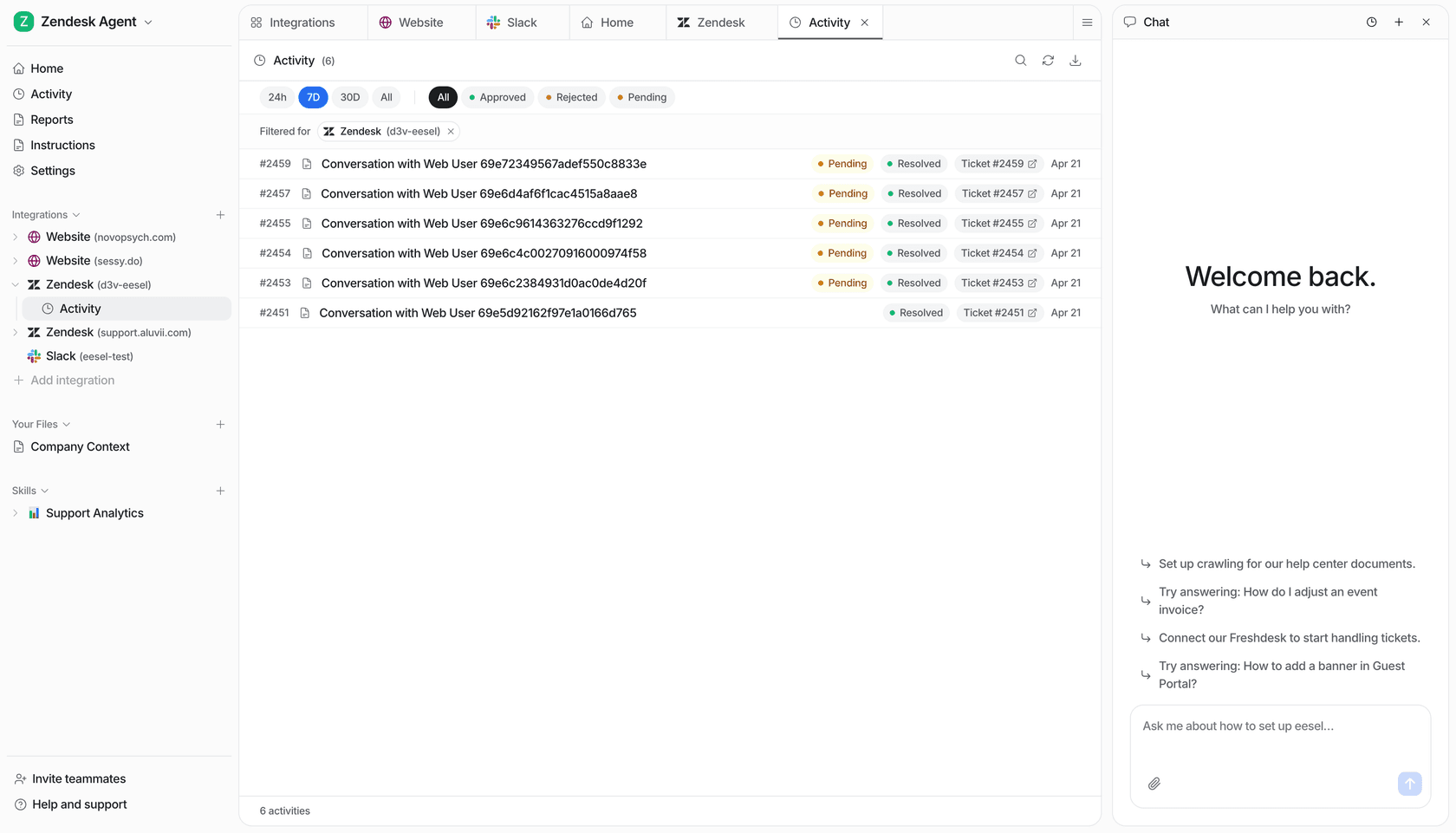
Set it up before you need it, test it against your own past tickets, and check the pricing when you are ready. Try eesel