HubSpot Customer Agent WhatsApp voice notes: what the docs say

Kira

Katelin Teen
Last edited November 9, 2026

HubSpot's docs say the Customer Agent can reply to WhatsApp voice notes, but they never say how it handles the audio. I found no mention of transcription, language support, or a length limit. You need Professional or Enterprise on a qualifying hub, an assigned seat with the editor permission, and HubSpot Credits, billed per resolution. The WhatsApp Voice Notes beta is documented for people using the inbox. Until HubSpot spells it out, I would test with real voice notes and keep a human handoff. eesel sees that a voice note was sent, not what it says.
Can the HubSpot Customer Agent reply to WhatsApp voice notes?
HubSpot says yes, in one sentence. The help desk WhatsApp article, last updated October 19, 2026, says you can assign the Customer Agent to your WhatsApp channel "to automatically respond to incoming messages, including voice notes."
That is the whole claim. I haven't run this in a live HubSpot portal, so everything here comes from HubSpot's own pages, and I flag each spot where they go quiet. I read it like someone who builds integrations: what goes in, what comes out, and what the screen doesn't promise.
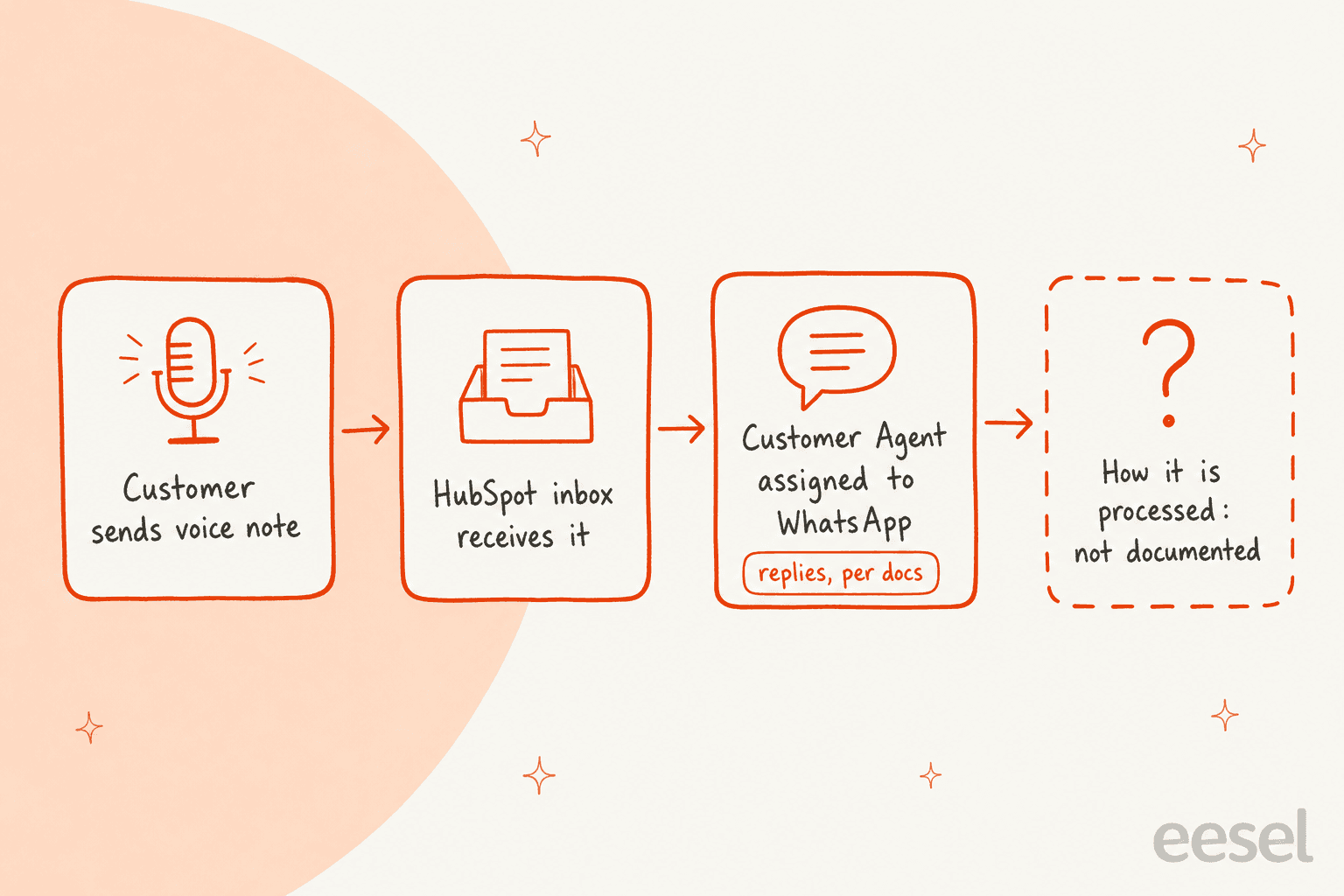
The first three cards are written down. The fourth is the one that matters to a support lead, because "responds" could mean the agent transcribes the audio, or answers from the surrounding text, or sends a standard "please type your question" reply. HubSpot's pages don't pick one. If you want the wider product first, my HubSpot Customer Agent guide and the HubSpot review cover it.
With the eesel CLI, an AI coding agent can upload approved knowledge, such as exported WhatsApp macros and policies, adjust the agent's instructions so voice notes go to a person, and ask test questions before launch. Connecting HubSpot itself still needs someone with admin access to approve it.
What do you need to turn it on?
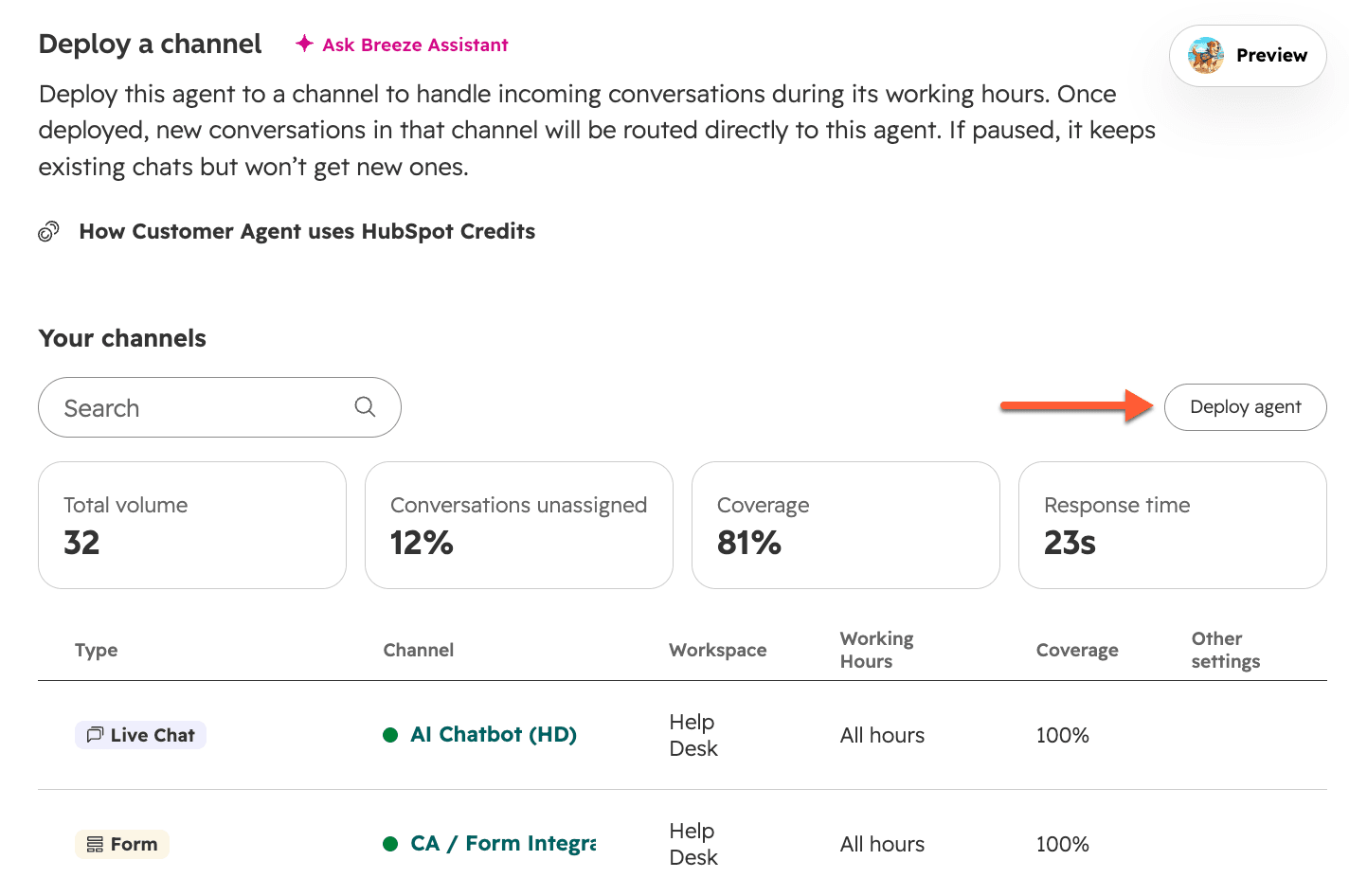
You need four things, and HubSpot lists them across separate pages. The understanding article, updated September 16, 2026, gives the agent's requirements. The WhatsApp articles give the channel's.
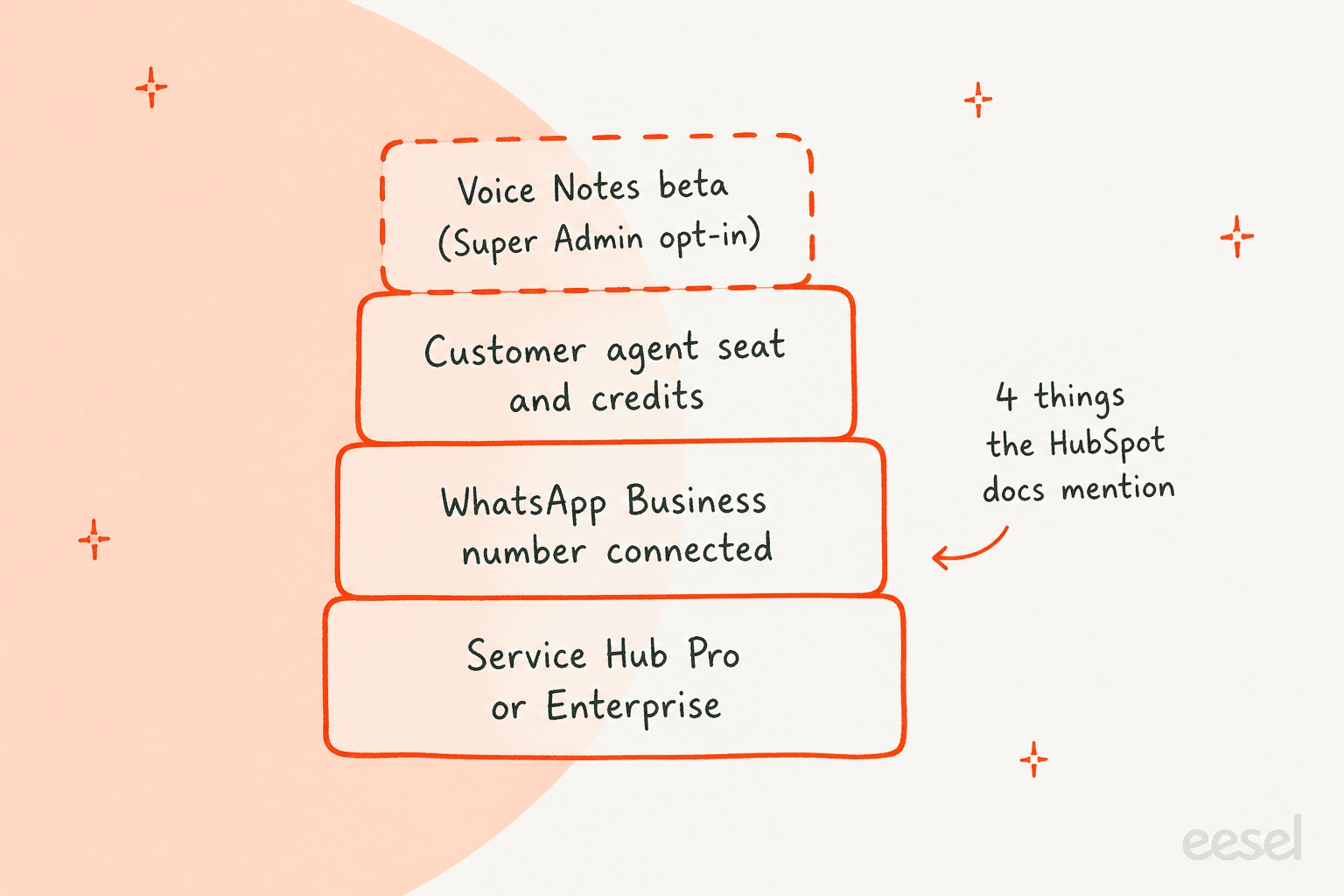
| Requirement | What HubSpot says |
|---|---|
| Subscription | Professional or Enterprise on Marketing, Sales, Service, Data, Content, or Revenue Hub, or Smart CRM, for the Customer Agent |
| WhatsApp channel | Service Hub Professional or Enterprise in help desk; Marketing Hub or Service Hub Professional or Enterprise in the inbox |
| Permission and seat | Customer agent editor permission and an assigned seat |
| Credits | HubSpot Credits to deploy to channels, consumed on a resolution |
| Voice Notes beta | A Super Admin can opt the account in |
| WhatsApp number | A Business number, set up with coexistence; personal accounts cannot connect |
Sources: HubSpot's understanding article, inbox WhatsApp article, and help desk WhatsApp article. For Service Hub, HubSpot's pricing page lists Professional at $90 per seat per month and Enterprise at $150 (checked November 2026). My HubSpot pricing post walks through how seats and credits stack.
One part of that table is a judgment call. The beta is documented for people sending and receiving voice notes in the inbox. Nothing I read says the Customer Agent needs the beta to receive one, or that it doesn't. If you're planning a rollout, ask HubSpot or test it both ways.
What is the WhatsApp Voice Notes beta?
It is a HubSpot beta that lets your team send and receive voice notes in the same WhatsApp thread. The inbox article, updated November 5, 2026, says messages to your WhatsApp number create a thread where you can "reply, reassign conversations, and send and receive voice notes." A Super Admin opts in through a link on that page.
The same article lists what a connected number can receive: images, videos and GIFs, voice messages, attachments such as mp3 and PDF, location, stickers, and shared contacts. Voice messages are in that received list, so a customer's voice note will reach the thread whether or not the agent can use it.
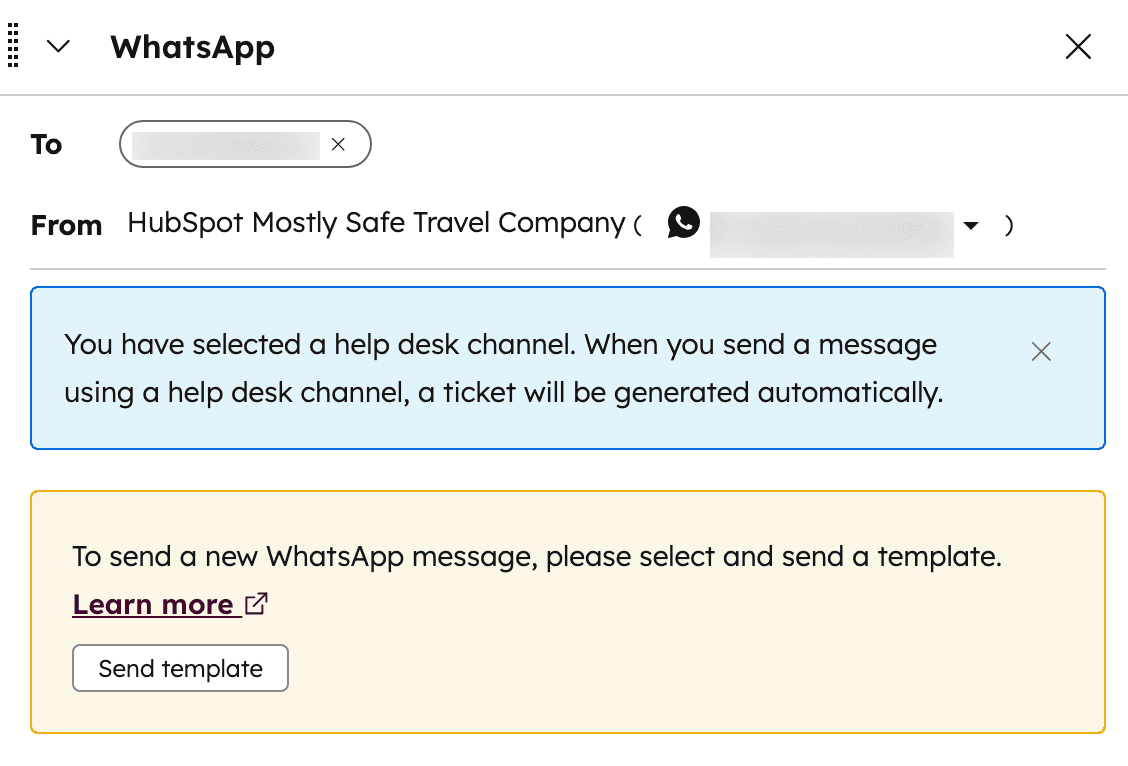
Two WhatsApp rules still apply. If the customer hasn't messaged in the last 24 hours, you can only start a conversation with an approved template. And HubSpot says both business-initiated and user-initiated conversations count toward your monthly WhatsApp conversation usage, which is a separate meter from HubSpot Credits. My WhatsApp Business API explainer covers how Meta bills those.
When did it launch?
HubSpot's pages don't give a launch date. The inbox article was updated on November 5, 2026 and the help desk article on October 19, 2026, but neither says when the voice notes beta opened. A third-party blog dates it to September 2026, and I'm not treating that as a source.
The best HubSpot-owned signal is the Community. A post asking for Conversations API support describes the "Inbox beta" as already working for recording and sending, so the beta predates that post. If you need an exact date for a change log, ask your HubSpot account contact.
What does the agent actually do with the audio?
HubSpot doesn't say, and this is the gap that matters. I checked the Customer Agent understanding article, the channel deployment article, and both WhatsApp articles. None describes transcription of a voice note, the languages it handles, or a fallback when the audio is unclear.
Here is what the docs do and don't give you:
- Written down: the agent can be assigned to WhatsApp, and WhatsApp voice messages are a supported received media type.
- Not written down: whether audio is transcribed, how long a voice note can be, which languages work, and what the agent does when it can't understand one.
- Not written down: whether a voice note conversation counts as a resolution on the same terms as a text one.
- Not written down: whether HubSpot's batch testing can replay a voice note. Test sets are built from typed questions.
A HubSpot Community idea post from December 2024 asks HubSpot to transcribe WhatsApp voice messages into text inside the CRM, noting that call transcription already exists. I can't tell from the pages I read whether that request has shipped, and I'd rather say so than guess. For the closest thing HubSpot does document, read the next section.
Is Customer Agent Voice the same thing?
No, and the two get mixed up. Customer Agent Voice is a separate beta for inbound phone calls. HubSpot's set up article says it handles inbound calls only, creates a ticket for each call, attaches a transcript with speaker identification, supports 9+ languages, and detects the caller's language after the welcome message.
It also bills differently. HubSpot says you pay for the minutes the agent is active on a call, rounded up to the whole minute, and that the agent's credit limit applies across text and voice channels. None of that is documented for WhatsApp voice notes. If someone tells you the Customer Agent "does voice," ask which of the two they mean.
Calls have a documented transcript, languages, and billing. WhatsApp voice notes have one sentence. My AI voice agents guide compares the call-handling products.
What does a voice note cost in credits?
HubSpot's pages say credits are consumed when the agent delivers a resolution, not per message. The understanding article says multiple messages in one open conversation don't add credits, and that a reply-based resolution is judged on a 72-hour window. If credits run out, the agent stops being assigned new conversations across all connected channels until the next reset.
The per-resolution amount sits in HubSpot's credits rate sheet. In November 2026 it lists 50 credits per resolved conversation on text-based channels, and the same 50 per minute for the Customer agent voice beta, which I cover in my HubSpot AI agent pricing post. Whether a WhatsApp voice note conversation is "text-based" for that purpose isn't stated. That is a billing question I'd settle before sending customers there. You can opt into 14 days of free access the first time you set up the agent, and credits aren't used in that window, so it is the cheapest time to try one.
What are the limits?
HubSpot lists a handful of WhatsApp limits and none of them is specific to voice notes. These are the ones in the inbox article:
- Each WhatsApp Business account can have up to
25phone numbers. - Only new messages sync after you connect, so historical conversations don't appear.
- After connecting, messages no longer show in the WhatsApp mobile or web app.
- Sending more than
50business-initiated conversations a day needs a verified Meta Business Manager.
For voice notes themselves, HubSpot gives no duration cap, file-size cap, or format list. It points to Meta's documentation for supported audio formats. The Conversations API is the other limit I'd flag. A community poster reported that sending a native .ogg voice note through the API failed, and wrote that HubSpot Support confirmed the API and the inbox are not at parity for voice notes. If you build workflows that need to send voice notes, that matters. For inbound handling only, it may not.
How should you handle voice notes until HubSpot says more?
Treat them as a thing to test, not a thing to trust. This is my order, and every step after the first is my reasoning, not a HubSpot rule.
- Send real voice notes to a test number. Try short ones, long ones, noisy ones, and two languages. Look at what the agent replies and whether a ticket is created.
- Write a handoff rule. Tell the agent that if it can't answer from a message, it hands to a person with context. HubSpot's handoff process is where that lives, and my AI agent handoff guide shows what to put in it.
- Watch capacity. A handed-off voice note lands with a human, so capacity limits and skill matching decide who hears it.
- Let a person listen to anything sensitive. Refunds, complaints, and anything legal should go to a human, whatever the agent says it understood. My AI support agent testing and adversarial testing guides help you build that test set.
- Check the channel. HubSpot's channel connections explain where each channel lands, and ticket record associations show where the thread ends up.
HubSpot also lets a rep switch the thread to a call or email from the channel menu, which is the natural escape hatch when a voice note needs a real conversation.
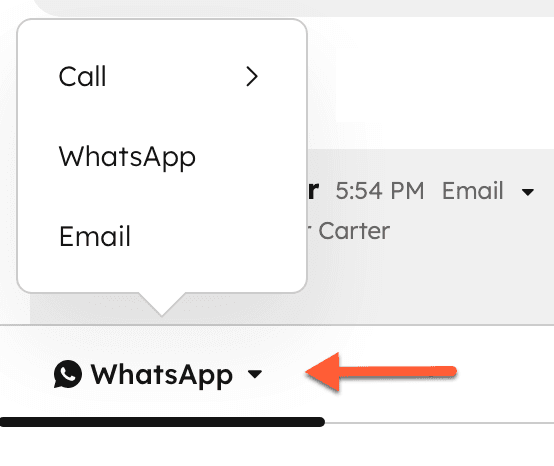
I would also point customers who send a voice note to a short written fallback, such as "I can't play audio here, could you type your question?" That is cheap and works whether or not the agent can handle audio.
How does eesel handle WhatsApp voice notes?
It reads the text of a WhatsApp message and doesn't read the audio. eesel's WhatsApp docs say that when someone sends an image, voice note, document or location, the agent sees that one was sent, plus any caption, file name or place name, but not what is inside it. I'd rather you hear that here than discover it after launch.
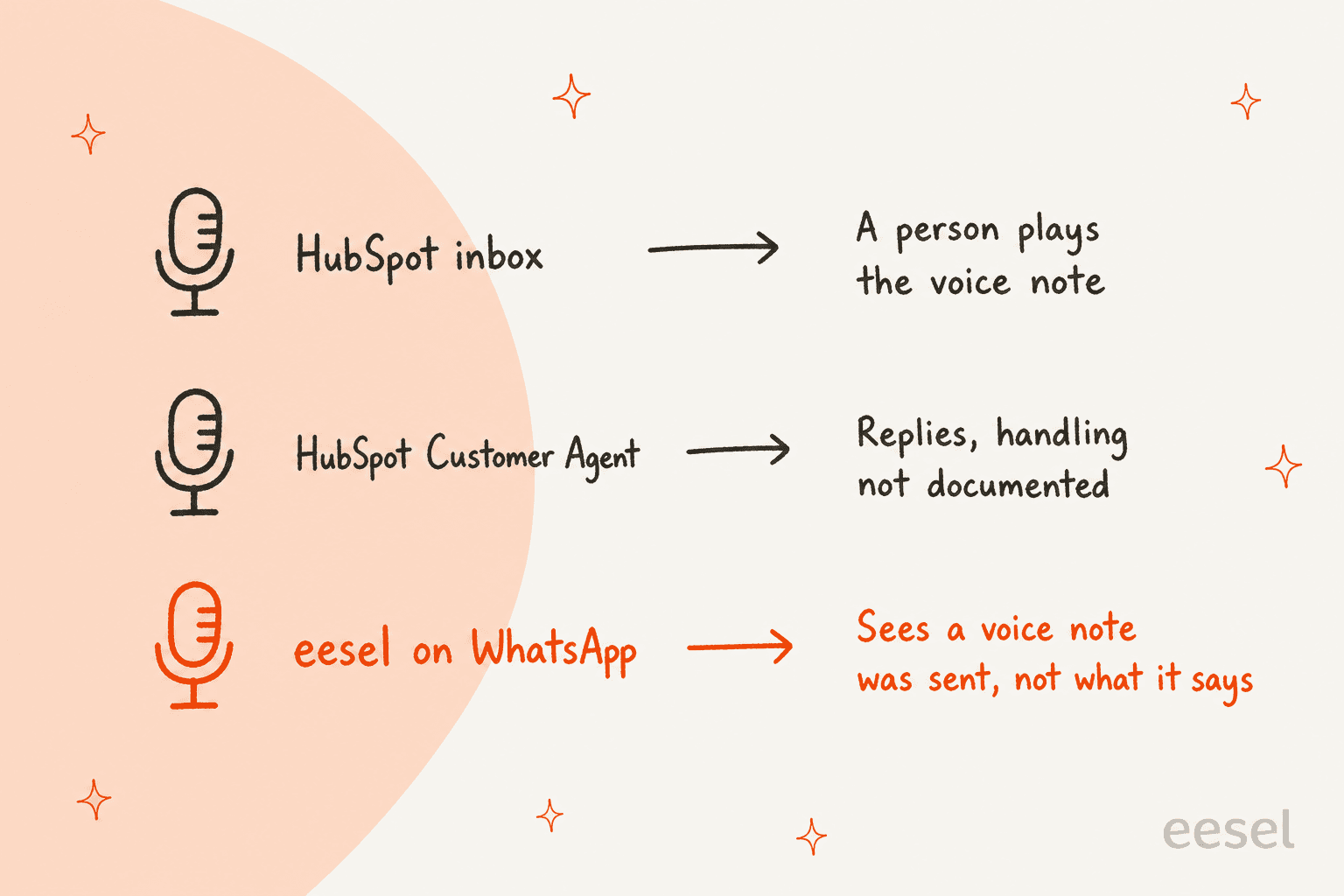
There is a second limit to state. eesel's HubSpot integration docs describe replies on inbox conversations, including website chat, and tickets. They don't list HubSpot's WhatsApp channel as a source, so I can't tell you eesel will answer your HubSpot WhatsApp threads. Its own WhatsApp Business channel, connected through Meta, is a separate setup. My WhatsApp AI chatbot, WhatsApp chatbot for business, and WhatsApp customer service platform posts compare the options.
So the honest summary: HubSpot documents an agent that responds to voice notes without saying how. eesel documents an agent that reads text and tells you it can't hear audio. Neither is a finished answer to "what does my agent do with a voice note?"
What does a review-first rollout look like on HubSpot?
MentorShow is the closest named story I have, and it is not a WhatsApp one. It is a French online learning platform that runs its support team inside HubSpot and told eesel it gets between 5,000 and 13,000 tickets a month. Every new inbox conversation or ticket triggers eesel, which reads the thread and the member's HubSpot record and leaves an internal note with an analysis and a draft reply in the member's language.
From 8 August to 8 September 2026, eesel read about 1,200 HubSpot conversations and tickets and wrote 432 drafts, per the story. A person reads, edits and sends each one, and refunds and billing checks go to a person straight away. It says nothing about voice notes, and I won't claim it does.
What carries over is the pattern. The agent runs from day one, but nothing reaches a customer without a person reviewing it, so a message the agent can't read costs a human a minute instead of a wrong answer. For voice notes, where nobody can promise what the agent understood, that is the safer default. See HubSpot Service Hub ticket deflection, escalation rate, and human in the loop for related ideas.
What else is worth reading?
If WhatsApp is a core channel, the knowledge behind the agent matters more than the audio. A voice note usually asks the same questions as text, so a well-kept knowledge base is what makes the answer right. My AI knowledge base and knowledge base management guides cover that, and AI hallucination prevention explains why an agent guessing at audio it can't parse is the risk to watch.
For multilingual teams, voice notes skew toward the customer's own language. My multilingual customer support and HubSpot translation posts show what HubSpot handles for text. To judge outcomes once live, use resolution rate and deflection vs resolution, and the AI hallucination glossary entry.
If you're comparing tools, my HubSpot Breeze alternatives and HubSpot alternatives guides are the next stop, along with AI for HubSpot Service Hub, adding AI to HubSpot, and AI customer support software alternatives.
Try eesel for your HubSpot help desk
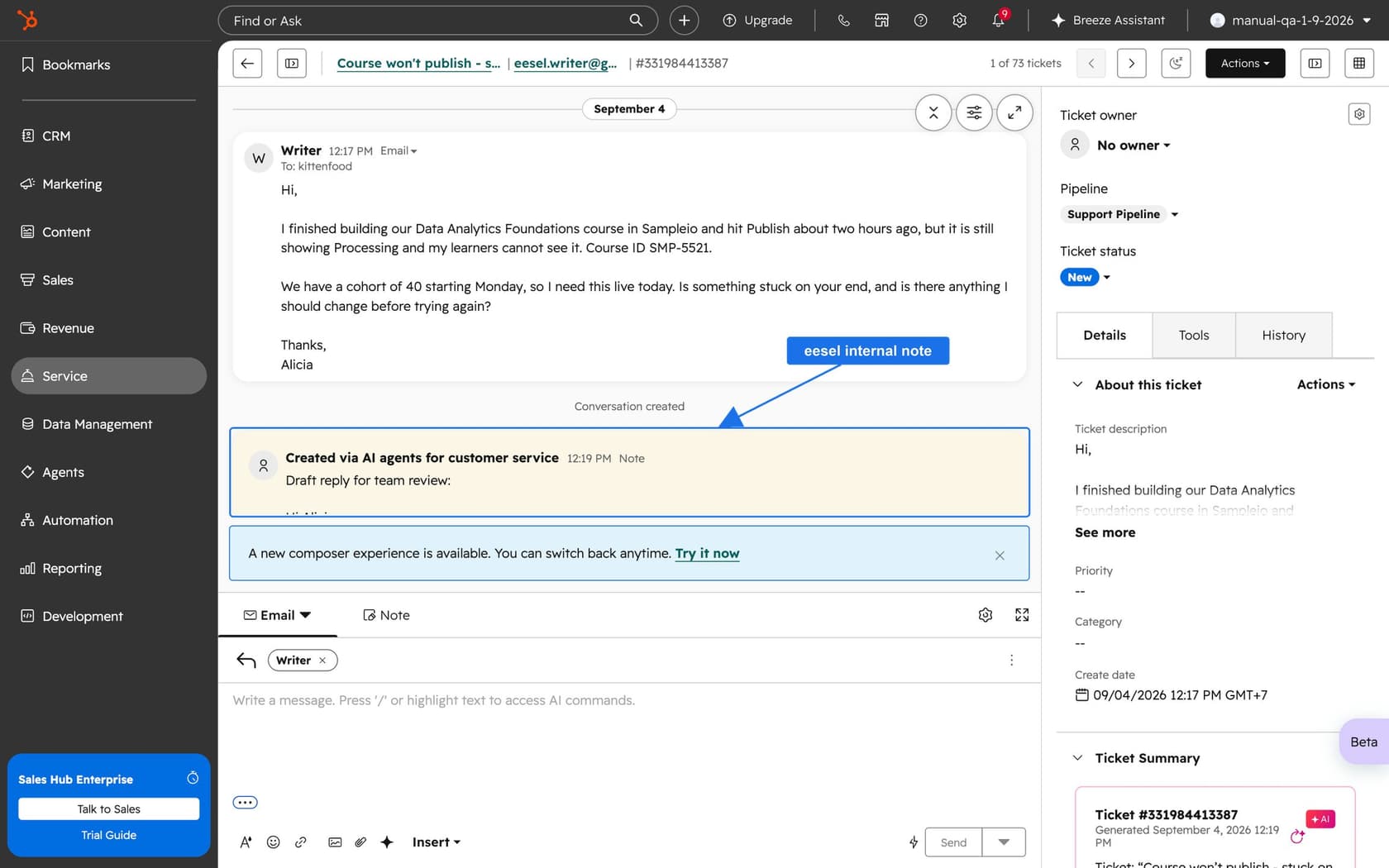
If your HubSpot team wants an AI helpdesk teammate that drafts replies for review instead of guessing at what it can't hear, eesel for HubSpot works like a new hire in Service Hub. It learns from your knowledge base and past tickets, reads each new conversation with the contact record, and leaves an internal note with a draft reply your team can edit and send. Pricing is fixed monthly credit plans, from a free tier of 100 credits to $299 a month for 500 credits, per eesel's pricing page.
I'd start with the free tier on your text conversations, add a written rule for voice notes, and see what lands in the draft. Connecting HubSpot needs someone with admin access to approve it, and the answers get tested before anything goes live.