


What is StoreFAQ?
StoreFAQ, listed on Shopify as "StoreFAQ: Product FAQ Chatbot", is an AI FAQ page generator for Shopify stores. You write FAQs (or have AI draft them), group them, and place them on a dedicated FAQ page, on product and collection pages, or in a floating Instant Answer widget. It adds FAQ schema, live chat, and an AI chatbot that answers from your store content.
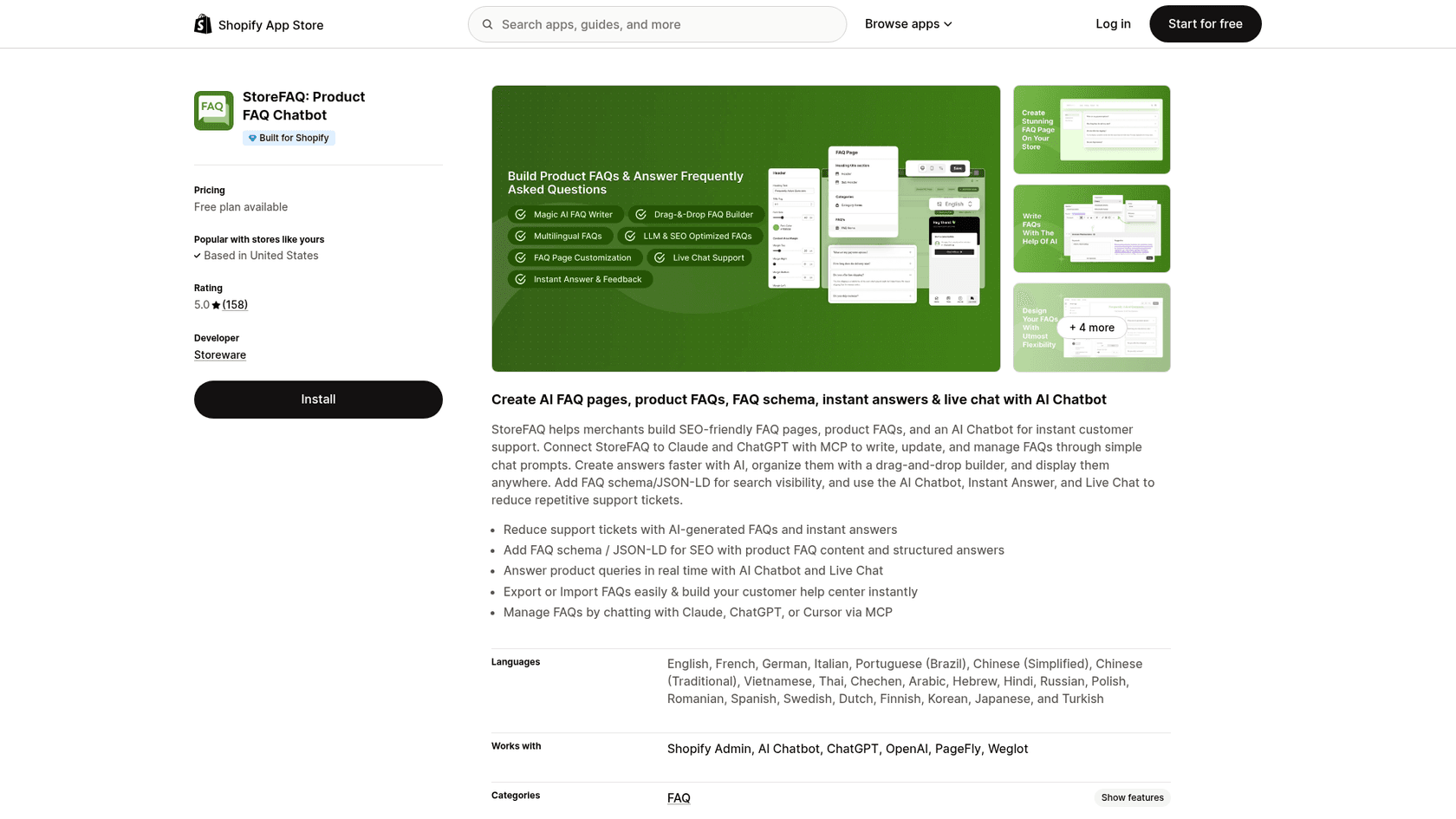
The developer is Storeware, which also makes StoreSEO (5.0 from 770 reviews) and BetterDocs FAQ Knowledge Base, and the StoreFAQ site footer calls it part of the Startise family. StoreFAQ launched on Shopify on January 3, 2024, carries the Built for Shopify badge, and the listing names 23 languages.
I build integrations at eesel, so I read StoreFAQ's docs and changelog the way I'd read a spec: what does the AI actually pull from, where does a conversation go when the AI is out of its depth, and what does each plan meter? Those three answers decide whether an FAQ app takes work off your team or just moves it.
How StoreFAQ works
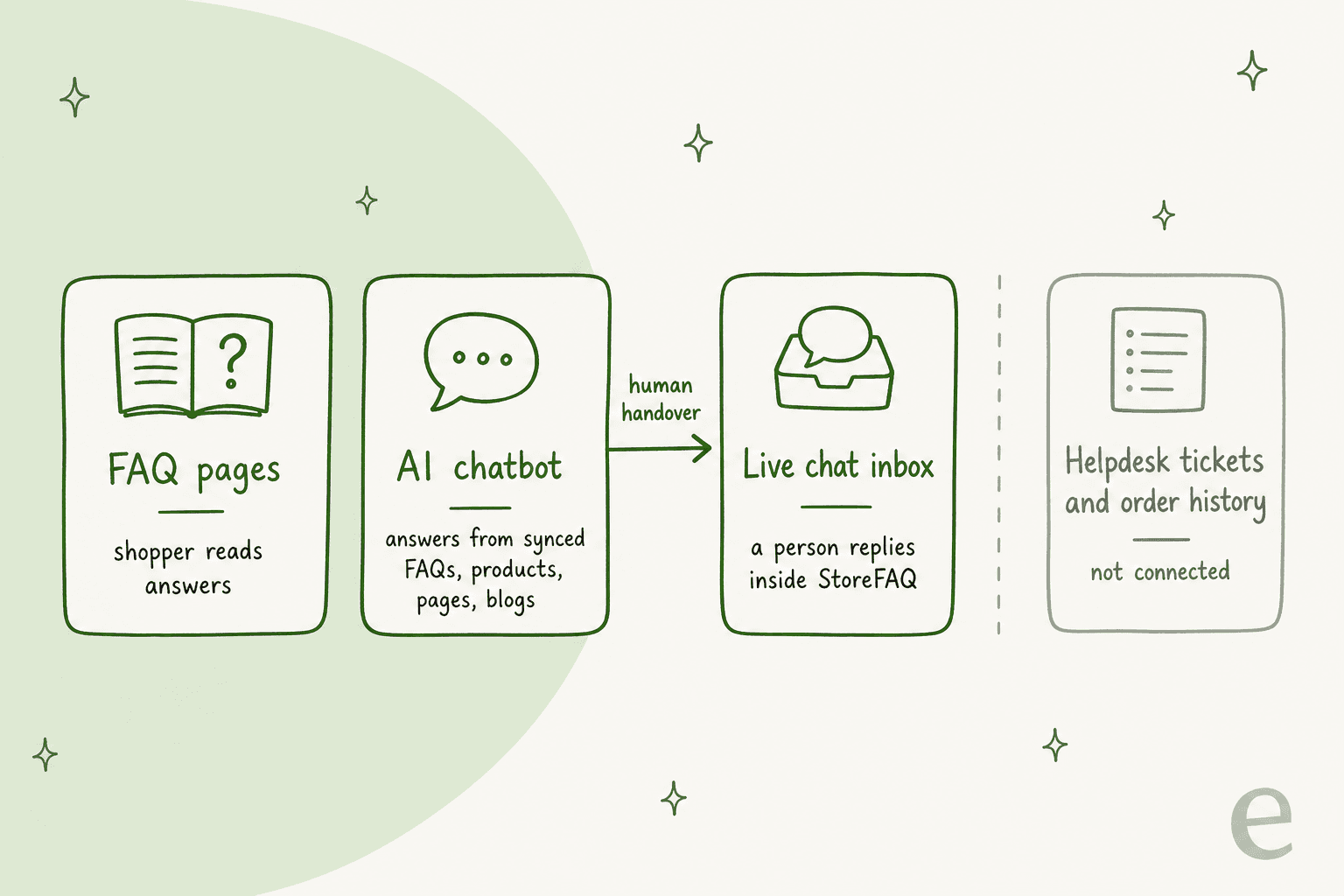
StoreFAQ is really three tools that share one widget. FAQ pages handle the self-serve reading, the AI chatbot answers typed questions, and the live chat inbox is where a person picks up. Knowing which lane a shopper lands in tells you what each plan's meters will charge for.
FAQ pages, product FAQs and schema
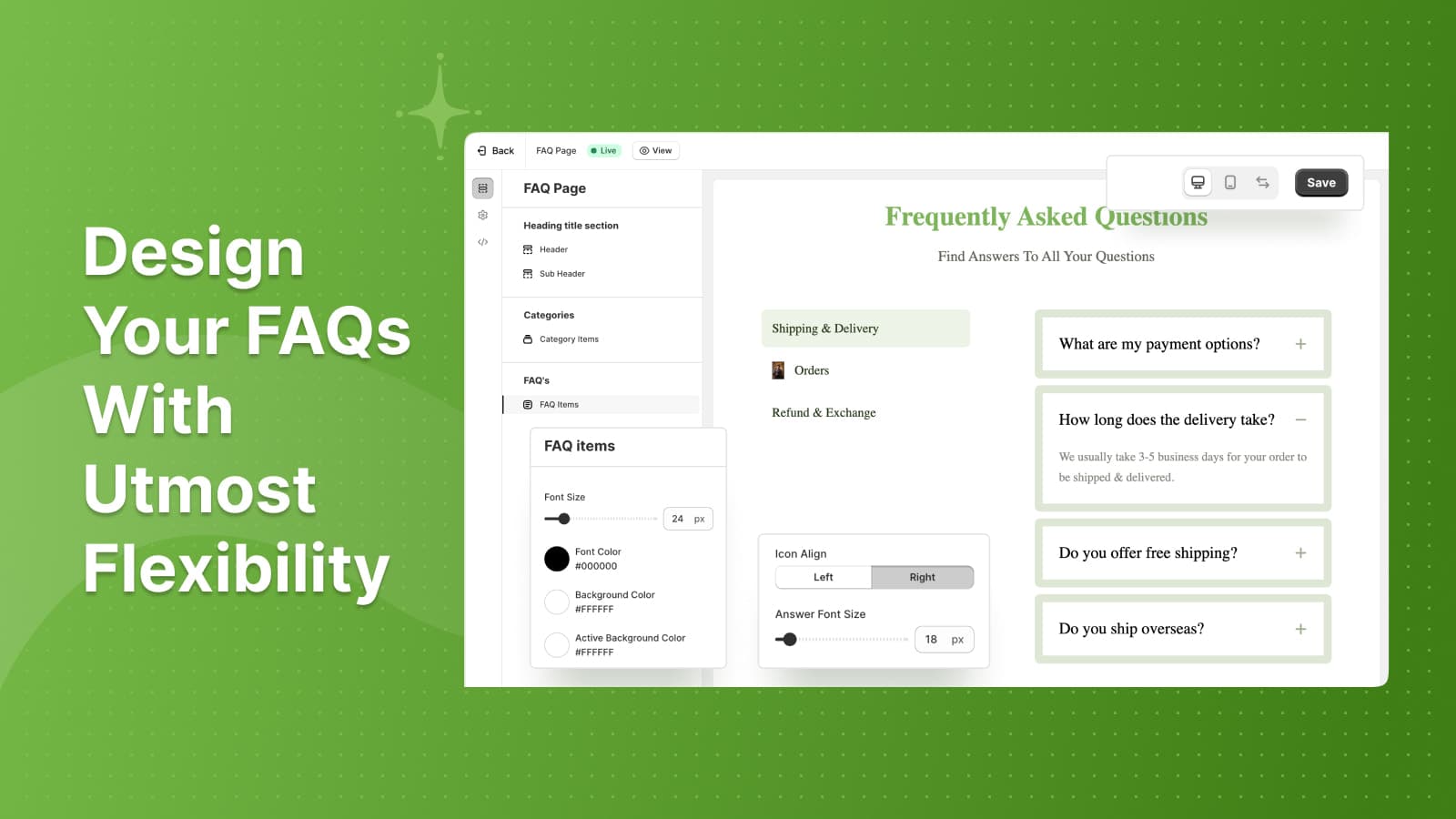
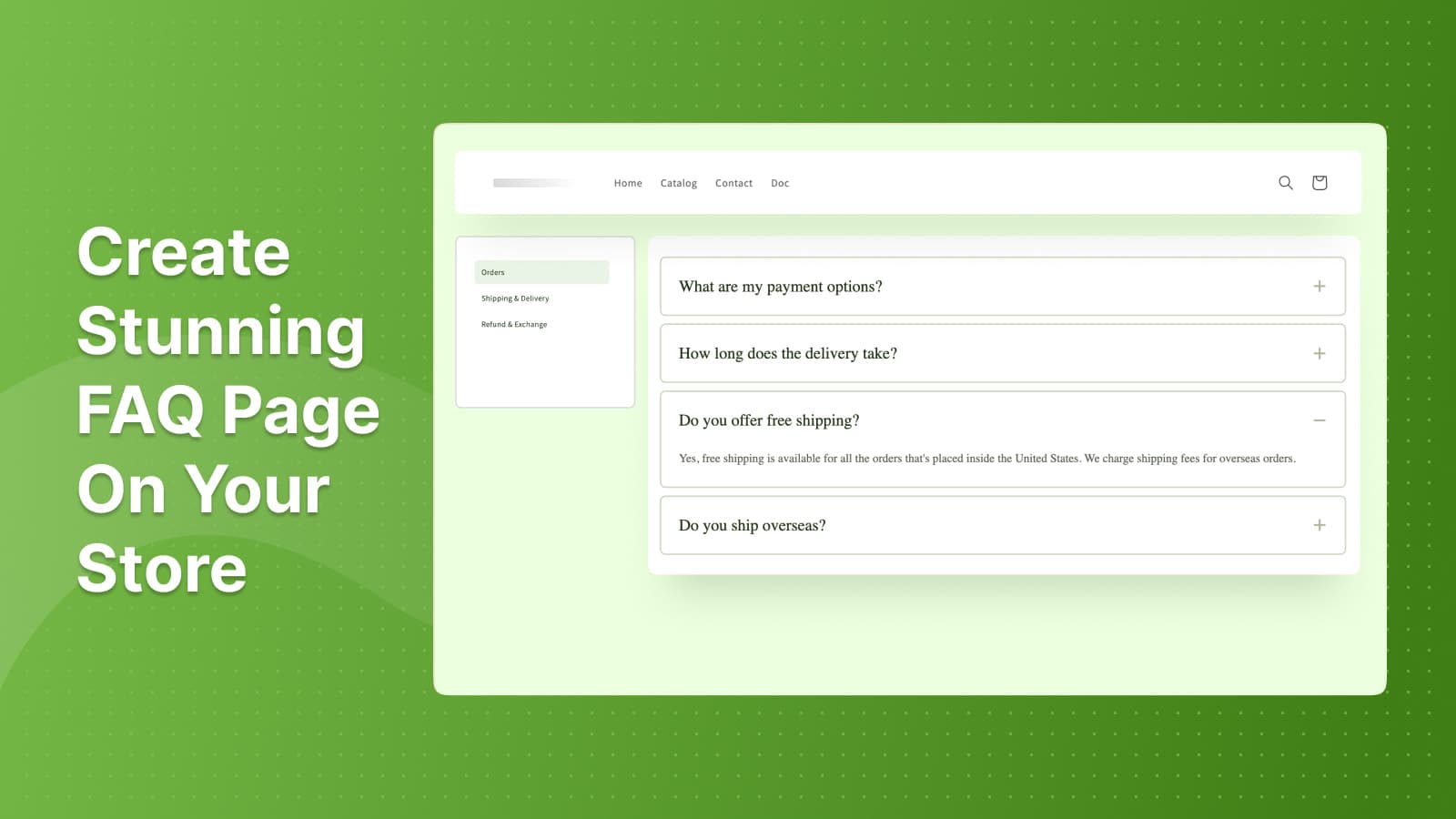
The core of the app is the FAQ editor. You create FAQ groups (Orders, Shipping and Delivery, Refund and Exchange in the default examples), add questions with a rich text editor, drag them into order, and import or export them as CSV. A design editor controls fonts, colours, icon alignment and layout for the FAQ page, and you can embed FAQ groups on specific product or collection pages.
The SEO piece is simple and does what it should. Switch on FAQ Schema in Settings and StoreFAQ generates the JSON-LD for every FAQ block you place, updating it "in real time" when you edit an answer. That matters more in 2026 than it used to, because AI search engines lean on structured Q&A. My ecommerce FAQ examples post covers what to put in those answers.
For writing, the "Generate With AI" button turns a few keywords into a draft answer you can keep or regenerate. An older Autowrite docs page from July 2024 asks you to paste your own OpenAI API key, while the current plan grid lists Write with AI on every plan, so check which one your install uses. Whether AI can write FAQ pages well is a separate question; the draft still needs your policy facts.
The AI chatbot
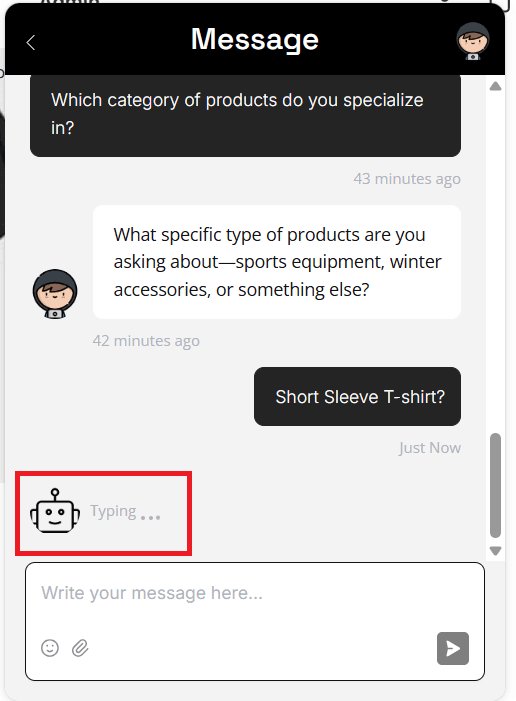
The AI chatbot shipped in version 3.5.0 on June 17, 2026. Setup is short: switch it on, write a paragraph of "AI store knowledge" about your brand and tone, then pick which Shopify content it may learn from.
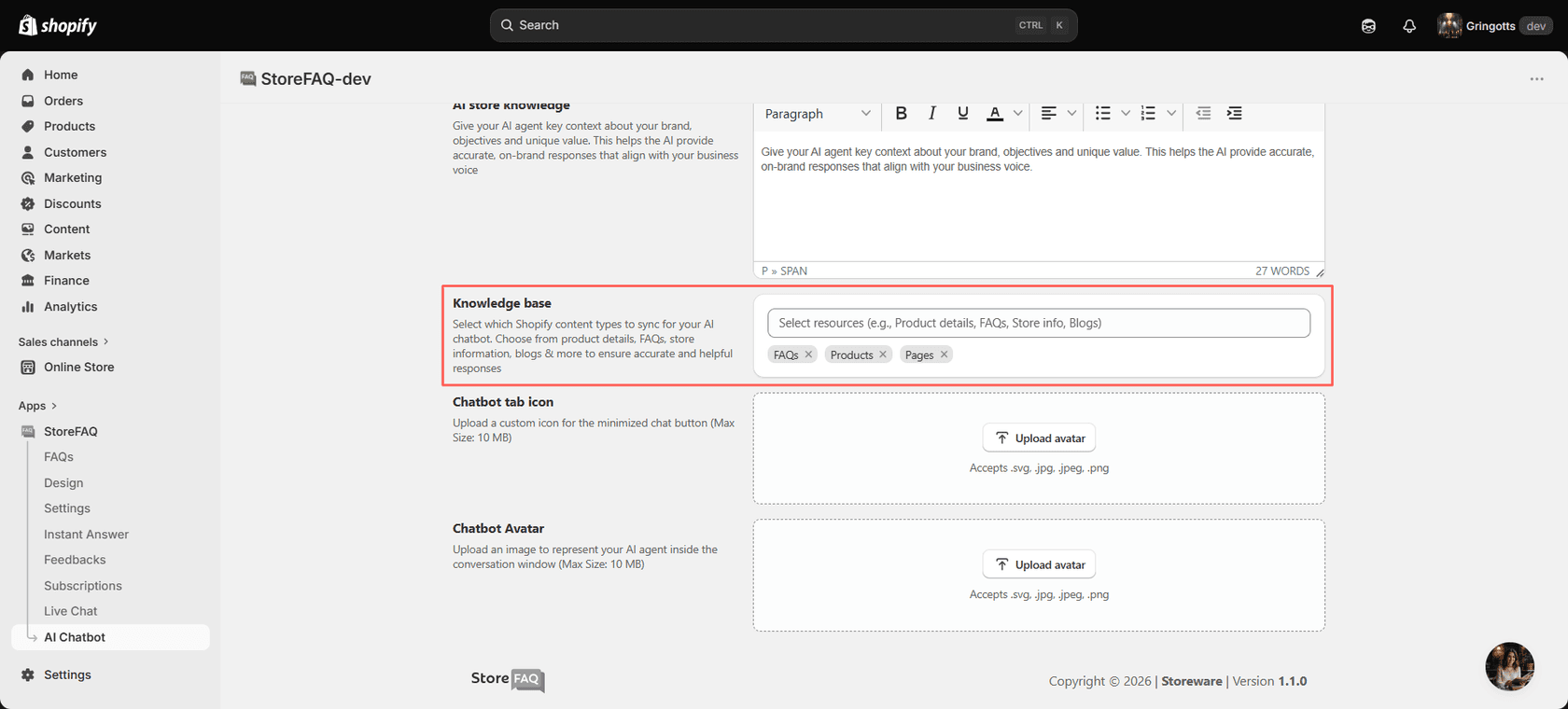
The sources are products, store policies, FAQs, blog posts and pages (the changelog adds collections). A Sync Activity tab shows each item as Synced, Pending, Sync Required or Failed, with a Resync button. Since v3.7.5 on October 13, the bot also stops using content you hide, unpublish or delete, and it runs on gpt-6-luna. That last fix is the one I'd have asked for first. Stale answers are the most common way a support bot goes wrong, which is why I wrote up how a self-updating knowledge base should behave.
What's not in the source list is just as telling. The docs never mention order data, past conversations or a helpdesk, so the bot answers from published content only. That covers pre-purchase questions like sizing, materials and shipping times well. It can't tell a shopper where their parcel is, and that's the question most stores get most.
Live chat and handover
Live chat runs through the same Instant Answer widget. Conversations land in a Live Chat screen inside the StoreFAQ admin, where an agent can reply, save an internal note, or mark the chat resolved. Message shortcuts insert saved replies when you type "!", and you can email a transcript or accept file attachments.
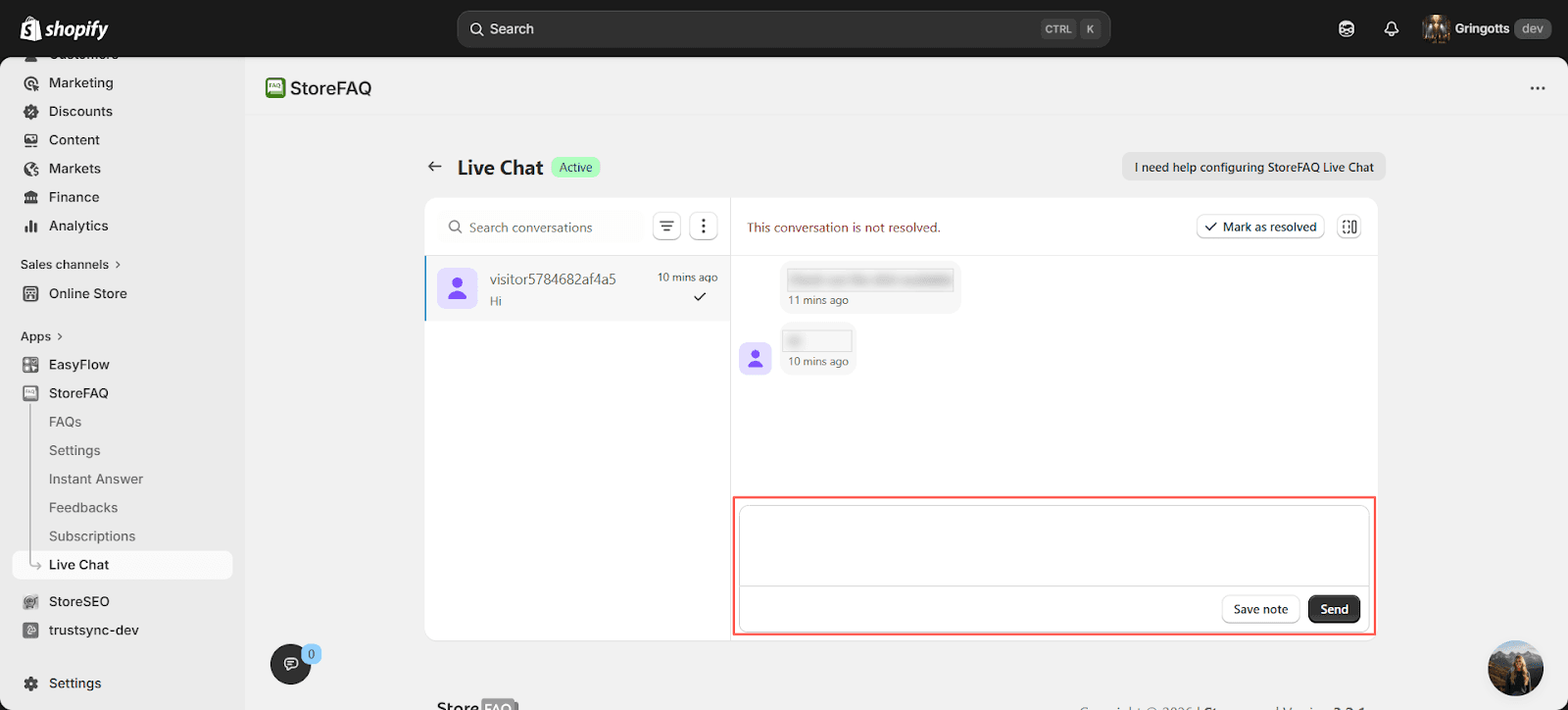
The changelog says the AI does "auto-reply in Live Chat with human handover", and since v3.7.4 the chat asks for an email (or lets the shopper continue as a guest) before the AI replies. Handover here means the chat stays in StoreFAQ for a person to pick up. That's tidy for a one-person store. If your team works out of Gorgias or Zendesk, it's a second inbox to watch, and my chatbot escalation guide explains why that seam is where most complaints start.
MCP and Shopify Sidekick
This is the part that surprised me for a $7.99 app. StoreFAQ connects over MCP to Claude and ChatGPT (and Cursor, per the changelog), so you can read, create, update and reorder FAQs from a chat, find unanswered customer questions, and check plan usage. Each tool defaults to "Needs approval", and deletions and bulk changes ask for confirmation. If MCP is new to you, my post on MCP for customer support explains the idea.
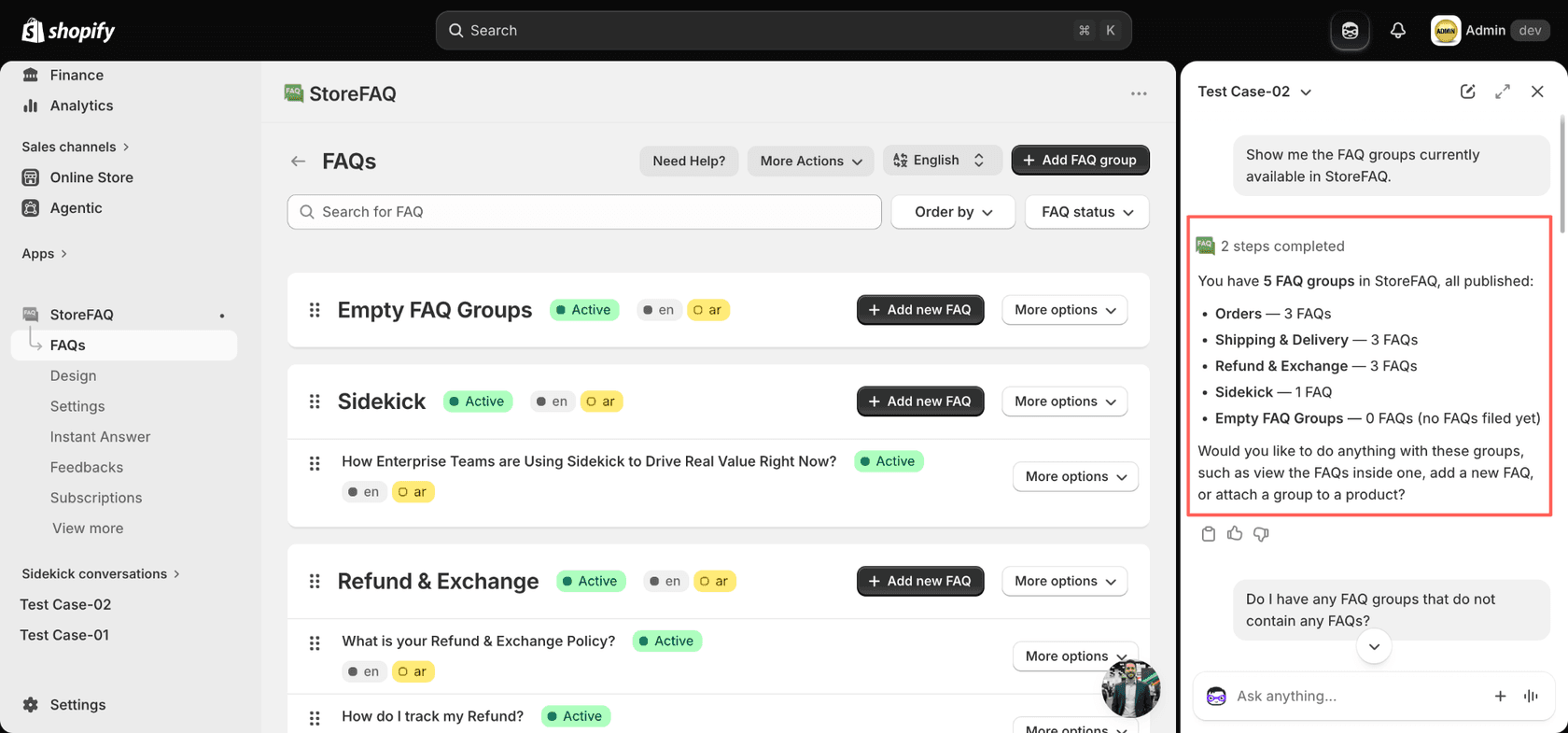
It also works inside Shopify Sidekick, Shopify's admin assistant. The Sidekick docs show it listing your FAQ groups, checking page-view usage and subscription status, and translating or editing FAQs. Plan upgrades and design edits still happen in the app.
What StoreFAQ does well
The strengths line up neatly with what merchants praise in reviews, and most of them are about the FAQ side.
A clean FAQ page with schema, for less than a coffee a week
For a store that has no FAQ page at all, StoreFAQ gets you a good-looking, searchable one with schema on the Free plan. The storefront output is plain accordions in your theme's style, which is what you want: a shopper scans, opens one answer, and moves on.
The best long-term review I found came from a Czech store that has used it for over a year:
"I honestly can't imagine running my small business without StoreFAQ anymore. It helps me every single day by answering repetitive customer questions, saving me hours of work and allowing me to focus on growing my brand."

That's the core promise of FAQ deflection: the shopper finds the answer before writing in. A well-built FAQ page is the cheapest version of that, and StoreFAQ makes it easy.
Support that people name in reviews
Storeware's support team shows up by name in reviews again and again: Santos, Loren, Martha, Jen, Florence. Shopify's own review summary says support is "fast, friendly, and highly hands-on", and a UK store two days into the app wrote:
"The helpdesk was super fast to answer and help me out when I got stuck. Very attentive and efficient. Shoutout to Martha!!"
For a theme-dependent app, that matters. FAQ widgets break on custom themes, and a vendor that fixes your CSS in a chat is worth a lot.
It ships often, and in the right direction
The changelog shows 16 releases between July 13 and October 13, 2026: a rebuild on Shopify's latest app platform, the Sidekick integration, a 13-language admin, multilingual chatbot replies, and the MCP connection. It also fixed things merchants would care about, like theme editor views no longer counting as billable page views (v3.7.2). That pace tells me the AI side will look different in six months, which is good news if you're early.
Where StoreFAQ falls short
None of these are hidden. They're the things I'd check before relying on the app for support.
The AI chatbot answers from content, not from orders
The chatbot's sources are published store content. There's no documented order lookup and no link to past support conversations. So "Do you ship to Canada?" works, and "Where is my order #4471?" goes to live chat or your inbox. If order questions are a big share of your volume, my guide on how to connect Shopify order data to a chatbot shows what that takes.
The chatbot is new, and reviews don't cover it yet
The 158 reviews mostly describe the FAQ builder. I read the 20 newest reviews across the first two pages: 10 were left within about a day of installing, most thank a named support person, and none mentions the AI chatbot. That says the support team is quick and asks for feedback. It says little about how the chatbot holds up after three months of real questions, so test it on your own store before you count on it. My checklist for testing an AI agent works here too.
Two meters, and the free plan changed once already
Every plan counts FAQ page views and AI conversations separately. That's fair pricing for a cheap app, but it means you have to watch two numbers. The Free plan also used to be unlimited. Two of the three low reviews, both from September 2025, are about that change:
"Rug pull. The app was listed as free, and once everything is set up, they limit the usage on the free plan to 100 views/month."
To be fair to Storeware, 100 views and 25 AI chats are clearly stated today, and paid plans start at $7.99. Just budget for a paid plan if your FAQ page gets real traffic.
Translations are manual, and multilingual is paid
Multilingual FAQs need Shopify's Translate and Adapt app and a paid StoreFAQ plan, and you enter each translated question and answer yourself. The chatbot replies in the customer's language since v3.7.2, which helps. For stores selling across several countries, my guide to multilingual ecommerce support covers the wider setup.
StoreFAQ pricing
StoreFAQ prices by plan, then by two meters: FAQ page views and AI chatbot conversations. Prices are the same on the Shopify listing and StoreFAQ's pricing grid, billed in USD every 30 days through Shopify.
| Plan | Price | FAQ page views / month | Extra page views | AI conversations | Products the AI trains on | Multilingual FAQ | Support |
|---|---|---|---|---|---|---|---|
| Free | $0 | 100 | Not available | 25 (lifetime) | 50 | No | Standard |
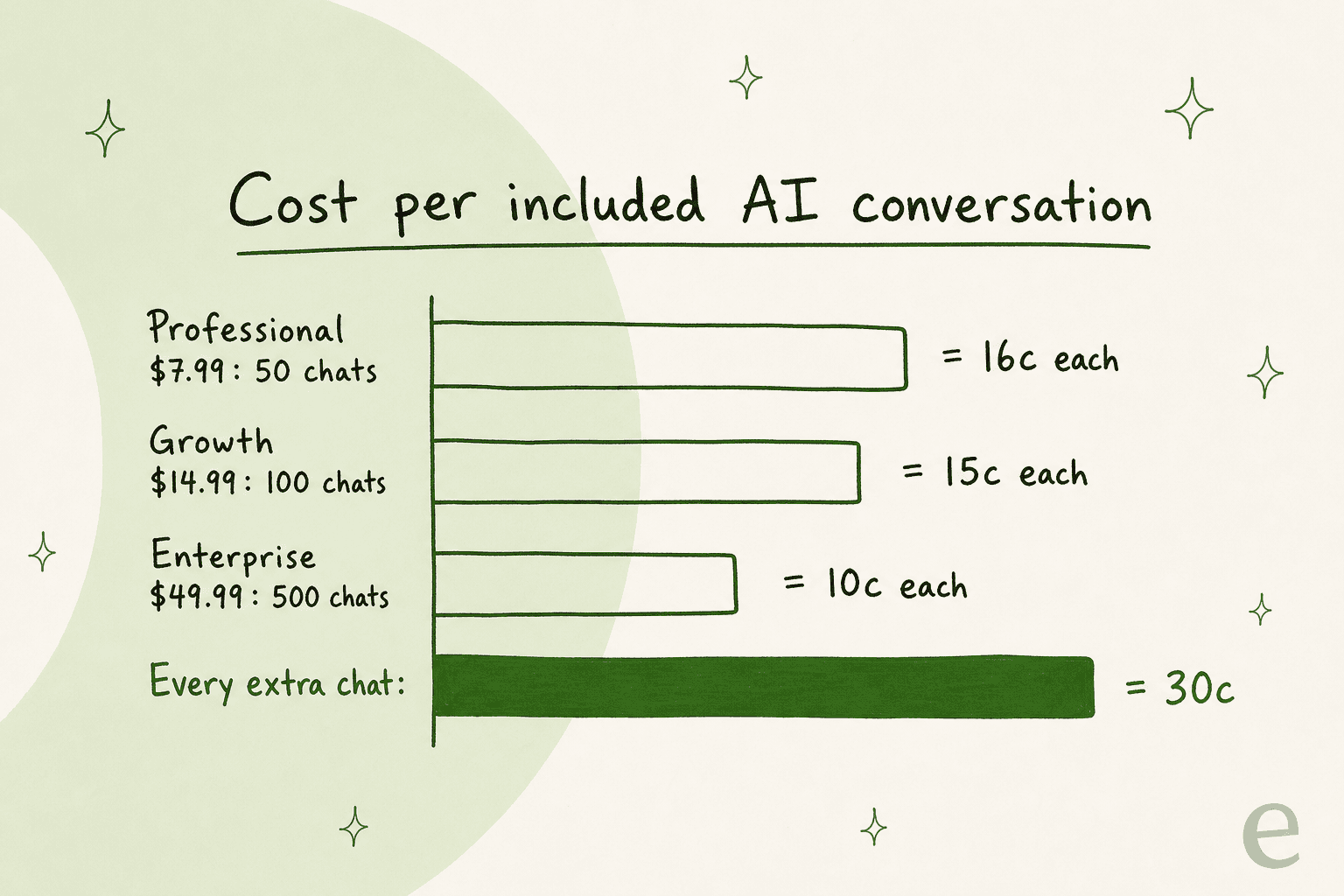
| Professional | $7.99/mo | 500 | $0.0159 each, capped at $7.99/mo | 50/mo | 150 | Yes | Dedicated |
| Growth | $14.99/mo | 2,000 | $0.0075 each, capped at $14.99/mo | 100/mo | 300 | Yes | Dedicated |
| Enterprise | $49.99/mo or $479.90/yr | Unlimited | None | 500/mo | 2,000 | Yes | Priority |
A few things the table doesn't show:
- Extra AI conversations cost $0.30 each on every paid plan, and no cap is listed.
- Extra page views are capped. On Professional the overage stops at $7.99 a month, on Growth at $14.99, so views can at most double your plan price.
- Every plan includes unlimited FAQs and groups, the AI chatbot, Write with AI, live chat, Instant Answer and import/export.
- The annual discount (20%) is only listed for Enterprise.
The cost per included AI conversation is low, and the overage rate is where the bill moves:
Put in your own numbers. The calculator below picks the cheapest plan for your monthly FAQ page views and AI chats, with both overages included.
At typical small-store numbers, StoreFAQ is one of the cheapest AI chat options on Shopify. The trade-off is scope: you pay little because the AI answers from content and leaves the rest to you. If you're comparing per-conversation pricing across tools, the billing unit matters as much as the price, which I explain in deflection vs resolution rate.
StoreFAQ pros and cons
| Pros | Cons |
|---|---|
| Clean FAQ pages, product FAQs and schema on every plan, including Free | AI chatbot answers from published content only, with no order lookup |
| Generous price: $7.99 to $49.99 a month | Two meters to watch: FAQ page views and AI conversations |
| AI chatbot, live chat and Instant Answer included on all plans | $0.30 per extra AI chat, with no cap listed |
| MCP connection to Claude, ChatGPT and Cursor, plus Shopify Sidekick | Handover stays in StoreFAQ's own inbox, not your helpdesk |
| Fast, hands-on support named in many reviews | Free plan cut to 100 views in 2025; multilingual is paid and manual |
| Frequent releases, 16 between July and October 2026 | The chatbot is four months old and not yet covered by reviews |
Who StoreFAQ fits, and who it doesn't
StoreFAQ fits a small or new Shopify store that needs a proper FAQ page, wants FAQ schema without touching code, and handles chat with one or two people. It also fits a store that already lives in Claude or ChatGPT and likes the idea of managing FAQs from a chat.
It's a weaker fit for three kinds of teams:
- Teams that work tickets in a helpdesk. StoreFAQ's live chat is its own inbox, and the bot doesn't connect to Gorgias or Zendesk.
- Stores where order questions dominate. Tracking, returns and "can I change my address" need order data the bot doesn't read.
- Stores with deep product questions. The AI trains on up to 2,000 products on Enterprise, and it learns from pages, not from how your team actually answered similar cases.
A common pattern on Shopify is to split the jobs: an FAQ app or Shopify Inbox on the storefront, and a helpdesk with AI behind it. My roundup of Shopify customer service apps lays out that stack.
StoreFAQ or eesel: which one fits?
They overlap less than the word "chatbot" suggests. StoreFAQ is a storefront FAQ and chat tool. eesel is an AI helpdesk teammate: it joins the queue you already run in Gorgias, Zendesk or Freshdesk, checks the Shopify order before it replies, and learns from the replies your team has already sent.
| StoreFAQ | eesel | |
|---|---|---|
| Main job | FAQ pages, plus chat on the storefront | Working the support queue in your helpdesk |
| Learns from | FAQs, products, pages, policies, blogs | Past tickets, help center, docs, Shopify data |
| Order lookups | Not documented | Yes, from Shopify |
| Where a person takes over | StoreFAQ's live chat inbox | The same helpdesk ticket |
| Billing unit | Plan + page views + AI chats | 1 credit per ticket or chat, however long |
| Entry price | Free, then $7.99/month | Free with 100 credits, then $299/month for 500 |
On price, StoreFAQ wins, and I'd rather say that plainly. For a store with a few hundred FAQ visits and no helpdesk, it's the sensible pick. Where eesel earns its pricing is the work after the first answer: order lookups, drafts, tags and handoffs on the ticket your team already uses. Having watched confident bots give wrong answers on live queues, I'd always test on history first, which is why every eesel rollout runs against past tickets before a customer sees a reply (here's how).
Cape Coffee Beans is a good example of the depth question. It runs eesel on Zendesk with Shopify and Google Drive connected, where the team @mentions it inside a ticket to pull up a product, a past ticket or an order from a catalogue of more than a thousand items. That's the kind of answer an FAQ bot can't give, because the knowledge lives in past tickets. If you're weighing built-in helpdesk AI against an AI layer, that post covers the trade-off.
Plenty of stores should run both: StoreFAQ for the FAQ page and schema, and an AI teammate in the helpdesk for everything that turns into a ticket.
StoreFAQ alternatives
The right swap depends on what StoreFAQ isn't doing for you:
- More AI on the storefront: Zipchat for sales-first AI chat, or Tidio for live chat with AI and a large review base.
- A full Shopify helpdesk: Gorgias or Re:amaze, with their own AI add-ons like Gorgias AI.
- Budget live chat apps: Chatty, MooseDesk and Willdesk.
- A bigger knowledge base: Storeware's own BetterDocs FAQ Knowledge Base app, or the tools in my FAQ software list.
For the wider field, my list of AI chatbots for Shopify covers more options.
My verdict on StoreFAQ
4 out of 5. As an FAQ page builder, StoreFAQ is one of the easiest picks on Shopify: clean output, schema built in, AI drafting, and a support team that will fix your theme for you. The MCP and Sidekick connections are ahead of most apps at this price. I'd start on Free, move to Professional or Growth once your FAQ page gets traffic, and keep an eye on both meters for the first month.
It loses a point on the support side. The AI chatbot is four months old, answers from published content only, and hands off to an inbox that lives inside StoreFAQ. That's fine for a small store. It's not a replacement for an AI that works your ticket queue with order data and past answers in hand.
Try eesel
StoreFAQ handles the questions a shopper can answer from a page. The ones that turn into tickets ("where's my order?", "can I swap this?", "it arrived broken") need order data and your team's past answers, and that's what eesel does. It's an AI teammate that joins your Gorgias, Zendesk or Freshdesk queue, checks the Shopify order, and drafts or sends replies in your team's voice, handing the judgement calls to a person on the same ticket. Nordbutiker runs a separate eesel bot per brand and country, each trained on its own store's site and Zendesk tickets, and STIL Classics has it look up the Shopify order before a draft lands on the ticket.
You can Try eesel free with 100 credits, connect your helpdesk and Shopify, and watch it work on last month's real tickets before a customer sees a single reply.
Frequently Asked Questions
How much does StoreFAQ cost?
On the Shopify App Store, StoreFAQ has a Free plan, Professional at $7.99 a month, Growth at $14.99 and Enterprise at $49.99 (or $479.90 a year). Every paid plan adds $0.30 per AI conversation past its allowance. My guide to chatbot costs puts those numbers next to other tools.
Is StoreFAQ free?
There is a Free plan with unlimited FAQs, 100 FAQ page views a month and 25 AI chatbot conversations for the lifetime of the install. Multilingual FAQs need a paid plan. If you want more free options, see my list of Shopify chatbot apps.
What counts as an FAQ page view in StoreFAQ?
StoreFAQ meters how often shoppers load your FAQ content, and since version 3.7.2 views inside the theme editor no longer count. On Professional and Growth, extra views are billed per view but capped at the plan price. My post on deflecting FAQs with AI explains why those views still matter.
Does the StoreFAQ AI chatbot check order status?
The StoreFAQ docs list FAQs, products, pages, collections, store policies and blog posts as chatbot sources. I found no order lookup in the docs or changelog, so tracking questions go to your live chat. My guide to WISMO automation covers how order questions get automated.
Does StoreFAQ add FAQ schema for SEO?
Yes. Turn on FAQ Schema in Settings and StoreFAQ generates JSON-LD for every FAQ block you place, and updates it when you edit an answer. You can check it with Google's Rich Results Test. My FAQ schema generator guide goes deeper.
Is StoreFAQ good for customer support or mainly for FAQ pages?
StoreFAQ is strongest as an FAQ page builder, with the AI chatbot and live chat added on top in 2026. It suits small stores where one person handles chat. Teams that work tickets in a helpdesk usually pair it with an AI that lives there, as in my AI helpdesks for Shopify roundup.
What do merchants say in StoreFAQ reviews?
StoreFAQ holds 5.0 from 158 reviews on Shopify, with praise for easy setup, clean FAQ design and fast support. The three low reviews are about the free plan being limited to 100 views and an early bug. For comparison, see my Zipchat review.
What is a good StoreFAQ alternative?
For FAQ pages, Storeware's own BetterDocs app and other FAQ builders are the closest swaps. For an AI that works the ticket queue, eesel adds an AI teammate for Shopify inside your helpdesk. My list of AI FAQ bots covers more.