


What is MooseDesk?
MooseDesk (listed on Shopify as "Moose AI Chatbot & Live Chat") is a customer support app built only for Shopify stores. It puts a chat widget on your storefront with an AI chatbot, gathers widget chats, email, Messenger and Instagram into one inbox, and builds FAQ and contact pages. The developer is Vegahub Technology Inc. of Oakville, Canada, and the app launched on the Shopify App Store on August 22, 2023. Its help docs say it is "currently available exclusively for Shopify merchants."
| MooseDesk at a glance | |
|---|---|
| What it is | AI chatbot, live chat, shared inbox, FAQ builder, reports |
| Platform | Shopify only, installed from the Shopify App Store |
| Rating | 5.0 from 486 reviews: 477 five-star, 8 four-star, 1 three-star |
| Badge | Built for Shopify |
| Price | Free plan; paid from $19 a month; AI replies unlimited on all plans |
| Channels | Website chat, email by forwarding, Messenger, Instagram; WhatsApp as a button |
| AI learns from | Q&A pairs, FAQ Builder articles, Shopify products |
| Apps | Inside Shopify admin, a standalone web app, a mobile web app |
| Integrations | BON Loyalty, TrackingMore, UpPromote, email |
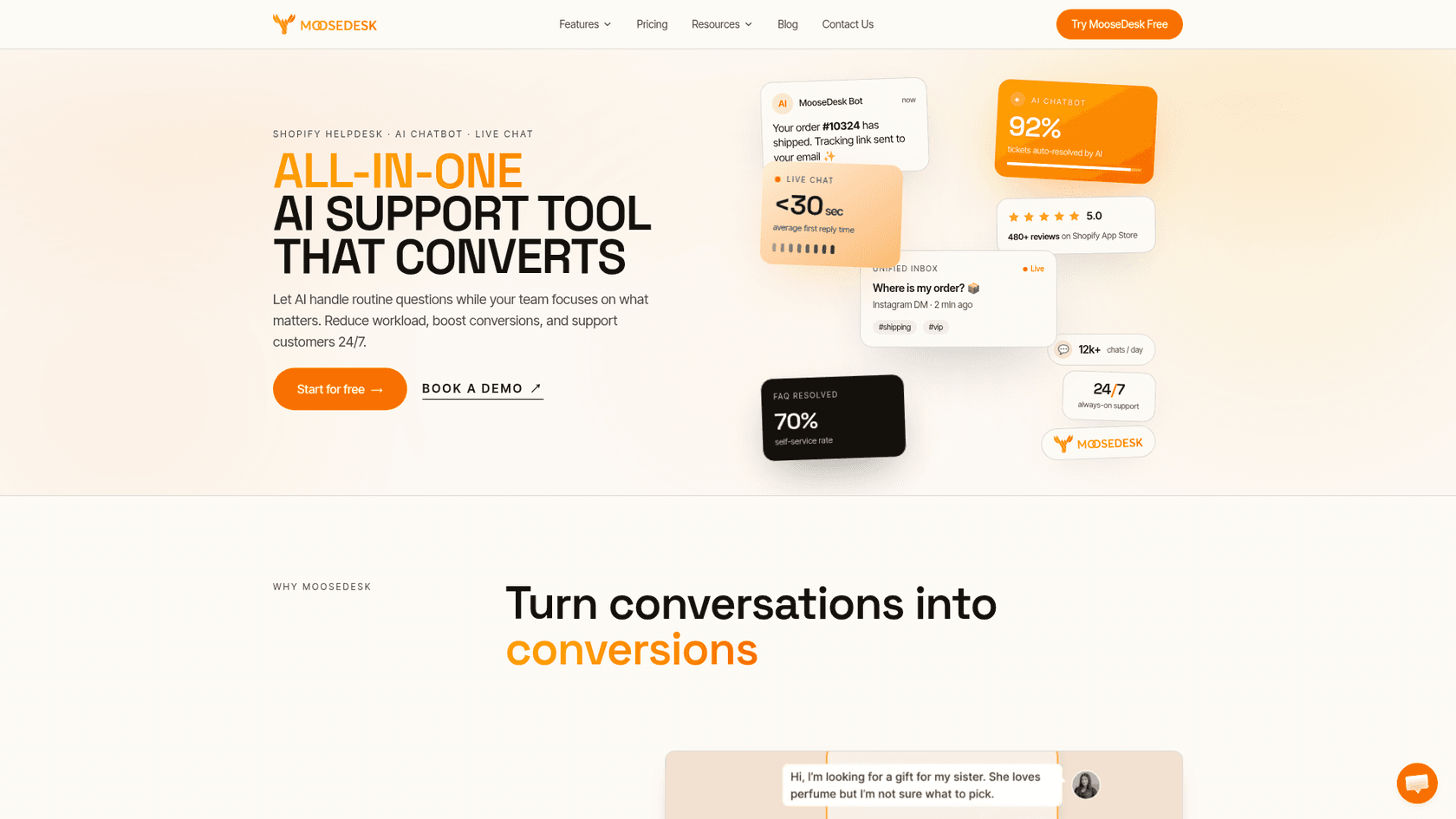
The homepage headlines figures like "92% tickets auto-resolved by AI" and "<30 sec average first reply time." Those are MooseDesk's own marketing numbers, with no method shown, so I would treat them as a target, not a forecast for your store.
How MooseDesk works
You install MooseDesk from the Shopify App Store and work in it three ways: the main version inside your Shopify admin, a standalone web version for team members who don't have admin access, and a mobile app. Per the getting started guide, the embedded version has every feature, and the standalone one is a lighter version for answering conversations.
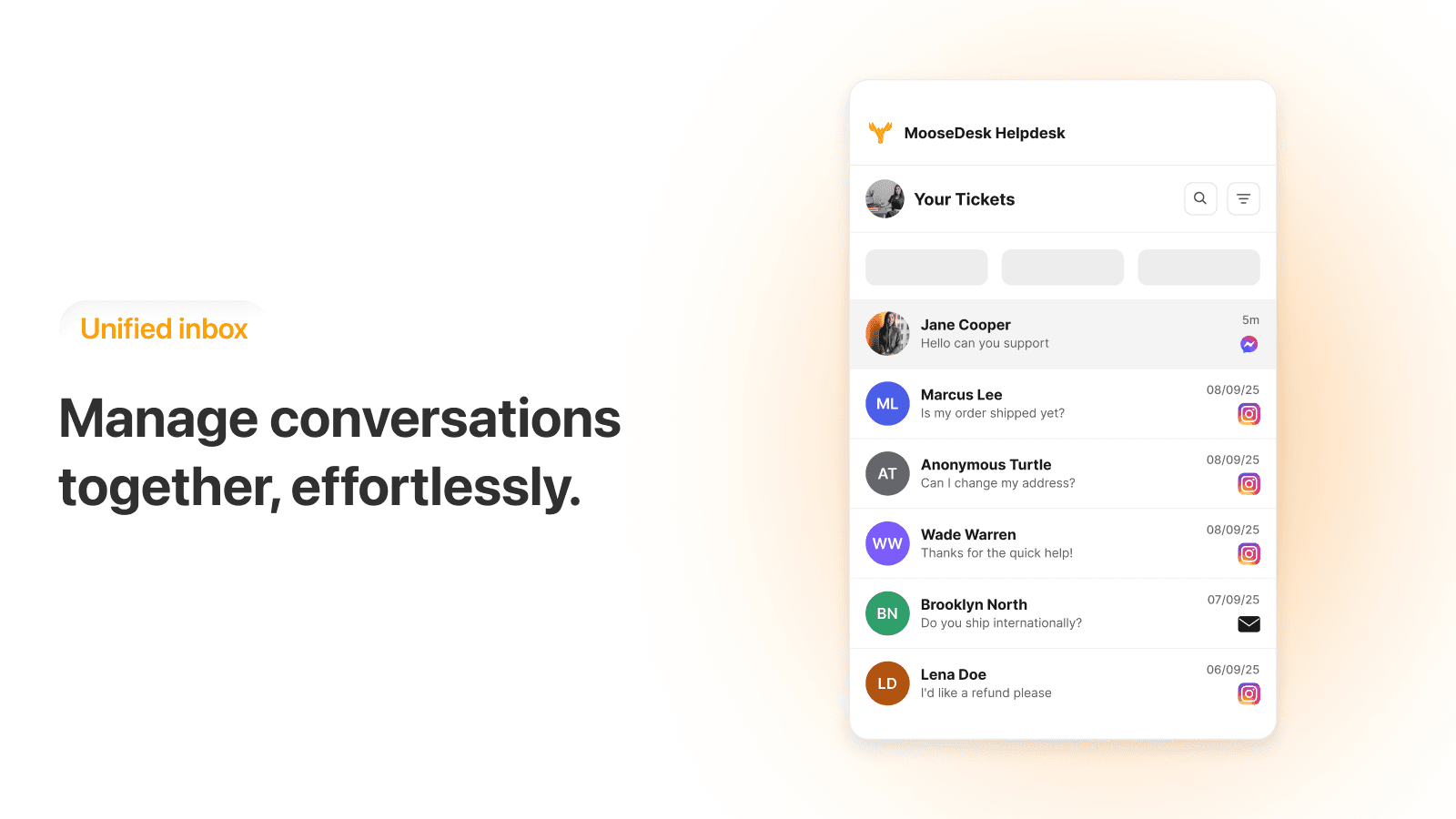
Everything lands in one inbox with channel tabs. Email works by forwarding: MooseDesk gives you an address like yourstore@email.moosedesk.com, and you forward your store mailbox to it, or connect Gmail with an app password, per its email setup doc. Messenger and Instagram Business connect from Settings, and replies go back from the inbox. Agents get tags, canned responses, auto-assignment, ticket merging and customer notes, plus a toolbar to send product cards in chat and up to 3 discounts per message.
Setting up the AI chatbot
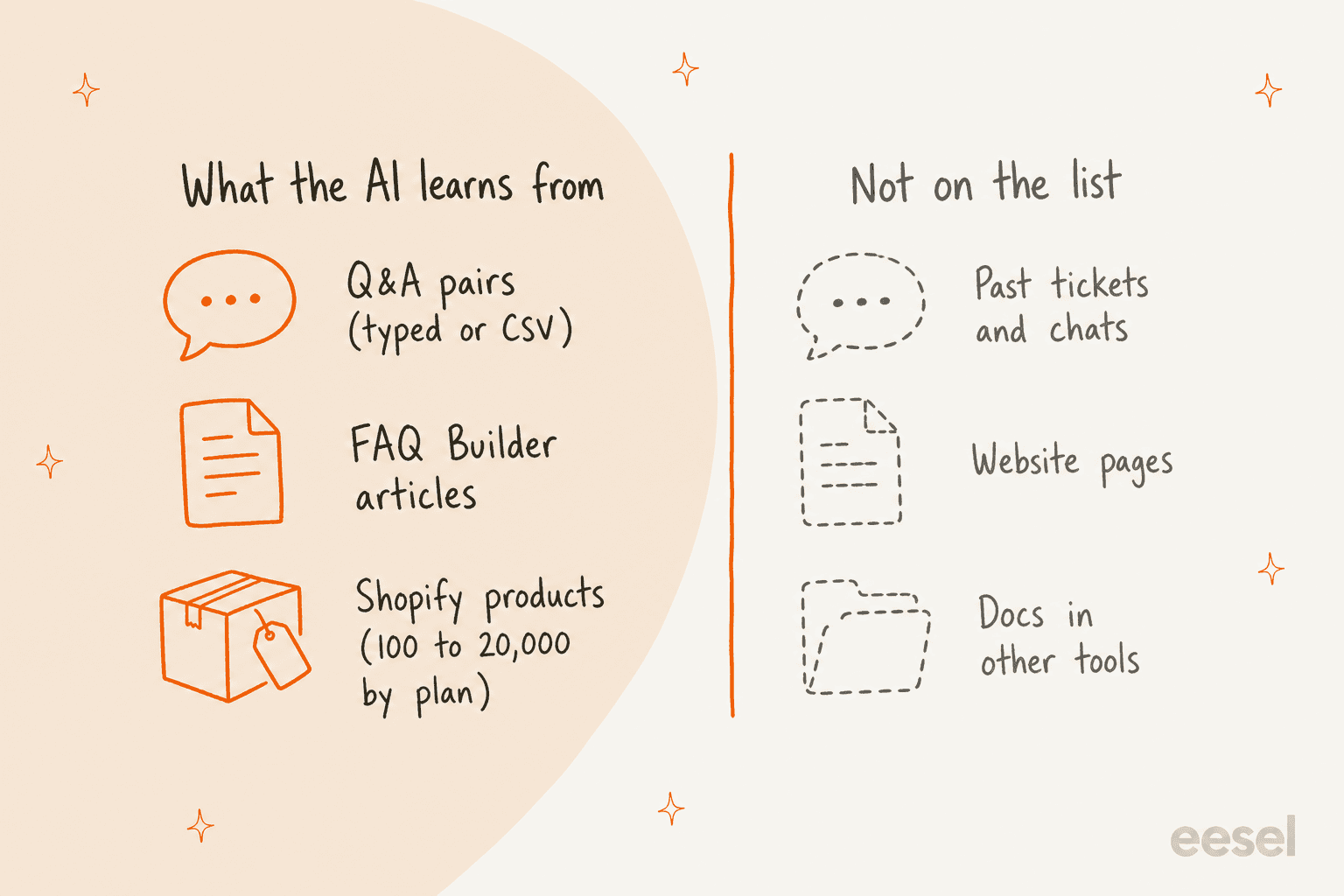
The AI is switched on under AI Chatbot, then Knowledge base. Per the setup guide, it trains on three data sources: Q&A pairs ("best for specific, conversational logic"), FAQ articles from the FAQ Builder, and Products, which "syncs directly with your store catalog to turn your chatbot into a personal shopper." Q&A can be typed one at a time or imported as a two-column CSV.
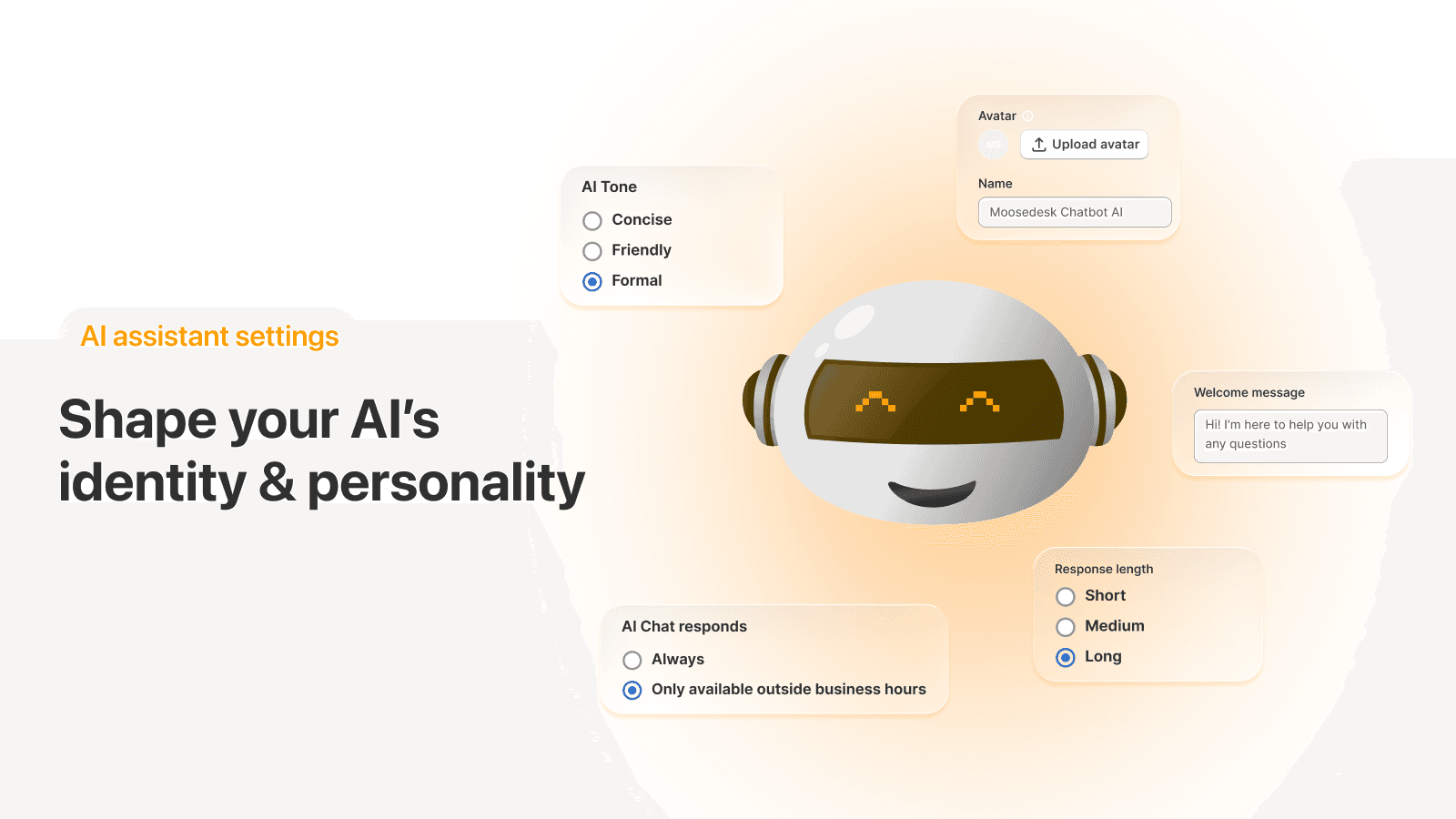
In Settings you choose when the AI answers (always, or only outside business hours), its name and avatar, a store description and industry, and the handover rules. Tone of voice, response length and the welcome message open up on Starter.
There is also an AI Test Lab, which I liked. You chat with the bot before launch, see which Q&A or FAQ card it pulled each answer from, and edit that card in place. When it has nothing, it says "No relevant information found" and offers a Create answer button, so the gaps turn into a to-do list. Test chats don't count toward anything.
What MooseDesk does well
MooseDesk's strengths are the ones a small Shopify store feels in the first week: price, setup and the people behind it.
Unlimited AI replies, even on Free
Most AI chat tools meter the AI, by conversation, by resolution or by a credit pack. MooseDesk doesn't. Its pricing FAQ says "All plans include unlimited AI chatbot replies," and an AI reply is counted only when the AI responds, never for human messages. The Free plan pairs that with 100 products for AI training, 1 team member, all core live chat features, Messenger, Instagram and unlimited FAQs.
That is a very different deal from Tidio's pricing or Chatway's $0.50 per resolution. A store that gets a seasonal rush of "do you ship to Canada?" chats pays nothing more for the AI to answer them. One merchant who left Zendesk put the saving plainly:
"So many online chat options to consider. We've used zendesk for years and cost just continued to rise. We are a small business <5 staff, zendesk too expensive. Switch to Moosedesk about 8 weeks ago. Everything to date has been great. Excellent service from Mia and now we're not paying for online chat. Win-win."

Built for Shopify, and it shows
MooseDesk carries Shopify's Built for Shopify badge, lives inside the Shopify admin, and bills through your Shopify subscription. The AI can recommend products from your catalog as cards with a checkout button, and the widget's order tracking module lets a shopper look up an order by order number or tracking number. Per the order tracking doc, the number has to match your Shopify format exactly, so #1003 works and 1003 doesn't. Adding TrackingMore shows courier status in the widget and in the ticket.
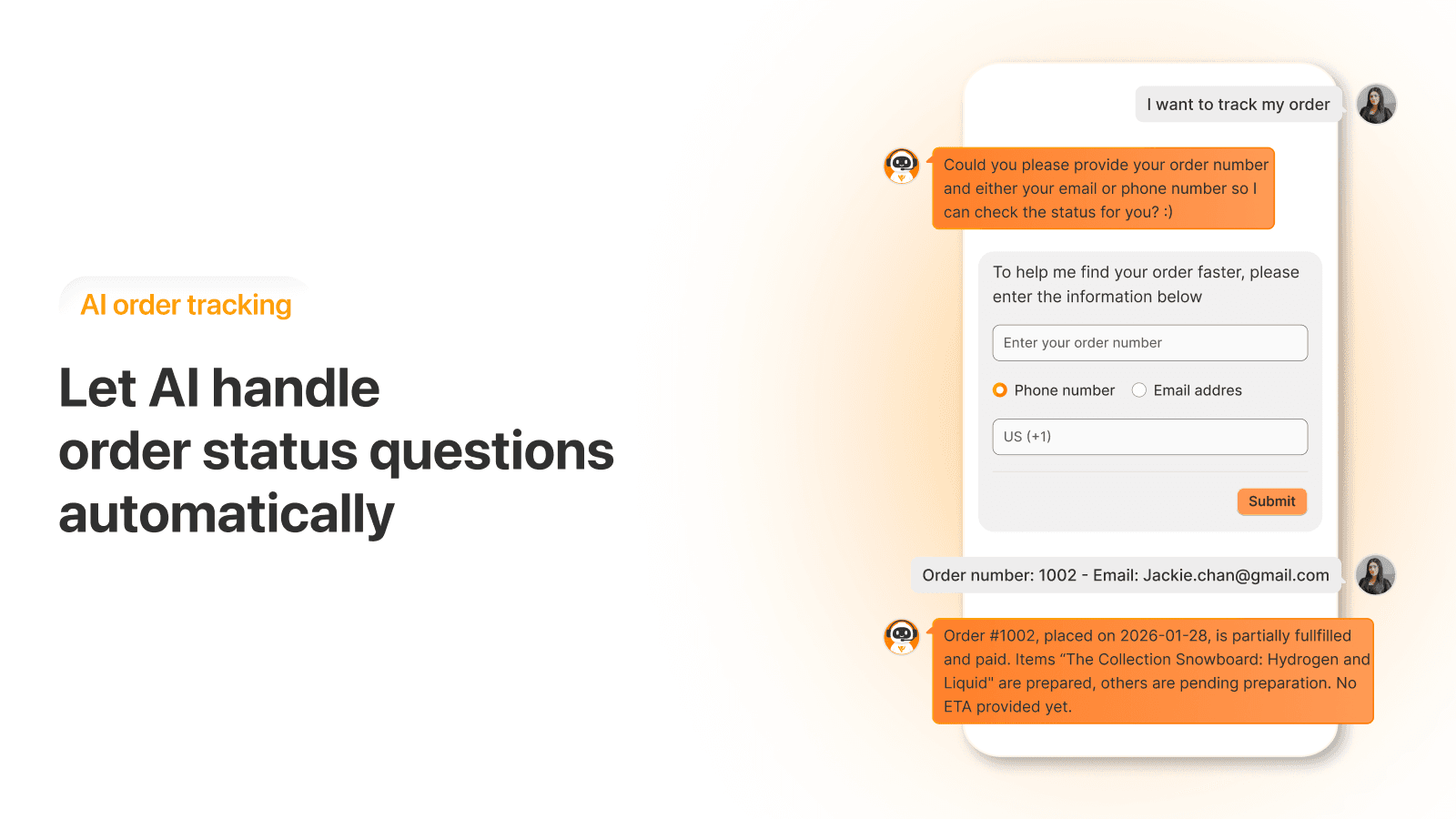
"Where is my order?" is the question that never ends for a store, so this is worth having on day one. My guide to WISMO automation covers what else helps, and the roundup of AI order tracking goes further.
A handoff you can shape
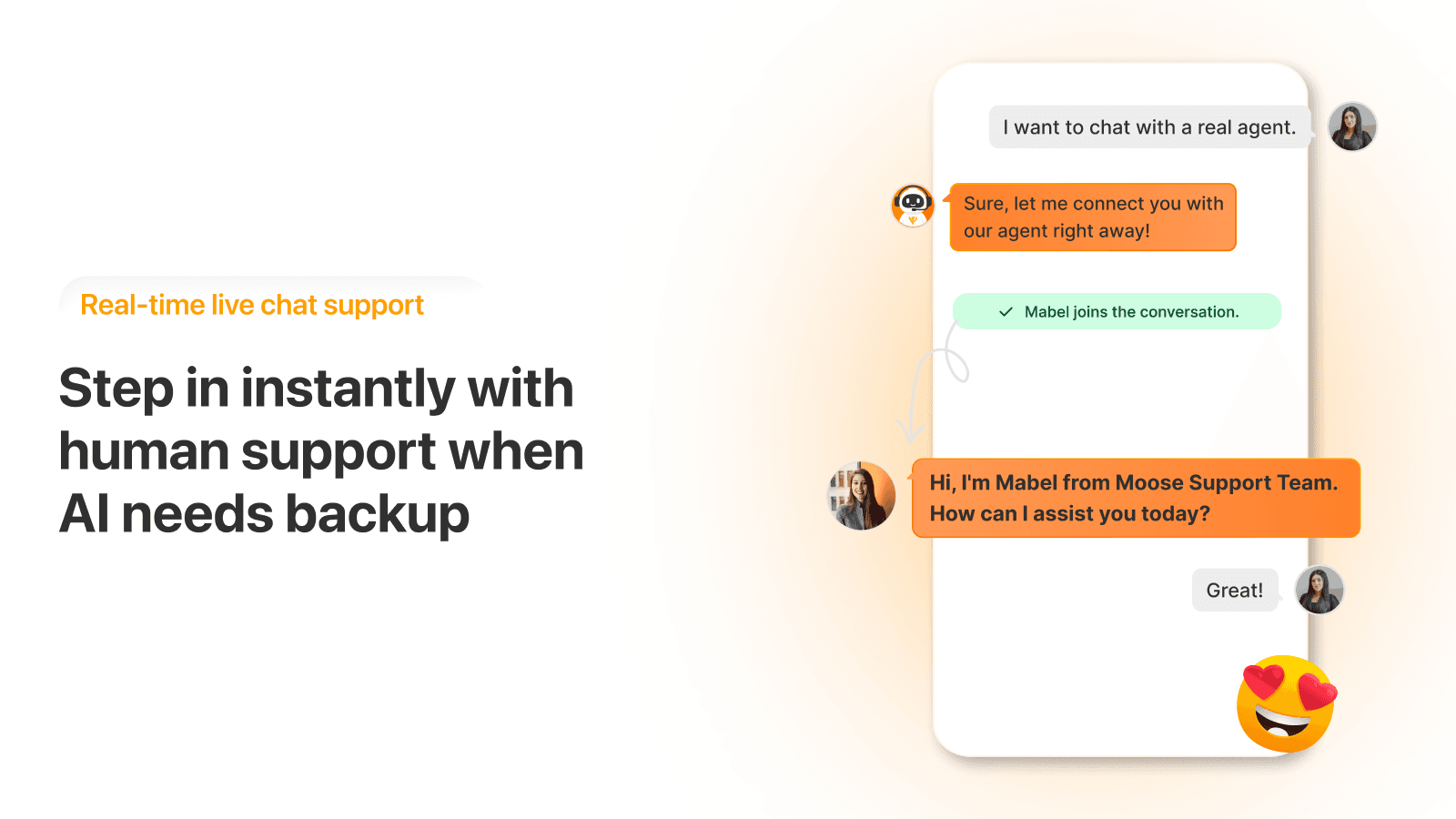
Per the agent transfer doc, you can turn handover off, let the AI hand over when a shopper asks, or add keyword rules such as "Refund" or "Return" that pass the chat straight to a person. You can write a different pre-transfer message for inside and outside business hours, and point shoppers to other contact methods when nobody is online. That is a sensible set of chatbot escalation controls for a small team.
An FAQ builder that feeds the AI
The FAQ Builder builds FAQ and contact pages from templates, adds product-specific FAQs to product pages, and imports or exports FAQs. Every plan gets unlimited FAQs. The useful part is the loop: switch on the FAQ toggle in the knowledge base and the AI answers from those same articles, so you write each answer once. For more on that pattern, see my guide to FAQ deflection.
Support that reviewers can't stop naming
The MooseDesk team is the main character in its reviews. Reviewers name reps like Ame, Kelly, Mabel, Thomas and Paige, and describe fixes to custom CSS, widget positions and FAQ templates within minutes. One store owner wrote that a rep fixed "a problem (that we had created)" right after install. For a non-technical store owner, a team that will set the widget up with you is worth a lot.
Where MooseDesk falls short
None of these rule MooseDesk out for a small store. They are the things I would check before a busy season.
The AI knows what you write down, and nothing else
The three sources are Q&A pairs, FAQ Builder articles and Shopify products. In the docs I read, there is no website crawl, no training on past tickets or chats, and no connector for docs in other tools like Google Docs or Notion. Store data is the exception, and it stops at products: the AI recommends from your catalog, and order lookups run through the tracking module.
For a store with a tidy FAQ, that is enough, and one merchant shows how far it goes:
"Great app. I was able to train the bot with 120 common questions that answer probably 95% of my customers questions."
Writing 120 good Q&A pairs is real work, though, and it has to be kept up as policies change. Product sync also looks like something you trigger: a June 2026 reviewer wrote that support "noted our feature request for automatic product sync," and another found their product data had been switched off for AI answers. The alternative is an AI that reads your past replies, which my guide on training AI on past tickets walks through. Either way, test it on real questions first, as covered in my notes on testing an AI agent, and if answers go wrong, this checklist finds the usual causes.
Email and tickets are where the plans get strict
Free has no email channel. Starter has 1 email channel, Growth has unlimited, and per the compare table ticket volume is 300 a month on Growth and 2,000 on Business, with none listed for Free or Starter. The page doesn't say what happens when you pass the cap, or how Starter's email counts without a ticket allowance, so those are two questions I would ask MooseDesk before moving my store email over.
Shopify customer syncing, customer import, Shopify order creation and the advanced ticket features also start on Growth. Seats follow the same ladder: 1, 3, 10, then unlimited. That makes the jump from Growth to Business steep. Needing an 11th team member, or more than 300 tickets a month, moves you from $49 to $249 a month, with no plan in between.
The mobile app is a web app
MooseDesk's mobile app guide has you scan a QR code and add the web app to your home screen from Safari or Chrome, then allow notifications. That works for many people, and one reviewer called it a "solid option" while asking for a native iOS app. It didn't work for everyone:
"The ONLY way to have any idea there is a live message in need of a customer service response is to check your email every few minutes."
That June 2025 reviewer tested for 48 hours across 3 devices and moved to another chat app. If you are a one-person store answering chats from your phone, check that alerts arrive on your phone before you switch the widget on. My explainer on AI chatbots vs live chat covers why speed matters more in chat than in email.
WhatsApp is a button, not an inbox
Messenger and Instagram land in the MooseDesk inbox. WhatsApp doesn't: MooseDesk offers a WhatsApp button skin that opens a WhatsApp chat with your number, so the conversation happens in WhatsApp, not in MooseDesk, and the AI is not part of it. The same developer also sells a separate Moose WhatsApp Chat Button app. If WhatsApp is your main channel, look at a tool that brings it into the inbox.
The reviews are mostly about week one
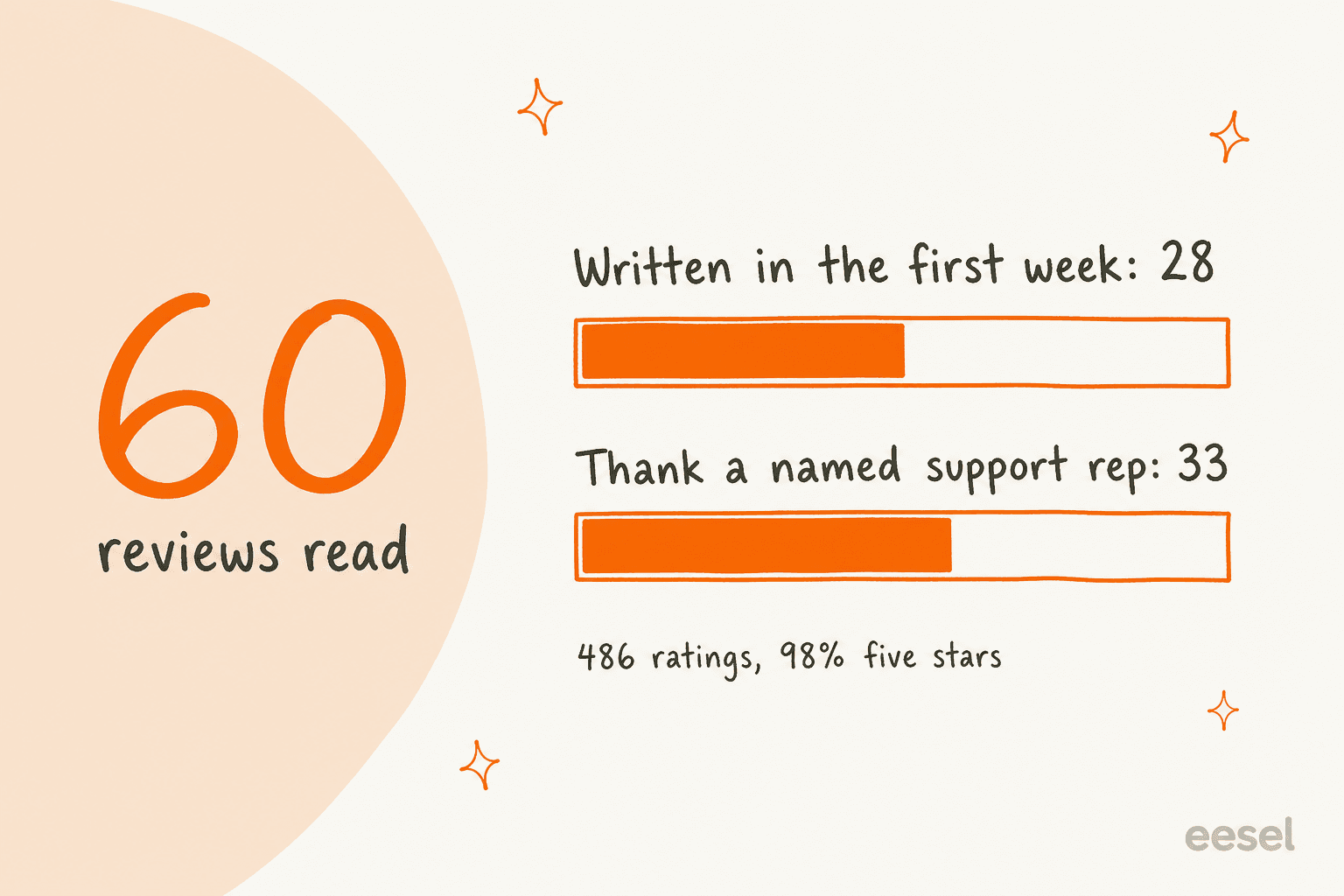
I read 60 of MooseDesk's reviews, pages 1 to 6 on Shopify's default sort. 28 were written in the first week after install, and 33 thank a support rep by name. That is a good sign about the team. It also means the 5.0 tells you more about onboarding than about running the AI for a year. MooseDesk replies to reviews with thanks, and the developer's other app sits at 5.0 from 203 reviews too.
The longer-term reviews are still positive, with small notes. A French store using MooseDesk for 3 months wrote that adding a question "broke the formatting (fonts, bold text, etc.)" and that "the time zone delay made the whole process a bit frustrating," and an Italian store wished for more customization on the Free plan. An Australian store found its two shops had ended up on different versions of the app until support lined them up.
MooseDesk pricing
MooseDesk has four plans, billed in USD through your Shopify subscription every 30 days. Every paid plan has a 7-day free trial, and you can cancel from the Shopify admin.
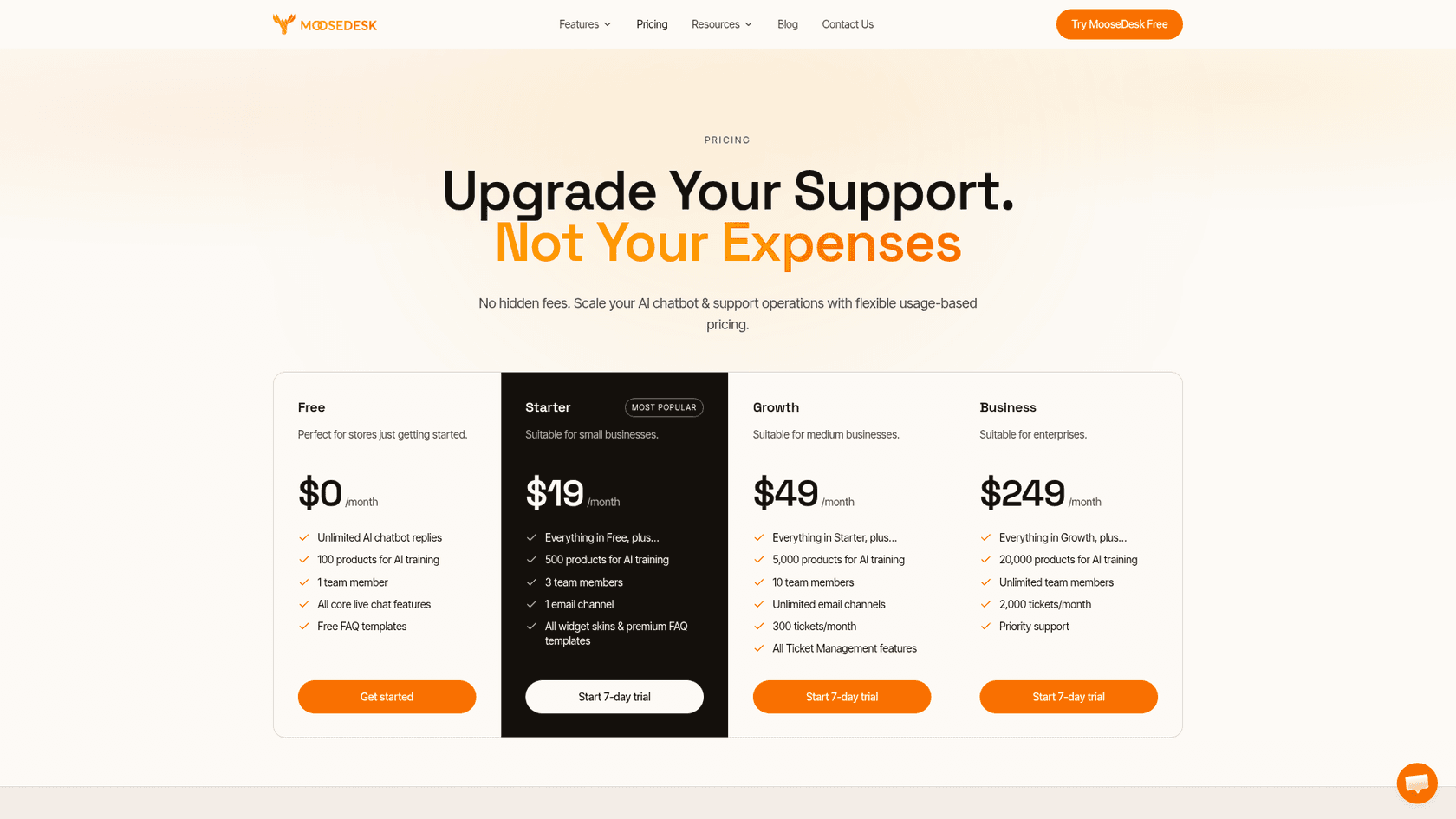
| Free | Starter | Growth | Business | |
|---|---|---|---|---|
| Price per month | $0 | $19 | $49 | $249 |
| AI chatbot replies | Unlimited | Unlimited | Unlimited | Unlimited |
| Products for AI training | 100 | 500 | 5,000 | 20,000 |
| Team members | 1 | 3 | 10 | Unlimited |
| Email channels | None | 1 | Unlimited | Unlimited |
| Tickets a month | Not listed | Not listed | 300 | 2,000 |
| AI tone, length, welcome message | No | Yes | Yes | Yes |
| Language switcher, custom widget, BON and TrackingMore | No | Yes | Yes | Yes |
| Shopify customer sync and order creation | No | No | Yes | Yes |
| Priority support | No | No | No | Yes |
Plan details are from MooseDesk's pricing page on October 21, 2026. Messenger, Instagram, AI handover, product cards, unlimited FAQs and product FAQs are on every plan. The Shopify listing matches the four prices, with one wording difference: it lists priority support under Growth, while the website's table shows it on Business only.
Because the limits run on four separate ladders, the cheapest plan depends on which one you hit first. Here is a quick way to check yours.
Enter your team size, catalog size and email load to see the cheapest MooseDesk plan and which limit pushed you past the others.
Two notes on the numbers. Because AI replies never cost extra, your bill is set by people and email, not by how busy the chat gets, which is the opposite of most AI live chat pricing. And the product limit matters more than it looks: a store with 600 products is past Starter's 500 for AI training, so the AI can't recommend the rest until you move to Growth.
MooseDesk pros and cons
| Pros | Cons |
|---|---|
| Unlimited AI chatbot replies on every plan, Free included | AI learns only from Q&A, FAQs and products, not past tickets |
| Messenger and Instagram in the inbox on Free | No email on Free; ticket volume starts at 300 a month on Growth |
| Built for Shopify, billed through Shopify | Growth to Business is a jump from $49 to $249 |
| AI Test Lab shows the source of every answer | Mobile app is a home-screen web app, not a native app |
| Keyword handover rules and after-hours messages | WhatsApp is a button that leaves the inbox |
| Support team praised by name in dozens of reviews | Most reviews are written in the first week |
MooseDesk or eesel: which one fits?
There is no eesel integration for MooseDesk, so this is a choice between two approaches rather than a pairing. MooseDesk is the helpdesk and the chat in one Shopify app, and the AI answers from what you write into it. eesel is an AI teammate for support: it plugs into the helpdesk you already use, like Gorgias, Zendesk or Freshdesk, connects to Shopify for orders and products, and learns from your help center, docs and past tickets.
That difference shows in the work before launch. With MooseDesk you write the Q&A. With eesel the history is the starting point. Rúngne, a Norwegian climbing apparel brand, runs three eesel agents on Gorgias: one tags every ticket, one leaves draft replies, and one answers plain questions from Shopify order and stock data, about 2,100 tickets in a month. STIL Classics, a planner brand, has eesel look up the Shopify order before it drafts each Gorgias reply, with about 230 orders checked in a month and a person sending every reply.
On price, MooseDesk is cheaper for a small store, and I would tell anyone that. eesel is one fixed monthly plan: free to try with 100 credits, then from $299 a month for 500 credits, where one chat or ticket is 1 credit however long it runs, with no per-seat fee. If you get a few hundred chats a month and a good FAQ covers them, MooseDesk's Free or Starter plan is the better deal. If you run Gorgias or Zendesk, your answers live in old tickets, and you want the AI to look up orders, the AI helpdesk teammate is the one I would test. For a chat on the storefront, eesel's chat bubble goes on a Shopify site with one script tag.
MooseDesk alternatives
If MooseDesk isn't the right fit, the shortlist depends on why. For a deeper chatbot builder, start with my Tidio review. If email ticketing at volume is the gap, the Gorgias alternatives list and my Re:amaze review cover Shopify-first helpdesks. For a free option from Shopify itself, read my take on Shopify Inbox.
For other AI chats on Shopify, my Chatty review covers a usage-based option, and the list of Shopify chatbot apps compares the rest. If you already use Zendesk or Freshdesk, see the guides to Zendesk with Shopify and Freshdesk with Shopify. My roundup of the best AI helpdesk for Shopify has the wider field, and if you sell in several languages, the guide to multilingual ecommerce support is worth a read.
Verdict: 4 out of 5 for small Shopify stores
MooseDesk earns 4 out of 5. Unlimited AI replies on every plan is the most generous AI deal I have seen in a Shopify chat app, the Free plan already brings Messenger and Instagram into one inbox, the AI Test Lab makes gaps easy to find, and the support team clearly goes out of its way for new stores.
It loses a point on what you only feel as you grow. The AI knows what you write into Q&A and FAQs, so a store whose real answers live in old replies has homework first. Email is thin until Growth, the 300-ticket cap and the $49 to $249 step come quickly for a busy store, and the phone app is a web app. For a solo or small Shopify store with a clear FAQ, install it and write your top 50 questions into it. For a team already working out of a helpdesk, test it against an AI that learns from that history.
Try eesel with your Shopify store
If you like MooseDesk's idea of AI answering on your store, but you'd rather not write every answer by hand, eesel connects to Shopify and the helpdesk you already run, learns from your past tickets and help center, and looks up orders before it replies. ClutchLoop's agent, Loopy, checks live prices and stock in Shopify and sends US return requests to its portal on its own. Try eesel free with 100 credits and test it on last month's real questions before a shopper sees it.
Frequently Asked Questions
Is MooseDesk free?
Yes. The Free plan is $0 a month with unlimited AI chatbot replies, 100 products for AI training, 1 team member, live chat, Messenger and Instagram, and unlimited FAQs. It has no email channel. Compare it with other Shopify live chat apps before you commit.
How much does MooseDesk cost?
MooseDesk costs $0, $19, $49 or $249 a month, billed through your Shopify subscription, per MooseDesk's pricing page. Paid plans add team members, products for AI training, email channels and ticket volume, and each has a 7-day trial. My chatbot cost guide shows how that compares across tools.
What does the MooseDesk AI chatbot learn from?
Three sources, per its help docs: Q&A pairs you type or import by CSV, your MooseDesk FAQ Builder articles, and synced Shopify products. I did not find past tickets, website pages or outside docs on the list. If your best answers sit in old replies, read my guide to training AI on past tickets.
Does MooseDesk have a mobile app?
It has a mobile web app that you add to your phone's home screen from a QR code, with push notifications once you allow them. There is no listing in Apple's App Store, which one reviewer flagged. If instant phone alerts matter, test them before launch, and see my notes on live chat features.
Is MooseDesk a good Gorgias alternative?
For a small store that mostly needs chat, FAQs and simple email, yes, and it costs far less. Gorgias goes deeper on email ticketing, rules and Shopify order actions at higher volume. My Gorgias review and Gorgias pricing guide cover that side.
What happens when I hit the MooseDesk ticket limit?
Growth includes 300 tickets a month and Business 2,000, but MooseDesk's pricing page does not say what happens past the cap, so ask before you rely on it in a busy month. AI replies themselves stay unlimited on every plan. My guide to ecommerce helpdesks compares how others count.
Does eesel integrate with MooseDesk?
No, eesel does not connect to MooseDesk. eesel works with Shopify directly and inside helpdesks like Gorgias, Zendesk and Freshdesk, or on your site through its chat bubble. If you want one tool on your store, MooseDesk is simpler; if you want AI that learns from past tickets, see the AI helpdesk teammate.