
If you’re running a Shopify store, you know the daily juggle all too well. One minute you’re checking on a new order, the next you’re answering a customer question about shipping, and then you’re updating product inventory. It can feel like you need a dozen browser tabs open just to keep the lights on.
That’s what the Shopify admin is for. It’s the central hub designed to bring a little order to that chaos, acting as your business’s command center. This guide will walk you through everything you need to know about it, from its core functions to how you can beef it up with apps and AI. The idea is to get you from just using the admin to react to daily tasks to actually mastering it as a proactive, automated hub for your business.
What is the Shopify admin?
The Shopify admin is simply the back-end control panel for your entire e-commerce operation. It’s the part of your store your customers never see, handling everything from operations and logistics to marketing and design.
Its main job is to give you one place to process orders, manage products, look at sales data, and tweak all your store settings. The best part? It’s built to be flexible, so you can manage your business from just about anywhere. Here's a visual breakdown of how the Shopify admin acts as your central command center.
You can get to it in a couple of ways:
-
On your desktop: Just log in at shopify.com/admin from your web browser.
-
On the go: The Shopify mobile app for iOS and Android lets you manage orders, update products, and check analytics straight from your phone.
Whether you're at your desk or out and about, the admin dashboard is your key to running your store without losing your mind.
Navigating the core features of your Shopify admin
Once you're logged in, the Shopify admin gives you a clean interface with a main sidebar that gets you to all the essential tools. Let's walk through the sections you’ll probably be clicking on every day.
Managing orders, products, and customers
The first three sections of the sidebar, Orders, Products, and Customers, are the operational heart of your store.
-
Orders: This is your fulfillment center. Here, you can manage all incoming orders, handle returns and exchanges, and create draft orders for sales made over the phone or by email. Shopify also has a built-in fraud analysis tool that helps you flag sketchy-looking orders before you ship them.
-
Products: This is where you bring your catalog to life. You can add new products, manage inventory levels for different sizes and colors, organize items into collections to make browsing easier for customers, and even sell gift cards.
-
Customers: Think of this as your store's simple, built-in CRM. Every time a new customer makes a purchase, Shopify automatically creates a customer profile. You can pop into this section to see a customer's full order history and group them into segments for more targeted email campaigns.
Tracking performance with analytics and reports
You can't grow what you don't measure. The Analytics section is where you go to make data-driven decisions about your business. Shopify’s analytics dashboards and reports give you a clear look at your store’s recent activity, what visitors are doing, and transaction data. You can customize the dashboard to track the metrics that actually matter to you, which helps you understand what’s working and what isn't.
Driving growth with marketing and discounts
The Marketing and Discounts sections are your go-to tools for bringing in and converting customers. In the marketing area, you can set up and track campaigns. Over in the discounts section, you can create codes for all sorts of promotions to drive sales, including:
-
Fixed value discounts (like $10 off)
-
Percentage-based discounts (like 20% off)
-
"Buy X, get Y" deals
-
Free shipping offers
The challenge of scaling: When the Shopify admin isn’t enough
As your store grows, things get more complicated. While the Shopify admin is powerful, you'll eventually hit a point where its out-of-the-box features don't quite cut it. That’s when most people turn to the Shopify App Store, which offers over 13,000 apps to extend your store’s functionality.
But more apps can create a new headache: information silos. This is especially true for customer support. As your order volume climbs, your support team, who might be using a popular help desk like Zendesk or Gorgias, will find themselves constantly bouncing between their help desk and the Shopify admin. They have to look up order details in one tab, check your return policy in a Google Doc, and maybe ping a colleague for help in Slack.
Even with a native Zendesk and Shopify integration that shows order data in a sidebar, the process is still painfully manual. An agent has to read the ticket, find the right information, and then type out a reply. This creates a bottleneck that slows down your team and leaves customers waiting.
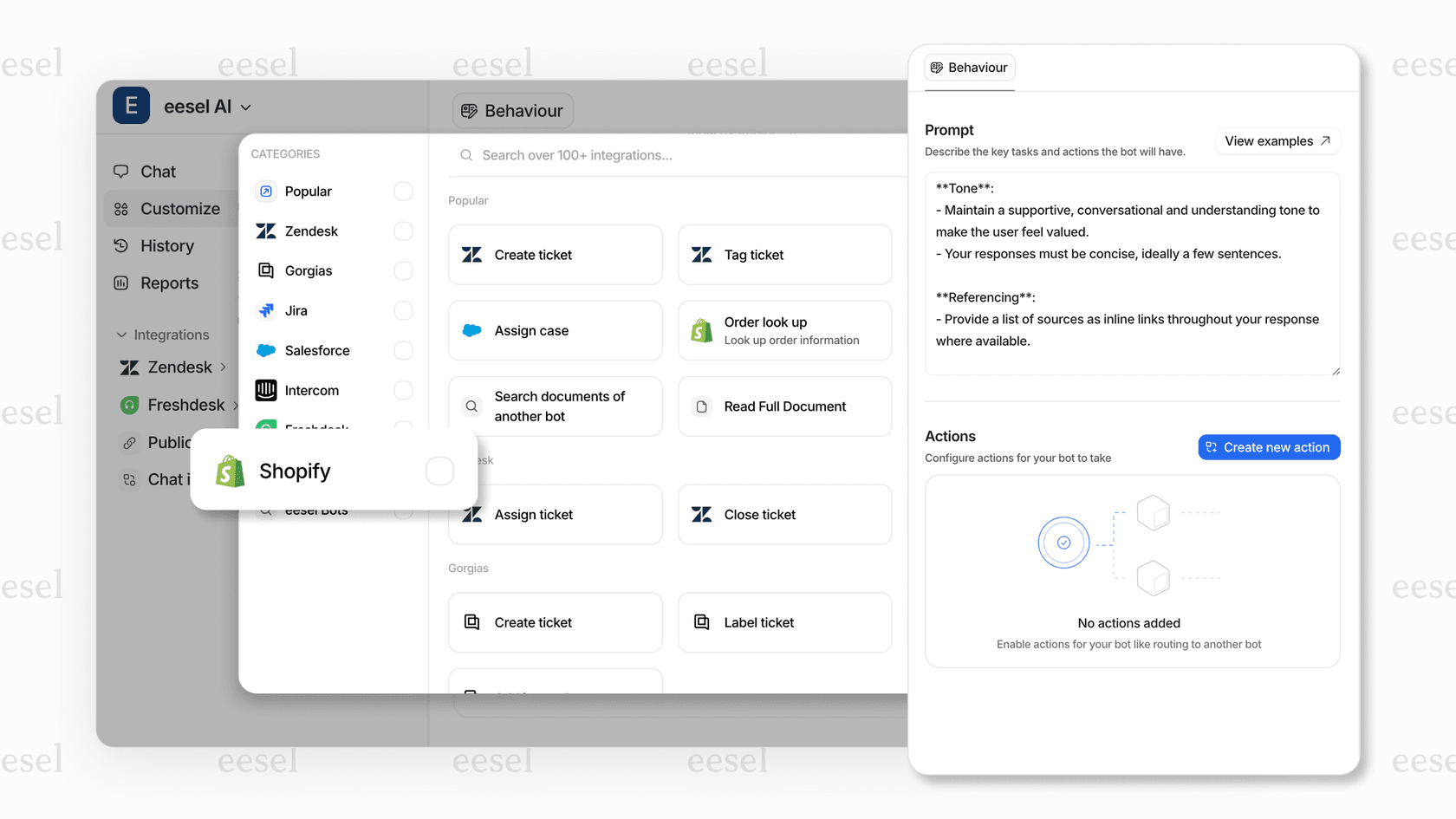
An AI platform offers a much smarter way to handle this. Instead of just adding another tool to the pile, an AI layer can connect your existing ones. For example, a tool like eesel AI can plug directly into your Shopify admin, your help desk (like Gorgias or Zendesk), and all your scattered knowledge sources, from Google Docs to Notion. It pulls all that information together to provide instant, automated answers for both your agents and customers, improving your current setup without making you switch to a whole new system.
From manual tasks to automated actions: Streamlining your Shopify admin workflows with AI
Running your store efficiently isn't just about having the right data; it's about how quickly your team can act on it. The Shopify admin lets you set up granular permissions and roles for your staff, but real teamwork needs smooth access to information. Think about bringing a new support agent on board. You have to train them on product details, return policies, and shipping rules, and that knowledge is often scattered across Shopify product pages, internal docs, and old tickets.
While Shopify's built-in admin search is good for finding a specific order or product, it can't answer complex questions that need info from multiple places.
Pro Tip: Your store's efficiency really depends on how fast your team can find and use accurate information. If they spend more time digging for answers than helping customers, your knowledge is stuck in silos.
This is the exact problem eesel AI was designed to fix. By connecting to all your company’s knowledge, it acts as a central brain for your team. An agent can ask a question in Slack or MS Teams and get an immediate, accurate answer pulled from all your connected sources.
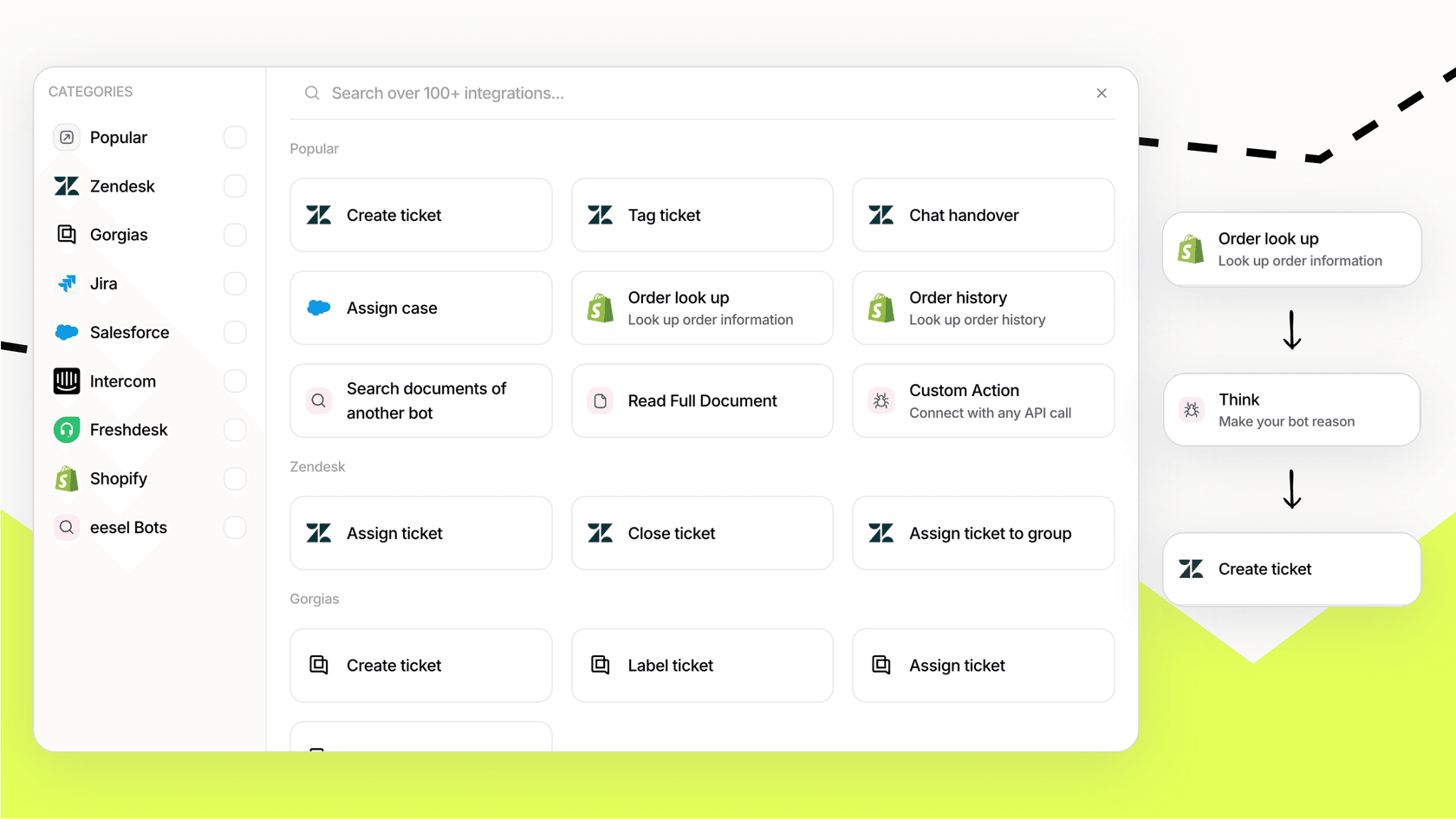
But it doesn’t stop there. eesel AI doesn't just give you information; it can take action. With its secure Shopify integration, you can configure your AI to perform tasks directly in Shopify, like looking up an order, processing a return, or even canceling an order, all without a human clicking a button. This turns your Shopify admin from a passive database into an active part of an intelligent, automated support system.
| Feature | Standard Help Desk Integration (e.g., Zendesk, Gorgias) | With eesel AI Integration |
|---|---|---|
| Information Access | Manual search across Shopify sidebar, help center, and internal docs. | Unified search across all connected sources, including Shopify, with one query. |
| Agent Reply Time | Slower; requires manual research, data lookup, and typing. | Faster; eesel's AI helpdesk agent drafts replies instantly with relevant data pulled from Shopify. |
| Ticket Resolution | Fully manual; requires agent intervention for every ticket. | Up to 81% of support conversations resolved automatically without agent input. |
| Shopify Actions | Agents can manually trigger refunds or cancellations from a sidebar. | AI can be configured to autonomously look up orders, process returns, or cancel orders. |
| 24/7 Support | Limited to agent availability. | Fully automated and available 24/7 via an AI agent. |
The cost of extending your Shopify admin: Comparing platforms
When you decide to level up your Shopify admin for customer support, you'll find that pricing models are all over the place. Some platforms charge per agent, while others charge based on usage. Let's look at a few common options.
- Zendesk: Zendesk uses a traditional seat-based model, so your costs go up every time you hire a new support agent. Their popular plans include Suite Team at $55 per agent/month and Suite Professional at $115 per agent/month (when billed annually). This can get pricey if your team is growing.

- Gorgias: Gorgias does things differently with a ticket-based model. Their Pro plan is $360 per month billed monthly for the helpdesk alone and includes 2,000 tickets and up to 500 user seats. Adding AI Agent makes it $550 a month ($471/month billed annually) with 190 automated interactions included, and your price goes up with your ticket volume.

- eesel AI: eesel AI sells fixed monthly credit plans with unlimited seats. A ticket or a chat is 1 credit, plans start at $299 for 500 credits a month, there's a Free plan with 100 credits to try it, and every integration, including Shopify, is included. This model is designed to scale with your automation, not punish you for growing your team.
Making your Shopify admin work smarter
The Shopify admin is an incredibly useful tool, but getting comfortable with its core features is just the start. The real key to scaling your e-commerce business is to extend its capabilities with smart integrations that don't just show you data but actually do something with it.
The goal isn't to add more complexity to your workflow. It's to automate the repetitive, time-sucking tasks, like answering "Where is my order?" or processing simple returns, so you and your team can focus on the stuff that actually grows your business. As e-commerce gets more competitive, AI-powered automation isn't a luxury anymore; it's a must-have for an efficient and scalable support strategy.
Take the next step: Automating support with your Shopify admin
If you're spending too much time answering the same questions over and over, it might be time to see what AI can do for your Shopify store. eesel AI works with your Shopify admin and your existing tools to automate support, streamline internal knowledge, and help your agents work faster.
Start your free trial and see if you can automate your first support conversations in just a few minutes.
Frequently asked questions
How can the Shopify admin help me manage my online store efficiently?
The Shopify admin serves as your store's central command center, consolidating all e-commerce operations. It allows you to process orders, manage products, view sales data, and adjust store settings from one unified interface, streamlining daily tasks.
Is it possible to access the Shopify admin when I'm away from my computer?
Yes, absolutely. You can access the Shopify admin from your desktop browser at shopify.com/admin, and also on the go using the dedicated Shopify mobile app for both iOS and Android devices, ensuring you can manage your store from anywhere.
What are the main features of the Shopify admin that I'll use every day?
Daily tasks within the Shopify admin primarily revolve around managing orders, products, and customer profiles. You'll also frequently use the analytics section to track performance and the marketing and discounts sections to drive sales.
When might the standard features of the Shopify admin not be enough for my growing business?
As your store scales, you may find that the out-of-the-box features of the Shopify admin create information silos, especially for customer support, requiring constant tab-switching. At this point, integrating apps or AI solutions often becomes necessary to extend functionality and efficiency.
How can AI platforms, like eesel AI, integrate with the Shopify admin to improve customer support?
AI platforms like eesel AI can connect directly to your Shopify admin and other knowledge sources to provide instant, automated answers for both agents and customers. They can also be configured to perform actions like looking up orders, processing returns, or canceling orders directly within Shopify, automating routine tasks.
What are the typical costs associated with enhancing the Shopify admin with third-party tools for advanced features?
Costs for enhancing the Shopify admin vary depending on the platform's pricing model. Some charge per agent (like Zendesk), others per ticket volume (like Gorgias), and innovative solutions like eesel AI charge based on the number of AI interactions, offering different scaling options for your business.