
What an AI FAQ page generator actually does
I've spent the last couple of years mapping keywords to what people actually search for, and at eesel I've watched our AI helpdesk agent read through thousands of real support tickets across live customer sites. So when I look at an "FAQ generator," I'm not really looking at a writing tool. I'm looking at a question-selection tool that happens to also write.
At its simplest, an AI FAQ page generator takes an input (a product, a URL, or a list of topics) and returns a structured page of questions with short answers, usually in your brand voice and ready to drop into your CMS. It's a narrow cousin of a full AI blog writer: instead of one long article, you get a tight set of Q&A blocks.
The writing part is basically solved. Any half-decent model will produce twenty fluent FAQ entries in a minute. What separates a page that earns its place from one that gets ignored is which twenty questions it picked, and whether the answers are grounded in your real product, your knowledge base and docs, or in the model's imagination.
The mistake most AI FAQ generators make
Here's the reframe that everything else hangs on. The default behaviour of an FAQ generator is to guess. You feed it "we sell project management software," and it confidently returns "What is project management software?" and "How much does it cost?" and "Is my data secure?" Reasonable-looking questions. The problem is you have no idea if anyone actually asks them, and the answers are written from a generic template rather than from how your product really works.
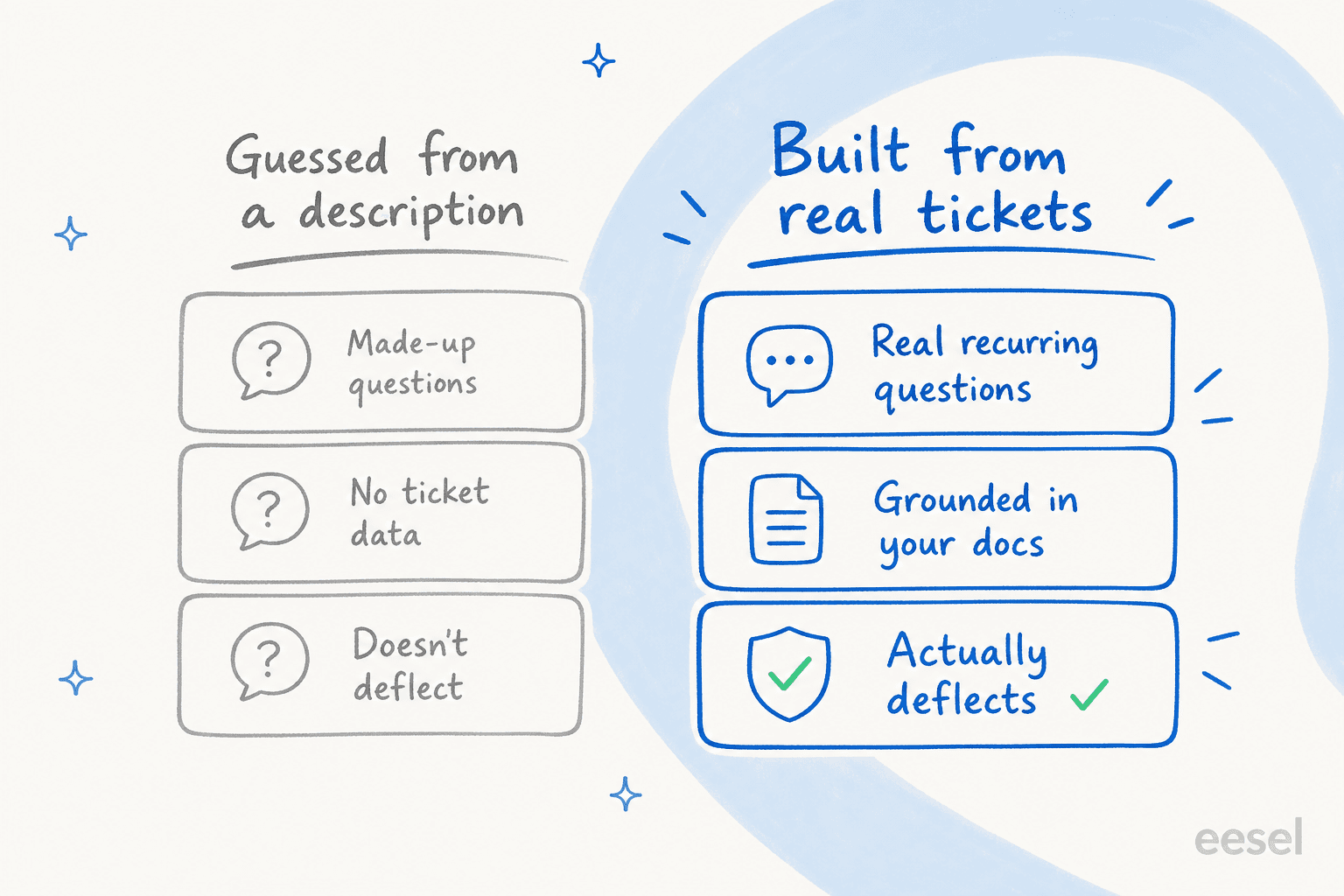
I've watched this fail in a specific, expensive way. One pattern I keep seeing: a knowledge base written for one audience but read by another. A bus-tracking support team I'm aware of had its entire help content written for transit administrators, while the tickets all came from everyday riders. A generator pointed at those admin docs produces an FAQ that's technically accurate and completely useless to the person actually reading it. The questions are phrased wrong, the answers assume the wrong reader, and the deflection is zero.
The fix isn't a better prompt. It's a better input. The questions worth answering are the ones already sitting in your ticket queue.
Where the real questions live: your ticket data
If you run any kind of support, you're already collecting the perfect FAQ research, you just haven't read it as research. Every repeat ticket is a vote for an FAQ entry. The question a customer phrases three different ways across forty tickets is the one that belongs on the page, in their words.
This is the single most-requested thing I hear from teams adopting AI customer service software: train it on our own past tickets, because that's where the truth is. It's also where the recurring questions cluster, which is exactly what you need to build an FAQ. Reading a few thousand tickets by hand to find the patterns is miserable, though, which is the part AI is unusually good at.

This is where AI ticket analysis does the heavy lifting. Point it at your history and it clusters tickets into themes, then ranks them by volume, so you get a sorted list of "here are the 20 things people ask most, by frequency." That ranked list is your FAQ outline. It's the difference between guessing and knowing, and it's why grounding an FAQ in your knowledge base and tickets beats any amount of clever prompting.
The same approach surfaces a second list that's just as valuable: the questions people ask that your docs can't answer. Those gaps are your next help-center articles, and tools that do help-center gap mapping make that loop continuous. If you're choosing software for this, my roundup of knowledge base management tools is a good place to start.
How to build an FAQ page with AI, step by step
Here's the workflow I'd actually run. It works with any decent generator; the value is in steps 1 and 2, which most tutorials skip entirely.
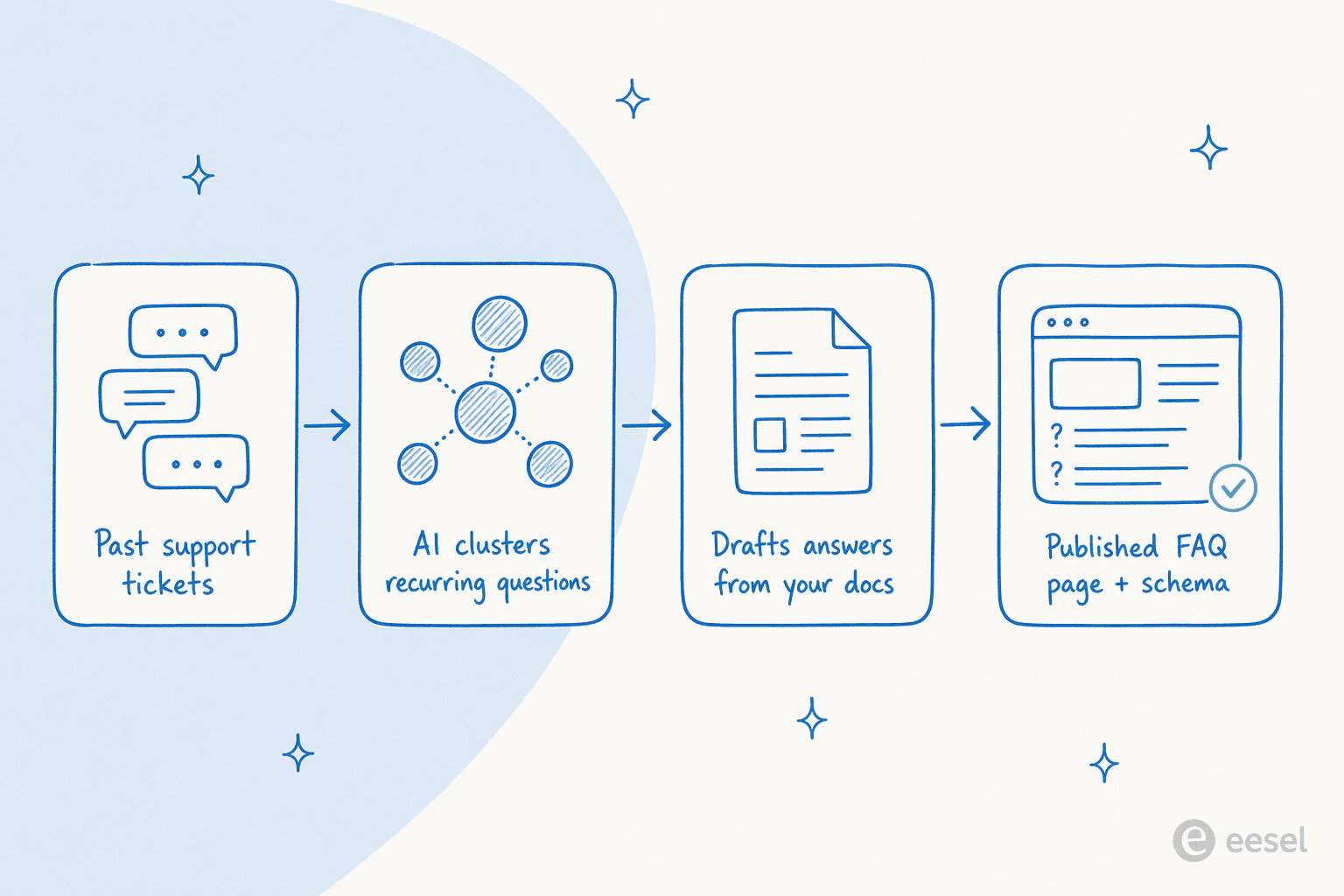
1. Pull your real questions. Export or analyse your last few months of tickets and chats, and let AI cluster them into themes ranked by volume. If you don't have ticket history yet, use search queries from your help center and your site search logs as a stand-in. Add a quick pass through eesel's free SEO keyword generator to catch how people phrase those questions in search, which often differs from how they phrase them in a ticket.
2. Ground the answers in your own docs. Feed the generator your help articles, product docs, and policies as the source, and instruct it to answer only from that material. This is the step that prevents generic, AI-flavoured filler and keeps the answers specific to your product. An AI blog writer with brand-voice training helps the tone match the rest of your site too.
3. Draft, then edit for the customer's voice. Let the tool write the first pass, then rewrite each question the way a customer would actually ask it, short, plain, no internal jargon. Keep answers to two or three sentences with a link to the deeper article. An FAQ answer's job is to resolve the question or hand off cleanly, not to be comprehensive.
4. Publish with FAQ schema, and link it up. Add FAQPage structured data so search engines and AI tools can parse the Q&A cleanly, and link every answer out to the relevant page. There's a craft to writing FAQ content that reads well and ranks; those internal links also turn the FAQ into a small hub, which is good for both readers and topical authority.
5. Keep it alive, and measure it. New ticket themes appear constantly. Re-run the analysis monthly, add the new recurring questions, and prune the ones nobody asks. Track whether the page actually moves the needle by measuring its deflection against your ticket volume. A stale FAQ is almost as bad as no FAQ.
What an FAQ page is actually worth in 2026
This is where I have to puncture a promise that nearly every "AI FAQ generator" landing page still makes: that an FAQ page gets you those expandable rich snippets in Google. For most businesses, it doesn't anymore.
In 2023, Google pulled back FAQ rich results. Per its own structured data documentation:
"FAQ rich results are limited to well-known, authoritative government and health websites."
Google Search Central, FAQPage structured data docs
So if you're not a government agency or a hospital, the FAQ schema on your page is no longer earning you that pretty result. A lot of FAQ-generator marketing simply hasn't caught up.
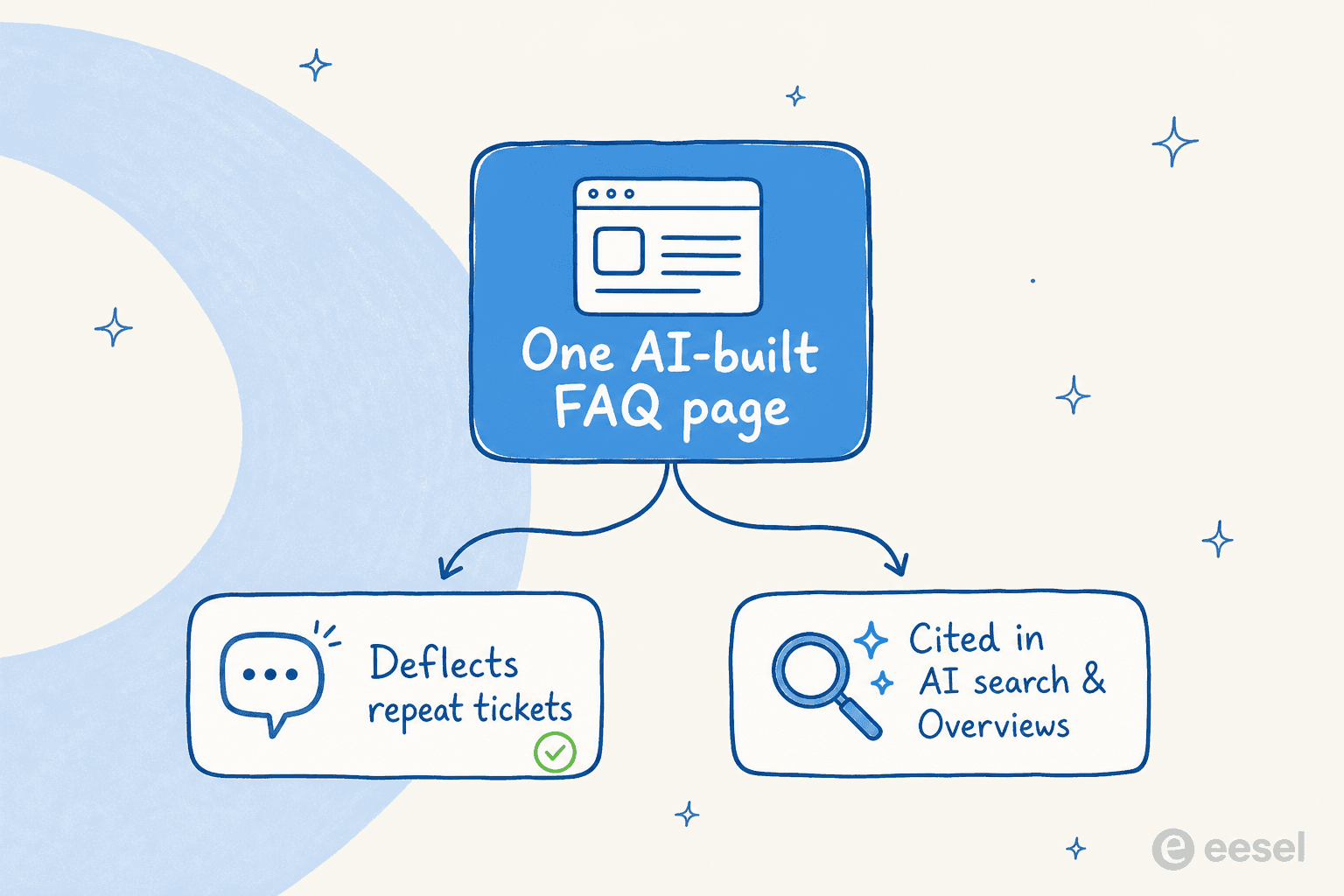
But the value didn't disappear, it moved. A good FAQ page now pays off two ways. First, deflection: it answers the question before it becomes a ticket, which is the most direct way to reduce support volume without adding headcount. Second, AI search: clean, structured Q&A is the single most quotable format for AI search engines and AI Overviews, which means an FAQ grounded in real, specific answers is exactly what gets surfaced and cited. That's the whole point of answer engine optimization.
Both payoffs depend on the same thing: real, specific answers grounded in your product. The schema is plumbing; the substance is what gets you deflection and citations.
Common mistakes to avoid
A few traps I see teams fall into, beyond the "guessed questions" one:
- Answering from training data, not your docs. When a generator can't find the answer in your material, the weak ones make something up. I've seen a support bot tell real customers it offered a product it didn't, because nobody set a confidence threshold. Ground every answer, and make "I don't know, here's how to reach us" an acceptable output.
- Writing for SEO instead of the reader. Stuffing the page with keyword-shaped questions nobody asks gets you neither deflection nor rankings. Google's spam policies name low-value scaled content directly, and a padded FAQ is a textbook example. Reach for proper AI search optimization instead of volume.
- Letting it go stale. An FAQ that doesn't track new ticket themes slowly stops matching reality. Treat it as a living page, not a launch-and-forget asset.
- Splitting your sources. If your static FAQ and your FAQ chatbot pull from different content, they'll contradict each other. Point both at one source of truth.
Try eesel for the questions a page can't answer
A static FAQ page handles the predictable questions and powers knowledge-based self-service. The long tail, the oddly-phrased ones, the "but what about my specific situation" follow-ups, still come in as tickets. That's the half an FAQ page can't reach, and it's where eesel fits.

eesel learns from your past tickets and help docs on day one, so it answers in your voice and resolves what your team already resolves, whether that's drafting FAQ-style content with the AI blog writer or fielding live questions through the AI helpdesk agent. It uses confidence-based routing so low-confidence questions get handed to a human instead of guessed at, which is the guardrail that stops the hallucination problem above.
One team, a gig-economy driver app on Zendesk, resolved 73% of tier-1 requests in their first month, with results inside a 7-day trial. You can connect your helpdesk and simulate it against your own historical tickets before it ever talks to a customer. It's free to try.
Frequently Asked Questions
What is an AI FAQ page generator?
Do AI-generated FAQ pages still help with SEO in 2026?
How do I write FAQ answers that actually deflect support tickets?
What's the best way to build an FAQ page with AI for free?
Should the FAQ page be static, or should it be a chatbot?
Will AI-generated FAQ answers hallucinate?
How many questions should an AI FAQ page have?


Article by
Kurnia Kharisma Agung Samiadjie
Kurnia is a software engineer and writer at eesel AI with two years of SEO experience, writing about AI tools, helpdesk software, and customer support. He pairs a developer's understanding of how these products are built with search-driven research into what actually ranks and resonates with the people searching for them.