

Trying to get noticed on a packed Google search page can be a challenge. For a time, FAQ dropdowns (rich snippets) were a helpful way to secure more space and clicks. But Google changed the rules, and now those snippets are much harder to get.
So, is FAQ schema no longer useful? Not at all.
This guide will break down what FAQ schema is, why it’s still important for technical SEO, and how a faq schema generator can simplify the process. We'll also show you how to automate it, which is how we handle SEO with the eesel AI blog writer.

What is FAQ schema?
Before we get into the "FAQ" part, let's quickly cover structured data. Think of it as a specific language you use to communicate directly with search engines. Instead of letting them guess what your content is about, you can label it for them. You're essentially telling Google, "This number is a price," or "This text is an ingredient in a recipe." It removes the guesswork and helps them understand the context of your page.
FAQPage schema is just one type of this language. It’s a specific piece of code that tells search engines that a section of your page is a list of frequently asked questions and their corresponding answers.
The updated reality of FAQ rich results
Here’s the big change you need to be aware of. In 2026, Google announced it would scale back the visible FAQ rich results (the dropdowns in search) to only show for "well-known, authoritative government and health websites."
So, if you don't fall into that category, what's the point?
Even without the dropdown, the markup still gives search engines a clear picture of your content. This helps them match your page to very specific questions from users, builds your authority on a topic, and can even affect how your info shows up in other places, like AI-generated search answers. It's still a solid move for your technical SEO.
FAQPage vs. QAPage schema: What's the difference?
It's easy to get these two mixed up, but they have different jobs.
FAQPage: Use this when you, the site owner, are the one writing both the questions and the answers. This is what you’ll use for most company FAQ pages, product pages, or blog posts where you're answering common questions.QAPage: This is for pages where users can submit their own questions and other users can post answers, like a forum or a Q&A board. Google's guidelines are pretty specific about this distinction.
For most businesses and content creators, FAQPage is the one you'll be working with 99% of the time.
How does an FAQ schema generator work?
You don't need to be a coding expert to use FAQ schema. That's where a faq schema generator steps in. It's a tool that does the heavy lifting for you: you feed it your questions and answers in plain text, and it gives you back the correctly formatted code.
The code it creates is usually in a format called JSON-LD (JavaScript Object Notation for Linked Data), which is what Google recommends. It might look a bit intimidating at first, but you don't have to write it yourself.
Here's a sample of what the generated code looks like:
<script type="application/ld+json">
  {
    "@context": "https://schema.org",
    "@type": "FAQPage",
    "mainEntity": [
      {
        "@type": "Question",
        "name": "What is FAQ schema?",
        "acceptedAnswer": {
          "@type": "Answer",
          "text": "FAQ schema is structured data that describes a page’s FAQ content in a machine-readable format, helping search engines understand the questions and their accepted answers."
        }
      }
    ]
  }
</script>
Once you have this code, you just copy and paste it into your page's HTML, usually in the <head> section or just before the closing </body> tag.
Best practices for using an FAQ schema generator
Using a generator is simple. But to make sure Google actually uses your schema, you have to follow the rules. Cutting corners can mean your markup doesn't work or gets ignored entirely.
Key content guidelines from Google
These are the rules you absolutely cannot break.
- Match visible content: The questions and answers in your schema code must also be visible to the user on the page itself. You can't stuff a bunch of hidden FAQs into your code. Google is strict about this.
- Be helpful, not promotional: The goal of an FAQ is to answer a question. Don't use the answer field as a sneaky spot for ad copy.
- Ensure validity: Only use
FAQPageschema if your page has a list of questions, each with one direct answer. If users can submit their own answers, you have to useQAPageinstead.
Strategic best practices
Following the rules is one thing; using schema to your advantage is another.
- Target supporting intents: Think about the questions or roadblocks your customers might face. Use the FAQ section to address topics like pricing, compatibility, or how to get started. This helps you cover all the related sub-topics around your main keyword.
- One canonical source: Try to avoid repeating the exact same question and answer on multiple pages of your site. If a question is relevant everywhere, it's better to place it on a dedicated FAQ page or your most important service page. This prevents splitting its authority.
- Keep answers direct: Get right to the point. Answers should be short but complete. If a question needs a long explanation, give a summary in the FAQ and link out to a more detailed blog post.
Popular FAQ schema generator tools
There are many free tools that can create FAQ schema in seconds. These are effective for single-page tasks, but they typically operate separately from your main content creation workflow.
I got tired of bloated SEO plugins, so I built a free FAQ Schema Generator (Dark mode, No signup)

Saijo George's JSON-LD FAQ Schema Generator
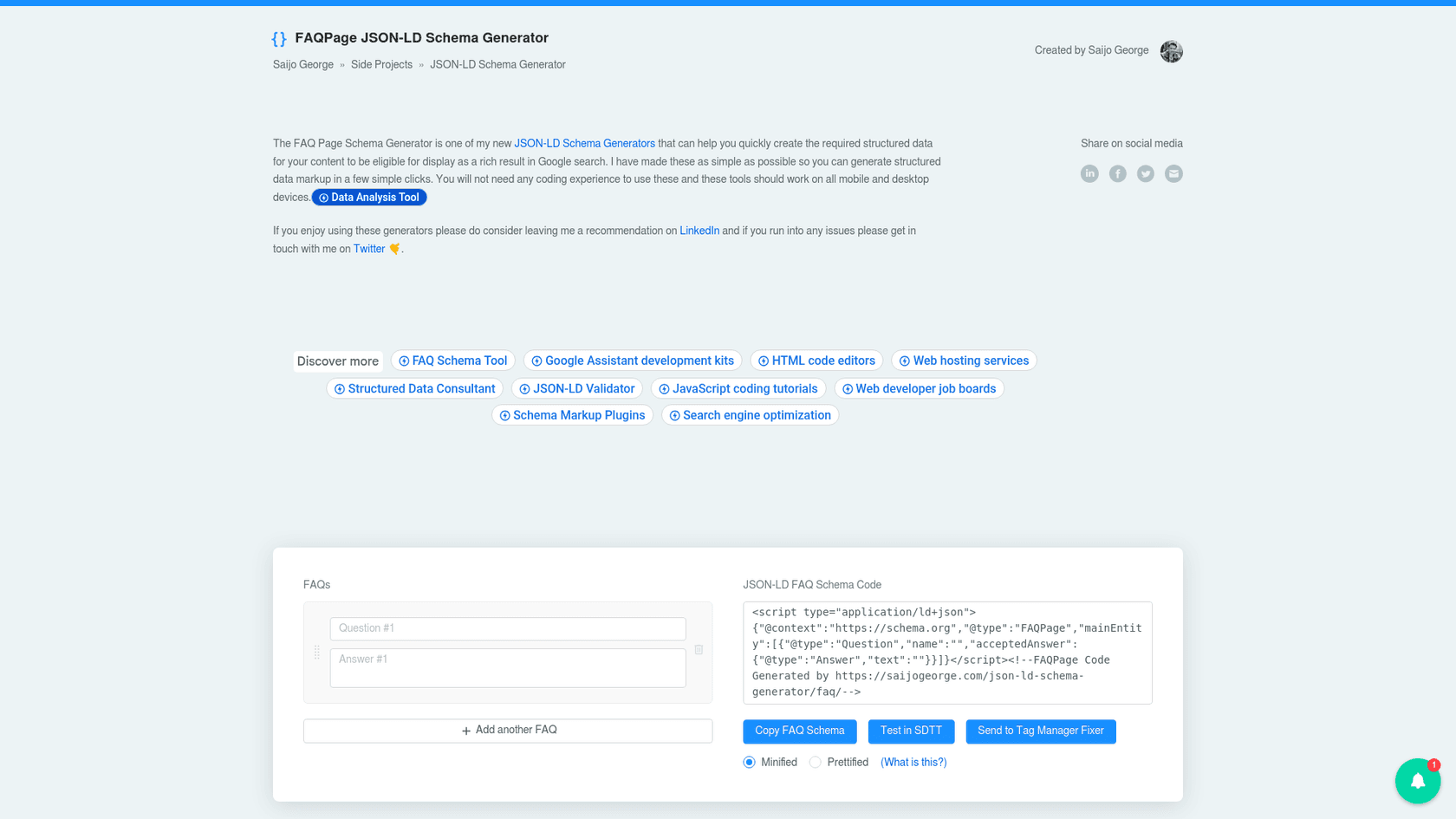
This is a no-nonsense tool from Saijo George, a respected SEO expert. It has been a favorite in the SEO community for years because it's simple and reliable.
- Best for: Quickly generating schema for a single page without any distractions.
- Workflow: The process is manual. You have to copy your content from your CMS, paste it into the tool, then copy the code back over.
SEObot AI's FAQ Schema Generator
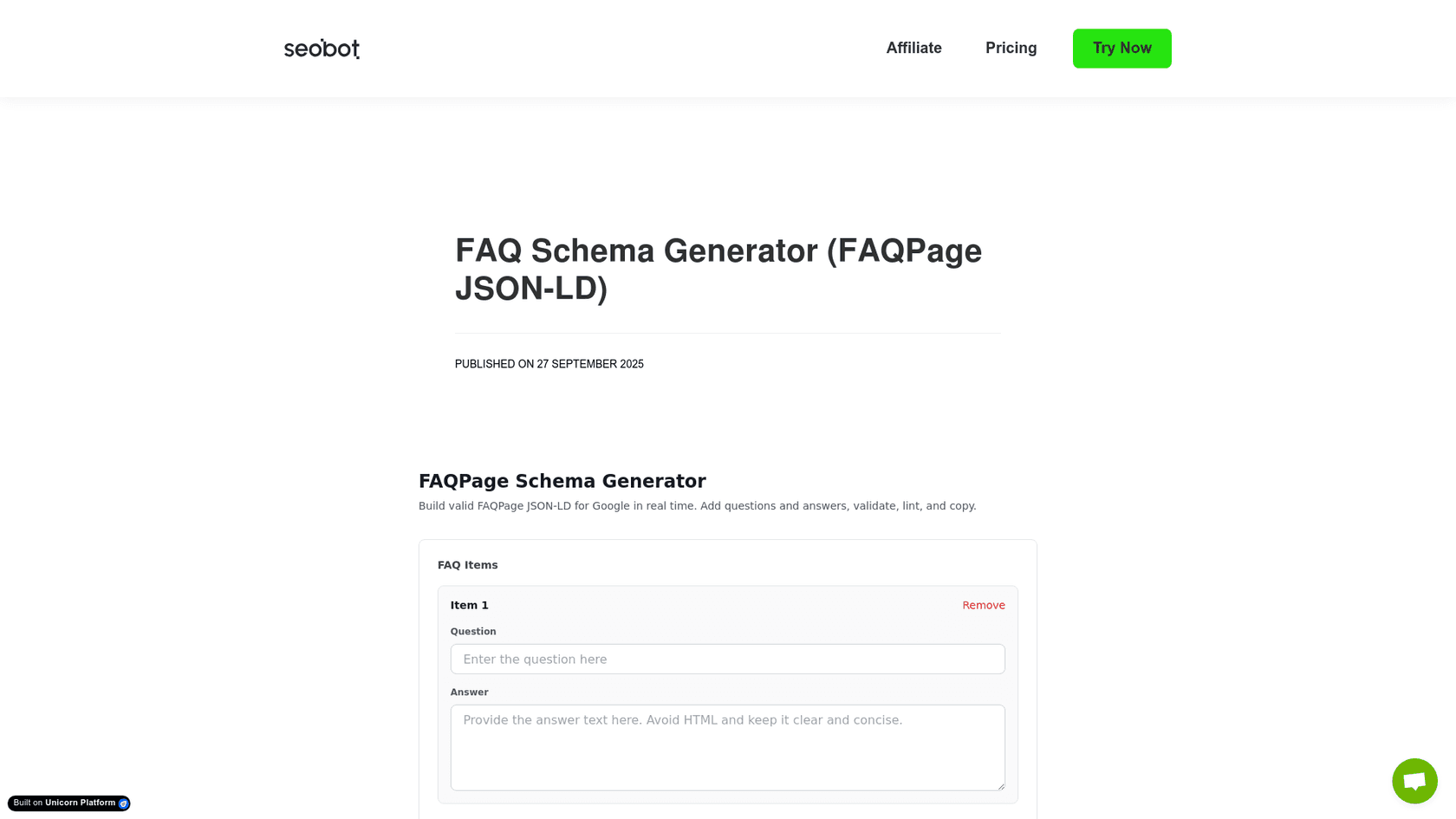
The generator from SEObot AI is another solid choice. It not only creates clean code but also provides helpful tips right on the page.
- Best for: Marketers who want a simple tool with a bit of built-in guidance.
- Workflow: Similar to other standalone tools, the workflow involves separate steps for content creation and schema generation.
Jasper's FAQ Schema Generator
Jasper's FAQ schema generator is part of its AI chat. You provide your questions and answers in a prompt and ask it to create the JSON-LD code.
- Best for: Teams who are already using the Jasper platform.
- Workflow: This generator is part of the Jasper AI writing suite, with paid plans. Users still need to write the FAQs themselves before generating the code.
Automating schema generation with the eesel AI blog writer
Manually creating schema for every blog post can be time-consuming and introduces opportunities for error. An alternative approach is to integrate schema generation directly into the writing process.
That's what the eesel AI blog writer does. When you give it a keyword, it doesn't just write a blog post. It researches and writes a relevant FAQ section and automatically embeds the valid FAQPage schema code right into the output. No extra steps or other tools are needed.
This integrated approach has several benefits:
- Fully automated: It creates both the FAQs and the valid schema with zero manual work.
- Context-aware: The questions it generates are tailored to your blog's topic and brand, so they are useful for readers and aligned with search intent.
- Complete assets included: It’s not just about text. eesel AI also generates images, finds relevant YouTube videos, and pulls in real quotes from Reddit to make your content more engaging.
This all-in-one approach is how we grew our own blog from 700 to 750,000 daily impressions in just three months.
How to validate your schema code and check for errors
Once you've added the schema to your page, the last step is to make sure it's working. A quick test can prevent issues later on.
- Step 1: Google's Rich Results Test
- This is your most important tool. Go to the Rich Results Test and enter your URL. It will tell you if your page is eligible for rich results and if Google considers your FAQ schema valid.
- Step 2: Schema Markup Validator
- For a more technical look, use the official Schema Markup Validator. This tool checks your code against the official Schema.org standards and can spot syntax errors that other tools might not catch.
- Step 3: Google Search Console
- After Google has indexed your page, check the Rich result status reports in Google Search Console. It will flag any site-wide errors or warnings related to your FAQ markup over time.
For a visual walkthrough of how these tools work in practice, from generation to validation, check out this helpful video.
Integrating schema into your content workflow
FAQ schema is a simple yet effective tool for helping search engines understand your content on a much deeper level. While a faq schema generator makes the technical part easy, the most efficient approach is to build schema creation directly into your content workflow.
By treating content and schema as part of the same task, you can scale your content production without worrying if each post is technically optimized to rank.
To see how an integrated tool works, you can generate a complete, SEO-optimized blog post with FAQ schema built-in. Try the eesel AI blog writer.