Magento downloadable products: why a customer can't download

Rama Adi

Katelin Teen
Last edited November 6, 2026

A Magento download link opens only when three things line up: the order item has reached the status set in Order Item Status to Enable Downloads (Invoiced by default), the purchased link reads Available, and downloads are left or unlimited. A held, cancelled or payment-review order flips links off, and a fully used or refunded link turns Expired, which the code I read never reverses. I found no admin screen to reset a customer's count, so that fix is a developer's database edit or a replacement order. eesel's Magento integration reads the order, its status and hold state live, but its documented actions do not touch link status. With the eesel CLI, a coding agent can upload your approved download policy and ask test questions like "I paid, where is my file?" before go-live. A Magento admin still has to connect the store.
Pick a ticket type to get the first three checks. Each one comes from Adobe's docs, Magento's open source code or a public bug report, covered below.
Why can't a customer download their Magento product?
Because the link failed one of three gates, and the storefront gives the customer almost no clue which one. I'm Rama, I ship the integrations and APIs at eesel, and I went through Adobe's downloadable product guide, its configuration reference and the open source Downloadable module (2.4-develop, checked on 6 November 2026, so your release may differ) to find them.
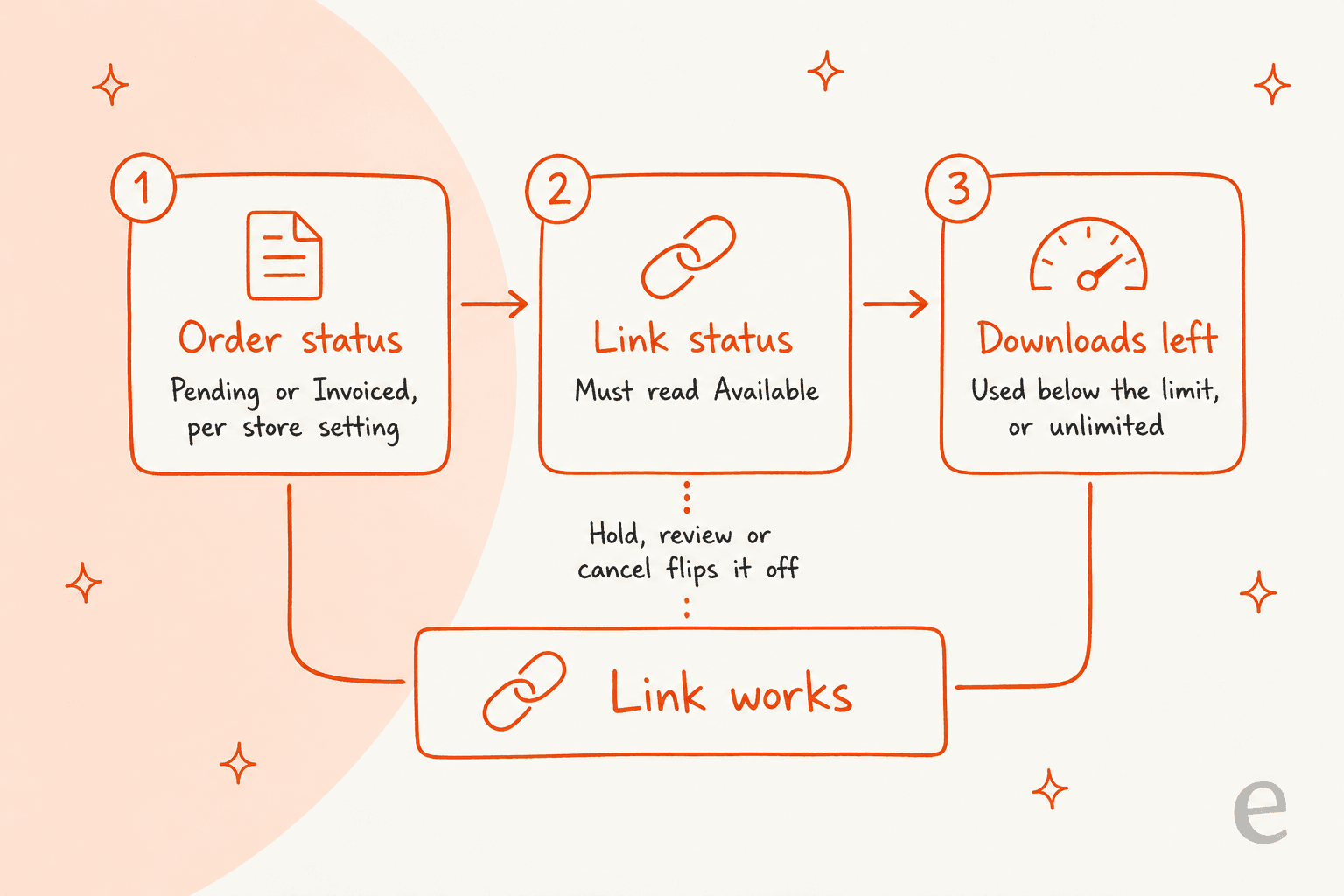
The download controller in the module shows the logic. It looks the link up by its hash, then lets the download through only if the purchased link's status is available and either downloads remain or the bought count is zero (unlimited). Anything else redirects the customer back to My Downloadable Products with a short notice. So there are really two stored facts per link, a status and a count, and one setting that decides the status when the order is created.
Most "I paid but can't download" tickets are a status problem, not a count problem, because a link starts life as Pending and only moves to Available when the order qualifies. The next section covers that rule.
Which order status unlocks the download?
The one set in Order Item Status to Enable Downloads, which is Invoiced by default. You find it at Stores > Configuration > Catalog > Catalog > Downloadable Product Options, and Adobe lists it at website scope with two options, Pending and Invoiced. The module's default config value is 9, which is the order item status code for Invoiced.
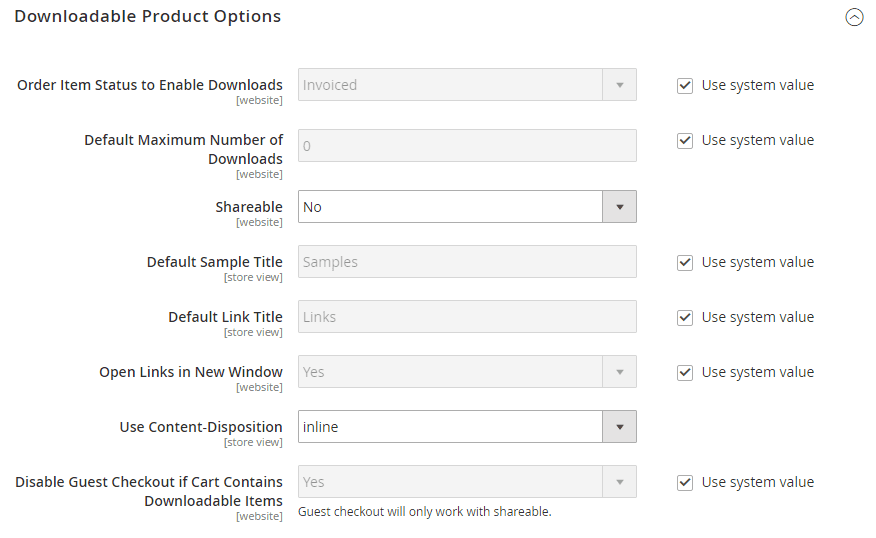
In practice the setting means this for a new order:
| Setting | When the link becomes Available |
|---|---|
| Pending | As soon as the order is placed, before payment is captured |
| Invoiced (default) | Once the downloadable order item is invoiced |
Adobe's storefront section says downloads "become available from the customer's account when the order is complete". That is not what the code does. The observer that creates the links marks them Available when the item status matches the setting, or when the order is already complete, so I would trust the setting over that sentence.
What happens afterwards is driven by the order state. The code that runs on every order save sets links back and forth:
| Order state | Link status written |
|---|---|
| On Hold | Pending |
| Pending Payment | Pending payment |
| Payment Review | Payment review |
| Canceled, Closed or Complete | Available, or Expired if the item is cancelled or refunded |
| Anything else (for example Processing) | Available if the item is Invoiced or matches the setting |
A real-world wrinkle: a public report, Magento issue 27590, describes a 2.3.4 store where an order with both a downloadable and a shipped product stayed on "Link not available" after payment and invoice, until the order was shipped and reached Complete. It was archived in May 2021 without a confirmed fix, so I cannot tell you which releases still do this. If your mixed-order customers wait for shipment, test it on staging.
What does each link status mean to the customer?
Five stored statuses exist, and only two produce a working link. These are the values defined in the module and the notice each one shows.
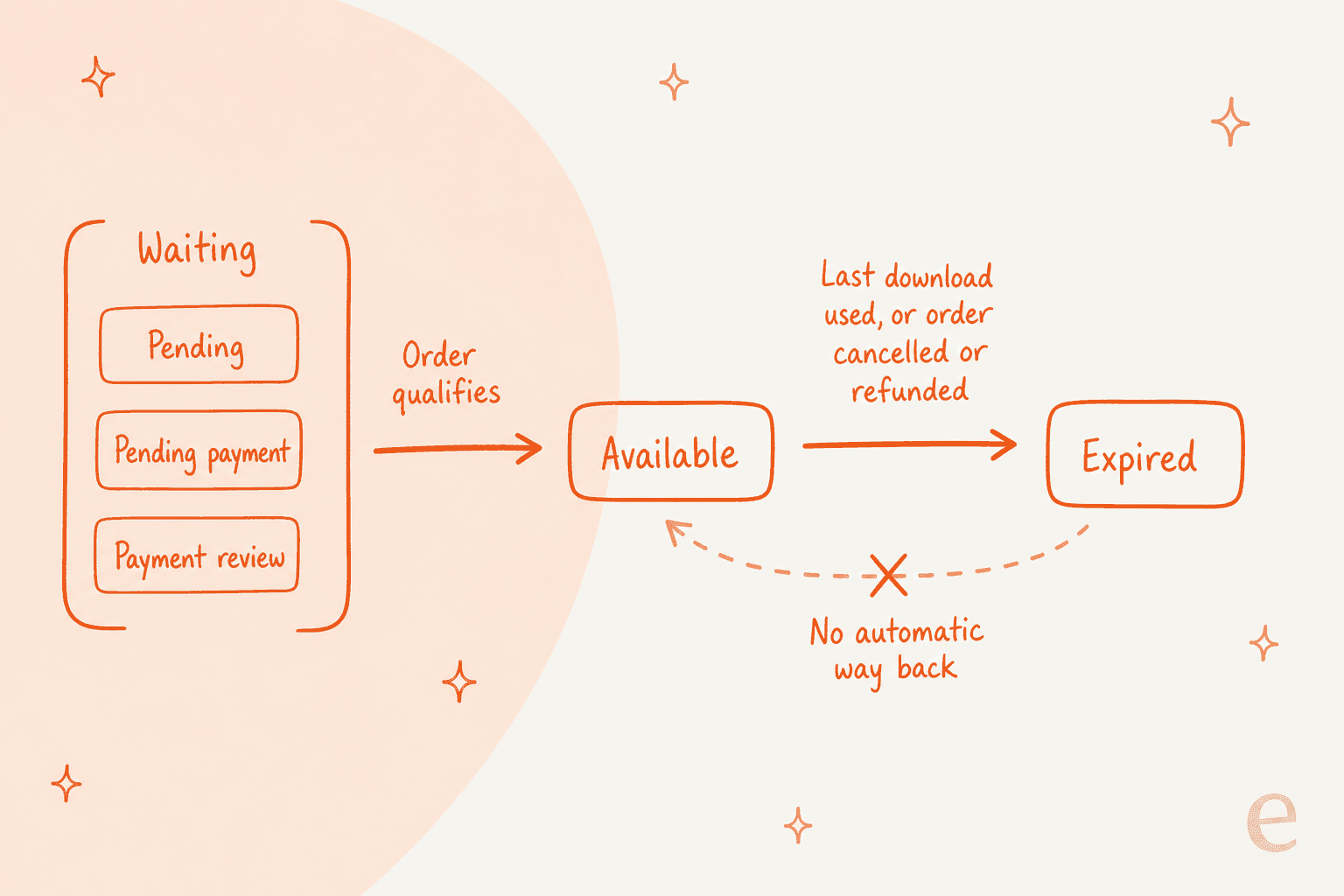
| Link status | What the customer sees | Support translation |
|---|---|---|
available with downloads left | The file downloads | Nothing to fix |
pending | "The link is not available." | Hold, or the order is not invoiced yet |
payment_review | "The link is not available." and hidden from the list | Payment is under review |
pending_payment | Hidden from the list | Payment never returned from the gateway |
expired | "The link has expired." | Count used up, or cancelled or refunded |
| Missing record | "We can't find the link you requested." | Wrong account, or the link was never created |
Two more messages matter. "Something went wrong while getting the requested content." is the catch-all, shown when the status is unknown or the file transfer throws. And not being logged in on a non-shareable link sends the customer to the sign-in page with "Please sign in to download your product", covered below.
The most important line in that table is the last status. In the code, the observer that rewrites link statuses skips any link already marked expired. An expired link does not come back by itself, even if you unhold, re-invoice or reopen the order. That one detail is why "it worked yesterday" tickets are harder than "it never worked" ones.
Why is the link missing from My Downloadable Products?
Two filters sit behind that page, and both are invisible to the customer. Adobe describes the page as one that "links to each order of downloadable products", with columns for order number, date, title, status and remaining downloads.
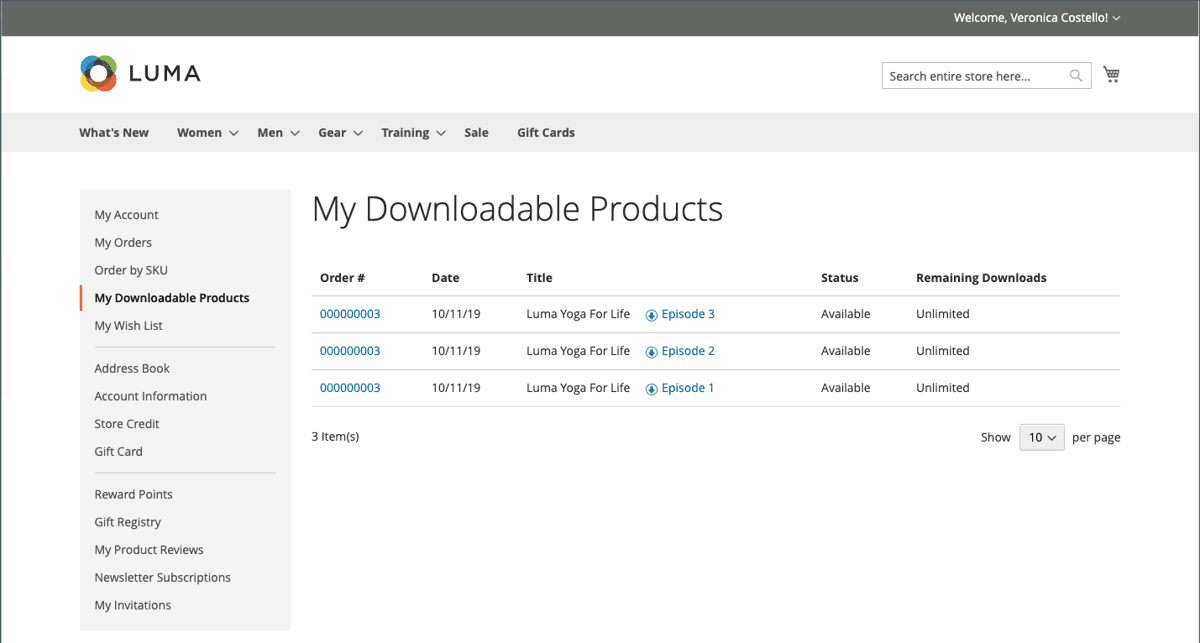
In the list block's code, the page loads purchases where customer_id equals the logged-in customer, then drops any link whose status is pending_payment or payment_review. So a link can be missing for three reasons:
- The order is still in Pending Payment or Payment Review. Hidden by design, and it appears once the status moves on.
- The order was placed as a guest. A guest purchase has no customer ID, and the observer that attaches the customer ID to purchased links only runs when the order has one. I did not find code that attaches an old guest order when that person later registers, so confirm on your version before telling a customer it will show up.
- The customer is logged in under another email. Common with a work and a personal address, and cheap to check first.
For the order side of the same "where is my stuff?" question, see the order tracking support guide and the WISMO automation playbook.
What does "number of downloads" actually limit?
Each purchased link carries its own counter, and the limit is fixed at purchase time. The product form has Max. Downloads and an Unlimited checkbox per link, and the store config adds a default (0 out of the box, meaning unlimited).
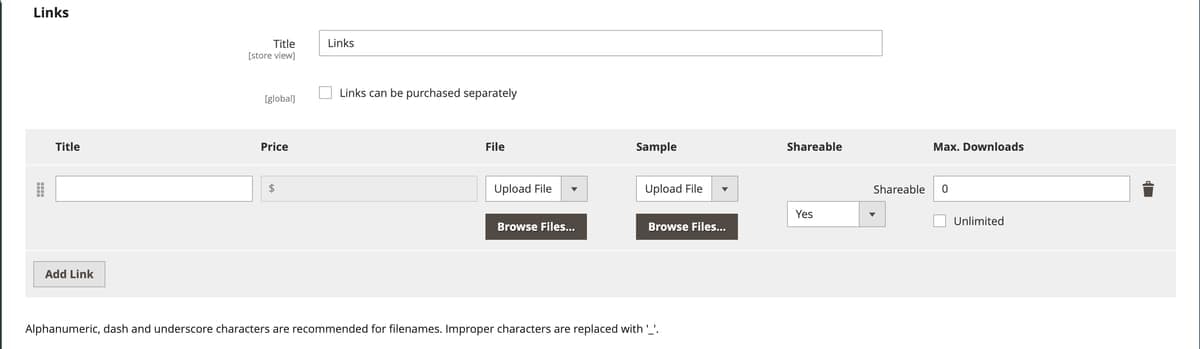
From the order-item observer I read four facts that answer most limit tickets:
- The limit is multiplied by quantity. The bought count is the link's Max. Downloads times the ordered quantity, so three copies with a limit of 5 allow 15 downloads.
- It is copied onto the purchase. Editing the product's limit later does not change an order already placed.
- Zero means unlimited. The page shows "Unlimited" when the bought count is zero, and the controller skips the check.
- The last allowed download flips the status to Expired. After a successful download the used count goes up by one, and if no downloads remain the link is marked expired.
In the code I read, the counter increases only after the file transfer returns, and a thrown error shows the "Something went wrong" notice without using up a download. I did not test that on a live store, so treat it as what the code says.
The same job is done differently elsewhere. WooCommerce keeps a per-order permission with its own limit and expiry, as the download permissions guide shows, and that is the model many customers expect.
What about guests and shareable links?
Guests can download only through a shareable link. Two settings decide it, both at website scope per Adobe, and the defaults lock guests out.
| Setting | Default | What it does |
|---|---|---|
| Shareable | No | No means the customer must log in to reach the link. Yes lets the link be emailed and shared |
| Disable Guest Checkout if Cart Contains Downloadable Items | Yes | Yes forces guests to register or sign in. The field's own note says guest checkout only works with shareable links |
The product's link row has its own Shareable value (No, Yes or Use Config), which is why one product can behave differently from the store default. In the guest-checkout observer, a downloadable cart is blocked when guest checkout is disabled or when any link in it resolves to not shareable.
When a customer clicks a non-shareable link without a session, the controller shows the sign-in notice and sends them to authenticate. If they sign in with a different account than the buyer's, the code compares the customer ID on the purchase and answers "We can't find the link you requested." That message is the tell for a wrong-account ticket. A guest asking to recover an email address or password is a separate flow, covered in password reset requests.
One more edge: Adobe's guide says a link to an external resource cannot be used as a downloadable product, because valid domains are predefined in env.php. A product whose URL domain is not allowed will fail, and I would treat that as a developer ticket.
How do admins re-enable or reset a download?
Only partly through the admin, and the honest answer is that I could not find a documented reset. Here is what I checked and what I could not confirm.
- Admin settings. Adobe documents the store config, the product link fields and the Orders views. None of the pages I read describes a button to clear a customer's used downloads or to revive an Expired link.
- Un-holding an order. This moves Pending links back to Available if the order qualifies, because the observer runs again on save. It does nothing for an Expired link.
- Invoicing an order. Under the Invoiced setting, creating the invoice makes the item Invoiced, and the same observer then marks its links Available. Pending links recover this way. Expired ones do not.
- The data. Counts and status live in the
downloadable_link_purchased_itemtable, innumber_of_downloads_used,number_of_downloads_boughtandstatus. Resetting them is a database change, done by a developer on a backup-first basis. This is my reading of the schema, not an Adobe procedure, and extensions may add admin screens I did not look at. - The safe alternative. Place a replacement order for the customer at zero cost, so a fresh purchase and fresh links are created, and note why on the original.
The refund path deserves a warning. In the observer, a cancelled order marks its downloadable links Expired, and so does an item whose ordered quantity minus refunded quantity is zero. So a credit memo on a digital item closes the download for good. That is usually right, but it means a refund issued "to calm things down" cannot be walked back by invoicing again. The credit memo questions guide covers what a credit memo does and does not move, and the refund approval matrix is a useful rule set for who may press it.
What is the diagnostic checklist for a download ticket?
Run these in order. Most tickets end by step four.
- Get the order number and the email the customer is signed in with. Wrong-account tickets end here.
- Read the order status and the order state. Hold, Payment Review and Pending Payment all hold links back.
- Check for an invoice. Under the default setting, no invoice means no unlock.
- Read the link status and Remaining Downloads on the customer's page if you can see it, or ask for a screenshot.
- Check for a cancel or a credit memo against the downloadable item. If one exists, the link is Expired by design.
- Check Shareable and guest checkout for guest tickets, and the product's own link setting.
- Check the file. A missing file or a disallowed URL domain shows as the generic error. Escalate with the order number and product SKU.
- Decide the fix. Unhold or invoice for Pending, a developer for a reset, a replacement order when the customer needs the file now.
If the product is a physical-plus-digital bundle, the grouped order items and bundle price guides explain why order lines look the way they do, and reorder unavailable covers the other "I can't get my item again" ticket.
What should support tell the customer?
Say which gate failed in plain words, say what happens next, and never promise a reset you cannot make.
| Customer says | Check first | Safe reply stance |
|---|---|---|
| "I paid but there is no download" | Invoice and order status | Explain the link unlocks when the order is invoiced, and say you are checking it |
| "It says the link is not available" | Hold, Payment Review, mixed order | Say it is waiting on a payment or order check, and give a time you will come back |
| "It says the link expired" | Remaining Downloads, credit memo | Say the download allowance is used, and offer what you can: a replacement order if policy allows |
| "It asks me to sign in" | Shareable, guest checkout, account email | Ask which email they bought with, and send them to log in with it |
| "I can't find My Downloadable Products" | Guest order, wrong email | Check the order's customer assignment before anything else |
| "I need it re-sent" | Order email setting, link status | Resend the order email only after the status is Available |
For tone on a money-moving reply, borrow from the refund request and refund macro guides, and keep handoffs per the AI agent handoff guide.
What can eesel do on a Magento download ticket?
Look up the order and its state, then draft a reply from your policy. It cannot read or reset a link, and the docs do not claim it can. eesel's Magento docs list the read actions that matter: Get Order by ID, Get Orders by Email, Get Product and Check Stock Status. The write actions are Refund Order, Cancel Order, Hold Order, Unhold Order, Send Order Notice, Update Customer Address and Create Return (Adobe Commerce only). None of them mentions downloadable link status, download counts or a link reset, so I would not let an agent tell a customer how many downloads remain.
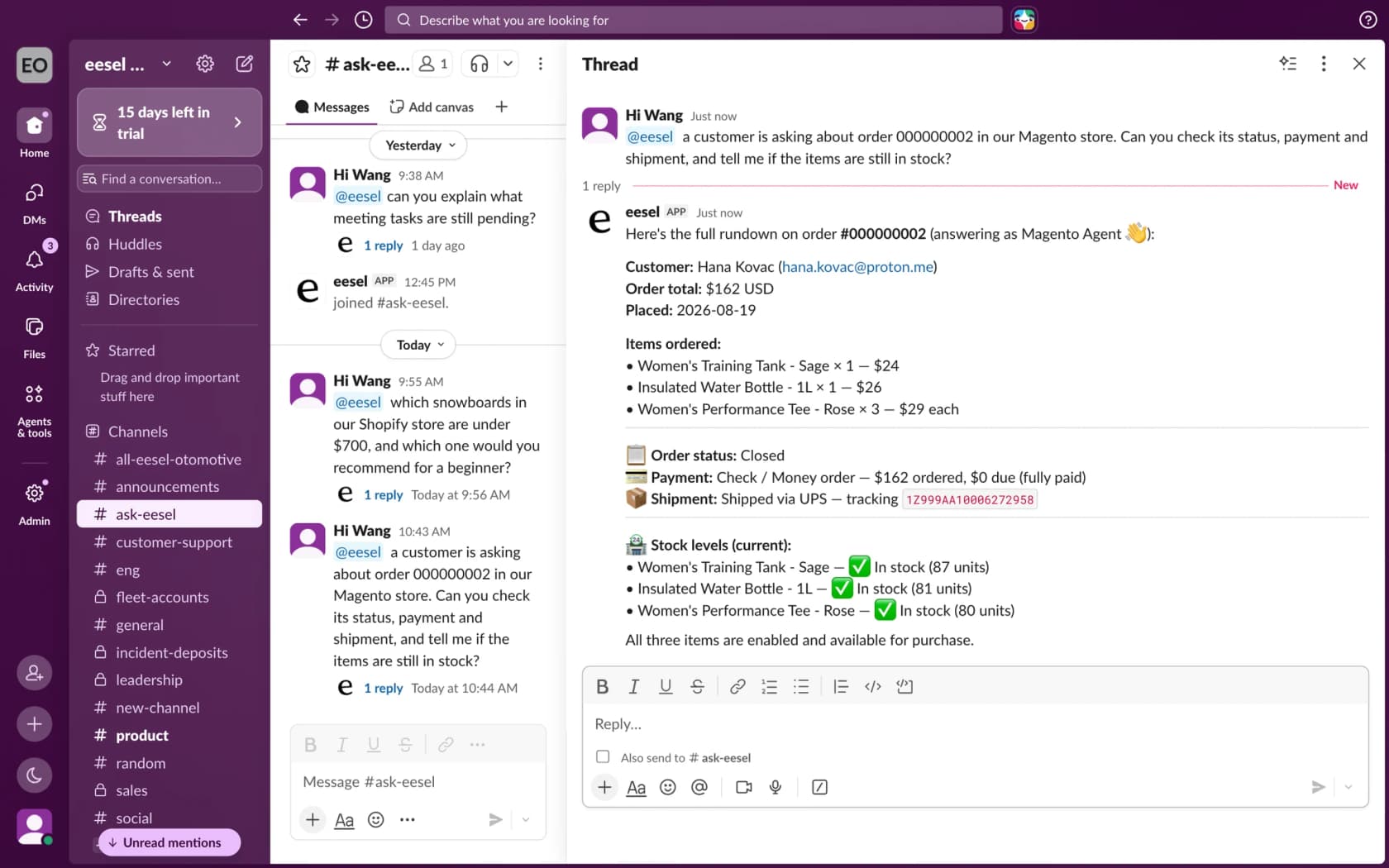
Three details connect the docs to the link rules above, and they are the reason I would gate the write actions behind approval:
- Hold Order sets links to Pending. The code switches a held order's links to Pending, so a fraud hold explains a "not available" ticket. Unhold Order releases it, and links return to Available if the order qualifies.
- Cancel Order expires links for good. Per the observer, a cancelled order's links become Expired and stay that way.
- Refund Order can expire them too. A full-quantity refund of a digital item does the same. eesel refunds only orders paid by an offline method, and a card order has to be refunded in the Magento admin, so check the payment method first.
Question Beauty shows the careful pattern, though on Shopify and Gorgias, not Magento, and with physical goods. Many of its messages are a product name and "price?", and eesel answers a price only from the current product page or shares the link instead. It also checks the Shopify order before answering any order question. Between 8 August and 8 September 2026, eesel handled about 990 Gorgias tickets for it, sent about 960 replies and looked up about 290 orders. Refunds, returns and complaints go to a person with a note. The same rule fits download tickets: the status comes from the live order, and a person owns anything that expires or refunds a link.
How eesel handles download questions in Magento
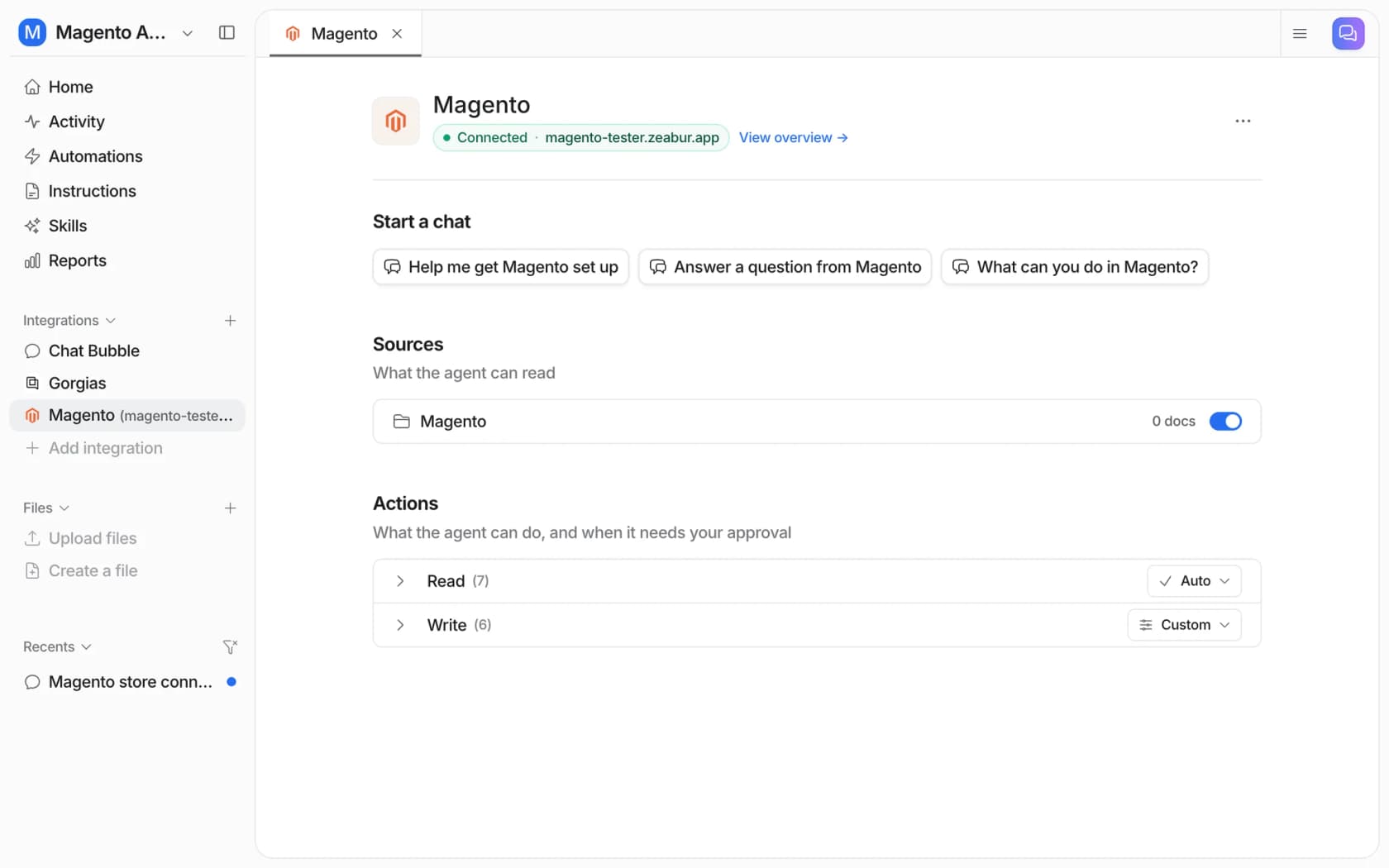
eesel works on Magento 2, Open Source and Adobe Commerce, and answers in your helpdesk, in Slack or in the storefront chat bubble. For download tickets I would set the agent to do four things: read the order and hold state, compare it with your invoice and shareable rules, name the likely gate in a draft, and hand over anything that needs a reset or a file fix. Give it the Sales / Orders read resource, and keep Hold, Cancel and Refund behind approval.
If you want to script the setup, the eesel CLI lets a coding agent start the Magento connection, upload your download policy and replacement-order rules, and ask test questions before anything goes live. Creating the Magento integration and pasting its keys still needs a person with Magento admin access.
Pricing is by credit, not per seat: a free plan with 100 credits, then from $299 a month for 500 credits, per eesel pricing. Test on past tickets first, as the simulation testing guide describes. For setup and the wider picture, these guides help:
- Add AI to Magento
- Magento chat widget
- Best AI for Magento
- Gorgias and Magento, with the Gorgias integration
- Magento live chat
- Magento AI overview
- Magento pricing
- Magento review
- Magento alternatives
- Configurable product stock
- Ecommerce support contact rates
- Order management
- Order status chatbots
- Pre-purchase questions
- Returns automation
- Billing disputes
- Approval workflows
- Ecommerce FAQ examples
- Refund automation how-to
- WooCommerce coupon rules
Try eesel for Magento download tickets
If your queue has "I paid but I can't download" tickets, eesel can read each Magento order's status and hold state before anyone opens the ticket, and draft the reply that names the likely gate, with a person still sending anything that expires a link or moves money. The free plan's 100 credits are enough to run it over a batch of real order tickets. Try eesel and see how it does on yours.
Frequently Asked Questions
Why can't my customer download a Magento downloadable product after paying?
Why is the download link not showing in My Downloadable Products?
How many times can a customer download a Magento product?
How do I reset a Magento download limit for a customer?
number_of_downloads_used column of downloadable_link_purchased_item, so a developer edits it, or you create a replacement order. Route these through AI escalation rules, not the agent.