WooCommerce guest order tracking: how guests find their order, and what to add

Riellvriany Indriawan

Katelin Teen
Last edited November 5, 2026

WooCommerce guest order tracking works, but only through one form you have to add yourself: the [woocommerce_order_tracking] shortcode, which asks for the order ID and the billing email and then shows the order status and customer notes, not a carrier tracking number. Put that form on a page linked from every order email, and add a tracking plugin so a number shows up.
A guest "where is my order?" email is usually a lookup the shopper couldn't finish. eesel finishes it: it reads the order live and answers in your chat or helpdesk. With the eesel CLI, an AI coding agent can print the connect link for an admin to approve, then ask test order questions before go-live.
Why guest order tracking turns into support tickets
I'm on the eesel support team, so I see the question in its rawest form every day: "where is my order?", usually sent from an email address that has no account behind it. On WooCommerce stores that pattern is baked in. When someone checks out as a guest, WooCommerce's settings doc says plainly that "guest orders are not tied to a WordPress user account." No account means no My account > Orders page, which is where a logged-in shopper would look first.
So the guest does the next logical thing and emails you.
"we are constantly being emailed from customers who checked out as a guest to either edit their address or because they want to see their order on our website. Is there a way to do this?"

The volume is real. In our own customer records, Question Beauty had eesel look up about 290 orders in a month, across about 990 helpdesk tickets, before answering delivery and order questions. Their store runs on Shopify, but the question is the same on any platform: the shopper wants the order, and the store is the only one who can find it.
The same pattern shows up in the AI order tracking guide. For the wider numbers, ecommerce support contact rates break down how much of a queue order questions take, and WISMO automation covers the general fix.
Turning off guest checkout looks like a shortcut, and it isn't. WooCommerce's own settings screen labels Enable guest checkout as "recommended", and an account wall at checkout costs sales to save a few emails. The better move is giving guests a way to look the order up themselves, and making the answer fast when they still write in. That's the same idea behind most customer service automation: fix the lookup, not the shopper.
What can a guest see in WooCommerce without an account?
A guest has three ways into their order, and each one asks for something different. None of them shows a carrier tracking number on a stock store.
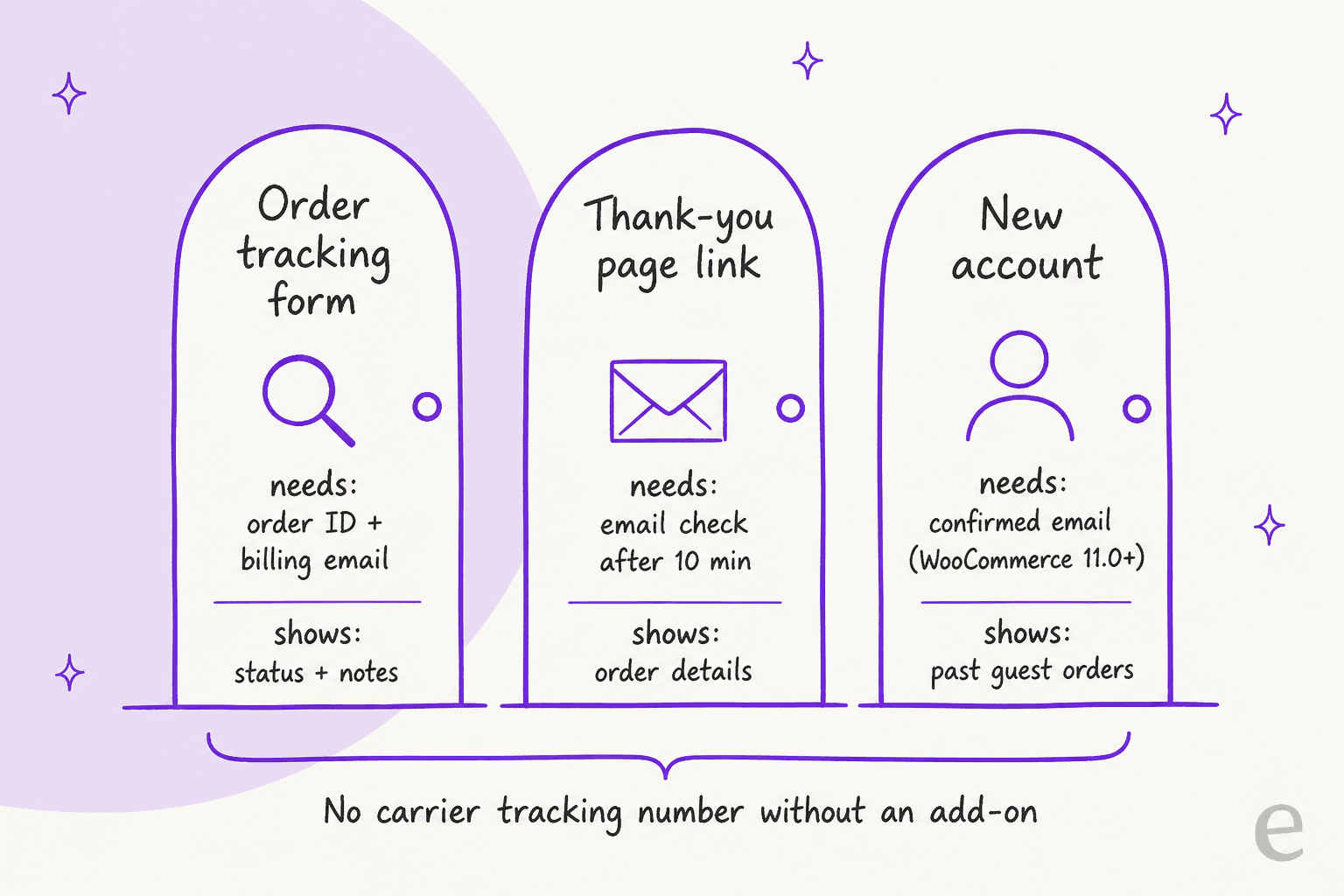
Here's what each one does in detail.
The order tracking form
This is the main tool for WooCommerce guest order tracking. Add the [woocommerce_order_tracking] shortcode to any page and it renders a form with two fields: Order ID ("Found in your order confirmation email.") and Billing email ("Email you used during checkout.") (form template). The WooCommerce shortcodes doc still lists it, and its block equivalent column reads "None", so on a block theme you drop it into a Shortcode block.
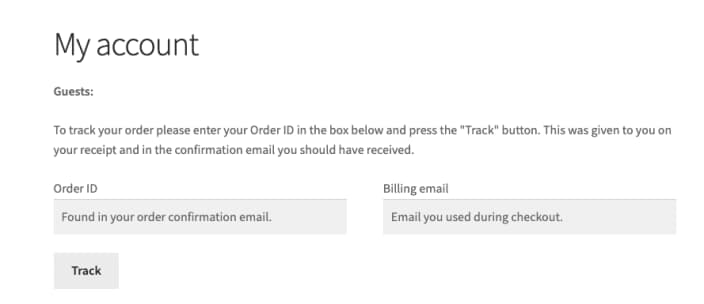
When the email matches the order's billing email, the guest sees "Order #X was placed on DATE and is currently STATUS", an Order updates list of customer notes, and the order details (tracking template). When it doesn't match, the guest gets: "Sorry, the order could not be found. Please contact us if you are having difficulty finding your order details." (shortcode source). Read that last sentence again. The failure message sends the shopper straight to your inbox.
The order-received link from the confirmation email
The "thank you" page URL carries the order key, so it looks like a permanent order page. It isn't quite. If a guest reopens it more than 10 minutes after ordering, WooCommerce asks them to "login or verify the email address associated with the order" before showing anything (checkout source, grace period). That's a sensible privacy check. It also means the link a shopper saved works differently the next day, and some of them will read the email prompt as "the link is broken."
A new account, created after the order
This one used to be a dead end. A guest who signed up later found an empty order history, because the old order still pointed at "Guest".
"The issue is the customer information is only being stored in the order data since no account is created during checkout.Therefore, when the user creates an account, after they've already placed their previous Guest order, their newly created account isn't linked to their previous order."
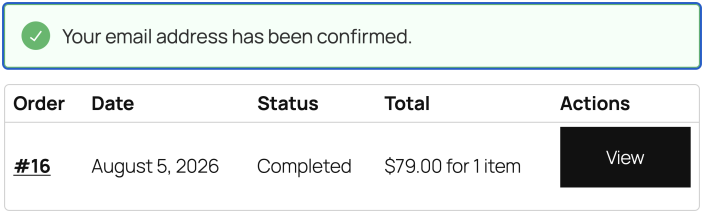
WooCommerce 11.0 changed that. The customer clicks Confirm email address on My account > Orders, gets a one-time link that lasts 24 hours, and past guest orders with the same billing email move into their account. An admin can also tick Email address confirmed on the user profile, which links the orders straight away. That checkbox is a handy fix for the "I made an account and my order disappeared" ticket.
How do you set up guest order tracking in WooCommerce?
Five steps, about an hour for a small store, most of it spent on step 3.
- Create a "Track your order" page. Add a page, drop in
[woocommerce_order_tracking], and publish it at a short URL like/track-order. Put it in your footer, your help center, and any order status chatbot flow you run. Guests can't find a page nobody links to. - Link it from every customer email. Under WooCommerce > Settings > Emails, edit the Processing and Completed order emails so they point at the tracking page and say which email address to type in. Tell people to use the address the email arrived at. That one line heads off most "order could not be found" errors.
- Add tracking numbers. Core order emails have no tracking-number field, so pick an add-on from the table below. Without one, the only way to send a number is a customer note on the order, which is how plenty of small shops start, typing numbers in by hand.
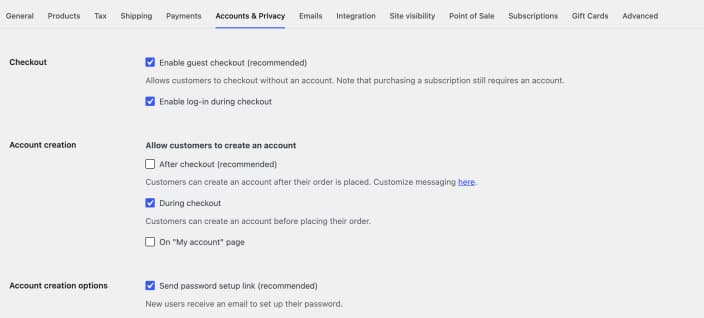
- Check your account settings. In Settings > Accounts & Privacy, keep Enable guest checkout on and turn on After checkout account creation, so guests get a no-pressure offer to save the order to an account (settings doc). On 11.0 or later, leave the "Confirm email address" email enabled so new accounts can claim old guest orders.
- Test it as a guest. Place an order in a private window, wait more than 10 minutes, then try every path: the thank-you link, the tracking form with the right email, and the tracking form with a different email. You'll see exactly what your customers see, including the error.
If you're weighing whether WooCommerce is still the right base, see our WooCommerce alternatives. If you're still choosing a platform, the Shopify vs WooCommerce comparison and WooCommerce pricing breakdown cover how much of this you'd build yourself on each.
Which tracking add-on should you pick for guests?
Here's the gap in one picture. Core WooCommerce tells a guest the order is "Completed". It doesn't tell them which carrier has it or where it is.
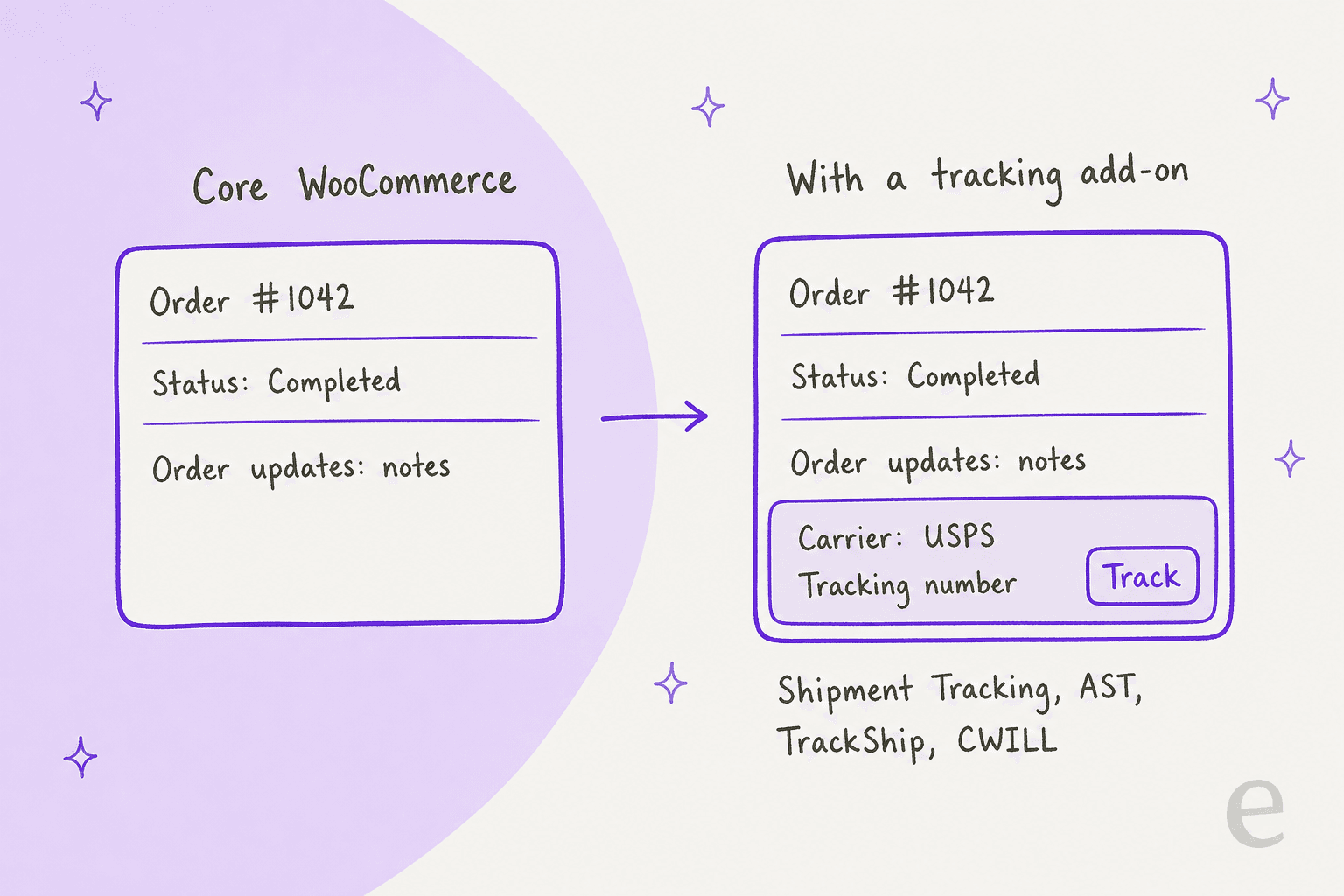
Store owners notice this fast.
"Hey, just a heads up. WooCommerce doesn't send tracking info by default, ever. Pirate Ship was either injecting it into the Completed Order email or sending its own."
These are the add-ons that put a tracking number in front of a guest, with prices from each vendor's own page:
| Add-on | Price | Guest lookup needs | Where guests see tracking | Carriers |
|---|---|---|---|---|
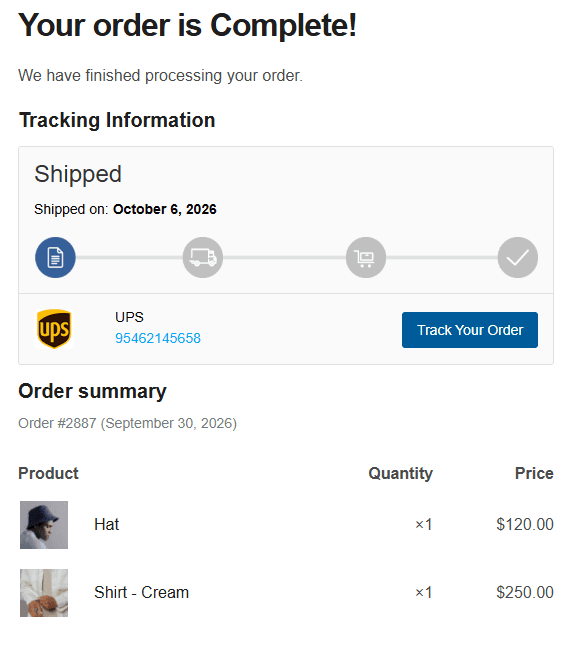
| Shipment Tracking (by Woo) | $59/year | Order ID + billing email (core form) | Emails, core tracking page, My Account | ~15 named plus custom |
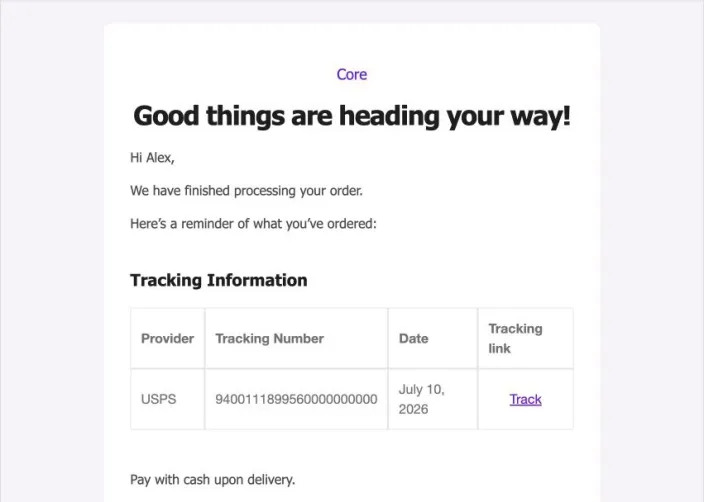
| Advanced Shipment Tracking (Zorem) | Free; PRO $129/year | Track link in email, My Account | Email widget, My Account | 1010+ |
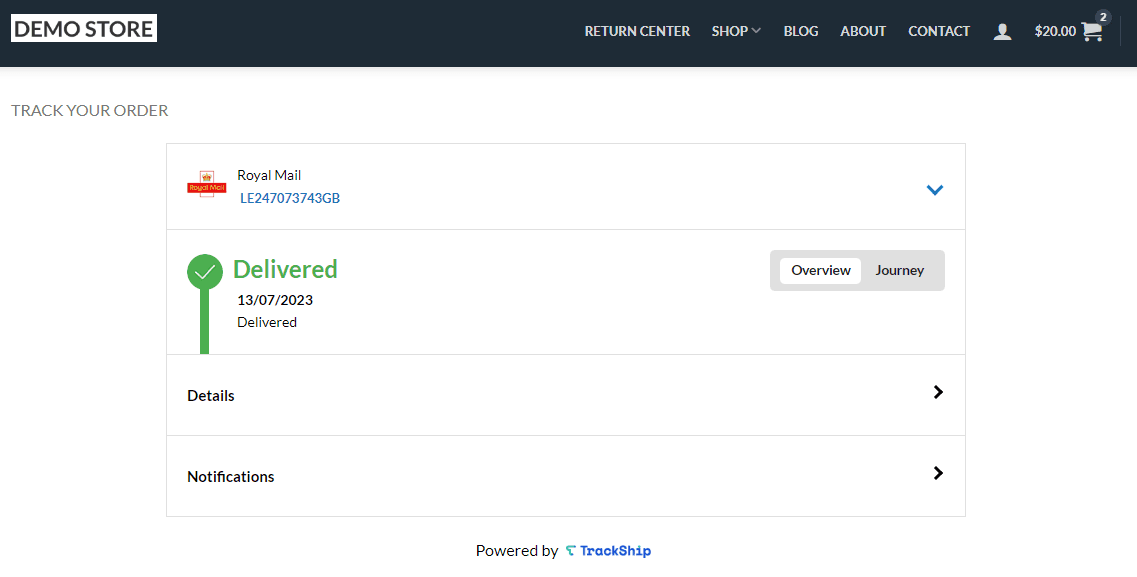
| TrackShip (pairs with AST) | Pro from $7.5/month (600 shipments/year) | Order ID + email, or tracking number | Branded page with live carrier status | Via TrackShip |
| Orders Tracking / Trakoo (VillaTheme) | Free; Pro $39 to $69 | Email, order ID and/or tracking number | Auto-created Track Order page | Via tracking service |
| CWILL, formerly ParcelPanel | Free for 20 orders/month | Order number + email/phone, or tracking number | Branded tracking page | 1,500+ |
My pick: if your carrier is on Woo's list and you just need the number in the shipping email and on the core form, the official Shipment Tracking extension is the fewest moving parts. One quirk: saving a tracking number doesn't send anything. Marking the order Completed sends the email with tracking in it. If you ship with a long tail of carriers, AST free covers 1010+ of them, and adding TrackShip gives guests a page with live status instead of a link out to the carrier.
What about WooCommerce's built-in Order Fulfillments?
WooCommerce is building tracking into core. The Order Fulfillments feature adds a carrier, tracking number and tracking URL to each shipment, with 70+ providers, and emails the customer when a fulfillment is created, updated or cancelled. It applies to guest orders too: WooCommerce 10.8 closed a hole where guest order fulfillments could be read through the REST API without logging in.
The catch is its status. It has shipped inside stable releases since 10.2 but is still a beta, off by default, switched on with a WP-CLI command and no settings toggle. The current release is 11.2.2, and I found no announcement taking it out of beta. I'd test it on staging and keep a plugin on the live store until Woo gives it a real switch.
Why do guest order lookups still fail?
Even with a tracking page live, some guests won't get through. These four causes show up again and again:
- The email doesn't match. The form compares the typed email to the billing email. A shopper who checked out with a work address and writes from a personal one gets "could not be found", every time.
- The confirmation link asks for an email check. After 10 minutes, the thank-you page wants the order's email before it shows anything. Fine for privacy, confusing for a shopper who expected the order.
- Tracking sits somewhere the guest can't see. When a warehouse or label tool writes tracking into a private order note, the guest never sees it.
"Tracking info is getting pushed to the comment section of an order and it says "to customer", but I've been fielding calls all day of people who aren't getting their tracking info emails."
- Silence reads as a scam. If nothing arrives between "order received" and the parcel, some shoppers assume the worst. One operator on Hacker News described customers blasting support with "this-site-is-a-scam-where-is-my-order" over a two-day delay. That one is general ecommerce, not WooCommerce, but the fix is the same: a shipping email with a working number.
Returns raise the same question a week later, which the guide to AI for returns management covers. The guide to shipping delay notifications covers what to send when it's late, and fraud-related support covers what to do when "where is it" turns into a chargeback.
How should support answer a guest "where is my order?" email?
Same way every time, which is exactly why it's worth writing down. The whole job is finding the right order, then saying the one thing that matters for its status.
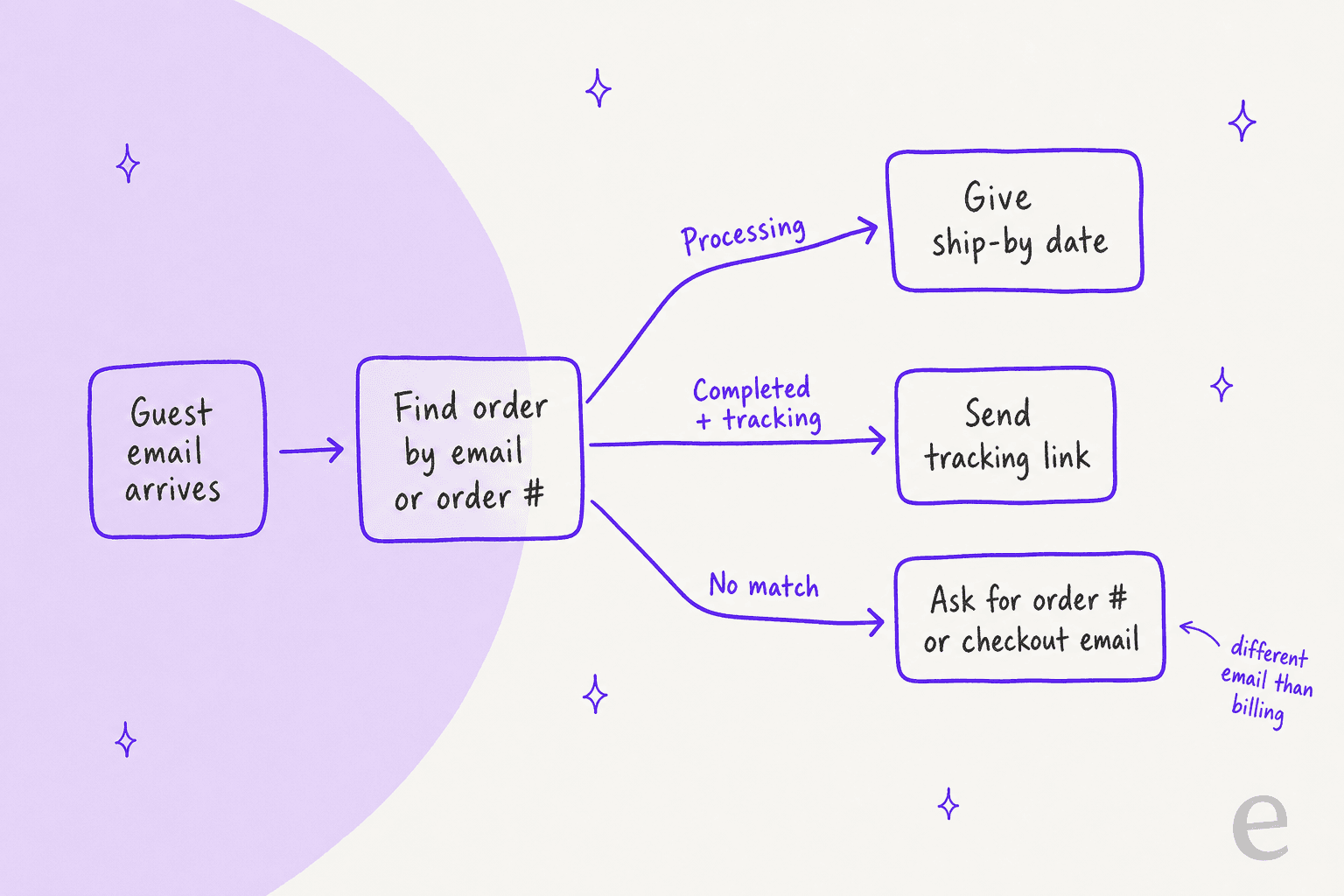
- Find the order. Search WooCommerce > Orders by the sender's email or the order number. If you also run a separate order management system, check which one holds the tracking. If nothing comes back, the guest probably used another address at checkout.
- Read the status, not just the date. Processing means it hasn't shipped: give the ship-by date from your shipping policy. Completed with tracking means send the link, not a paragraph. Completed with no tracking means check the order notes and your warehouse before replying.
- Ask for one thing when there's no match. "Can you send the order number from your confirmation email, or the email you used at checkout?" One question, not a form.
- Fix the cause. If tracking was in a private note, resend it as a customer note so it reaches the email and the tracking form.
If you answer from a shared inbox rather than a helpdesk, an email ticketing system is worth it at this point, because guest emails need the order number pinned to the thread.
If your team works in a helpdesk, the order lookup is the slow part, because it means leaving the ticket for the WordPress admin. That's the step most ecommerce helpdesks try to pull into the ticket view.
On Zendesk AI or Freshdesk AI, the lookup still lives outside the ticket unless something brings it in.
The guides to Gorgias with WooCommerce and AI for order tracking support go further on that setup.
How tools find a guest order behind the scenes
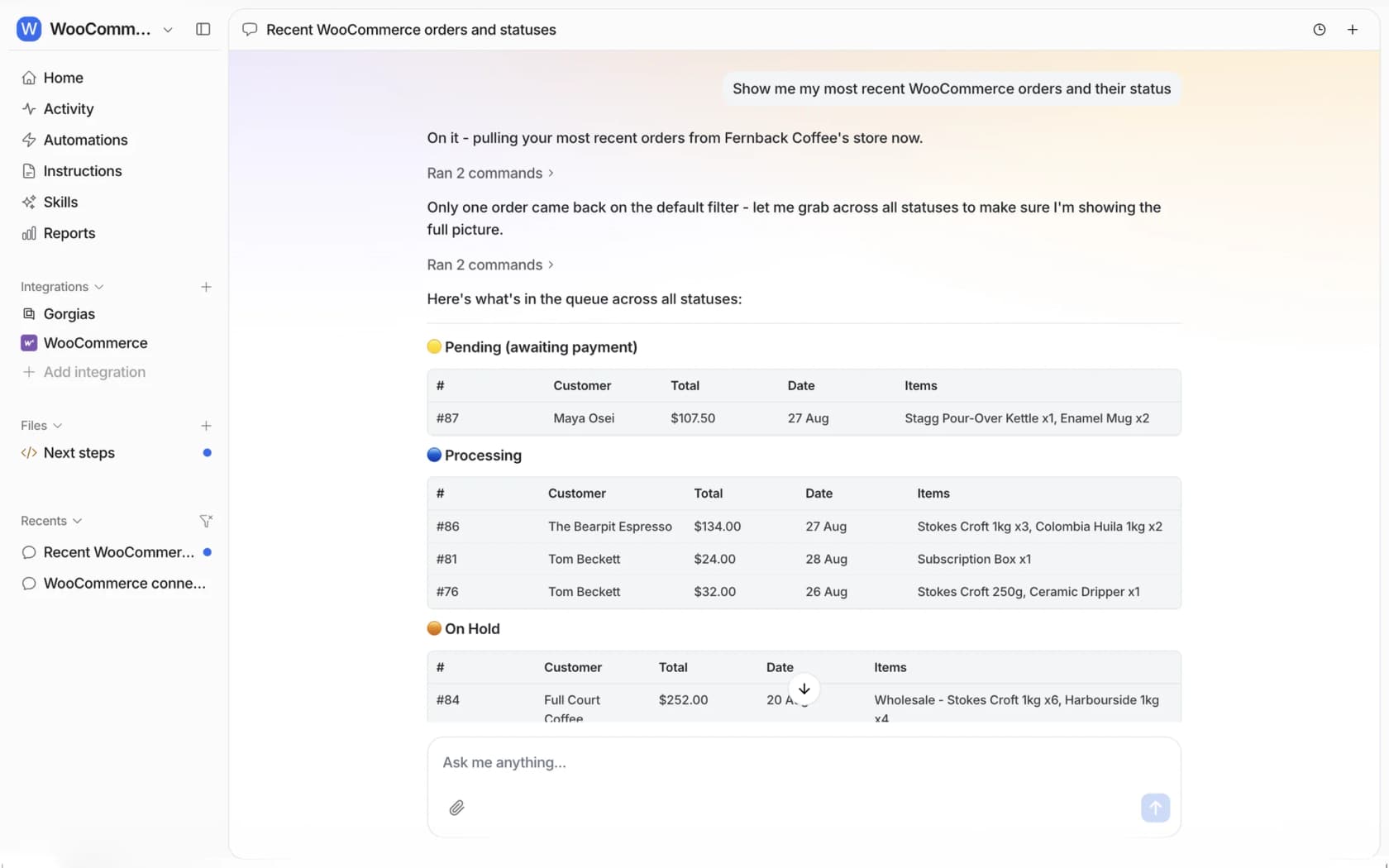
For anyone wiring up a helpdesk, chatbot or script: guest orders have customer_id set to 0 in the WooCommerce REST API. You can't fetch them "by customer". You look them up with GET /wp-json/wc/v3/orders?search= plus the billing email or order number, then read customer-visible notes from /orders/<id>/notes?type=customer. Tracking numbers live in the tracking plugin's own data, not in core order fields, so a tool needs that plugin's API (or the fulfillments endpoint) to quote a number. This is the part most order tracking chatbots handle for you. Whether AI can track orders mostly comes down to that data access.
Can AI answer guest order questions on a WooCommerce store?
Yes, as long as it reads the live order and checks who's asking. The walkthrough on automating order tracking with AI covers the general setup. That second part matters more on WooCommerce than people expect. It's the same reasoning as account recovery support: a guest has no login, so "the email this message came from" or "the email you give me" is the only identity there is. WooCommerce itself won't show an old guest order without the billing email, and an AI agent should hold the same line: confirm the order number and the checkout email match before it shares an address or the order contents.
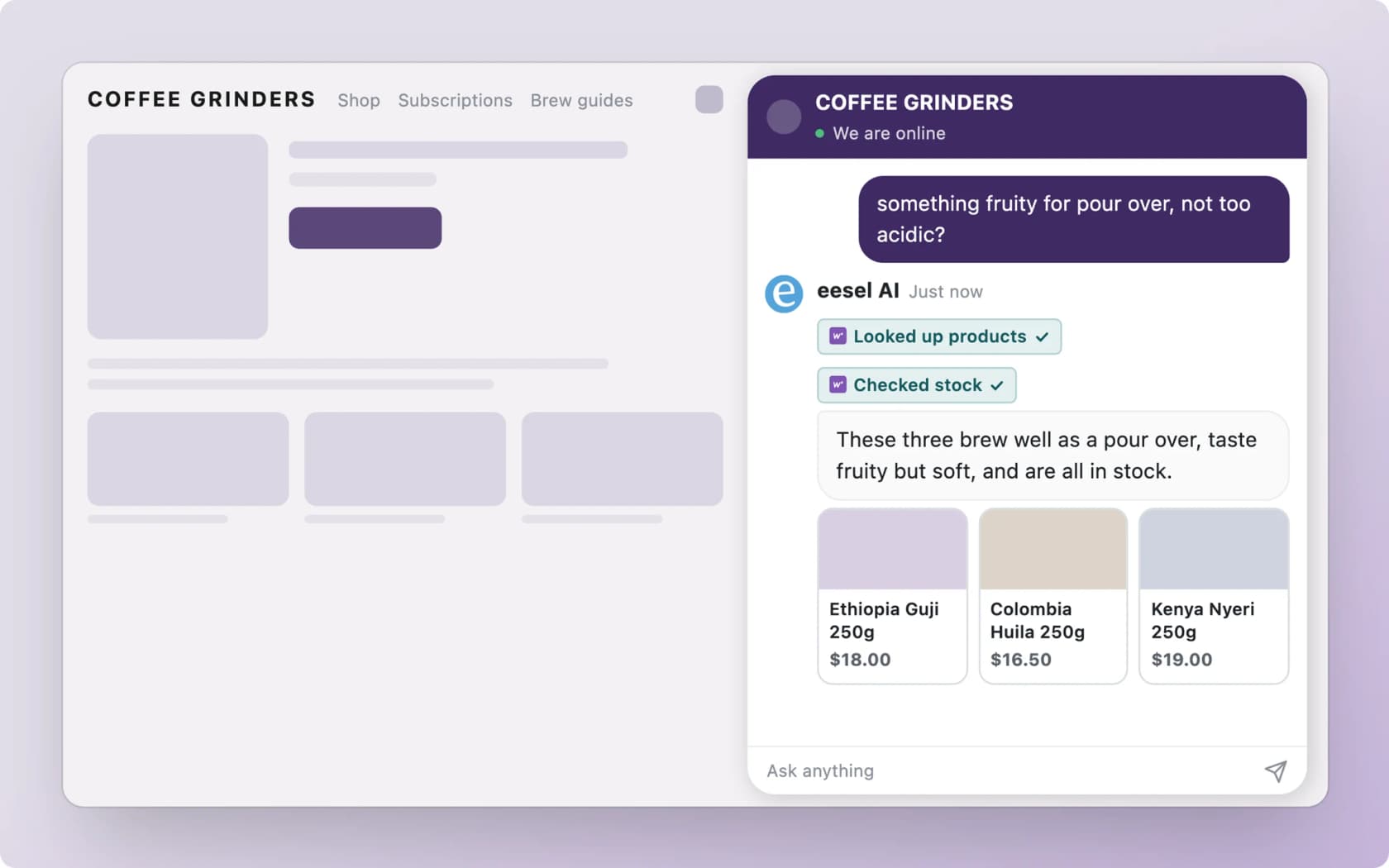
That's how eesel handles it. It's an AI teammate for your helpdesk, and on WooCommerce it connects through the free eesel AI plugin or a REST API key (setup docs), then looks up orders and customers live: items, totals, status and notes. A guest asks in the chat bubble on your store (think live chat software that can read orders), or emails your helpdesk, and eesel finds the order and replies with where it stands. Anything that changes the order, like a refund, a status change or a note to the customer, follows the approval rules you set, and a person can approve it from the dashboard or a Slack thread.
Neither of these customers is on WooCommerce, but both show the pattern. Beautek runs the check-then-look-up flow on its own order system: eesel asks for the customer's email, runs a short identity check, then reads the order number, date, status, tracking number and ship date. ClutchLoop runs eesel as the chat on its Shopify store, where it answers order status, returns and product questions, and opens a Gorgias ticket when a chat needs a person.
Stores on Gorgias can compare this with Gorgias AI order tracking, which is Shopify-first.
A few honest limits. WooCommerce has no triggers in eesel, so nothing in your store starts a conversation by itself: the conversation comes from chat, your helpdesk or Slack. Your shipping and returns policies don't live in WooCommerce, so you connect your website as well. And eesel reads tracking numbers wherever your store exposes them, so if tracking only ever lands in a private note, fix that first. With the eesel CLI, an AI coding agent like Claude Code can run eesel integrations connect woocommerce to print the connect link, then ask test order questions and check the replies. A person with WordPress admin access still has to approve the store connection.
If you're comparing options, the roundups of best AI for WooCommerce and AI chatbots for WooCommerce cover the field, and WooCommerce AI explains what Woo ships natively.
For a wider view, best AI for ecommerce support goes beyond Woo, and adding AI to WooCommerce walks through setup.
Try eesel on your WooCommerce store
Guest order questions are the easiest tickets to hand off, as long as whoever answers can see the order. eesel connects to WooCommerce through the free WordPress plugin, with no API keys to copy, looks up the guest's order by number or checkout email, and replies with the real status in your chat or helpdesk, while refunds and status changes wait for your team's OK. Try eesel free on your own store.
Frequently Asked Questions
Can guests track their order in WooCommerce without an account?
[woocommerce_order_tracking] shortcode, which asks for the order ID and the billing email and then shows the order status and any customer notes. You have to add it to a page yourself, and it shows no carrier tracking number unless an add-on puts one there. The WooCommerce review covers what else core leaves out.