How to add AI to WooCommerce customer support (2026 guide)

Kurnia Kharisma

Katelin Teen
Last edited July 14, 2026
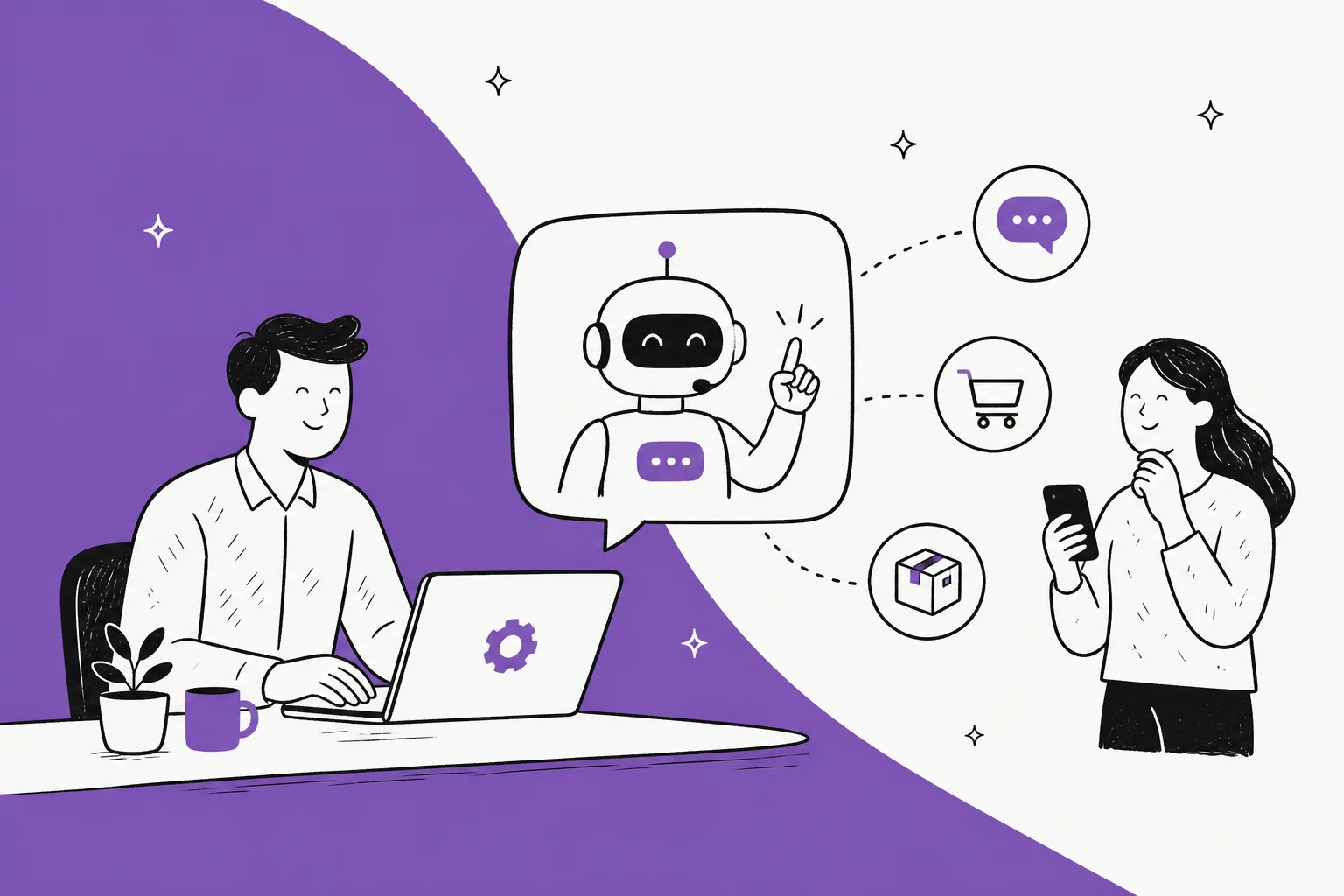
What "adding AI" to WooCommerce actually means
Here's the thing most guides skip: WooCommerce doesn't have a support product to bolt AI onto. It's a store platform. There's no ticketing, no shared inbox, no live chat, and no AI agent in core, and WooCommerce's own customers documentation is mostly about syncing contacts to a CRM. A first-party AI assistant doesn't exist; the woocommerce.com/products/ai-assistant/ page is a dead link.
So when someone searches "how to add AI to WooCommerce," what they're really after is a way to connect an external AI customer service chatbot to their store. The AI sits as a layer on top: it reads from your knowledge sources, checks live data through the WooCommerce REST API, and answers on whatever channels your customers use.
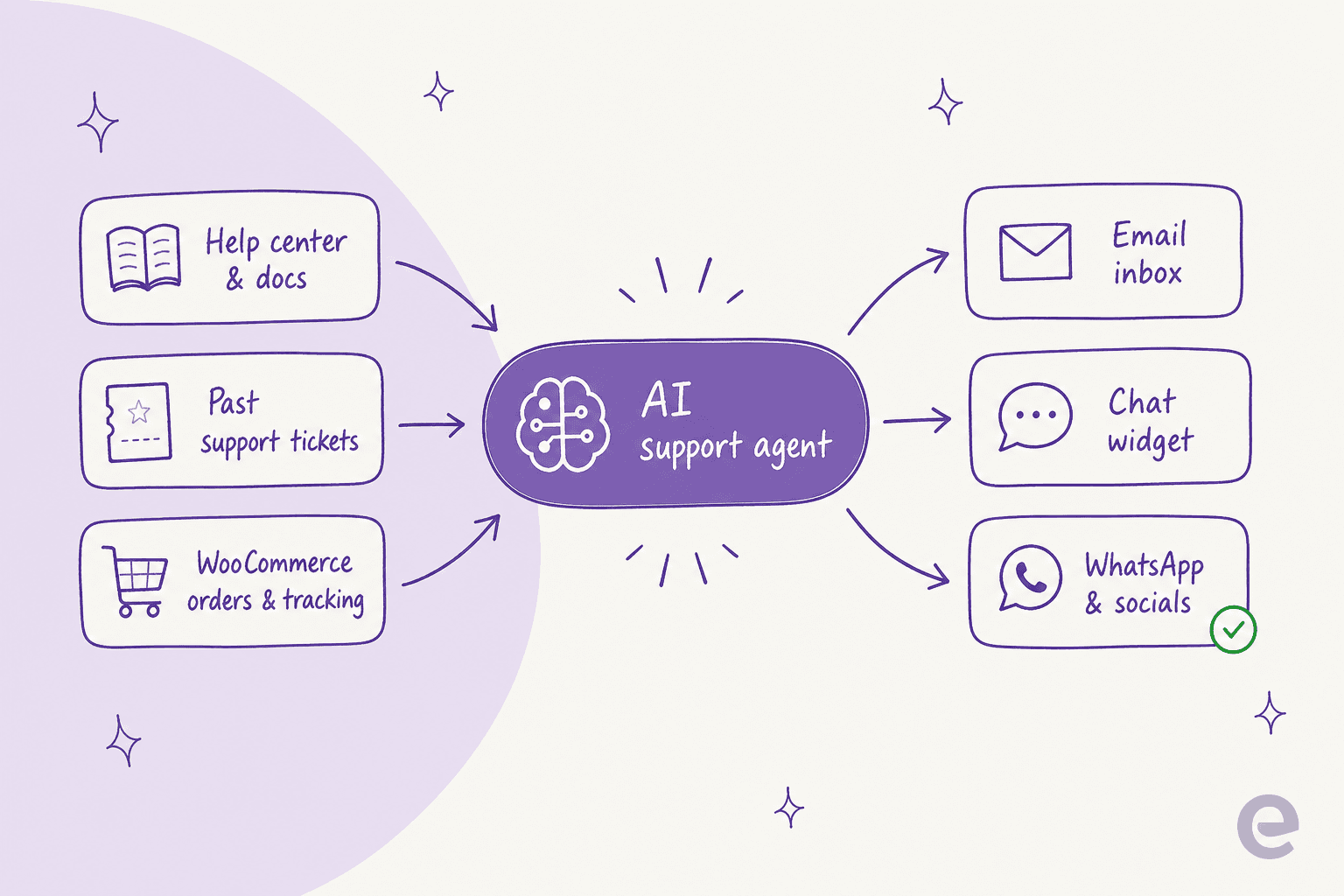
I've spent a fair bit of the last three years watching what actually ranks and converts for support-tool searches, and the WooCommerce space has a recurring trap: the marketplace is full of "AI" extensions, but most of them are merchandising tools (recommend products, boost cart size, add voice search), not support-resolution tools. If your goal is to stop drowning in "where's my order?" emails, an AI shopping assistant that upsells sunglasses won't help. You want something built for customer service automation.
What AI can actually handle for a WooCommerce store
Before you set anything up, it's worth being honest about where AI earns its keep and where it doesn't. On an ecommerce store, support volume is lopsided: a huge share of it is the same handful of questions asked over and over. One multi-brand operator we spoke with described their inbox as dominated by "repetitive refund, unsubscribe, and order-tracking queries" across roughly 500 tickets a day. That repetition is exactly what AI is good at.
The single biggest win is WISMO, the "where is my order?" question that every store owner knows by heart. Once the AI can read live order data, it handles the whole loop without a human touching it.
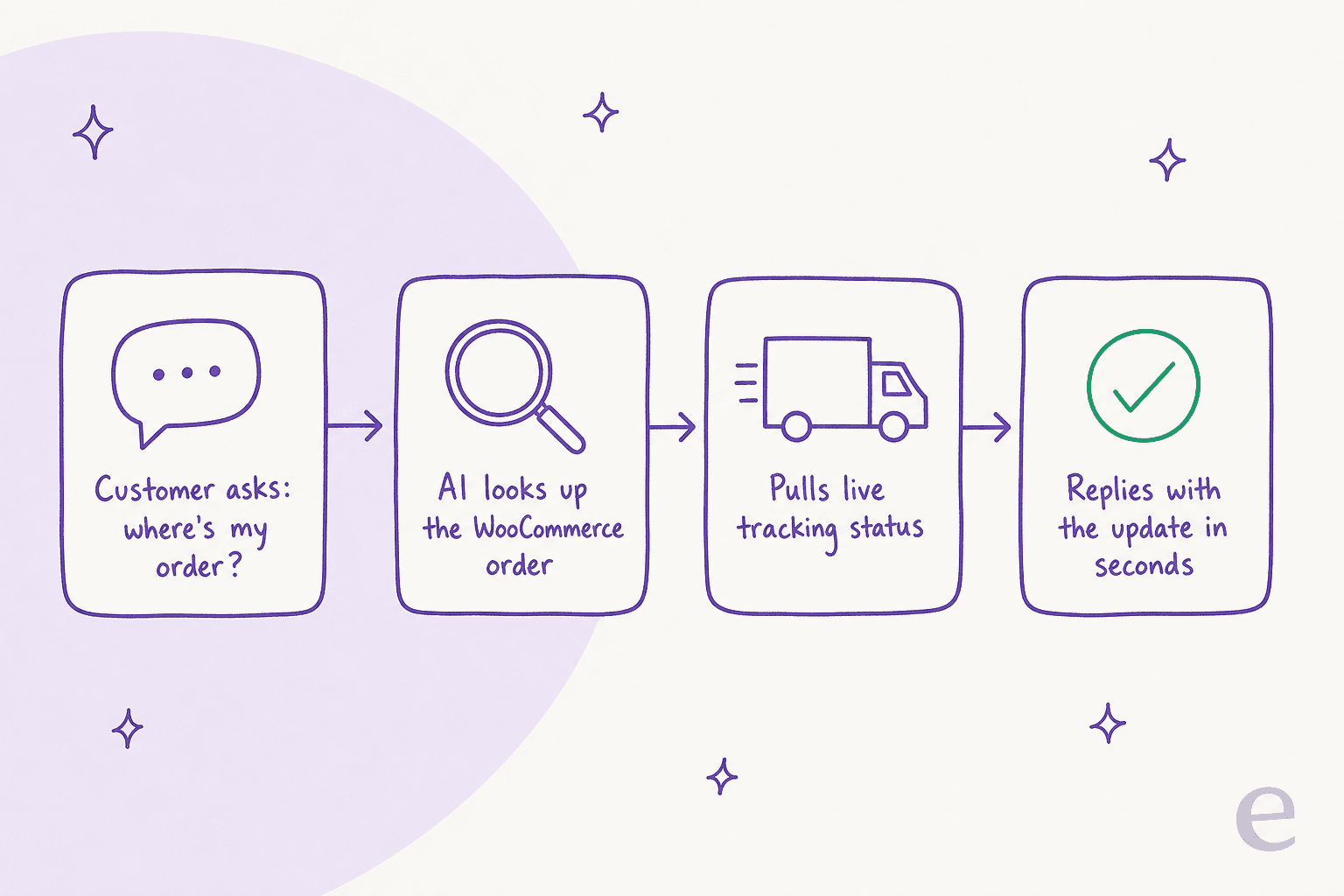
Beyond order tracking, the questions that AI reliably takes on for a WooCommerce store are:
- Order status and tracking ("Order #8294 was due yesterday, can you check?") via AI order-tracking support.
- Returns and refunds, following your policy rules, with AI handling refund requests and escalating the edge cases.
- Stock and availability from the live catalog, so it never promises a sold-out item.
- Product and pre-sales questions ("does this fit a 12-month-old?"), which an AI chatbot for orders can answer from your product data.
- Shipping, sizing, and policy FAQs pulled from your help center.
How well does this hold up? In one of eesel's cross-validated trials on a real store's tickets, AI drafts were rated useful on 93.8% of returns/refunds tickets, 96.4% of warranty claims, and 100% of product inquiries. Those are the exact categories a WooCommerce store lives on.
What AI should not do on day one is auto-reply to everything. A DTC support lead put the principle better than I can:
"The AI will never be able to answer 100% of the questions. I need an AI who is only handling the tickets that it's confident to handle, and all the other ones, leave them alone."
A DTC supplements CX lead (eesel customer interview)
That's the whole game: let AI clear the repetitive 60-80%, and route the tricky, angry, or high-value tickets to a person. Getting there is what the setup steps below are designed for.
Before you start: what you'll need
This is a no-code setup, but a bit of prep makes it smooth:
- Admin access to your WordPress/WooCommerce store, so you can generate WooCommerce REST API keys and add a snippet to the storefront.
- Your knowledge, somewhere the AI can read it. A help center, a Google Doc of policies, a Notion page, or even a folder of past tickets all work as sources.
- Your policies written down. Return windows, shipping timelines, refund rules. If a human can't find the answer, neither can the AI.
- A short list of what "good" looks like. Pick 10-20 real past tickets you'd want the AI to handle. You'll use them to test.
If you're weighing whether to build this yourself on a raw LLM API versus buying a tool, the honest answer for most stores is buy. As one technical founder told us, "we could try to write our own LLM application but we didn't want to invest our time into that. We wanted something that we would not have to maintain." Support tooling is a maintenance job that never ends.
How to add AI to WooCommerce customer support, step by step
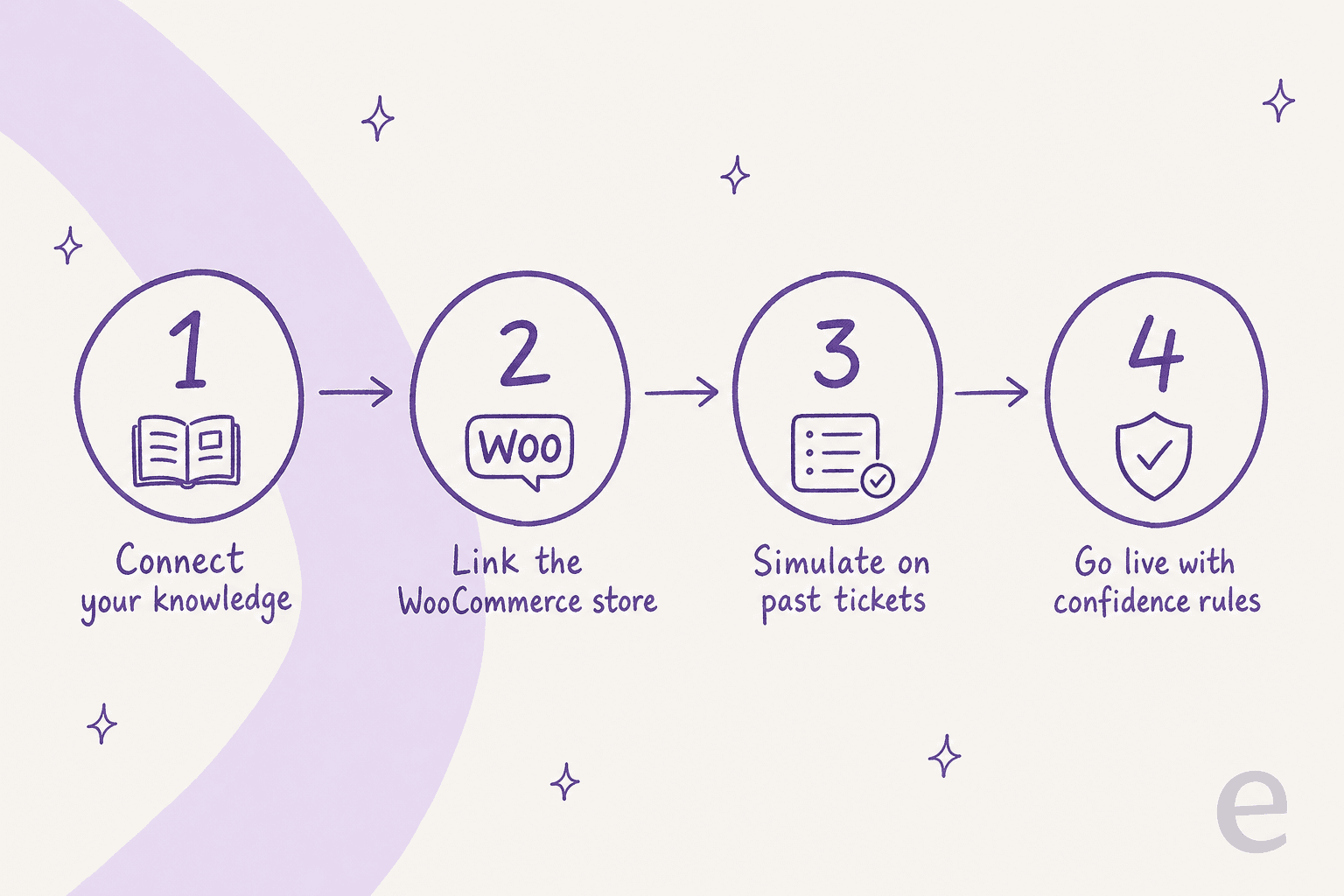
The flow below is written around eesel because it's what I know best and it's built natively for WooCommerce, but the shape holds for most serious AI support tools.
Step 1: Connect your knowledge sources
The AI is only as good as what it can read. Start by pointing it at your help center, policy docs, and (this is the one people skip) your past tickets. Training on historical conversations is the most consistently requested capability for a reason: it teaches the AI your actual tone, your edge cases, and how your team really answers, not just what the FAQ page says.

Good tools connect an AI knowledge base chatbot to these sources automatically, so you're not copy-pasting content or maintaining a separate bot brain. This is also where AI knowledge management for support teams starts paying off.
Step 2: Link your WooCommerce store
Next, connect the store itself so the AI can see live data, not just static docs. This happens over the WooCommerce REST API: you authorize it from your dashboard and the AI syncs your product catalog, variations, pricing, inventory, and order data in real time. When a product sells out or an order ships, the agent knows immediately, so there are no CSV re-uploads and no overselling.
Two things to check here for peace of mind: use read-only credentials where possible, and confirm the tool runs as a lightweight storefront script rather than another heavy plugin that modifies your database. That matters more than it sounds. One store owner's warning about a bolted-on chatbot has stuck with me:
"Also, I had computer security problems because I was using it with Wordpress and I didn't have a good security running. If using with Wordpress, security must be good and kept up to date."

eesel connects this way by design: read-only API access, no database changes, SOC 2 compliance, and zero training on your customer data. It also plays nicely with WooCommerce Subscriptions, Memberships, and Bookings if you run those.
Step 3: Set your rules and simulate on past tickets
This is the step that separates a support asset from a support liability, and it's the one most guides gloss over. Before the AI talks to a single real customer, tell it how to behave in plain language (how to handle returns, what tone to use, when to escalate) and then run it against your historical tickets to see exactly how it would have answered.

A simulation shows you the predicted resolution rate and the actual replies on real questions, so you can fix gaps before launch instead of discovering them in your inbox. This is the difference between an AI agent and a rule-based chatbot: you're not guessing, you're testing. Skipping it is how stores end up with the kind of bot that "would drive customers away given how broken it was," to quote one WoowBot review.
Step 4: Go live with confidence controls
Now you launch, but gradually. Drop the chat widget onto your storefront with a single snippet (it works with any theme and with Elementor, Divi, or Gutenberg) and start in a supervised mode. Most teams ramp through three levels:
- Draft mode: the AI writes replies, your team reviews and sends. You build trust with zero risk.
- Semi-auto: the AI auto-replies to the categories it's confident about (order status, tracking) and drafts the rest.
- Autonomous: the AI handles the bulk of tier-1 questions on its own, escalating anything outside its confidence threshold with full context.
Set your escalation rules so the AI hands off cleanly to a human whenever it's unsure or the customer asks. That confidence gate is what lets you sleep at night. It's also the setup that lets AI clear tier-1 deflection without ever putting a wrong answer in front of a customer.
What it costs (and the trap to avoid)
Cost is where a lot of WooCommerce store owners get burned, and it's usually not the sticker price, it's the billing unit. The most common complaint about cheap freemium chatbots is conversation caps that count everything, including the greeting bubble:
"There is a limit of conversations, and of course, limits for a free version should be, but in the limit software is calculating even the greeting to visitors, which I don't know how to turn off now."
That unpredictability is the real cost. eesel prices on a fixed monthly plan from $299/month for 500 credits, with 1 credit per chat however long and no per-seat fees, so your bill scales with the chats the AI works on, not with how many messages a visitor sends. Plug your own numbers in below to see roughly where you'd land.
For a deeper breakdown of the economics, our take on AI agent vs human agent cost walks through the math.
Common mistakes to avoid
A few pitfalls come up again and again with WooCommerce stores:
- Picking a merchandising bot for a support job. Half the WooCommerce "AI" marketplace is built to upsell, not to resolve tickets. If the pitch is about conversion rate, it's the wrong tool for your inbox. Start from AI for customer service instead.
- Skipping the simulation. Launching an untested bot on a live storefront is the fastest way to lose trust. Test on past tickets first, every time.
- Going fully autonomous on day one. Ramp through draft and semi-auto. Confidence controls exist so you don't have to choose between "all AI" and "no AI."
- Ignoring the billing unit. A $9/mo bot with a 100-conversation cap can cost more than a fixed monthly plan once your store gets busy. Read the fine print on what counts as a "conversation."
- Forgetting your other channels. WooCommerce support isn't just the website widget. Good AI runs across email, Slack, and your helpdesk too, whether that's Zendesk, Freshdesk, or Gorgias.
If you want to see how other stores handle this at scale, the roundup of WooCommerce AI tools and the wider guide to AI assistants for ecommerce are good next reads.
Try eesel for WooCommerce
If you'd rather not stitch together a bot from the marketplace, eesel's WooCommerce AI Agent is built for exactly this. It connects to your store over the REST API, reads your live catalog and order data, and handles order tracking, returns, and product questions across your storefront widget and your existing helpdesk, in 80+ languages.

What makes it worth a look for a WooCommerce store specifically: you can simulate it on your past tickets before it ever replies to a customer, ramp from draft to autonomous at your own pace, and it goes live in under 30 minutes with a single storefront snippet, no developer needed. WooCommerce stores like Tulipy already use it for AI order tracking and stock checks across multiple brands. You can try eesel on the free plan (100 credits) and run a simulation on your own store before you commit.